Laptop motherboard repair
View original reviewAmazing service. I took my gaming laptop here for a motherboard repair as a last resort after another shop I had taken it to told me it couldn’t be fixed.
Computer repair in London and major UK cities
Describe the fault below. We’ll suggest the most relevant repair service, and you can continue to the enquiry form when you’re ready.
Suggested repair services
The suggestions are based on the symptoms you described, not a confirmed diagnosis.
Checking our repair services
Care for the computer you depend on.
Tell us about the problem at no cost.
You decide whether to go ahead.
Confirm the cost before repair work starts.
Common computer problems
Choose the problem that sounds most familiar. If you are unsure, describe the symptoms in the repair finder above.
Something else? You don’t need to know the technical name. Describe the problem →
Real repairs. Real experiences.
Selected excerpts from our published Google reviews. Every repair is different. These are our customers’ own experiences.
From problem to next step
You do not need to diagnose the fault. Tell us what you have noticed, where you are and how you would prefer the repair to be handled.
Tell us about the device, symptoms and any messages, noises or recent damage.
Keep your description and add your postcode and contact details.
An engineer contacts you about the fault, availability and likely costs. You choose the next step.
Repair around your day
The right repair method depends on the device, the fault and your postcode. Tell us what would suit you and we’ll explain the practical options.
We come to you
For problems best checked where you use the computer, including setup, connections and suitable repairs.
Useful for: desktops, printers and home or office setups.
Ask about a visit →Specialist equipment
For repairs that need a bench, replacement parts or more detailed testing. The arrangements are confirmed first.
Ask about: drop-off, collection or delivery options.
Discuss a workshop repair →Help wherever you work
For suitable software, email and setup problems when the computer starts and can connect to the internet.
Any remote-access session is arranged with your permission.
Ask about remote help →Available repair methods depend on your device, the fault and your postcode.
Repair with a clearer picture
The files, the work, the photos, the everyday things. A repair should start with understanding what you need, not just what’s broken.
Tell us what matters to youUnderstand the proposed repair, your options and the next step in plain language.
Discuss the likely cost and timescale, and agree the work before it starts.
Tell us if documents or photos are essential, especially if you don’t have a backup.
Ask whether the repair makes sense for the age, condition and value of your computer.
Explore our repairs
Explore laptop, Mac and desktop repair services, or describe the fault if you are unsure where to begin.
Everyday faults, damaged parts and performance problems.
Help with your Mac, from startup issues to damaged components.
For the computer at your desk, whether you work or play.
Data recovery, motherboard faults, liquid damage or a computer that has already been looked at.
The question everyone asks
Computer repair costs depend on the device, fault, parts and checks required. Include the make, model and symptoms so the likely repair and cost can be discussed.
Ask about my repairBefore you go ahead
The model, damage and checks needed to identify the problem.
What needs repairing or replacing, and what the quoted work includes.
Confirm inspection, call-out, collection or delivery charges before booking.
Free to enquire. No obligation to book.
A look inside the repair
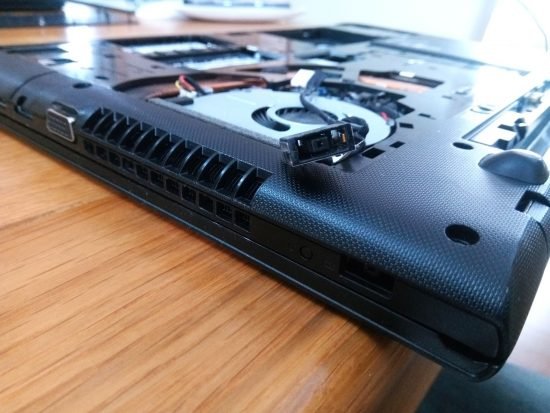
Lenovo laptop · Cooling
A Lenovo Z70 was getting excessively hot and shutting down. The repair write-up shows the cooling-system clean.
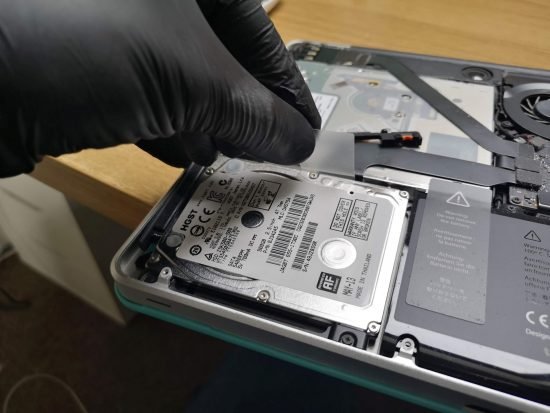
See the cooling-system repair →MacBook Pro · Storage
A failed hard drive was replaced with an SSD, followed by a macOS reinstall. Read the full repair story.
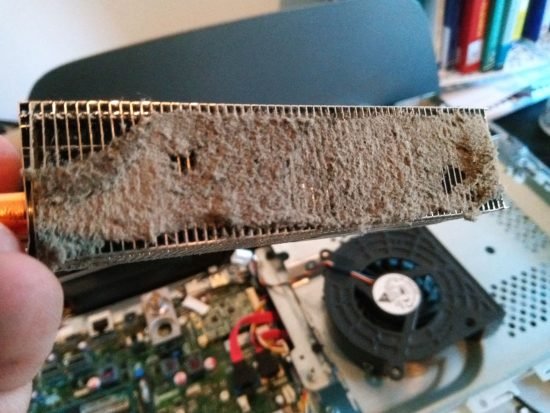
See the MacBook repair →HP all-in-one · Home visit
A Wanstead home visit uncovered clogged fans and dried thermal paste. The computer was cleaned and temperatures checked.
See the all-in-one repair →Photographs and examples from our published repair archive. Every device and fault is different.
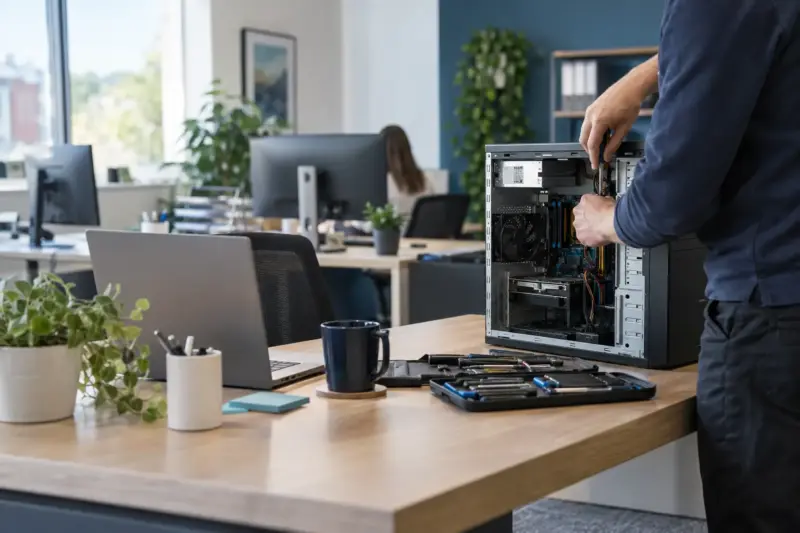 For the computers your business depends on.
Business computer repair
Tell us which devices are affected, what has stopped working and how it’s affecting your team. We’ll discuss the repair and practical next steps.
Looking for computer repair near me?
We have computer repair engineers in London and major UK cities, including Birmingham, Manchester, Glasgow, Leeds and Liverpool. Enter your postcode or describe the fault to start an enquiry.
Repair methods and availability depend on your postcode and the work needed. Please enquire before travelling or sending a device.
Enquire about a repair near meWhere do you need help?
Somewhere else in the UK?
Tell us your postcode →Enquire before travelling. Service methods and availability are confirmed for your repair.
Before you enquire
Still have a question? Add it to your enquiry. You don’t have to work everything out first.
Ask about your computer →Start with your full postcode and a description of the problem. If you’re in London, you can also explore our London home-visit information. For other UK areas, enquire so local availability and the right repair method can be confirmed.
No. Describe what happens when you use or start the computer. Any messages, noises or recent changes can help. The repair finder suggests a starting point; it does not confirm a diagnosis.
Include the make, model and symptoms if you know them. Some repairs can be discussed from those details; others need inspection first. Confirm any inspection charge, the proposed work and the price before going ahead.
It depends on the fault, parts and appointment availability. Let us know about any deadline in your enquiry so the expected timescale can be discussed before you decide.
Home and office visits are an option for suitable work. Other faults need workshop equipment or can be handled remotely. Include your postcode and preferred repair method so the available options can be confirmed.
Tell us before any work starts if files are important or you don’t have a backup. Repairing a computer and recovering data may be separate jobs. No repair enquiry can guarantee that files are recoverable.
The age, condition, repair cost and how you use the computer all matter. Ask for the repair and replacement options to be explained before making a decision.
Ask what cover is included for the proposed work and any replacement parts, how long it lasts, and what to do if the same fault returns. Confirm those details before authorising the repair.
No. Enquiring is free and there is no obligation to book. You can discuss the problem and the proposed next step before deciding whether to proceed.
You don’t need a diagnosis to get started
Describe the problem, add your postcode and tell us how you would prefer the repair to be handled.