Published 27 October 2026 · Acer Nitro 5 AN517-51 case study
Acer Nitro 5 AN517-51 cleaning
the two fans sit together, but the dust had spread far beyond them.
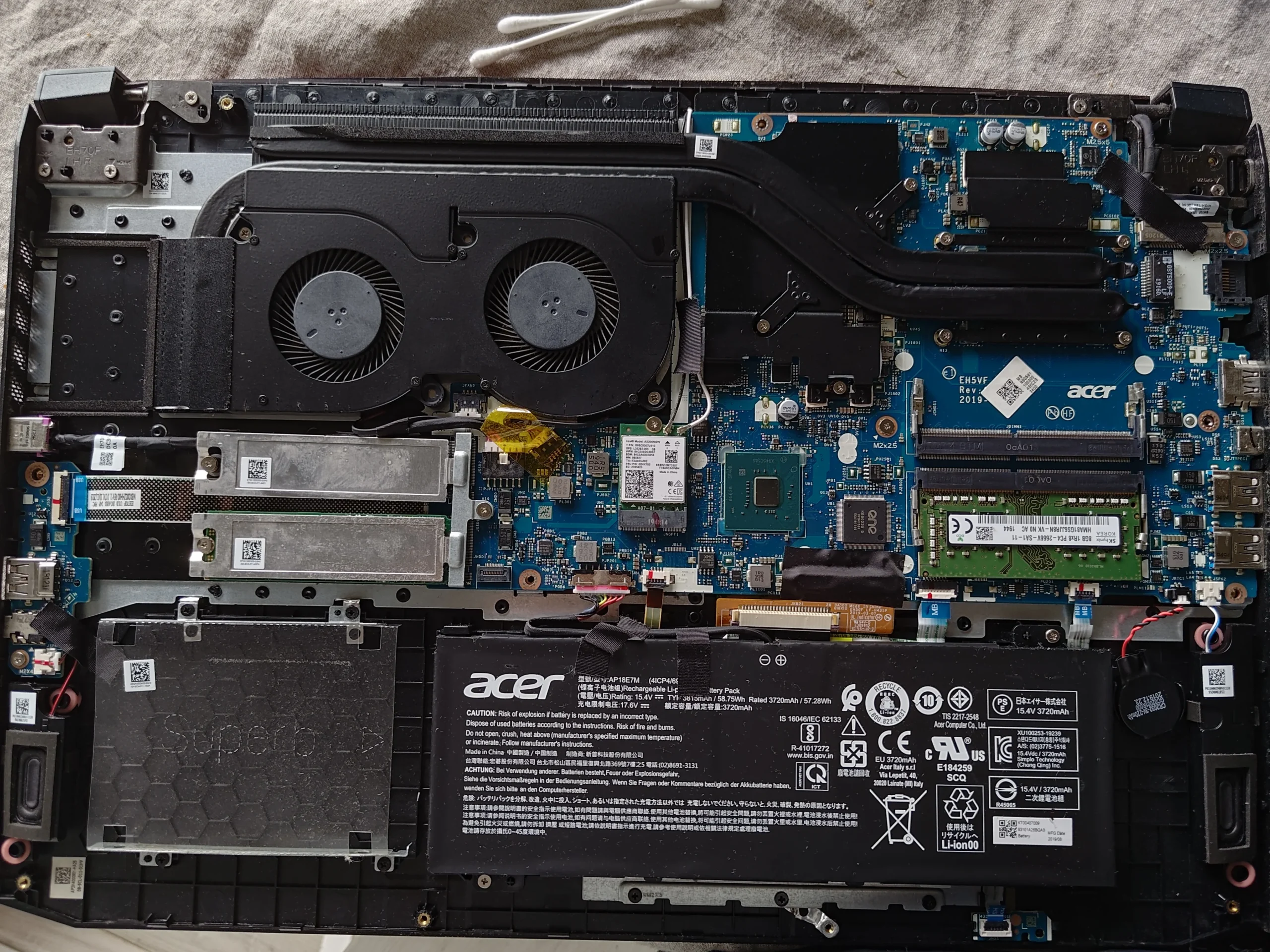
In this AN517-51, both blower wheels are grouped under one long shroud. The photos show dust across the lower cover, the exposed heat pipes and even nearby board areas. The cooling assembly was lifted as well, so the job combines clearing the airflow route with preparing two chip contacts for proper reassembly.
Model family
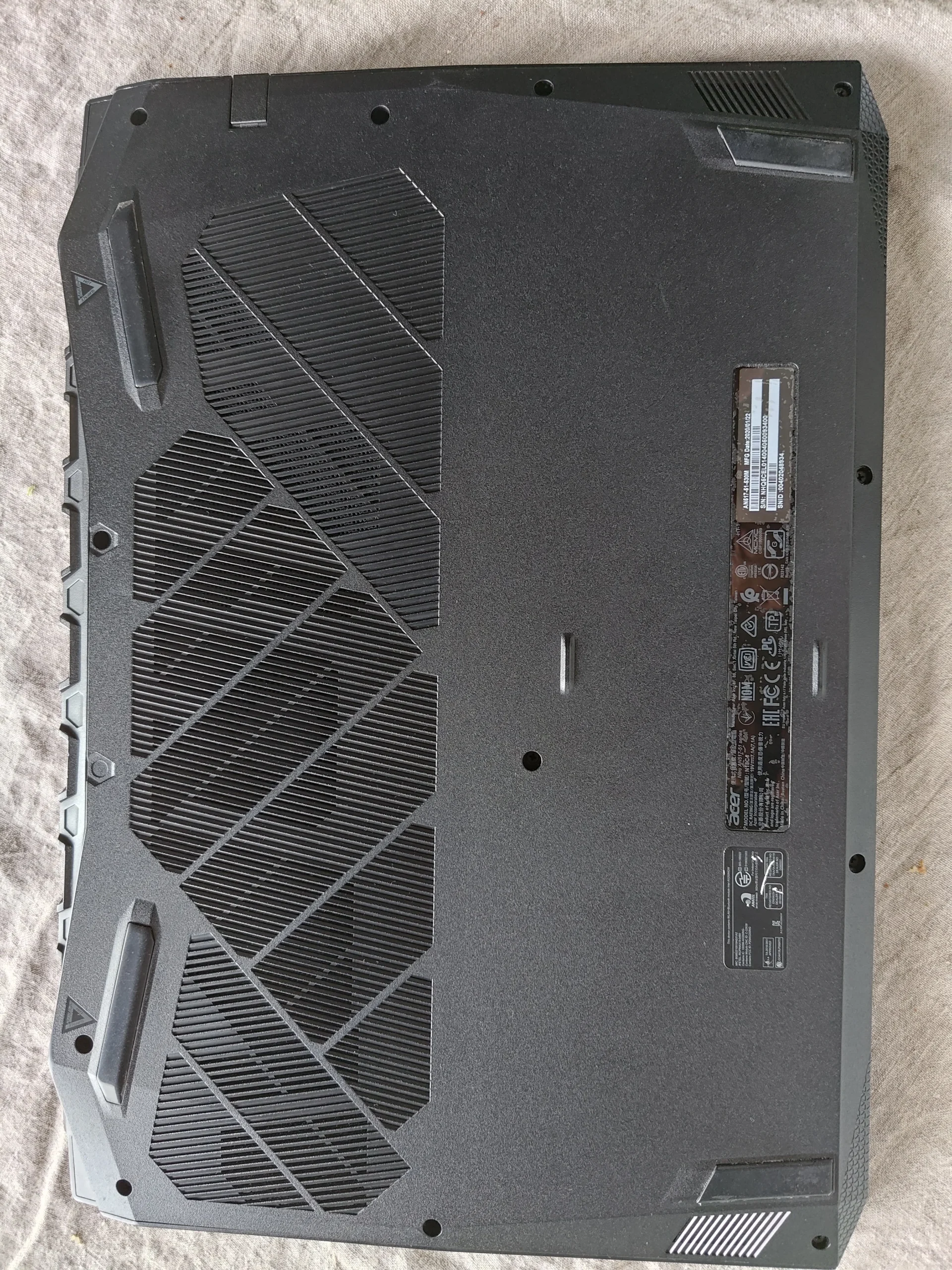
Acer Nitro 5 AN517-51 from the underside label
Fan layout
Two blower wheels side by side under one shroud
Additional work
Dust removal and copper/chip contact preparation
The underside label identifies the AN517-51 family, while its final sales suffix is too blurred to state confidently. The Nitro branding and internal view match that identification. The published gallery excludes the serial-number label.
The case differs from the earlier Nitro 5 story: its two blowers share a long enclosure, and dust is visible across the board and heat-pipe covers, not just at a single fan inlet. The photographs show cleaning steps and exposed thermal contacts, but no paired benchmark.
In this case study
01 / Air enters here
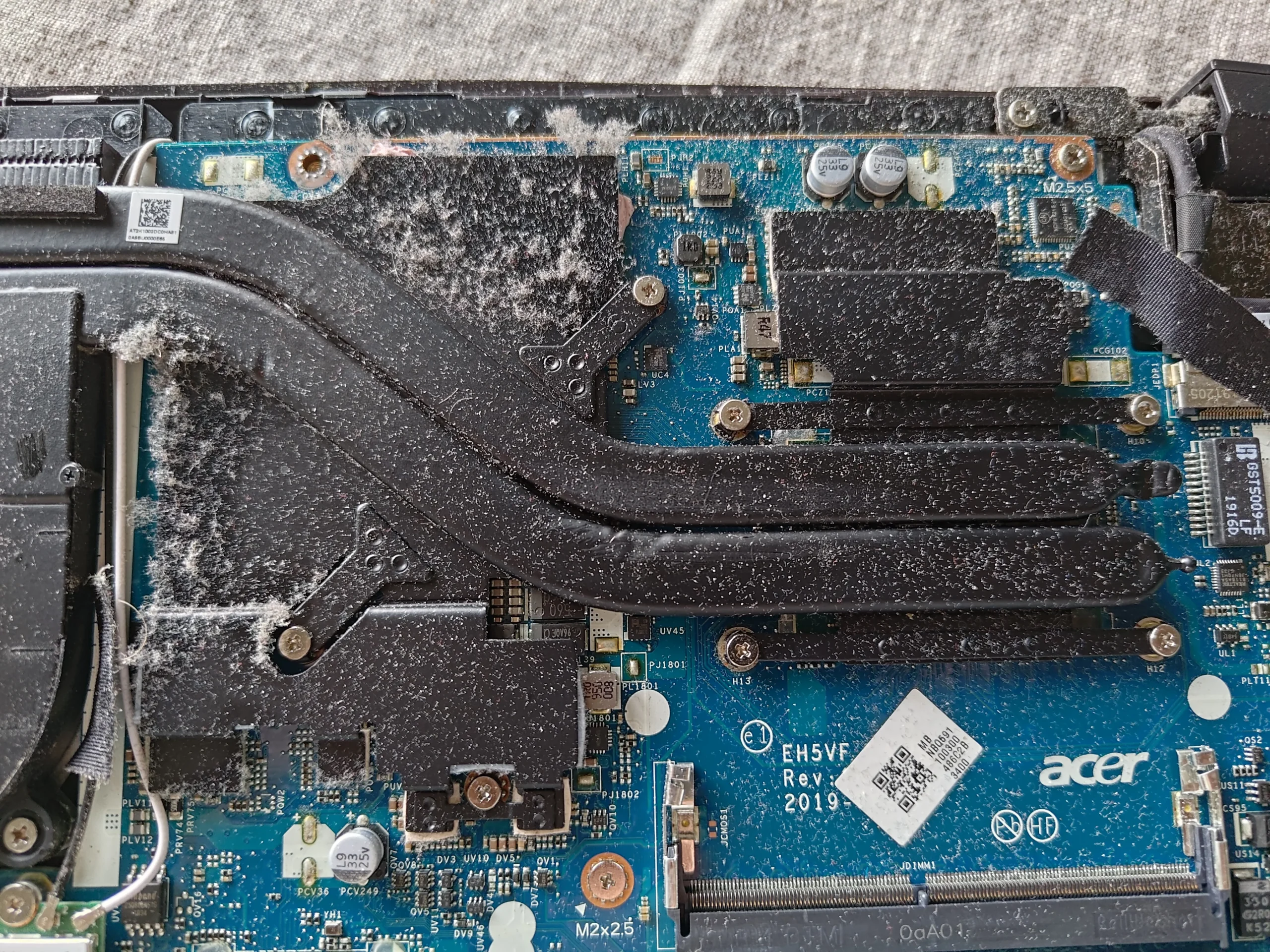
The lower cover carried dust across a wide intake
The cover's large patterned grille admits air beneath the cooling assembly. Its inner face shows dust across the slats and neighbouring plastic ribs. That material can return to the fan area if the cover is simply refitted after an internal clean.
Remove loose dust from both sides without tearing any fitted mesh or seals. Keep screws and clips organised so the cover returns flush; a raised edge can change the intended intake path.
02 / The layout
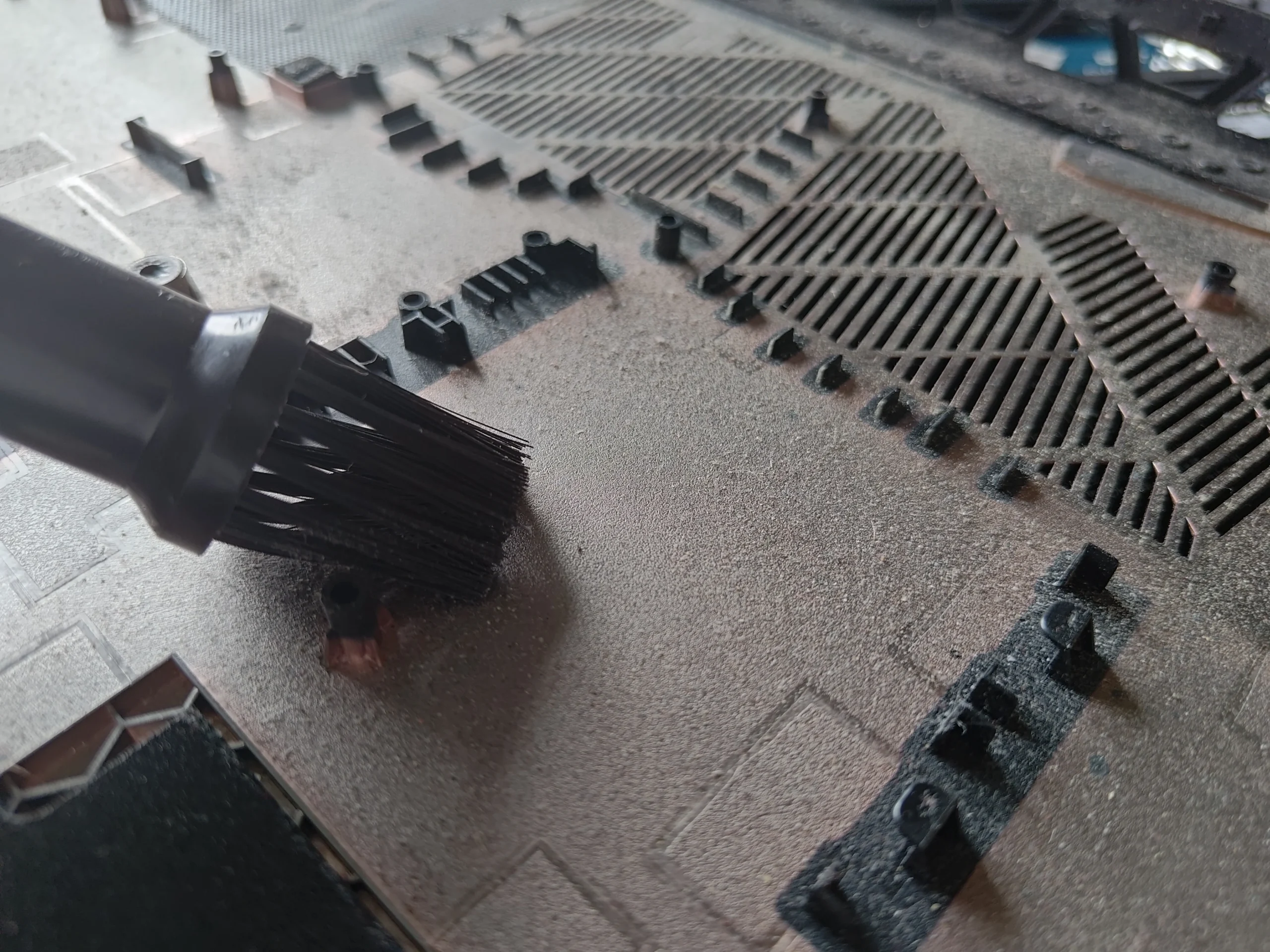
Both blower wheels sit inside one long enclosure
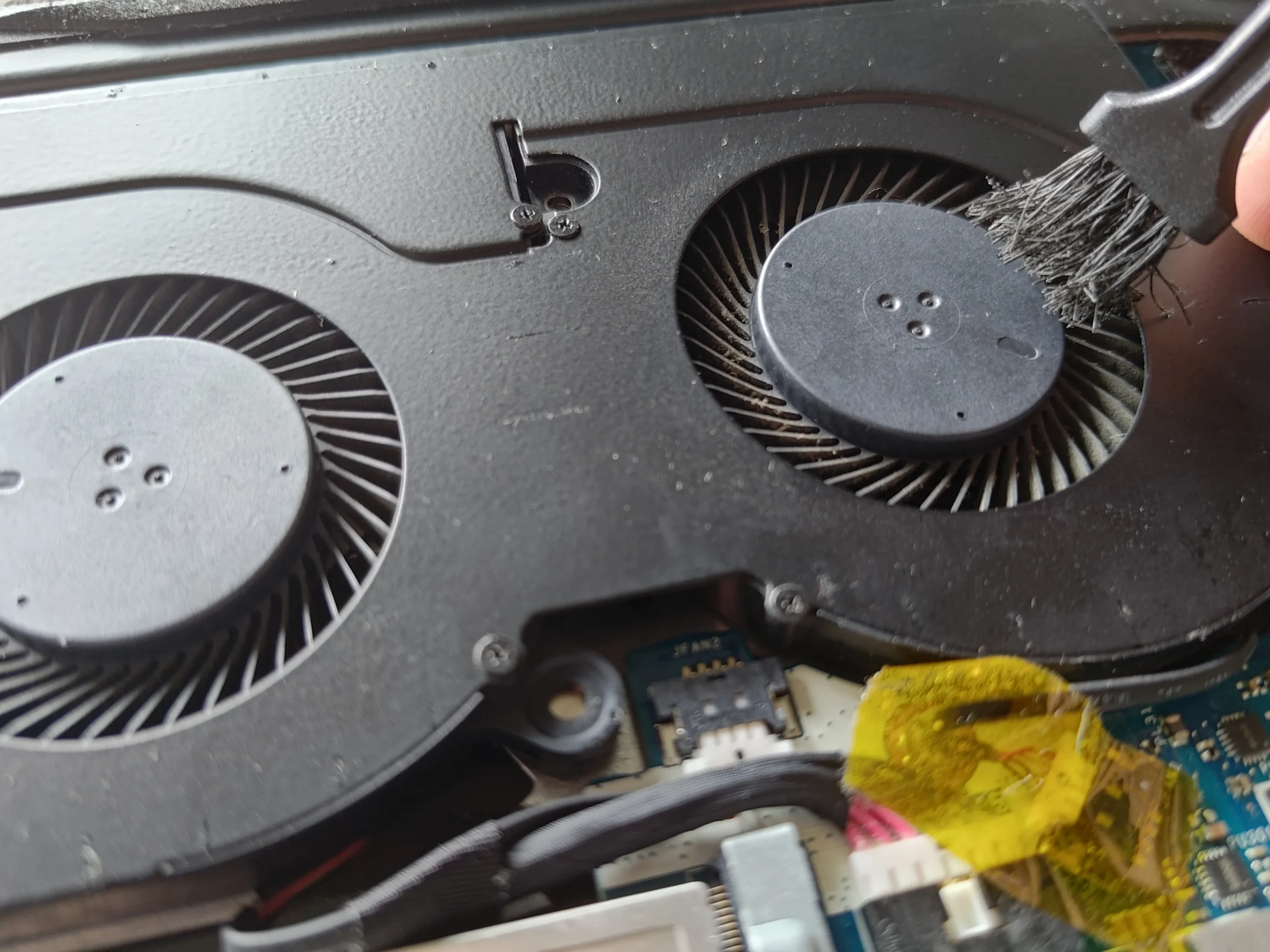
The open-case photo shows two circular inlets side by side beneath a shared shroud. That is a different service layout from Nitro variants with fans at opposite corners. Inspect both wheels and the fin outlets along the rear edge, even when one side looks cleaner.
A brush is pictured at the fan area. Hold the wheels still, collect lifted material and keep tools away from the small fan and battery connectors. A fan that spins after cleaning still needs an outlet check.
03 / Beyond the fan
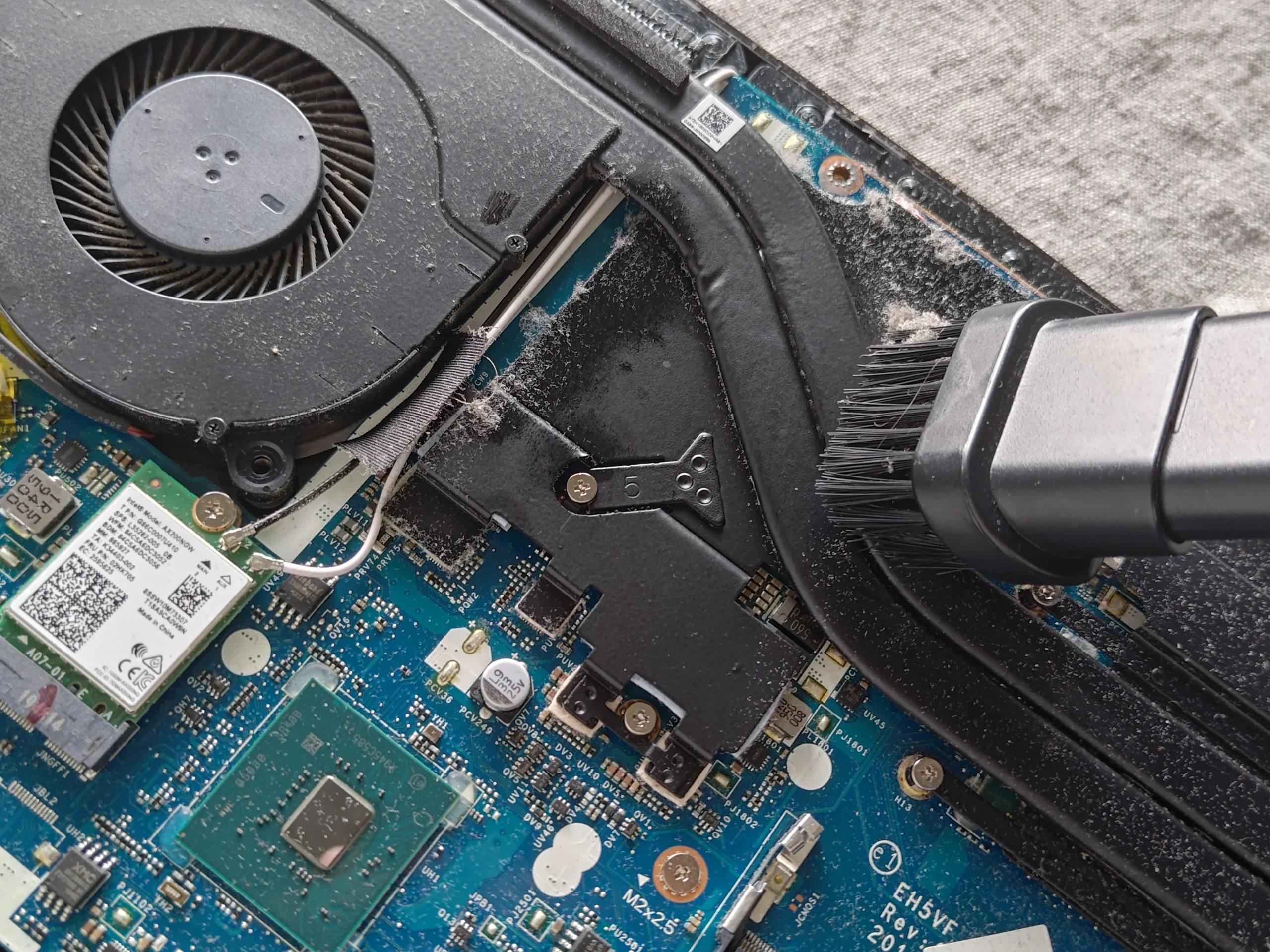
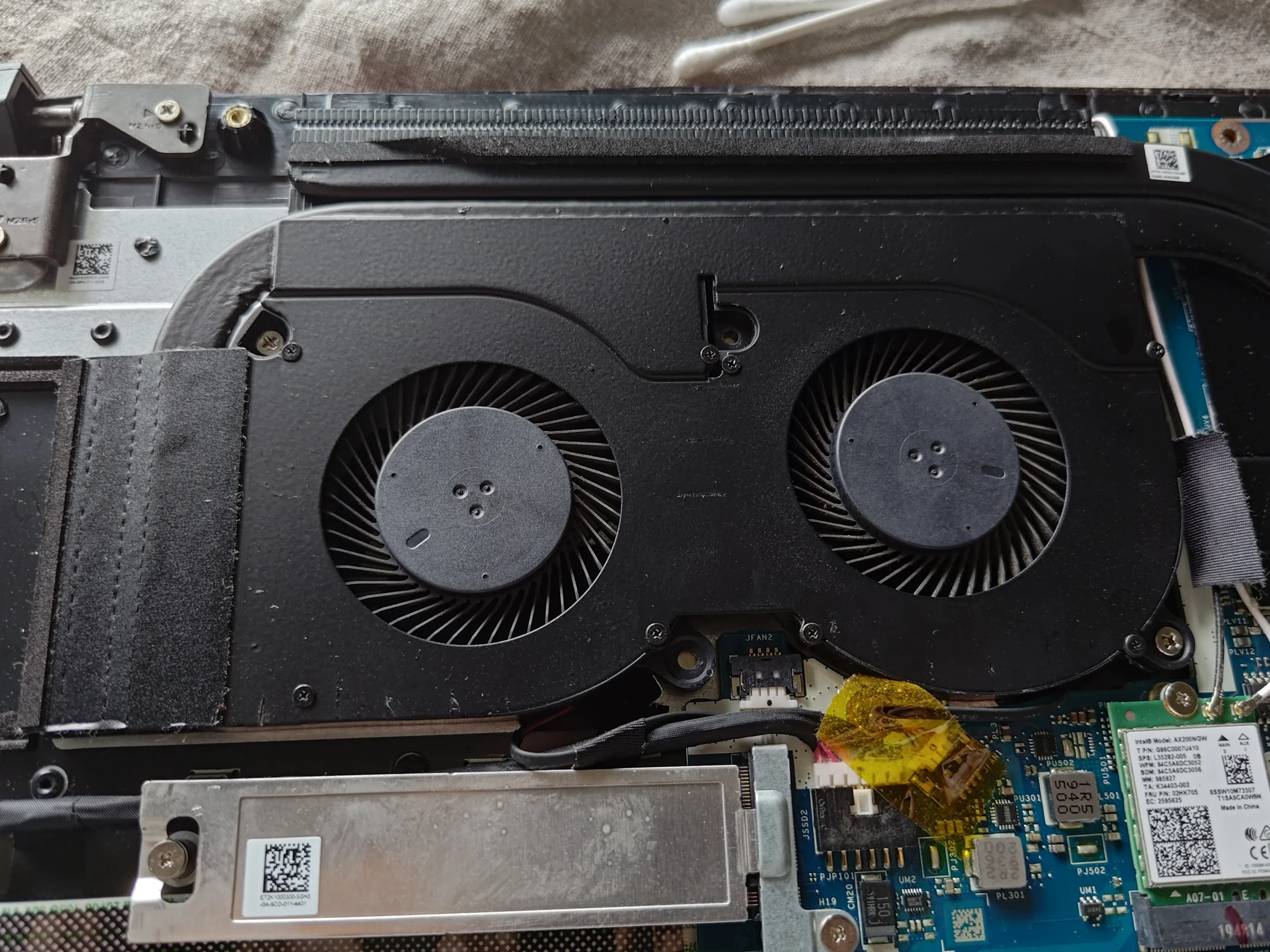
Dust had settled on the heat pipes and nearby board
With the cover off, a broad patch of dust is visible over the heat-pipe covers and adjacent circuitry. The heat pipes conduct heat away from the chips; the dust layer is mainly a sign of how far material travelled inside the case, not proof of a particular fault.
Collect loose material carefully instead of blowing it across exposed connectors. The nearby Wi-Fi antenna leads, battery plug and small components are easy to disturb when reaching behind the fan shroud.
04 / Deeper service
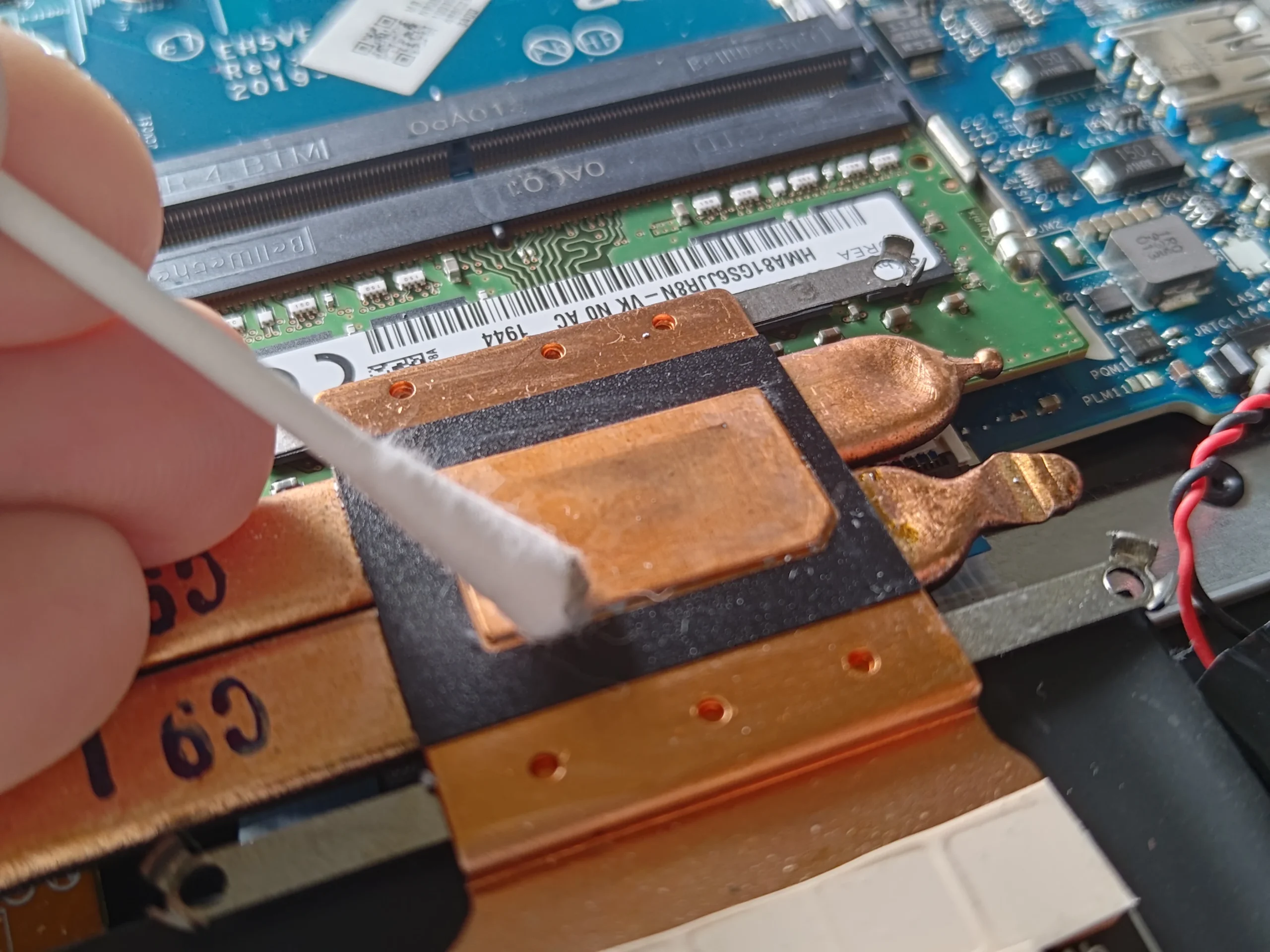
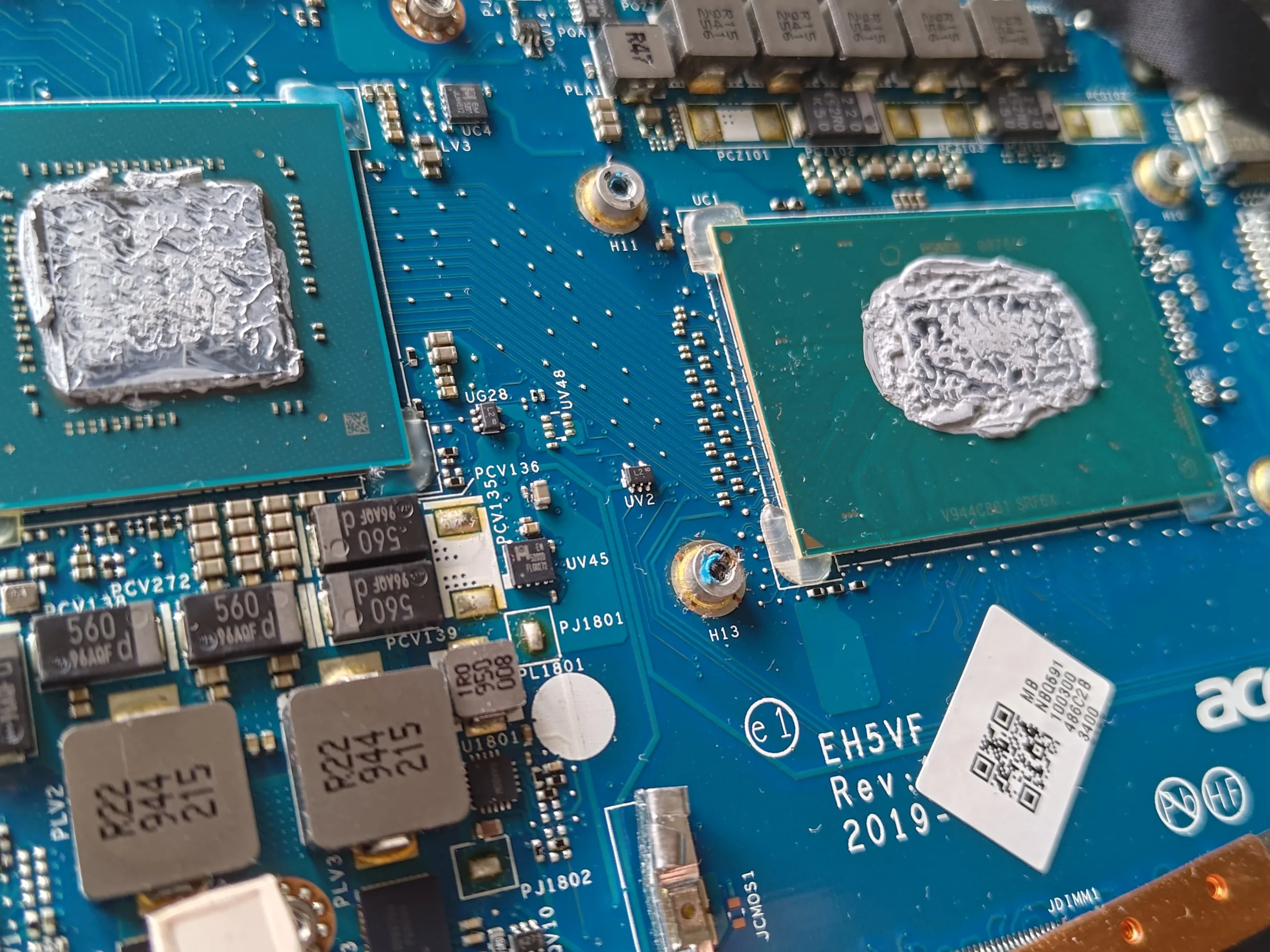
Lifting the cooler exposes two old paste imprints
Later photographs show the cooler separated from two chip surfaces, with old compound on the chips and copper plates. Cleaning bottles and a swab appear in the sequence, and the copper contact is pictured being prepared. This is more involved than a cover-and-fan clean because the original paste interface has been broken.
Prepare both mating faces, use suitable fresh compound and restore any surrounding pads in their intended positions. Refit the assembly with even contact pressure and the correct fastening order. The archive does not show a controlled temperature result after closure.
The engineer’s takeaway
This AN517-51 shows that the two visible fan wheels are only one part of the job. The cover intake, fin outlet, dusty heat-pipe area and, once lifted, both chip contacts all need attention before the machine is closed.
Before you open the laptop
Should you open an AN517-51 to clean it?
Confirm the full suffix on your own label and use a matching service guide. Shut down, unplug, isolate the battery and map the cover screws. The side-by-side fan enclosure can hide material at the rear fins, so inspect the whole route rather than only the visible blade openings.
Lifting the cooler is a separate step. It breaks the paste contact on two chips and may disturb pads. If you cannot identify every contact surface and the correct fastening sequence, stop at fan and cover inspection.
After the clean
Useful checks after the AN517-51 service
Before fitting the cover, confirm both fan wheels turn freely, the rear fin path is clear and no cable rests near a blade. After closing, check normal boot, charging and both vents under a repeatable task.
The images document dust and thermal-contact preparation, not a measured performance change. Compare the same workload, room conditions and fan mode if you need a temperature result.
Questions from owners
Acer Nitro 5 AN517-51 cleaning FAQs
Answers based on this side-by-side fan layout and the dusty heat-pipe area.
Does the AN517-51 in these photos have two fans?
Yes. Two blower wheels sit side by side under one long enclosure. Other Nitro 5 variants can use different layouts.
Why clean the lower cover if the fans are inside?
The cover forms the air intake and its inner grille held dust. Leaving it dirty can put loose material back near the fan inlets.
Is dust on the heat pipes itself the main blockage?
The dust shows contamination across the case, but the narrow fin outlets and fan inlets are the critical airflow points to inspect.
Can I clean the fans without removing the cooler?
That depends on access on your exact variant. Lifting the cooler is not automatically required for a fan clean and creates a thermal-contact reassembly task.
What must happen if the cooler is lifted?
Clean and restore the separated chip contacts with suitable thermal material, preserve any pad positions and secure the cooler in the right order.
Did this clean lower temperatures by a measured amount?
The archive has no matched before-and-after readings, so no degree figure can be supported.
UK Nitro 5 cleaning enquiries
Dust spread beyond the fans in your Nitro 5?
If you are in the UK, send us your full AN517-51 suffix, the symptoms and your postcode. A photo of the lower intake and rear exhaust helps us understand where the dust is collecting.
We can inspect the side-by-side fan enclosure, cover and fin outlets, and discuss thermal-contact work where deeper access is needed.
Read about our Acer gaming laptop cleaning service, then use the form to tell us your computer model, symptoms and UK postcode.
Free to enquire · No obligation to book. We discuss the proposed work and price before you decide.
The workshop photos
Acer Nitro 5 AN517-51 cleaning photos
Open the images to see the shared fan shroud, dusty cover and heat pipes, and exposed cooler contacts.