Published 14 October 2026 · Acer Predator 17 X GX-792 case study
Predator 17 X cooling
two blowers need clear exits.
This large GX-792 has twin radial blowers and a linked copper cooler. The photos show dust at a narrow outlet and old contact material on two chips. A fan-speed screenshot adds a useful lesson: fast-spinning fans do not prove the heatsink is clear.
The model
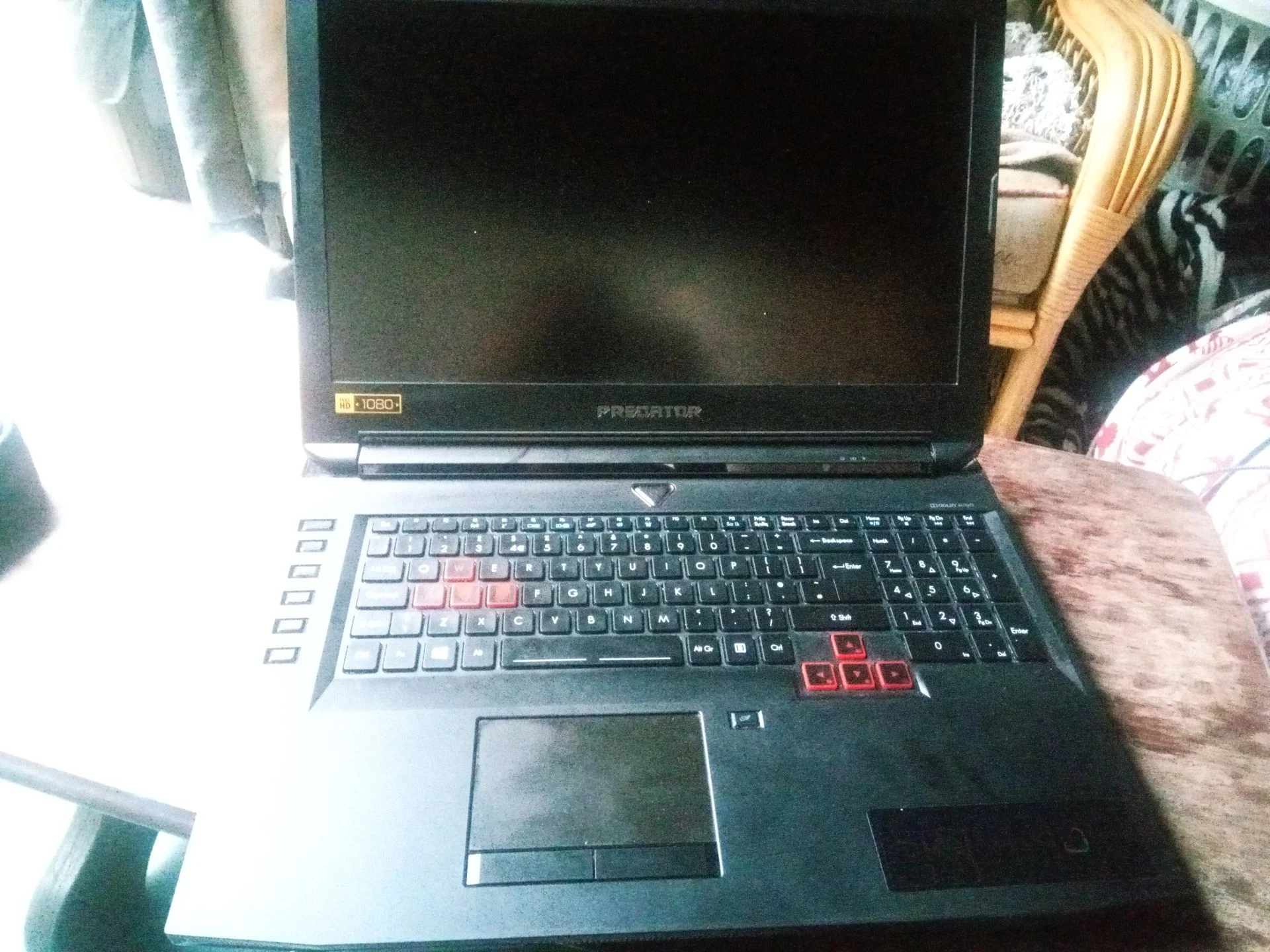
Predator 17 X GX-792-725G
The air movers
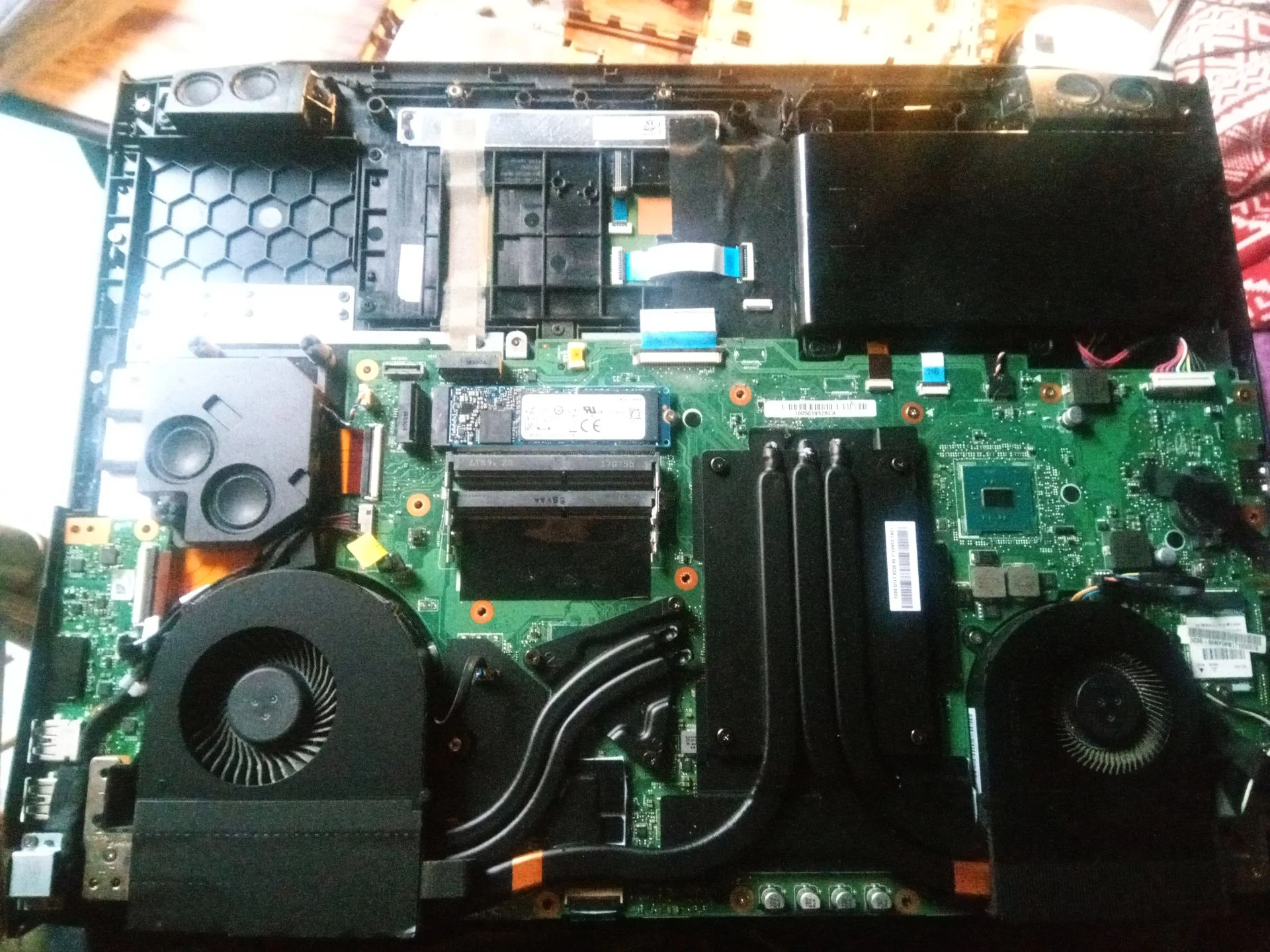
Two radial blower fans
The service view
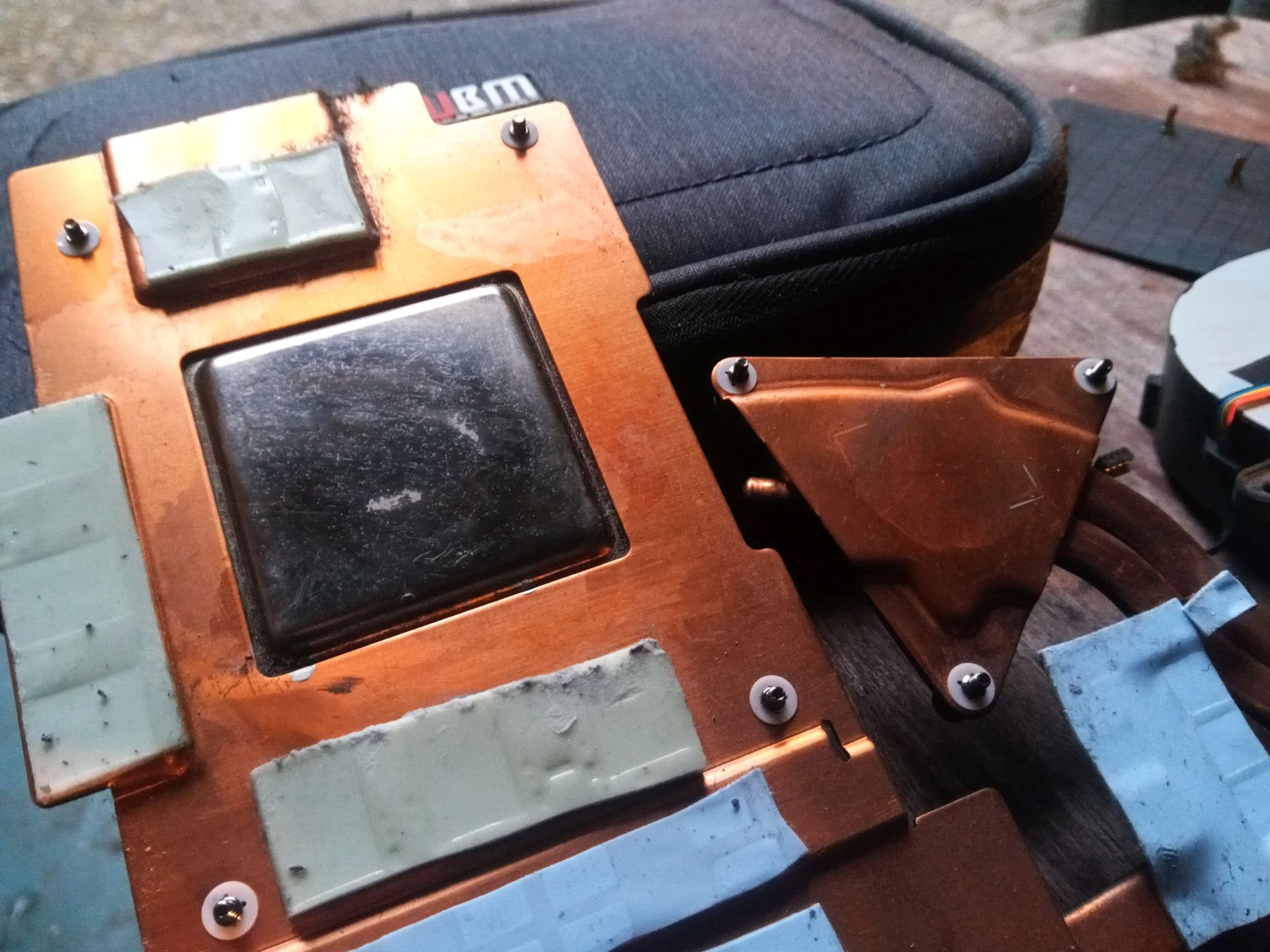
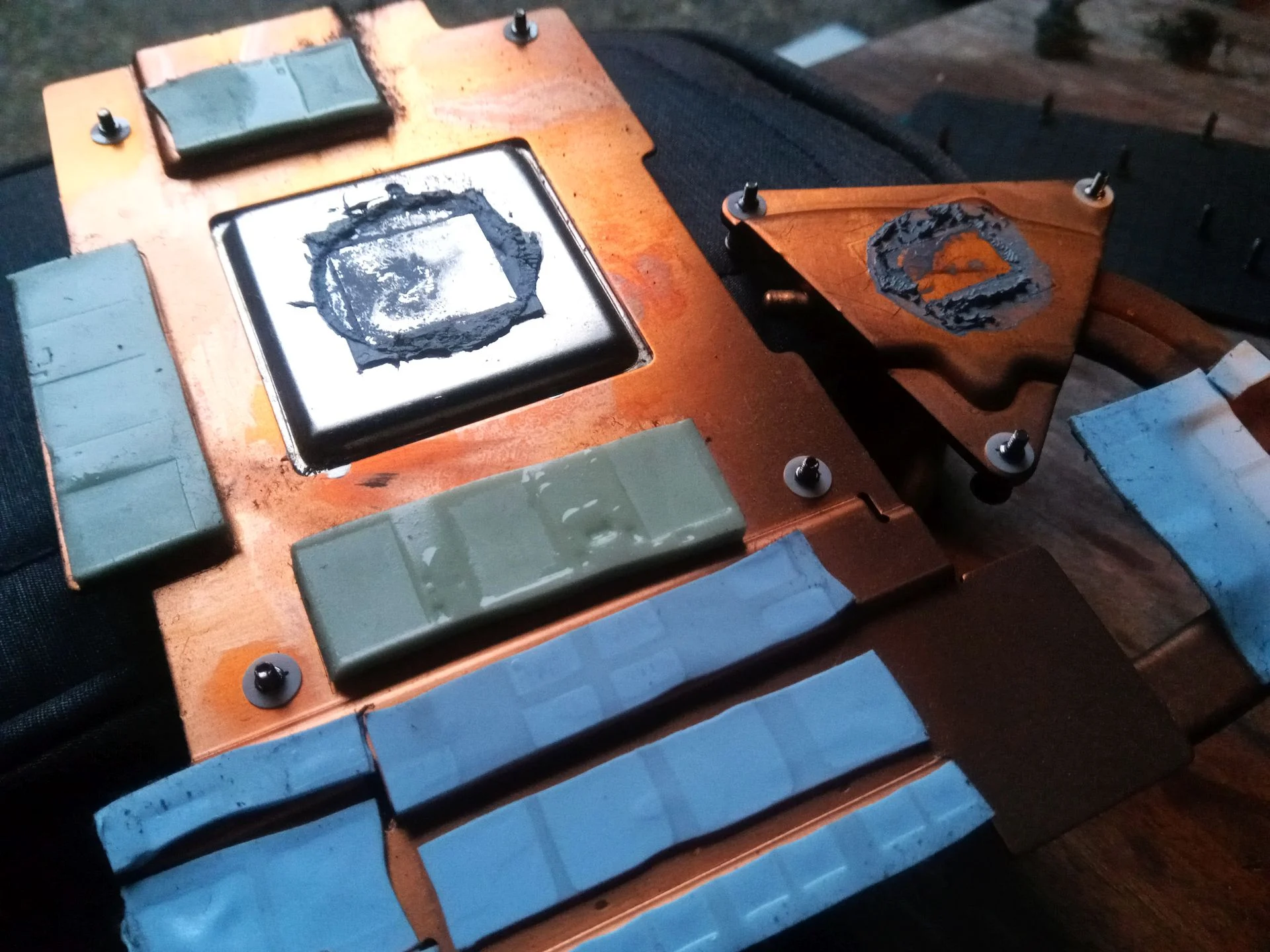
Copper cooler lifted; two chip contacts visible
The underside label identifies this computer as a GX-792-725G, part of Acer's Predator 17 X GX-792 family. We have not included the label photo because it contains serial identifiers. Acer's own GX-792 manual confirms the product family, and the internal images show the specific cooler in this machine.
Unlike a tower PC fan, each Predator blower has a dense radial wheel and a short path to a narrow exhaust. The photo set shows the cooling assembly removed, old compound on two chip contact areas, and dust near the fin outlet. It also contains on-screen temperature and fan-speed snapshots, but they are not controlled before-and-after tests. They cannot support a claimed temperature improvement.
In this case study
01 / The cooling layout
Two radial fans move air through a shared cooler
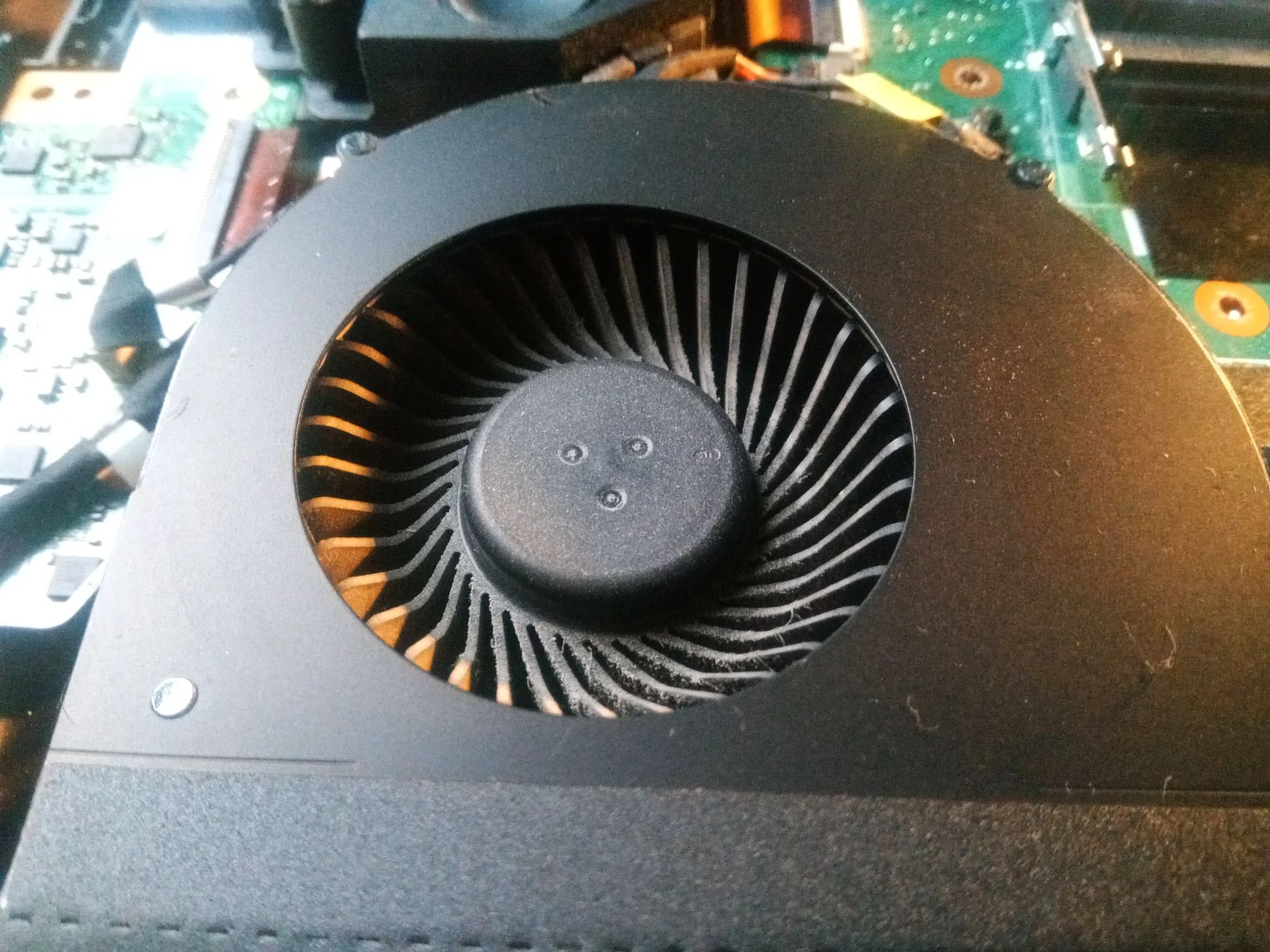
The open chassis shows a blower at each side, linked by copper heat pipes and a broad central assembly. The fan close-up has many narrow blades around a hub, which collect dust differently from a broad-bladed desktop fan.
Each blower needs a clear inlet and outlet. If one runs faster or sounds different, inspect both air routes before assuming the fan motor is faulty.
02 / The narrow passage
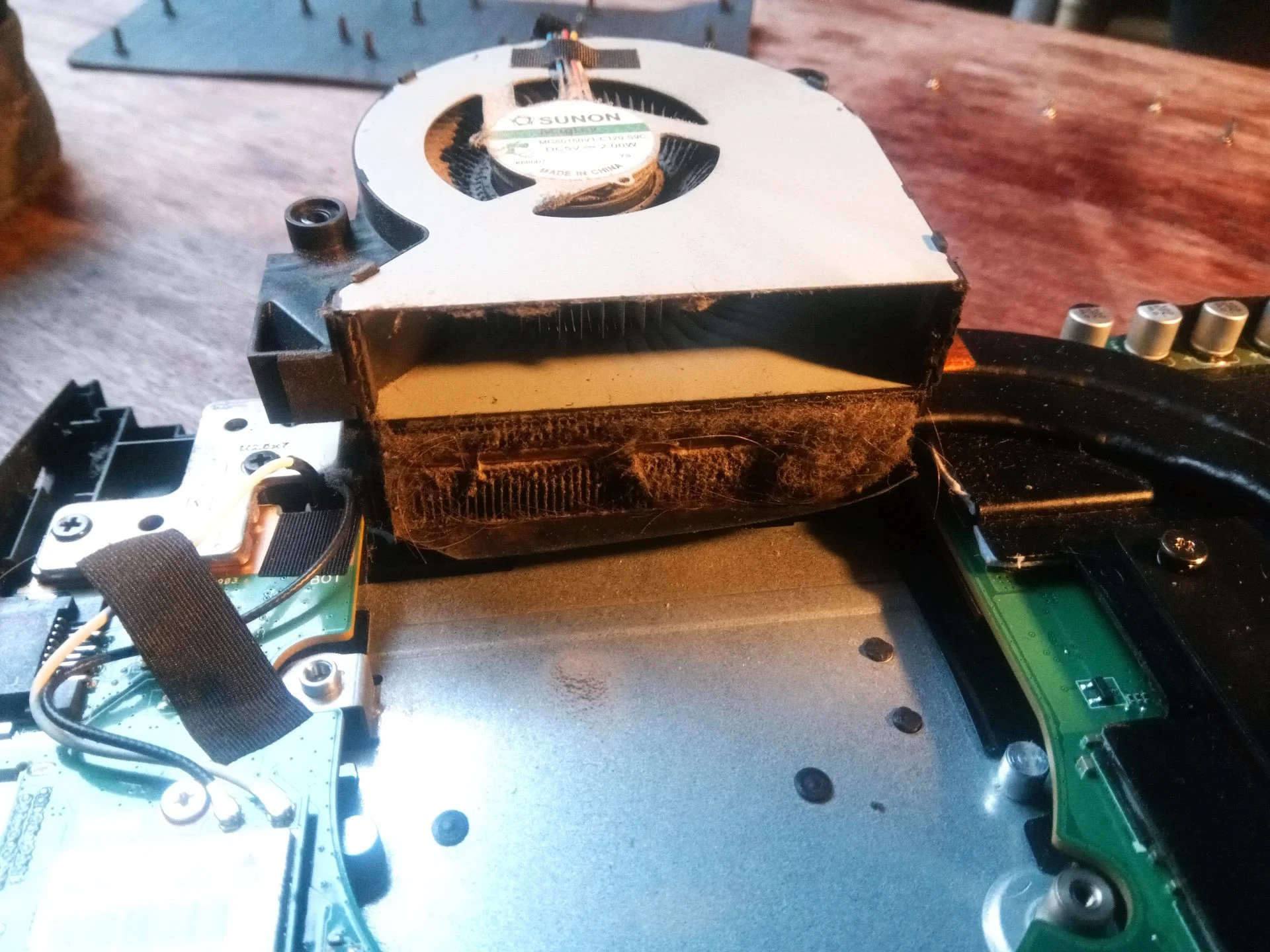
Dust collected where the air leaves the cooler
The lifted cooler photo shows a grey deposit against a fin edge. This is the part that can defeat a working blower: it can spin hard, but less air passes through a restricted fin stack.
A proper clean reaches the blade surfaces and the fin passages, then collects the dislodged material. Blowing from the outside alone cannot confirm whether dense lint was removed or merely pushed inside.
03 / Under the copper
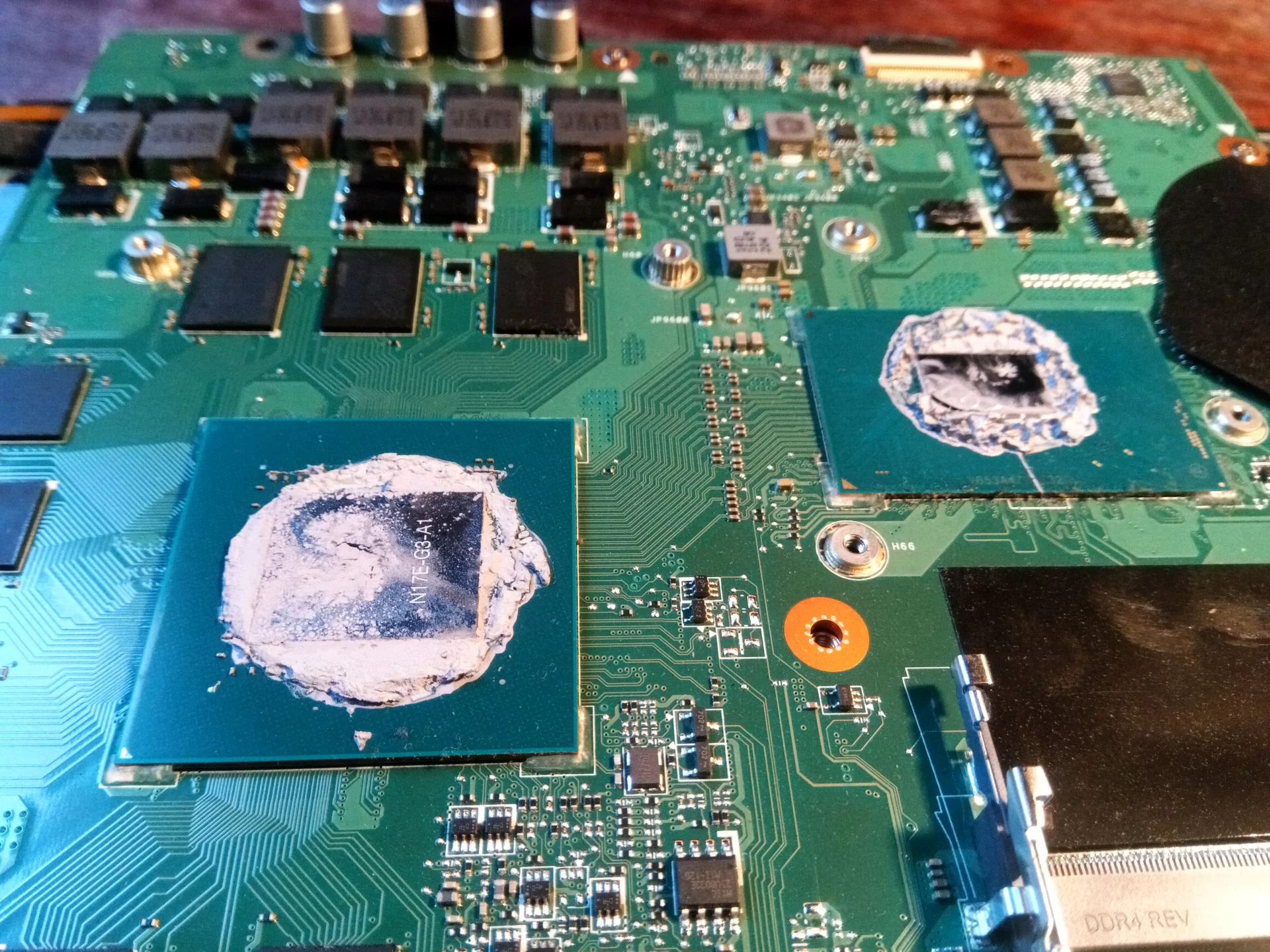
Lifting the assembly exposed two old thermal interfaces
An internal close-up shows two main chips with old compound, and the underside of the cooler shows their mating copper contact areas. This is a different problem from dust: heat must cross those surfaces before the fins can release it to the air.
Once the cooler is lifted, its contact materials must be prepared correctly and renewed before even refitting. Smaller components around the chips may use pads that need to stay in the right positions. These photos do not show the final paste application or a measured result.
04 / Interpreting the screen
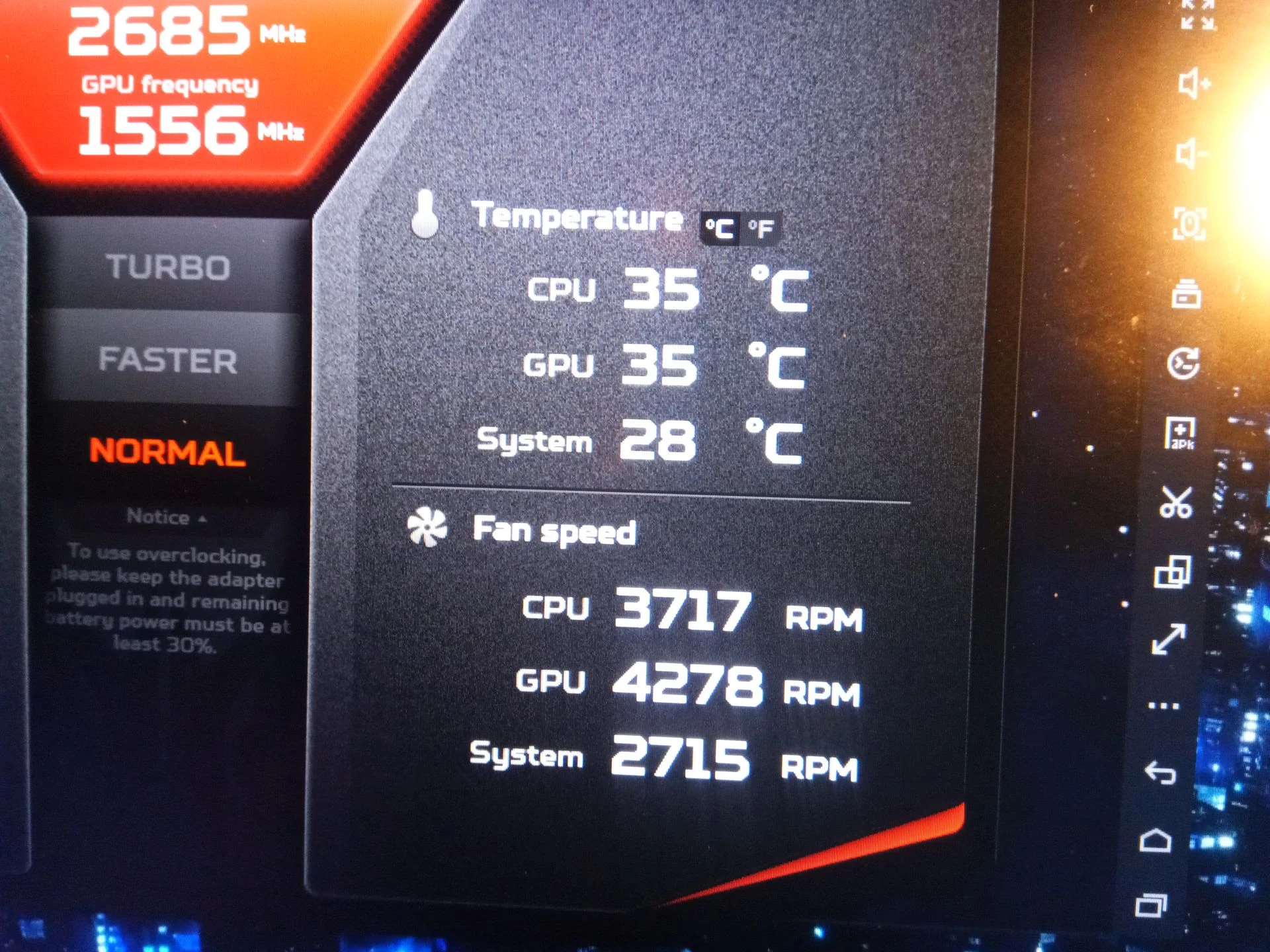
A fast fan reading is a clue, not a diagnosis
One Predator software screenshot records thousands of revolutions per minute for the CPU and GPU fans, with temperatures shown at that moment. A second screenshot has different numbers. Without matching workload, room temperature, fan mode and timing, those snapshots cannot be treated as a controlled before-and-after comparison.
After reassembly, use a repeatable task and wait for the system to warm up. Compare both temperatures and fan speeds under the same mode, and listen for scraping or abnormal noise.
The engineer’s takeaway
This GX-792 shows two separate checks: whether the blowers can move air through clean fins, and whether the lifted cooler makes proper contact with both chips. Fan speed on its own answers neither question.
Before you open the laptop
Should you open a Predator 17 X GX-792 yourself?
Begin with external vent inspection and note the fan mode and workload when symptoms appear. Identify the GX-792 model before using any guide, because Predator models with similar names may open differently.
Internal access involves a large linked heatsink, two blowers, small cables and thermal materials on multiple components. Lifting the cooler commits you to renewing the disturbed interfaces correctly. If you cannot map its screws and pad positions, ask a technician to handle that stage.
For model documents, check the official manufacturer support page.
After the clean
How to validate the work
Check boot, charging, both fans and exhaust airflow after reassembly. Choose the same fan mode and a sustained workload for any comparison, ideally at similar room temperature.
The archive includes two instantaneous software views but no paired test. A lower number in one screenshot cannot prove improvement if the operating conditions differ.
Questions from owners
Predator 17 X GX-792 cooling FAQs
Answers tied to the two-blower design and cooling photos of this exact family.
Is this the Predator 17 X or a different Predator 17?
The underside label reads GX-792-725G. Acer identifies GX-792 as the Predator 17 X family. Use that model when looking for support information.
Can both blowers spin while the laptop still runs hot?
Yes. The photos show dust at a fin edge, which can restrict the air path after the fan even when its motor runs.
Does this case show thermal paste replacement?
It shows the cooler removed, old material on two chip contacts and the mating cooler plates. The final application is not photographed, so the article does not claim a pictured paste product or temperature result.
What do the Predator fan-speed screenshots prove?
They show readings at the moment of capture. Without a controlled, repeated workload and matching fan mode, they do not measure the effect of cleaning.
Can I clean the vents from outside only?
Surface dust may be removed externally, but a dense deposit at the internal fin edge cannot be confirmed clear without proper access.
Should I replace both fans?
Dust alone does not require replacement. First inspect and clean the air paths, then assess whether either blower has a separate mechanical or electrical fault.
UK Predator cooling enquiries
Want both GX-792 air paths checked?
If you are in the UK and your Predator 17 X is loud, hot or shutting down, send us the GX-792 model, a description of when it happens and your postcode. Keep serial numbers out of public messages.
We can discuss cleaning both blowers and fin outlets, the chip-contact work needed if the cooler is lifted, and a useful follow-up test.
Read about our gaming laptop cleaning service, then use the form to tell us your computer model, symptoms and UK postcode.
Free to enquire · No obligation to book. We discuss the proposed work and price before you decide.
The workshop photos
Predator 17 X GX-792 cooling photo gallery
Open the photos for the twin-blower layout, fin-edge dust, chip contacts, lifted cooler and a recorded fan-speed screen.