Published 18 October 2026 · Acer Predator Helios 300 (N18I2 marking) case study
Predator Helios 300 cleaning
the lint was behind the fans.
From outside, you might only hear two busy fans. Inside this Helios 300, fibrous dust had gathered around the fan housings and against the bright blue heatsink fins. The removed clumps show why a vent-only clean would have missed the real blockage.
The machine
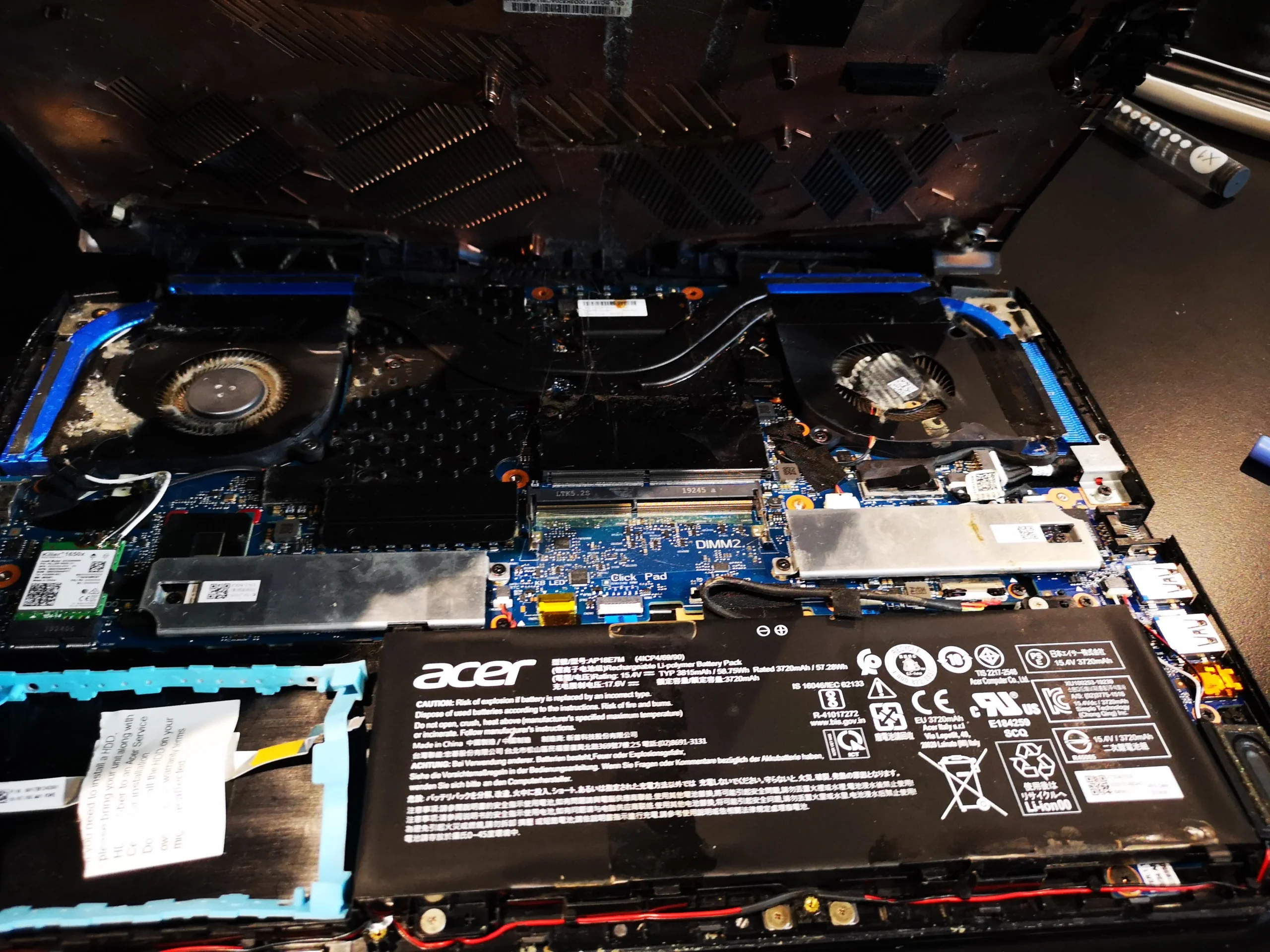
Predator Helios 300 series, N18I2 underside marking
The visible restriction
Lint around fan inlets and blue outlet fins
The related service
Cooling assembly lifted, two chip contacts exposed
The underside label says Predator Helios 300 series and N18I2. That marking alone is not a full commercial model suffix, so the article does not guess one. The internal set is unusually clear: two fans, blue fin stacks, a mat of lint at an outlet and the clumps taken out during cleaning.
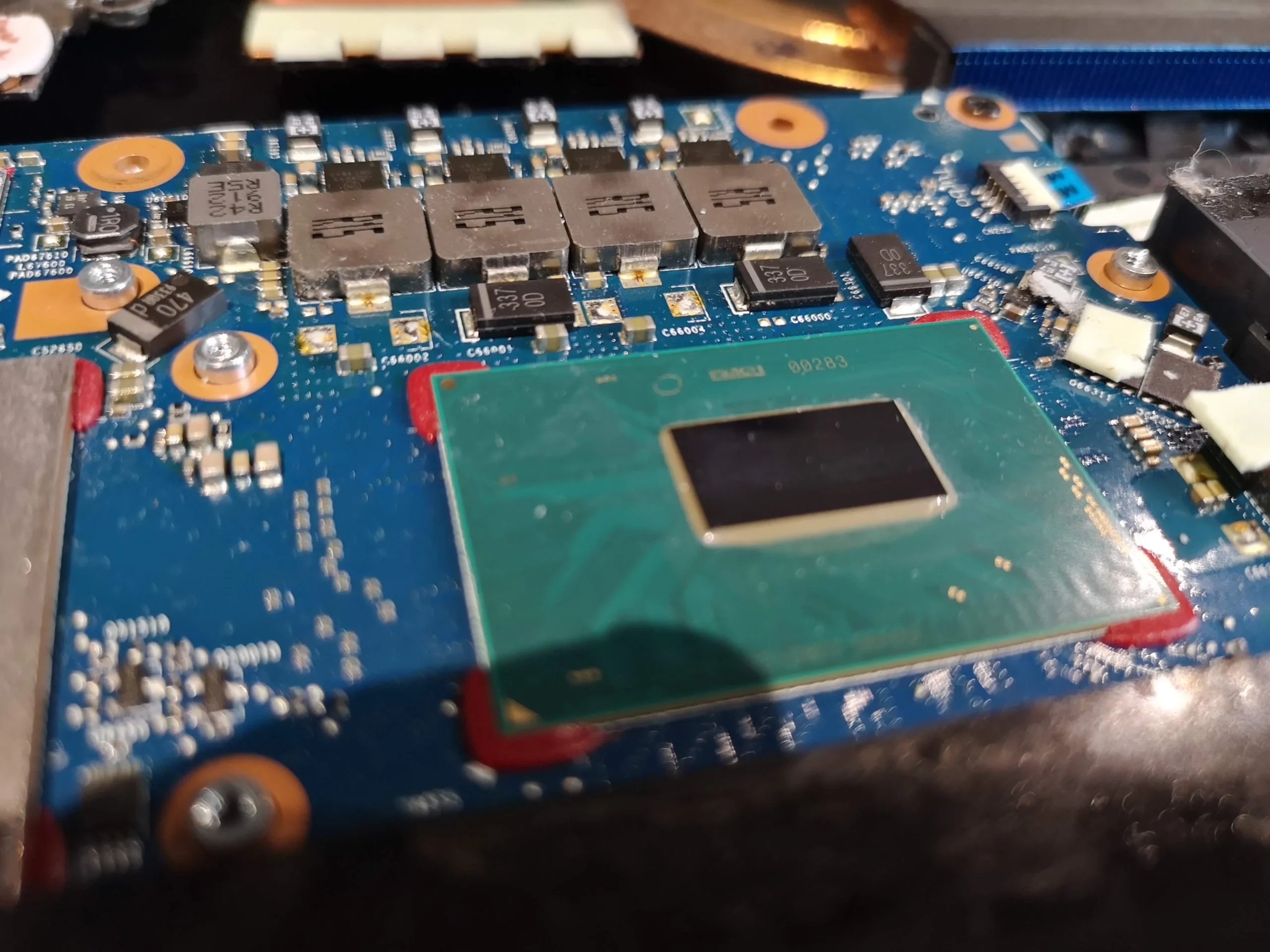
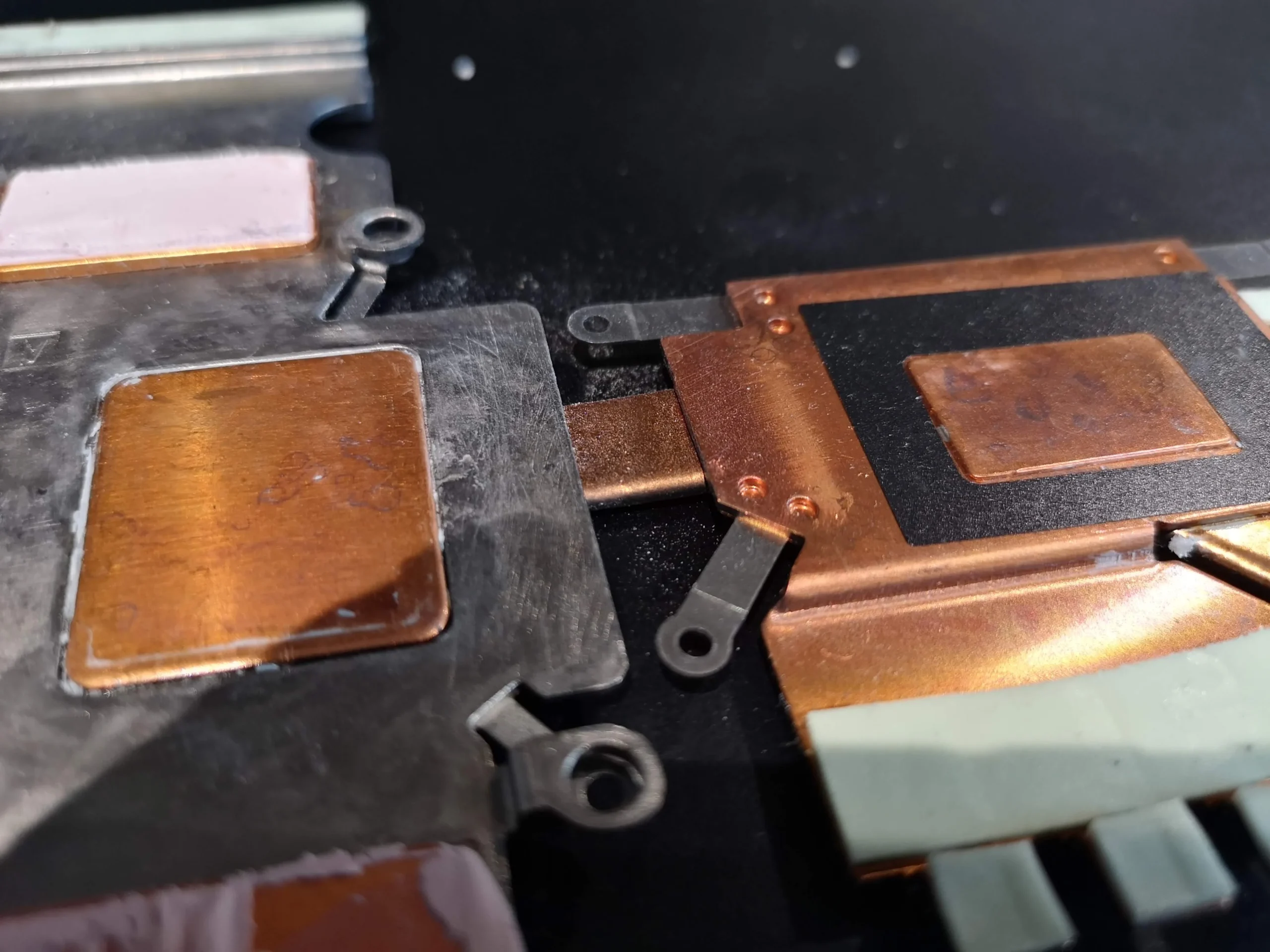
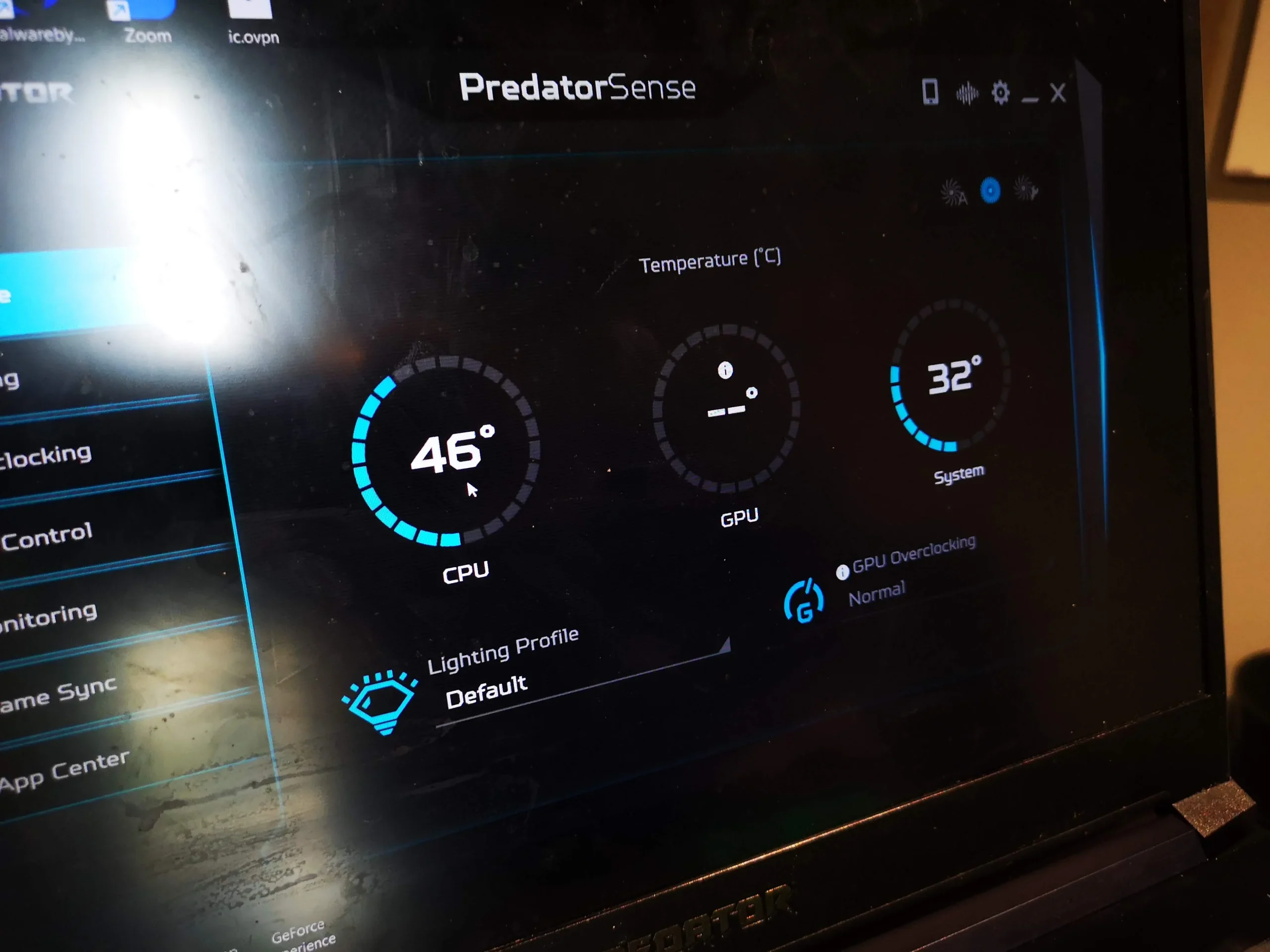
The photos also show old compound on the main chip contacts and clean copper contact plates after the cooling assembly was lifted. A PredatorSense screenshot records a temperature at one moment, but there is no matched before-and-after workload. The evidence supports the cleaning steps, not a promised degree reduction.
In this case study
01 / The first inspection
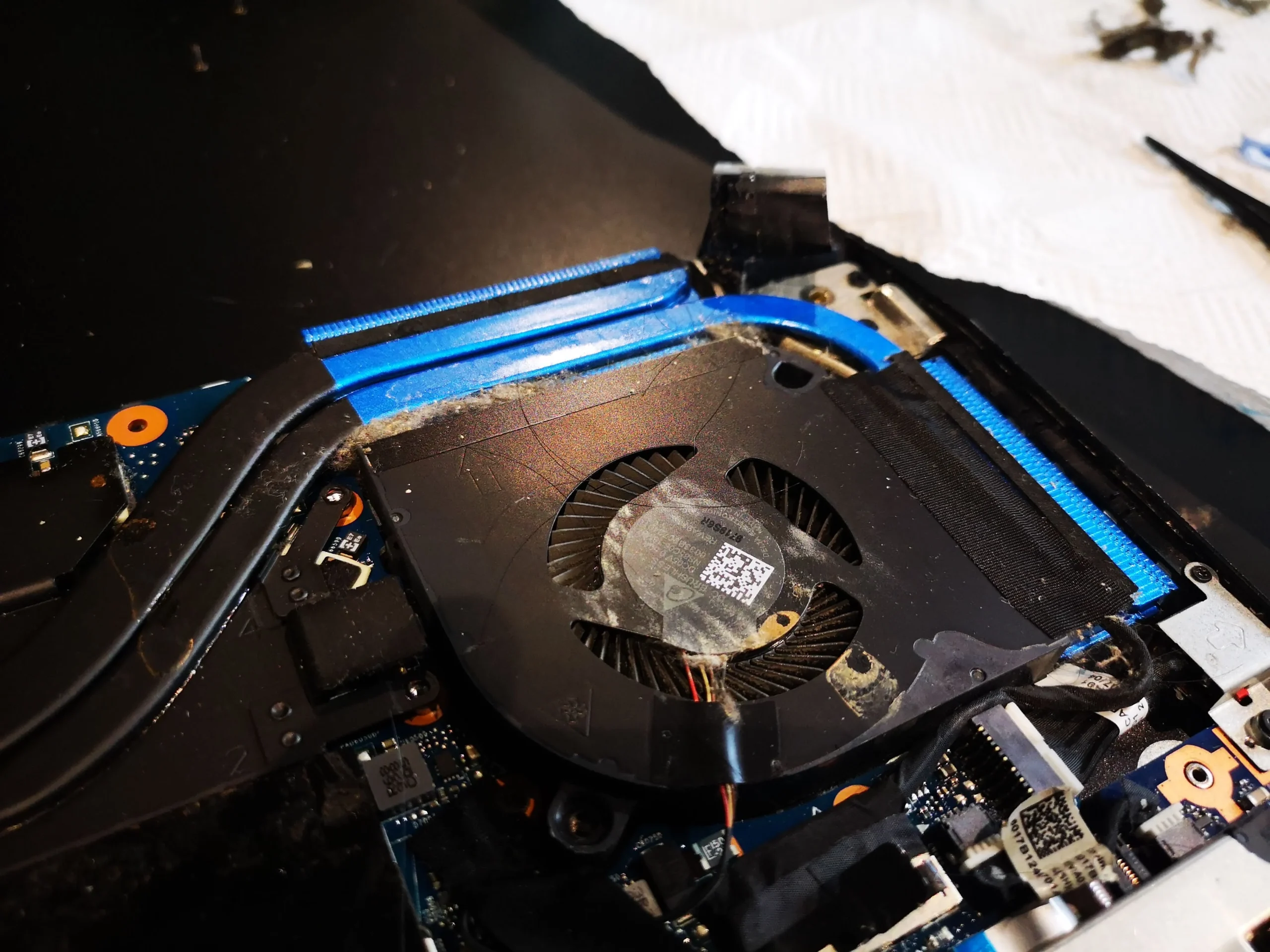
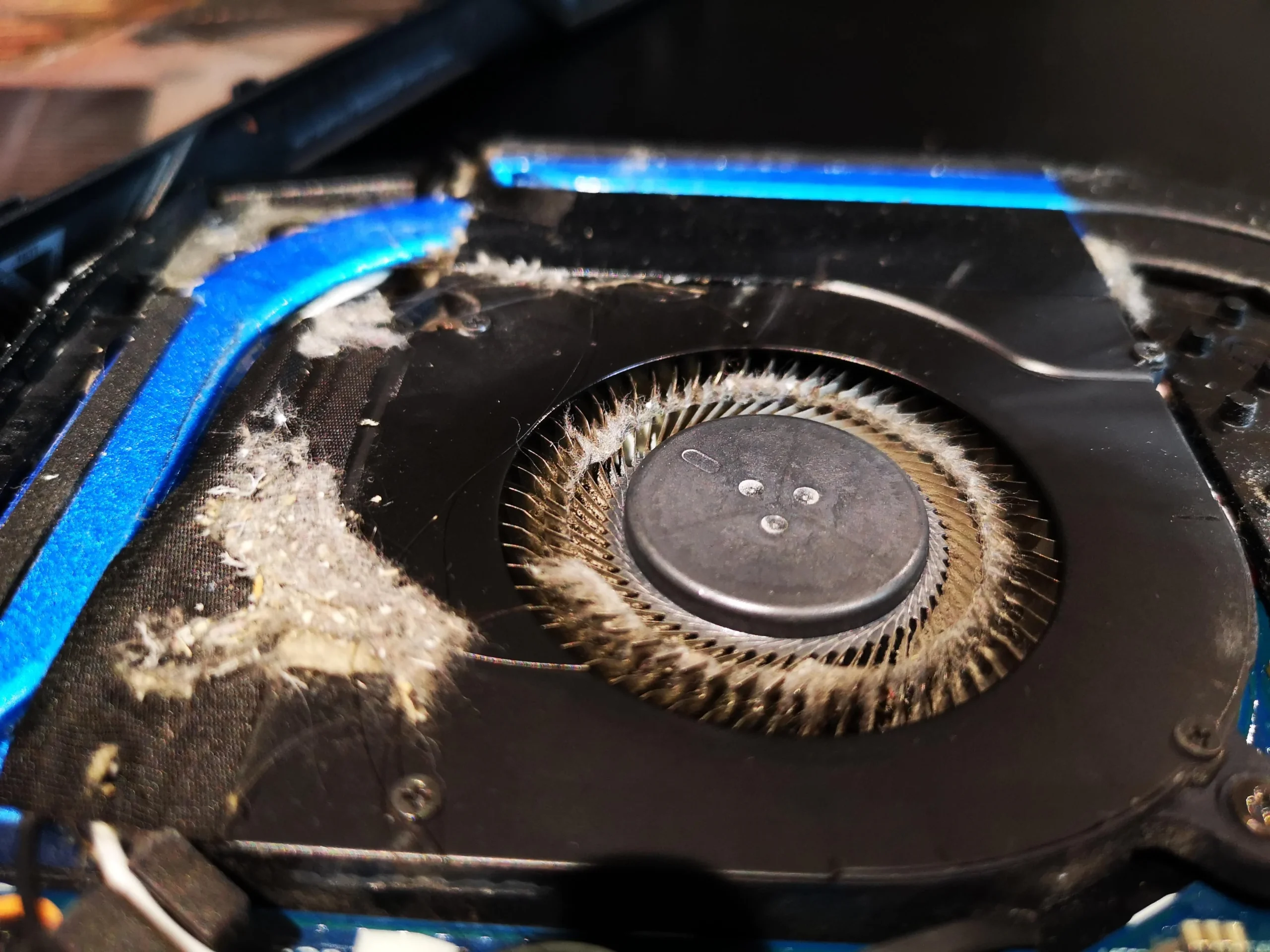
Dust surrounded the radial fan inlets
The opened laptop has a fan at each side. A close photo of one fan shows a thick grey ring and loose fibres across its housing. That material occupies the space where air enters the blower and can be drawn towards the outlet.
Hold each rotor still during controlled cleaning. Inspect both sides even if one appears dirtier, and collect loose debris rather than blowing it into the motherboard or screen hinge.
02 / Where the air exits
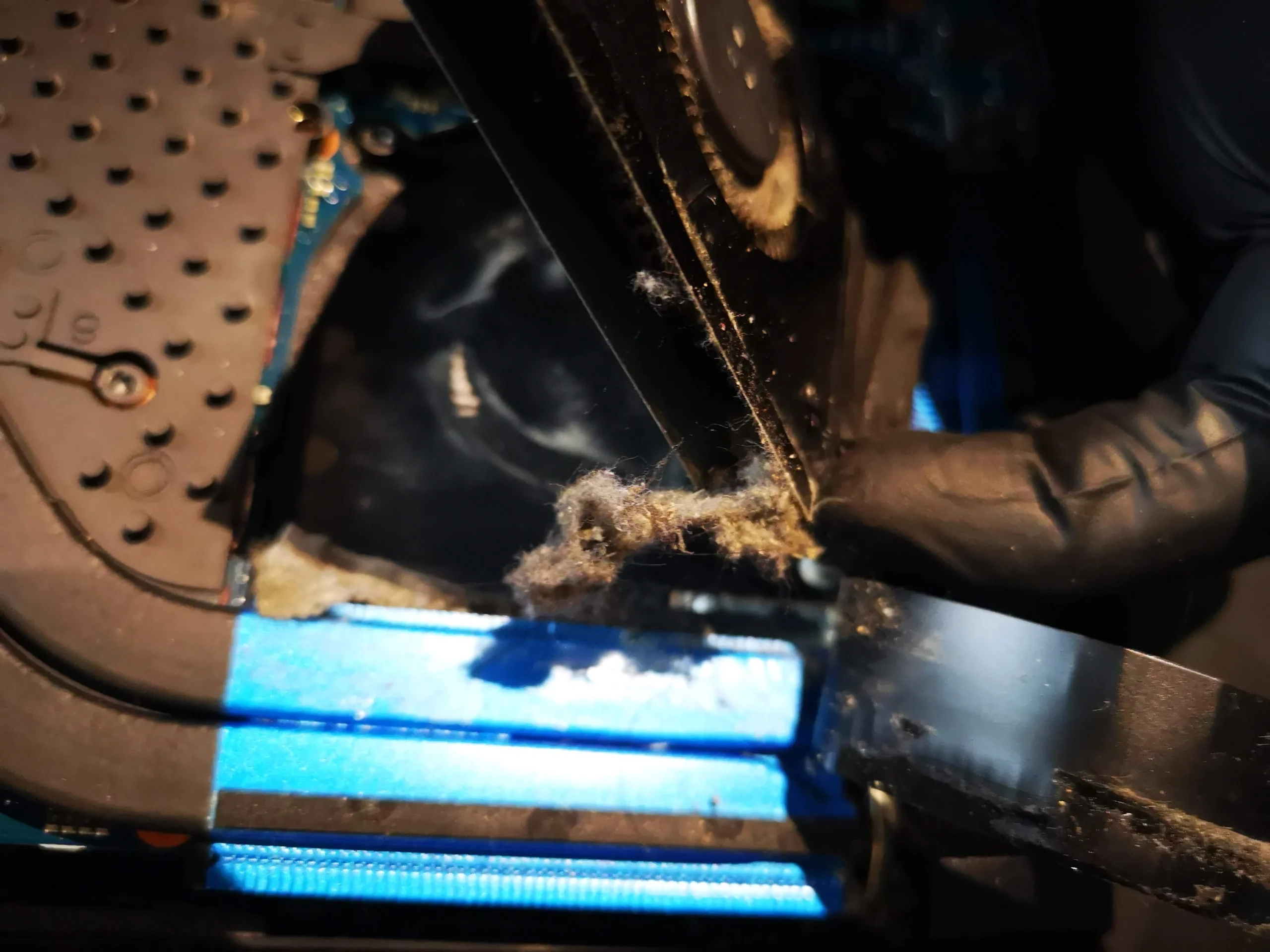
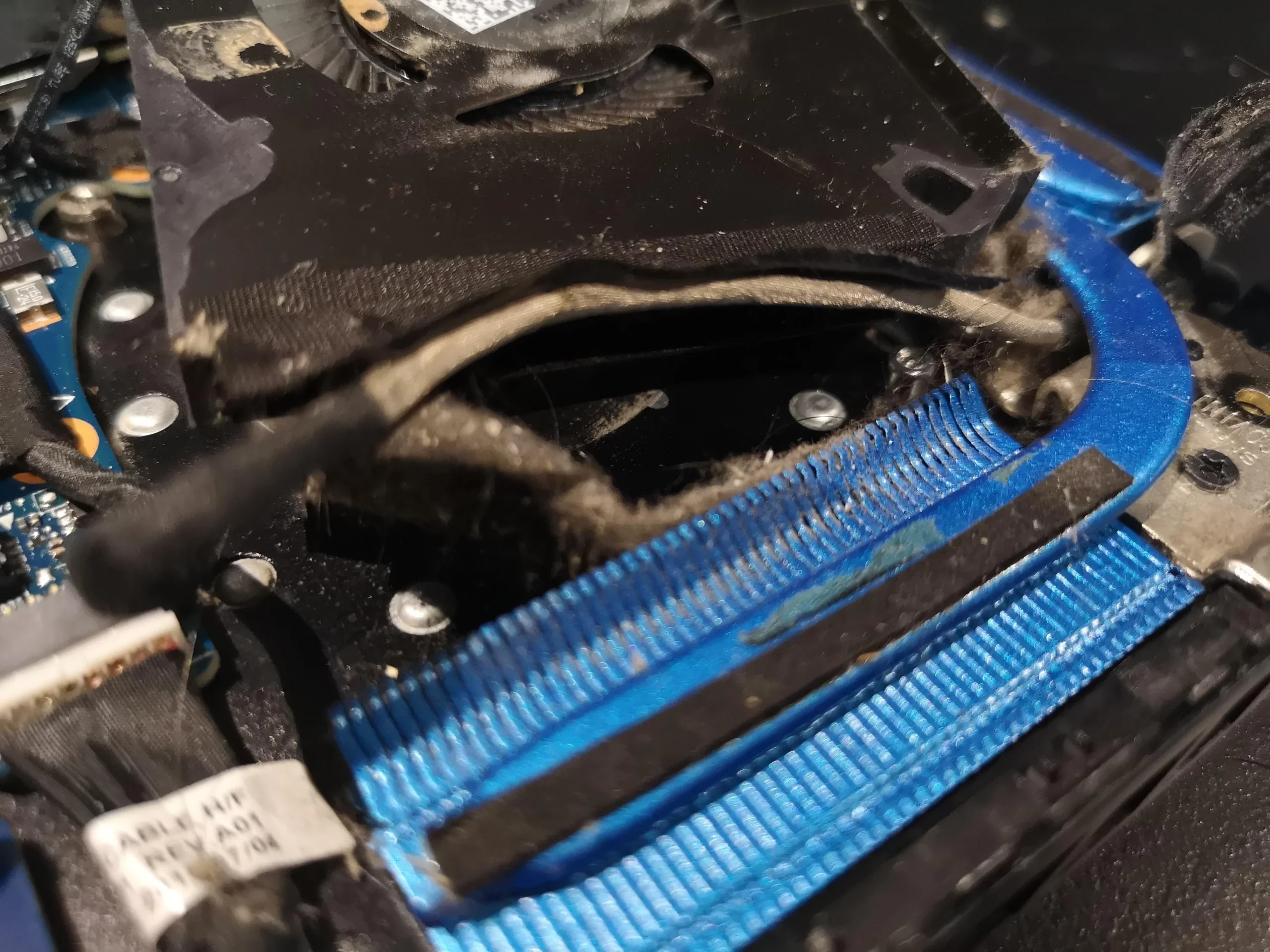
Lint gathered along the narrow blue fin stacks
The bright blue heatsink fins make the blockage easy to see. Fibres lie across the fin edge and in the short passage between the fan housing and exhaust. A fan can run at high speed but move little air if that edge is covered.
Cleaning the visible fan top alone would leave this restriction in place. The photo of material being lifted from the outlet shows why direct access and inspection matter.
03 / What came out
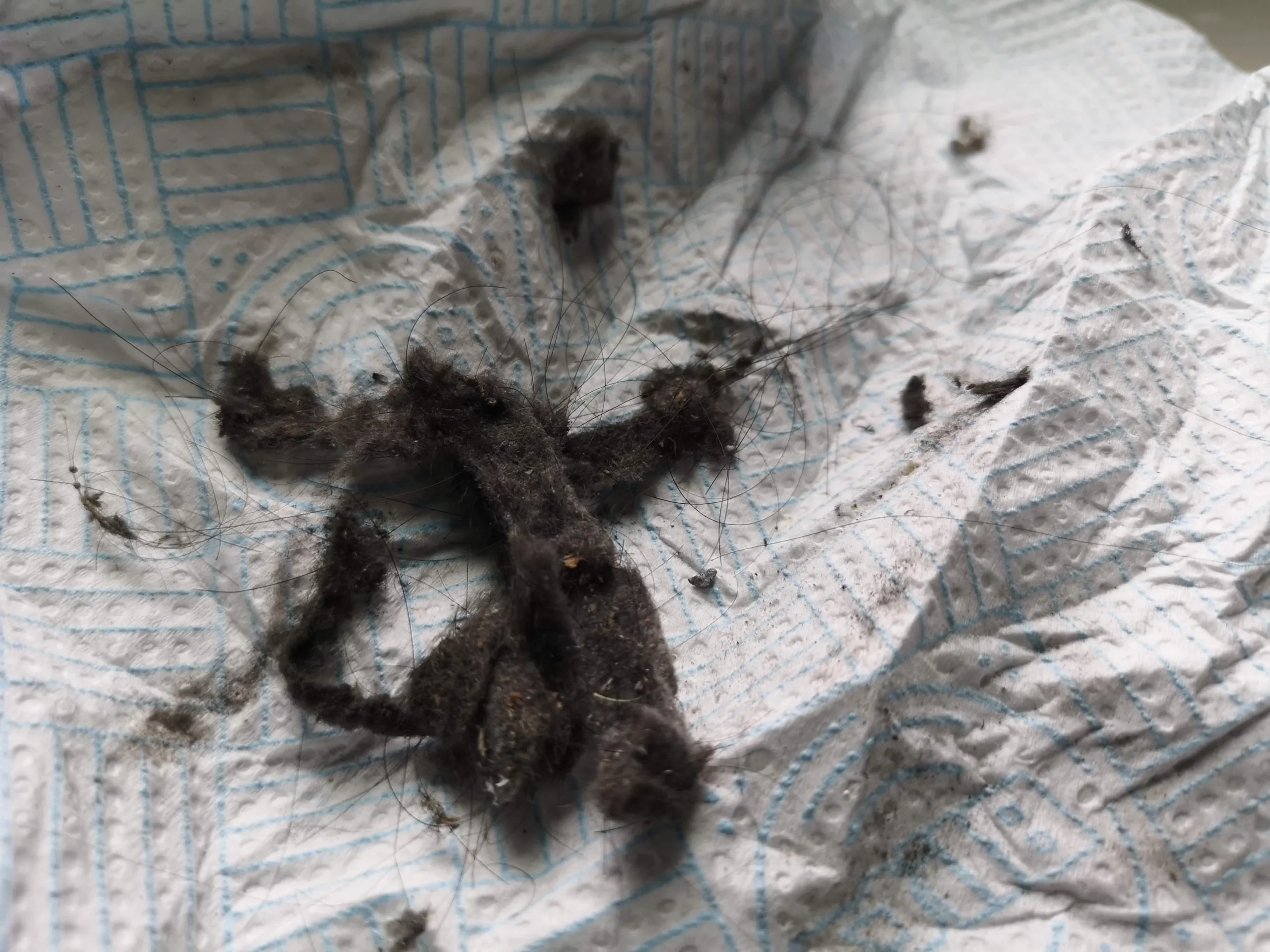
The removed dust came out in distinct clumps
A gloved hand lifts fibrous material from the outlet, and another photo records the clumps collected on a towel. These are not just a light surface film. They are enough to justify checking that the fin passages are open after cleaning.
The later fan-area photo looks clearer, but there is no controlled airflow measurement. The useful visual check is that loose fibres are gone from the fan inlet and the outlet fins before the lower cover is closed.
04 / Under the cooler
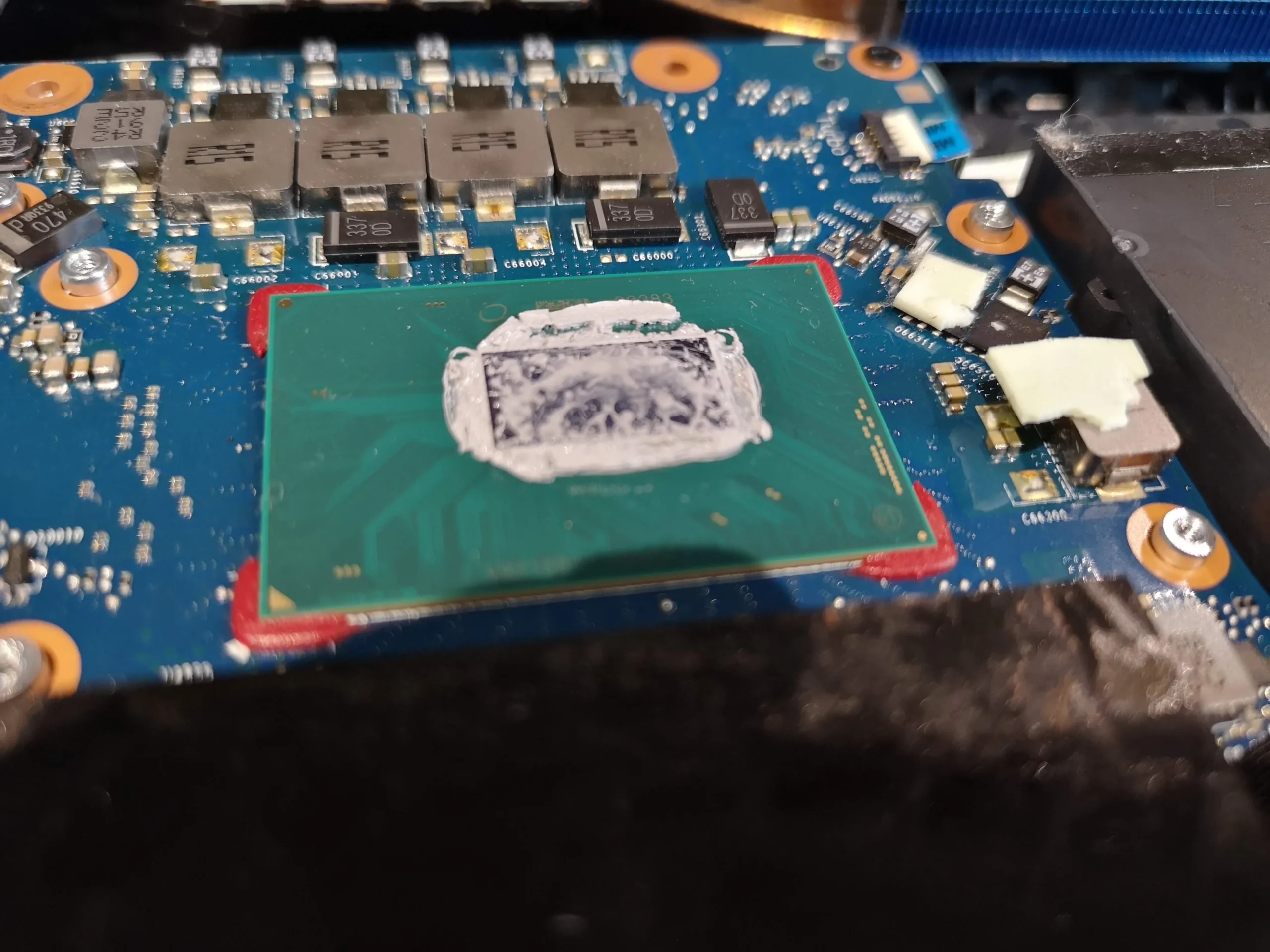
Lifting the cooler exposed old material on two chips
The cooling assembly spans more than one heat source. With it lifted, the photos show old compound on chip surfaces and copper plates on the removed assembly. A later view shows a cleaned chip surface.
Once these contacts are disturbed, both sides must be prepared and the appropriate thermal interfaces renewed before an even reattachment. The archive does not show a final paste application or measured outcome, so those are not claimed here.
The engineer’s takeaway
In this Helios 300, the obstruction was concentrated at the fan-to-fin transition. The clumps removed from that narrow route explain more than the fan-speed display, while lifting the cooler creates a separate chip-contact job.
Before you open the laptop
Should you open a Helios 300 to remove this lint?
Start with the exact commercial model from your own system information or full underside label, not just N18I2. Shut down, unplug and inspect the outside vents. If the fans have become loud or the exhaust weak, record when that occurs before opening the case.
Internal cleaning needs careful battery isolation, screw mapping and gentle handling of the short fan-to-fin channels. If the whole cooler is lifted, its thermal contacts must be serviced correctly. Stop if you cannot identify the connectors or replacement materials for your specific model.
After the clean
How to check the result
Reassemble and verify both fans respond, the laptop boots and warm air can leave the exhausts during a sustained task. Listen for any new scraping or rattling.
The PredatorSense photo shows a momentary CPU reading and a different system reading. Without matching load, fan mode and room conditions, that snapshot cannot measure improvement. Compare repeatable conditions instead.
Questions from owners
Predator Helios 300 lint-cleaning FAQs
Answers based on the two fans, blue fins and dust clumps in this photo set.
What does N18I2 tell me about this Predator?
The underside label in this case says Predator Helios 300 series and N18I2. N18I2 alone is not the complete commercial model suffix needed to choose exact service parts.
Can fast-spinning fans still leave the laptop hot?
Yes. These photos show lint across the narrow fin edge after the fans, so motor speed alone cannot prove airflow is clear.
Will outside compressed air remove these clumps?
It may move surface dust, but without opening the machine you cannot confirm where a dense clump went or whether the blue fins are clear.
Why was the heatsink lifted?
The photos show the linked cooler removed, exposing chip contacts and giving access to the cooling route. Any disturbed thermal interface must be prepared and renewed before refitting.
Do the PredatorSense numbers prove cleaning worked?
No. The screenshot is one momentary reading without a matched workload or pre-service comparison.
Do both fans need cleaning?
Both should be inspected. They have separate inlets and outlets, and this set shows contamination around the twin-fan cooling system.
UK Predator cleaning enquiries
Want those fin outlets inspected properly?
If you are in the UK and your Helios 300 is loud, hot or exhausting little air, send us the full model suffix, what task triggers the symptom and your postcode. A vent photo can help us discuss access.
We can discuss a two-fan and fin clean, then check whether any remaining heat problem needs separate fan or thermal-contact diagnosis.
Read about our gaming laptop cleaning service, then use the form to tell us your computer model, symptoms and UK postcode.
Free to enquire · No obligation to book. We discuss the proposed work and price before you decide.
The workshop photos
Helios 300 fan and fin cleaning photo gallery
Open the photos to see the dusty fan inlet, blue fin blockage, removed clumps, exposed chip contacts and a momentary PredatorSense reading.