Published 2 November 2026 · Alienware m15 R3 case study
Alienware m15 R3 cooling
a dusty fan behind a complex cooler.
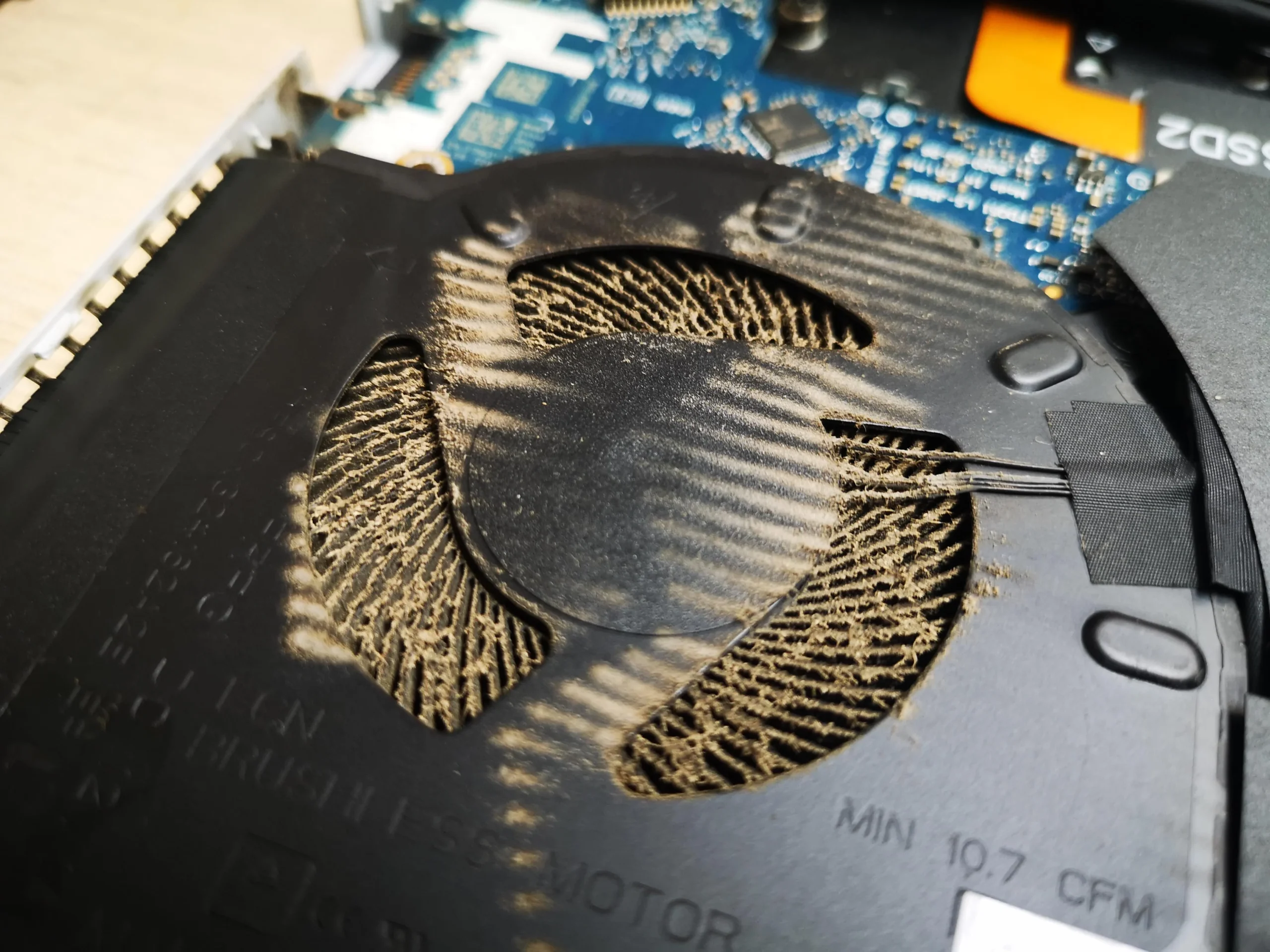
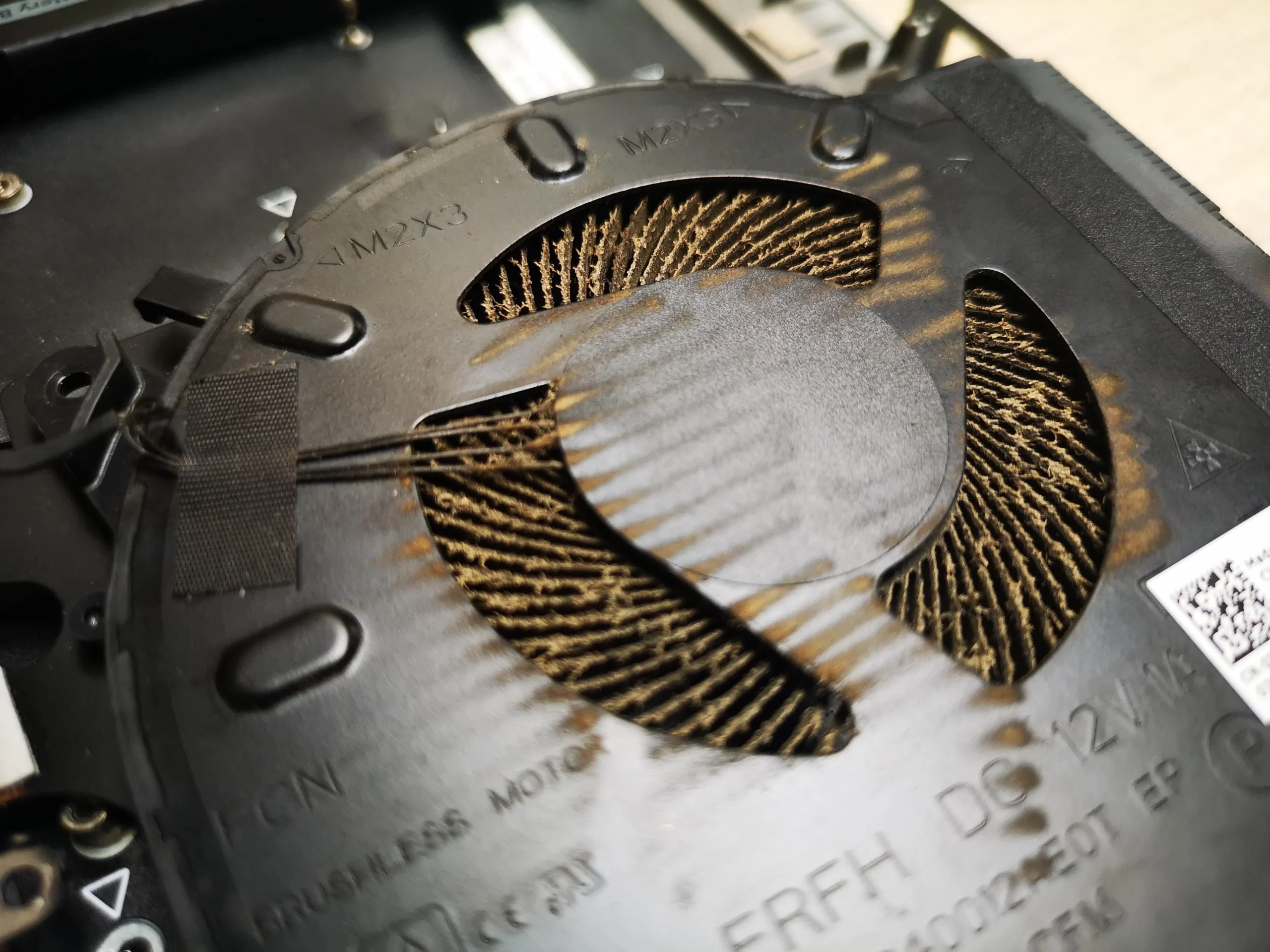
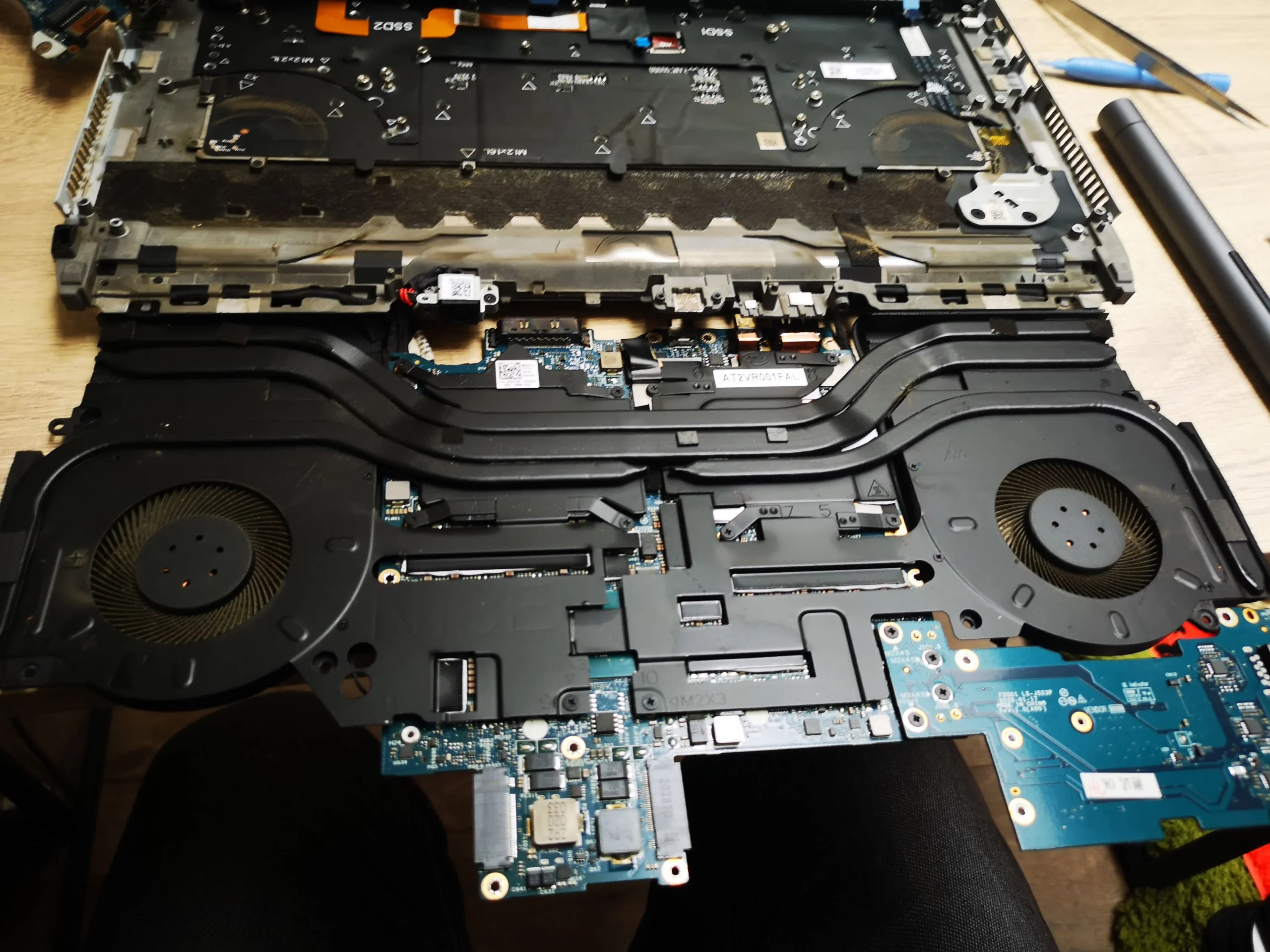
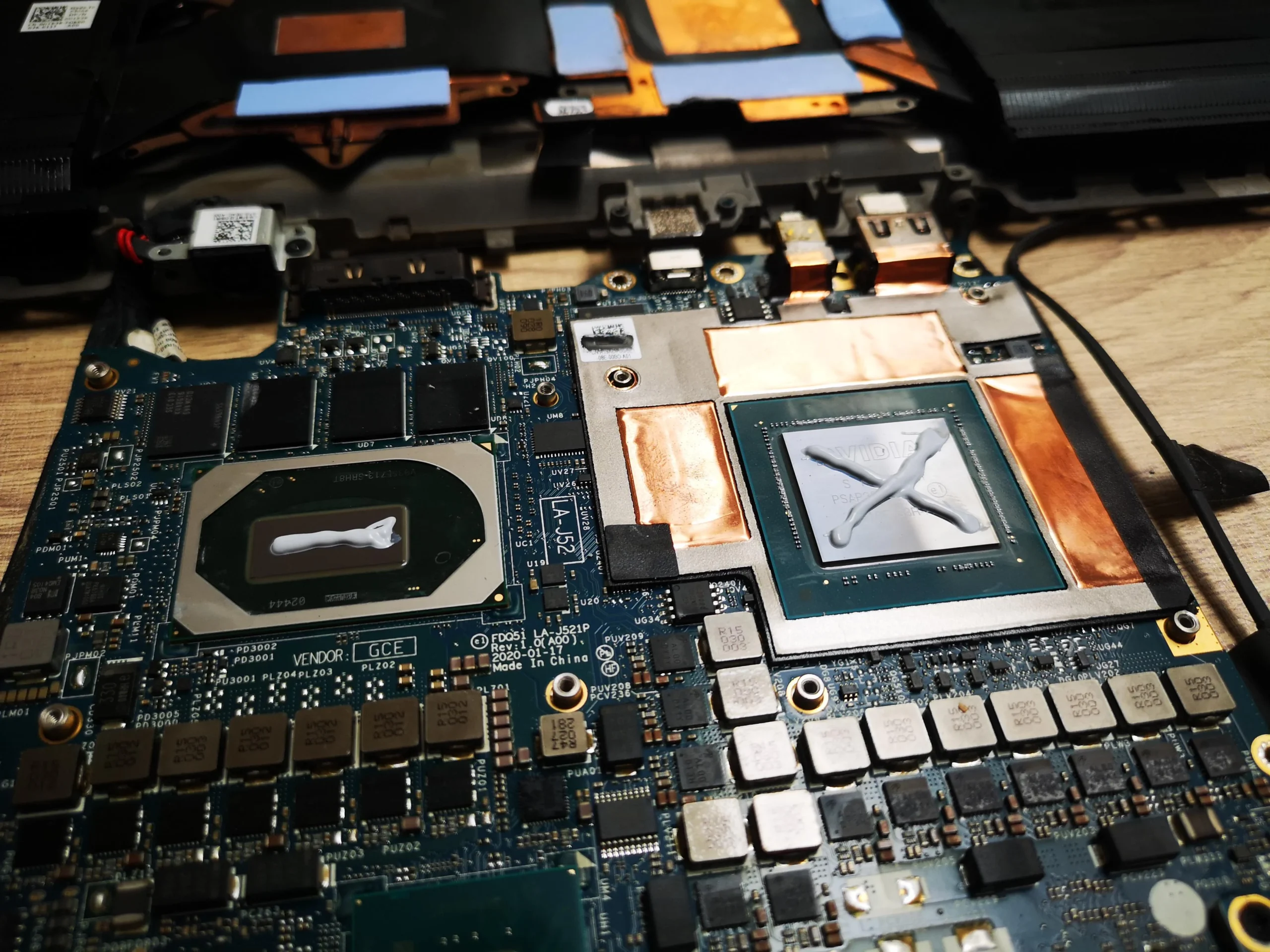
The pale layer on this m15 R3 fan is obvious in close-up. The wider workshop photos explain why reaching it is a careful job: two blowers, several heat pipes and a broad contact assembly sit around the board. Once that assembly was lifted, the CPU and graphics contacts needed separate preparation.
Model identity
Alienware m15 R3 / regulatory type P87F002
Airflow
Two fans connected through a broad heat-pipe assembly
Deeper work
CPU and graphics contact surfaces exposed
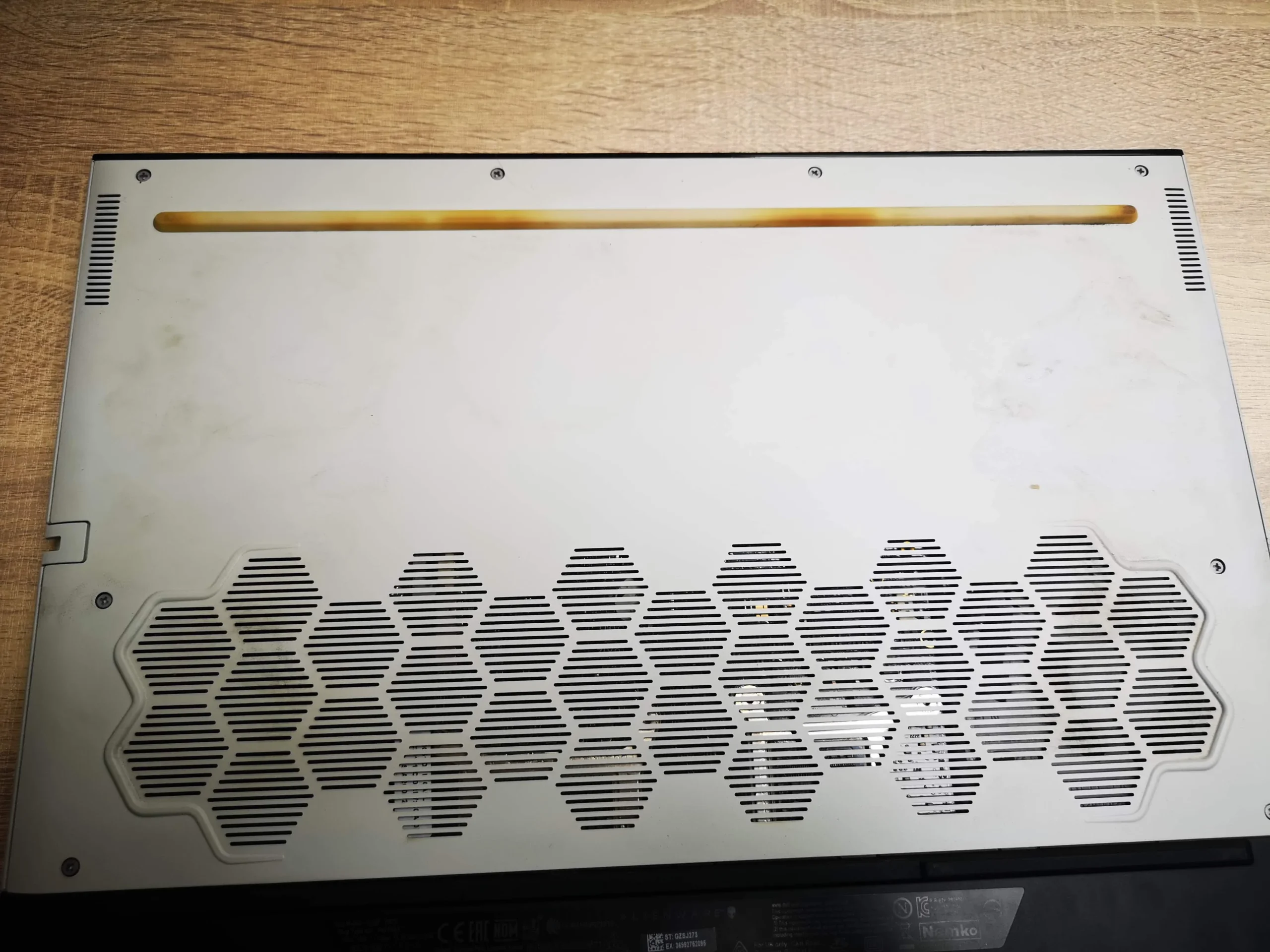
The underside marking gives regulatory model P87F and type P87F002. Dell's m15 R3 documentation uses the same codes, so the model identification is stronger than a guess based on the white Alienware shell. We have omitted that label image and other paperwork or screens that might identify a customer.
The archive shows one fan heavily coated with pale dust, two blowers in the broader layout, a separated heat-pipe assembly and old compound at two chip surfaces. It also shows cleaned surfaces and a Dell/Alienware startup screen. There is no measured before-and-after thermal test, so the article stays with what the photographs demonstrate.
In this case study
01 / The visible clue
Dust coated the fan opening and blade ring
The close-up shows a broad pale film over the fan's centre and blades, with dust along the surrounding plastic. This is a stronger warning than fan noise alone: the machine can still spin its rotor while the air path is contaminated.
Cleaning should include the blade edges and the nearby fin entrance, not just the centre hub. Hold the rotor still during controlled air cleaning and collect loose debris so it does not settle on the exposed board or return to the fins.
02 / The wider layout
The cooler has two blowers and several linked pipes
With the internal assembly exposed, a fan appears at each side and multiple heat pipes cross the board between them. One dirty fan is reason to inspect the other wheel and both outlets. The white lower panel's patterned intake is part of the same airflow route.
The disassembly photos show more access than simply removing a bottom panel. Connectors, pads and fasteners around the cooler need to be documented before parts are lifted. A similar-looking Alienware model may have a different order, so use the exact m15 R3 service guide.
03 / Under the cooler
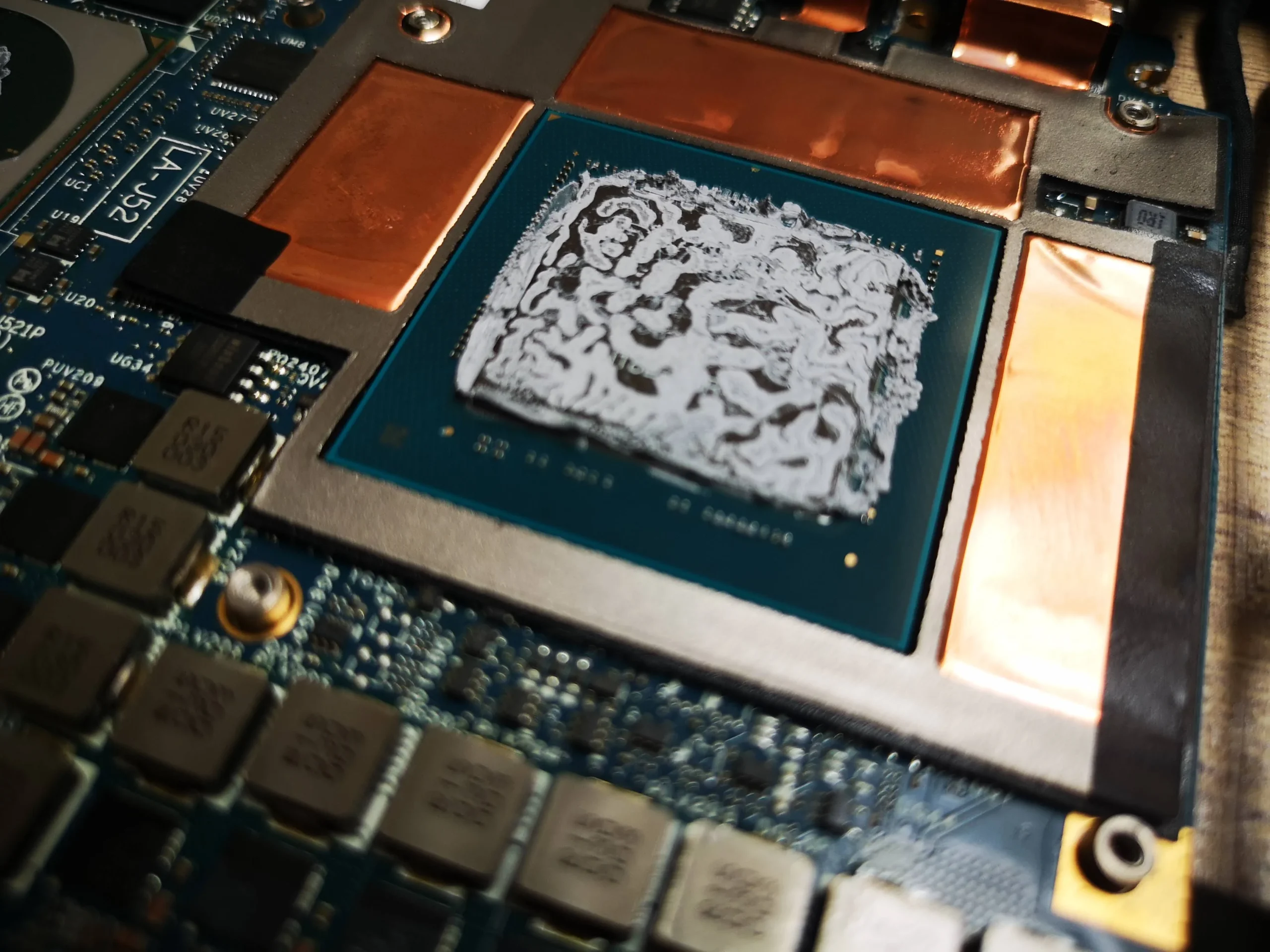
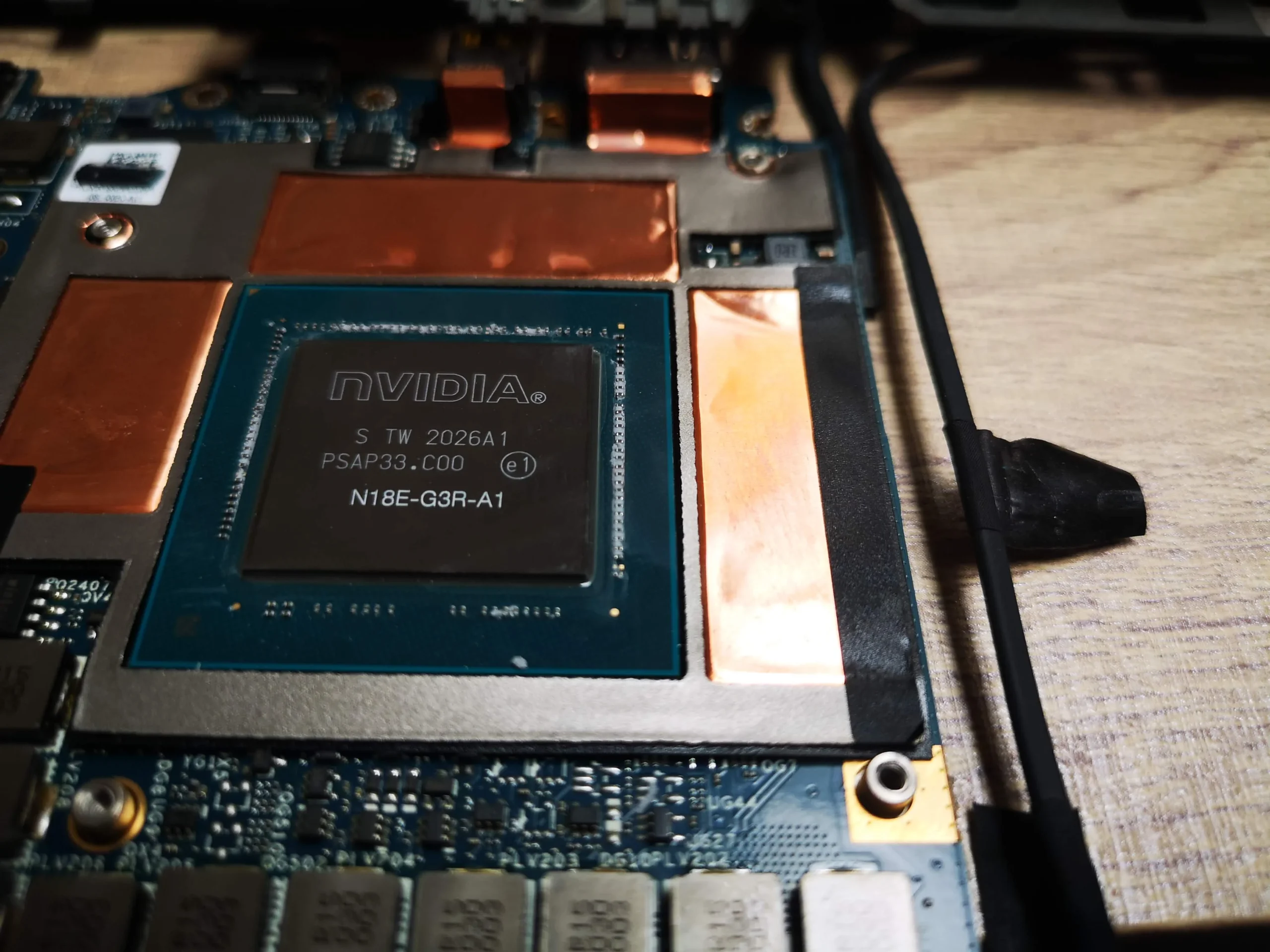
Old compound was visible at the graphics and processor contacts
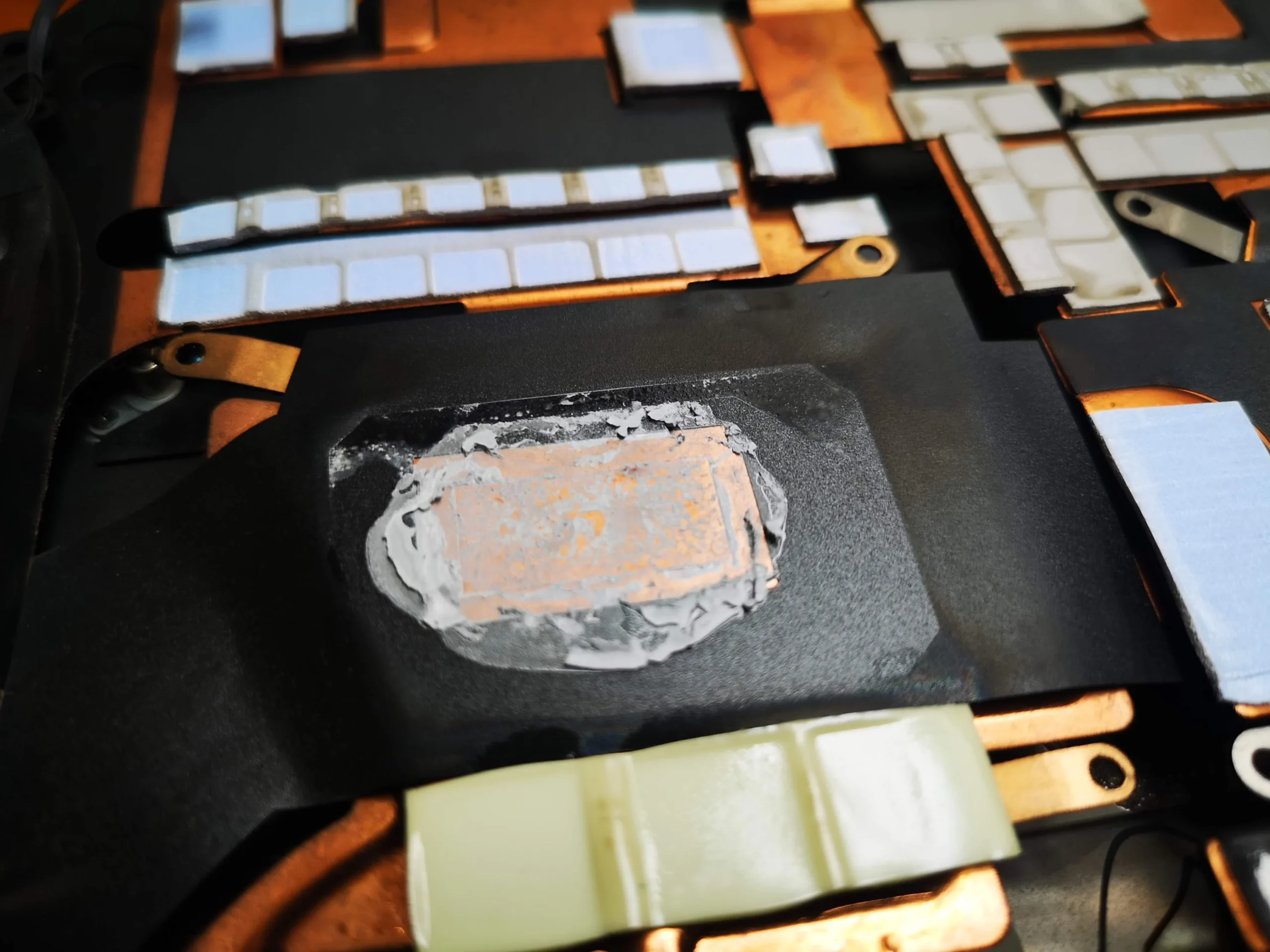
The graphics package is surrounded by memory chips and had a broad old compound imprint. A second chip package had its own contact area. The separated cooler underside shows copper plates and many small pads that contact components around the main chips.
Those pads must remain correctly placed and the main plates must seat evenly. It would be unsafe to choose replacement pad thickness by eye or to clamp the disturbed old chip compound back together after lifting the assembly.
04 / Before reassembly
The later photos show cleaner chip surfaces
A later view shows the graphics chip surface clear of the old white residue; the processor also appears cleaned. The archive documents preparation, but not the exact compound product, final spread under the plates or a controlled performance result.
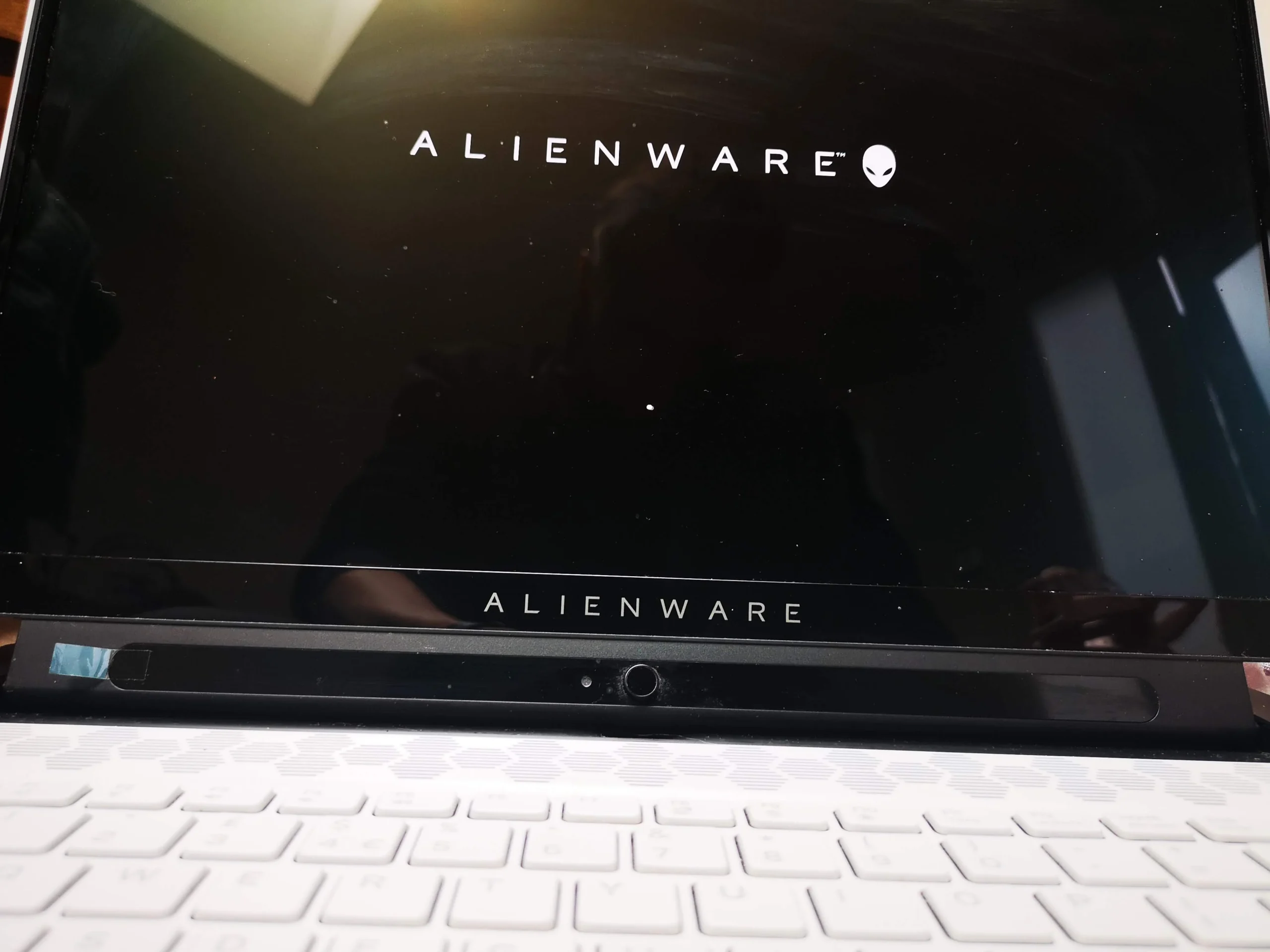
The Alienware startup logo appears after reassembly. It is a useful functional check, but a loaded CPU and GPU test is needed to assess fan behaviour, exhaust flow and temperatures.
The engineer’s takeaway
This m15 R3 illustrates why deep cooling service combines two disciplines: clearing dust from both air paths and restoring every disturbed contact under the broad cooler. The photos support the disassembly, cleaning and visible startup stages; a performance claim would need measured testing.
Before you open the laptop
Is an m15 R3 fan clean a DIY job?
Begin with the laptop off, charger removed and exterior intakes and outlets inspected. Dell's service manual for the m15 R3 should guide any opening, including battery isolation and screw order. The model label's P87F002 code can help with identification; do not share the Service Tag publicly.
Visible surface dust is simpler to address than removing the linked cooler. The photos show pads, CPU and graphics plates, and several connections that must return correctly. If you cannot document those positions and obtain the specified thermal materials, stop before lifting the assembly.
For model documents, check the official manufacturer support page.
After the clean
Checking the result without guessing
After reassembly, confirm the m15 R3 starts, both fans respond smoothly and no outlet is blocked. Compare CPU and GPU readings under the same sustained task and similar room and power conditions.
The archive includes a startup logo but no paired temperature readings. That makes boot a documented result and thermal improvement an unanswered measurement, not a number to invent.
Questions from owners
Alienware m15 R3 fan and cooler FAQs
Answers grounded in this unit's two-fan cooler and exposed thermal contacts.
How was the m15 R3 model confirmed?
The underside shows regulatory model P87F and type P87F002, which Dell lists for the Alienware m15 R3.
Does the m15 R3 in these photos have two fans?
Yes. The exposed cooling assembly has a blower at each side, linked by several heat pipes.
Why does a dusty fan matter if it still spins?
A spinning rotor does not prove the blade edges and fin outlets are clear. The close-up shows substantial dust on one fan.
Can I remove the cooler just to clean the fan?
Do not assume it is necessary. Lifting the cooler disturbs multiple chip contacts and pads, so first check what fan access the exact service guide allows.
Were the CPU and GPU surfaces cleaned?
The photo sequence shows old material on two main chip areas and later cleaner surfaces. It does not identify the thermal product used after that stage.
Does the startup logo prove lower temperatures?
No. It shows the system booted. A matched sustained workload is needed to assess cooling performance.
UK Alienware cooling enquiries
Is your m15 R3 loud under load?
If you are in the UK, tell us whether the noise is from one side or both, which game or task triggers it, and whether the machine slows or shuts down. Include the m15 R3 model and your postcode, but keep the Service Tag out of a public message.
We can discuss fan and fin cleaning, whether deeper cooler work is warranted and how to check the result under a repeatable workload.
Read about our Alienware laptop cleaning service, then use the form to tell us your computer model, symptoms and UK postcode.
Free to enquire · No obligation to book. We discuss the proposed work and price before you decide.
The workshop photos
Alienware m15 R3 cooling service photos
Open the photos to see the dusty blower, two-fan heat-pipe layout, old and cleaned chip surfaces, cooler pads and startup check.