Published 23 October 2026 · AORUS gaming laptop case study
AORUS laptop cleaning
the dusty intake led straight to two dusty fans.
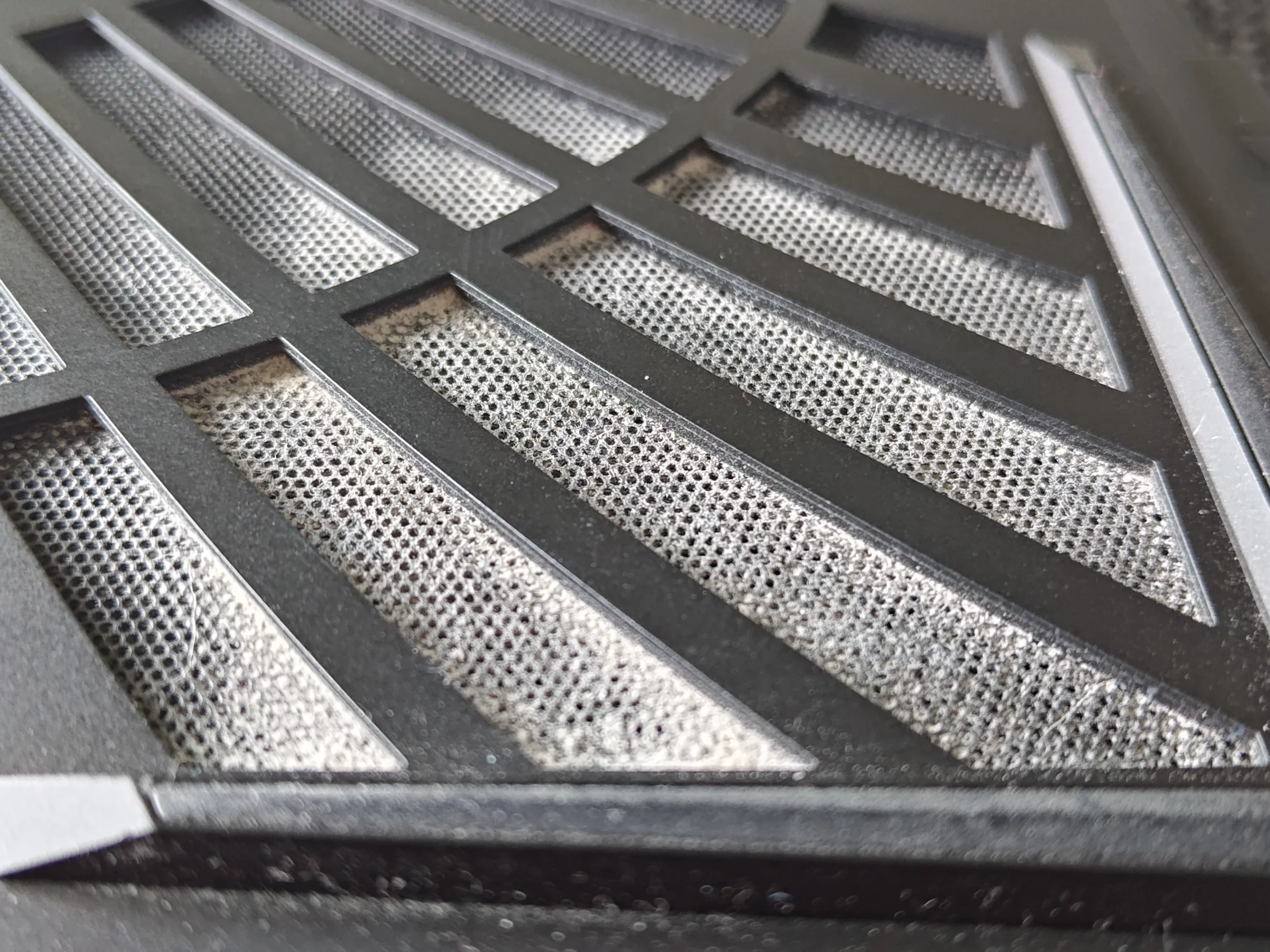
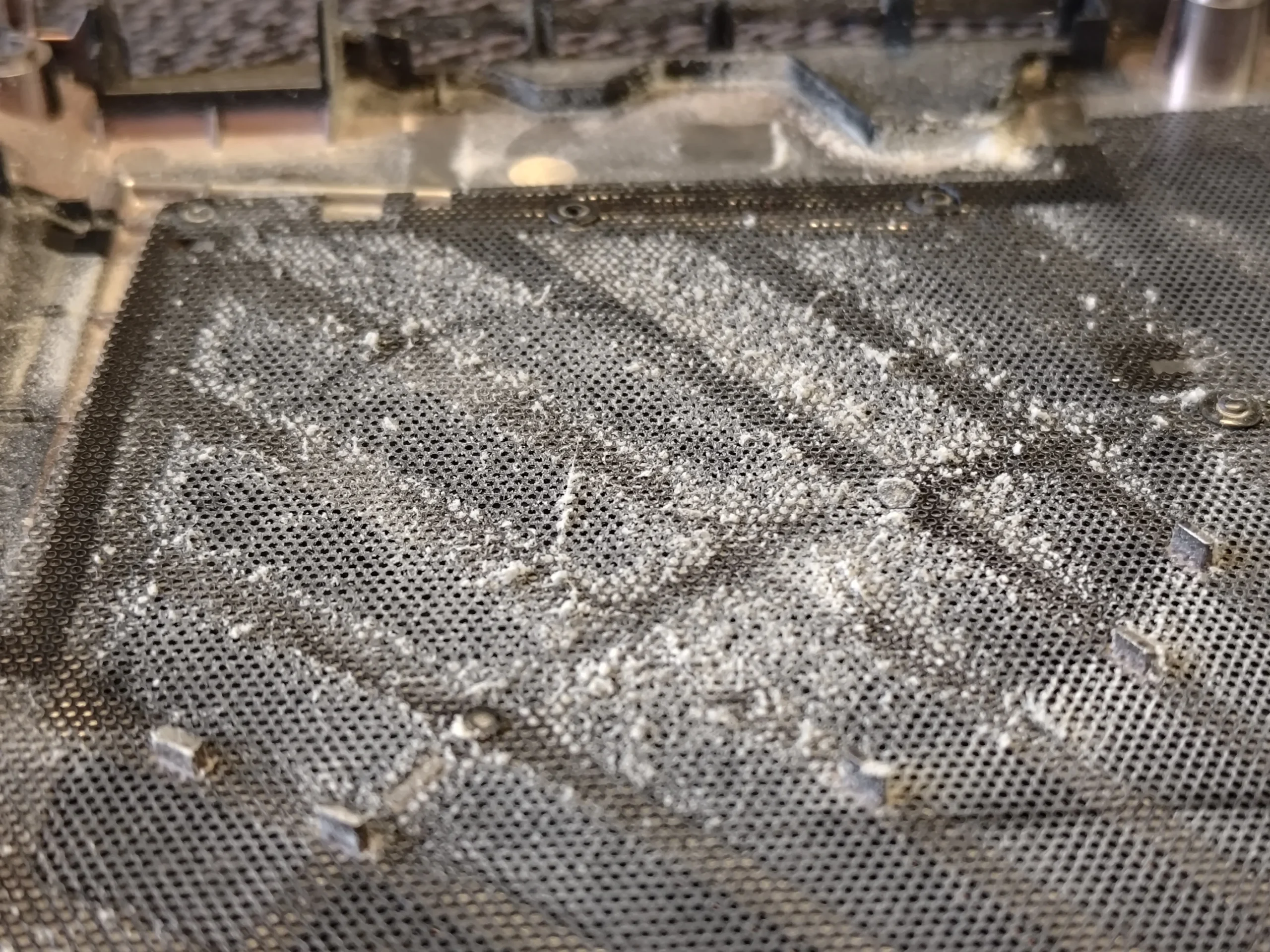
The underside grille on this AORUS machine is covered in fine grey dust. Open it and the same material appears on both blower housings and the surrounding board. The photos make the route easy to follow: fresh air enters through that cover, reaches the fans, then leaves through narrow fin stacks carrying heat away from the chips.
The machine
AORUS-branded gaming laptop; exact suffix unconfirmed
The layout
Two blowers and a shared copper cooler
The visible issue
Dust on the intake cover, fan wheels and outlet area
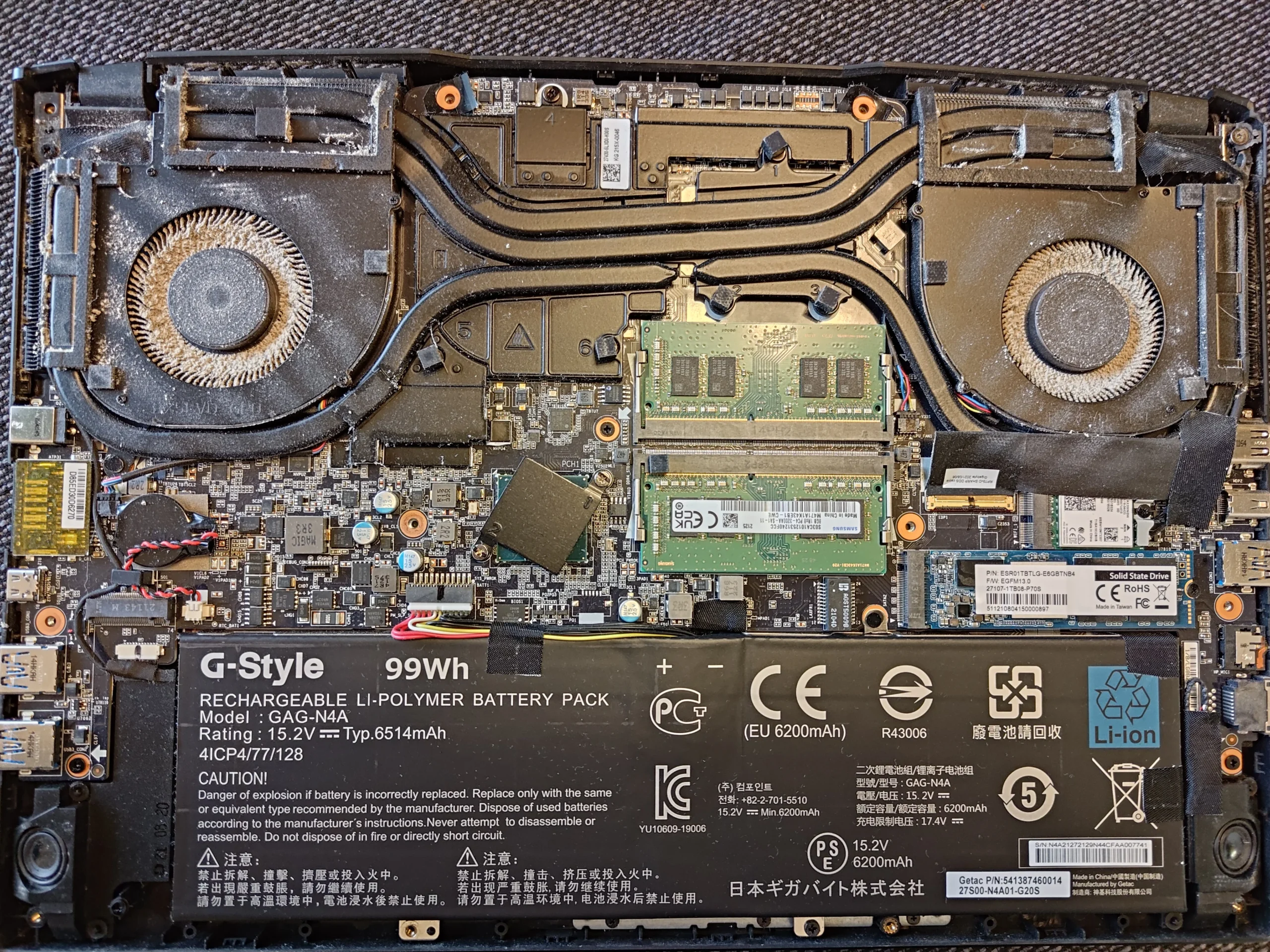
The AORUS name is visible on this laptop, and the open-case photographs show two blowers around a central heat-pipe assembly. The exact commercial model suffix is not legible enough to use as a repair identifier, so the advice stays tied to what this machine visibly contains.
A dusty intake, dust-coated fan wheels and lifted cooler contacts appear in the set. No controlled pair of temperature readings appears, so the photos support an inspection and cleaning story rather than a numerical performance claim.
In this case study
01 / Start outside
A grey film covered the lower-cover intake
The lower cover is not just a protective lid. Its grille feeds air to the two fan inlets. Here the dust is easy to see across the grille and the material behind it, giving a clue that more may be sitting on the internal fan blades.
Clean the cover from both sides with the laptop powered down and the cover removed. Keep any mesh or liner intact; damaging it or forcing debris through it only moves the dirt deeper into the machine.
02 / Inside the case
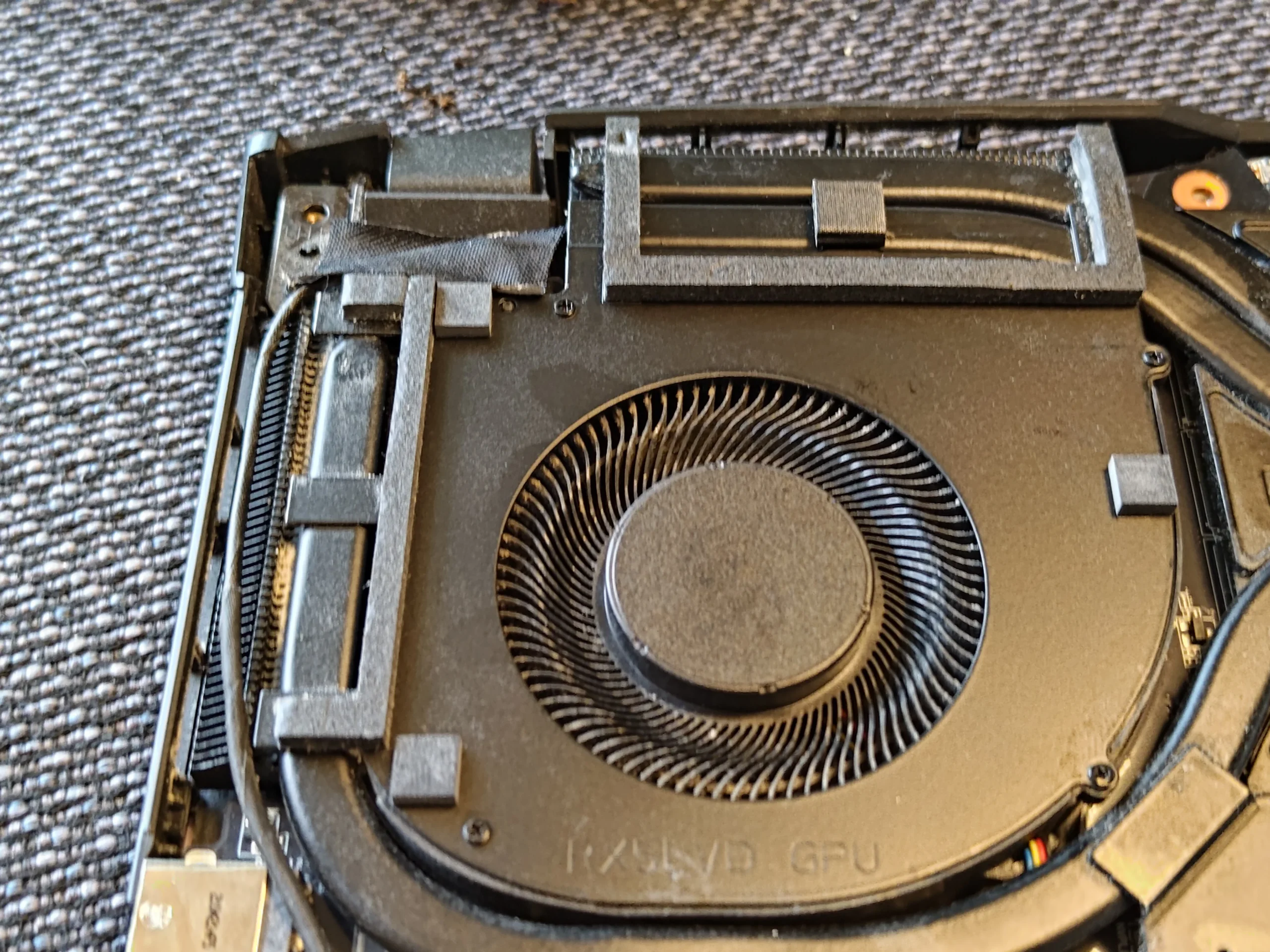
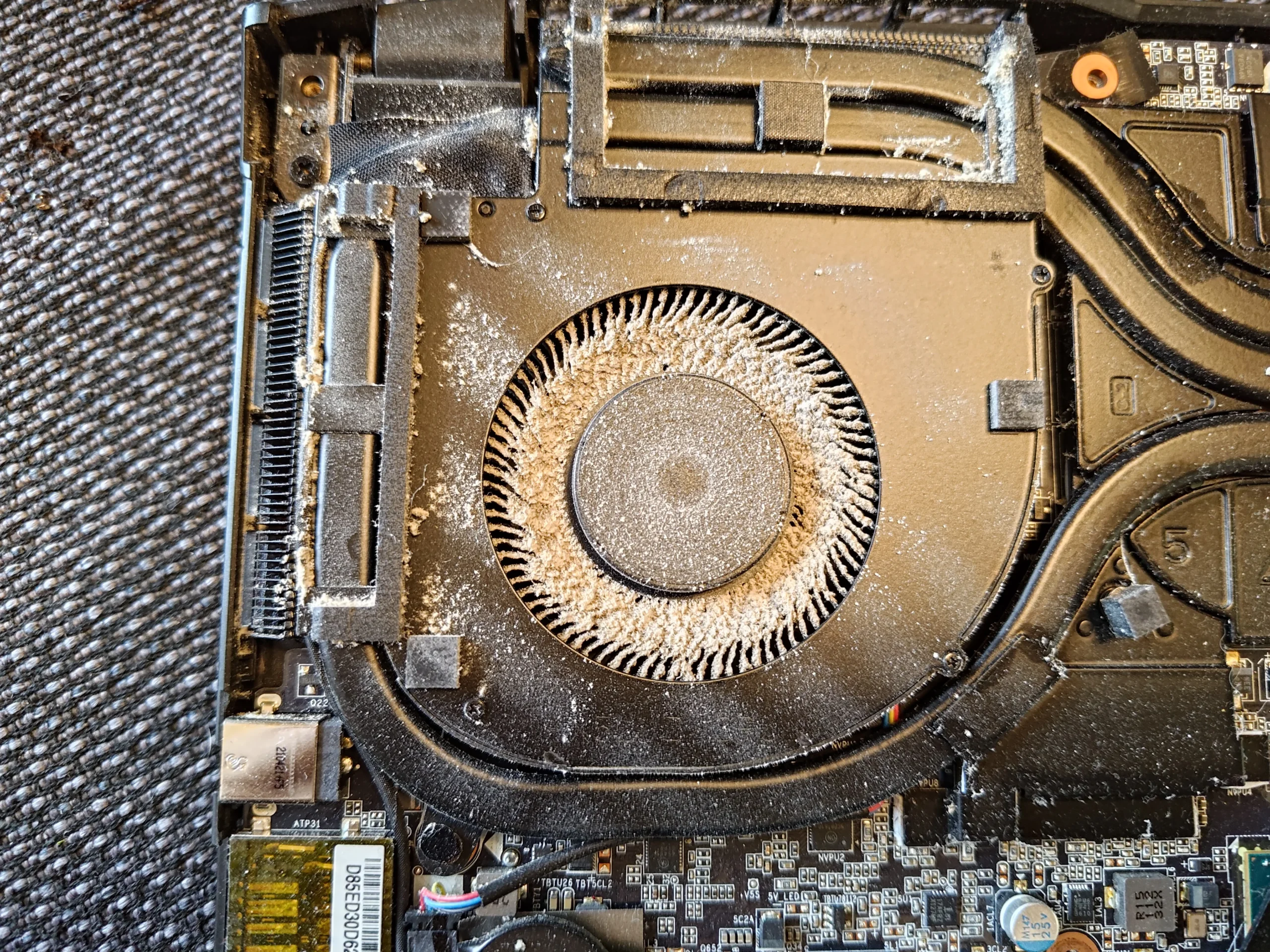
Dust collected on a blower wheel and its housing
The first fan close-up shows a grey ring on the blades and fine material across the shroud. The blades need a controlled clean with the wheel held still. A blast of compressed air that spins a fan freely can leave debris in the outlet rather than remove it.
Look into the narrow fin face beside the blower. The airflow path is only as clear as its tightest point, and an apparently clean central fan opening does not tell you whether the fins are matted.
03 / The other side
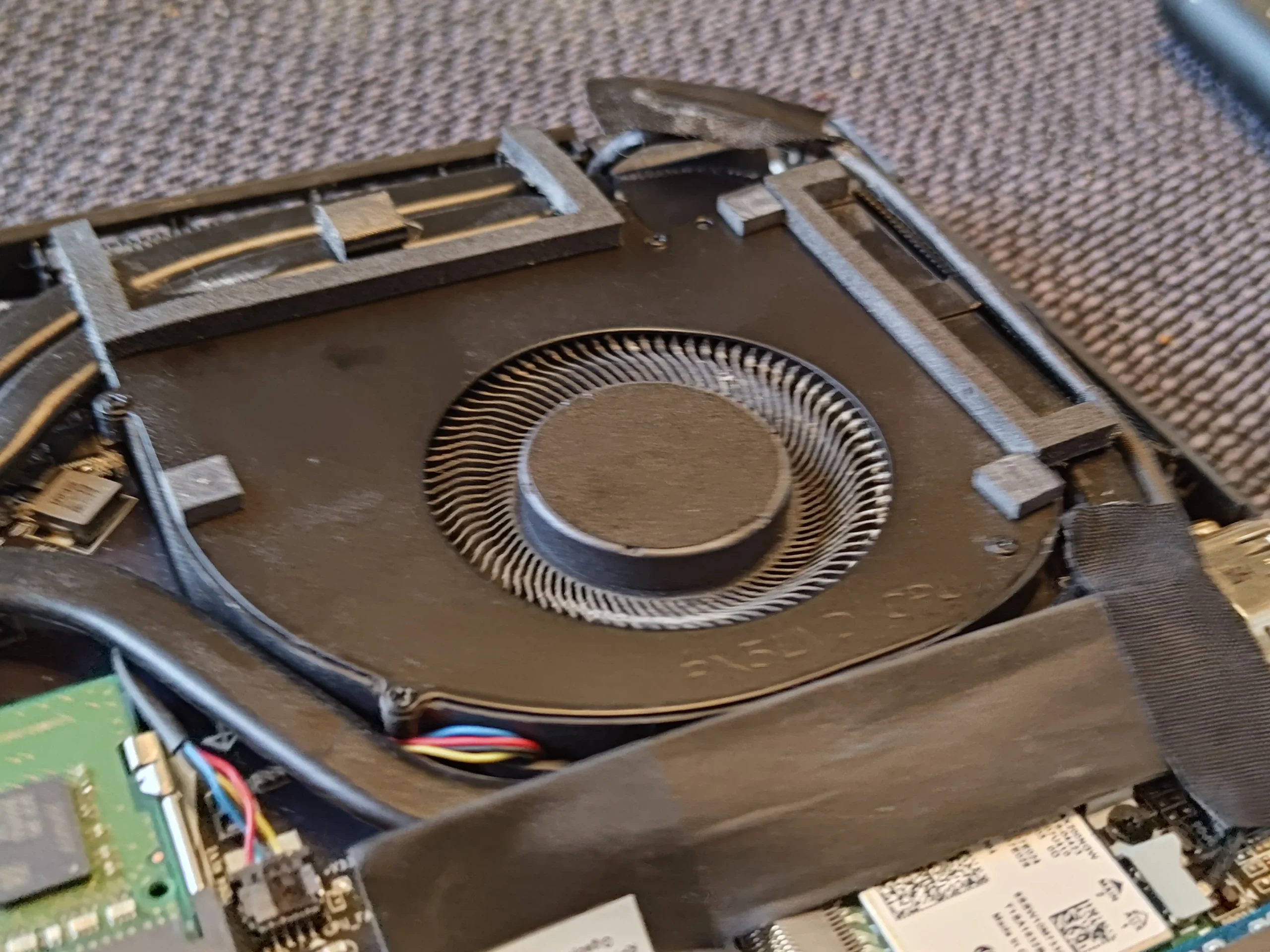
The second fan needs its own inspection
A wide interior photo shows the two fans sharing the cooling load. The other blower has its own inlet, connector and outlet path; there is no reason to assume it stayed clean because one side looks worse in a photograph.
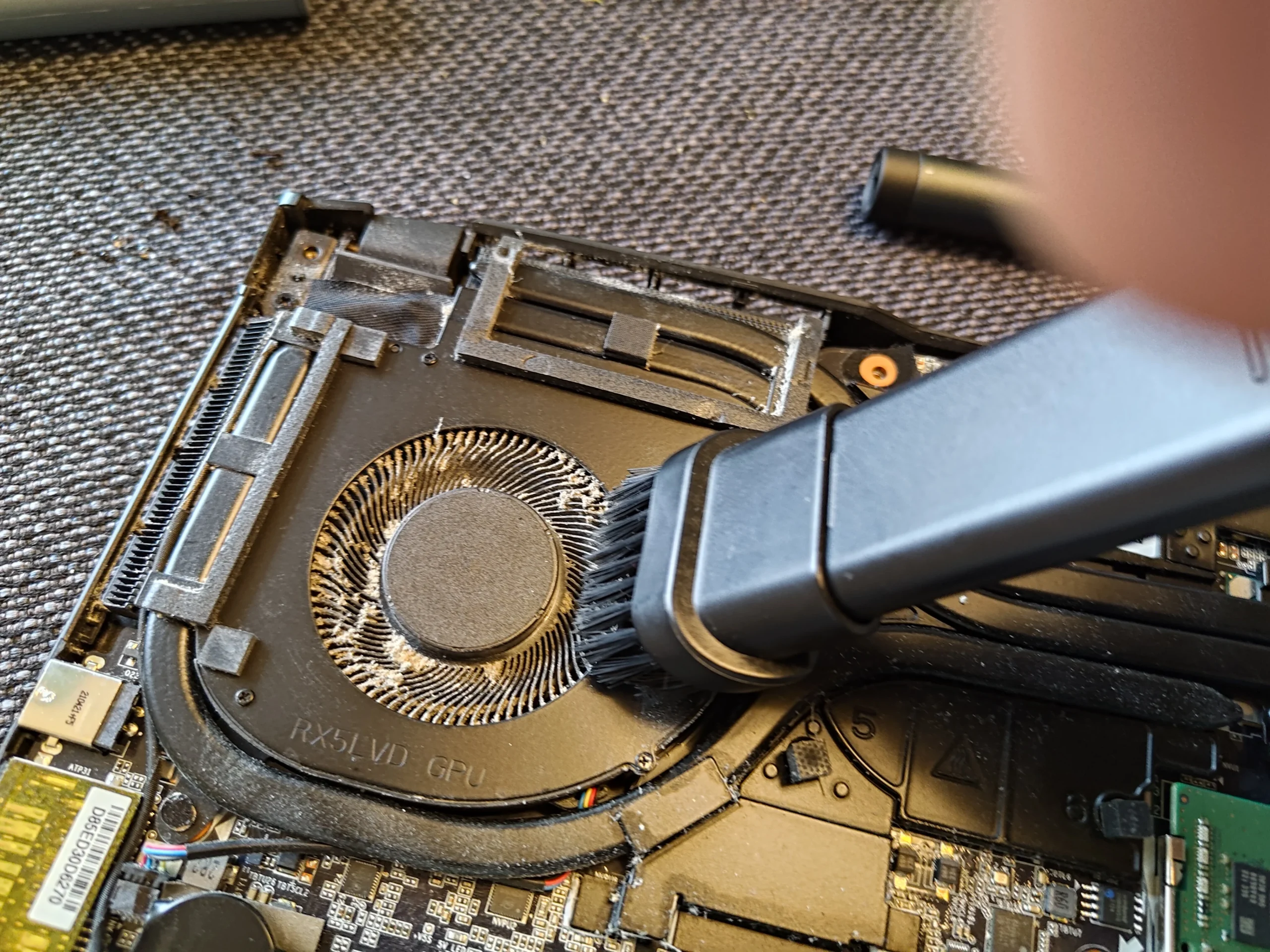
Check both wheel rims, outlet fins and cable routes before closing. The photographs include cleaning around the fan areas, but they do not provide a paired airflow measurement for either side.
04 / Deeper access
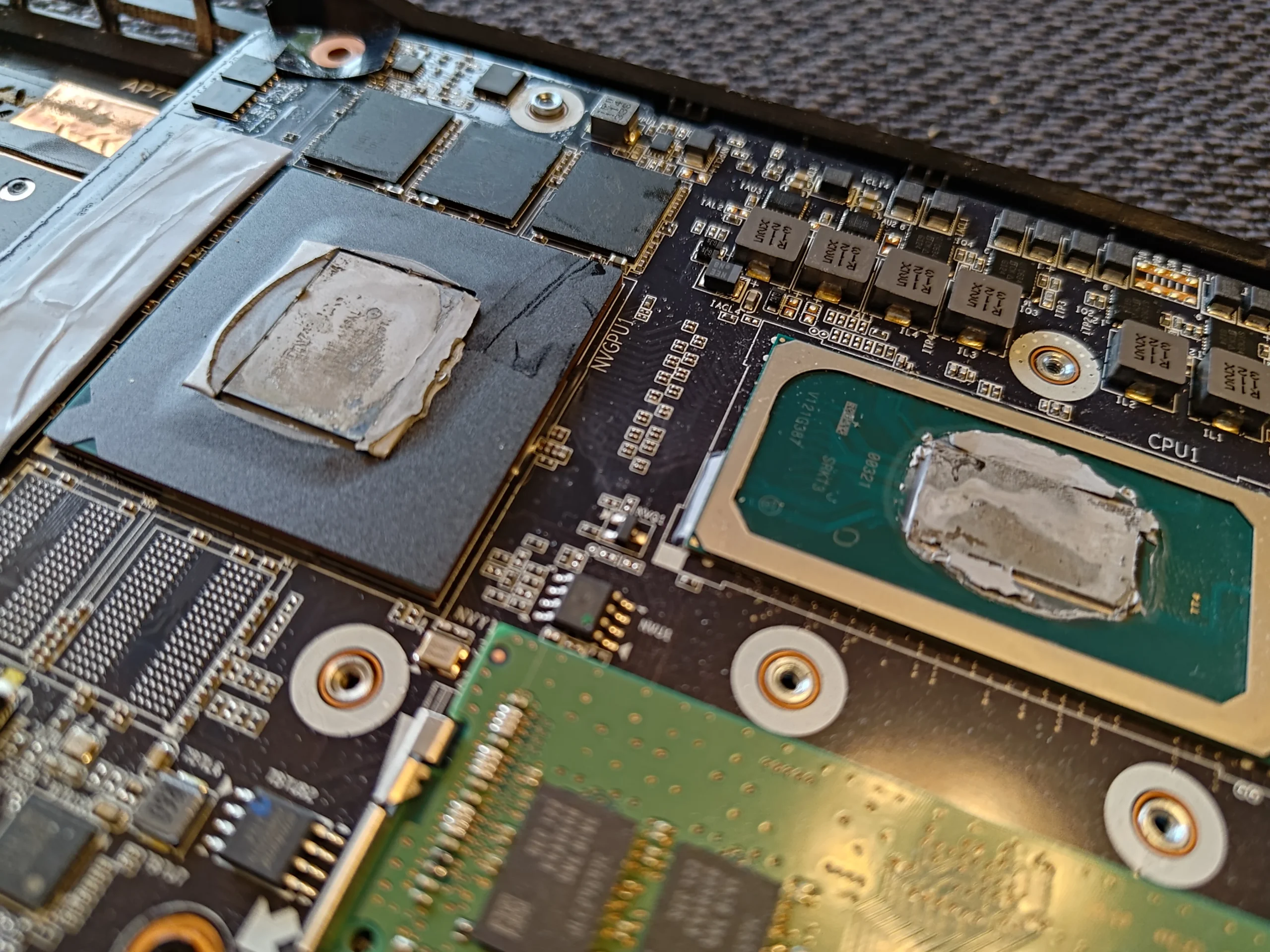
A lifted cooler exposes more than the fans
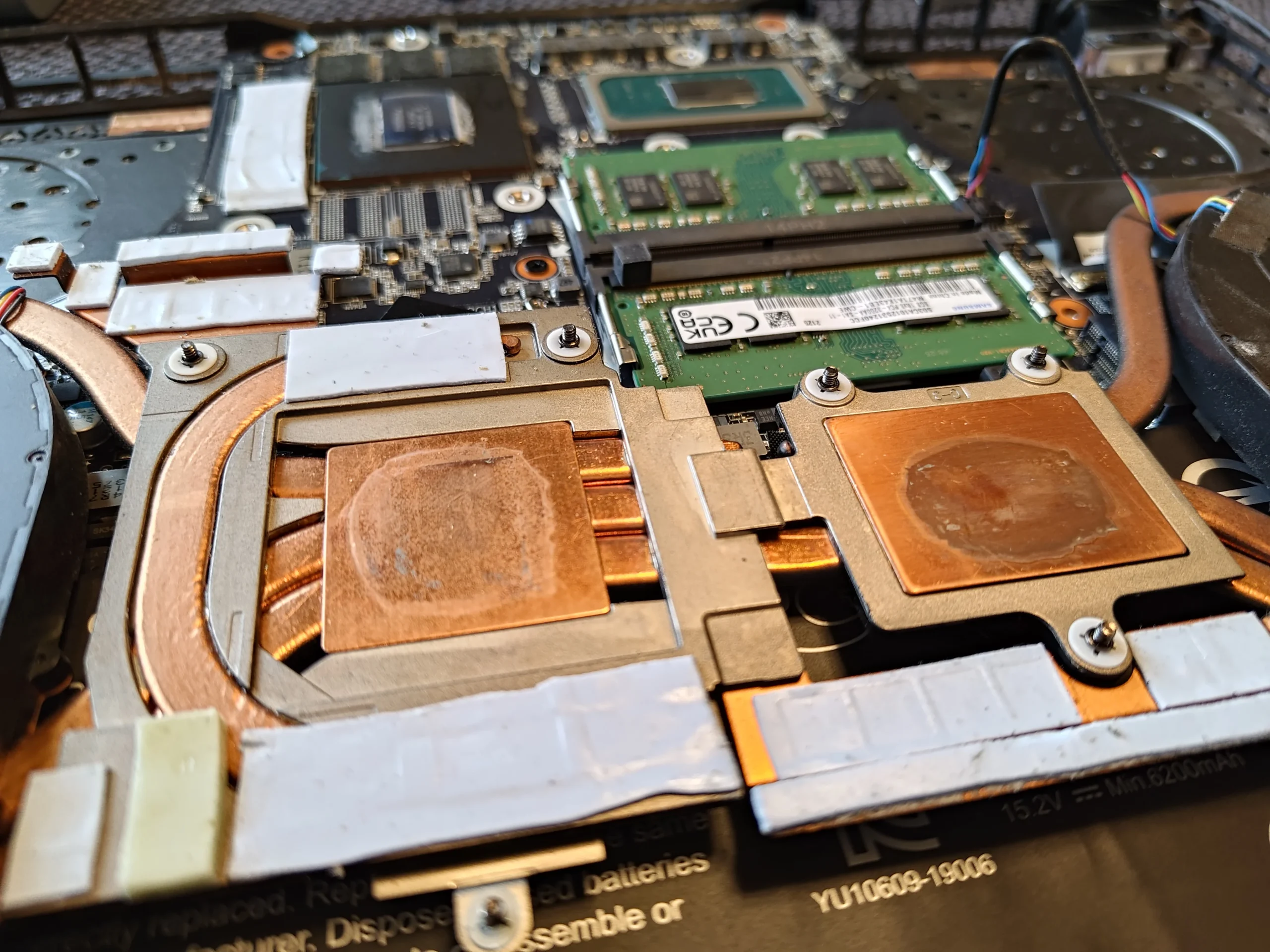
Later images show the copper cooling plates and chip surfaces separated. Paste is visible on the contacts, and a technician is working at those surfaces. This is a different task from brushing off an intake: the cooler must return flat, with appropriate thermal material and its fasteners tightened in the correct order.
Pads on adjacent parts need their original locations and suitable thickness. The photos document access to these contacts, but not a controlled temperature result after the machine was closed.
The engineer’s takeaway
The AORUS intake, two blowers and heat-pipe cooler form one cooling route. Cleaning the visible grille alone leaves the fan wheels and fins unchecked; lifting the cooler adds careful thermal-contact reassembly to the job.
Before you open the laptop
Can you clean an AORUS gaming laptop yourself?
Read the exact model on your own label and use an opening guide for that variant. Shut down, unplug and isolate the battery after opening. Photograph the two fan connectors, screws and heat-pipe positions before disconnecting anything.
A cover-and-fan inspection is less involved than lifting the cooler. If you remove the heat-pipe assembly, you need the correct paste, pad arrangement and fastening sequence. If those are unknown, stop before breaking the existing thermal contacts.
After the clean
How to check the machine after cleaning
With the cover back on, check that neither fan scrapes or rattles, both vents pass air under a suitable load, and the keyboard and charging still work. Compare like-for-like workload conditions if heat or noise was the original complaint.
The photographs show dust and work in progress. They do not establish how many degrees any component changed, so any result needs a separate measured check.
Questions from owners
AORUS dual-fan cleaning FAQs
Questions raised by the dusty intake cover and two-blower cooling layout.
Will cleaning only the underside grille fix overheating?
It removes an intake restriction, but the fan wheels and outlet fins also need inspection. This case shows dust inside as well as on the cover.
How many fans are in this AORUS case?
The photographed machine has two blower fans, one on each side of the cooler. Other AORUS variants may differ.
Can I spin the fans with compressed air?
Hold each wheel still while cleaning. Free-spinning it can overspeed the fan and may scatter debris into the fin outlet.
Do I need to repaste the chips for a fan clean?
Not always. Repasting is required as part of proper reassembly if the cooler is lifted and its paste contacts are separated.
What happens to the thermal pads when the cooler is removed?
Keep track of their original positions and use the correct thickness and material if any need replacement. They contact components around the main chips.
Does this case prove a temperature drop?
No paired before-and-after readings are available in the archive, so it would be misleading to give a degree figure.
UK AORUS cleaning enquiries
Dust collecting behind your AORUS grille?
If you are in the UK, send us the exact AORUS model from your own label, a photo of the lower intake and rear vents, and a short description of the noise or heat problem. Include your postcode so we can discuss the practical service options.
We can inspect both fan paths and advise whether the cooler needs to come off for deeper cleaning or thermal-contact work.
Read about our gaming laptop fan and heatsink cleaning service, then use the form to tell us your computer model, symptoms and UK postcode.
Free to enquire · No obligation to book. We discuss the proposed work and price before you decide.
The workshop photos
AORUS intake and dual-fan cleaning photos
Open the pictures to see the cover intake, dusty fan wheels and exposed copper cooler contacts.