Published 24 October 2026 · ASUS FX506LH-HN002T case study
ASUS FX506LH-HN002T cleaning
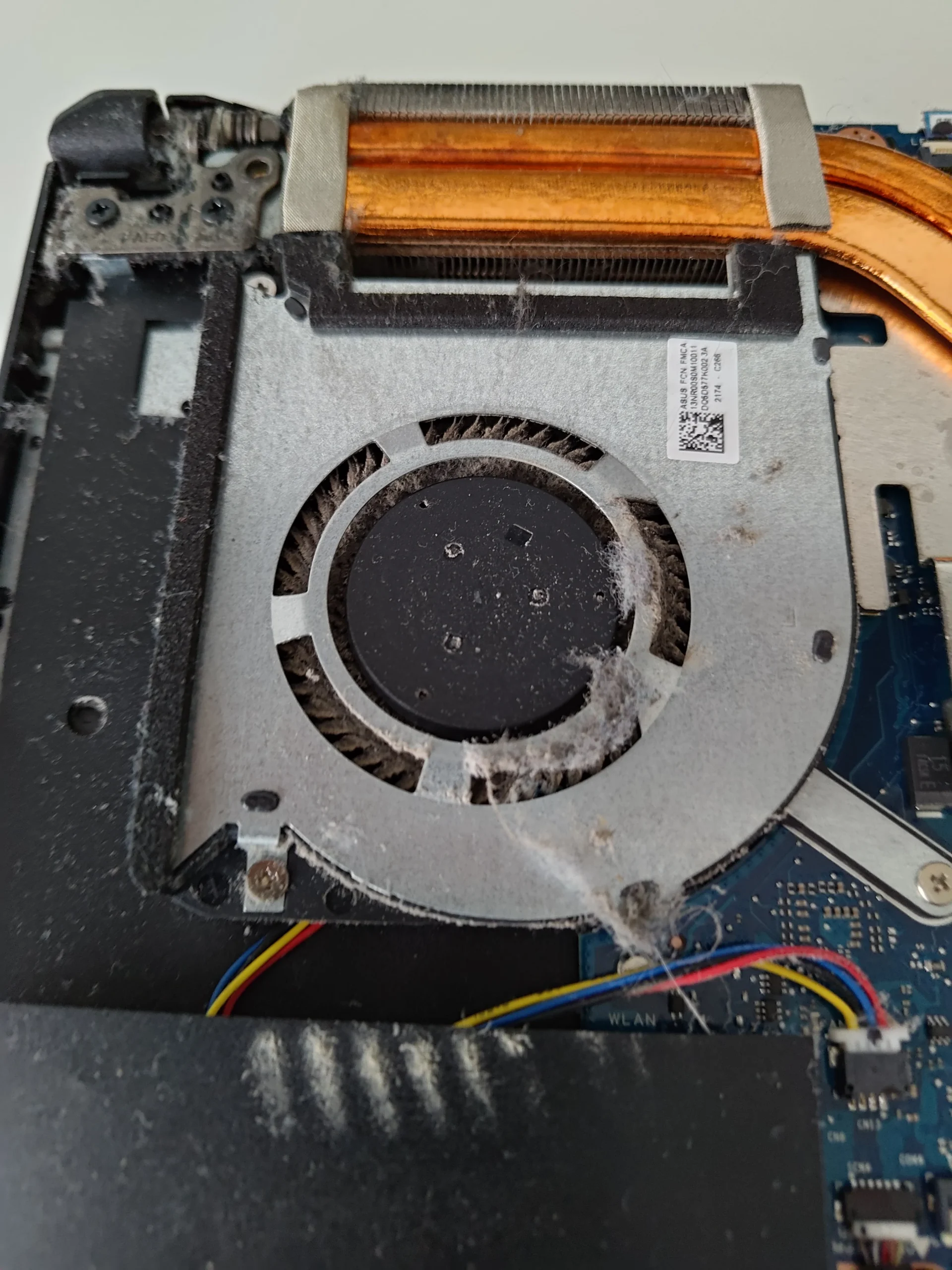
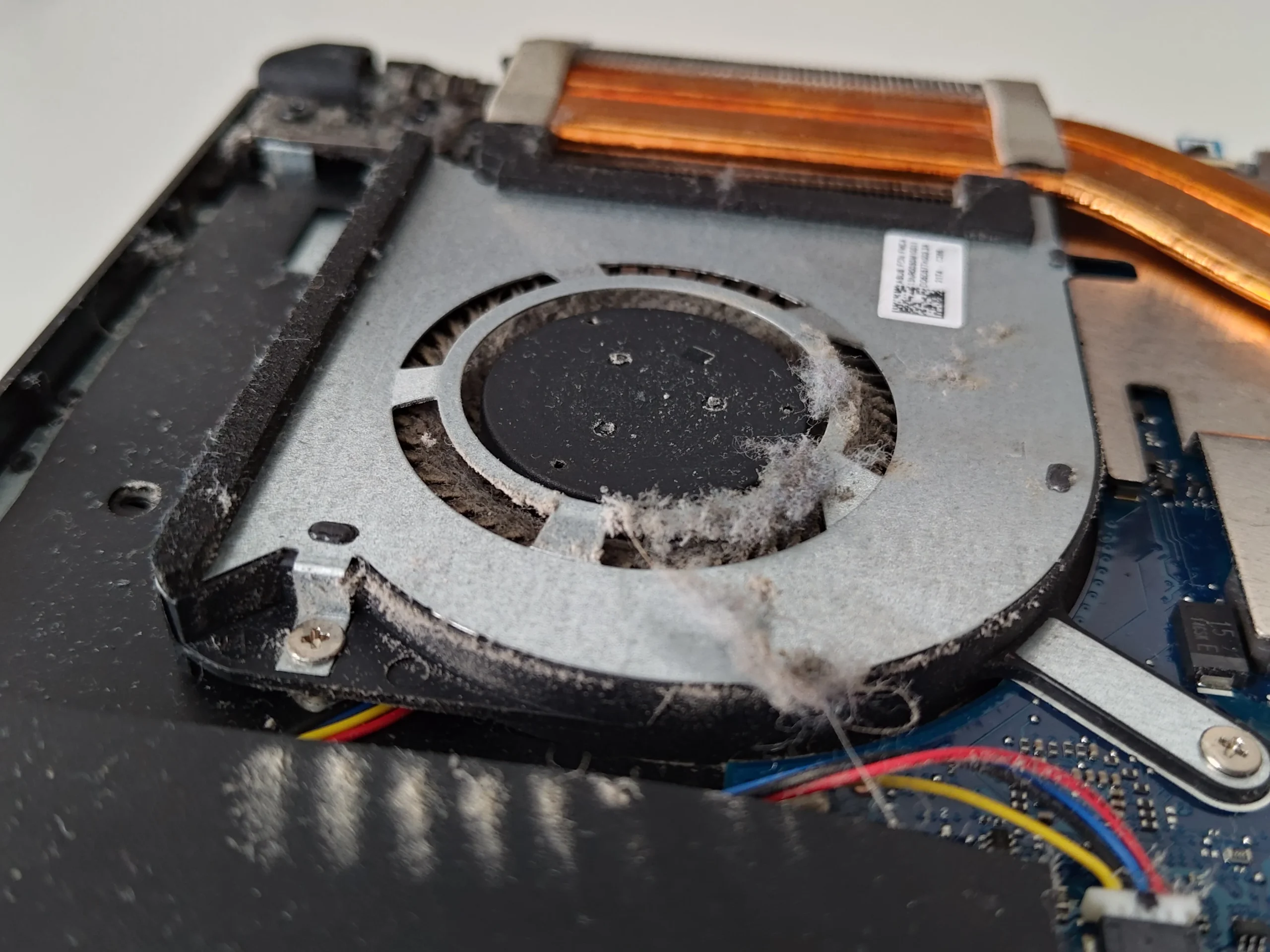
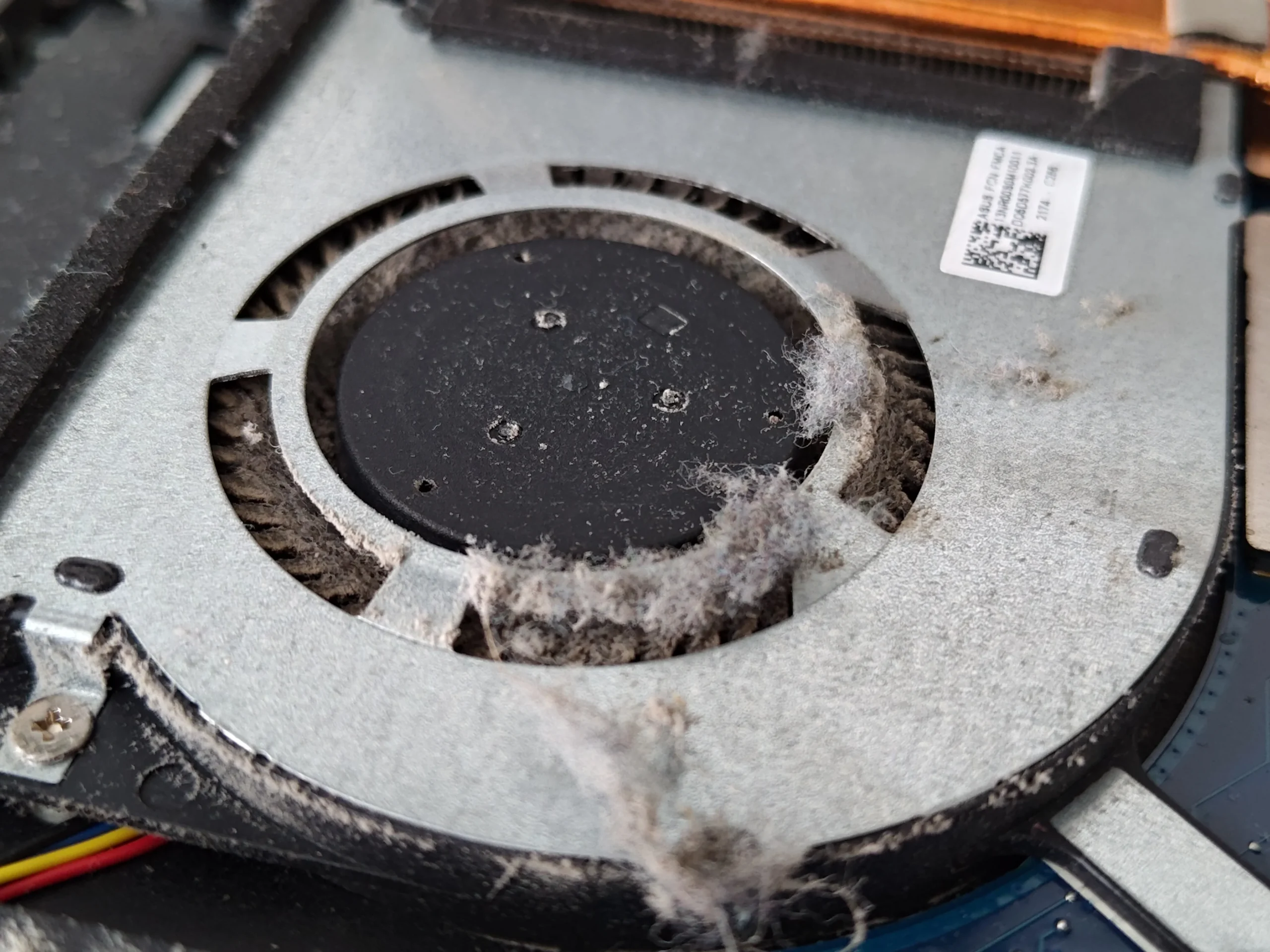
one fan had caught a thick tuft of fibre.
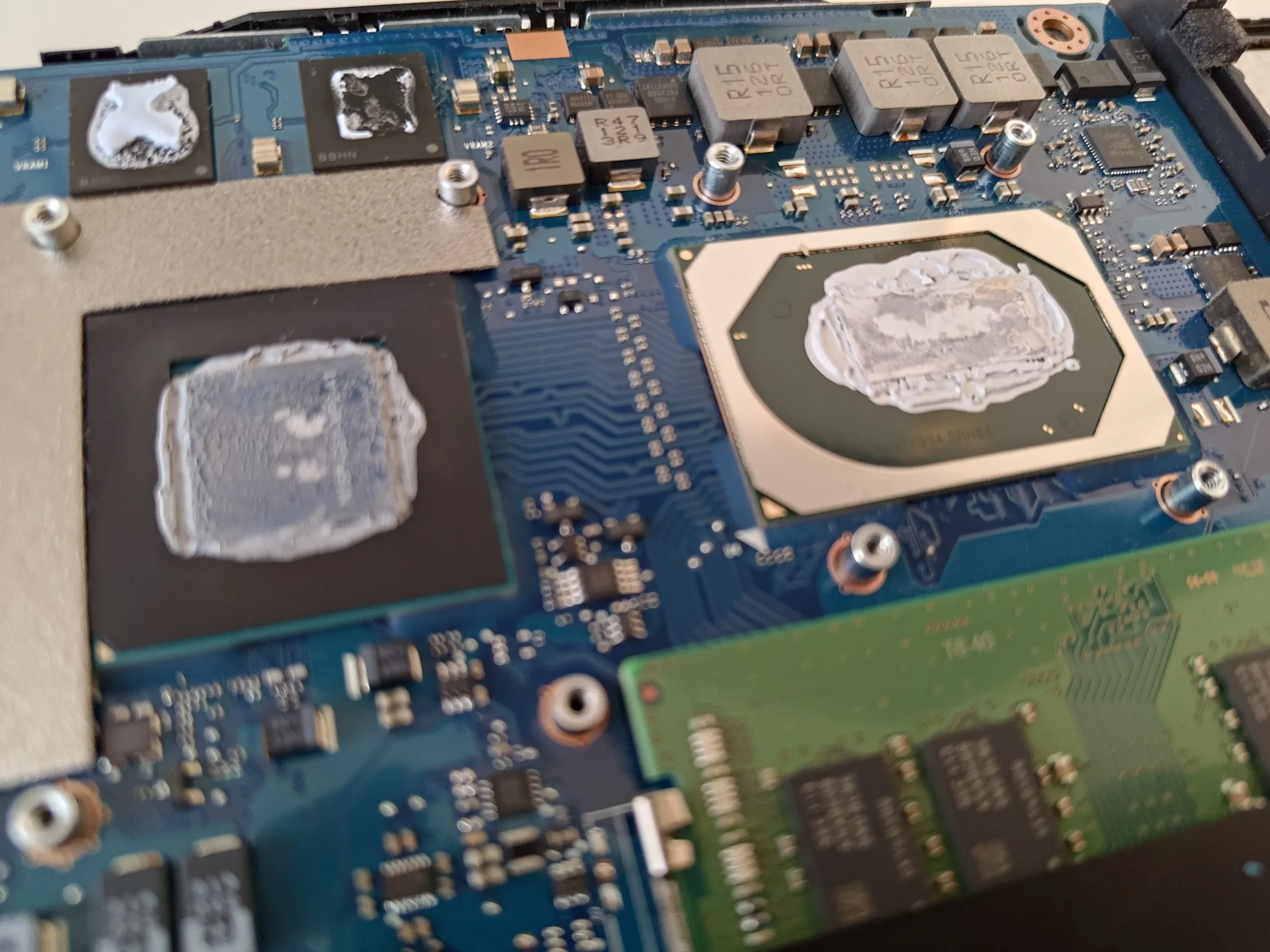
This ASUS has a fan on each side, yet the most telling close-up is one blower with a pale clump wedged into its inlet. The cooling assembly was also lifted, exposing two chip contacts and the copper plates. That makes this a useful case for separating two jobs: clearing the air path and restoring thermal contact correctly.
Exact model
FX506LH-HN002T on the underside label
Airflow
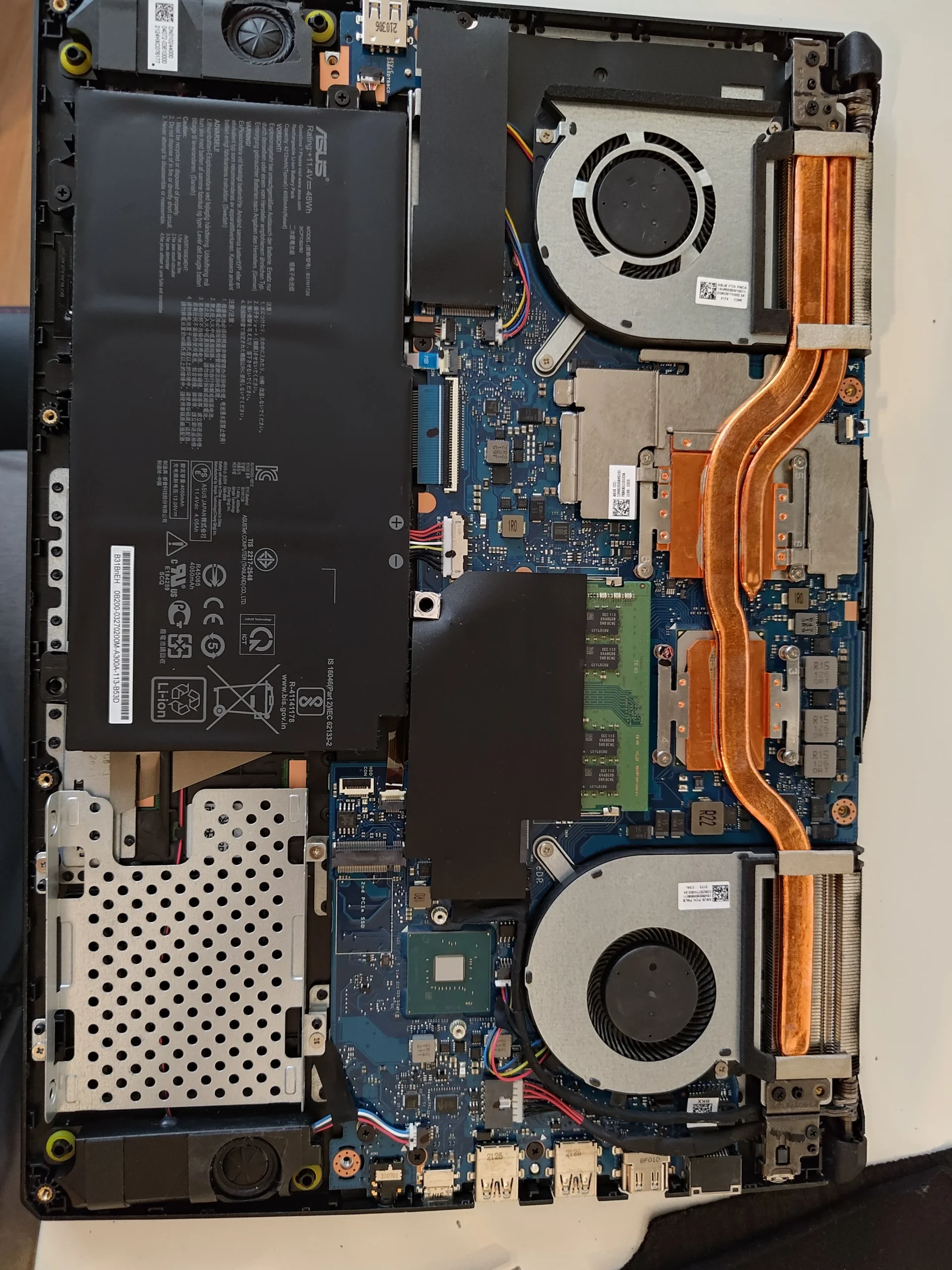
Two blowers and two rear fin stacks
Closer finding
Fibre around one fan wheel; cooler lifted from two chips
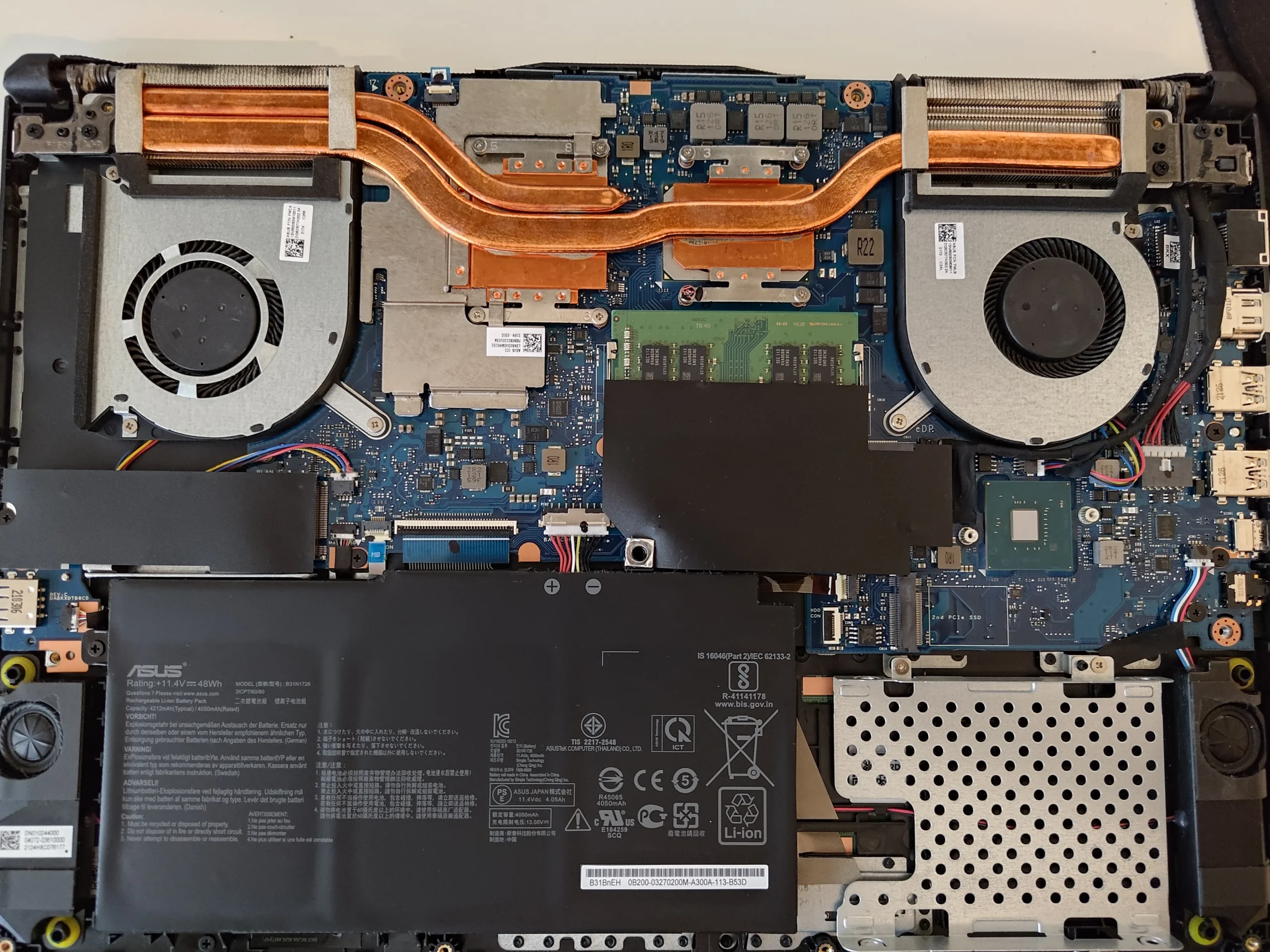
The underside label identifies this as an ASUS FX506LH-HN002T. I have left the label photo out of the article because it also carries a serial number. With the cover removed, the photos show the full two-fan heat-pipe layout and a dense patch of pale fibre in the left-hand blower.
The sequence also records access to the thermal contacts and cleaning material on the detached copper assembly. It does not include matched temperature measurements or a clear final thermal result, so the article stays with what the images establish.
In this case study
01 / What stood out
A fibre tuft had lodged in a blower inlet
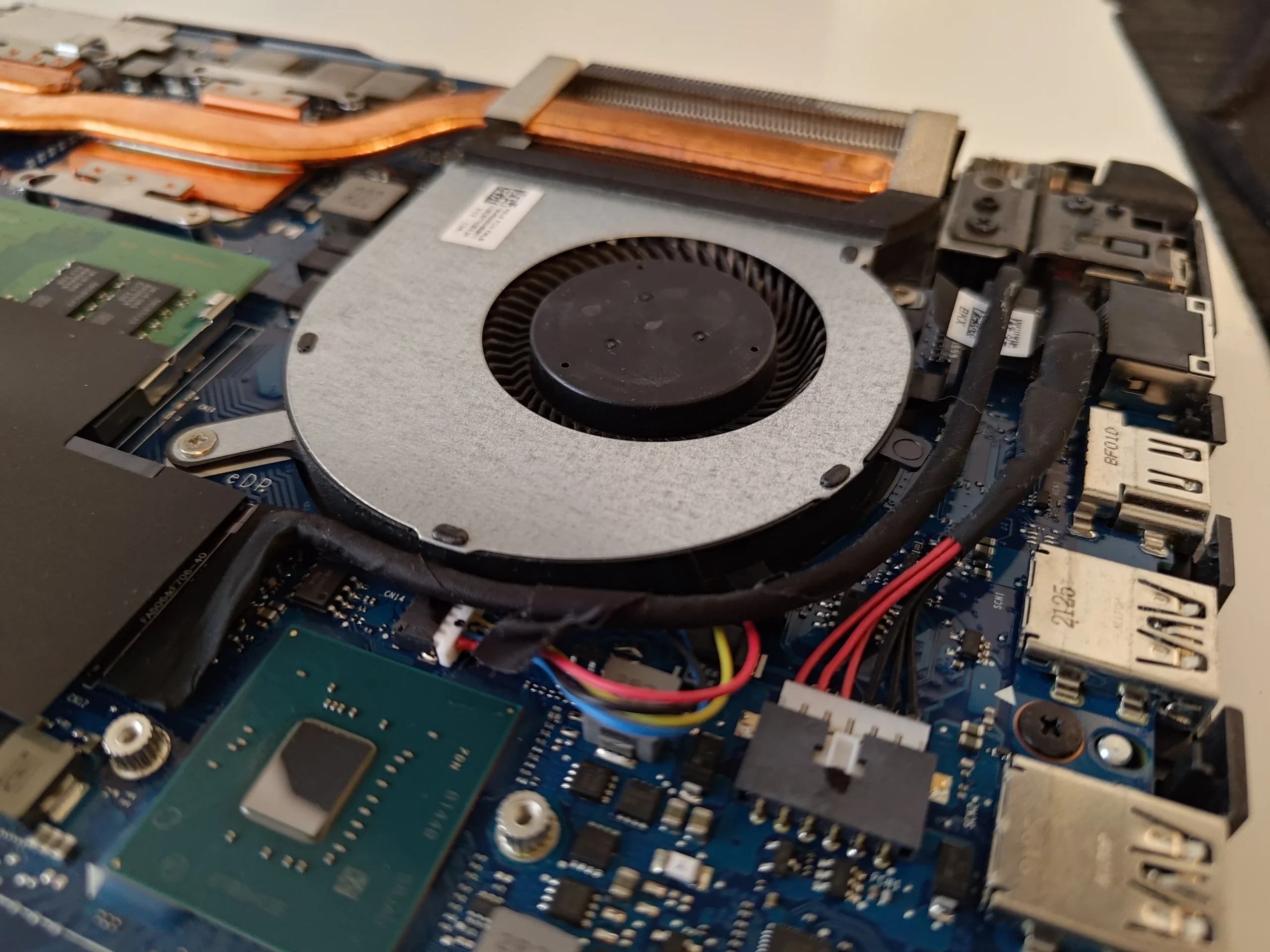
The fan close-up shows material collected along the inlet edge and around the rotating wheel. This is different from a thin, even layer of household dust: a loose tuft can move into the blades or settle against the narrow exhaust fins.
With the machine shut down and the battery isolated, hold the wheel still and lift the material out carefully. Do not simply push it through the fan into the fin stack. Check the outlet face after the visible tuft is removed.
02 / Follow the air
The full FX506LH cooler has two separate blowers
The overview shows a blower on each side, copper pipes crossing the board and fin stacks at the rear. Each fan needs its own inlet, connector and outlet inspected; the cleaner-looking side still belongs to the same cooling service.
The broad battery and exposed cables make careful handling important while the cover is off. Keep loosened dust out of board connectors and avoid resting tools on the battery pack.
03 / When the cooler comes off
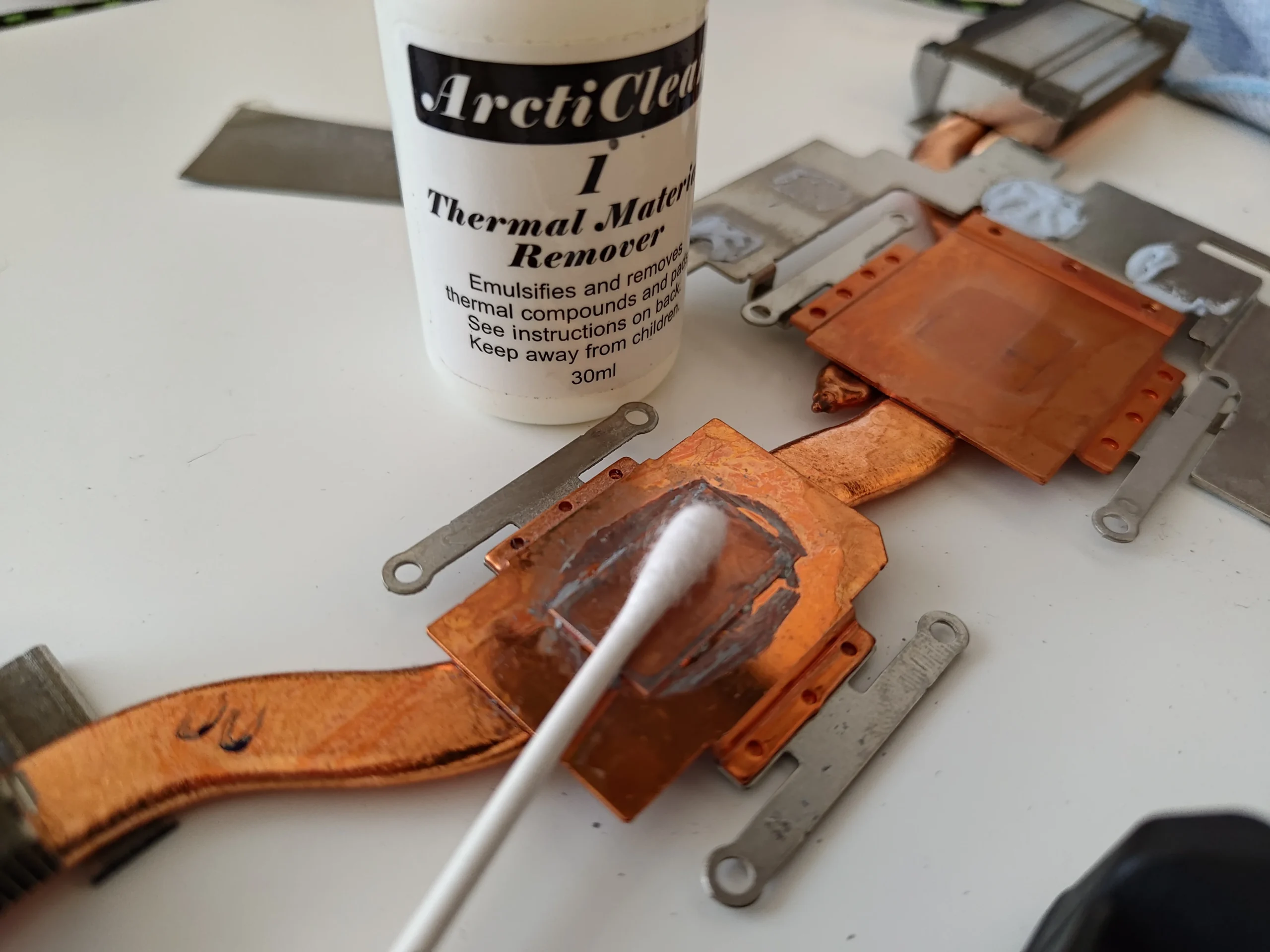
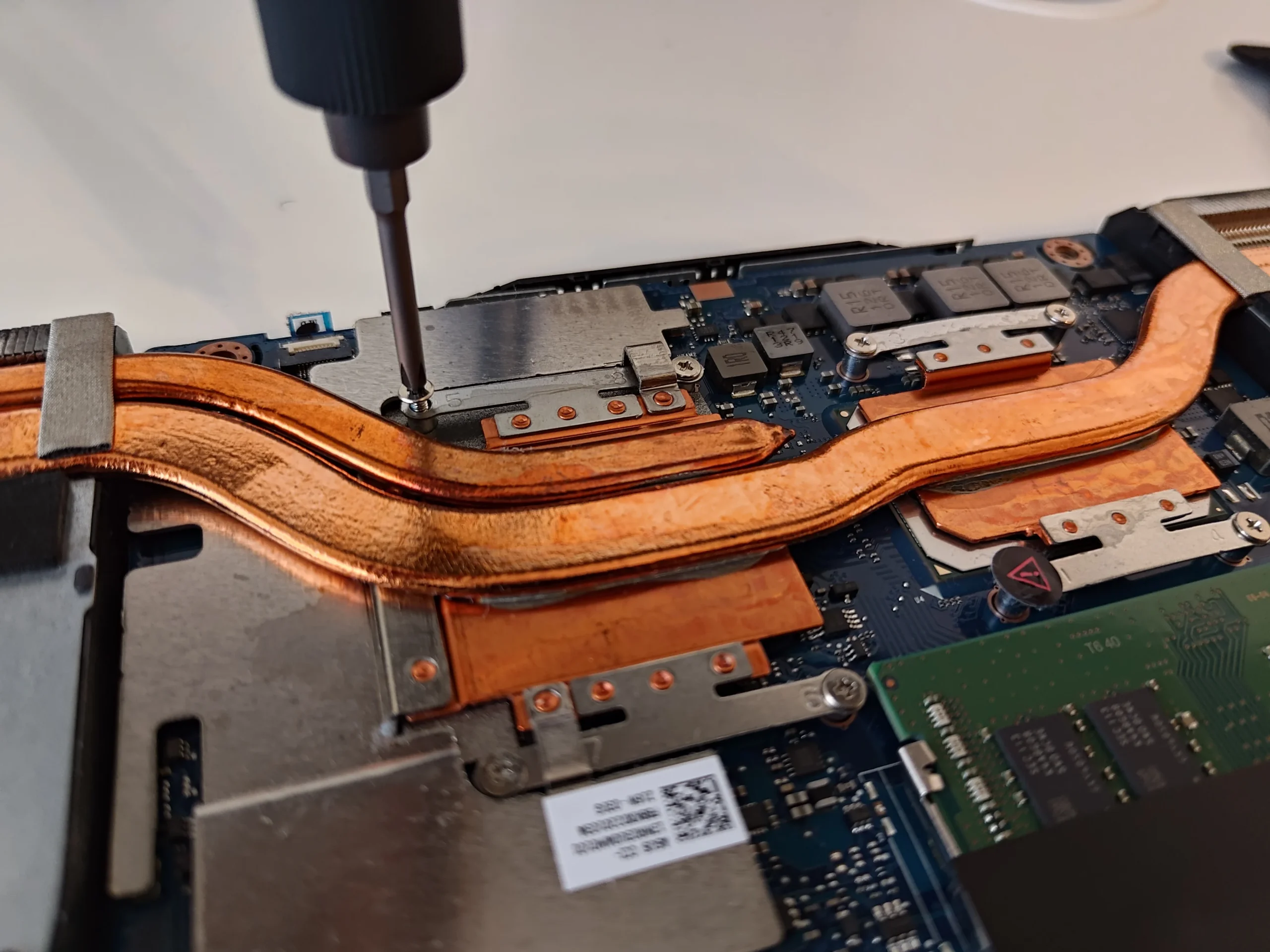
The lifted copper plates reveal two chip contact surfaces
Other photos show the heat-pipe assembly off the board and thermal compound on the chip and copper contact plates. Removing this assembly breaks the original paste interface, so it cannot be treated as a simple fan-access step.
The detached plate is pictured being cleaned with a material remover. Before the cooler goes back, both contact surfaces must be prepared and suitable thermal material applied; any surrounding pads must remain in their intended positions.
04 / Close carefully
Reassembly has to restore both airflow and contact pressure
Re-seat each fan connector, confirm the blades are clear of stray fibres and tighten the cooler in the specified sequence for this model. The contact plates need even pressure over the chips, while the outlets need open fins.
After closing, check both fans and vents under a repeatable task. The source photos do not show paired readings, so no percentage or degree improvement is claimed for this machine.
The engineer’s takeaway
The visible tuft made the fan clean obvious, but the lifted FX506LH cooler adds a second duty: restoring the two chip contacts. A complete service checks both fan-to-fin paths and puts the copper assembly back with the right thermal materials and pressure.
Before you open the laptop
Is this FX506LH clean suitable for DIY?
Confirm the full FX506LH-HN002T marking on your own machine before following a guide. Shut down, unplug, isolate the battery after opening and keep screws and cable positions mapped. A controlled fan clean is one level of work; lifting the cooler changes the thermal interface on two chips.
If you cannot identify the cooler screw order, pad positions or suitable paste for your unit, stop before removing the heat pipes. Do not pull on the fan wires or let an air tool spin the blades freely.
After the clean
What to test after the FX506LH is closed
Both fans should spin smoothly without rubbing or rattling, and each rear outlet should move air under a suitable load. Confirm normal boot, keyboard, charging and graphics behaviour before considering the work done.
A before-and-after heat comparison needs the same workload, ambient temperature and fan mode. This archive has no such paired test, so it documents the physical findings and process only.
Questions from owners
ASUS FX506LH-HN002T cooling FAQs
Answers based on the fibre-filled blower and two-chip cooler in this service.
How many fans does this FX506LH-HN002T have?
The opened machine in these photos has two blower fans, one on each side of the shared copper heat-pipe assembly.
Can I blow the fibre out through the exhaust?
It is better to remove it in a controlled way after opening the case. Pushing a tuft through the wheel can leave it trapped against the fin stack.
Why check the other fan if only one has a tuft?
Both fans serve the cooling system and each has a separate inlet and fin outlet. The less dramatic side still needs inspection.
Does removing the cooler require thermal paste work?
Yes. Lifting it separates the existing chip contacts, so those surfaces must be cleaned and restored correctly before reassembly.
Are the chip contacts the same as the fan?
No. The chips pass heat into copper contact plates; the fans then move air through fins connected by heat pipes. Both stages need to work.
Did this clean lower the temperature by a measured amount?
No paired temperature results are available in the photos, so this article does not claim a number.
UK ASUS FX cleaning enquiries
A tuft of lint in your ASUS fan?
If you are in the UK, send us the full ASUS model number, a description of which vent is noisy or weak, and your postcode. A clear vent photo helps us discuss whether this is likely to need fan access or deeper cooler work.
We can inspect both blowers and fin stacks, remove trapped material and handle chip-contact reassembly where the cooler must come off.
Read about our ASUS gaming laptop cleaning service, then use the form to tell us your computer model, symptoms and UK postcode.
Free to enquire · No obligation to book. We discuss the proposed work and price before you decide.
The workshop photos
ASUS FX506LH-HN002T fan and cooler photos
Open the images to follow the fibre tuft, two fans, copper plates and exposed chip contacts.