
Swansea area
Computer repair on Gower
Computer and laptop repairs on Gower for Windows PCs, Macs and home or business equipment. Get help with broken parts, power faults, crashes and lost files. Include your village and postcode to check a visit, collection or workshop arrangement.
- Laptop, Mac and desktop PC enquiries
- Local availability checked for your postcode
- Free enquiry, no obligation
- Price agreed before repair
Computer and laptop repairs
Laptop damage and battery faults
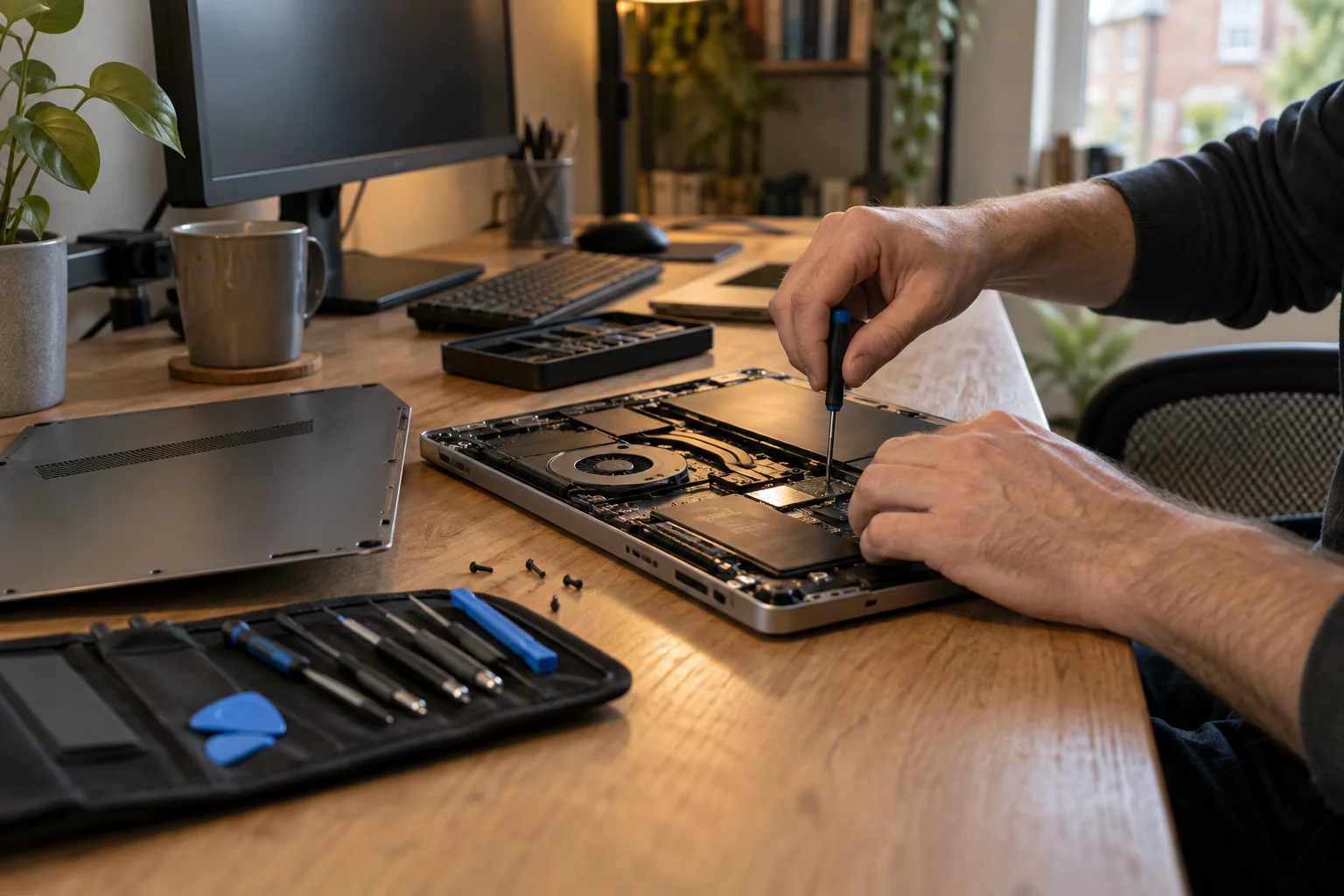
Broken screens, worn batteries, keyboard faults and damaged hinges can be assessed for repair. The laptop model determines the correct replacement and how it is fitted. If several parts are damaged, include them together so the estimate covers the complete job.
Desktop and gaming computers
Power failures, no display, freezing and startup problems can be checked on branded, custom and all-in-one PCs. Describe the fault as it appears during normal use. Component testing can establish whether repair or replacement of a part is worthwhile.
Mac hardware and startup
MacBook, iMac and Mac mini faults include charging, display, storage and software problems. Model and age affect available parts and upgrade options. Liquid damage or a failed power circuit may require board assessment.
Heat, spills and damaged ports
Overheating can need a cooling clean, a fan replacement or further hardware testing. Spilled liquid can affect connections and components even if the device still starts. Switch off a wet computer and disconnect charging before arranging inspection.
Software and performance
Help with email, unwanted software, system errors and a computer that has become slow. Testing can establish whether software work or a compatible upgrade will improve it. A working internet connection may make some software repairs suitable for remote support.
Files, storage and recovery
Storage replacement, accessible file transfers and recovery assessments can be arranged for suitable devices. A failed drive requires a different approach from a normal upgrade. Make essential files the first priority when discussing the work.
Home visits and remote support
A visit can be useful for faults involving a home network, printer or equipment that is awkward to transport. Add the village and full postcode so the appointment and travel charge can be checked for the actual property.
When the computer works and connects to the internet, remote support may resolve a software or email problem without a journey. If the connection drops on every device, a broadband line or router fault may need to be considered as part of the problem.
Workshop and collection arrangements
A damaged screen, failed power connection or internal component may need a workshop. Agree how the computer will get there, what to include and how it will be returned. Confirm collection and return availability before packing the device.
Repair and travel costs
For a visit on Gower, confirm the callout or travel charge alongside the assessment fee. For a workshop repair, ask whether collection and return are included or charged separately. This gives you the full cost to compare.
Once the fault has been identified, the repair quote should describe the parts, labour and testing. An older machine may be worth repairing or upgrading if the rest is sound. Discuss the total and any file-transfer work before deciding.
If the repair estimate changes
Further testing can reveal additional damage, particularly after a spill or power fault. Agree any revised price before extra work proceeds. If you decline the repair, confirm what is due for assessment and getting the equipment back.
Urgent help and repair times
Mark an enquiry as urgent when you need help quickly. Include the date you need the device and the village where it is available. A preferred appointment can be checked against travel and the work involved.
A visit time and a completed repair are separate stages. Some problems can be resolved at the property, while parts ordering, internal work and testing may extend the job. Agree a realistic completion estimate after assessment.
Holiday and temporary addresses
If you will be leaving the area, give your departure date before an appointment is agreed. Confirm where the device can be returned if the work takes longer. Get the owner’s permission before arranging repairs to equipment supplied with accommodation.
Protecting documents and photos
Tell us which files are stored only on the faulty computer. Display and battery repairs generally leave the drive in place, while storage replacement or reinstalling software needs an explicit plan for your data.
If storage is failing, avoid repeated attempts to start the system or copy the entire drive. Discuss recovery first. For a working machine, a checked backup gives you another copy before the repair.
Returning to normal use
Confirm what will be restored, including documents, applications and settings. Some programs need reinstalling or a licence sign-in. Keep the repair receipt and warranty details, and test the tasks that originally failed.
Gower villages and local appointments
Enquiries include Pennard, Southgate, Bishopston, Reynoldston, Rhossili, Llanrhidian and Penclawdd. You can also enquire for another peninsula village by giving its name and the postcode.
For a property reached by a shared lane or a different entrance, supply directions when the appointment is arranged. Agree who can provide access and whether a collection needs a specific time.
Mumbles and Swansea
Mumbles repair guide · Swansea computer repairs and area directory
Repair questions
Can a repair be arranged if I cannot travel with the computer?
Explain that you need a visit or collection and include the village postcode. The method, travel cost and return arrangements can then be checked before you book.
Can you fix a laptop that will not charge?
The battery, charger, connector and internal power circuitry may need testing. Include the charger if requested for assessment. The fault determines whether a part can be replaced or board work is needed.
Can I get help with a home printer as well?
Yes. Explain whether the printer fails from one computer or every device. A visit may help when the computer, printer and local network need checking together.
Will I be able to use remote support on a slow connection?
It depends on the connection being stable enough for the session and the type of work. Describe any disconnections before arranging remote help so a suitable approach can be agreed.
Free to enquire
Get help with your computer
Describe the fault and add your postcode. Mark the enquiry as urgent if you need help as soon as possible.