Published 25 October 2026 · Dell Latitude laptop case study
Dell Latitude cooling service
the small cooler had two contact areas to restore.
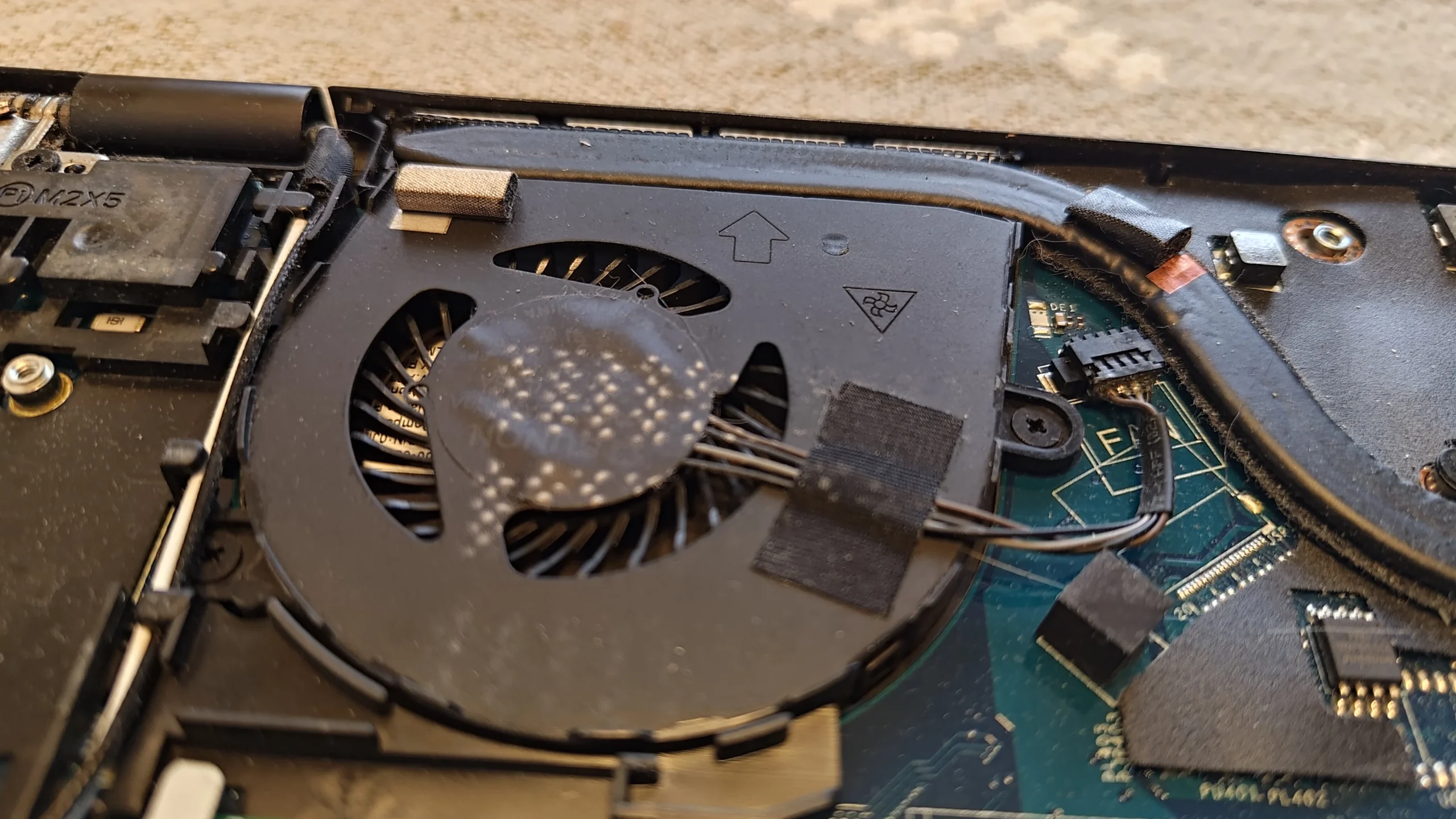
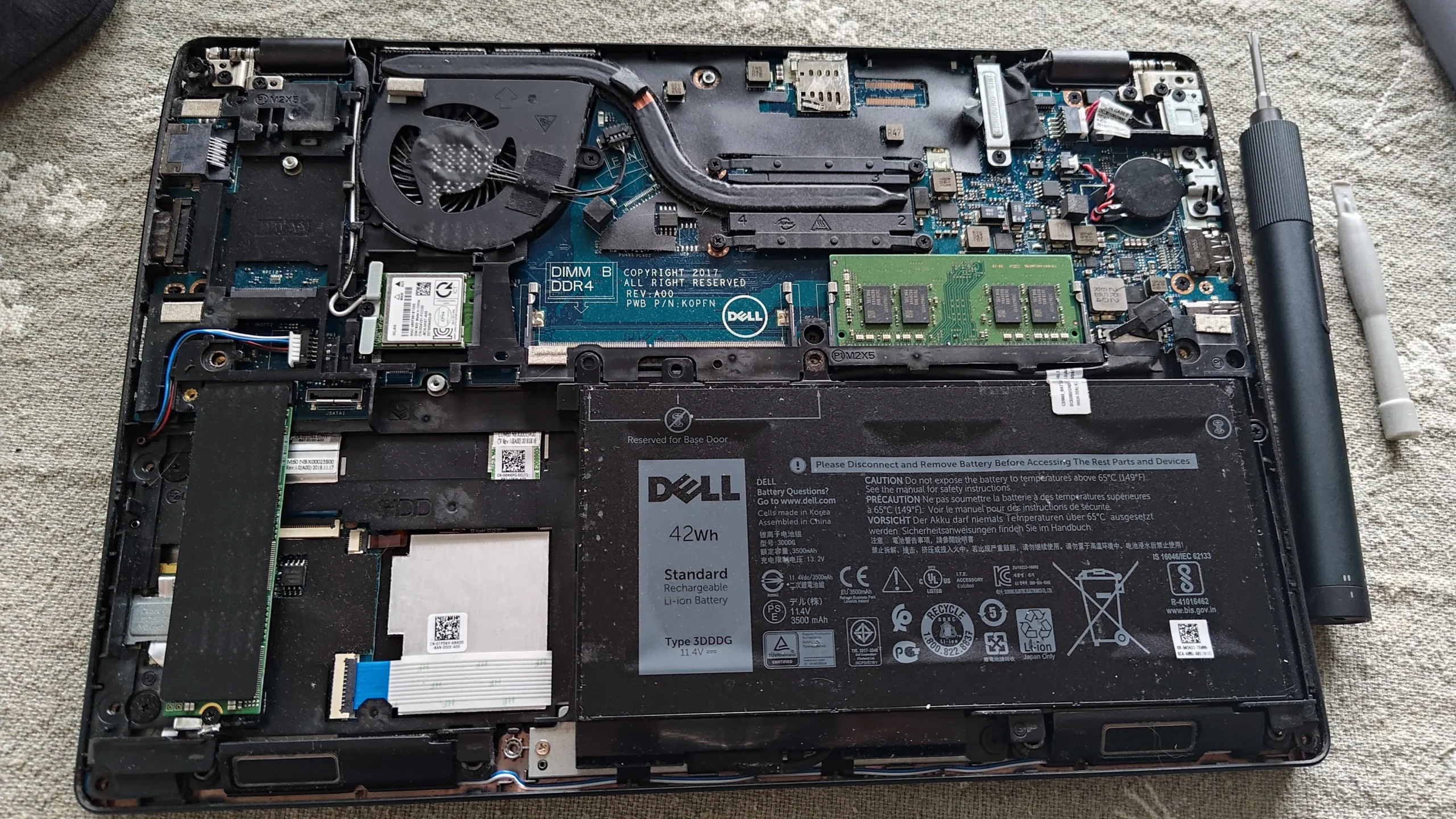
Not every laptop has a maze of pipes and two blowers. This Latitude uses one compact fan and a short heat pipe, yet lifting it exposed old compound spread unevenly across two contact areas on the processor package. The photographs show why the fan outlet and the metal-to-chip contact both matter in a careful cooling service.
The laptop
Dell Latitude; exact commercial model not confirmed
The cooling hardware
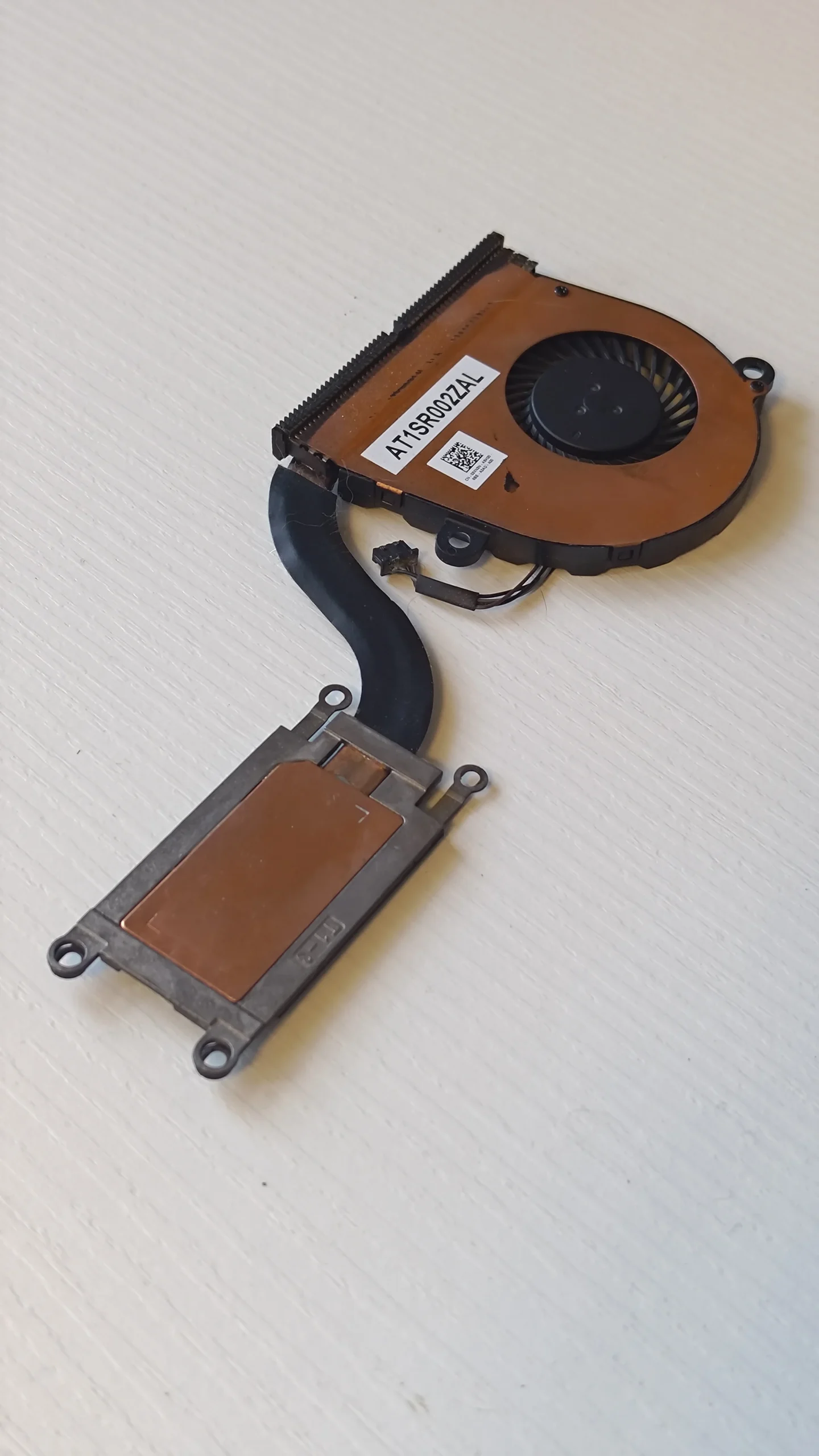
One blower, short heat pipe and fin outlet
The contact work
Old compound removed and fresh compound applied to two areas
The case and keyboard identify a Dell Latitude, but the photographed underside sticker shows a service tag rather than a dependable commercial model number. That photo is excluded, and this case is described by its visible hardware instead of a guessed model suffix.
This archive documents the cooler removed, the old compound on both the package and copper plate, cleaning of the contact faces, and fresh compound being applied. It does not include a paired temperature test or a final benchmark.
In this case study
01 / The airflow side
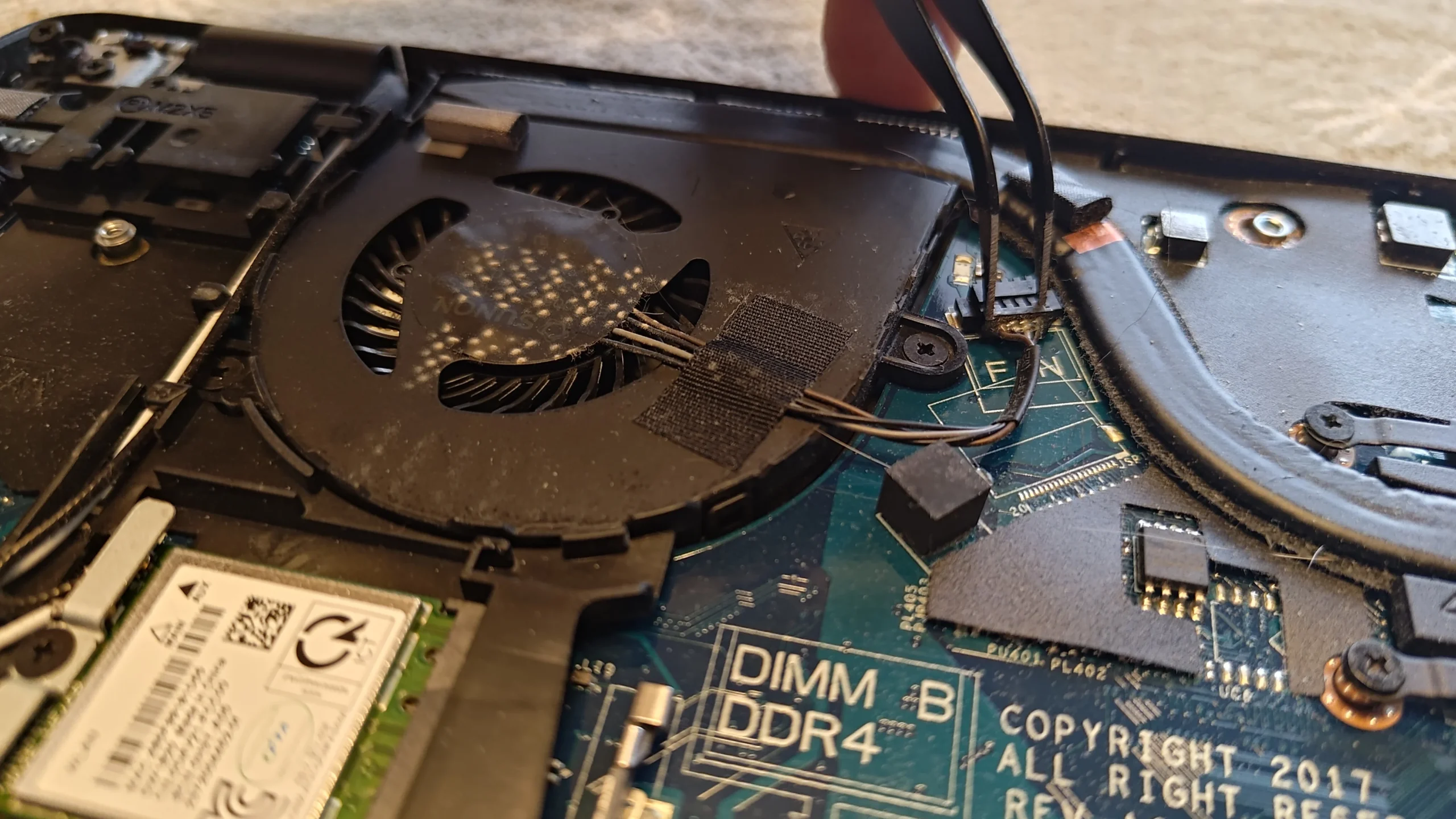
A compact blower moves air through one fin outlet
The opened Latitude has one blower beside the rear edge. Dust is visible on its top and around the inlet, with a small fin stack attached to the heat pipe. A fan can be spinning and still have lint caught at the fins, so inspect the exit path as well as the wheel.
Shut down, unplug and isolate the battery before working inside. Hold the fan wheel still while clearing loose material, and keep the tiny fan connector and adjacent wireless leads out of the cleaning tool's path.
02 / The thermal side
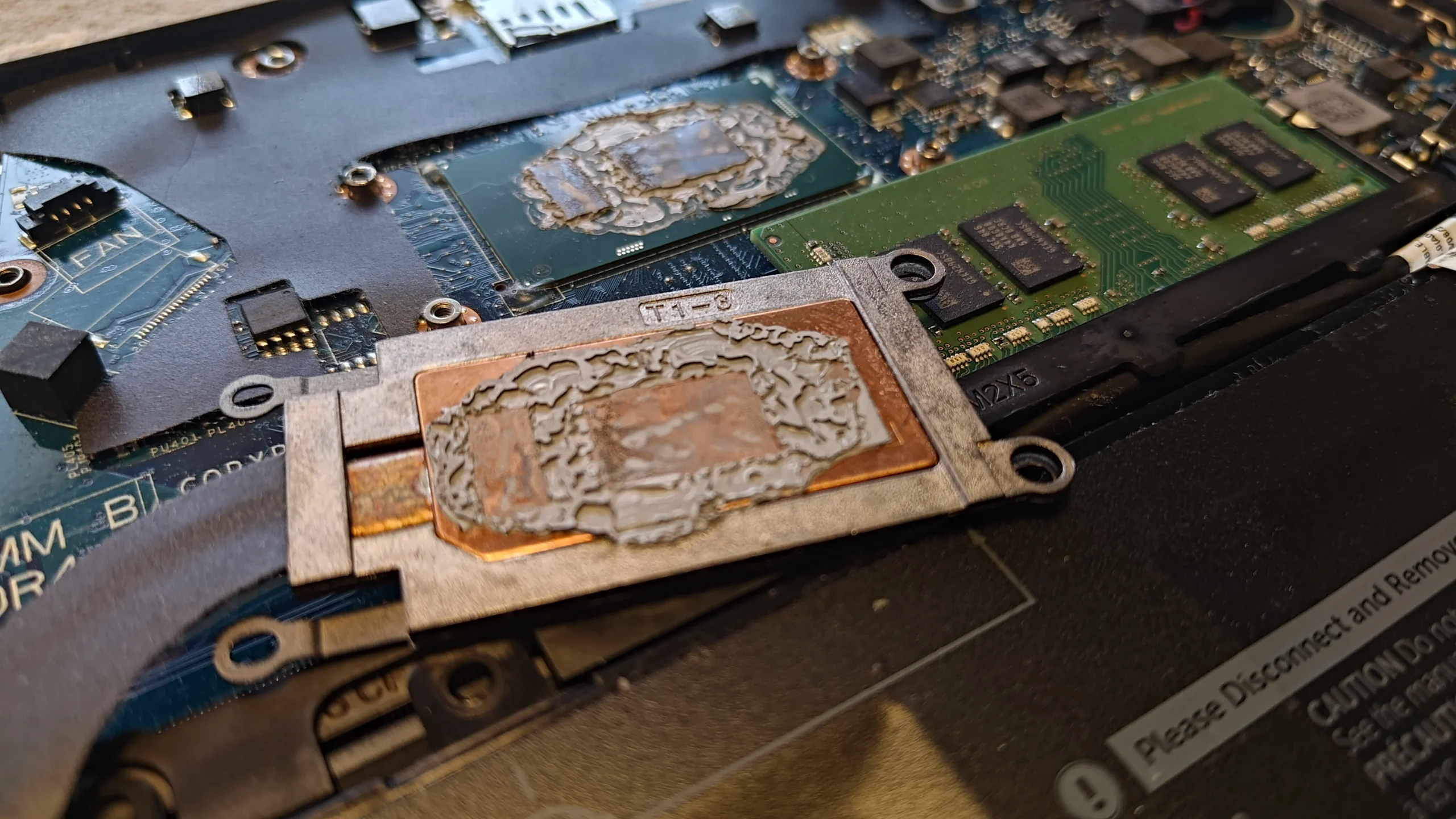
The lifted cooler showed an uneven old paste imprint
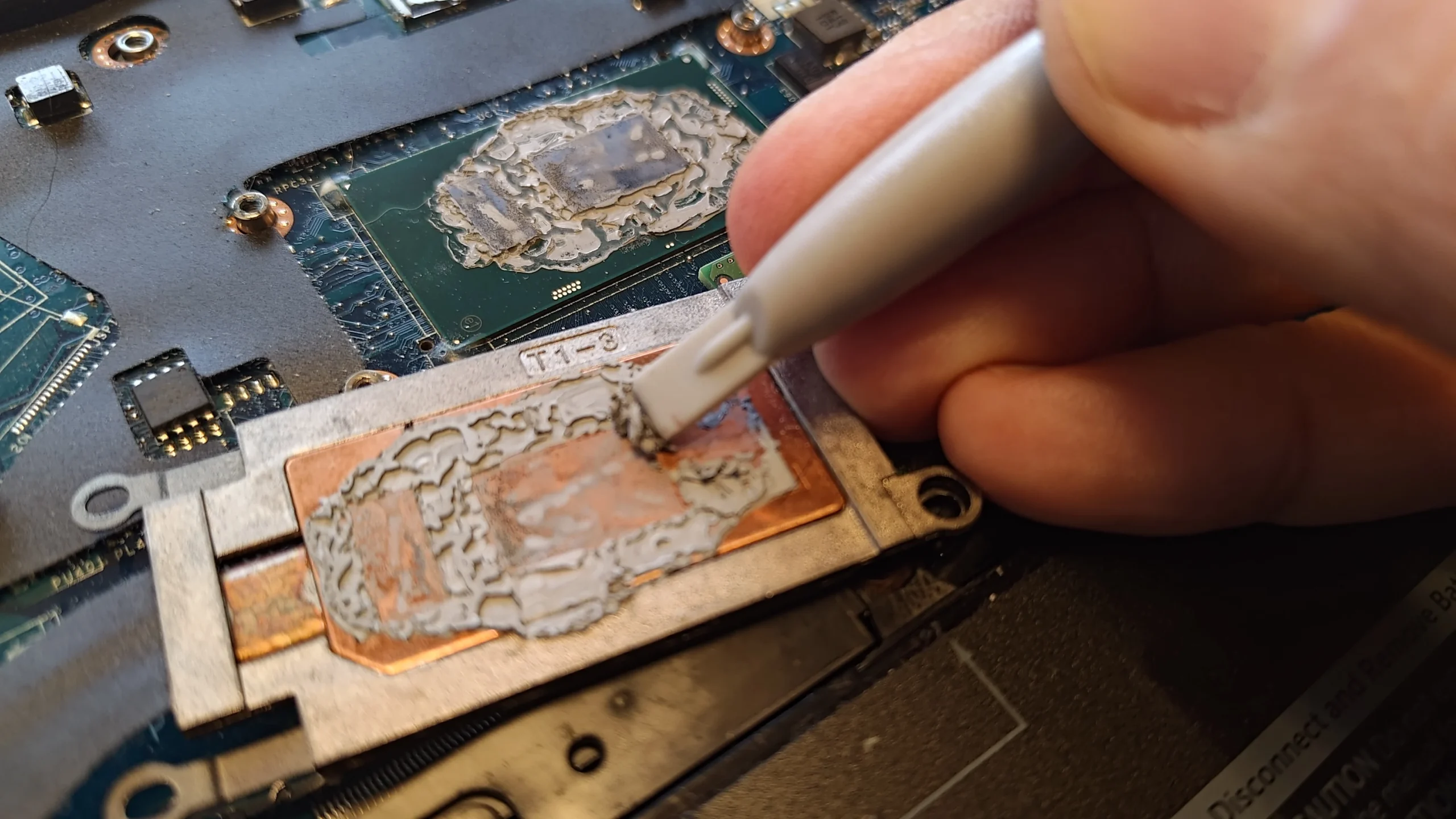
The close-up shows a patterned layer of old thermal compound on the processor package and matching copper plate. Two raised contact areas are visible on the package. The image tells us what needed cleaning; it does not, by itself, prove why any earlier heat symptom occurred.
Once the copper plate is lifted, the original paste seal is broken. Reusing that disturbed imprint risks gaps between the metal and contact surfaces, so the faces need proper preparation before the cooler returns.
03 / Preparation
Both surfaces were cleaned before new compound
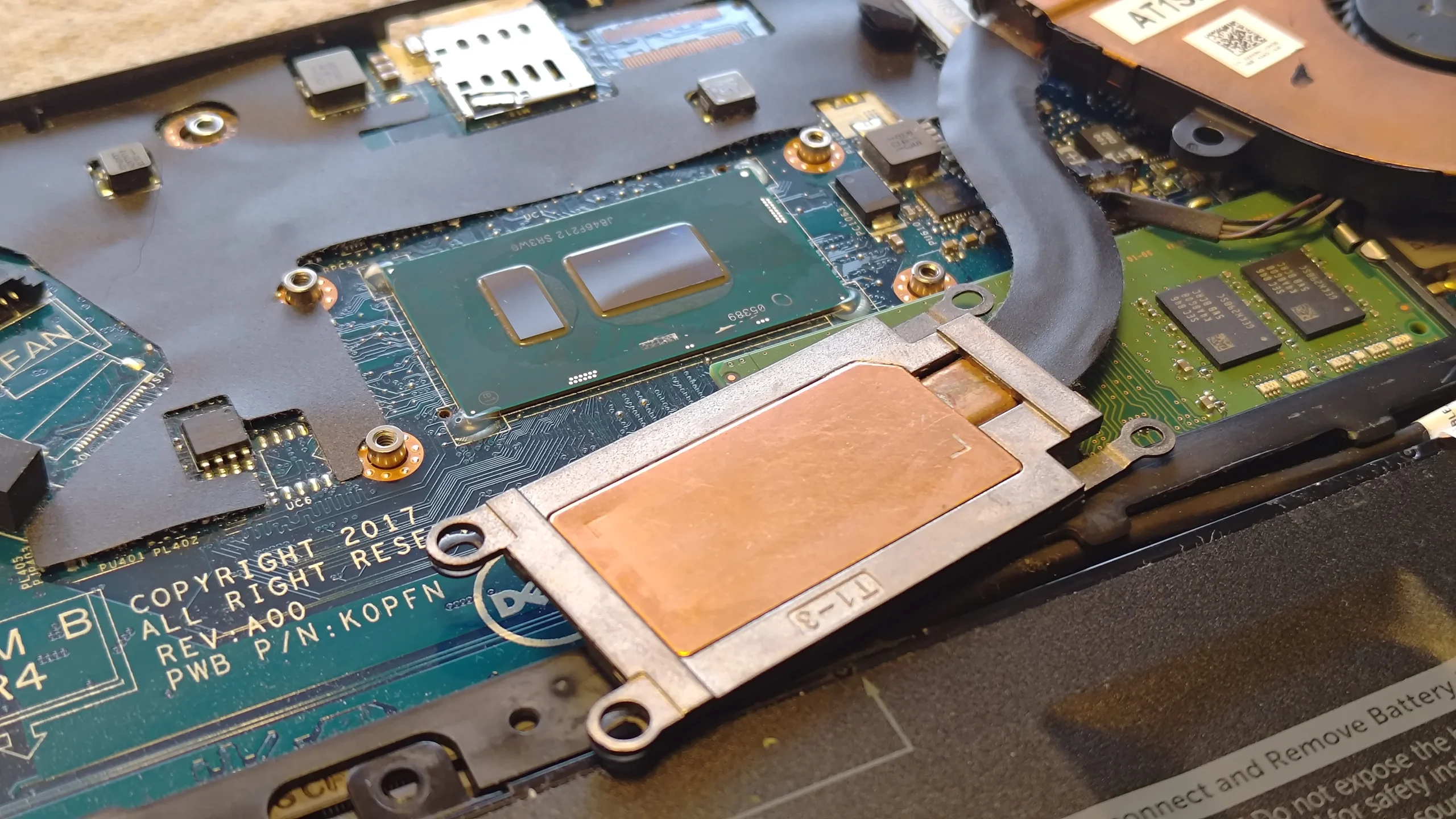
The sequence shows old material being lifted from the copper plate and the processor package. A later image shows the copper plate clean and both raised package surfaces exposed. This is a precision job: avoid scraping into the board or pulling residue onto nearby components.
Use a method and materials suitable for electronics, and let cleaned surfaces dry as required before applying fresh compound. Keep the paste on the intended contact areas rather than across the surrounding board.
04 / Reassembly
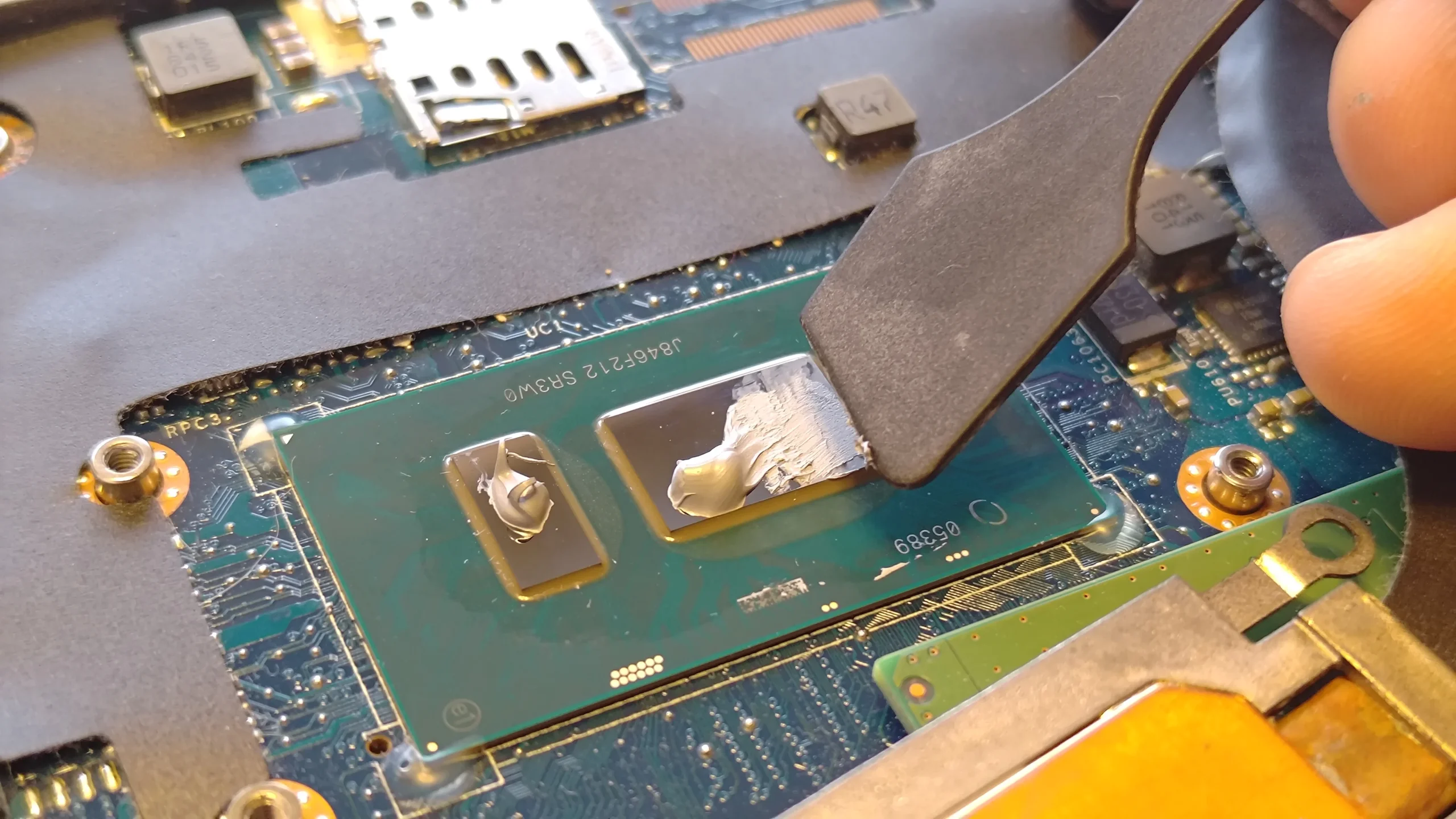
The photos show fresh compound placed on both contact areas
One close-up shows fresh compound being dispensed; another shows it spread on the two raised surfaces. Those photographs support the repaste step, although they do not show a measured result after the machine is closed.
Return the copper plate flat and tighten its fasteners in the specified order for the particular Latitude variant. Reconnect the fan, check that no cable touches the wheel, then verify normal fan operation under a suitable load.
The engineer’s takeaway
This Latitude illustrates a small cooler with two separate jobs. Dust and lint can restrict its single fan and fin outlet, while a lifted copper plate requires both thermal contact areas to be cleaned and restored before reassembly.
Before you open the laptop
Should you repaste a Dell Latitude yourself?
Check the full model number on your own machine before choosing an opening guide; Latitude covers many internal layouts. Power down, unplug and follow the correct battery-disconnection procedure. Photograph the fan plug and cooler fasteners before removal.
A simple fan inspection does not always require lifting the copper plate. If you do lift it, prepare to clean both mating faces, apply appropriate fresh compound to the intended areas and restore even contact pressure. Stop if the fastening order or surfaces are unclear.
After the clean
What to check after the Latitude is closed
Confirm the fan turns freely, its outlet moves air and there is no new rubbing noise. Check keyboard, wireless connection, charging and normal boot because the case was opened around several small connectors.
If the original complaint was heat, compare the same workload and fan settings before drawing a conclusion. These photographs establish the physical work, not a numerical temperature change.
Questions from owners
Dell Latitude single-fan cooling FAQs
Answers based on this compact fan, lifted copper plate and two contact surfaces.
Does every Dell Latitude have this cooler?
No. Latitude is a broad range. This photographed machine has one blower and one short heat-pipe assembly; check the full model of your own laptop.
Why are there two paste areas on one package?
The photographed processor package has two raised contact surfaces under the cooler. Both need the intended thermal interface when this assembly is refitted.
Can I just clean the fan without lifting the heat pipe?
Often the fan and outlet can be inspected without separating the chip contact, but access varies by exact model. Do not lift the cooler unless you are ready to restore the paste interface.
What does the cracked-looking old paste prove?
It shows the condition of the separated contact material. A photo alone cannot prove a particular temperature or that paste was the only cause of a heat complaint.
Did this service include fresh thermal compound?
Yes. The photos show clean contact surfaces and fresh compound being placed on both raised areas before reassembly.
How much cooler did this Latitude run afterward?
The archive contains no matched before-and-after temperature readings, so there is no reliable degree figure to report.
UK Dell Latitude cooling enquiries
One fan working hard in your Latitude?
If you are in the UK, send us the full Latitude model from your own label, the symptoms and your postcode. Tell us whether the fan is noisy, the rear outlet feels weak or the machine slows under load. Keep your service tag private.
We can inspect its fan and outlet, then discuss thermal-contact cleaning if the cooler needs to be lifted.
Read about our Dell laptop fan and cooling service, then use the form to tell us your computer model, symptoms and UK postcode.
Free to enquire · No obligation to book. We discuss the proposed work and price before you decide.
The workshop photos
Dell Latitude fan and thermal-contact photos
Open the pictures to see the single-fan unit, old paste imprint, clean copper plate and fresh compound step.