Published 22 October 2026 · Dell XPS case study
Dell XPS cleaning
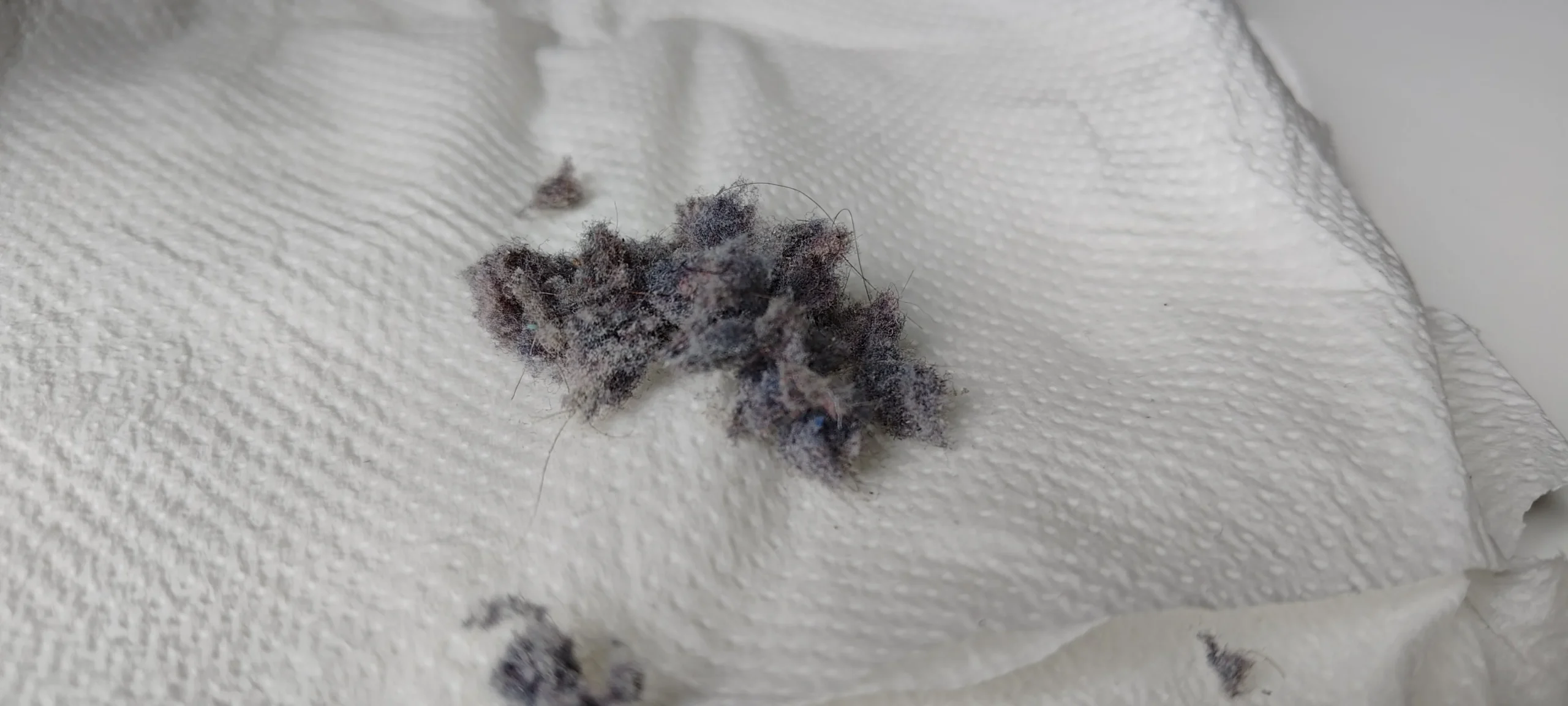
the dust was on the cover, the fans and the cooler.
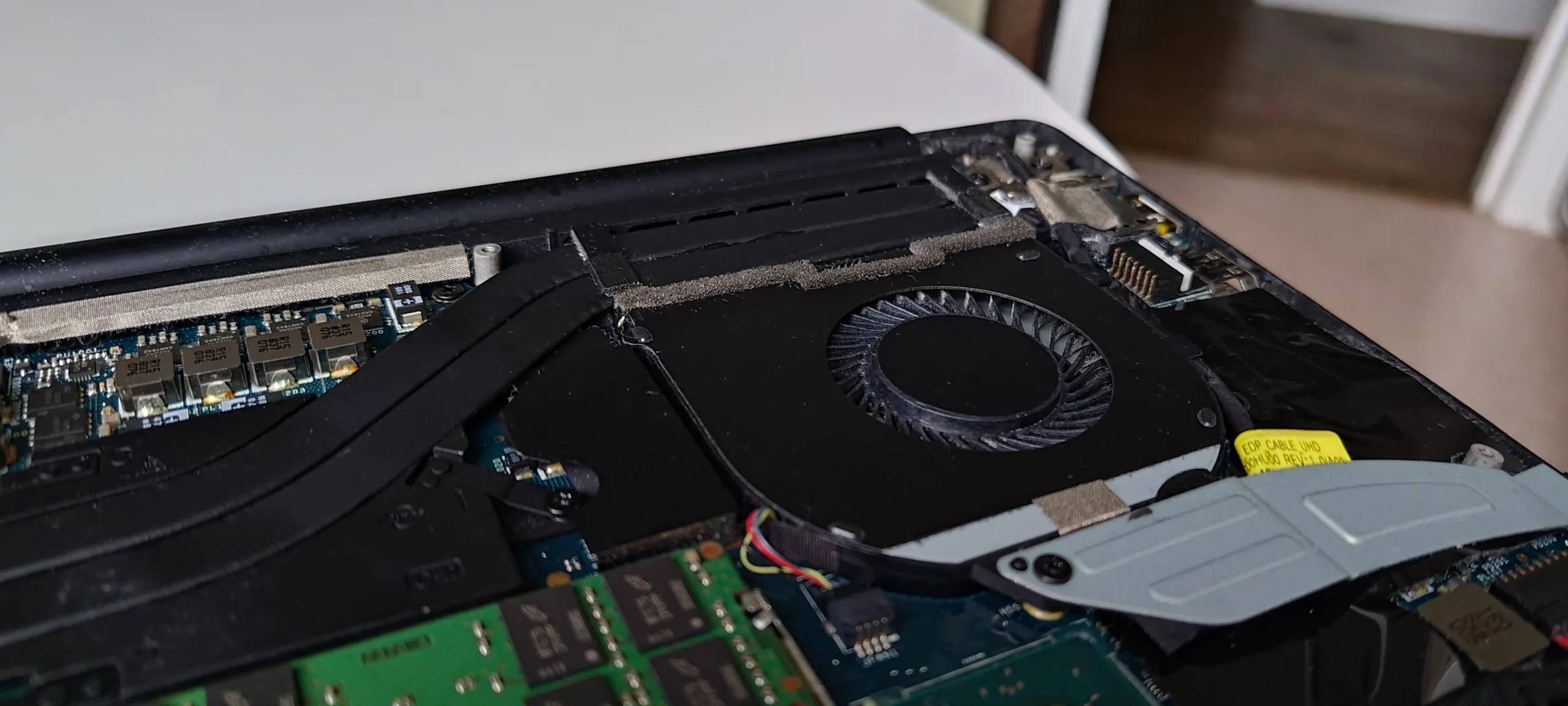
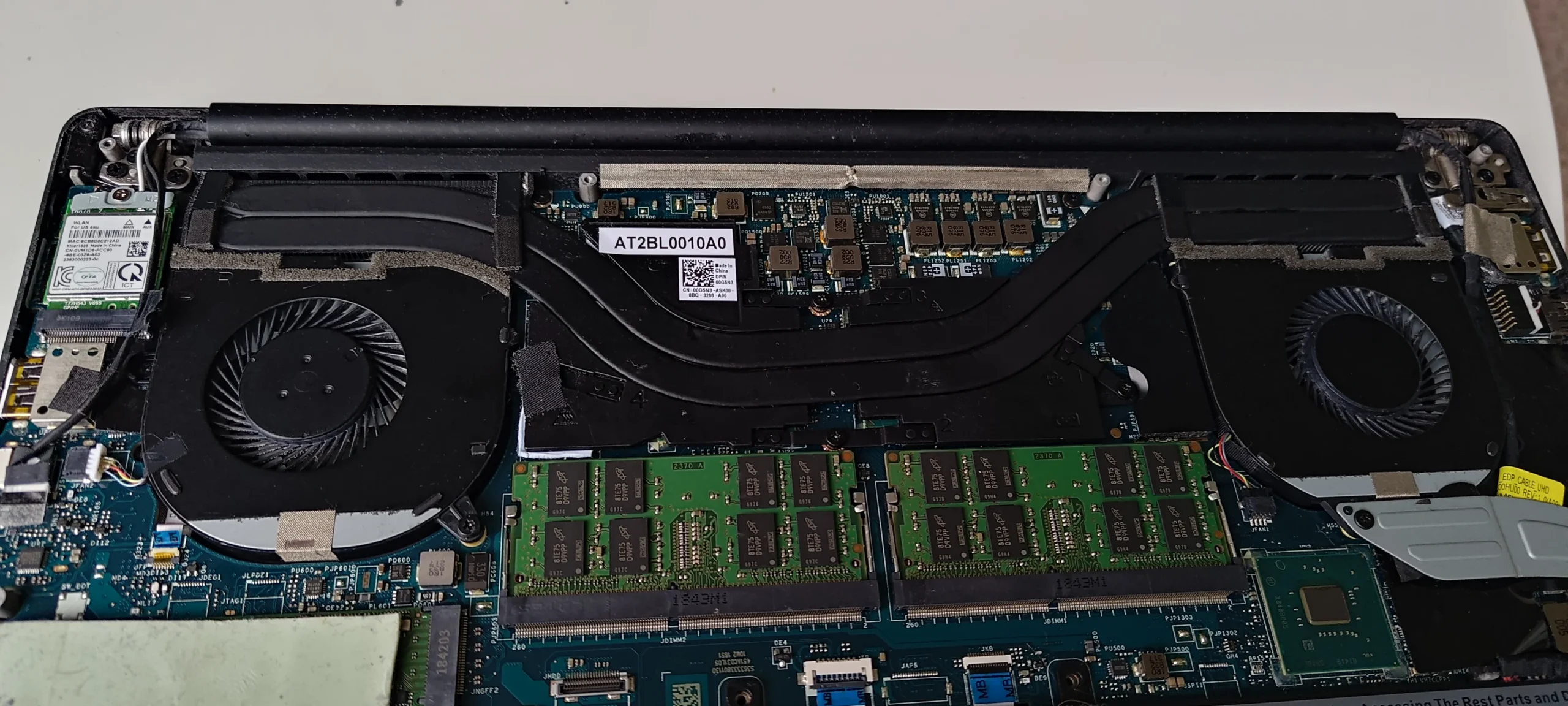
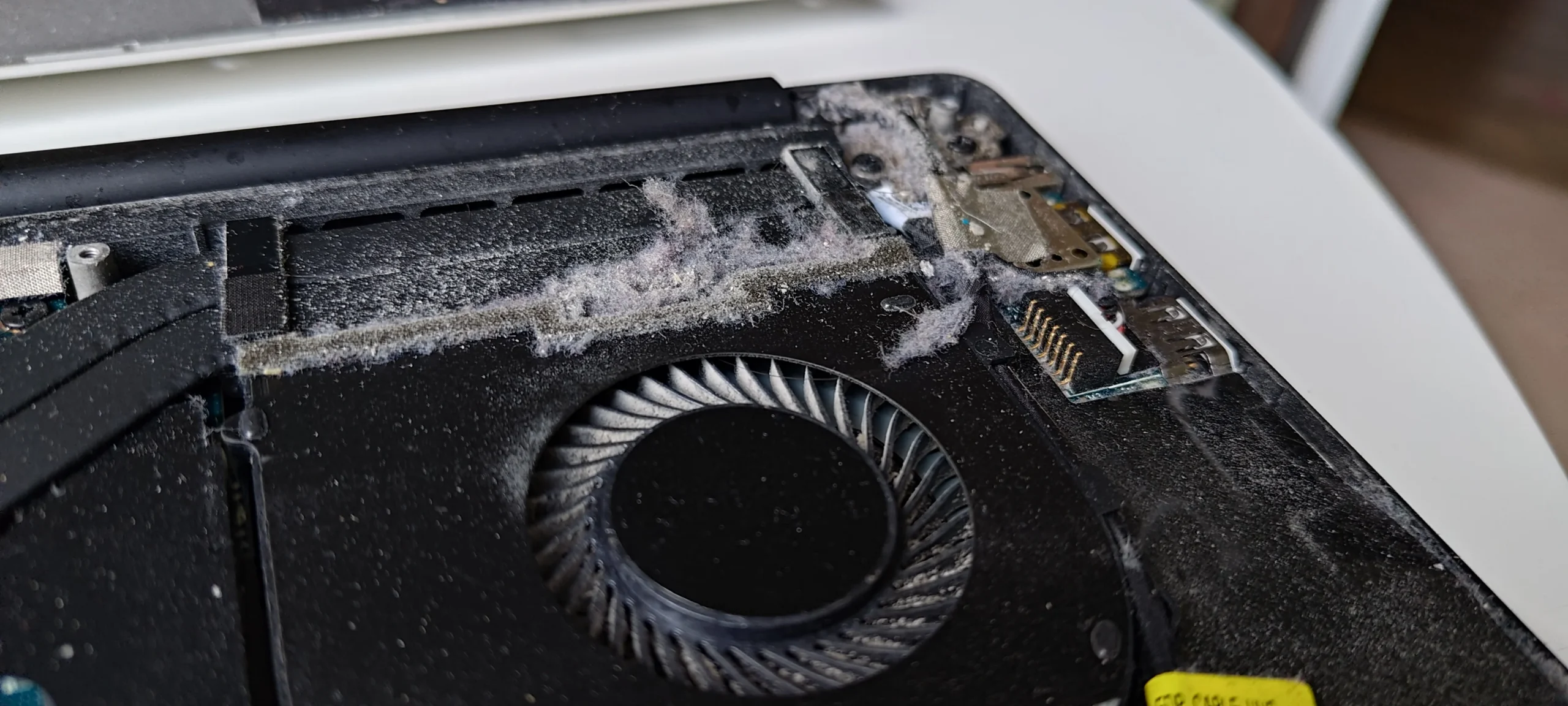
The bottom cover of this XPS carried a grey film over its intake area, while a close-up inside shows fibres gathered beside a blower. The photo sequence follows the air from the cover to two fans and their heat-pipe cooler, so it is a useful example of why an internal clean needs more than one quick blast of air.
The machine
Dell XPS, with the exact commercial model not confirmed
Airflow
Bottom-cover intake feeding two blower fans
Additional access
Cooling assembly lifted from its chip contacts
An XPS badge and the internal photographs identify this as a Dell XPS. The underside label also has a service tag, so it is excluded from the published gallery; the commercial model number is not asserted from that private identifier.
The photographs show three related places to inspect: the underside cover, the fan and outlet area, and the thermal contacts under the lifted cooler. They document the work in progress, but do not include a comparable before-and-after temperature result.
In this case study
01 / Where air enters
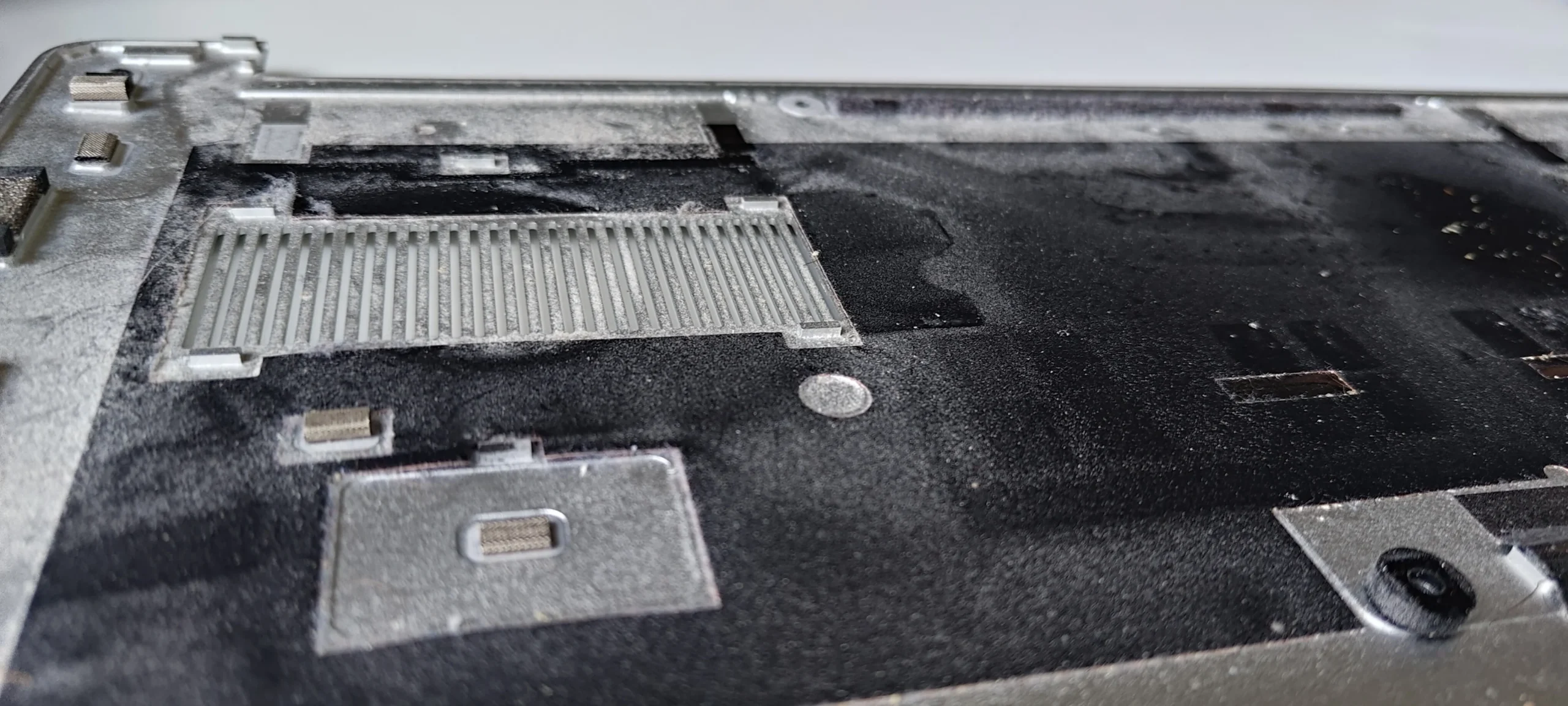
The inside of the bottom cover held a broad dust film
The cover photo shows a dusty intake grille and a spread of fine material around it. That grille is part of the fan supply. Cleaning the blowers while leaving this surface dirty would send the same material back into the case when the laptop is closed.
Remove loose dust without damaging the grille or any liners and check the openings from both sides. The cover must go back on clean and seated flat, because a shifted edge or loose screw can affect the intended airflow.
02 / Where air moves
Fibres gathered beside one blower and its outlet
The close-up shows lint lodged at the fan housing and near the rear exhaust route. A fan wheel can still turn with this material nearby, but the narrow fin outlet is the place to inspect for a compacted layer that airflow cannot push through.
Hold the wheel still while cleaning, collect the clumps, and inspect the fin face directly. The other fan needs the same check even if the photograph of this side is more dramatic.
03 / The shared cooler
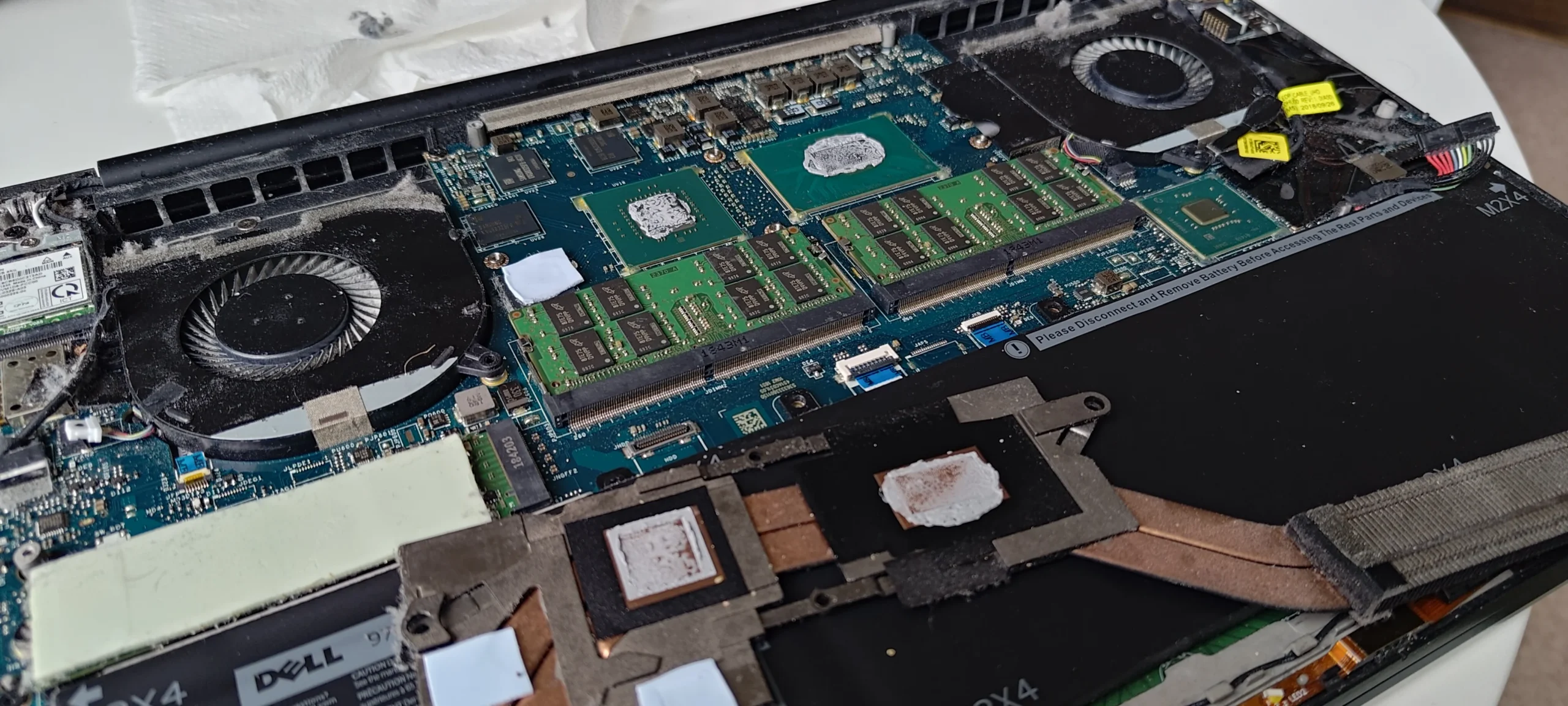
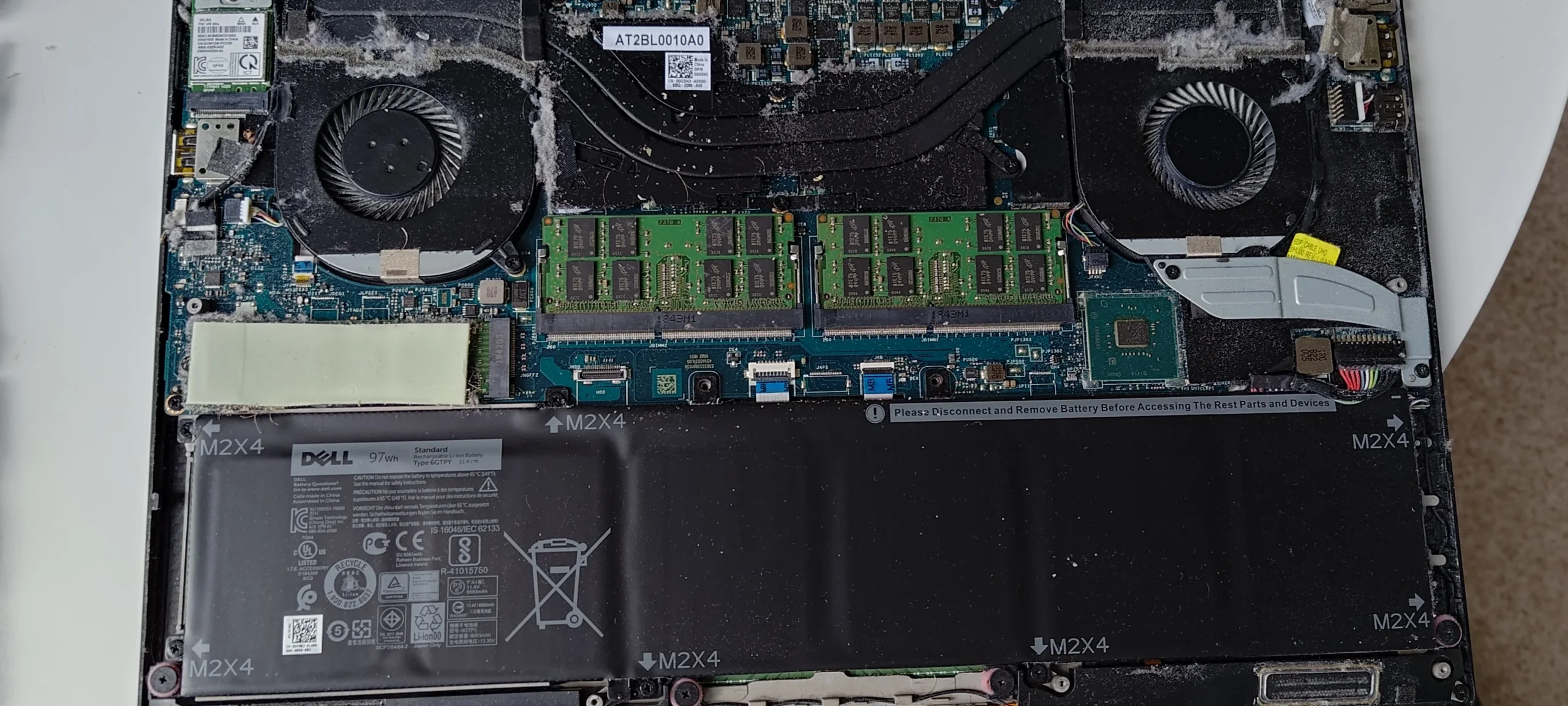
The wider view makes the two-fan layout clear
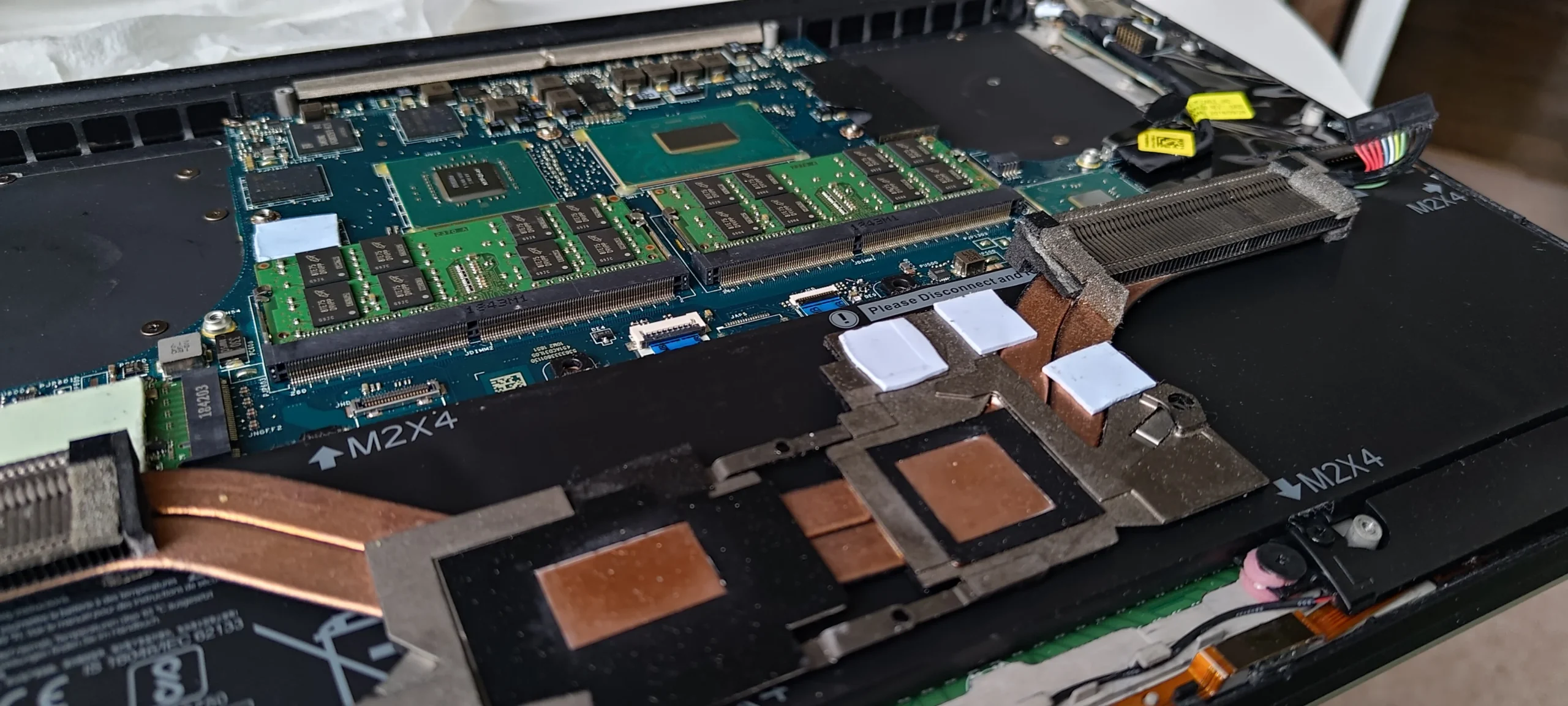
From above, the XPS has a blower on each side and a heat-pipe assembly that links the chip contacts to the outlet fins. This layout means a hot-running component depends on both the thermal contact beneath the pipes and a clear path for air at the far end.
Check each fan connector before and after cleaning and keep loose debris away from exposed board components. The photo is a map for reassembly as much as a cleaning record.
04 / Under the heat pipes
Lifting the cooler turns cleaning into a thermal-contact job
A later photo shows the cooler away from the chips. Copper contact plates, white thermal pads and the processor area are visible. Those pads bridge other components and need to stay in the correct positions; they are not disposable packing material.
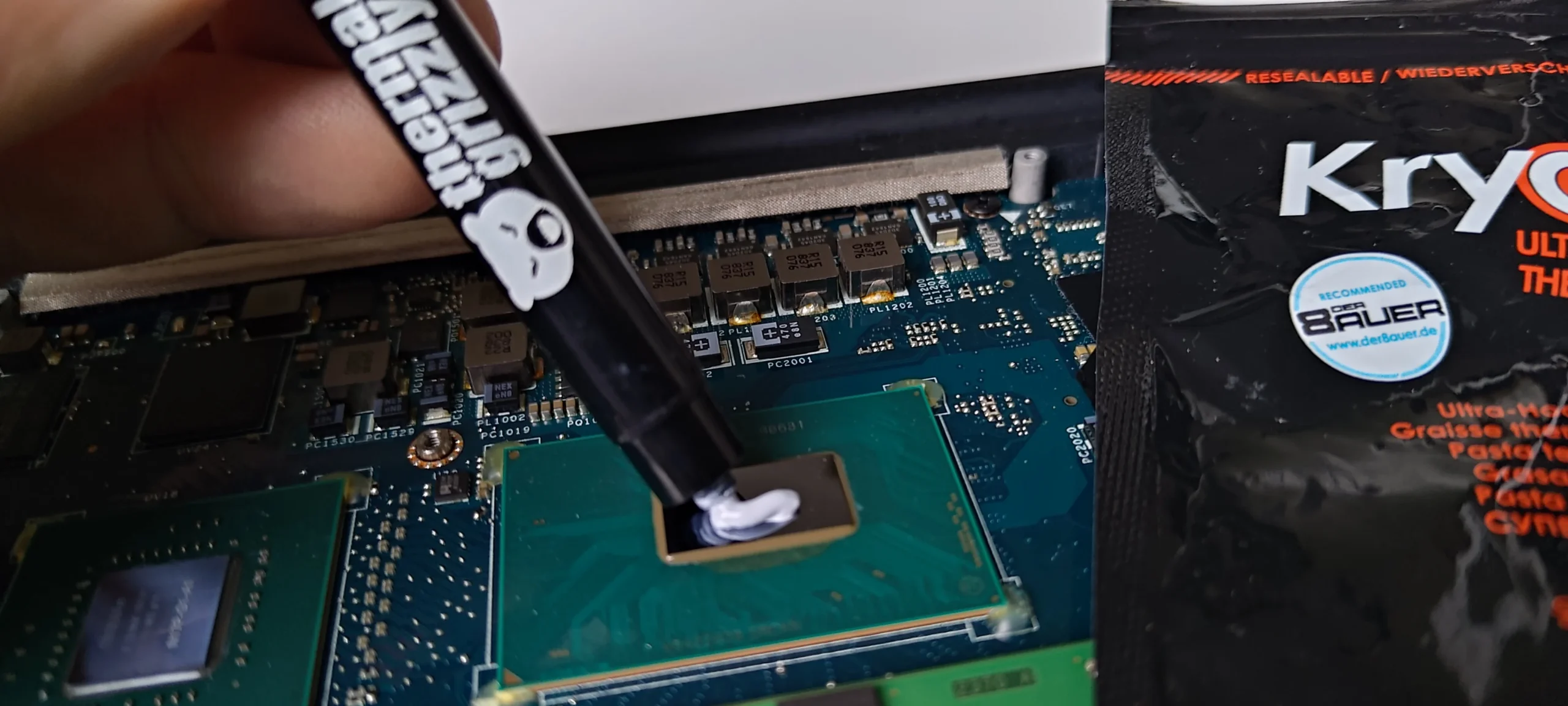
The archive also shows a thermal-compound syringe used at the chip area. Once the paste seal is broken, clean the old interface and reassemble with suitable fresh compound and the correct pad arrangement. These images do not provide a measured outcome after reassembly.
The engineer’s takeaway
This XPS needed attention along the whole cooling path: intake cover, both blowers, rear fins and, after cooler removal, the chip contacts. The dusty cover and fan lint are visible problems; pad placement and paste contact are the careful reassembly work that follows.
Before you open the laptop
Should you open an XPS for this clean?
Confirm the exact model and service instructions for your own machine. XPS is a family name, not a single internal layout. Power down, unplug, isolate the battery after opening and photograph the fan connectors and screw positions.
A cover-and-fan clean may be within reach if you can access the outlets safely. Removing the heat-pipe assembly is more demanding: it separates paste contacts and may disturb pads on nearby parts. If you are unsure of pad placement or cooler-fastening order, leave that stage to a technician.
After the clean
Useful checks after an XPS internal clean
Before fitting the bottom cover, confirm both fan wheels turn freely, no lint remains at the outlet fins and every cooler fastener and fan connector is secure. After closing, check that the cover sits flush and both vents pass air under a comparable load.
If heat or noise prompted the work, compare the same workload in similar room conditions. The photos here do not contain paired readings, so the article does not assign a temperature drop.
Questions from owners
Dell XPS fan and thermal-contact cleaning FAQs
Practical answers from the dusty cover, two blowers and lifted cooler in this case.
Why clean the inside of the bottom cover?
Its intake grille and surrounding surface carried a dust film. Leaving it in place can put loose material back near the fan inlets after reassembly.
Does this XPS have two fans?
Yes, the opened machine in these photos has one blower on either side of a shared heat-pipe cooler. Check your exact XPS model before assuming the same layout.
Can a fan spin if its exhaust is blocked?
Yes. Rotation alone does not prove the narrow fin outlet is clear. Look into the outlet as well as the fan inlet.
What are the white squares on the removed cooler?
They are thermal pads contacting nearby components. Their positions and thicknesses matter when the assembly is returned.
Is new thermal paste needed after lifting the cooler?
A separated paste contact should be cleaned and restored with suitable fresh compound before the cooler is fastened again.
What temperature improvement did this service achieve?
No matched before-and-after test is available in this photo set, so a numerical result would be guesswork.
UK Dell XPS cleaning enquiries
Dust showing through your XPS intake?
If you are in the UK, send us the exact XPS model, whether the noise comes from one side or both, and your postcode. A photo of the underside grille or rear vents is useful; keep your service tag private.
We can inspect the cover intake, both fans and their fin outlets, then discuss thermal-contact work if the cooler needs to be lifted.
Read about our Dell laptop cleaning service, then use the form to tell us your computer model, symptoms and UK postcode.
Free to enquire · No obligation to book. We discuss the proposed work and price before you decide.
The workshop photos
Dell XPS internal dust and cooler photos
Open the images to see the dusty cover, fan lint, two-fan layout and lifted contact assembly.