Published 12 November 2026 · Gaming desktop with a dual-tower CPU cooler case study
Dual-tower cooler clean
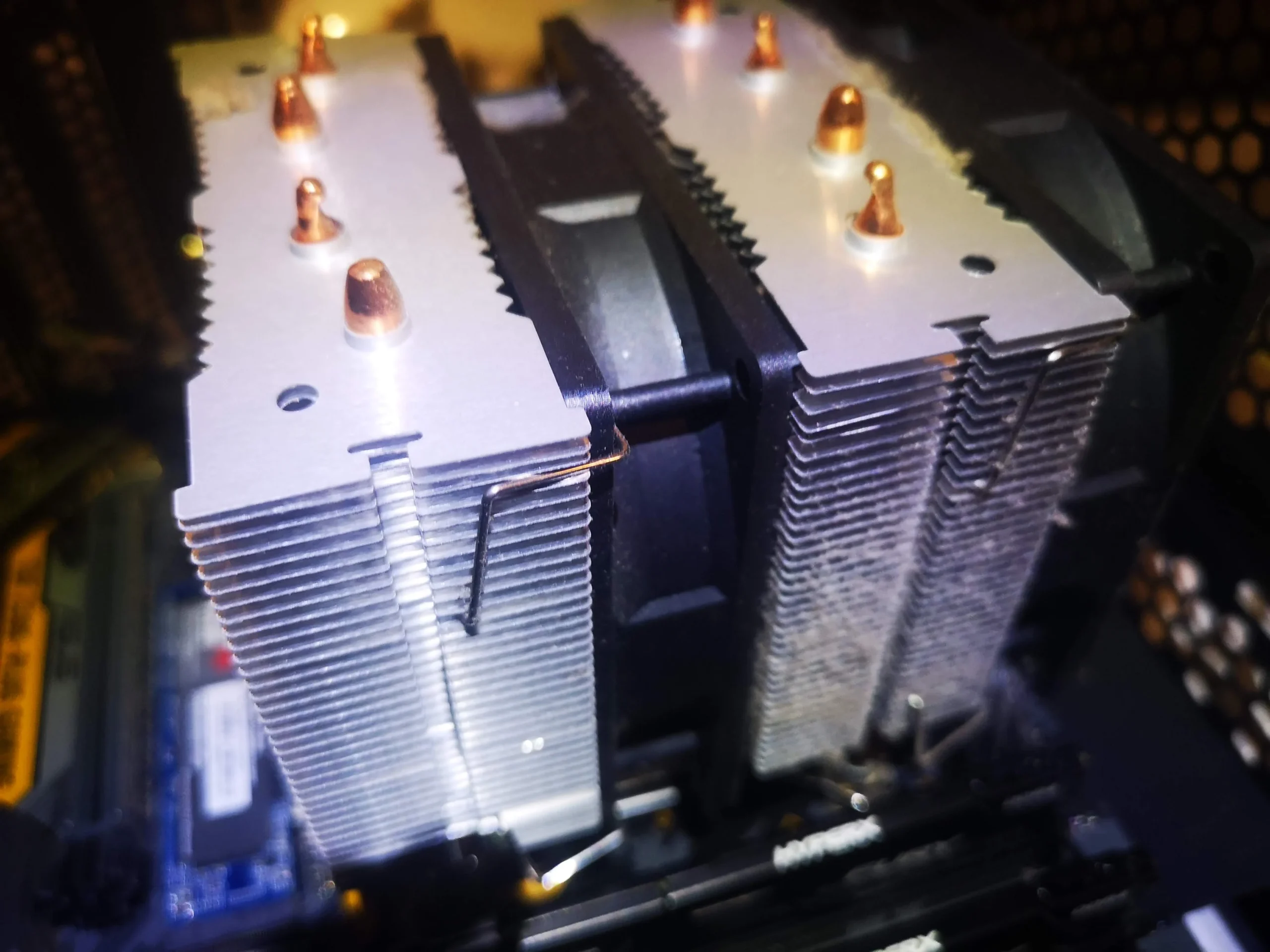
the wide fin stacks caught dust before it reached the fan.
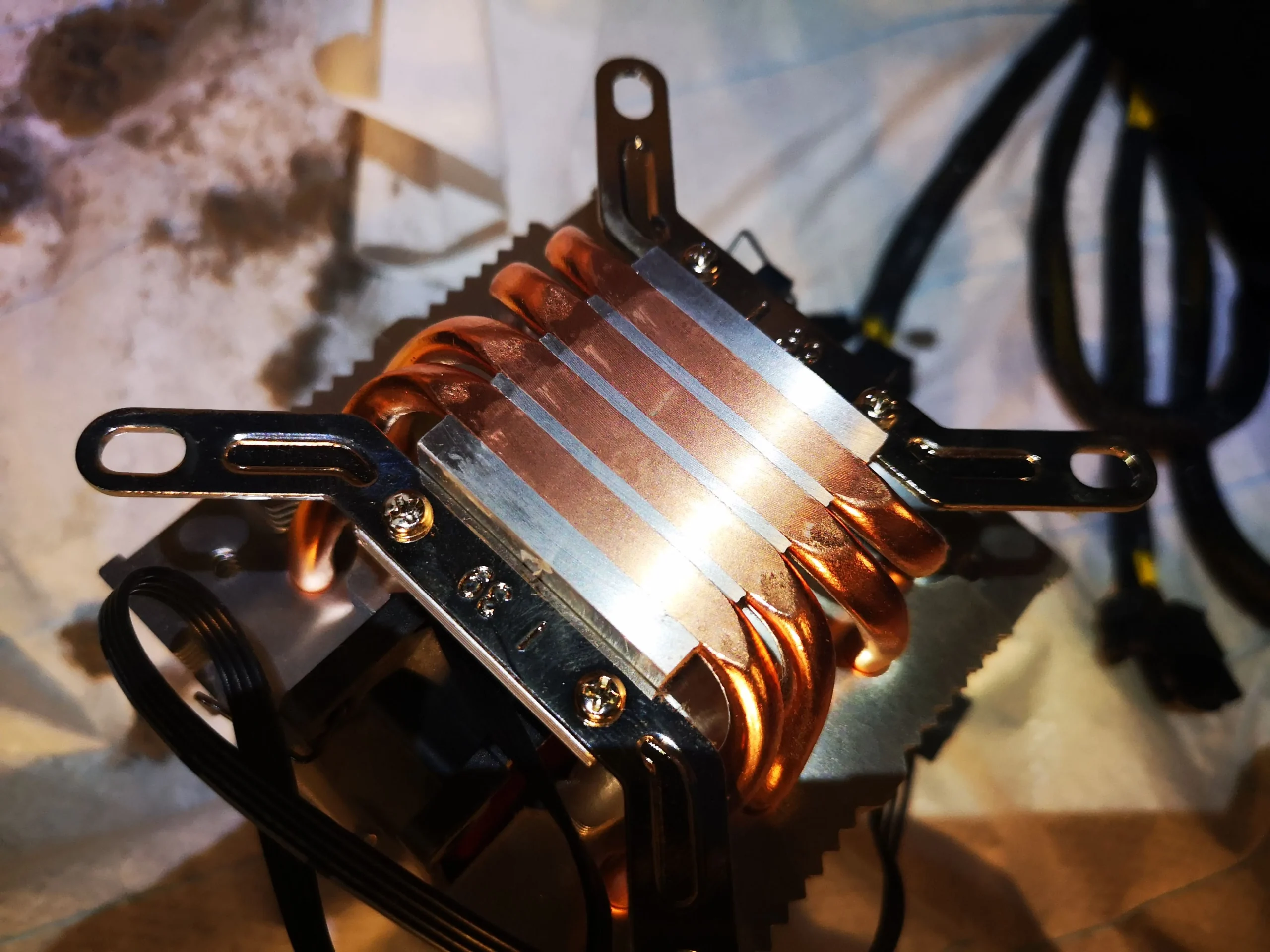
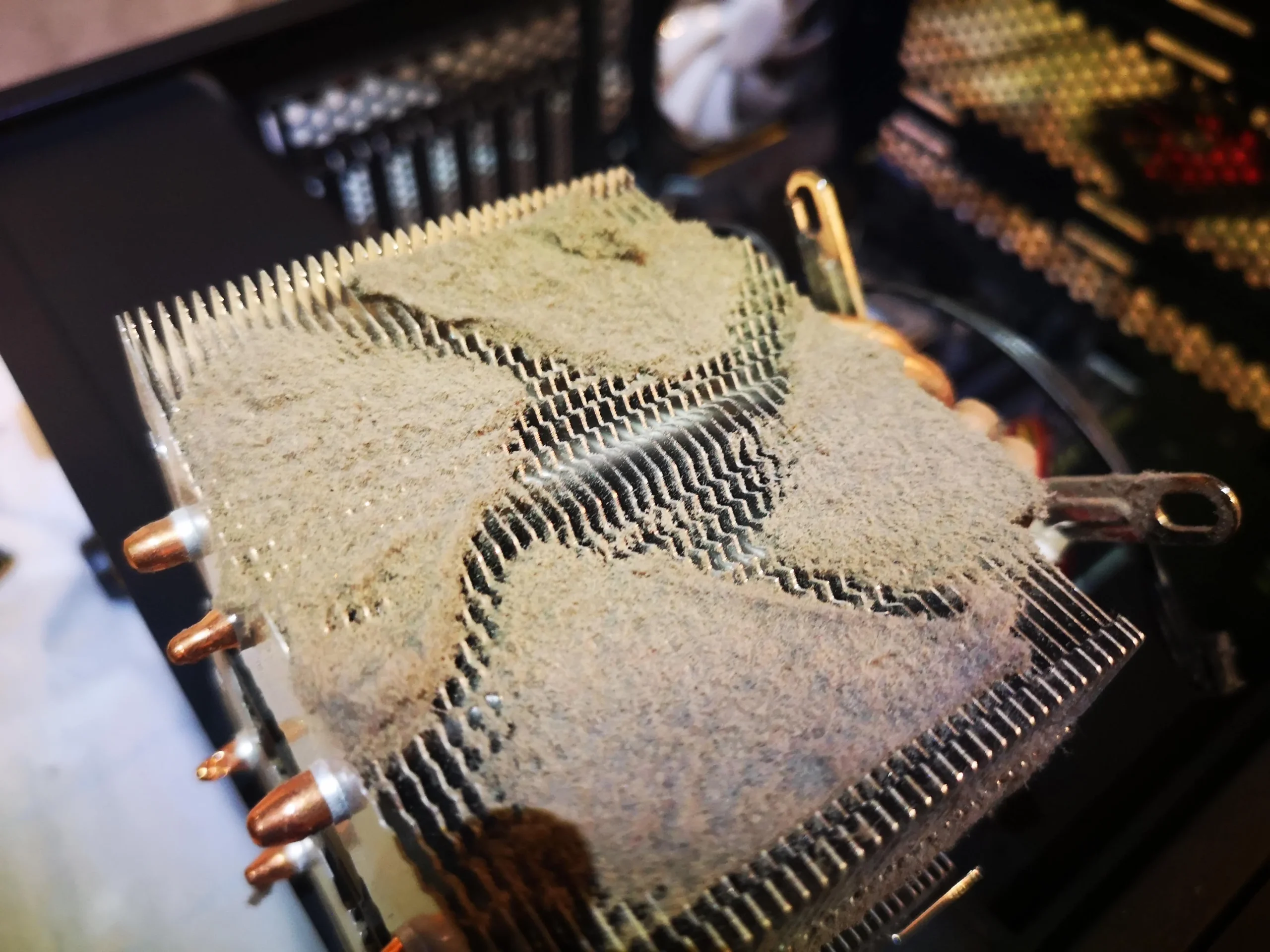
Two tall metal fin towers dominate this desktop's processor cooling. The removed assembly shows how much dust settled across their upper surfaces, while the rest of the sequence records the CPU contact and refitting.
Cooler style
Dual-tower CPU heatsink with a centre fan
Visible finding
Dust layered over the broad fin stacks
Thermal work
Cooler lifted and processor contact prepared
Large desktop coolers have more fin area than small stock coolers, but that area also gives dust places to lodge. This tower's two metal fin banks were visibly coated when the cooler was removed. The outer case fan and surrounding parts had their own dust to check.
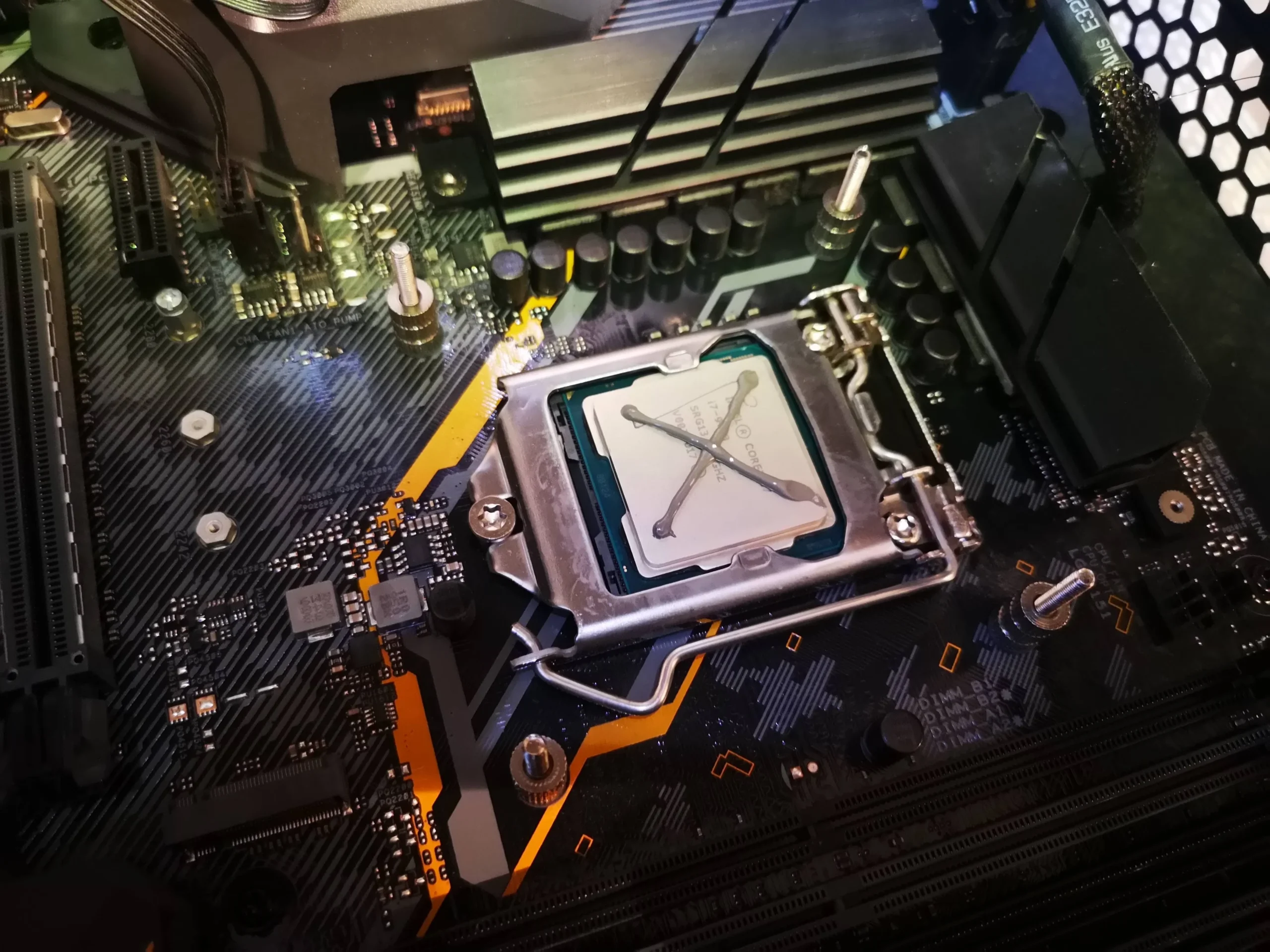
The photos then show the processor exposed, the copper cooler base and a fresh-looking paste application on the CPU before the heatsink was refitted. Several unrelated Windows setup screens appear later in the folder; they do not tell us whether cooling improved, so they are not used as evidence here.
In this case study
01 / The core finding
Dust lay across both heatsink towers
The removed heatsink photo shows a broad coating across the fine metal fins. Air from the centre fan has to pass through these narrow gaps. A dusty top surface is a cue to inspect the passages between the fins, not just wipe the exposed edge.
Because fin plates bend easily, use a soft tool and work with the cooler's airflow direction. Hold the fan rotor still if using controlled air and collect dust outside the case rather than redistributing it across the motherboard.
02 / Air before the cooler
The case fan and interior needed a separate check
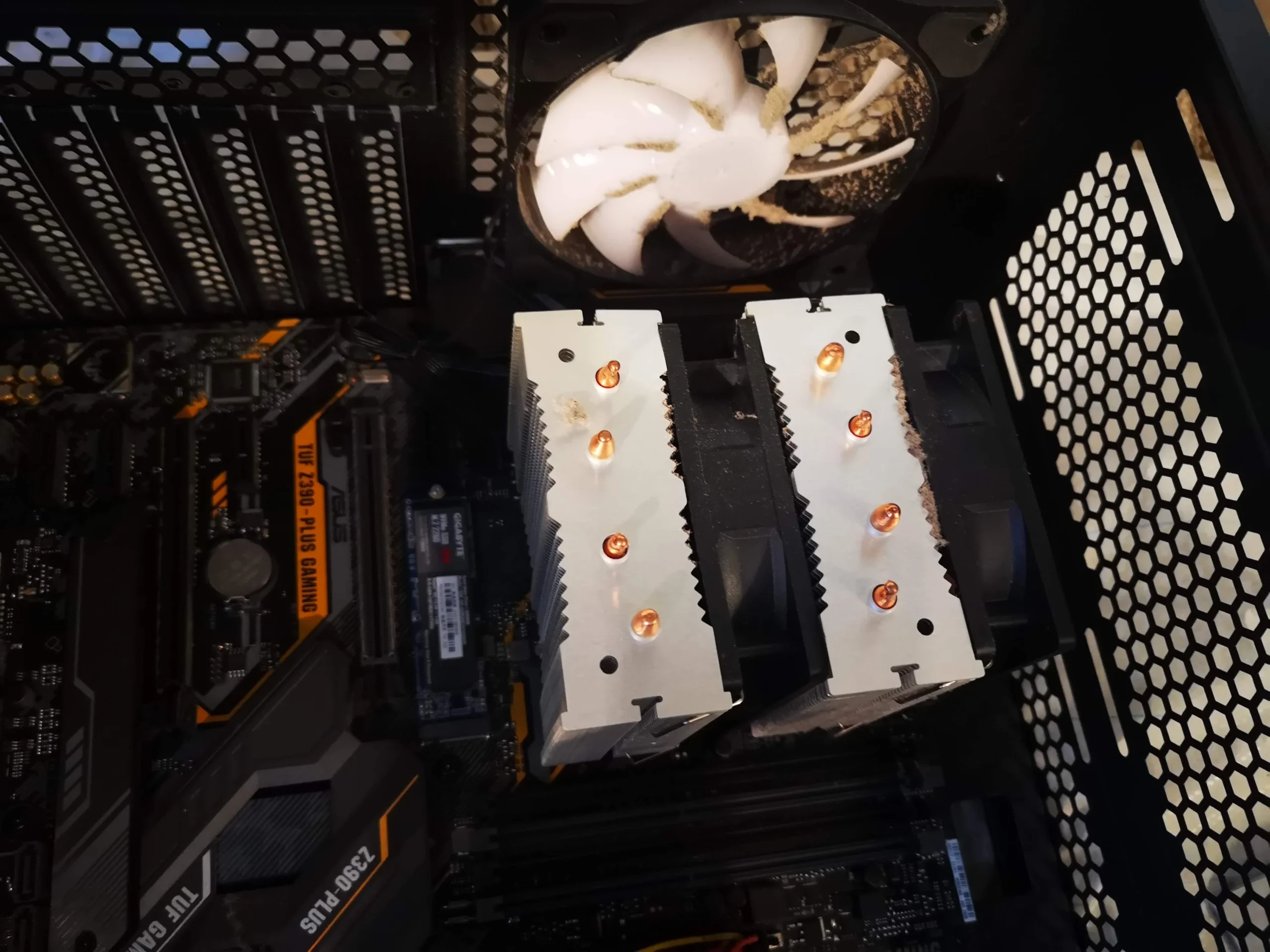
The open-case views show a rear fan near the tall CPU cooler and dust on surrounding surfaces. The rear fan is part of the case's airflow, while the centre cooler fan moves air across the fin banks. They should be inspected separately.
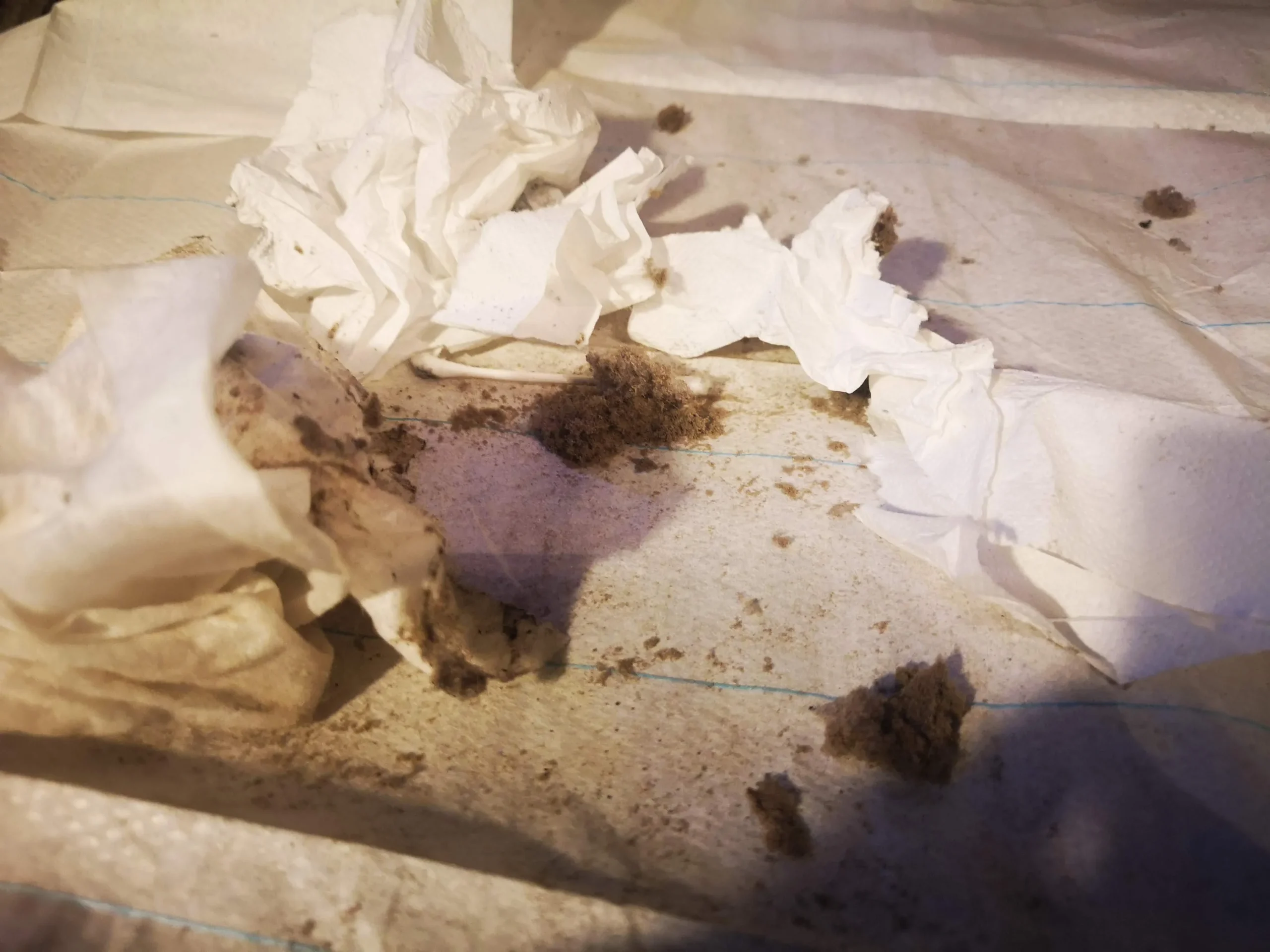
Dust on the case floor is easier to see, but restriction at a filter or heatsink gap may matter more. Clean accessible panels first and keep cables from falling into either fan.
03 / When the cooler moves
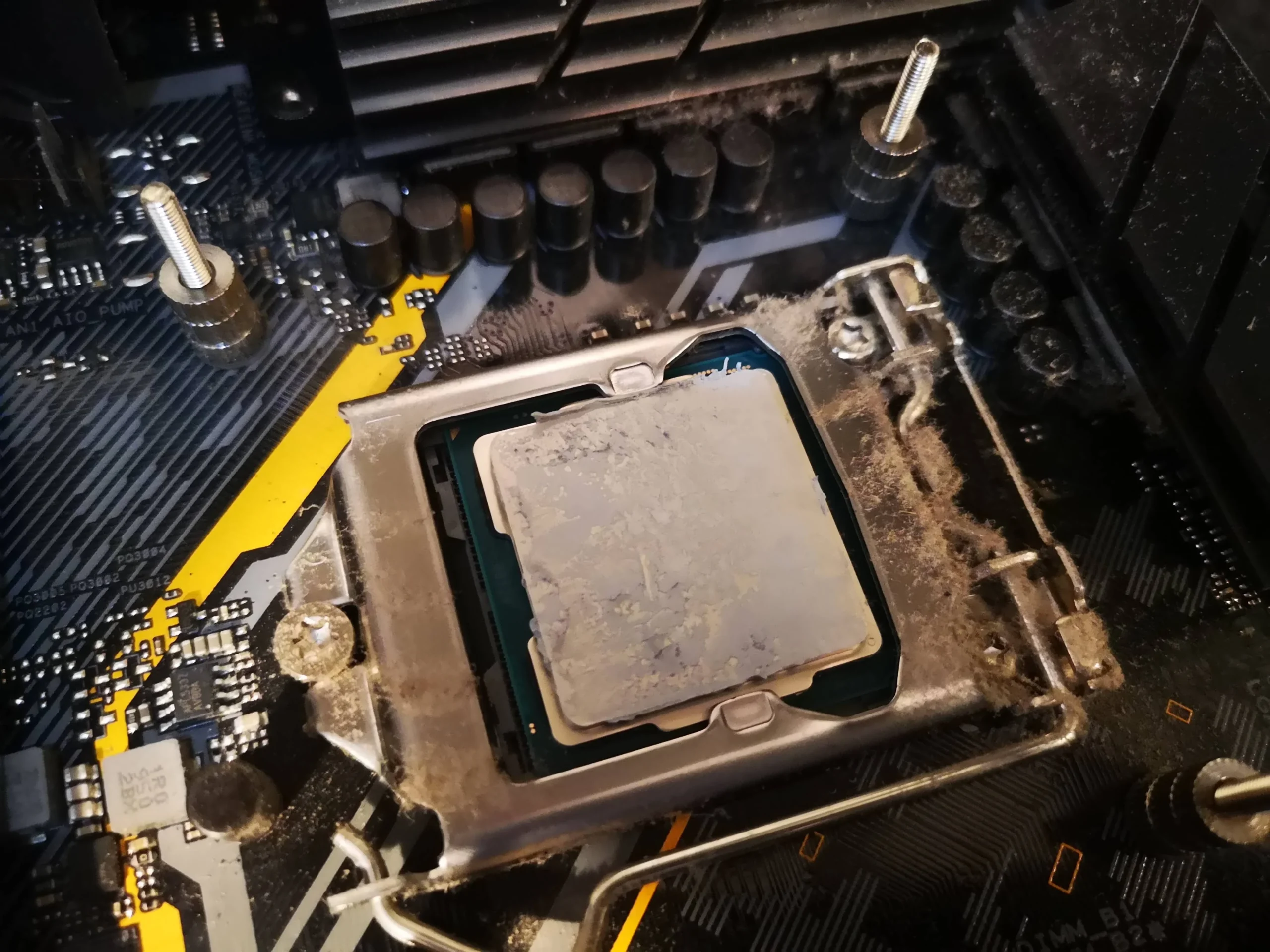
Lifting the heatsink exposed the processor and cooler base
The processor photo shows old compound after the heatsink came away, and the copper base was photographed separately. The thermal interface between those two surfaces should be cleaned and renewed if the cooler is removed.
A later close-up shows paste on the CPU before refitting. Apply an appropriate amount for the processor and seat the cooler evenly; too much force or an uneven mount can create a new problem after the dust is gone.
04 / The final physical step
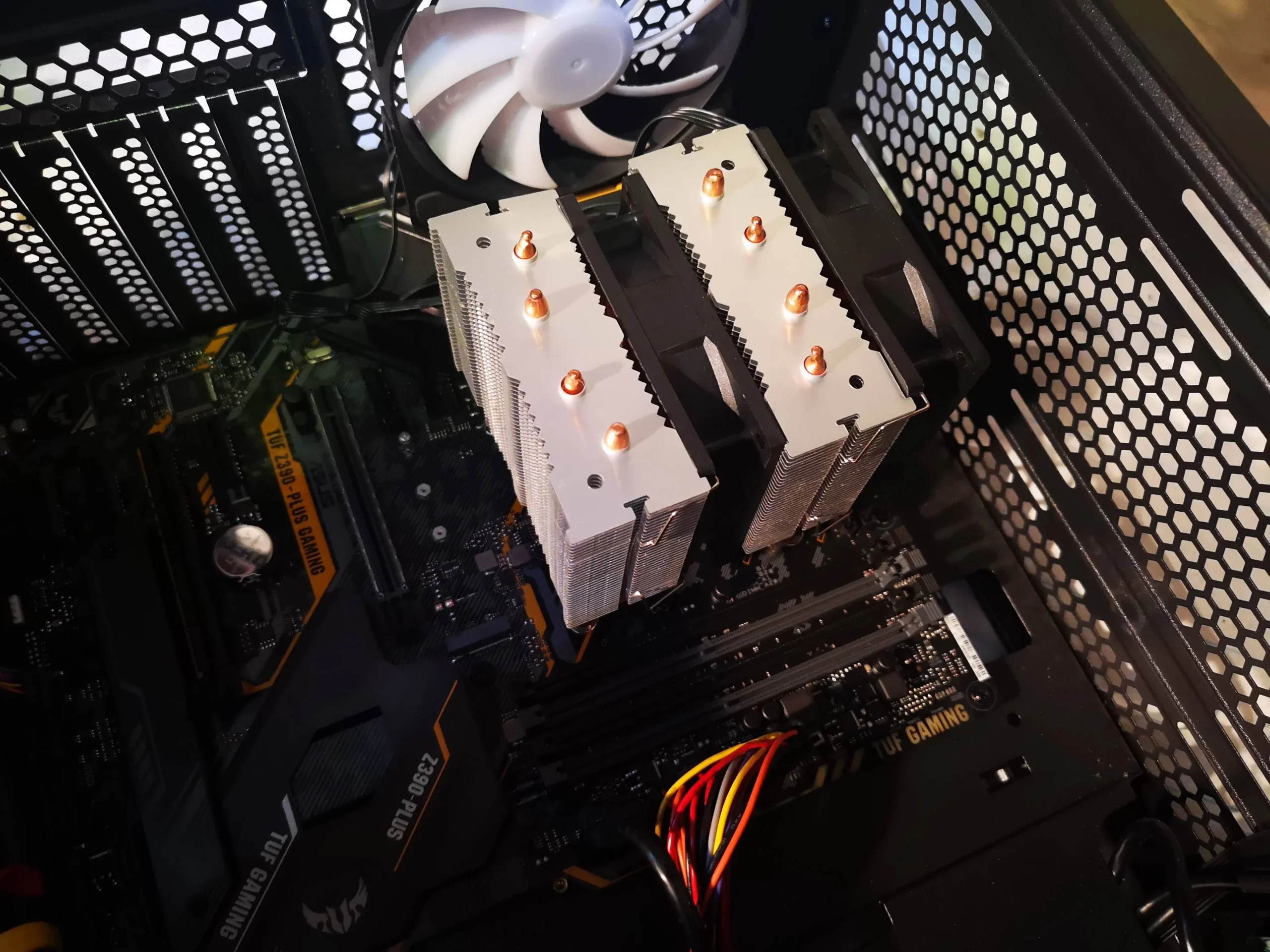
The twin towers and centre fan went back into the case
The reassembled view shows the heatsink mounted above the processor again. The fan must sit correctly between the towers, its cable must reach the proper CPU fan header and the case side must clear the cooler height.
A photograph of the assembly cannot prove temperature performance. Check the CPU fan response and compare temperatures under similar conditions if you have baseline readings.
The engineer’s takeaway
This case is about the broad fin area of a dual-tower CPU cooler. Dust on those fins needs direct attention; lifting the cooler to gain access also means cleaning and renewing the processor's thermal contact.
Before you open the laptop
Can you clean a dual-tower cooler yourself?
Shut down, switch off at the PSU and unplug the PC. Open the side, photograph the cooler and fan-clips arrangement, and remove accessible case dust and filters first. If the centre fan can be unclipped safely, the fin faces may be easier to reach without lifting the whole heatsink.
If the heatsink must come off, check the mounting instructions, brace the heavy cooler and prepare to clean and replace the paste. Never pull hard on a cooler stuck to the CPU or let it swing against the graphics card.
After the clean
What to check on the next boot
Confirm the CPU fan is detected and spinning as expected, and listen for blades touching a cable or fin. Under a repeatable task, compare CPU temperature and fan speed with earlier figures if available.
This folder contains no matched before-and-after cooling test, so the photos support the clean and refit, not a numerical gain.
Questions from owners
Dual-tower desktop cooler cleaning FAQs
Answers grounded in this tower's dusty fin stacks and removed CPU cooler.
Do I have to remove a dual-tower heatsink to clean it?
Not always. If the fan can be unclipped and the fin passages reached safely, surface cleaning may be possible while the heatsink stays mounted.
Why are the fin gaps more important than the metal top?
Cooling air must pass through the gaps. Dust on top is a visible clue, but material lodged between plates can restrict the actual path.
Can I reuse old paste if I lift the cooler?
No. Clean both mating surfaces and apply appropriate new compound before an even refit.
Should I remove the graphics card first?
Only if it blocks safe access and you are comfortable with its PCIe latch and power connectors. Support both heavy parts during work.
How do I know the centre fan is connected?
Check its lead is on the intended CPU fan header and confirm fan detection and normal response on boot.
Did this case show a measured temperature drop?
No comparable cooling readings are available in the photographs.
UK desktop cooler enquiries
Dust hidden between tall CPU fins?
If you are in the UK, tell us your PC or cooler model if known, whether the noise comes from the middle fan or a case fan, and when the heat appears. Include your postcode in the form.
If the heatsink was already removed, mention whether paste was renewed and whether the CPU fan is detected. That helps us separate a blocked fin stack from a mounting or fan problem.
Read about our desktop cooling service, then use the form to tell us your computer model, symptoms and UK postcode.
Free to enquire · No obligation to book. We discuss the proposed work and price before you decide.
The workshop photos
Dual-tower CPU cooler cleaning gallery
Open the workshop photos of the dusty fin stacks, CPU contact, copper base and refitted cooler.