Published 5 October 2026 · desktop tower PC case study
Desktop PC deep cleaning
dust was blocking more than one doorway.
The front of this tower looked grey with dust, but the useful lesson came from following the airflow all the way through: intake, case, rear fan and power-supply grille. Clearing only the front would have left other restrictions in place.
The computer
Desktop tower with Intel CPU cooler
Visible condition
Heavy dust at several airflow openings
The safety boundary
Clean around the PSU; do not open it
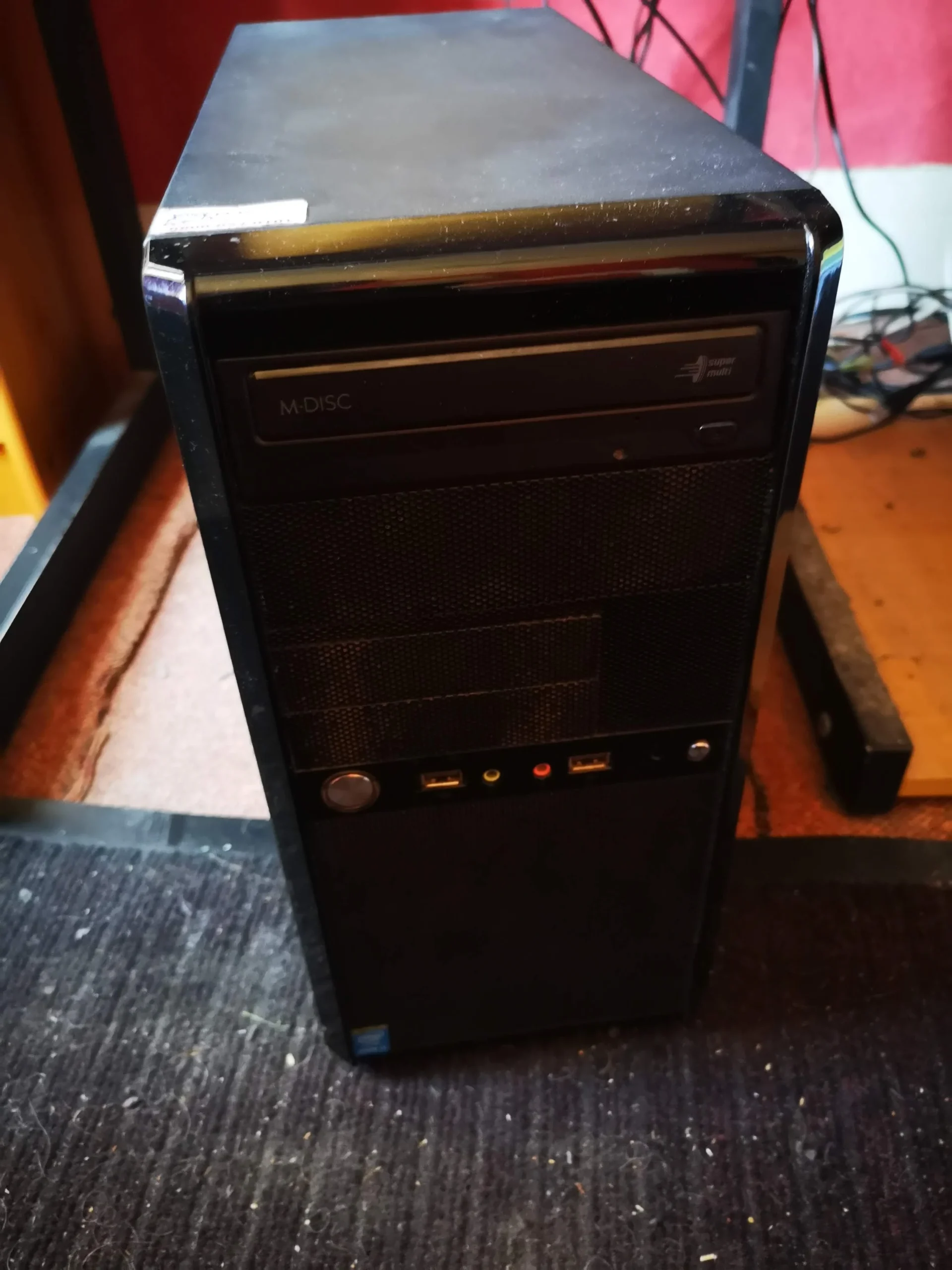
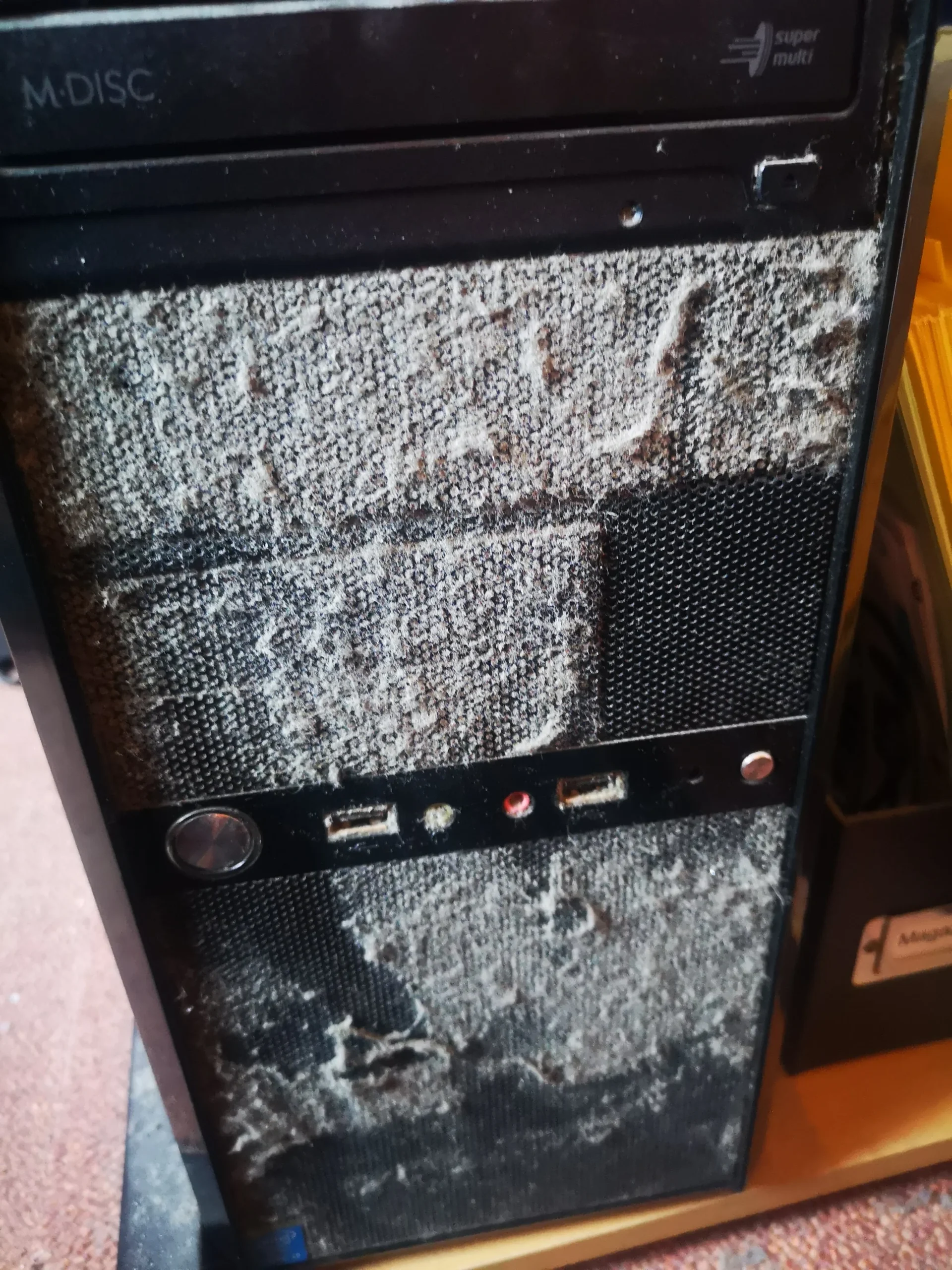
A desktop often has more room inside than a laptop, but that extra space does not prevent dust collecting. This tower shows it plainly: the front intake was coated, the rear fan held debris, and the power-supply grille had a dense layer of contamination.
The photos document what was visible and the dust removed during cleaning. They do not contain temperature or noise measurements, so this case study makes no numerical performance claim.
In this case study
01 / Where air enters
The front intake was a warning sign
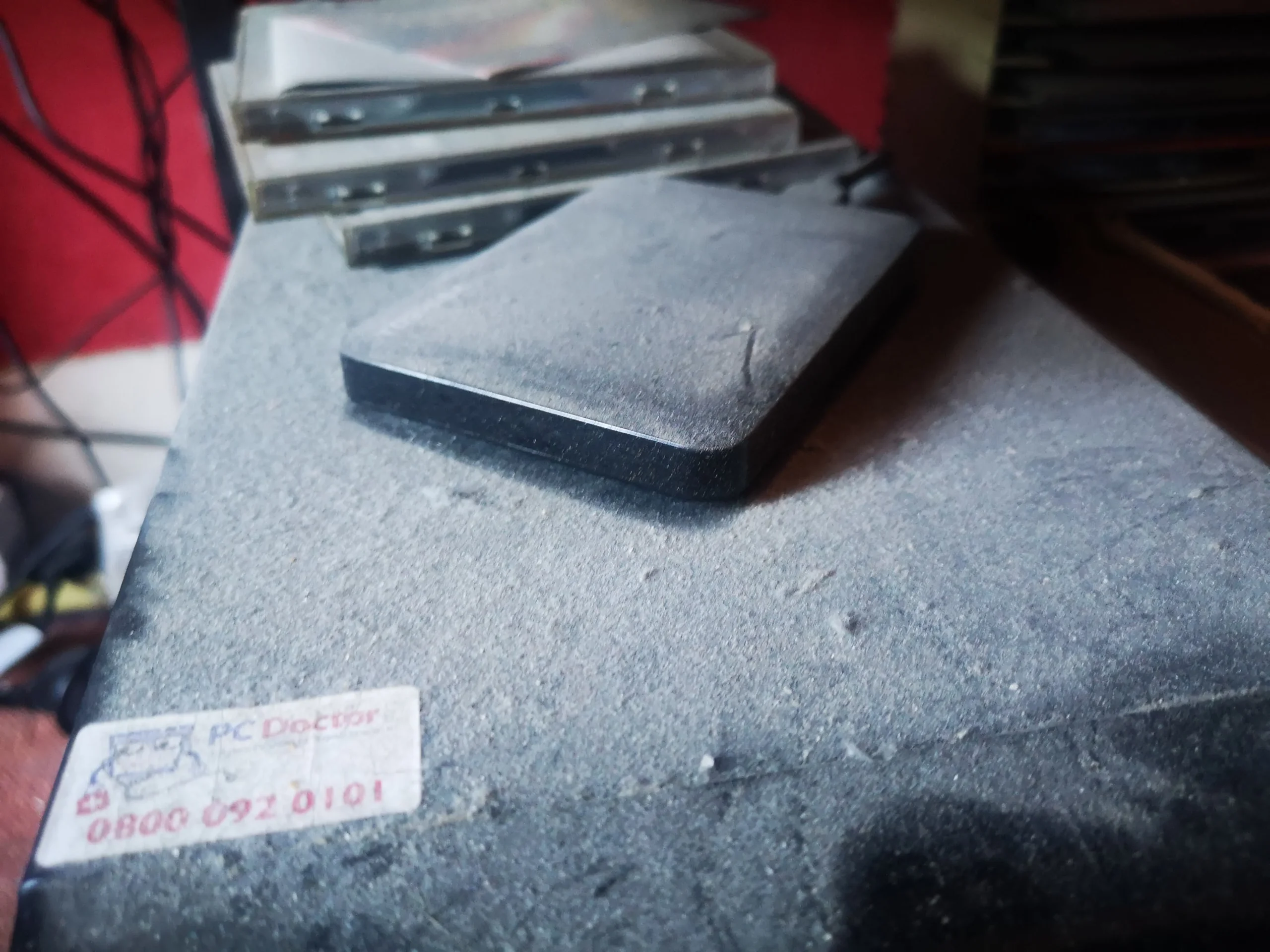
The front panel was coated in a thick, uneven dust layer. That is not just a cosmetic issue: intake openings feed the cooler and the rest of the case. A dirty filter or mesh can make the fans work harder for less air.
The top of the case also carried loose dust. On a tower like this, cleaning starts by checking every intake and removable filter, not by assuming the front panel is the only problem.
02 / The separate air route
The power-supply grille needs attention too
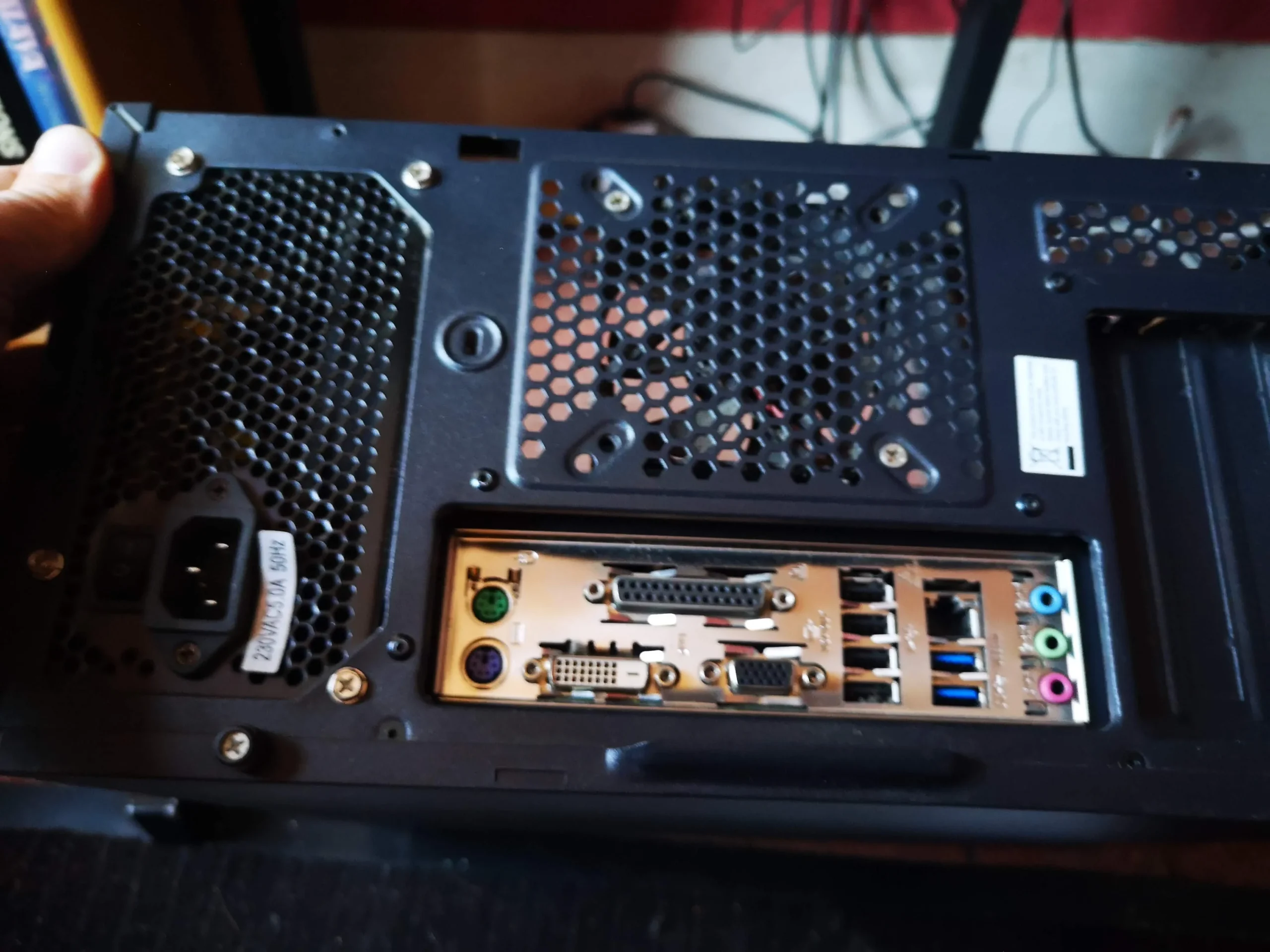
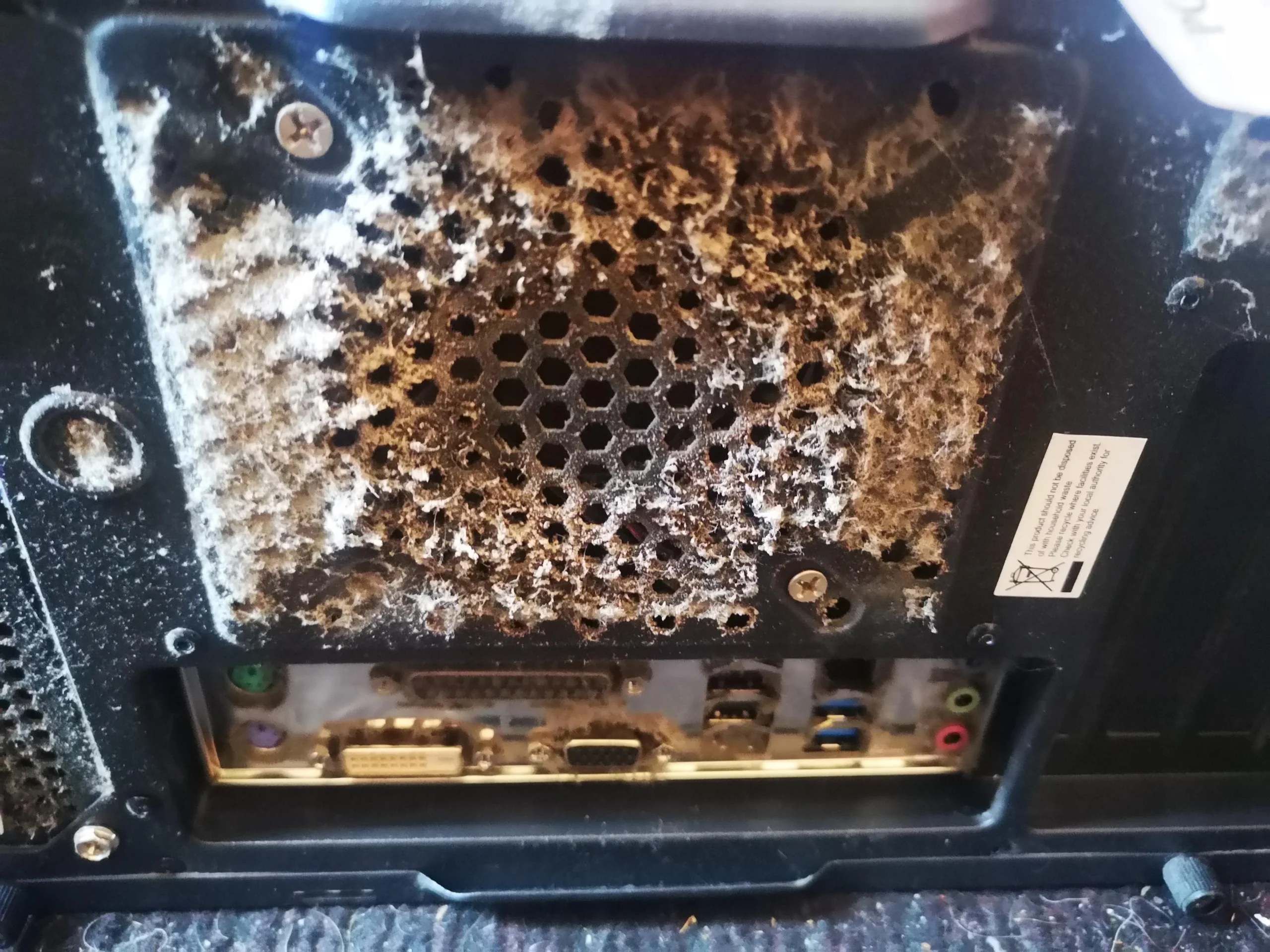
The grille at the back of the power supply is heavily coated. A PSU has its own airflow path, so a clean-looking CPU fan does not tell you whether the PSU can breathe freely.
The safe cleaning boundary is important: switch off, unplug, and clear accessible external dust without removing the power-supply cover. A PSU can retain dangerous charge after disconnection. If its fan is noisy or its internals appear contaminated, have the unit assessed rather than opening it at home.
03 / Follow the air
The CPU area and case fans were part of the job
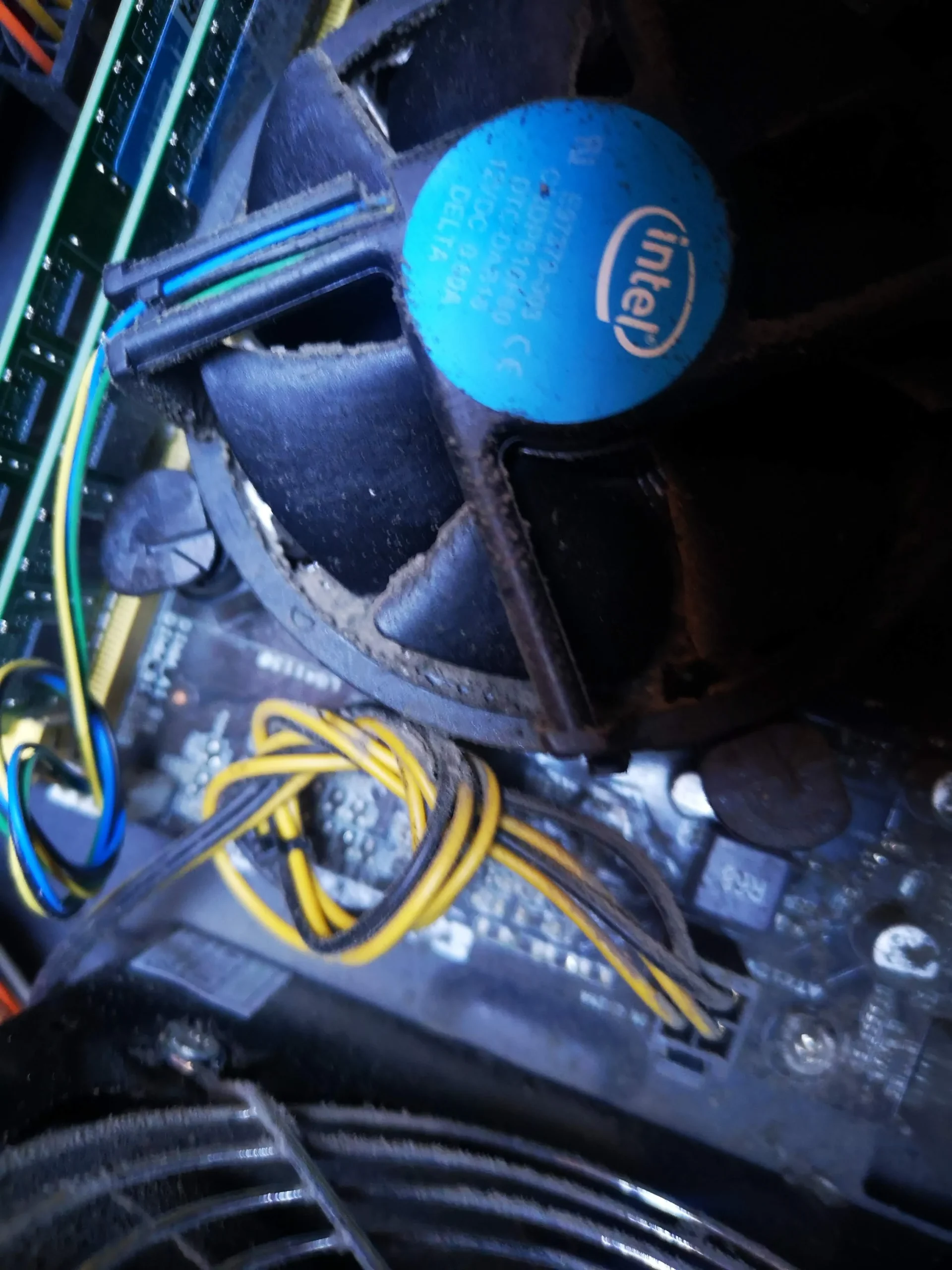
Inside, an Intel stock-style CPU cooler and the surrounding cables sit in the path of moving air. Dust on fan blades, heatsink fins and nearby surfaces should be removed without forcing debris into connectors or spinning fans with strong air.
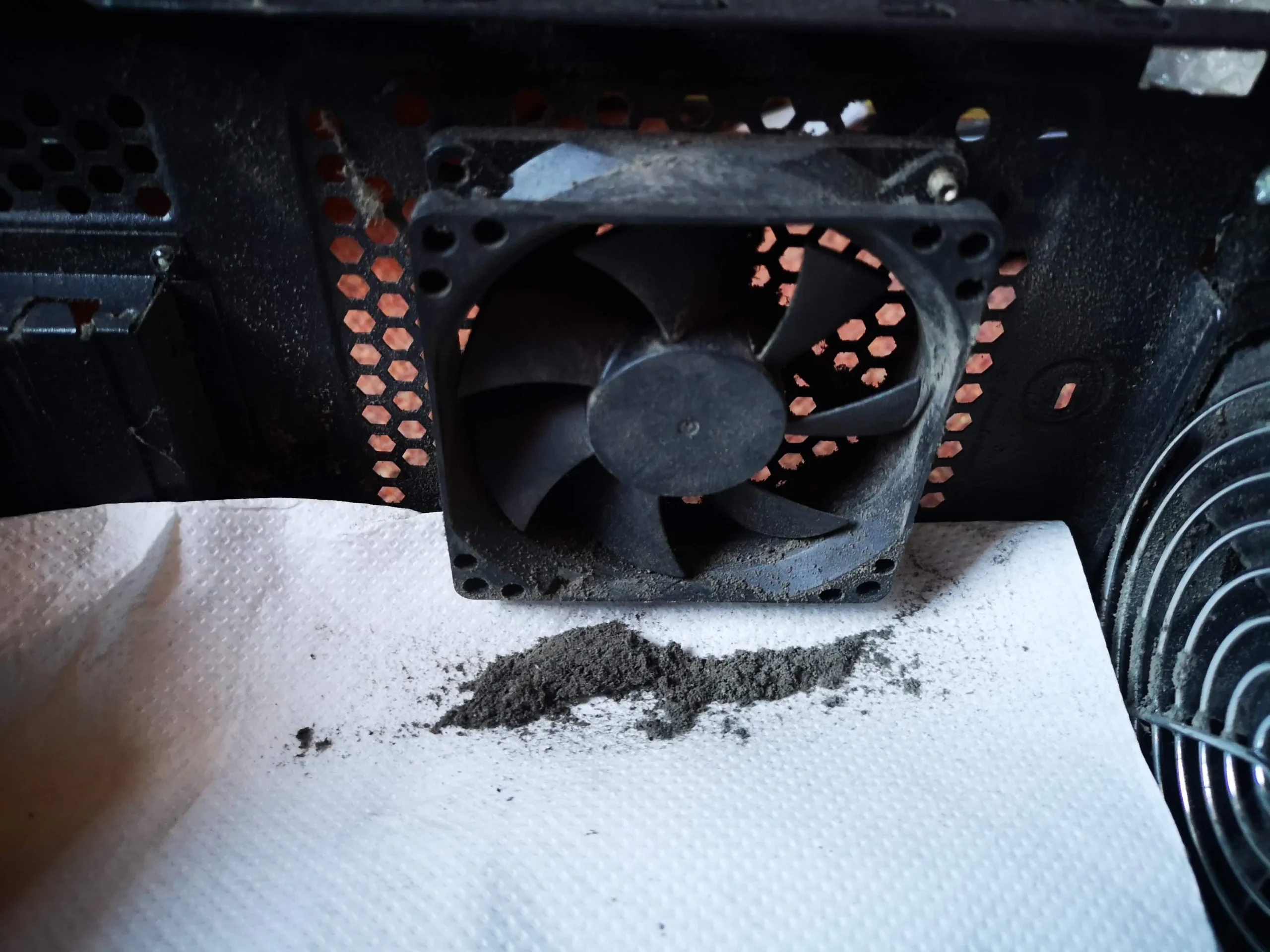
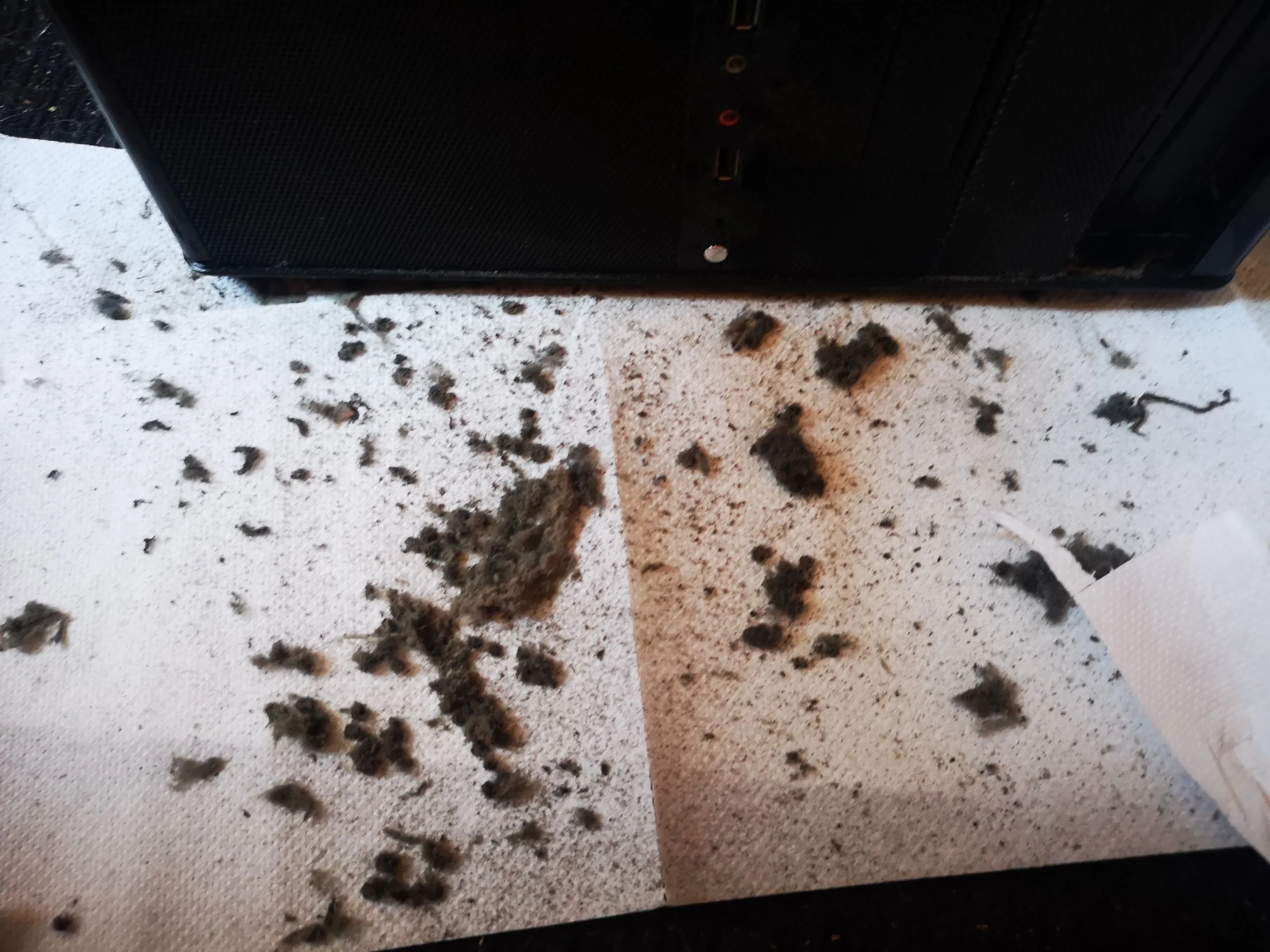
The rear exhaust fan is another place for fibres to catch. In this case it was removed for closer access, which makes the dust on the blades and the pile below it easy to see.
04 / The evidence
The removed dust was more than surface film
The debris collected below the rear fan shows why an outside wipe would have been incomplete. When several openings are blocked, the useful goal is to restore clear paths through the case while keeping loose dust out of electronics.
A final visual check should cover filters, fan frames, cooler fins, cable areas and the PSU's external vents. The photos show the material removed, but there is no logged before-and-after airflow reading in this archive.
The engineer’s takeaway
This tower did not have a single dusty part. The front intake, CPU area, rear fan and PSU grille all mattered. A useful desktop clean follows each airflow path and respects the power supply as a sealed component.
Before you open the laptop
What can you clean yourself?
Power the PC down, turn off the PSU switch if it has one, unplug the mains cable, and allow the machine to cool. You can usually remove accessible case filters, clean their dust away from the computer, and gently clean the external grilles. Hold fan blades still if using controlled air so they do not free-spin.
Avoid a household vacuum nozzle against circuit boards, avoid liquids inside the case, and never open the power supply. If the front panel clips are brittle, the system is packed with cables, or you are unsure which fan is failing, get help before dismantling more.
After the clean
How to check the cleaning result
After reassembly, confirm every case fan and the CPU fan starts, the display works, and no cable touches a blade. Check that the filters and panels sit correctly and that exhaust air can leave the rear of the case.
If the original complaint was heat or noise, compare the same workload and room conditions before and after. A cleaner appearance alone does not prove that a faulty fan or another cause has been resolved.
Questions from owners
Dusty desktop PC cleaning FAQs
Answers based on the multiple blocked airflow paths visible in this tower.
Can one dirty front filter make a desktop run hotter?
Yes, if it restricts intake airflow. This case also had dust at the rear and PSU grille, so cleaning one opening alone would not address all visible restrictions.
Is the PSU grille safe to clean?
Accessible external dust can be cleared after the PC is switched off and unplugged. Do not remove the PSU cover: internal components can retain dangerous charge.
Should I spin a fan with compressed air to clean it?
No. Hold the blades still and use controlled cleaning so the fan does not overspeed and loose dust is not blown deeper into the computer.
Does dust on the CPU cooler mean the thermal paste must be replaced?
Not always. Cleaning the fan and heatsink is one task; repasting depends on the cooler being removed, the compound condition and diagnostic findings. These photos do not prove a paste replacement.
Can I use a household vacuum inside the PC?
Avoid putting a household vacuum nozzle against a motherboard or other electronics. Remove filters for separate cleaning and use suitable, controlled tools for internal dust.
How often should a desktop be cleaned?
There is no universal interval. Floor placement, pets, room dust and filter design change how quickly buildup returns. Check the filters and vents regularly and clean when dust begins to obstruct them.
UK desktop cleaning enquiries
Want the whole airflow path cleaned?
If your desktop has dust like this, tell us which openings are blocked and whether the fans are loud, the PC runs hot or it shuts down under load. A photo of the case and your postcode help us suggest the right service.
We can discuss safe internal cleaning and any separate fan or cooling fault that needs diagnosis.
Read about our desktop fan and cooling service, then use the form to tell us your computer model, symptoms and UK postcode.
Free to enquire · No obligation to book. We discuss the proposed work and price before you decide.
The workshop photos
Heavily dusted desktop cleaning photo gallery
Open the photos to trace the dust from the front intake through the case and rear fan to the power-supply grille.