Published 1 November 2026 · Hasee Z7-CT7NT case study
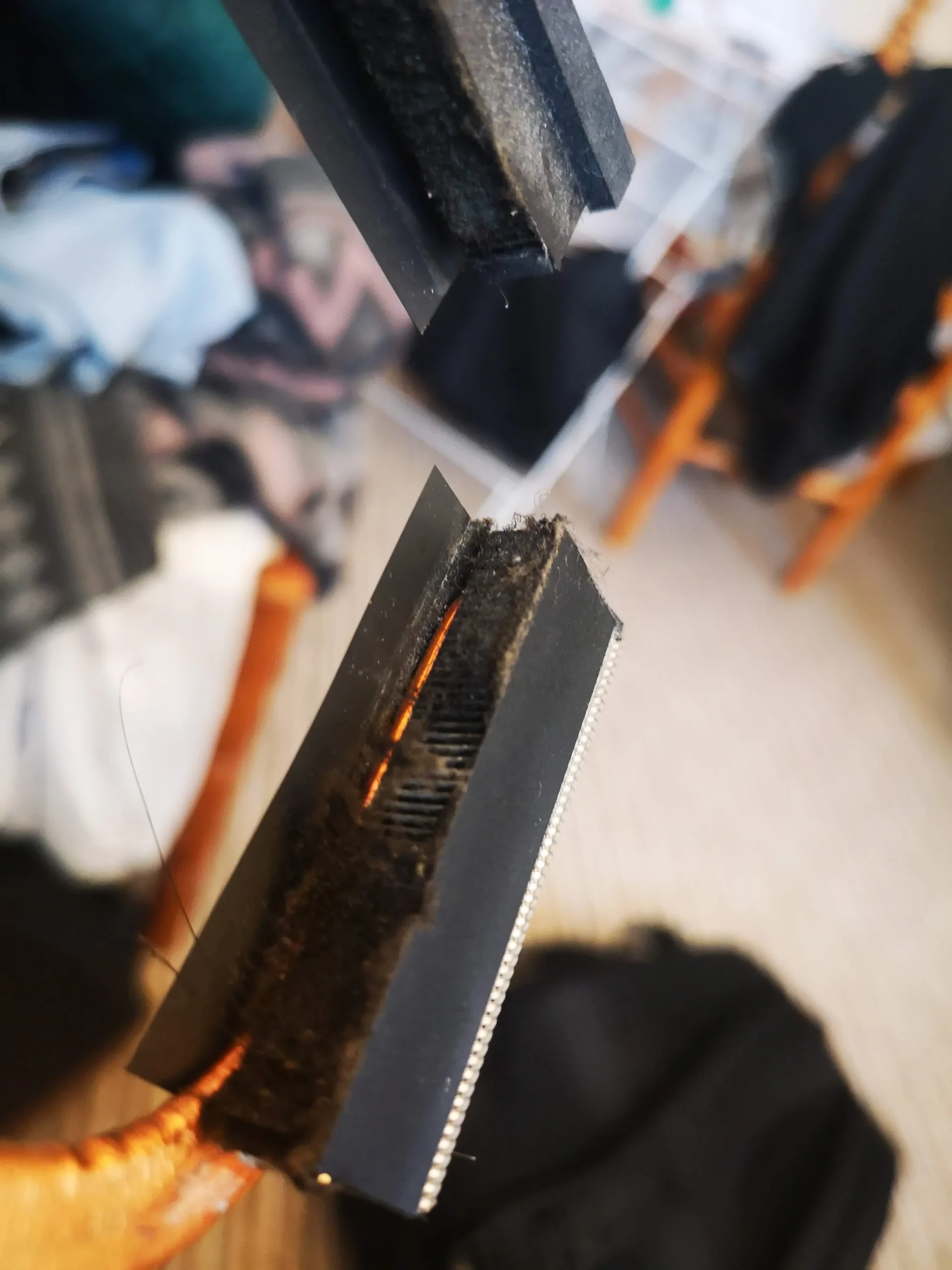
The fans could spin
but this outlet was choked with lint.
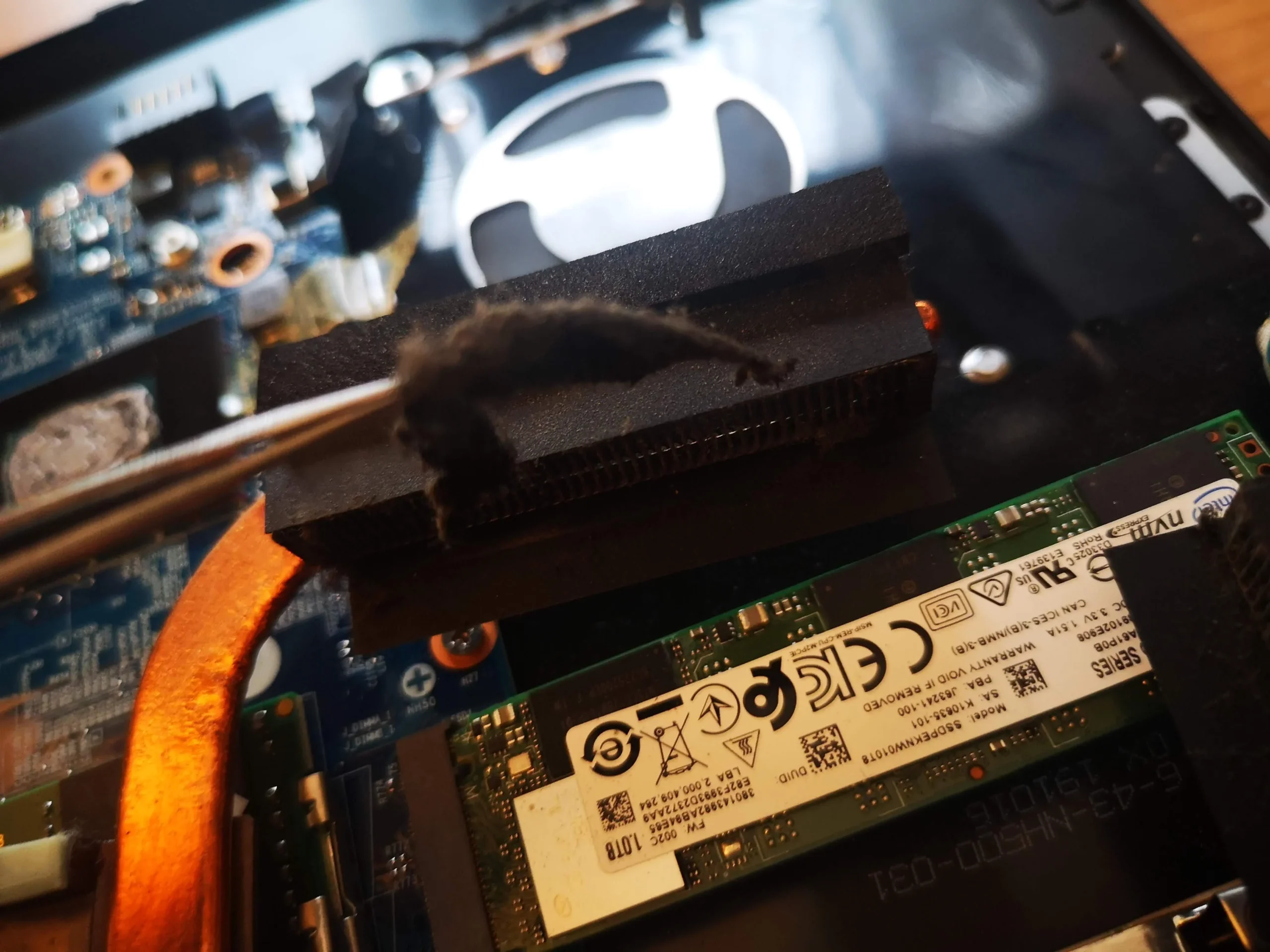
The standout photo in this Hasee Z7-CT7NT service is a dense strip of lint being pulled away from an exhaust fin stack. Two fans and copper pipes feed that narrow outlet. A spinning fan cannot move warm air effectively through a felt-like blockage at the end of the path.
Model from label
Hasee Z7-CT7NT / chassis code CNH5503
Main finding
Compacted lint at a heatsink exhaust outlet
Cooling assembly
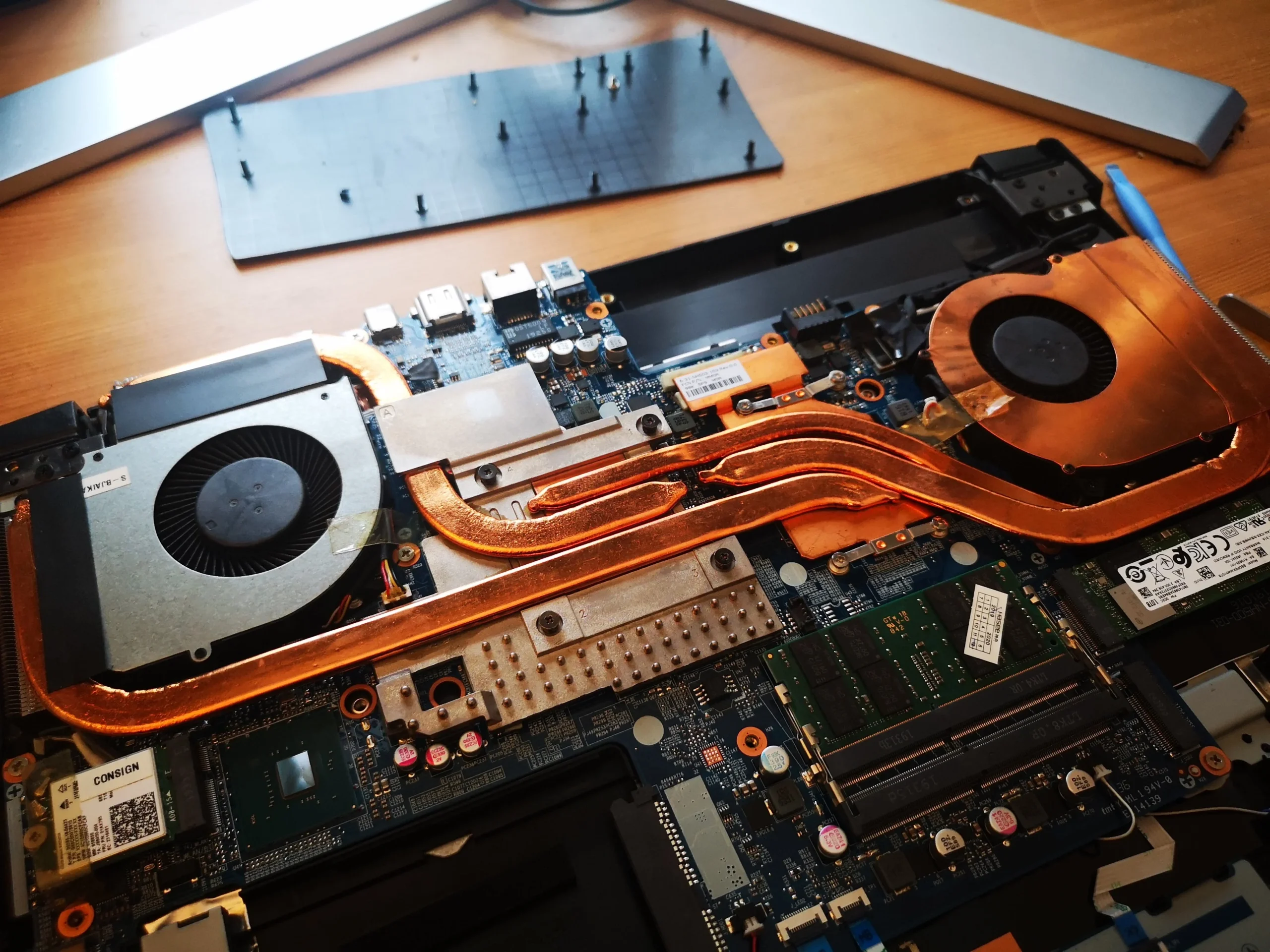
Two fans and copper contacts for two chips
The underside label identifies this machine as a Hasee Z7-CT7NT, with CNH5503 printed as the chassis code. We exclude that image from the public gallery because the same label carries unique identifiers. The internal photographs are enough to explain the fault pattern: the cooling system has two fans, copper heat pipes and narrow fin exits.
The photo set shows an actual mat of debris being lifted from one exhaust stack. It also shows the cooler removed, old compound on chip and copper surfaces, later cleaned contact faces and a Hasee startup logo. There are no matched temperature readings or customer symptom notes, so this case reports visible evidence and sensible follow-up rather than an invented result.
In this case study
01 / The key finding
A felt-like strip had formed across the exhaust fins
The close-up shows a dark, compact layer sitting against the fin stack where the fan's air must leave the laptop. In the next frame, that layer is being lifted away as one piece. This is the sort of blockage that can be hidden behind the fan housing and can remain after a casual brush over the visible blades.
Fins are thin and easy to bend. Separate the dust mat carefully, keep its fragments away from the board and check the full width of the outlet afterward. Do not push the debris back through the stack toward the other side.
02 / How the air moves
Both fans feed a shared copper-pipe cooling system
The opened Hasee shows two blower units at opposite sides of the board. Copper pipes connect the heat sources to fin outlets. This means a blocked exit can affect cooling even while a fan still sounds normal and its blades turn.
Inspect each fan inlet and each exhaust edge. One obvious lint mat does not prove the other side is clean. Before reassembly, confirm both wheels turn freely and no loose lint remains in the shrouds.
03 / Air path restored
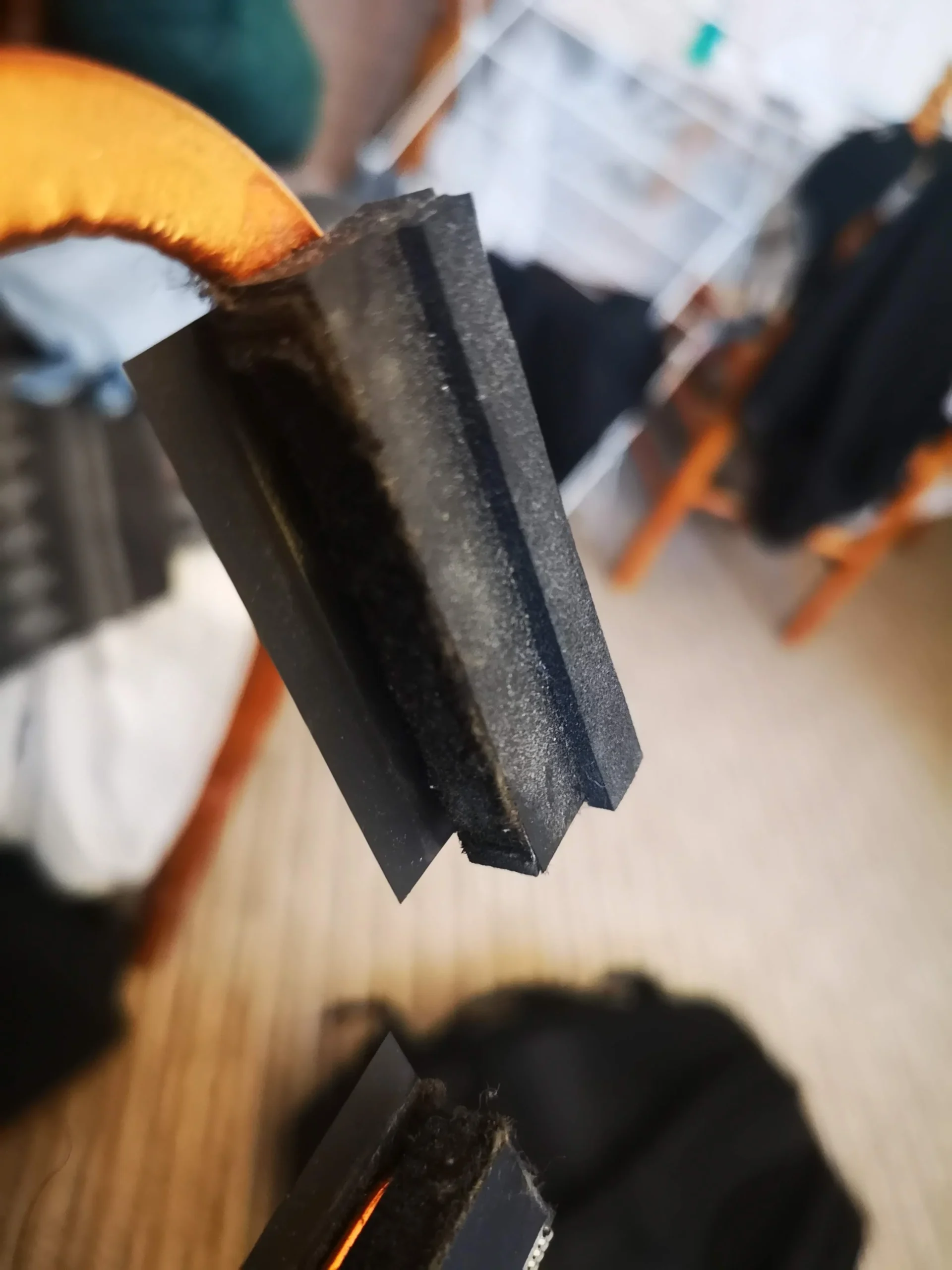
The later fin view shows why physical access mattered
A later close-up shows the gap between fin faces after the dark mat has been removed. The image does not measure airflow, but it makes the mechanical change clear: the layer that covered the outlet is no longer across it.
Cleaning from the exterior alone might loosen surface dust without removing a compacted strip behind the housing. For a similar Hasee, aim to inspect the fin entrance directly and keep the fan rotor from overspinning during controlled air cleaning.
04 / A separate reassembly job
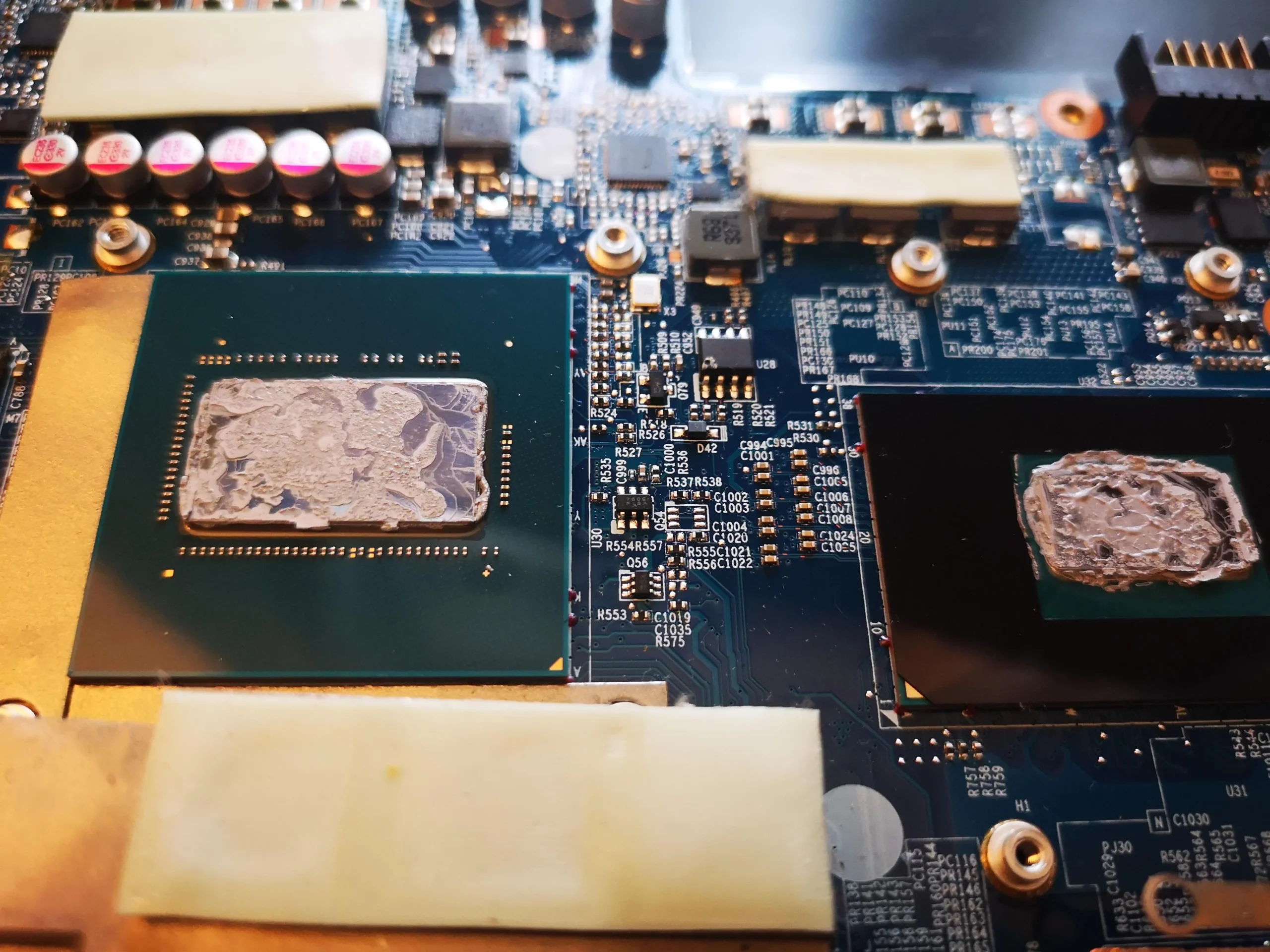
Cooler removal also exposed two chip interfaces
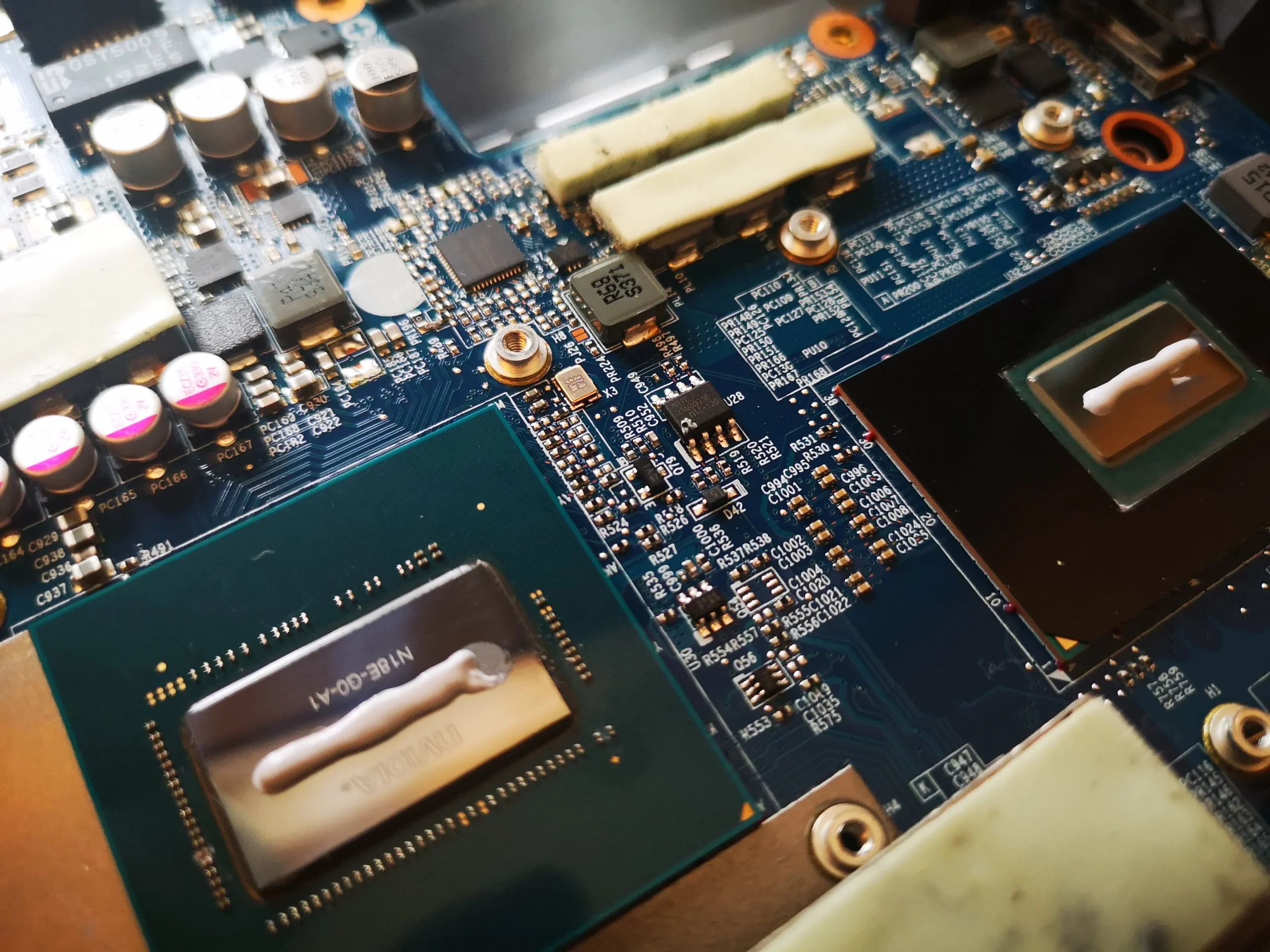
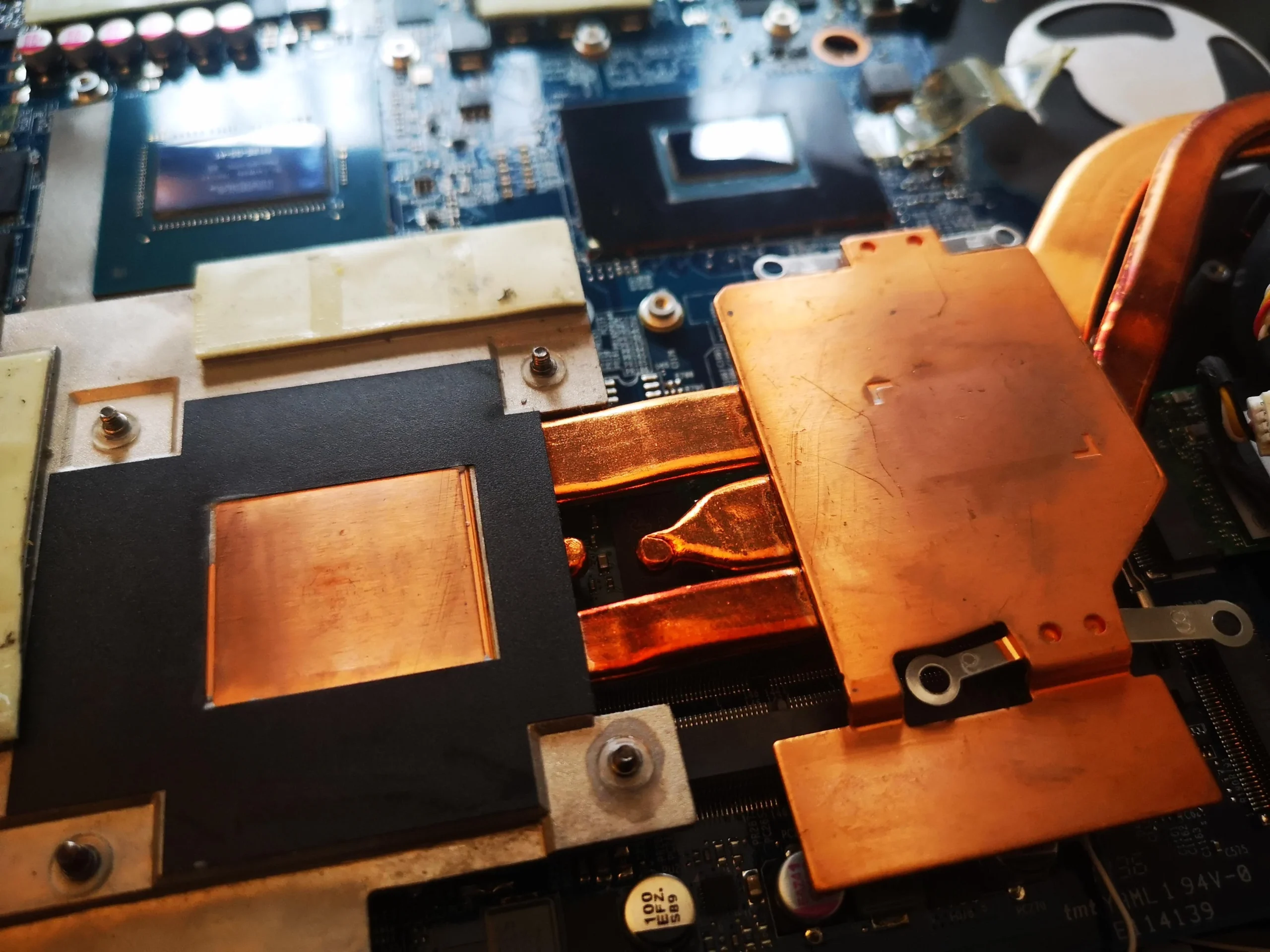
With the copper assembly lifted, the board photos show two chip packages and old compound on their contacts. The cooler underside has corresponding copper plates. Later photos show those faces cleaner in preparation for refitting.
That work is separate from lifting the lint mat. Once the cooler has been removed, each disturbed interface needs the correct material and even contact when tightened. Preserve the position and thickness of any surrounding pads; the archive does not specify a paste brand or show a controlled thermal test.
The engineer’s takeaway
On this Z7-CT7NT, the most useful lesson is to look beyond the fan blades. A compacted mat sat at the fin outlet, the final point where heat must escape. The photos show removal and deeper cooler preparation, while an actual temperature improvement would need a repeatable measurement.
Before you open the laptop
Could you remove a lint mat yourself?
With the Hasee off and unplugged, you can first inspect the external exhausts and intakes. If you open the base, confirm the Z7-CT7NT/CNH5503 model from your own label and follow the correct disassembly guidance and battery precautions.
The mat in these photos was at an internal fin edge. Reaching it may require fan or cooler access, and the latter disturbs two thermal contacts. If you cannot expose the fins without forcing parts, or you are unsure how to restore the copper assembly, stop and ask for service rather than driving lint deeper with air.
After the clean
How to judge the finished clean
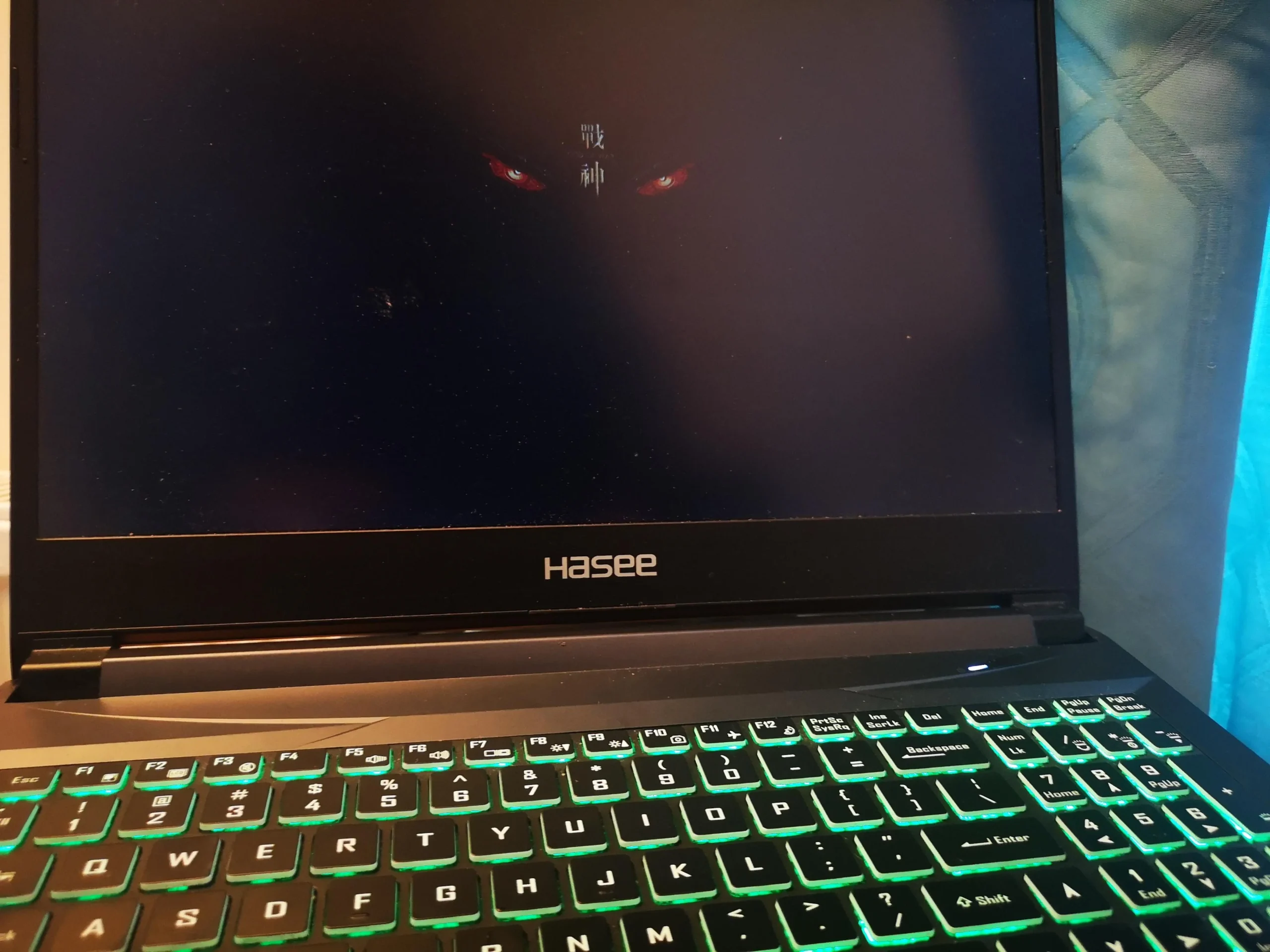
The archive shows the Hasee startup logo after the workshop stages, which confirms a visible boot. A useful cooling check goes further: verify both fans run smoothly, warm air leaves both outlets and a familiar workload does not trigger unexpected slowdown or shutdown.
No paired readings were archived. To compare temperatures, use the same game or stress task, similar power settings and a similar room temperature before and after.
Questions from owners
Hasee Z7-CT7NT exhaust cleaning FAQs
Answers based on the compacted lint and dual-fan assembly in this machine.
Can a fan spin while the laptop still overheats?
Yes. In this case a dense lint mat covered an outlet downstream of the fan. Spinning blades do not prove air can pass through the fins.
Where was the worst dust in this Hasee?
The strongest evidence is at one fin stack, where a dark strip was lifted away. The photo set also shows the fans and copper cooler.
Does the Z7-CT7NT have two fans?
The unit pictured has two blower units on opposite sides of the board. Check your own exact configuration before ordering parts or following a guide.
Is blowing air into the exterior vent enough?
A compacted mat can stay lodged behind the fan housing or be pushed deeper. Direct inspection of the fin edge is more reliable when safe access is possible.
Why was thermal compound involved?
The cooler was lifted in this service, exposing old material at two chip contacts. Once that interface is disturbed, it must be prepared and restored correctly before refitting.
Did the clean lower temperatures?
The archive has no matched before-and-after readings. The photos show physical lint removal and a boot, not a measured degree change.
UK Hasee cooling enquiries
Is air barely leaving your Hasee's vents?
If you are in the UK, tell us the exact Hasee model, whether one side has weak exhaust and what happens during games or demanding work. Include your postcode and keep serial and lot numbers out of public photos.
We can discuss inspecting both fan outlets, removing compacted lint safely and checking whether deeper copper-cooler service is needed.
Read about our gaming laptop cleaning service, then use the form to tell us your computer model, symptoms and UK postcode.
Free to enquire · No obligation to book. We discuss the proposed work and price before you decide.
The workshop photos
Hasee Z7-CT7NT cooling service photos
Open the images to see the lint mat, the cleared fin edge, two fans, old chip compound and copper cooler contacts.