Published 6 October 2026 · HP 255 G7 case study
HP 255 G7 cleaning
the fan was only half the problem.
This HP has one fan and one long copper heat pipe. The photos reveal a thick lint layer at the exhaust and crusted compound on the processor—two different barriers to moving heat out of the laptop.
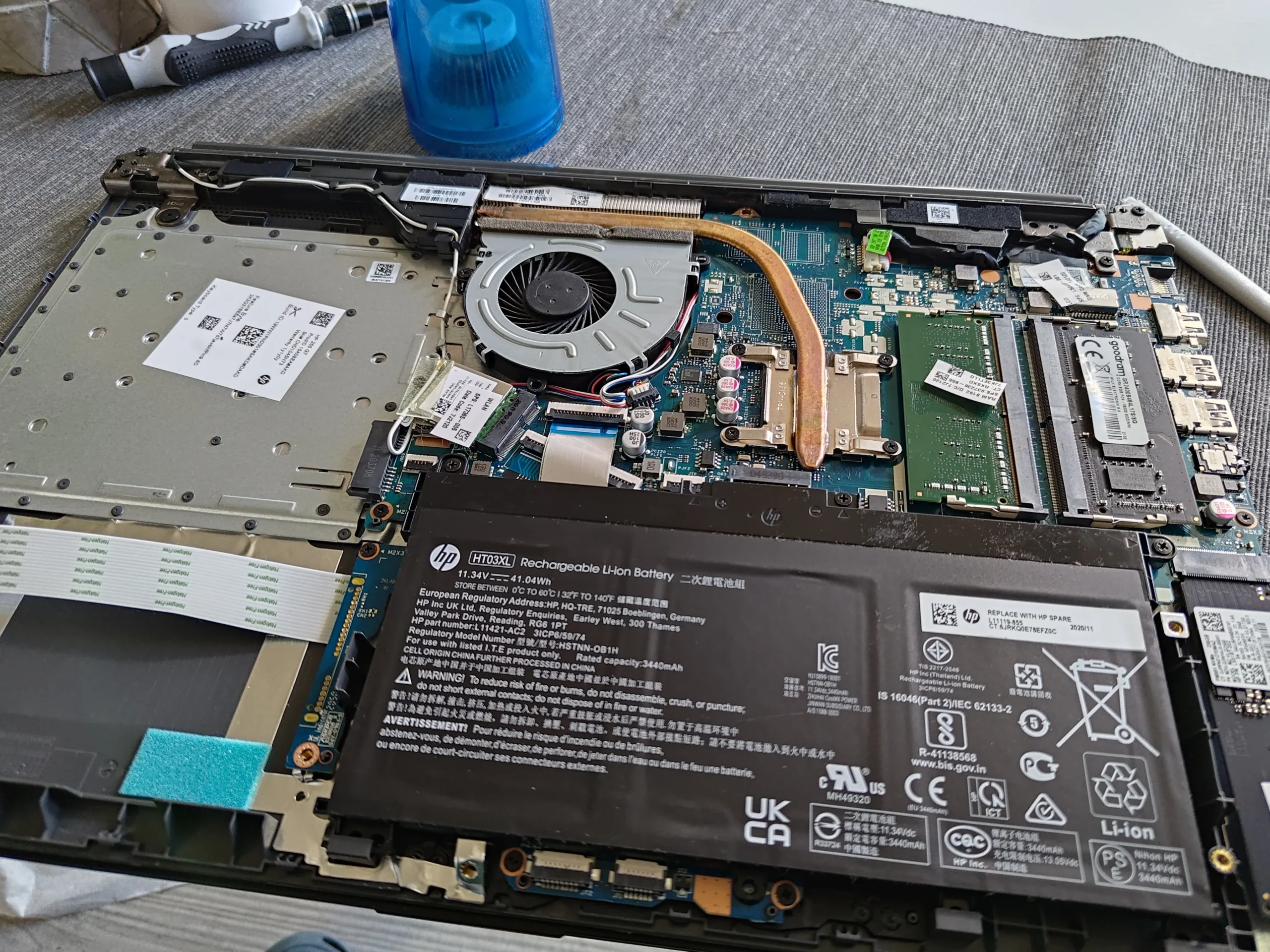
The model
HP 255 G7
Airflow finding
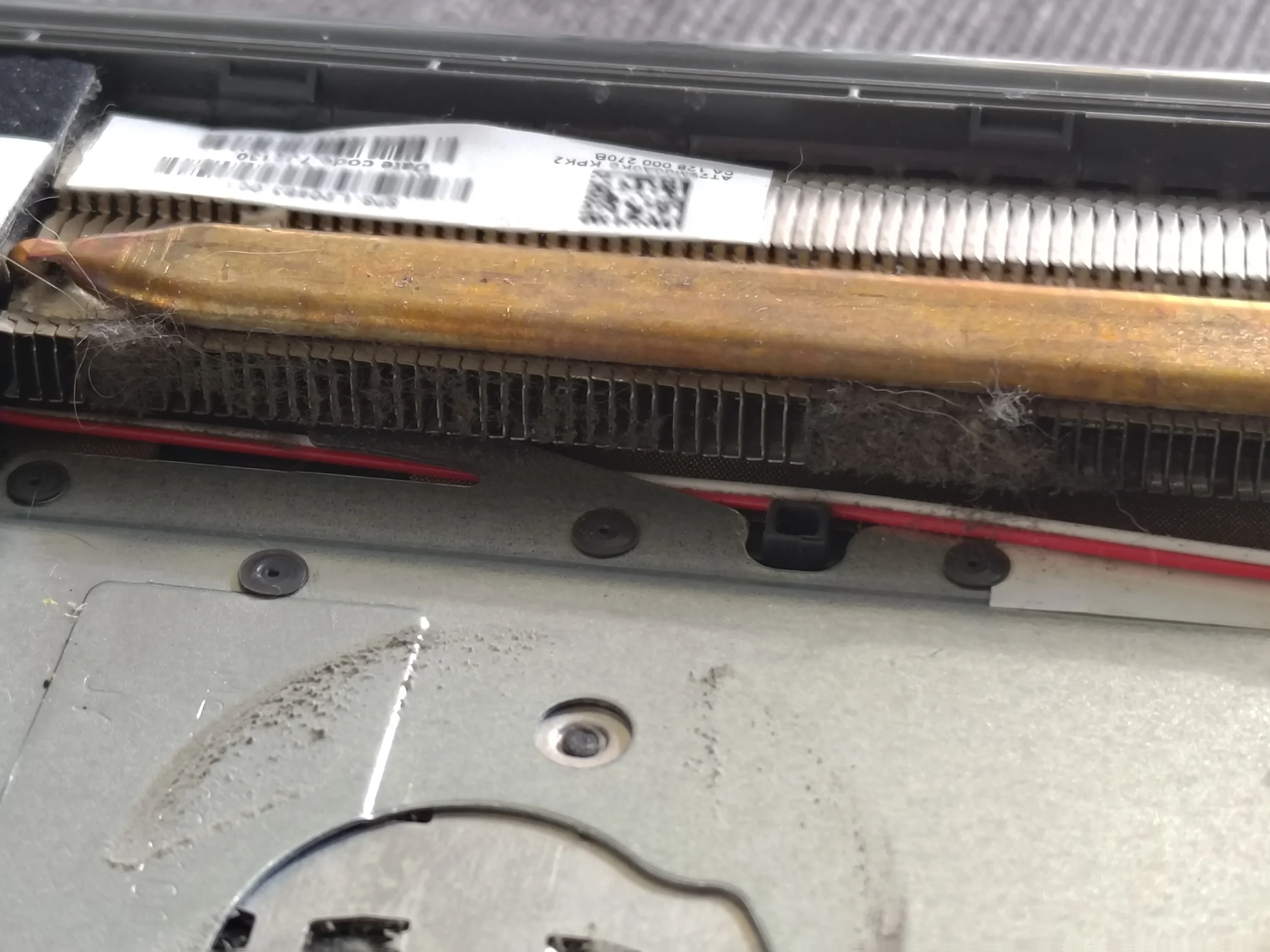
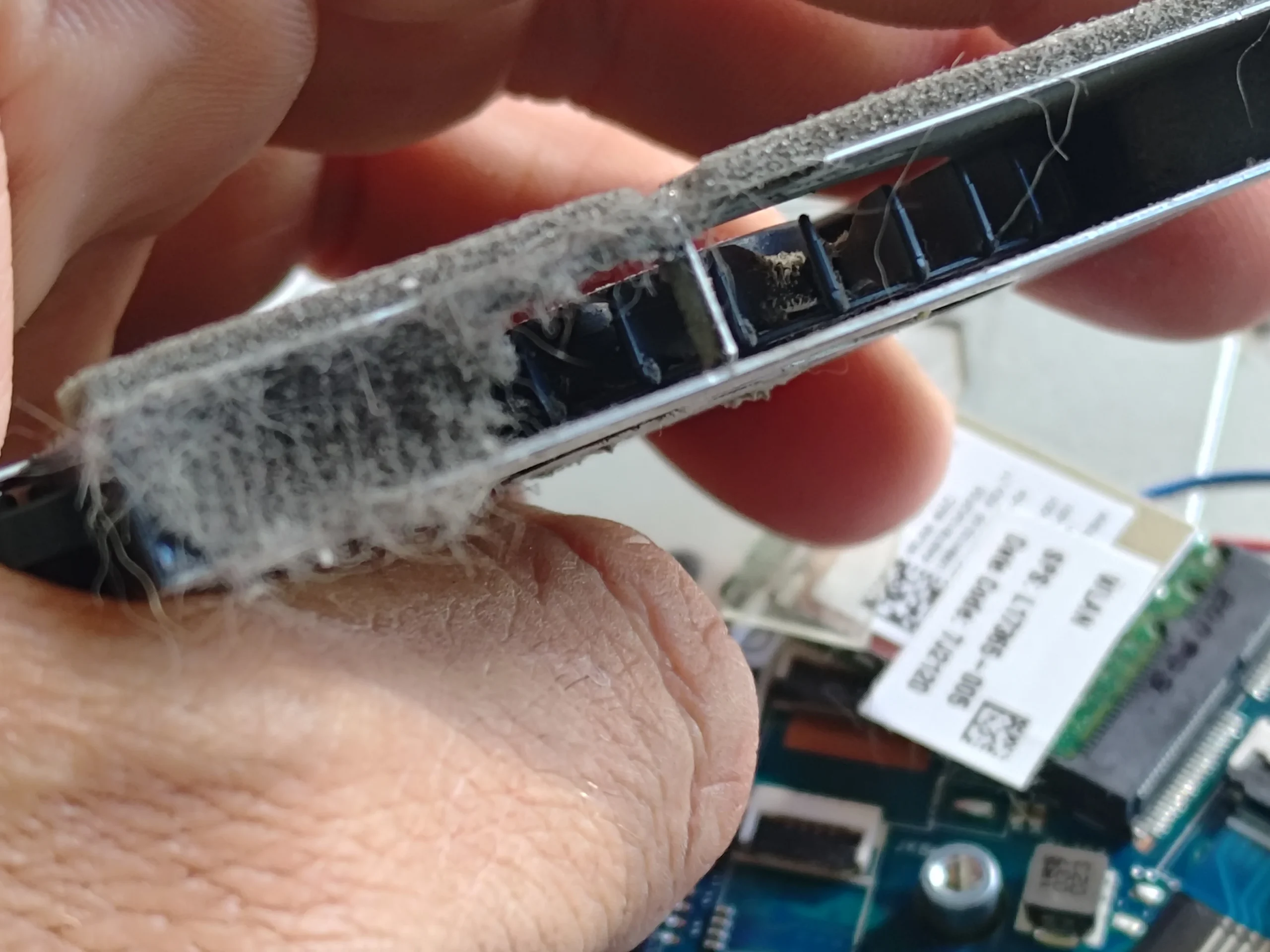
Lint packed across the fin outlet
Thermal contact
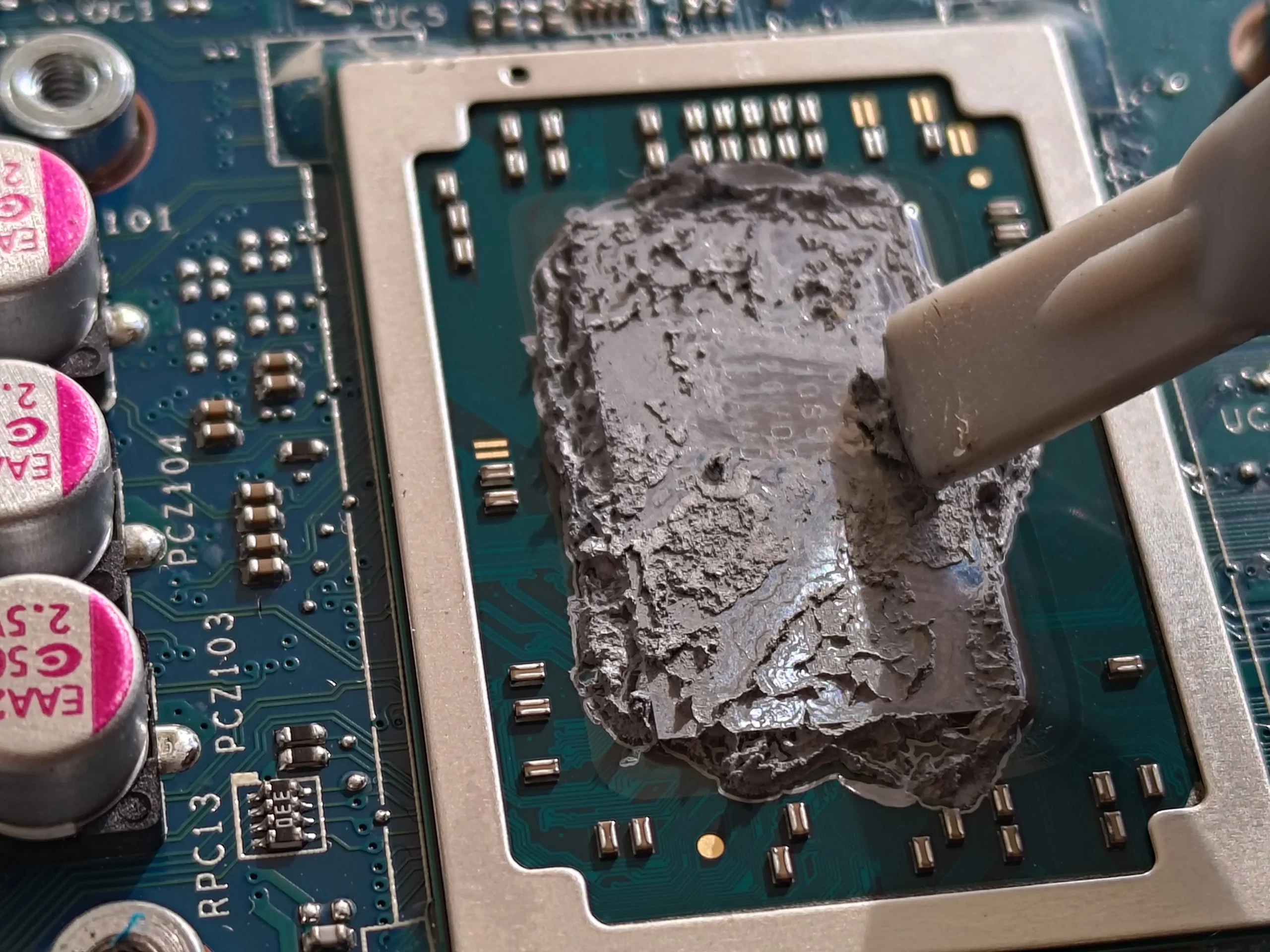
Old CPU compound removed and renewed
An owner can hear a fan running and still have a cooling problem. The fan is a pump; the narrow metal fins are the passage it must push air through. On this HP 255 G7, the passage had collected enough lint to form a visible layer.
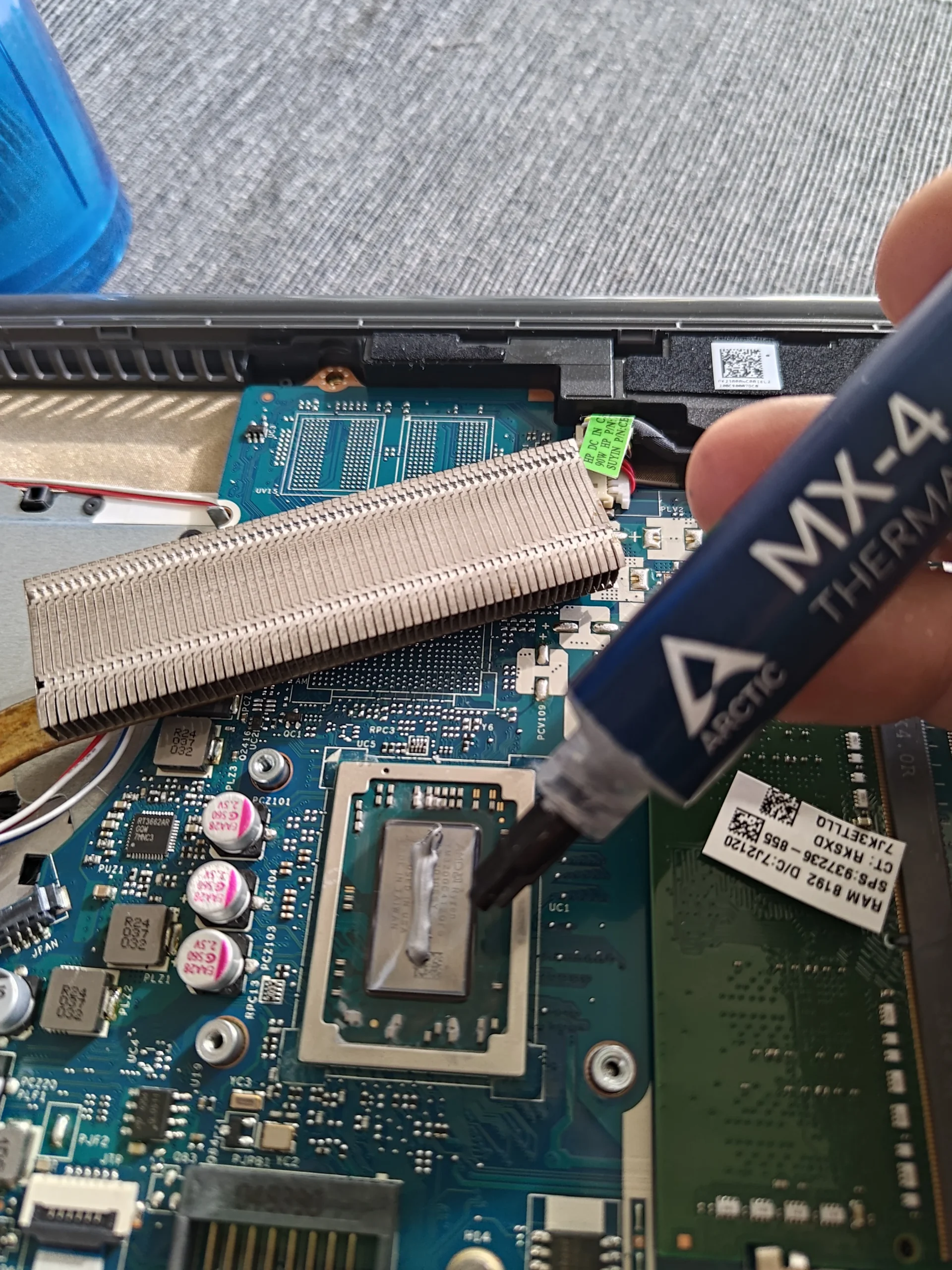
The same service exposed old, crusted compound on the processor. The photos show its removal and new compound being applied. They do not include a comparable set of temperature measurements, so this article explains the work rather than claiming a particular drop in degrees.
In this case study
01 / The layout
One fan, one heat pipe, one narrow outlet
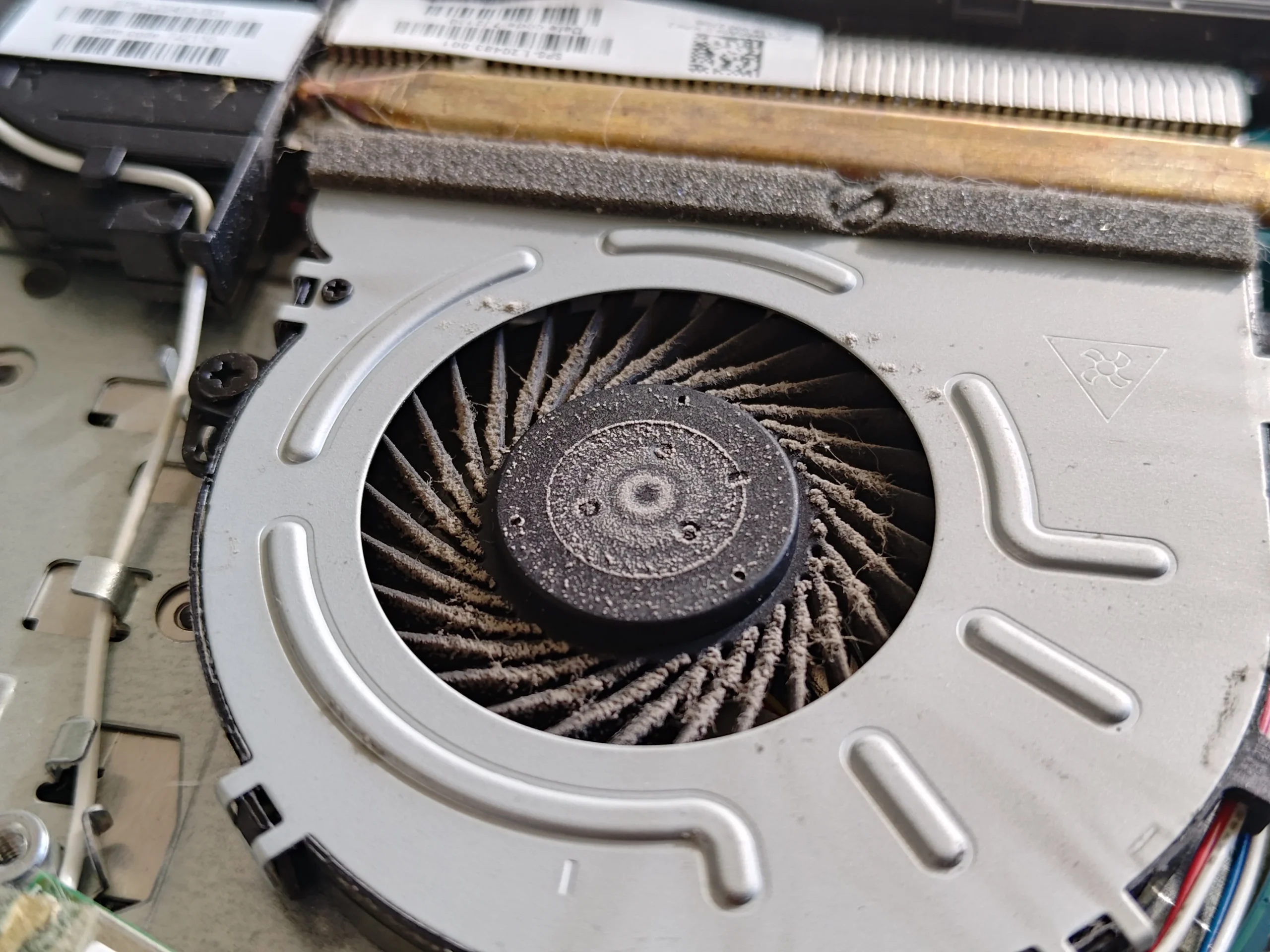
Opening the HP 255 G7 shows an internal battery, a single fan and a copper heat pipe running from the processor area to the fin stack by the hinge. The model is confirmed by the underside label, which matters because HP 255 generations do not all open the same way.
Before touching the cooler, the battery and fan lead have to be handled correctly. The aim is to get direct access to the airflow route without pulling on nearby cables or damaging the small connector.
02 / The airflow inspection
A spinning fan could not clear this outlet
The fan blades have collected some dust, but the heavier restriction is at the metal fin outlet beside them. When the cooling assembly is lifted, the lint appears as a felt-like layer across the channel.
This is why checking only whether the fan turns is not enough. A fan can work electrically and still move too little air through a blocked heatsink. Cleaning should reach the blade surfaces and the fin passages, then confirm that loose fibres have been removed from the chassis.
03 / The chip contact
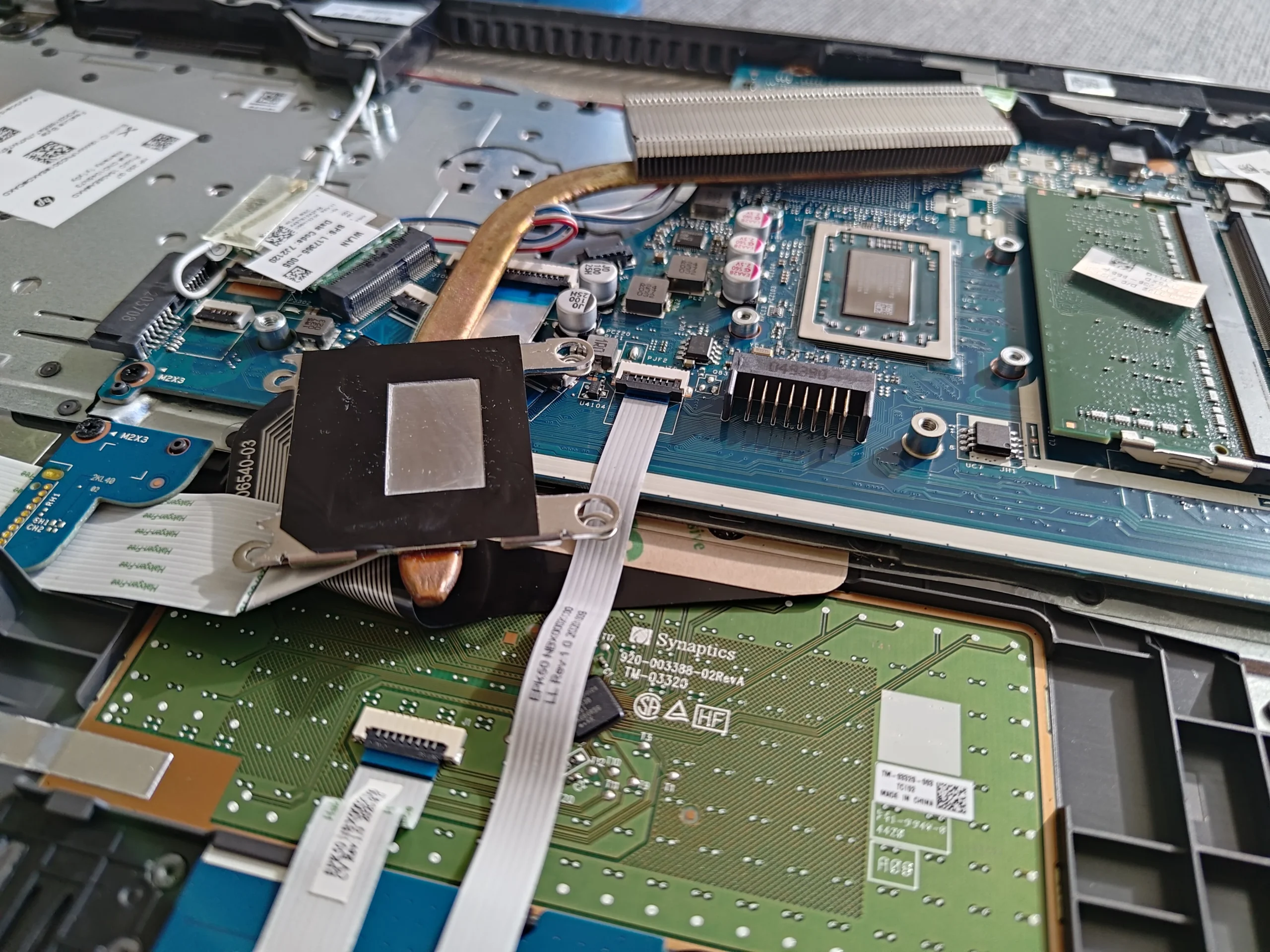
Old paste was crusted on the processor
With the heat pipe lifted, the old compound is visibly thick and uneven on the processor. Thermal paste is there to fill microscopic gaps between the chip and copper plate; it does not replace the need for good physical contact.
The old material was carefully removed from the contact surfaces. Fresh compound was then applied before the cooling assembly went back on. This is a separate part of the job from clearing lint from the exhaust.
04 / Putting it back
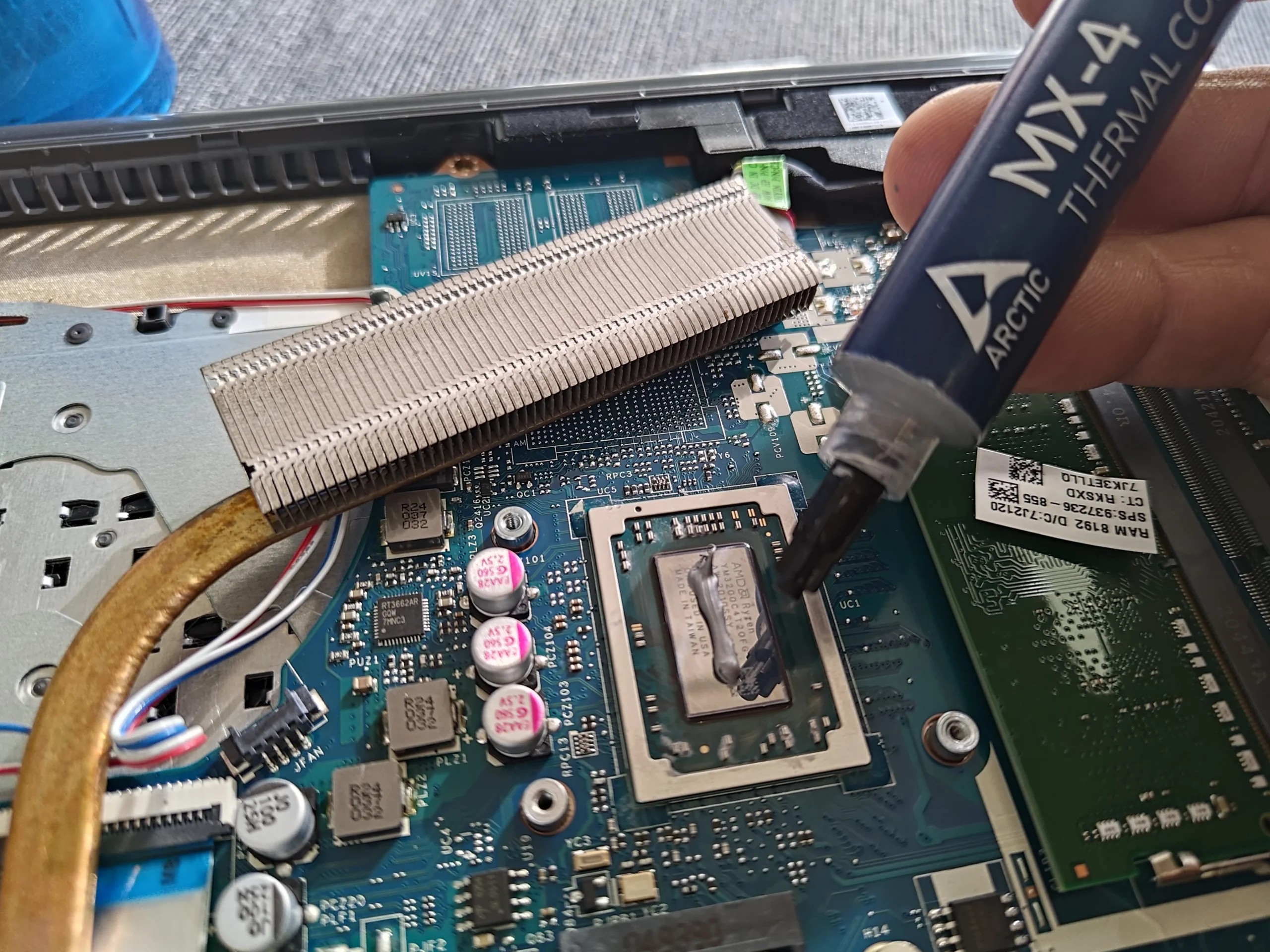
The new thermal interface is visible
The application photo shows new compound on the processor, with the cleaned fin stack beside it. The heatsink must then be seated evenly so the paste spreads under pressure rather than leaving a gap.
After reconnecting the fan and battery, the useful checks are that the fan runs, the machine boots, and temperatures and fan behaviour are compared under the same task and room conditions. The archive contains no paired readings, so the outcome is described as a completed cleaning and repaste, not a measured performance result.
The engineer’s takeaway
On this HP 255 G7, the restriction was both in the air route and at the chip-to-heatsink interface. Clearing the lint without inspecting the old compound would have left half the cooling path unexamined.
Before you open the laptop
Should you open an HP 255 G7 yourself?
A safe first check is external: shut the laptop down, unplug it, inspect the vents, and make sure it is used on a firm surface. If the fan has become loud or the chassis hot, record when that happens before deciding whether to open it.
Internal work is more involved than removing dust from the grille. The battery connector, fan cable and heatsink screws need deliberate handling, and lifting the heatsink means renewing the thermal compound. Use the maintenance guide for the exact HP 255 G7 variant, or ask a technician if you are not comfortable with those steps.
For model documents, check the official manufacturer support page.
After the clean
How to check the result
Once assembled, check that the fan starts and the laptop boots normally. Compare the same workload, power setting and room temperature before and after if you have earlier readings.
A clean fin stack and fresh compound are visible in these photos, but the photo set does not contain a controlled before-and-after test. A single idle reading is not enough to quantify improvement.
Questions from owners
HP 255 G7 fan cleaning FAQs
Answers tied to the single-fan and heatsink arrangement shown in these photos.
Why is my HP 255 G7 fan loud if it is still spinning?
A spinning fan can be working against a blocked fin stack. This case shows a lint layer across the outlet, so fan noise alone cannot tell you whether air is leaving the laptop freely.
Can I remove this lint through the outside vent?
You may remove surface dust externally, but the thick layer shown here was visible after internal access. Blowing into the vent can move debris without confirming the fins are clear.
Does the HP 255 G7 have one cooling fan?
The specific HP 255 G7 in this case has one fan and a copper heat pipe leading to a fin stack. Check your exact variant because service details can vary.
Why was thermal paste replaced during cleaning?
The heatsink was lifted and the old compound on the processor was visibly crusted. Once that contact is disturbed, the surfaces need preparation and fresh compound before reassembly.
Should I replace the fan as well?
Not automatically. Inspect whether the fan turns smoothly and works electrically after cleaning. A noisy bearing or non-spinning fan is a separate fault from dust at the outlet.
How much cooler will it run afterwards?
These photos do not show a paired temperature test. Compare the same workload and conditions before and after service rather than relying on a promised number.
UK laptop cleaning enquiries
Want the HP 255 G7 checked and cleaned?
If you are in the UK and prefer not to lift the heatsink yourself, tell us that your laptop is an HP 255 G7 and describe when the fan gets loud or the machine becomes hot.
We can discuss an internal fan and heatsink clean, thermal paste renewal and the right checks for your exact unit.
Read about our laptop cleaning service, then use the form to tell us your computer model, symptoms and UK postcode.
Free to enquire · No obligation to book. We discuss the proposed work and price before you decide.
The workshop photos
HP 255 G7 cleaning and repasting photo gallery
Follow the single-fan layout, the lint-covered outlet, the old processor compound and the fresh application in the photos below.