Published 3 November 2026 · HP ENVY x360 15-cn1511na case study
A thin convertible
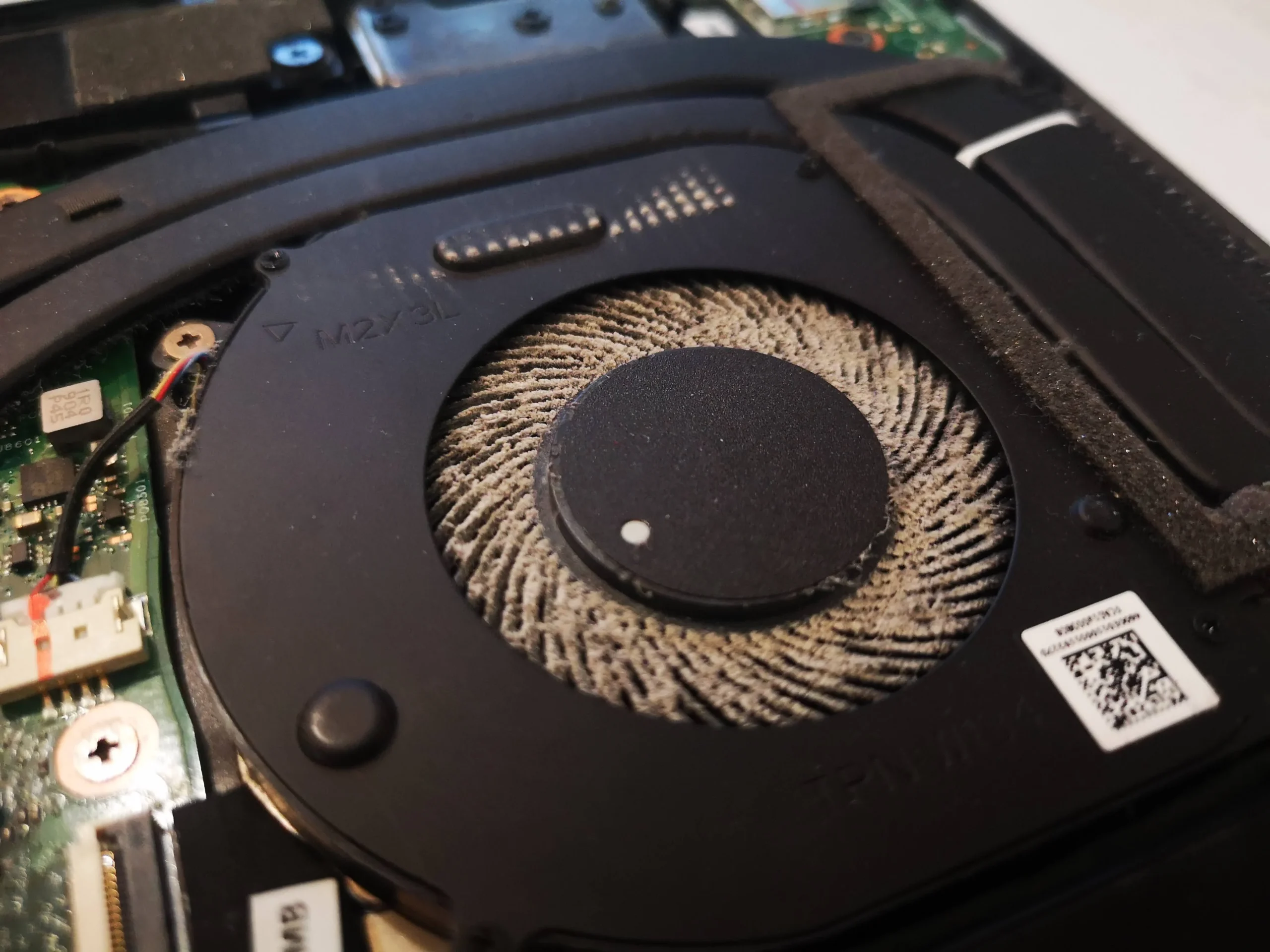
with a very dusty little fan.
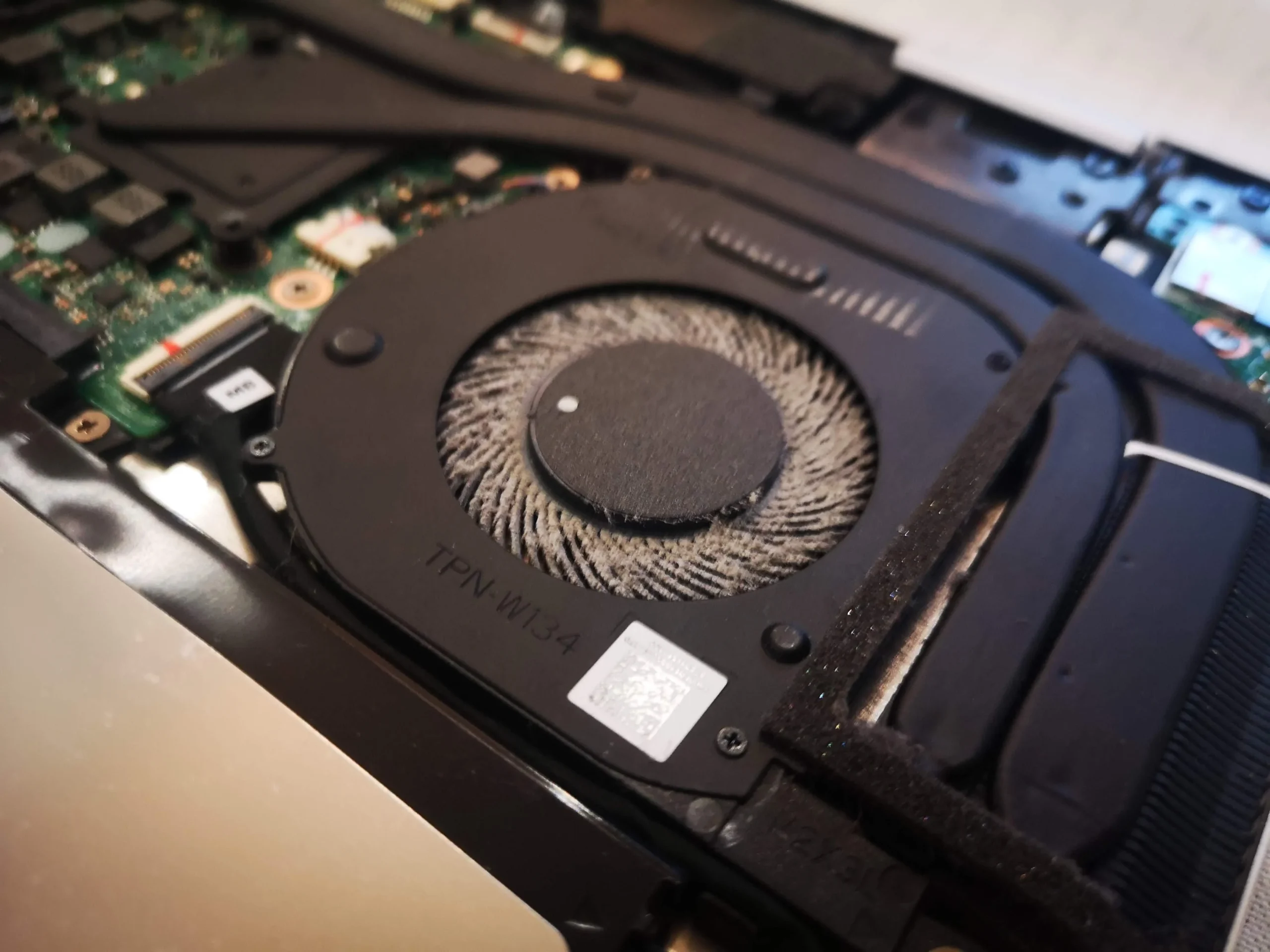
This ENVY x360 15-cn1511na looks tidy from outside, but the opened base shows a thick pale coating on the single fan's blade ring. Its long black heat-pipe cover links the fan to two contact areas. The photos explain why the fan, exhaust and thermal contacts are separate checks in a slim convertible.
Exact model
HP ENVY x360 15-cn1511na from the underside marking
Fan layout
One blower at the end of a long heat-pipe assembly
Deeper access
Battery area and two thermal contact points visible
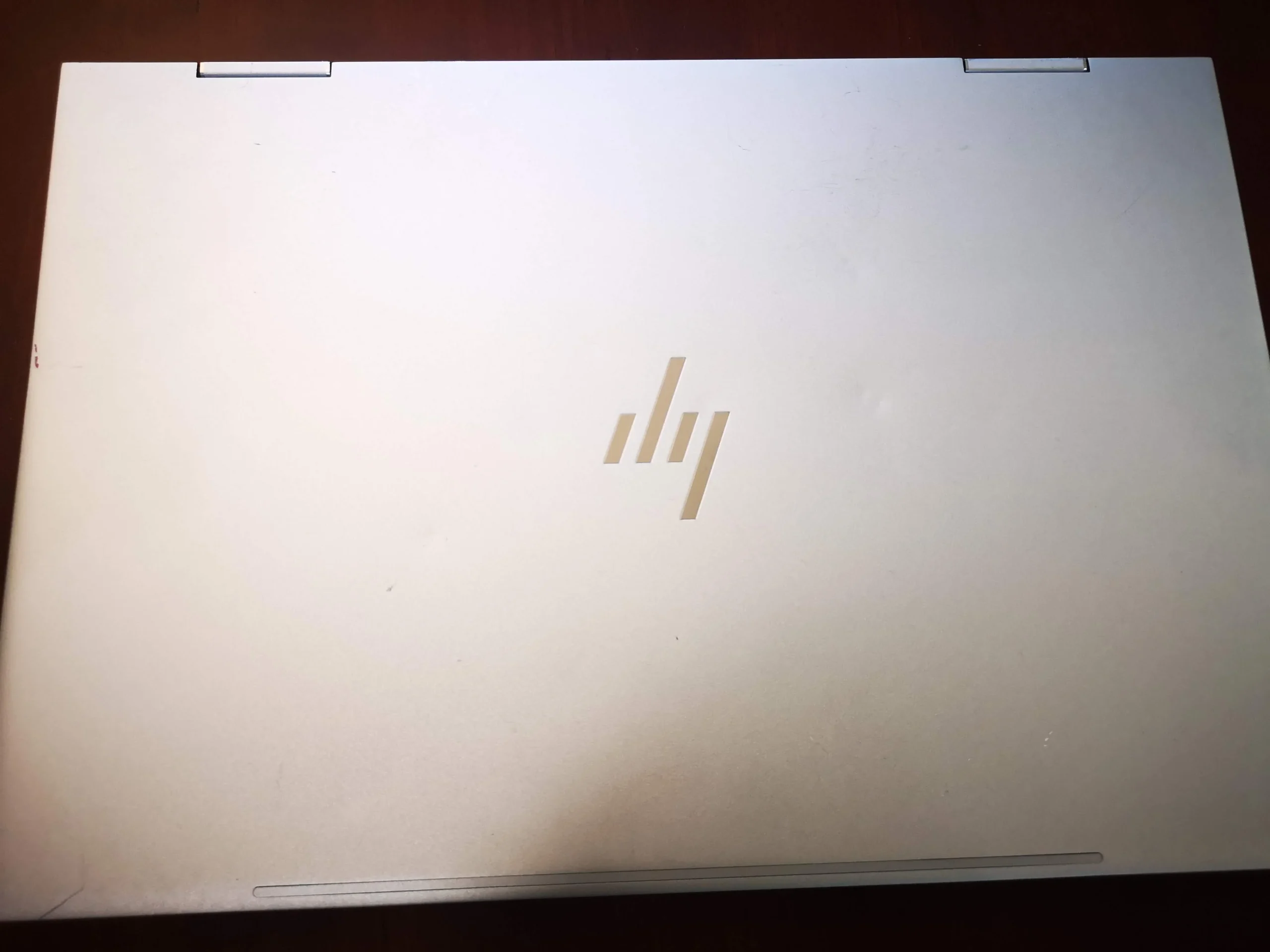
The underside identifies this computer as an HP ENVY x360 Convertible, model 15-cn1511na. Its serial-bearing image is not in the gallery. The outer silver shell gives little indication of internal dust, but the opened-base photos show a noticeably coated fan and the long cooling route across the board.
This case is useful because it separates three stages: making the machine safe to work inside, removing dust from the fan and outlet, and restoring thermal contacts if the cooler is lifted. The archive shows the hardware and cleaning stages but no matched temperature or noise measurements.
In this case study
02 / Access and safety
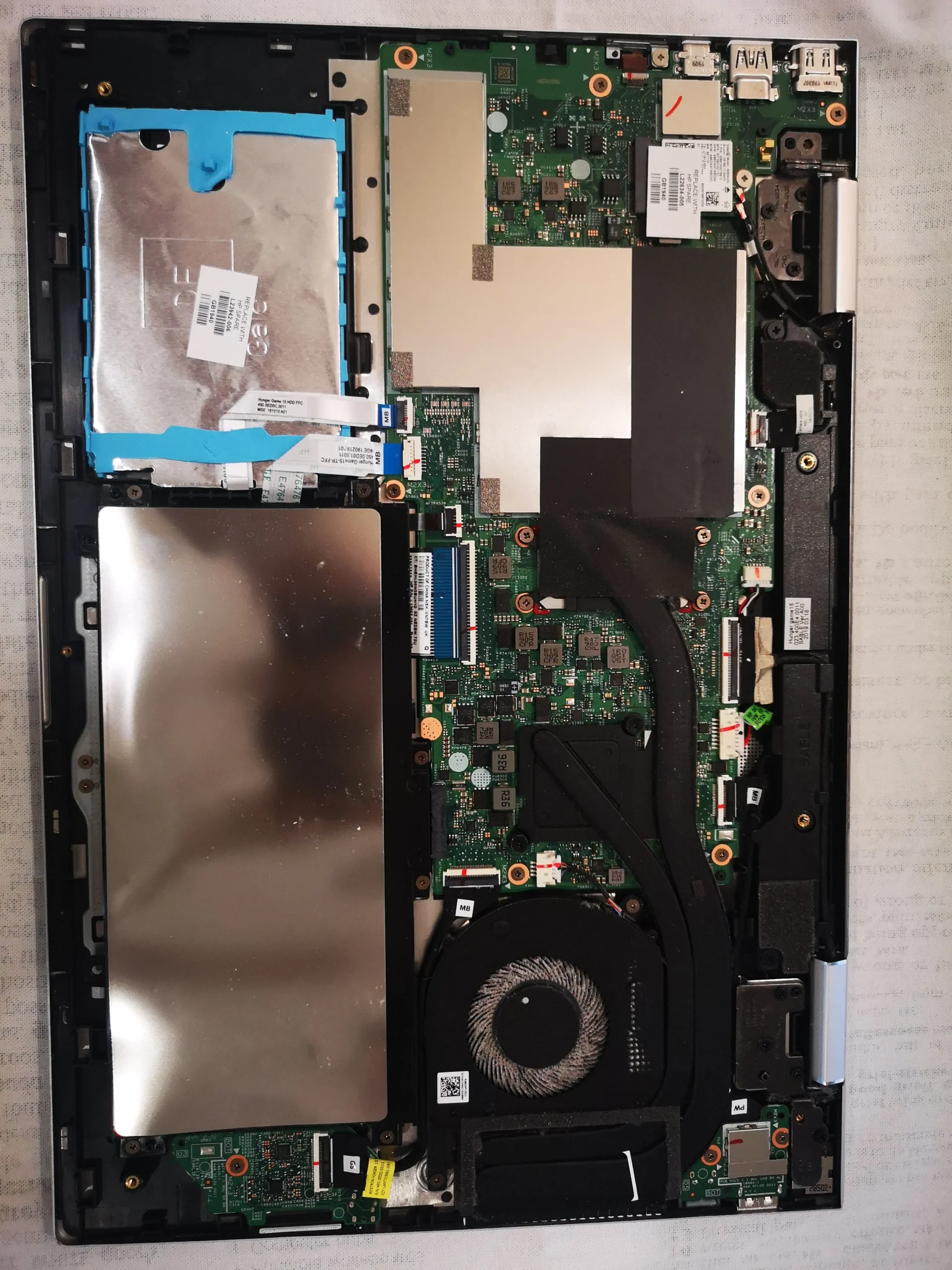
The battery and cooler share a compact space
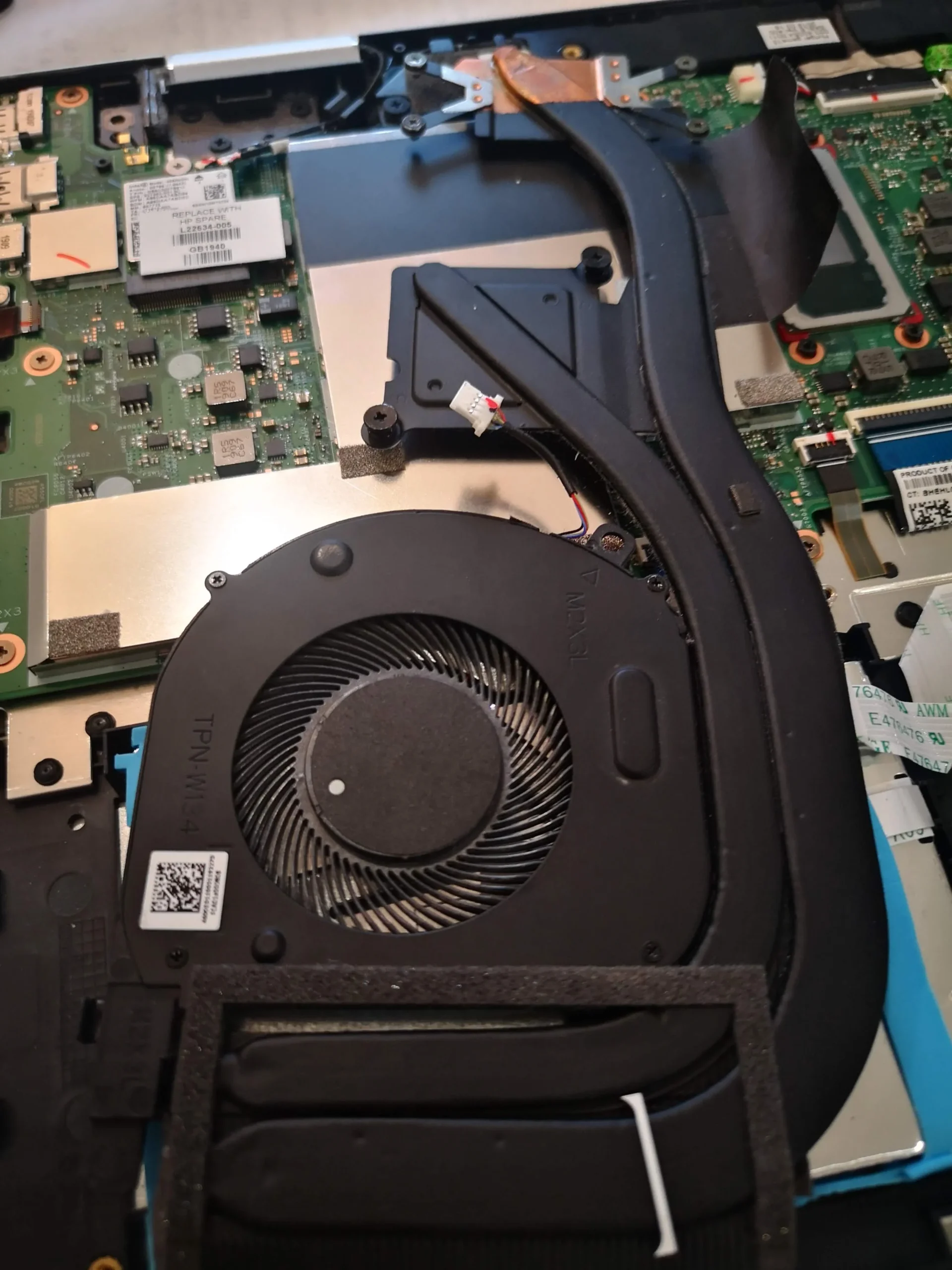
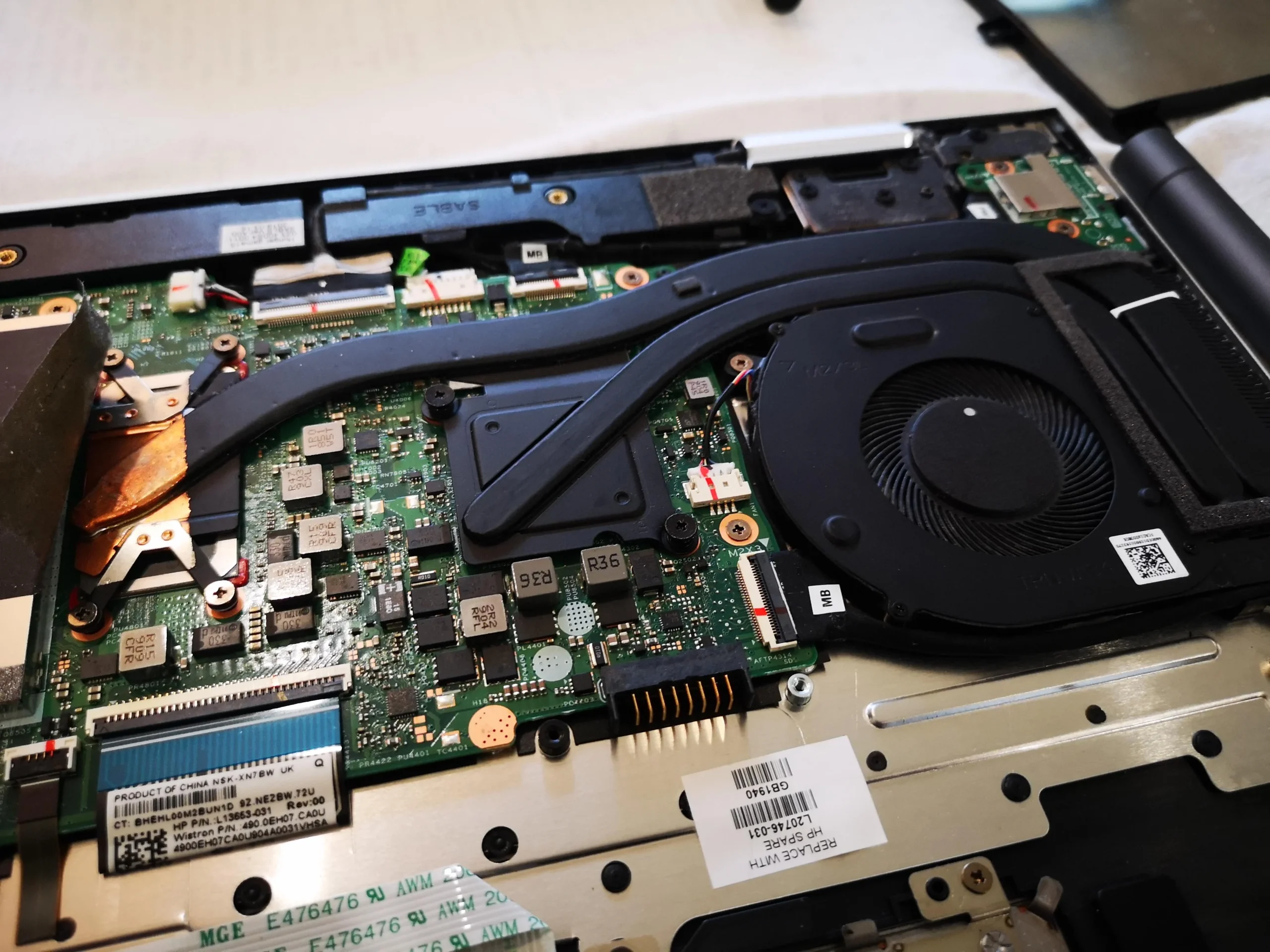
The overview shows a wide battery close to the motherboard and a long black heat-pipe cover running toward the fan. A separate image shows the battery area being handled during access. In a thin machine, the small connectors and flex cables leave little room for a careless tool.
Follow the HP service guidance for the exact 15-cn1511na before disconnecting anything. Power off, remove the charger and take the model's battery precautions before reaching the fan plug or cooler screws.
03 / When the pipe assembly moves
Lifting the cooler exposed two distinct contact areas
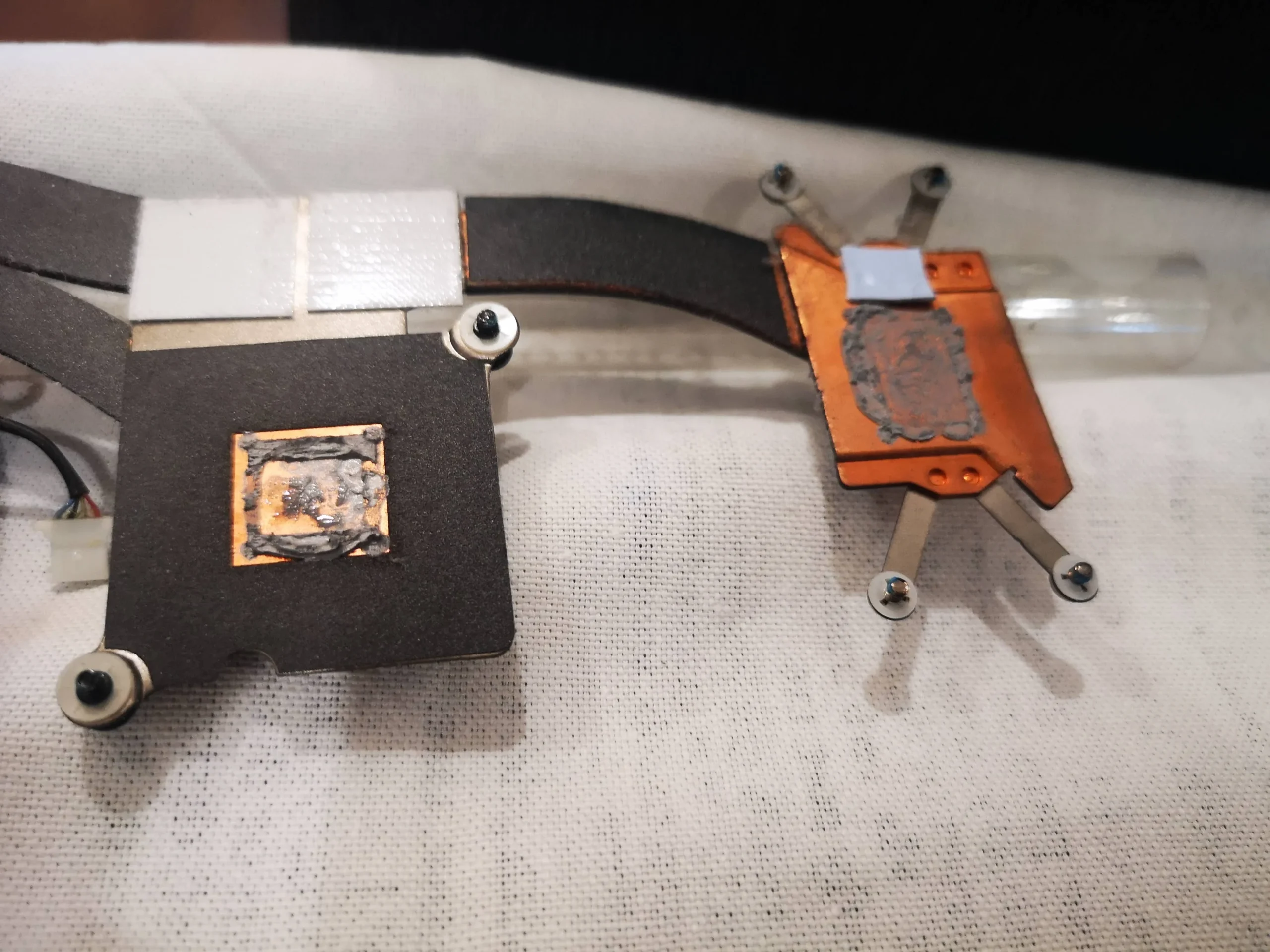
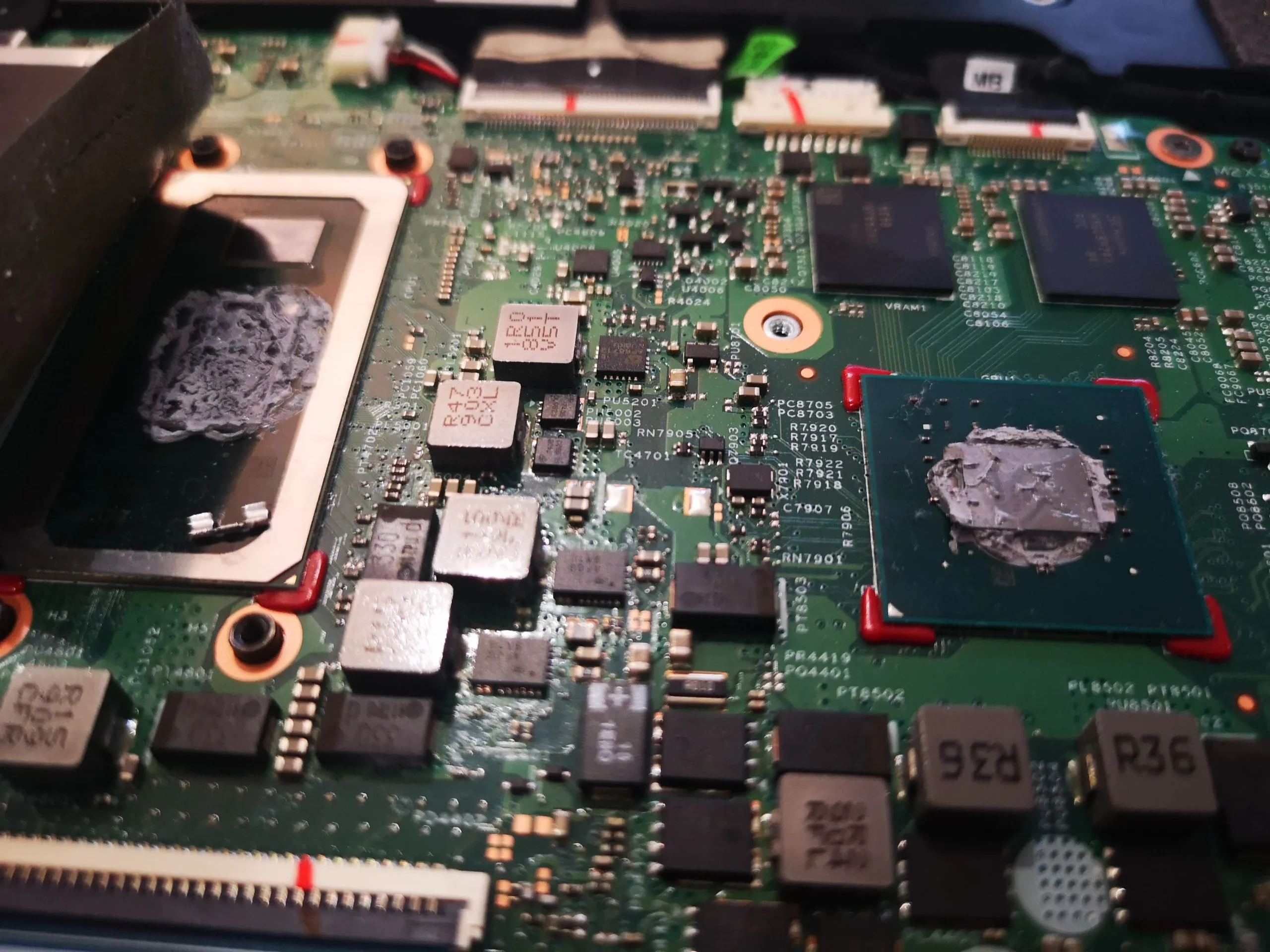
With the heat-pipe assembly lifted, the board photo shows old interface material on two chip packages. The cooler underside has matching plates and small neighbouring pads. That is more involved than brushing dust from the fan.
If the assembly comes off, clean and restore the disturbed chip interfaces with the correct material and keep pads in their intended positions. A pad that is too thick can hold the main plate away from a chip; a missing pad can leave a smaller component without contact.
04 / What the photos prove
A later fan view and boot photo complete the visible sequence
Later images show the cooler refitted and the laptop reaching an HP boot screen. The photos document reassembly and startup, but they do not establish whether a particular workload ran cooler afterward.
Check for smooth fan response, air leaving the exhaust and normal operation in both laptop and folded modes. Compare temperatures only under the same task and similar room and power conditions.
The engineer’s takeaway
The 15-cn1511na shows how much dust a slim single fan can hide under a clean-looking shell. A careful service follows the whole path from intake to fan and exhaust, then treats cooler removal as a separate thermal-contact operation with its own reassembly checks.
Before you open the laptop
Can you clean this ENVY x360 yourself?
Start with the machine off, unplugged and the external vents free of surface dust. Identify the exact 15-cn1511na model from your own underside label and use matching HP instructions; other ENVY x360 sizes and generations can open differently.
The fan area is the sensible first internal inspection. Lifting the heat-pipe assembly breaks more than one interface and may disturb pads. If you lack the correct materials or are unsure of the battery connector and screw sequence, stop before removing the cooler.
After the clean
A sensible after-service check
After closure, check charging, screen, keyboard, touchpad and hinge operation. Listen to the fan during a sustained familiar task and confirm warm air exits the intended vent without scraping or rattling.
The archive contains an HP startup image but no paired readings. Startup is evidence of boot, not proof of a numerical thermal improvement.
Questions from owners
HP ENVY x360 15-cn1511na cleaning FAQs
Answers for the compact single-fan layout visible in this machine.
How many fans are in the pictured 15-cn1511na?
The opened machine has one blower at the end of a long cooling assembly. Other ENVY x360 models may differ.
Can the fan be dusty when the outside looks clean?
Yes. The exterior is tidy, but the internal fan close-up shows a substantial pale dust coating on the blades.
Why is the battery mentioned in a fan clean?
The battery occupies much of the space next to the cooler and its connector is close to the work area. Follow HP's model-specific power isolation steps before touching internal parts.
Does removing the cooler mean the thermal material must be renewed?
It exposes and disturbs two contact areas. Those surfaces must be prepared and restored with suitable material, while surrounding pads keep their intended fit.
Can I rely on the HP boot screen as a cooling test?
No. It shows startup after reassembly. Fan response and temperatures need a repeatable sustained workload.
Should I share a photo of the underside label?
The model number is useful, but cover the serial number and other unique identifiers before sharing the label publicly.
UK ENVY x360 cleaning enquiries
Is your ENVY fan loud in a slim case?
If you are in the UK, tell us whether your 15-cn1511na fan is loud at idle, during video calls or only under heavier work. Include the exact model, any heat or shutdown symptom and your postcode; keep the serial number private.
We can discuss fan and exhaust cleaning, safe access around the battery and whether the heat-pipe contacts require deeper service.
Read about our HP laptop cleaning service, then use the form to tell us your computer model, symptoms and UK postcode.
Free to enquire · No obligation to book. We discuss the proposed work and price before you decide.
The workshop photos
HP ENVY x360 15-cn1511na workshop photos
Open the photos to follow the dusty fan, battery and heat-pipe layout, exposed contacts and reassembled machine.