Published 17 October 2026 · Intel desktop with AIO cooler and PNY GeForce RTX card case study
Liquid-cooled desktop cleaning
the CPU fan is on the radiator.
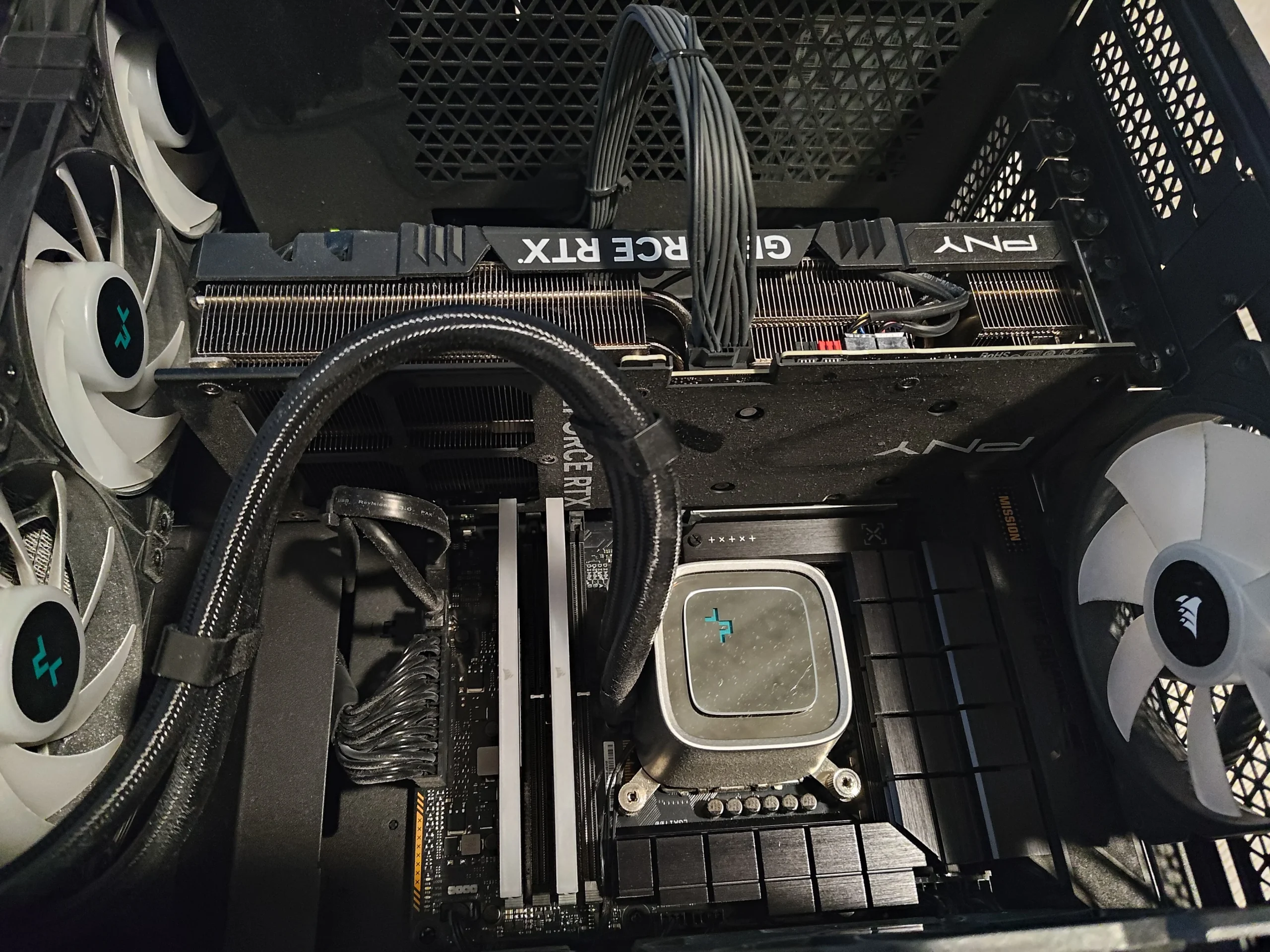
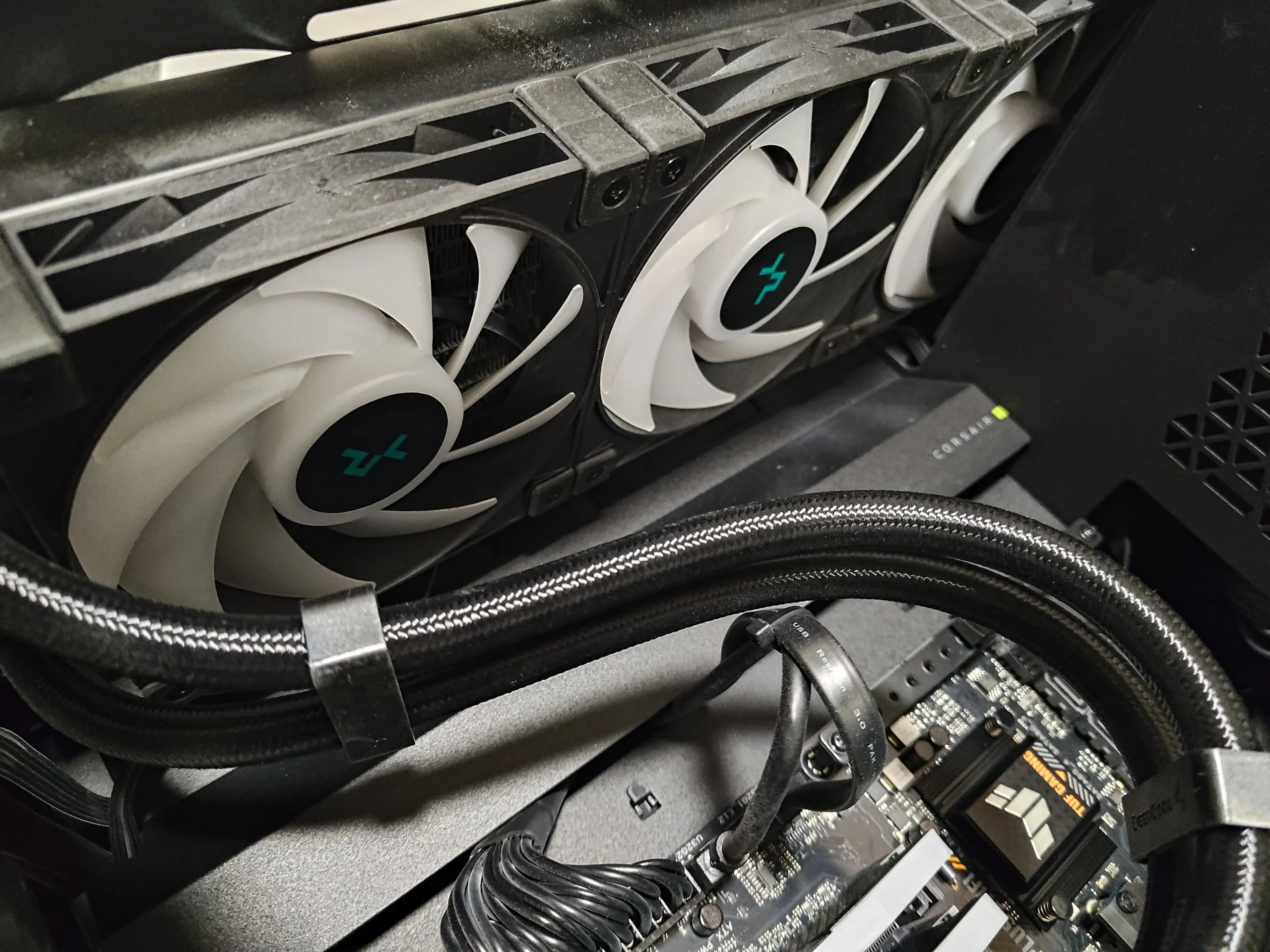
A square pump block sits on this Intel processor, with tubes leading to a radiator and large white fans. The PNY graphics card has three more fans. The photos explain why checking only the centre of the case misses most of this system's air movement.
The CPU cooler
All-in-one liquid cooler with remote radiator
The graphics card
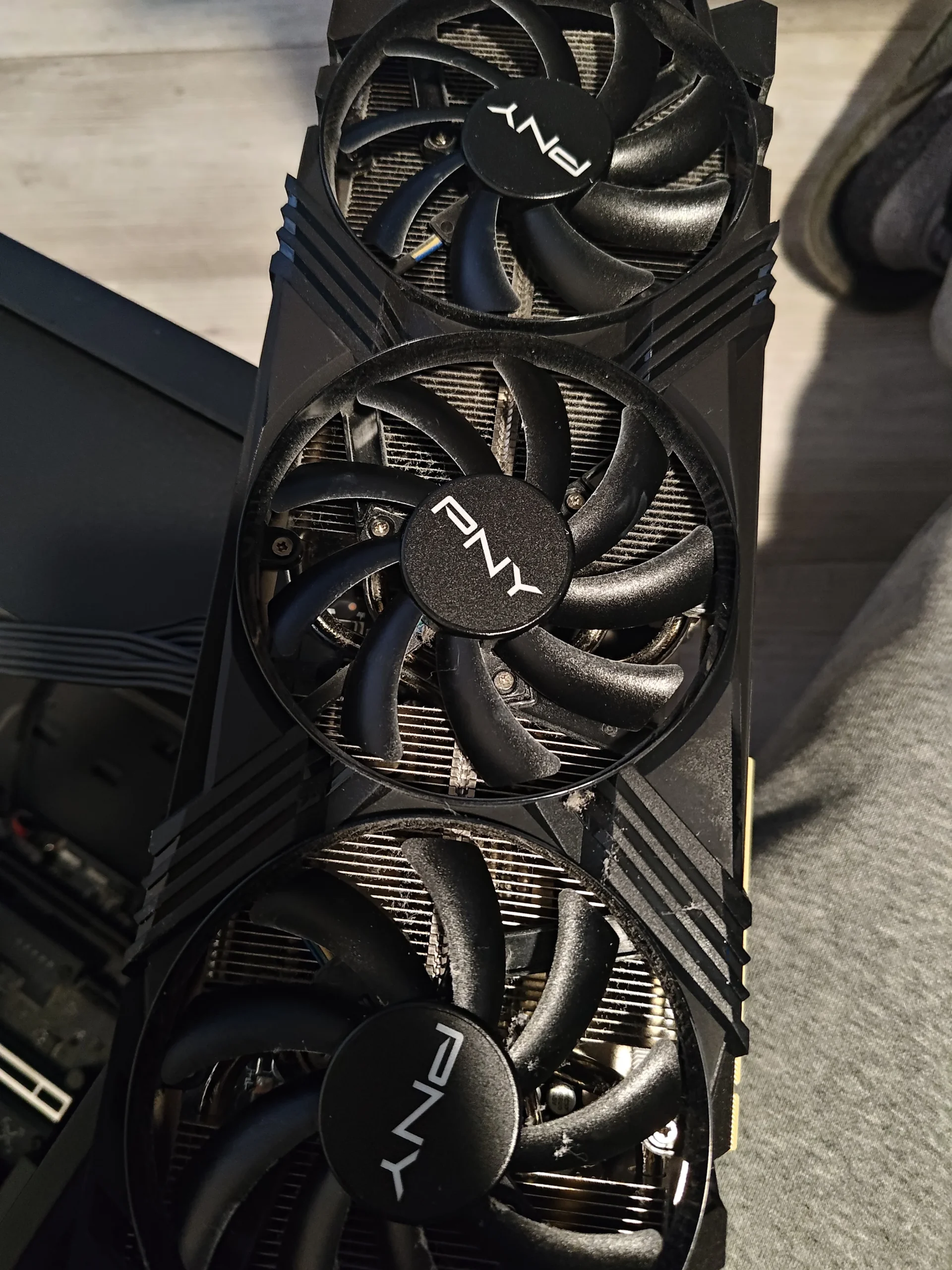
PNY GeForce RTX with three fans
The service access
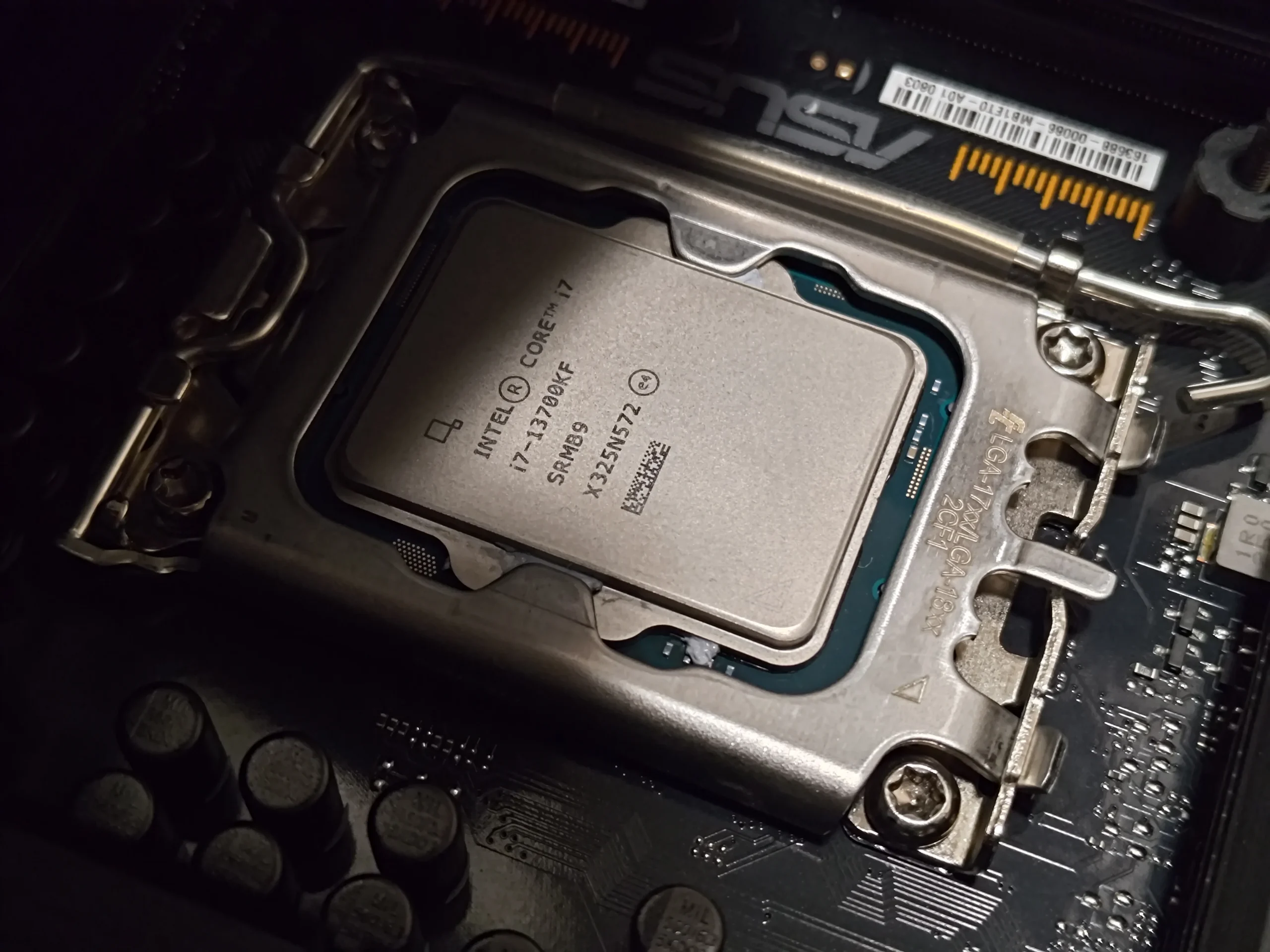
CPU contact exposed during cooler work
This PC looks different from a desktop with a fan bolted directly onto the CPU. The square block on the Intel chip is part of an all-in-one liquid cooler. Its tubes lead to a radiator where the white fans push air through fine metal fins. The PNY GeForce RTX card below has a separate set of three fans and its own heatsink.
The photographs show these cooling routes, dust visible around a PNY fan and the CPU contact exposed during service. They do not show pump diagnostics, a leak, a paired temperature test or a confirmed fan replacement. This article sticks to the accessible cleaning and checking lessons.
In this case study
01 / Where CPU heat goes
The pump block is only the start of the CPU air route
The square block covers the Intel processor. Heat is carried through the cooler to a radiator away from the chip, and the white fans drive air through that radiator. Looking for dust on a fan directly over the CPU would miss this design.
Inspect the radiator face and fan blades from both accessible sides. A fan can spin while the fine fin stack behind it is clogged; the tubes and pump also need secure connections, but no pump fault is established by these photos.
02 / The air exit
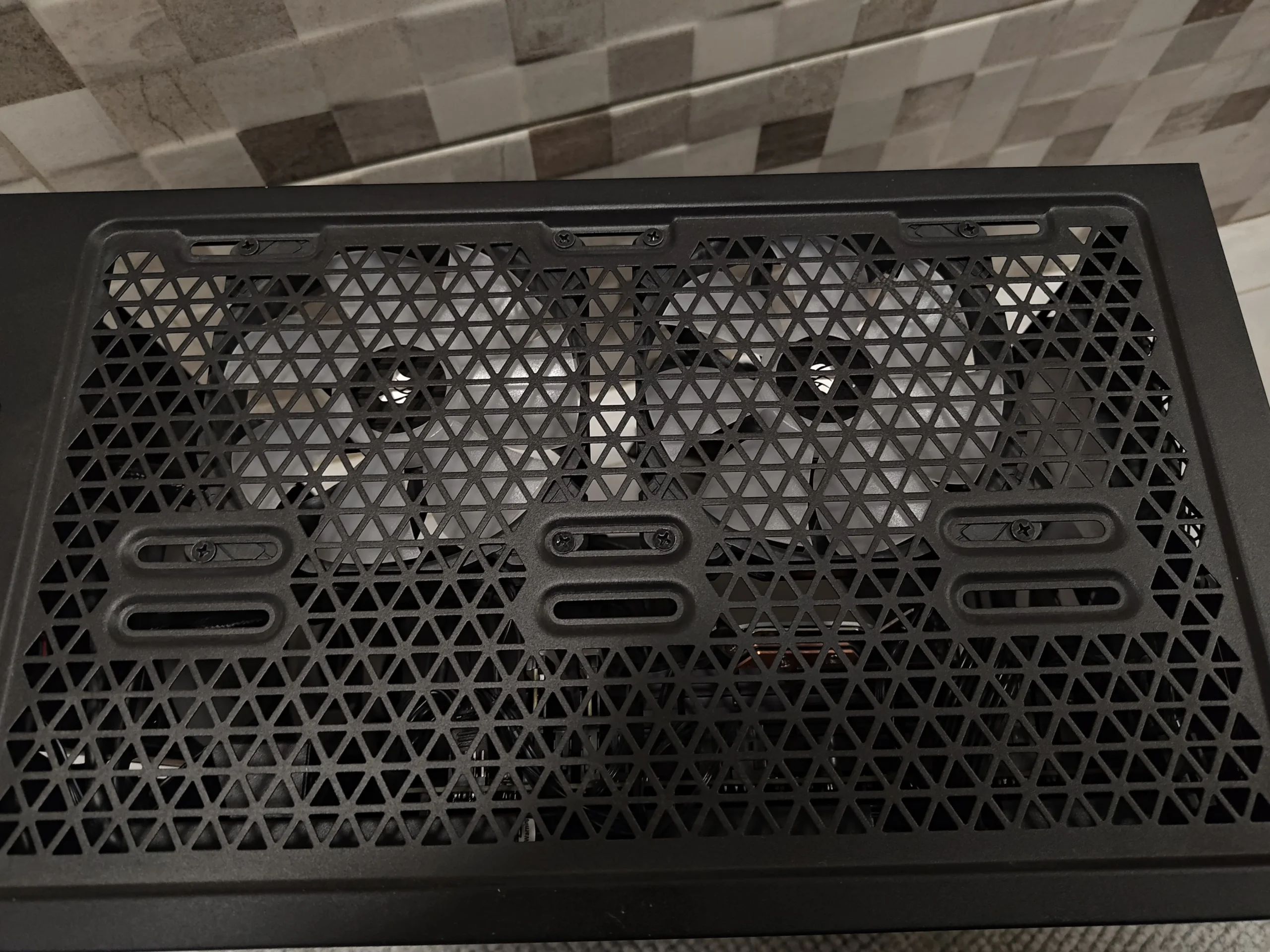
The case grille and radiator need a clear passage
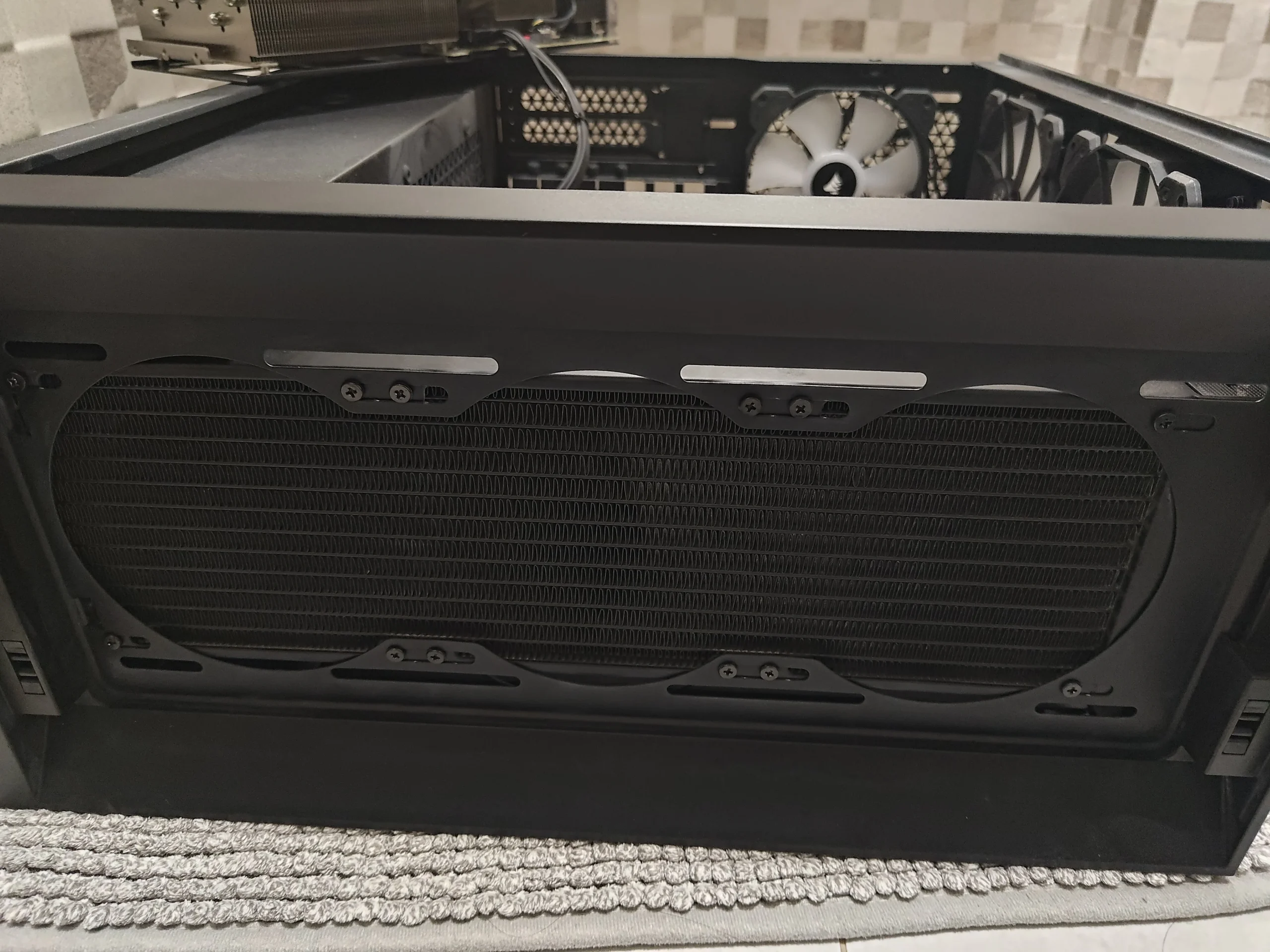
A side view of the case shows a large vented opening sized for the radiator and its fans. This is where dust or a blocked panel can reduce the air available to the liquid cooler even if the pump runs correctly.
Clean removable panels or filters separately and keep them clear when refitting. Check fan direction and panel clearance; airflow should pass through the radiator rather than recirculate inside the case.
03 / A second cooling system
The three-fan PNY card has its own dust route
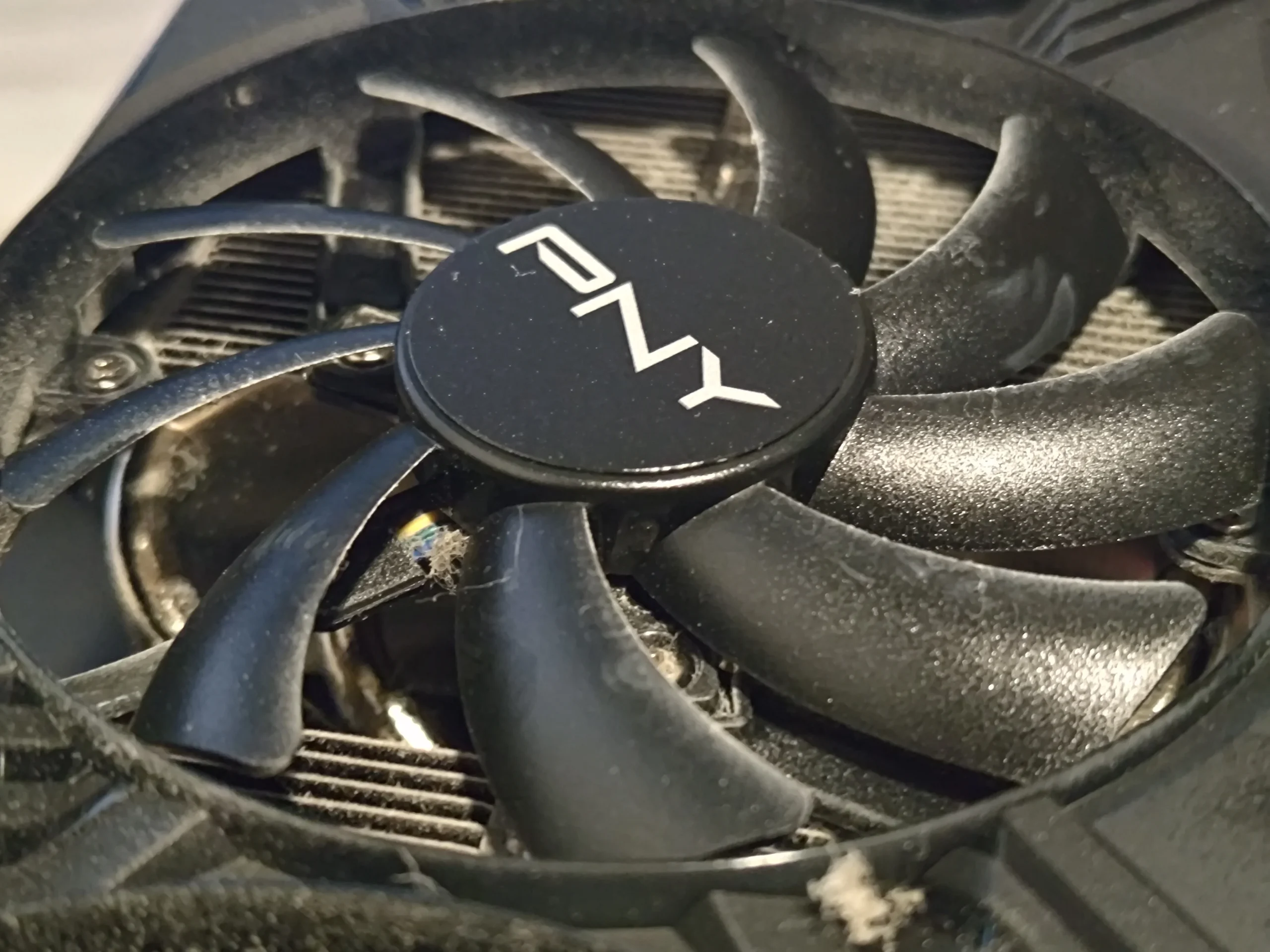
The PNY GeForce RTX card was photographed outside the case, showing three open axial fans. A closer view shows dust on blades and around the fin area of one fan. Cleaning the CPU radiator does nothing to clear that separate graphics-card route.
Hold each fan still while removing accessible dust and inspect the fins behind them. Avoid pulling on the fan hubs or dismantling the card without a reason and the correct procedure.
04 / When the block is lifted
The Intel processor contact needs its own reset
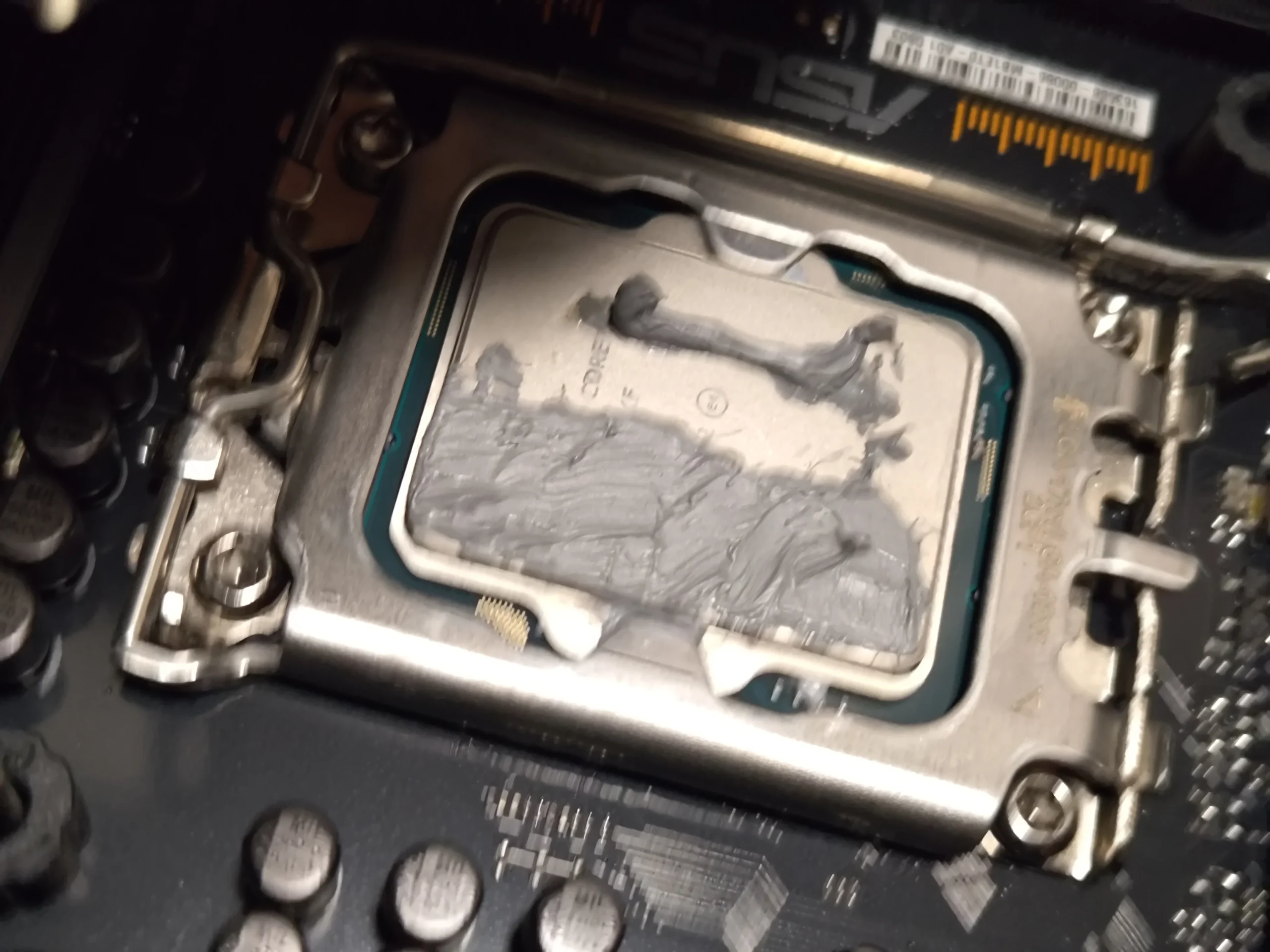
Another photo shows compound on the CPU after the cooler block was lifted, and a separate view shows the chip surface cleaned. That is evidence that the thermal contact between the block and processor was disturbed.
Before refitting a lifted block, both mating surfaces need appropriate cleaning and fresh thermal compound, followed by even mounting pressure. The archive does not show a complete final application or measured outcome, so it should not be used to promise a degree reduction.
The engineer’s takeaway
A liquid-cooled desktop still relies on air. Here, radiator fans and a vented case panel cool the CPU loop, while the three PNY fans cool the GPU. The CPU block's thermal contact is a separate job whenever it is lifted.
Before you open the laptop
Can you clean an AIO-cooled desktop yourself?
Shut down, switch off the PSU and unplug mains power. Identify the radiator, its fans and any removable filter, then inspect the PNY card separately. Hold each fan stationary during controlled cleaning and keep loose debris out of the PC.
Avoid tugging on the liquid-cooler tubes or stressing the pump block. If you remove the block, prepare the CPU and block surfaces and renew the compound. Do not open the sealed liquid cooler or the power supply; a suspected leak or pump fault needs separate assessment.
After the clean
How to test the two cooling systems
After reassembly, confirm radiator fans run, the pump is detected or behaves normally according to its controller, and the PNY fans respond under graphics load. Some GPUs stop fans at idle, so test with an appropriate task.
Compare CPU and GPU temperatures separately during the same workloads and room conditions as before. These photos contain no paired readings, so a visually clean radiator or card cannot quantify the outcome.
Questions from owners
AIO cooler and PNY GPU cleaning FAQs
Answers based on the radiator layout and three-fan graphics card in this PC.
Where is the CPU fan in this liquid-cooled PC?
The CPU has a pump/block on it. Fans at the separate radiator move air through its fins, so they are the CPU loop's air movers.
Can an AIO cooler overheat if its fans spin?
Yes. Airflow through the radiator can be restricted by dusty fins, a blocked filter or poor case airflow. Pump or contact faults are separate possibilities that need diagnosis.
Does cleaning the radiator clean the PNY graphics card too?
No. The card has three own fans and a separate heatsink. The photos show dust around one of those GPU fans.
Was the CPU block removed?
The photos show the Intel chip with old compound and another view with its contact surface cleaned, indicating the block was lifted during service.
Was a pump failure found?
No. The photos show the AIO layout but do not establish a pump fault or leak. Those require separate testing.
How do I confirm the clean helped?
Compare CPU and GPU temperatures under repeatable tasks and similar conditions. The archive has no controlled before-and-after readings.
UK liquid-cooled desktop enquiries
Need the radiator and GPU checked together?
If you are in the UK and your liquid-cooled PC is noisy or hot, tell us whether the CPU, GPU or both run warm, which fans are noisy and your postcode. A photo of the radiator and graphics card helps us discuss access.
We can plan safe airflow cleaning and separate diagnosis if the AIO pump, thermal contact or graphics-card fans still seem faulty.
Read about our desktop fan and cooling service, then use the form to tell us your computer model, symptoms and UK postcode.
Free to enquire · No obligation to book. We discuss the proposed work and price before you decide.
The workshop photos
AIO radiator and PNY graphics-card cleaning photos
Open the photos to trace the pump block, radiator fans, case grille, three PNY fans and exposed Intel CPU contact.