Published 12 October 2026 · Lenovo Legion 5 15ACH6H case study
Legion 5 15ACH6H cooling
follow both chips to the exhaust.
This Legion has two fans and a shared cooling assembly. The photos trace the whole job from dusty fin edges to old material on two chip surfaces, careful cleaning and a fresh compound application. That is more involved than brushing the fan tops.
The model
Legion 5 15ACH6H / Type 82JU
The layout
Two fans and a shared CPU/GPU cooler
The visible work
Fin cleaning, chip preparation and new compound application
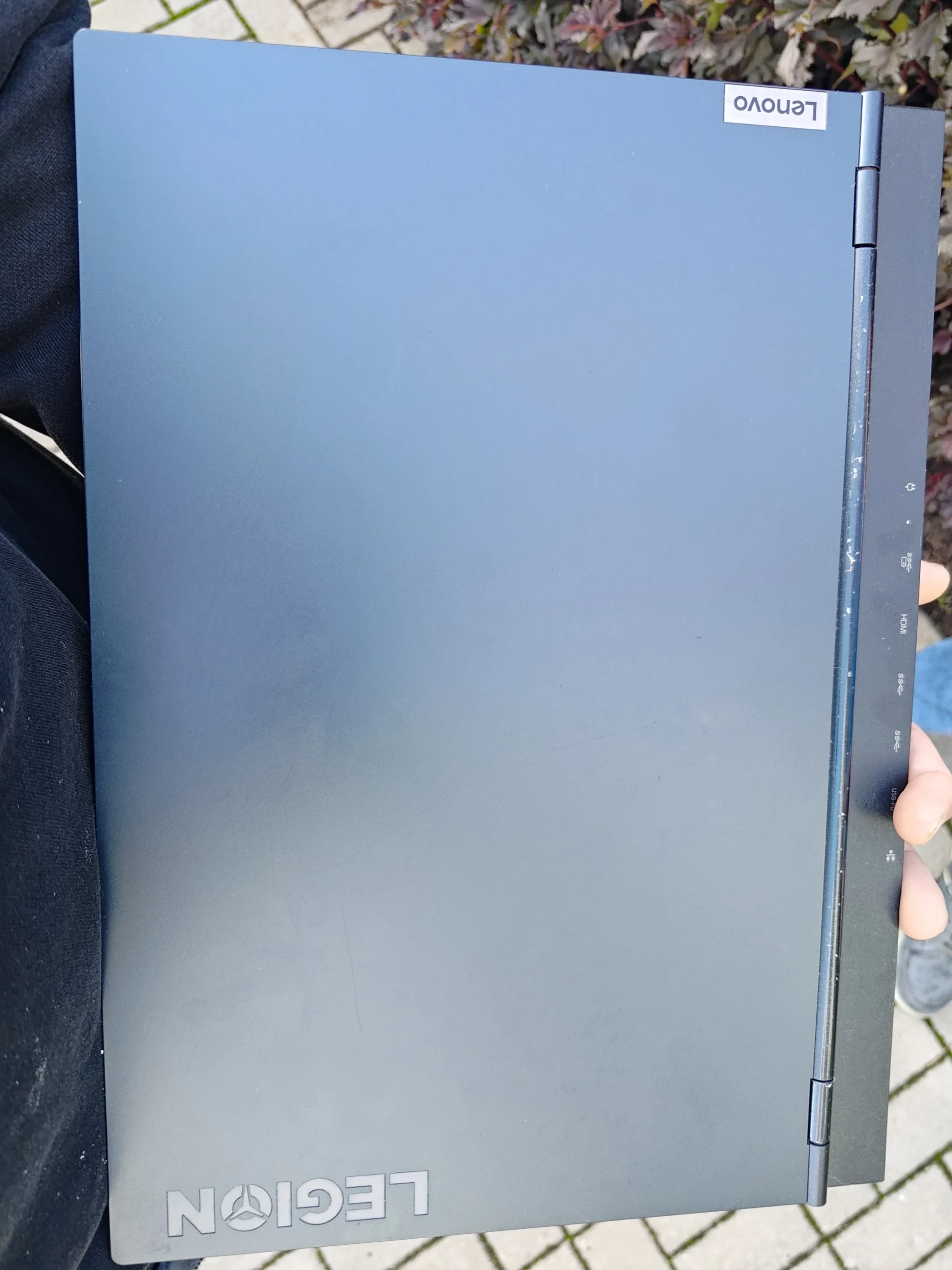
The underside marking identifies this laptop as a Legion 5 15ACH6H, Type 82JU. The label also has a serial number, so its photo is excluded from the public gallery. Inside, two fans feed a linked cooling assembly that contacts the processor and graphics chip.
The archive shows dust at a fan and near the fin edge, old compound on both chip surfaces, old material being removed and a syringe applying fresh compound. It does not contain comparable temperature readings. This case can explain the service steps and the checks an owner should make, but it cannot claim a measured temperature drop.
In this case study
01 / Before the cooler moves
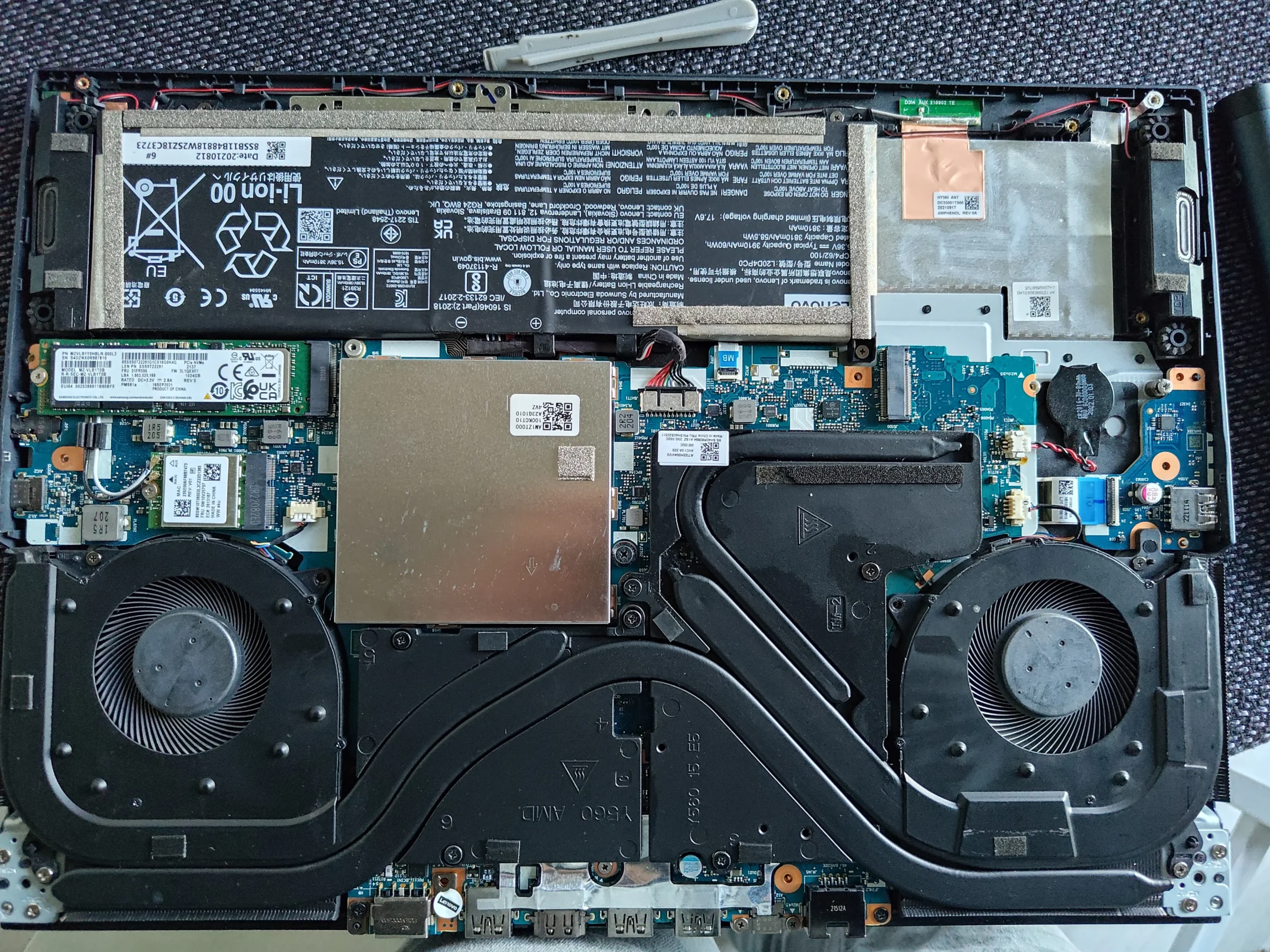
Two fans feed one shared heatsink
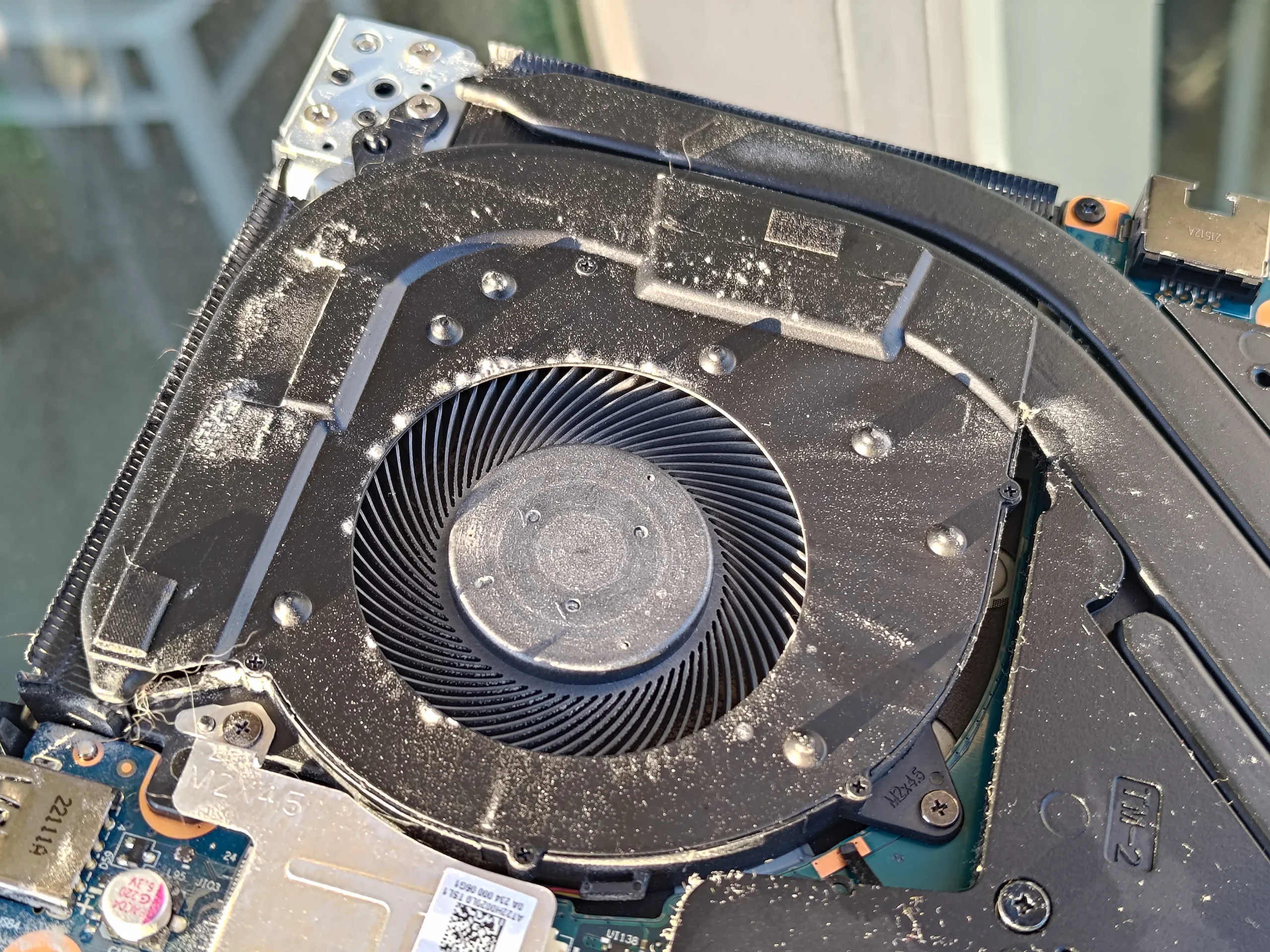
The open chassis shows one fan on each side of the broad cooling assembly, with the battery and storage below. The arrangement carries heat from two main chips toward fin stacks at the case edges.
One close-up shows surface dust around a fan inlet. Another shows debris at the fin edge. Clean the inlet and the outlet path; a fan can spin while its narrow exit passage is restricted.
02 / Where warm air exits
Dust sat along the narrow outlet fins
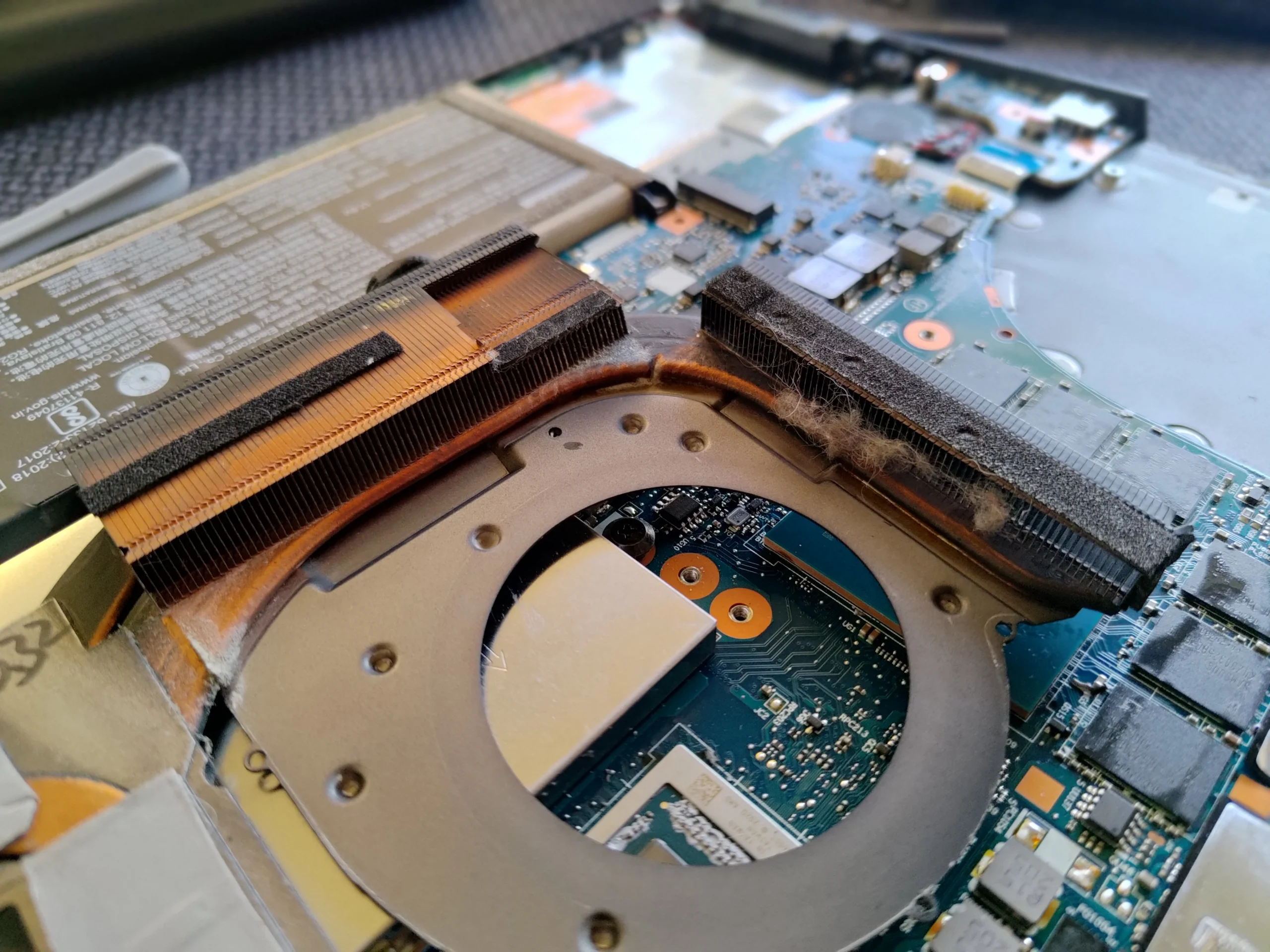
With the cooling assembly lifted, a close photo exposes the copper fin stack and a dark dust line at its edge. The fins have many small passages, so even a thin layer across their face can matter more than loose dust on a broad panel.
The safest aim is to remove debris from the passage and collect it, not drive it farther into the cooler. Avoid bending the fragile metal fins or overspinning the nearby fan with an air tool.
03 / Under the heatsink
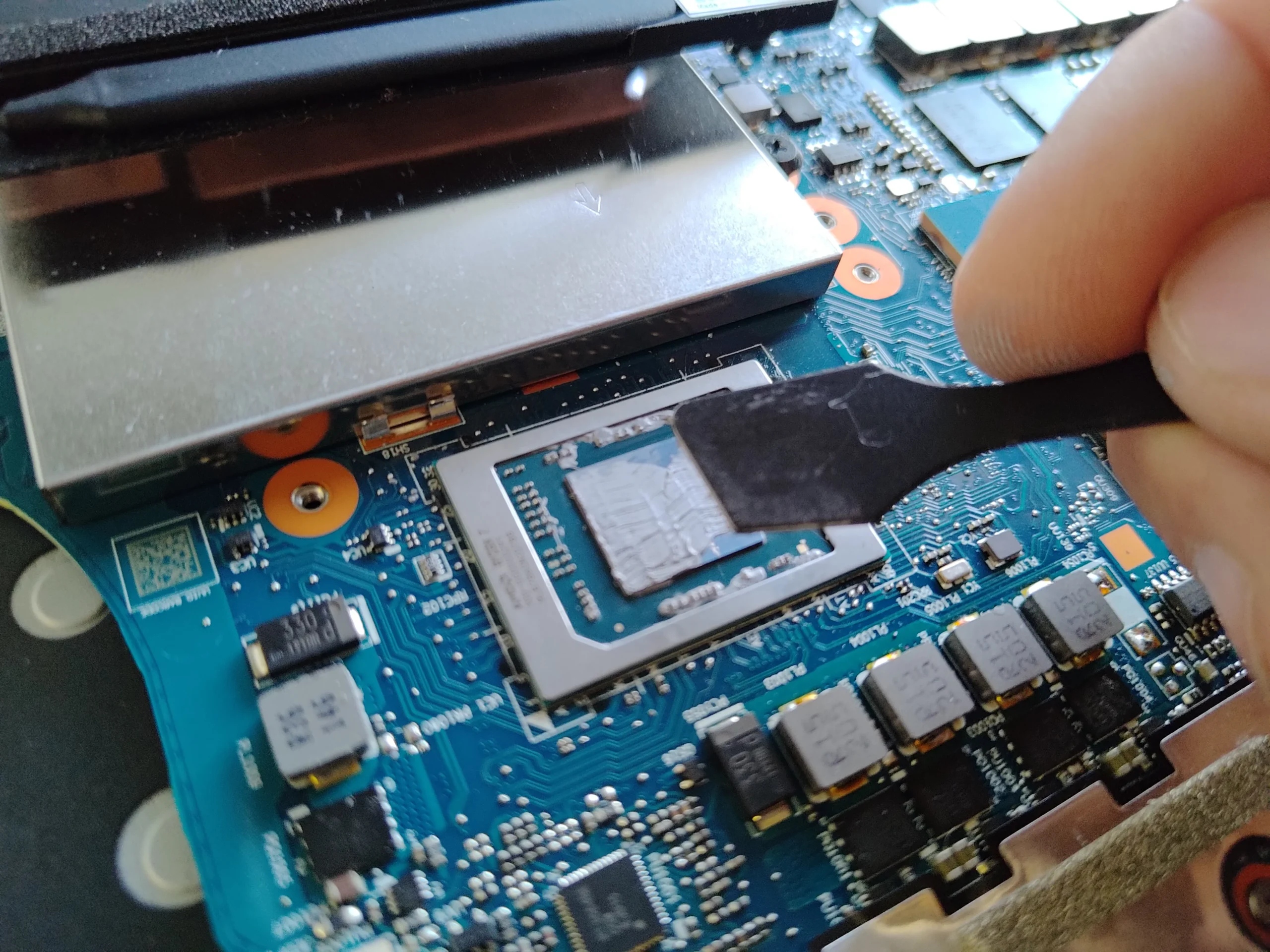
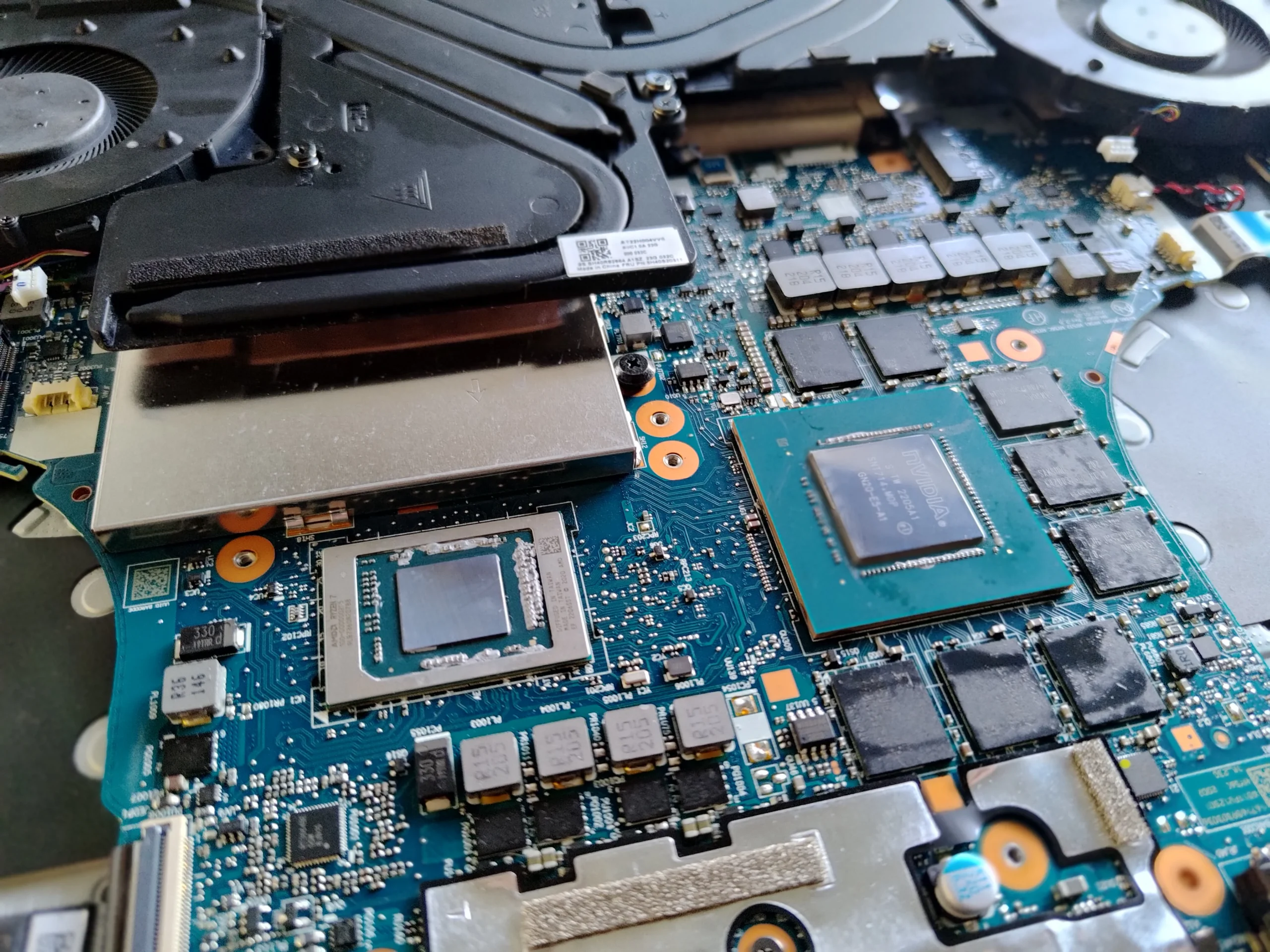
Both main chips showed old contact material
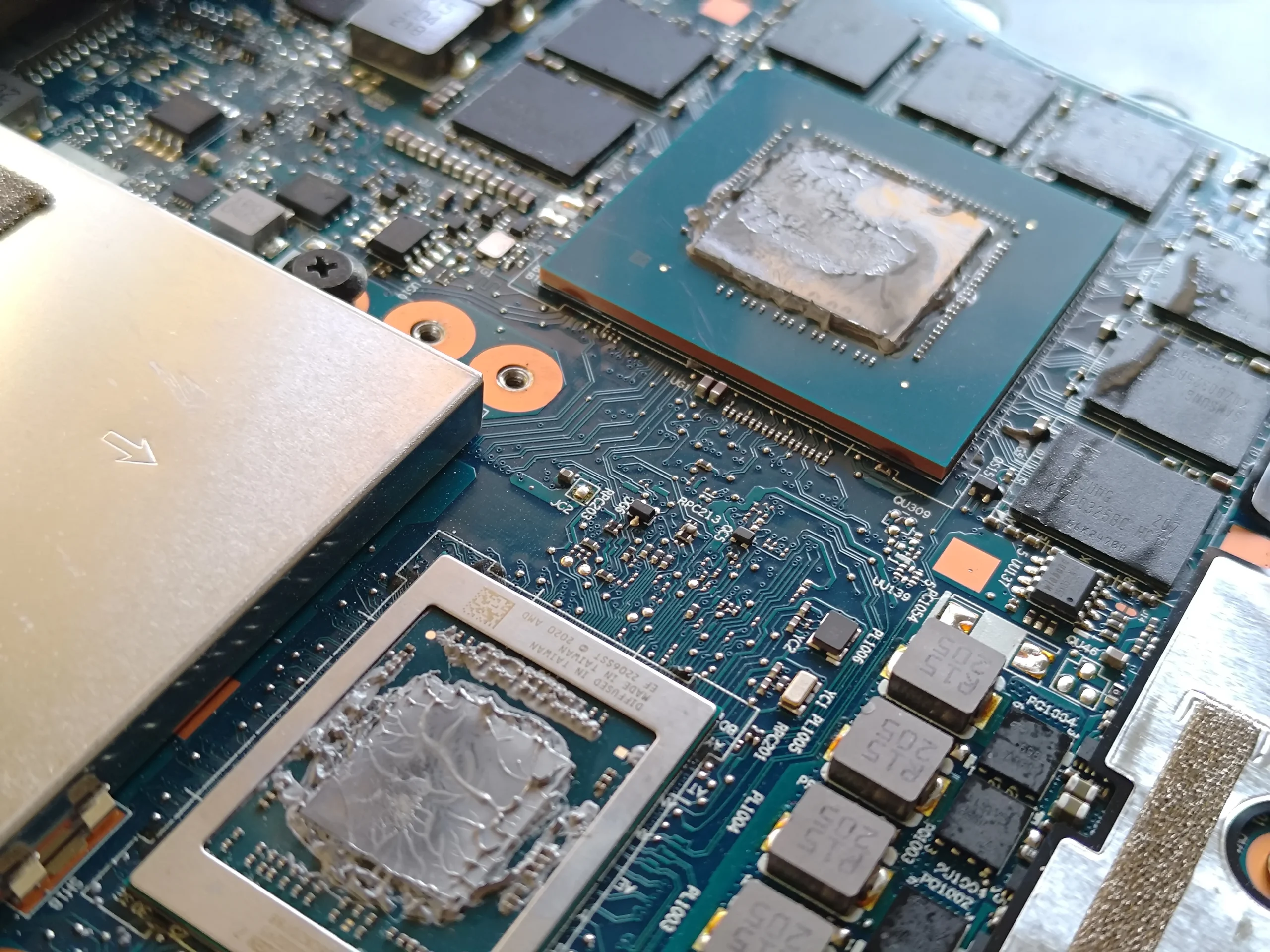
After removing the cooler, the processor and graphics chip each show a broad patch of old compound. A later photo shows the surfaces after careful removal. The smaller components around them have their own contact materials, which should not be disturbed casually.
Thermal compound fills microscopic gaps between each chip and its cooler plate. Once the assembly is lifted, the old interface is broken. The chips and mating plates need proper cleaning and fresh material before an even reattachment.
04 / Restoring contact
New compound was applied before reassembly
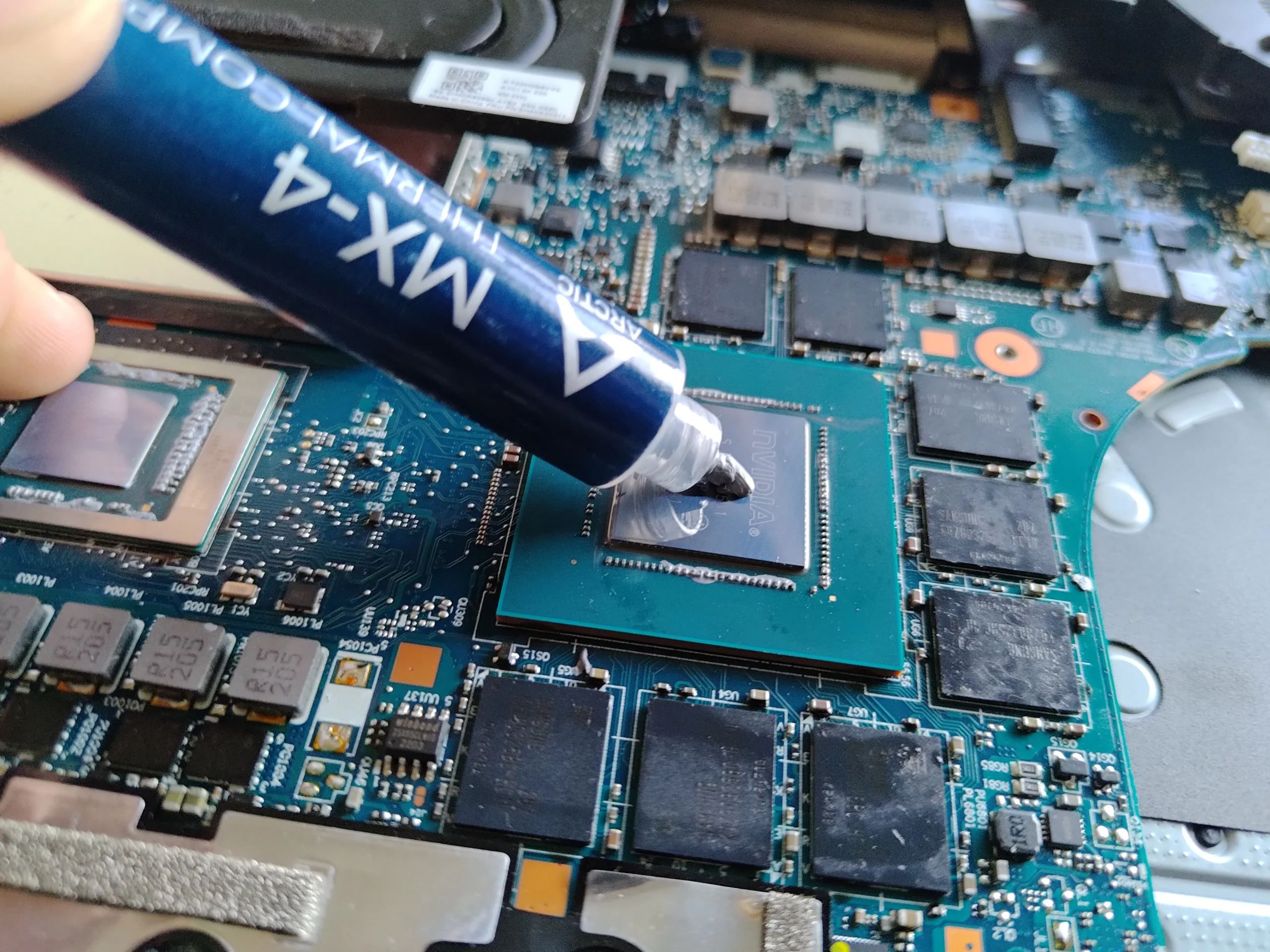
A workshop photo shows fresh compound being dispensed onto one cleaned chip. That is direct evidence of an application step; the correct amount and seating pressure still matter because too much material or an uneven mount can impair contact.
After the cooler is secured and the fans and battery are reconnected, the useful test is not simply whether the display lights up. Compare CPU and GPU behaviour under the same sustained load and similar room conditions.
The engineer’s takeaway
On this 15ACH6H, cleaning included two airflow routes and two disturbed chip contacts. The visible new-compound step sets this case apart from a fan-only clean, but the outcome still needs measured testing.
Before you open the laptop
Should you repaste a Legion 5 15ACH6H yourself?
Start with the exact model number, external vent inspection and a record of when fans become loud or the laptop gets hot. If you open the case, follow Lenovo's maintenance guidance for battery isolation, fastener order and cable handling.
Lifting this cooler exposes both CPU and GPU contacts and nearby thermal materials. You need the correct interface materials, a clean work area and a method to seat the assembly evenly. If you are comfortable cleaning accessible fan dust but not preparing both chip contacts, stop before lifting the heatsink.
For model documents, check the official manufacturer support page.
After the clean
How to assess the finished job
After reassembly, check boot, charging and both fans under an appropriate load. Confirm that no cable touches a blade and that the vents are unobstructed.
The photos document cleaning and new compound, not a controlled result. A repeatable CPU- and GPU-heavy task with comparable conditions is needed to tell whether temperatures, fan speed or noise improved.
Questions from owners
Legion 5 15ACH6H cleaning FAQs
Answers based on the dual-fan cooler and repaste sequence pictured here.
How many cooling fans are in this Legion 5 15ACH6H?
The unit in these photos has two fans, one on each side of a shared cooling assembly.
Why clean the fins if the fans spin normally?
Spinning blades do not prove air can leave. The fin-edge photo shows dust where warm air has to pass through narrow channels.
Was thermal paste actually applied in this case?
Yes. The photo set shows old compound on both main chips, cleaning of the contact surfaces and fresh compound being dispensed onto a chip.
Can I use the same paste on every nearby component?
No. Smaller parts may rely on pads or other specified interface material with a particular thickness. Do not substitute paste without checking the exact cooler design.
Does this prove a temperature reduction?
No. There are no paired readings in the archive. Compare the same task and room conditions before and after to assess performance.
Is this the same model as the Legion 5 Pro 16ITH6H?
No. The underside label identifies this machine as Legion 5 15ACH6H, Type 82JU. The 16ITH6H is a different model and should have its own service instructions.
UK Legion cleaning enquiries
Want this dual-chip cooler serviced?
If you are in the UK and your Legion 5 15ACH6H is loud or hot under load, tell us when it happens and whether it has been opened before. Include your postcode, but leave serial numbers out of public messages.
We can discuss fan and fin cleaning, the correct chip-contact service for your unit and how to check the result after reassembly.
Read about our gaming laptop cleaning service, then use the form to tell us your computer model, symptoms and UK postcode.
Free to enquire · No obligation to book. We discuss the proposed work and price before you decide.
The workshop photos
Legion 5 15ACH6H cooling and repaste gallery
Open the photos for the dual-fan layout, dusty fin edge, two old chip contacts, cleaned surfaces and fresh compound application.