Published 27 November 2026 · Lenovo Legion gaming laptop case study
Legion base and fan clean
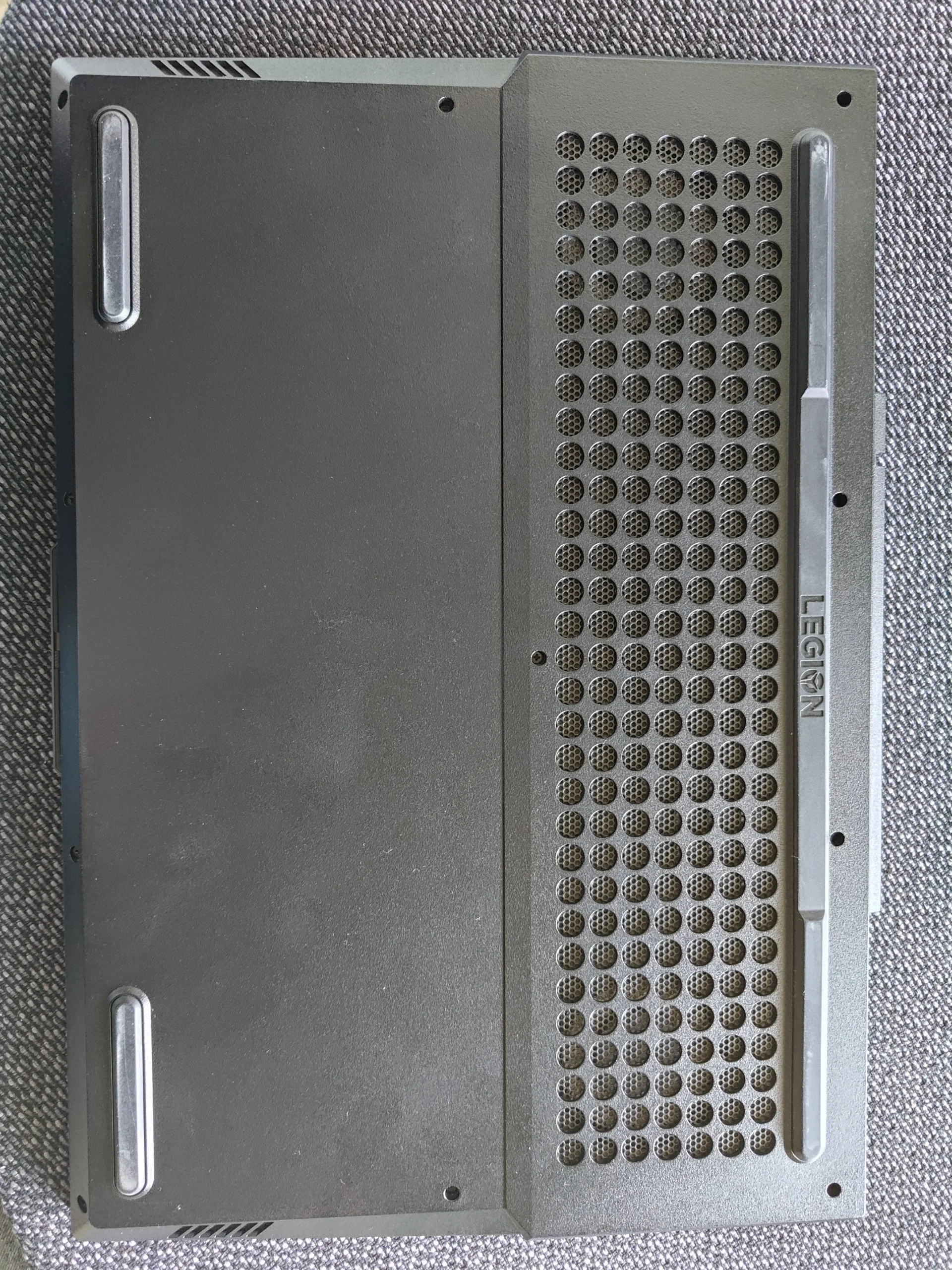
the base panel showed where the fans drew air.
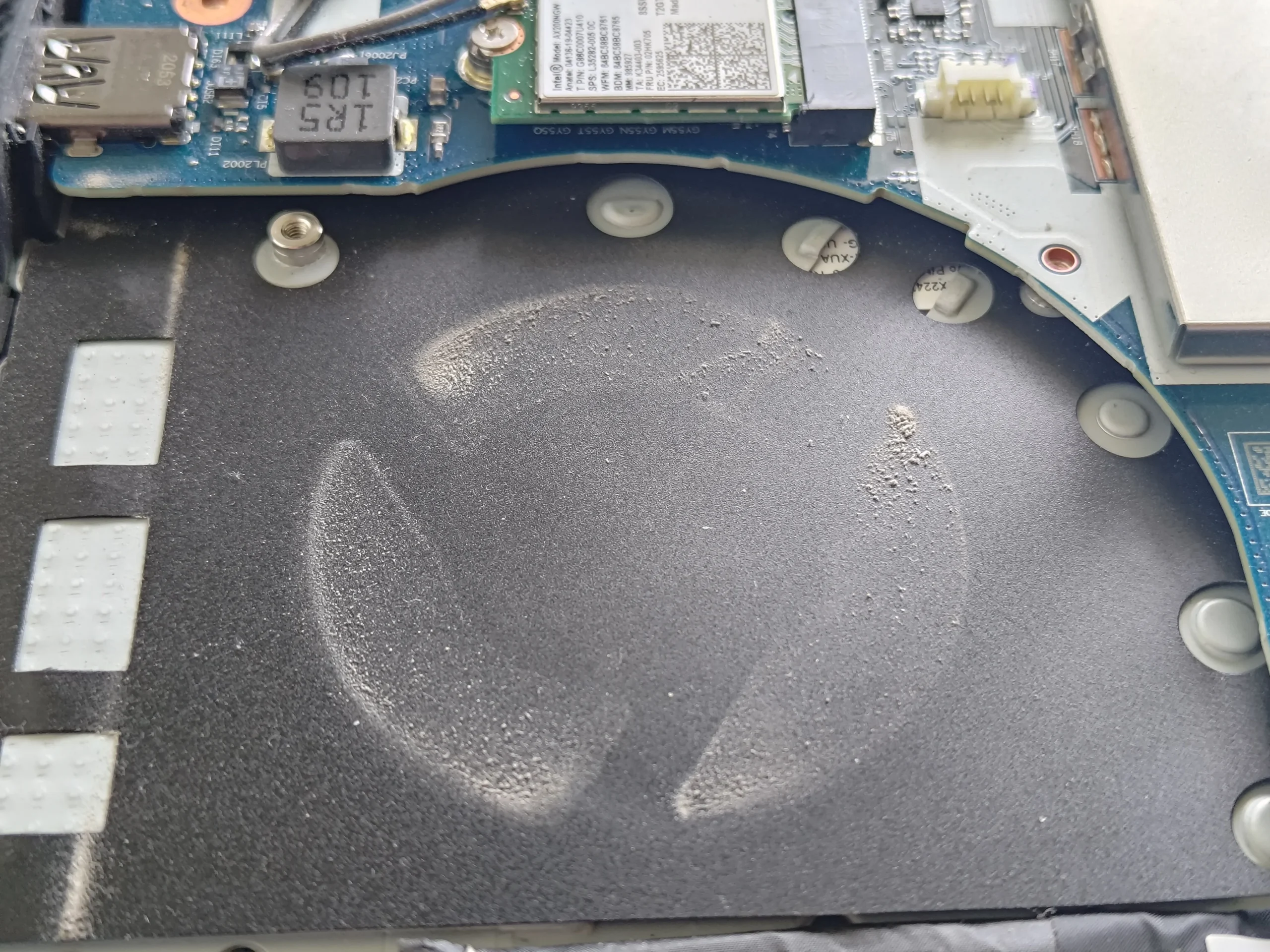
With this Legion opened, the inner bottom cover carried circular dust marks near the fan intakes. That pattern helps trace the air supply before inspecting the two blower chambers and the shared cooler beneath them.
The layout
Two blowers and a shared cooler
Visible clue
Fan-shaped dust marks on the inner base
Deeper work
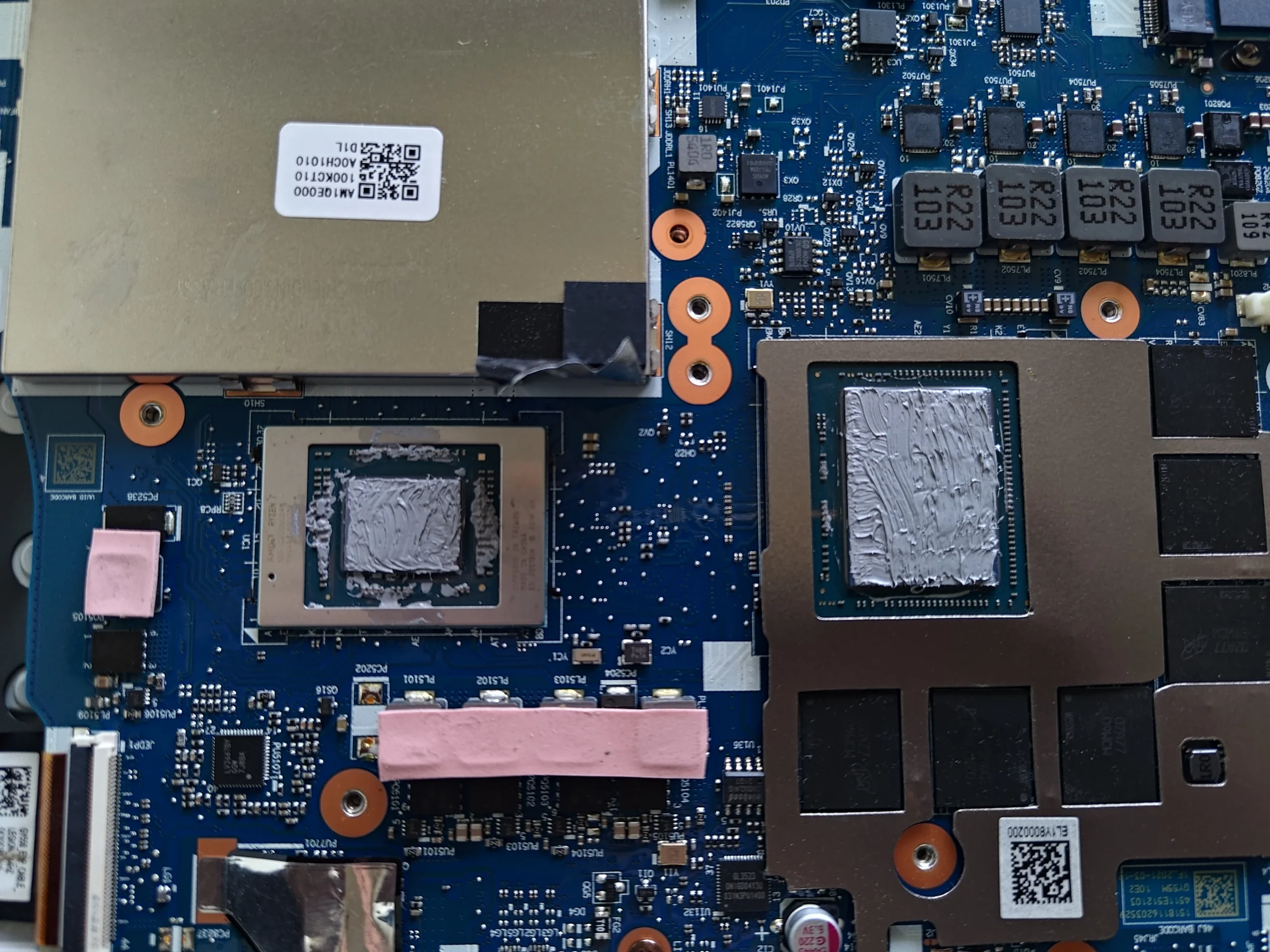
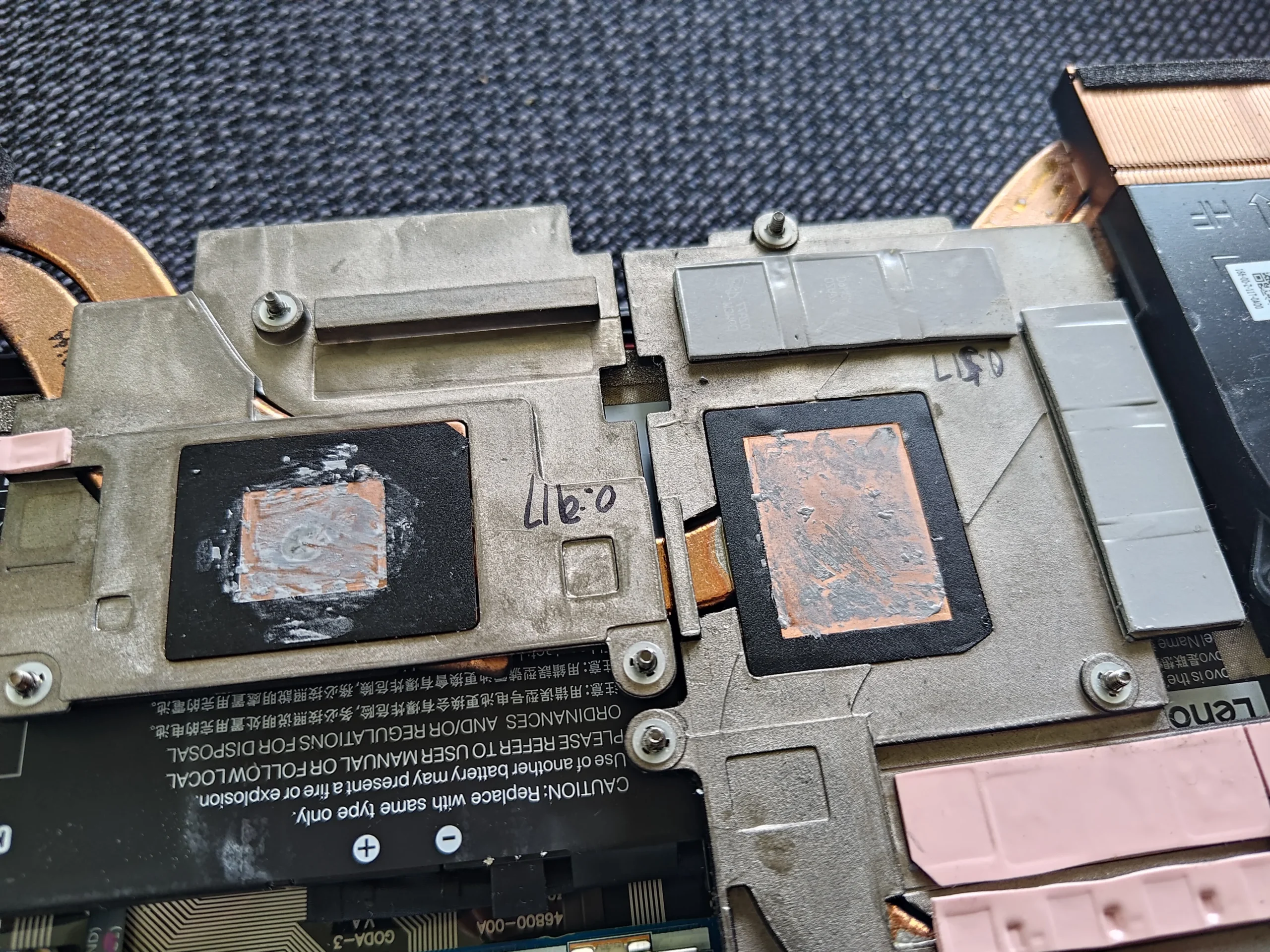
Cooler removed to expose two chip contacts
The underside panel of a gaming laptop can reveal how it breathes. On this Lenovo Legion, circular dusty marks line up with the fan intake areas. They do not prove a measured restriction by themselves, but they show why the inner face of a cover deserves cleaning along with the visible outside grille.
The same photo set shows the two fans, their small connections and the removed cooler plates. No exact Legion submodel or matched temperature test is documented, so the article follows the visible service sequence.
In this case study
01 / The airflow clue
Circular dust marks traced the fan positions
The inner base photo has two broad circular marks where air is drawn toward the fan intakes. Dust can collect on the cover before it reaches the blades. Cleaning only the outer perforations can leave the inner film behind.
Remove the detached cover's dust away from the electronics. Any washable insert must be completely dry before it returns to the laptop.
02 / Inside the laptop
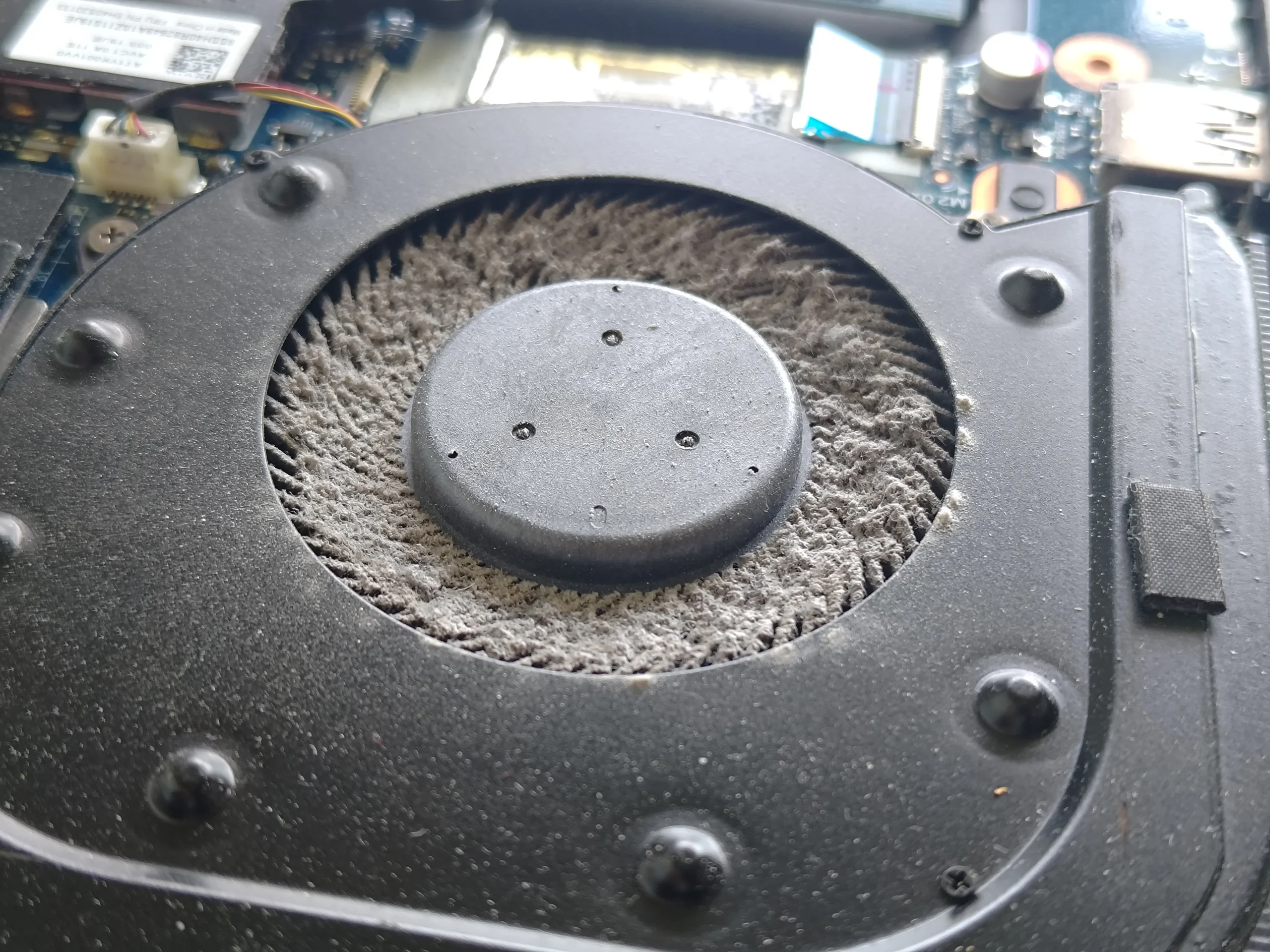
Both blowers needed individual inspection
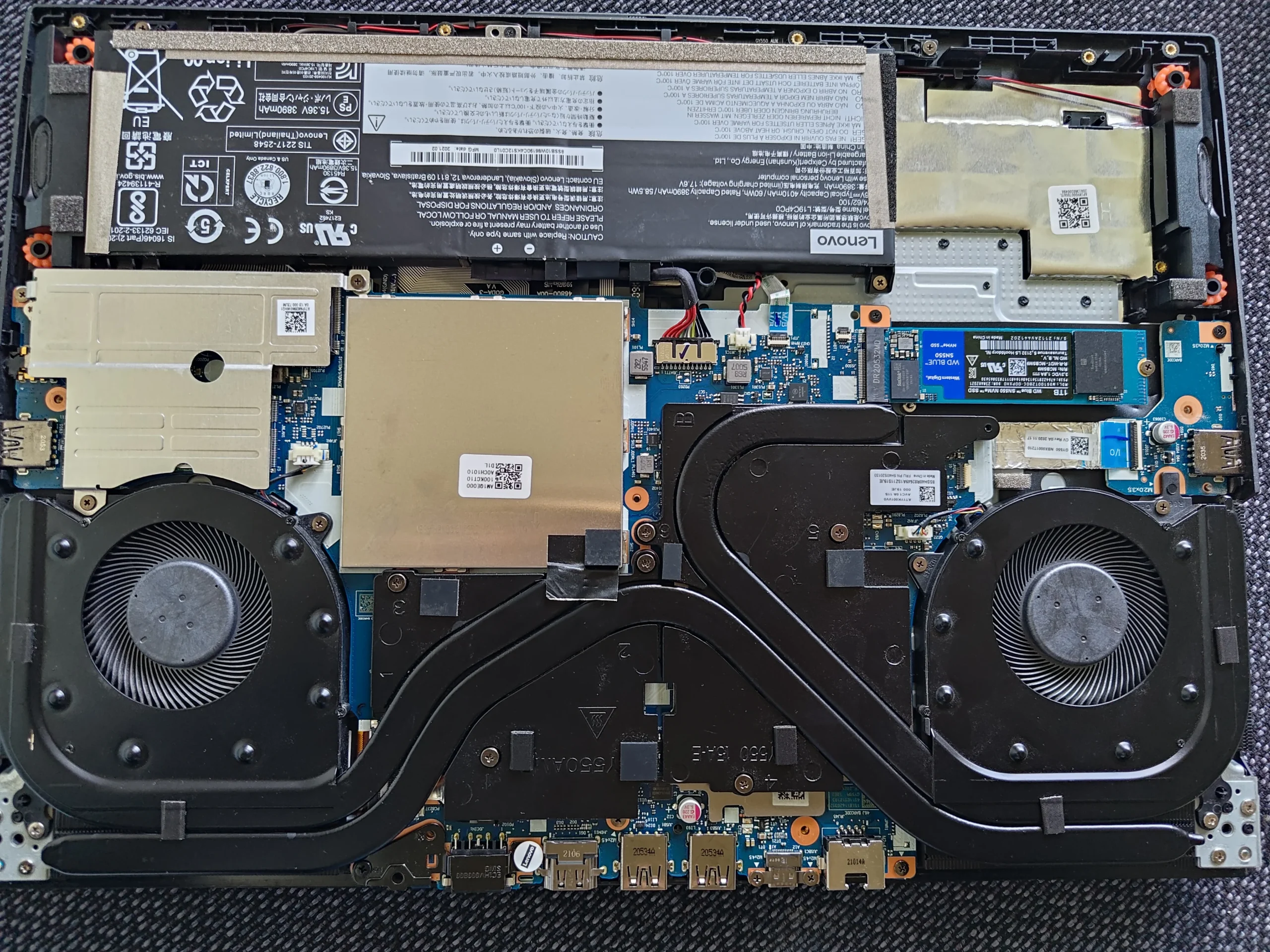
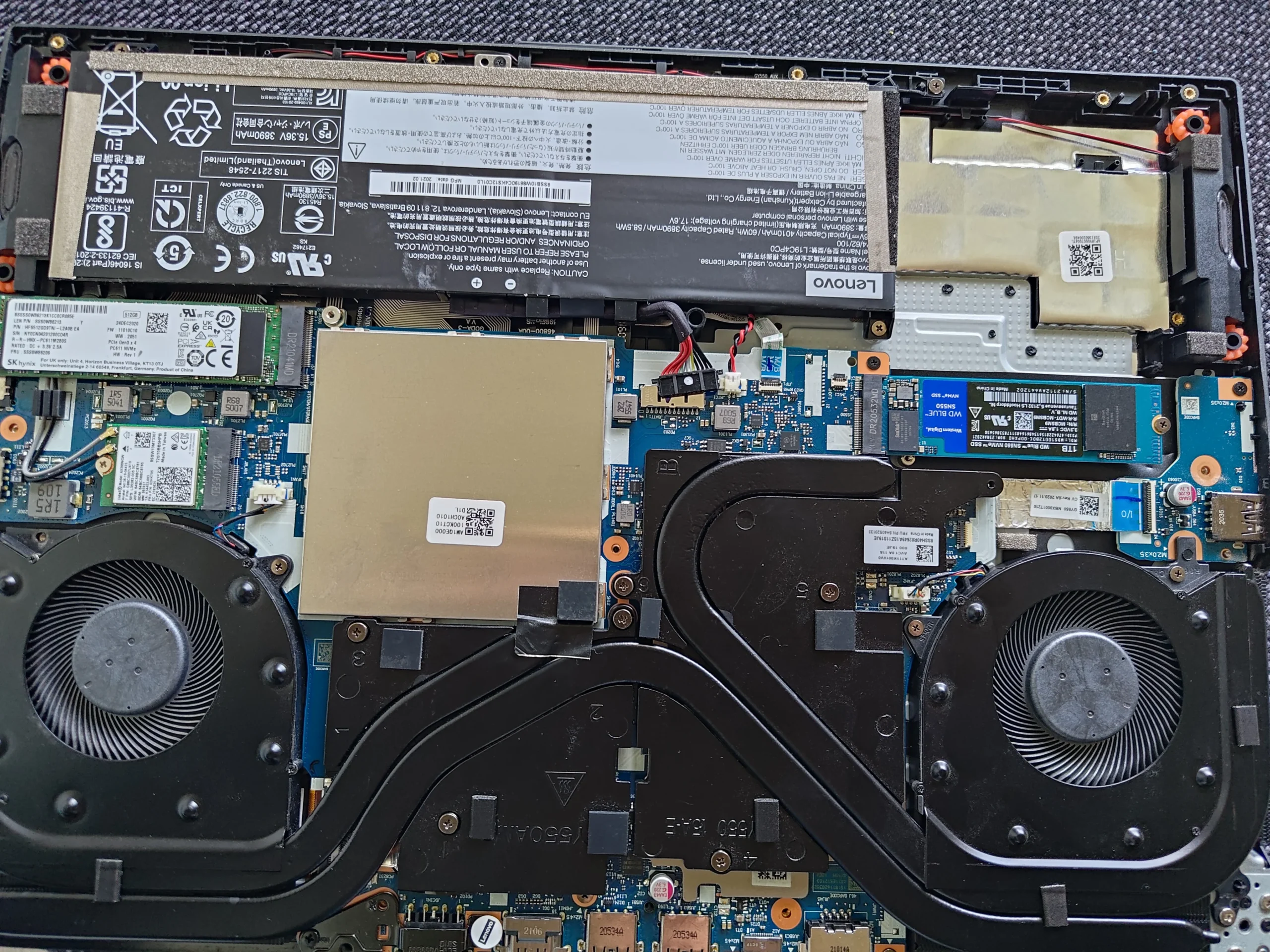
The open chassis shows two fans on either side of the copper assembly. A close-up shows dust around one circular rotor. Inspect both blade sets and both fin exits, because the dust marks on the base are only part of the path.
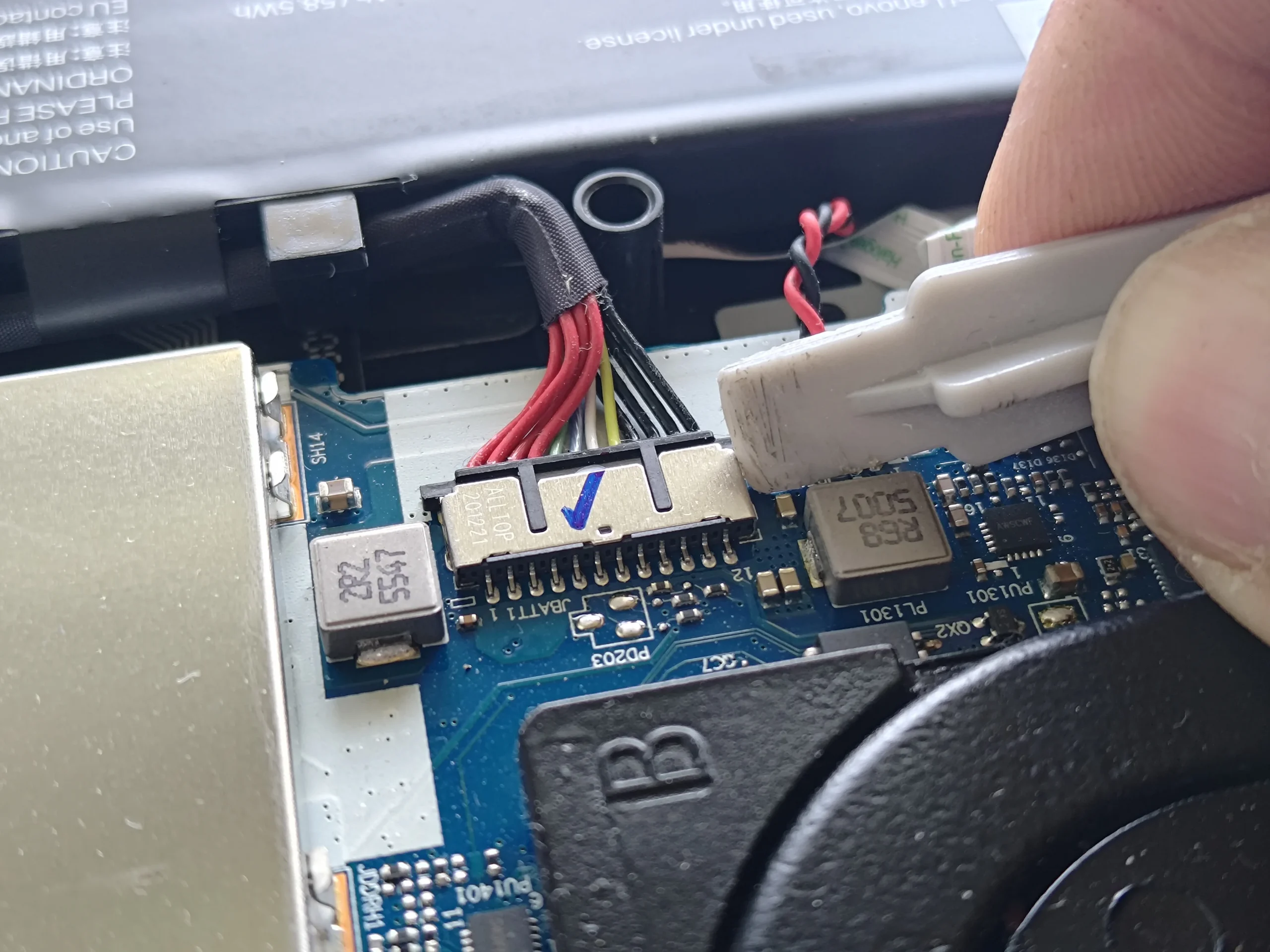
A small connector near the fan was photographed. Keep those leads clear of tools, hold the rotors still during cleaning and route wires as found on reassembly.
03 / The heat route
The shared cooler has separate chip contact plates
The removed assembly shows two principal plates and surrounding smaller thermal pieces. The board photo shows the matching processor and graphics surfaces. Once the cooler is lifted, both main contacts need cleaning and suitable new material.
Record the smaller pad or putty positions before removal. Incorrect thickness can prevent a main plate from sitting properly even when the fan and vents are clean.
04 / Air and heat together
The base, fans and thermal contacts must all return correctly
After the cooler is secured evenly, check fan leads, the battery connector and the long underside vent. The cover must sit flat without pinching a cable or pushing debris back toward the rotors.
A boot check and a comparable workload test are needed after closure. The photos show physical work, not a measured cooling outcome.
The engineer’s takeaway
The fan-shaped marks on the inner base are the useful visual cue in this visit. They point to an intake surface that owners often overlook, while the two fans and shared cooler require their own checks.
Before you open the laptop
Can you clean the inner base yourself?
Power off, unplug and follow the guide for your exact Legion machine type. Map the screws and disconnect the battery as instructed. A detached base can be dusted separately without disturbing the cooler.
Hold fan blades still when removing accessible dust. If the cooler is lifted, its paste and smaller thermal pieces must be restored correctly; that is a different level of work.
After the clean
Checks after reassembly
Confirm both fans respond, no wire rubs a rotor and air exits both rear paths. Compare thermal readings under the same task and room conditions if you have an earlier baseline.
The archive lacks a matched test, so no numerical improvement can be claimed.
Questions from owners
Lenovo Legion inner-base cleaning FAQs
Answers suggested by the circular dust marks, fans and cooler in this case.
What do circular marks on the base mean?
They often trace the area where fans draw air. In this archive they show why the inner cover needs inspection, but do not quantify airflow loss.
Can I clean the base without touching the cooler?
Yes, accessible panel and fan dust can be cleaned separately from thermal-contact work.
Do I need to check both fans?
Yes. This machine has two fan paths, and the two sides may collect dust differently.
What if I disconnect a fan?
Reconnect the plug by its body and route the lead clear of the impeller before closing.
Does lifting the cooler require new paste?
Yes. Clean and renew disturbed chip interfaces and preserve smaller pad or putty placement.
Was a temperature drop measured?
No matched before-and-after reading is documented in this visit.
UK Legion intake enquiries
Dust marks inside your Legion base?
If you are in the UK, tell us your Legion machine type, postcode and whether one fan or vent behaves differently. Say if you have opened the base and what you found.
We can discuss cleaning the cover and both air routes, and separately assess the cooler if it has already been disturbed.
Read about our Lenovo laptop cooling cleaning service, then use the form to tell us your computer model, symptoms and UK postcode.
Free to enquire · No obligation to book. We discuss the proposed work and price before you decide.
The workshop photos
Legion inner-base and fan gallery
Open the workshop photos for the fan-shaped marks, two blowers and shared cooler contacts.