Published 22 November 2026 · Lenovo Legion gaming laptop case study
Legion intake clean
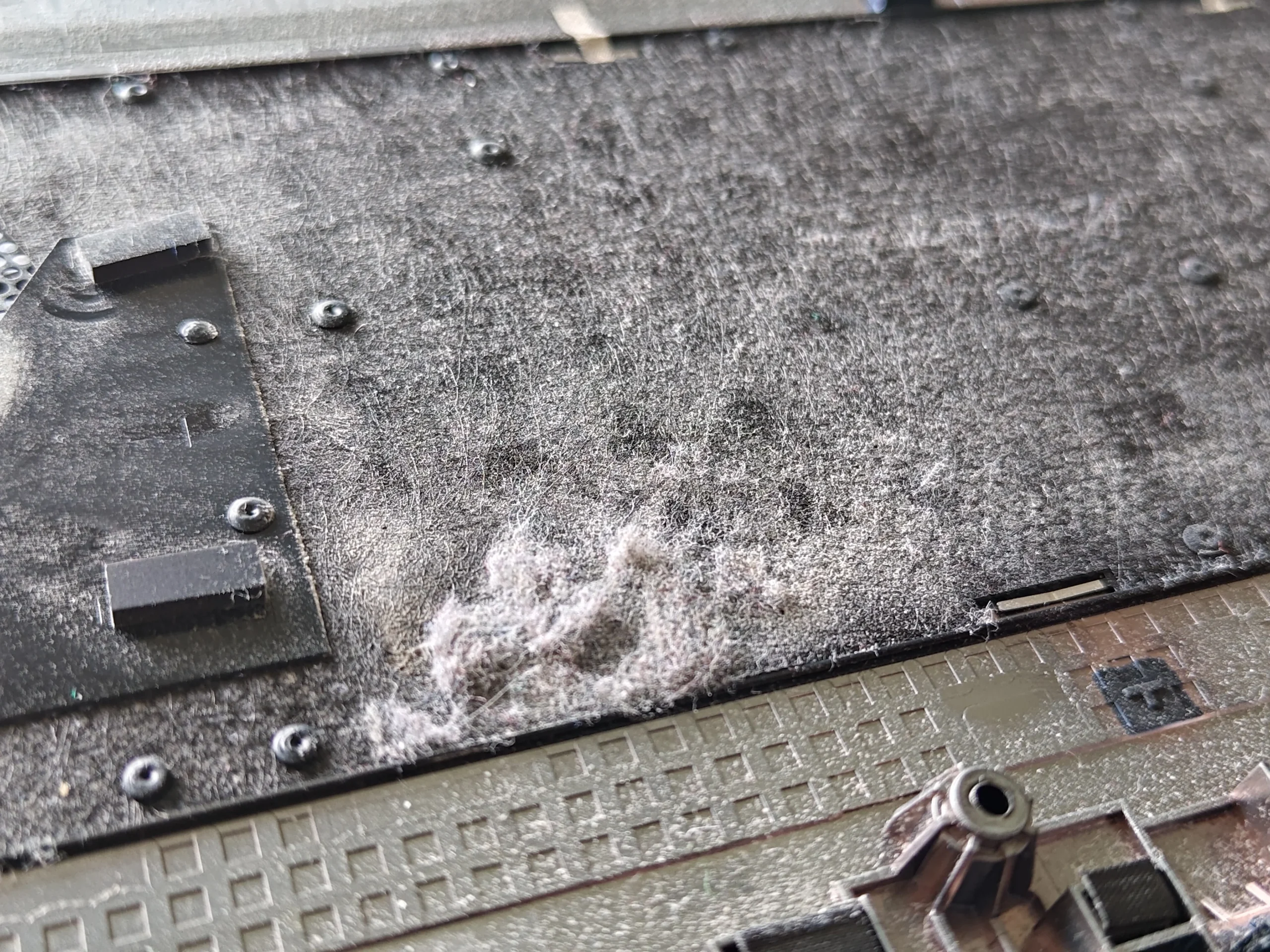
the bottom cover carried its own dust layer.
This Legion's two fans draw through a long vented base. With that cover removed, the photos show dust on its inner surface as well as fan blades and a shared copper cooler that was lifted for deeper service.
The layout
Two blowers linked by a shared cooler
Intake finding
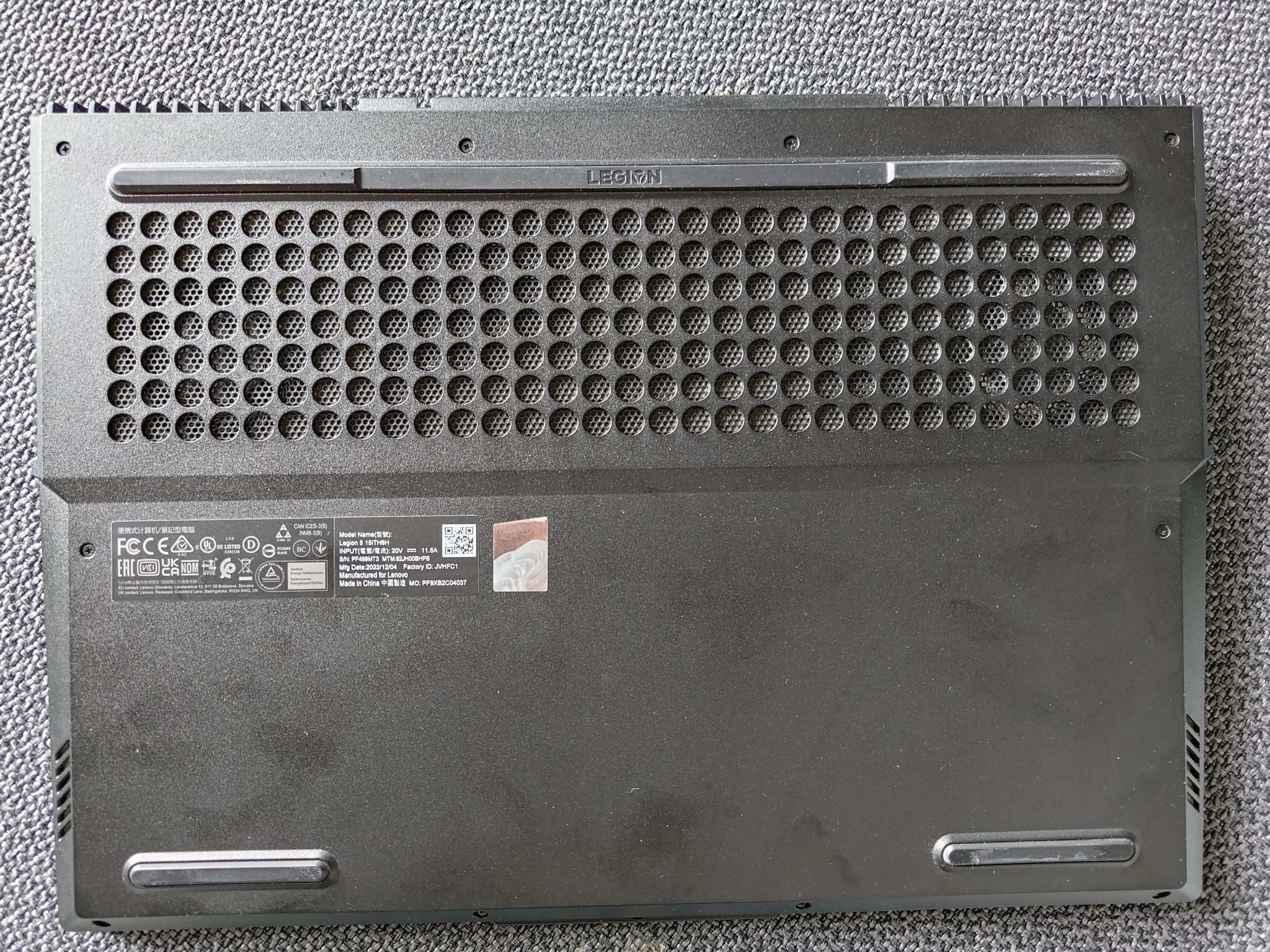
Dust and debris on the inner base cover
Thermal work
Cooler lifted and chip contacts photographed
Laptop owners often clean the visible grille from the outside. In this Lenovo Legion, the removed bottom cover tells a fuller story: dust and lint also collected on the inner face around its ventilation area. If left there, that material remains at the fans' air supply even after the outside looks tidy.
The photo set continues through both fans and the shared cooler. The folder name uses “G5”, but the photos do not prove a precise retail submodel, so this article uses Lenovo Legion. No matched thermal measurements are available.
In this case study
01 / The overlooked surface
Dust sat on the inside of the intake cover
The removed base photo shows loose dark material across its inner ventilation area. Incoming air passes this panel before reaching the fans, so inspect both faces rather than wiping only the outside holes.
Clean the detached cover away from the electronics. Avoid knocking loose debris into the exposed board, and dry any washable part completely before refitting.
02 / After the cover comes off
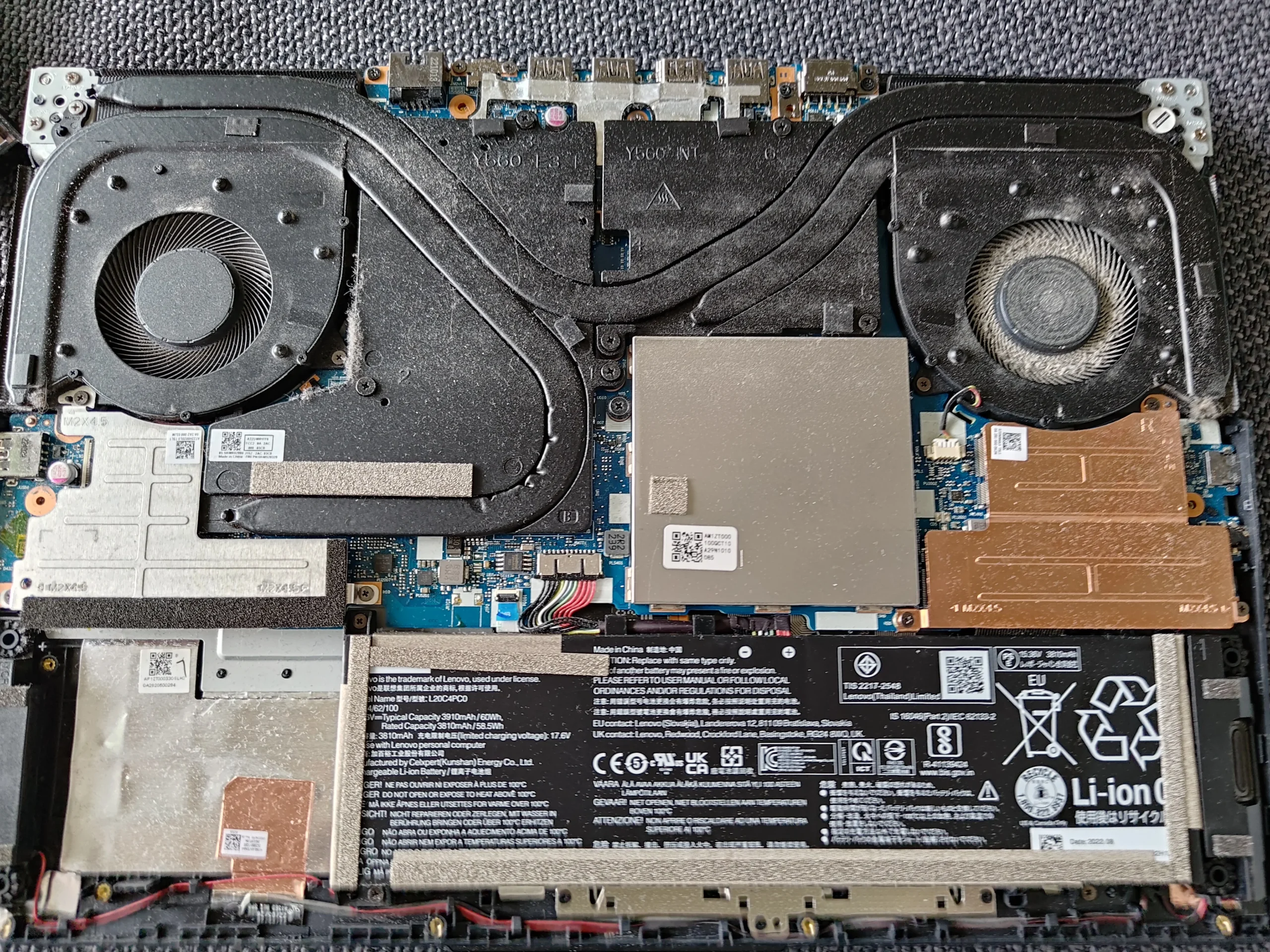
Each blower needed its own blade and outlet check
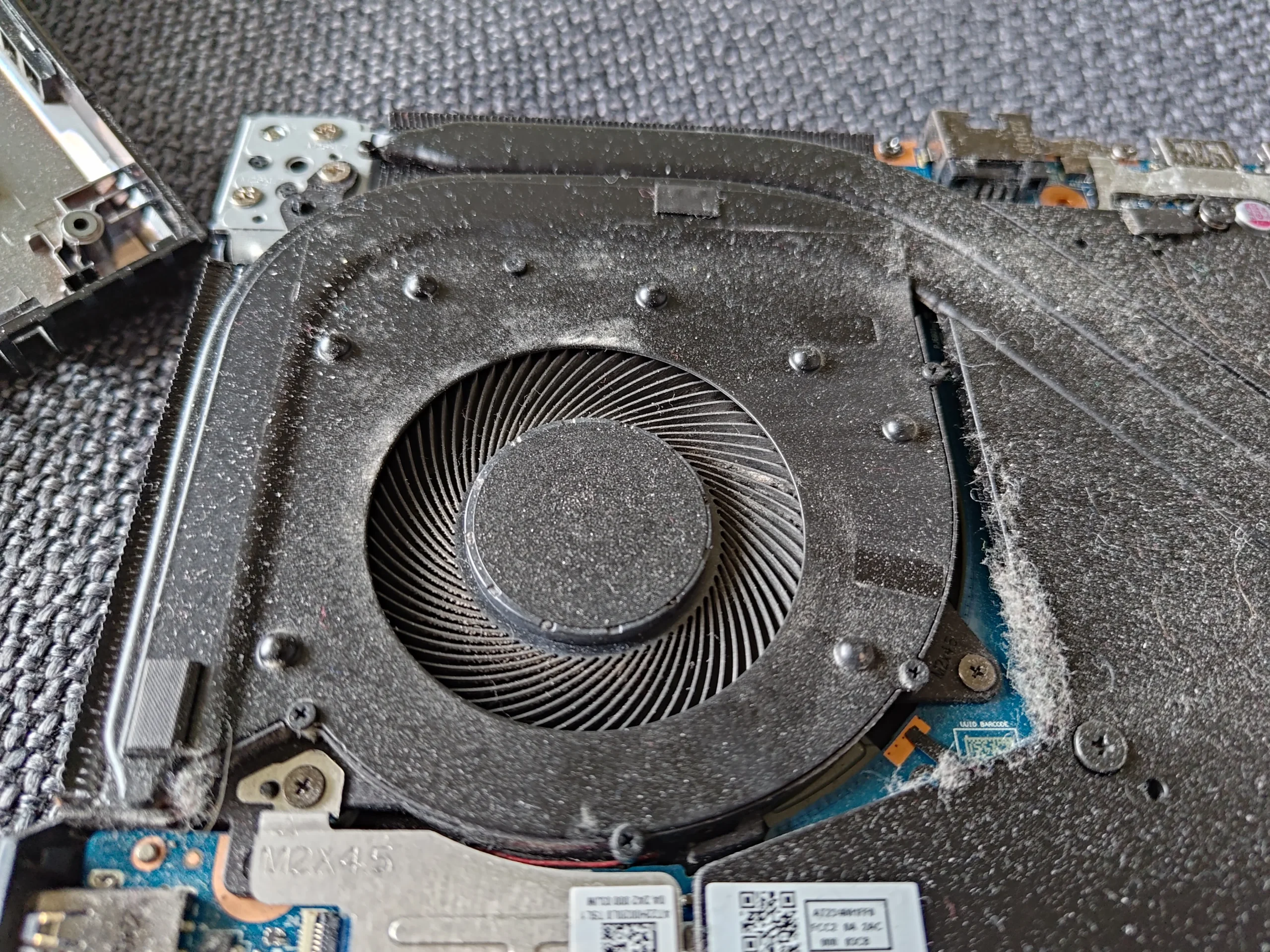
The wide interior view shows a blower at each side of the heat-pipe assembly. A close fan photo shows dust around one rotor. Neither a clean vent nor a clean-looking fan proves both fin exits are open.
Hold each fan still during brushing or gentle air cleaning. Inspect the thin wires and the narrow fin face beside the fan rather than forcing a tool through a hidden gap.
03 / Under the assembly
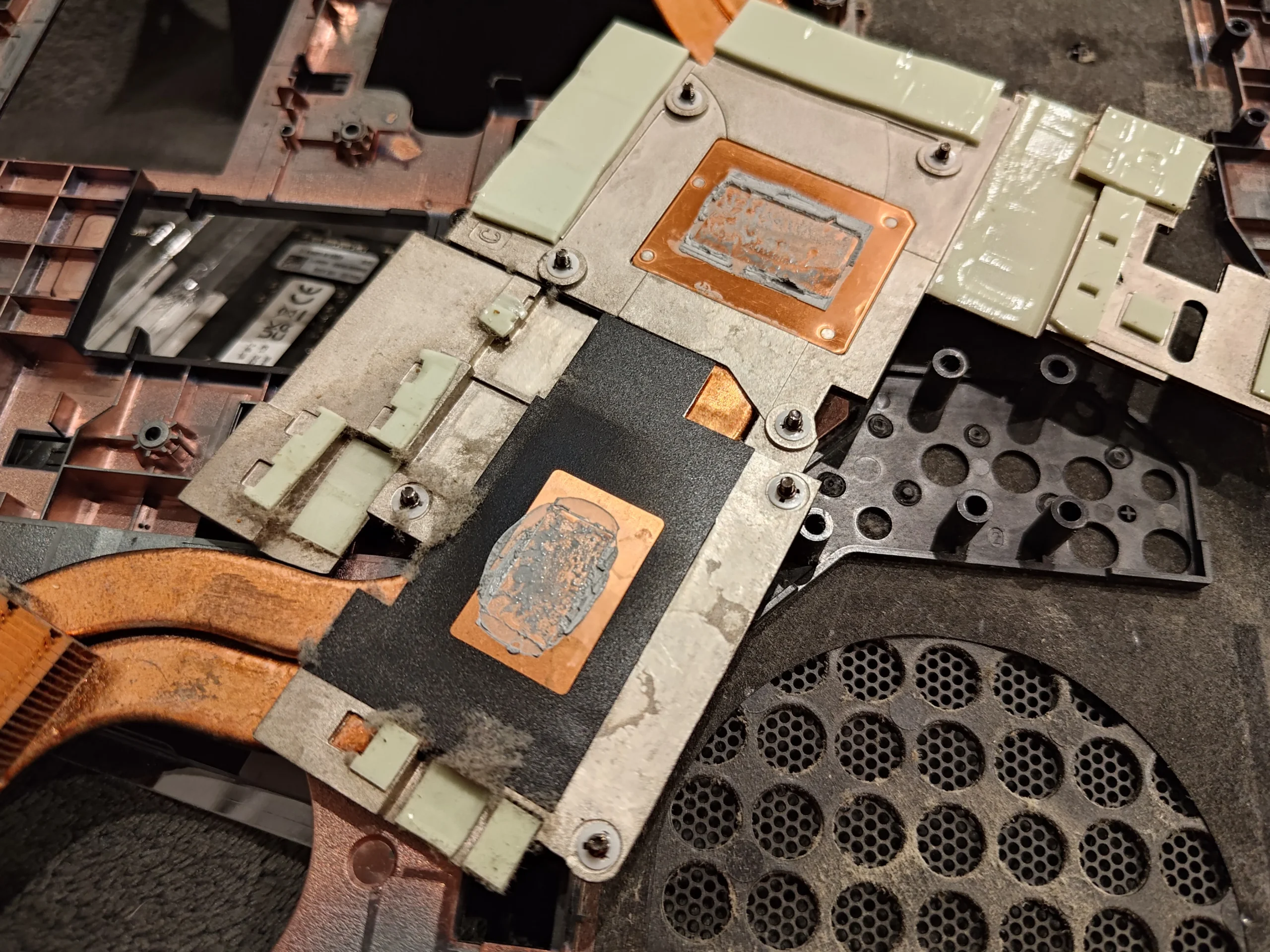
The lifted cooler exposed two main chip contacts
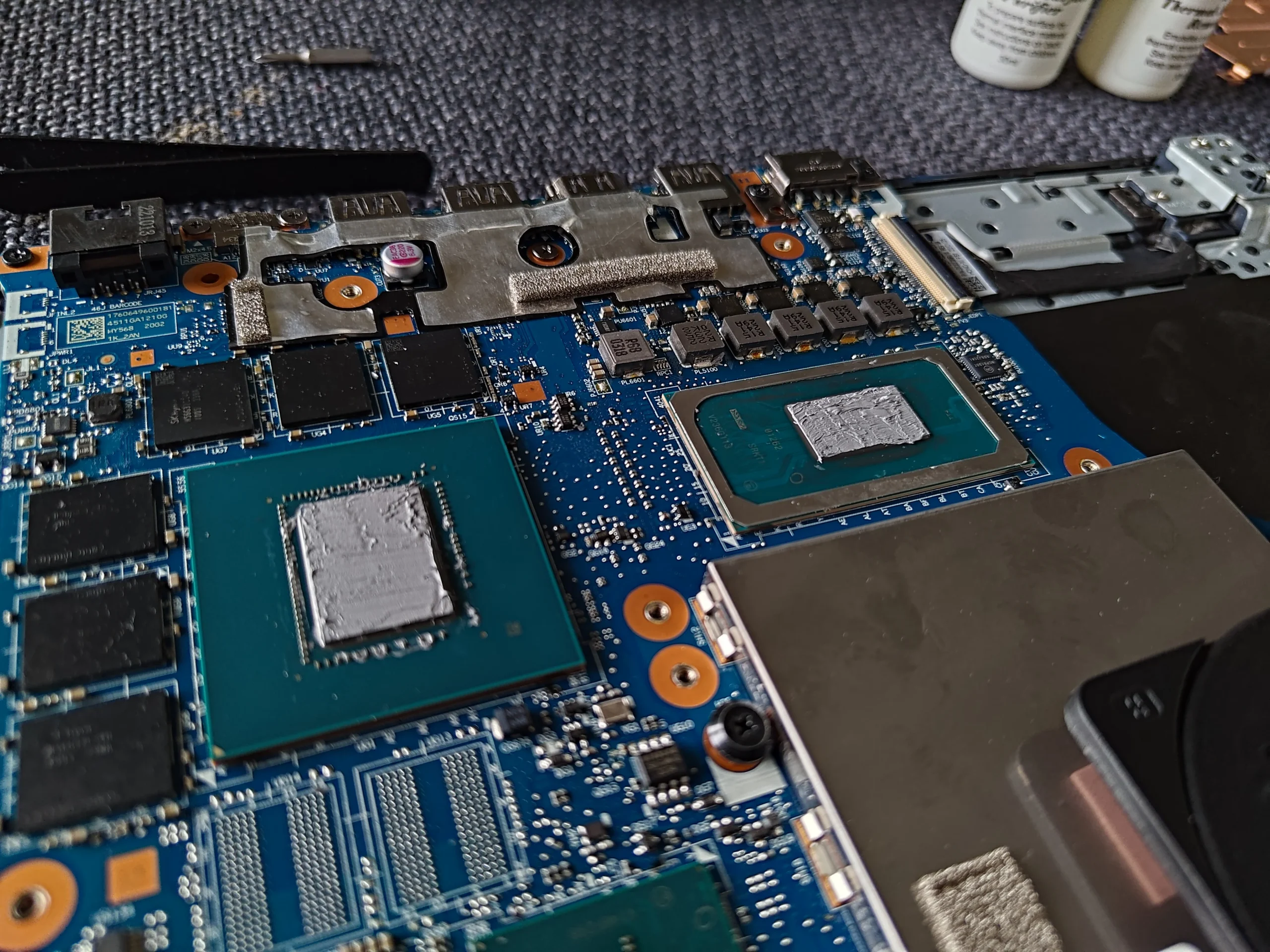
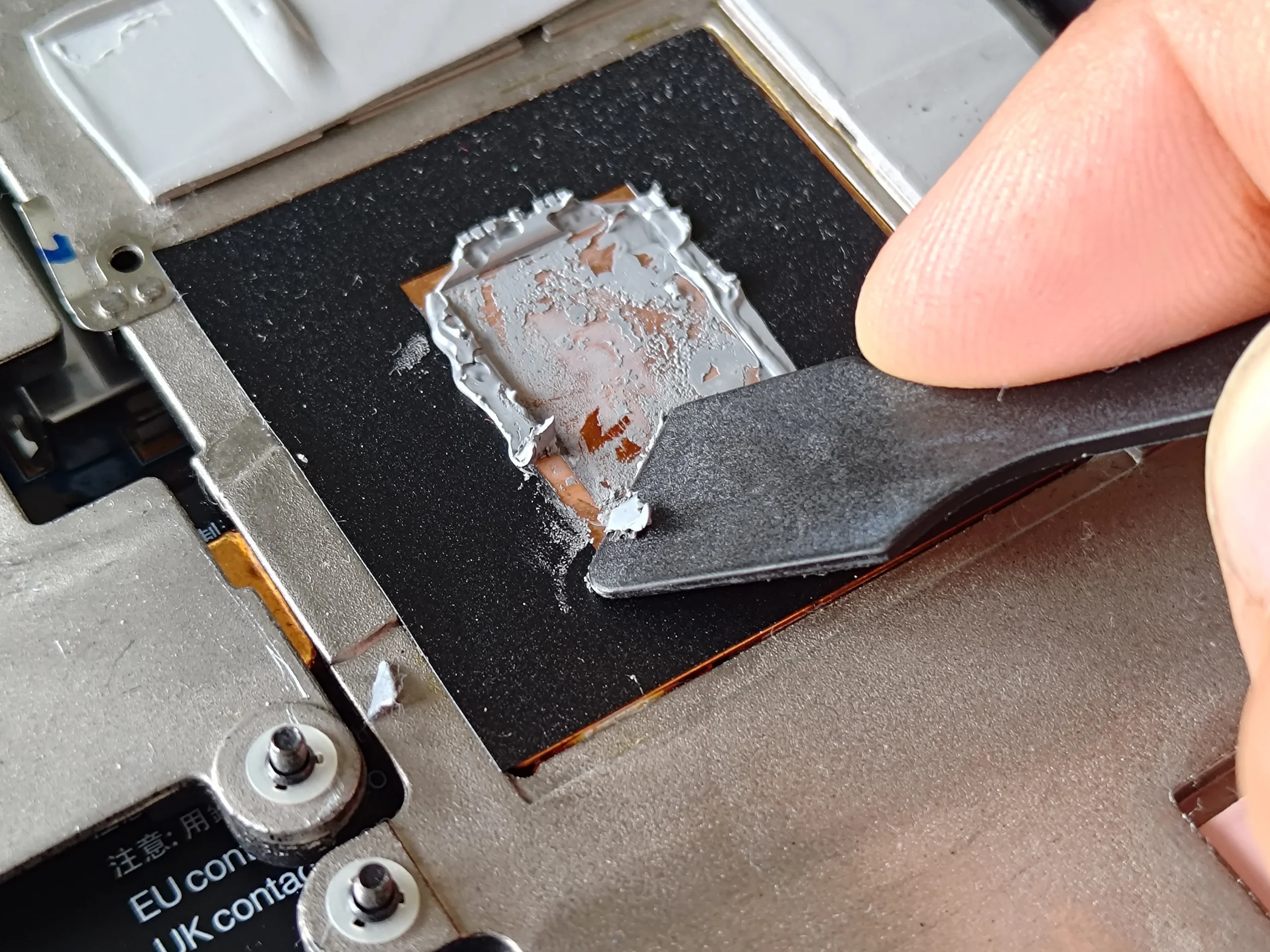
The underside of the removed copper assembly shows separate processor and graphics plates, with smaller thermal pieces nearby. Board close-ups show the matching chips. If the cooler is lifted, all disturbed interfaces must be restored, not merely the most visible paste spot.
Record screw order and the location and thickness of pads or putty. Uneven refitting can leave the main plates with poor contact even when the fans are clean.
04 / The last pass
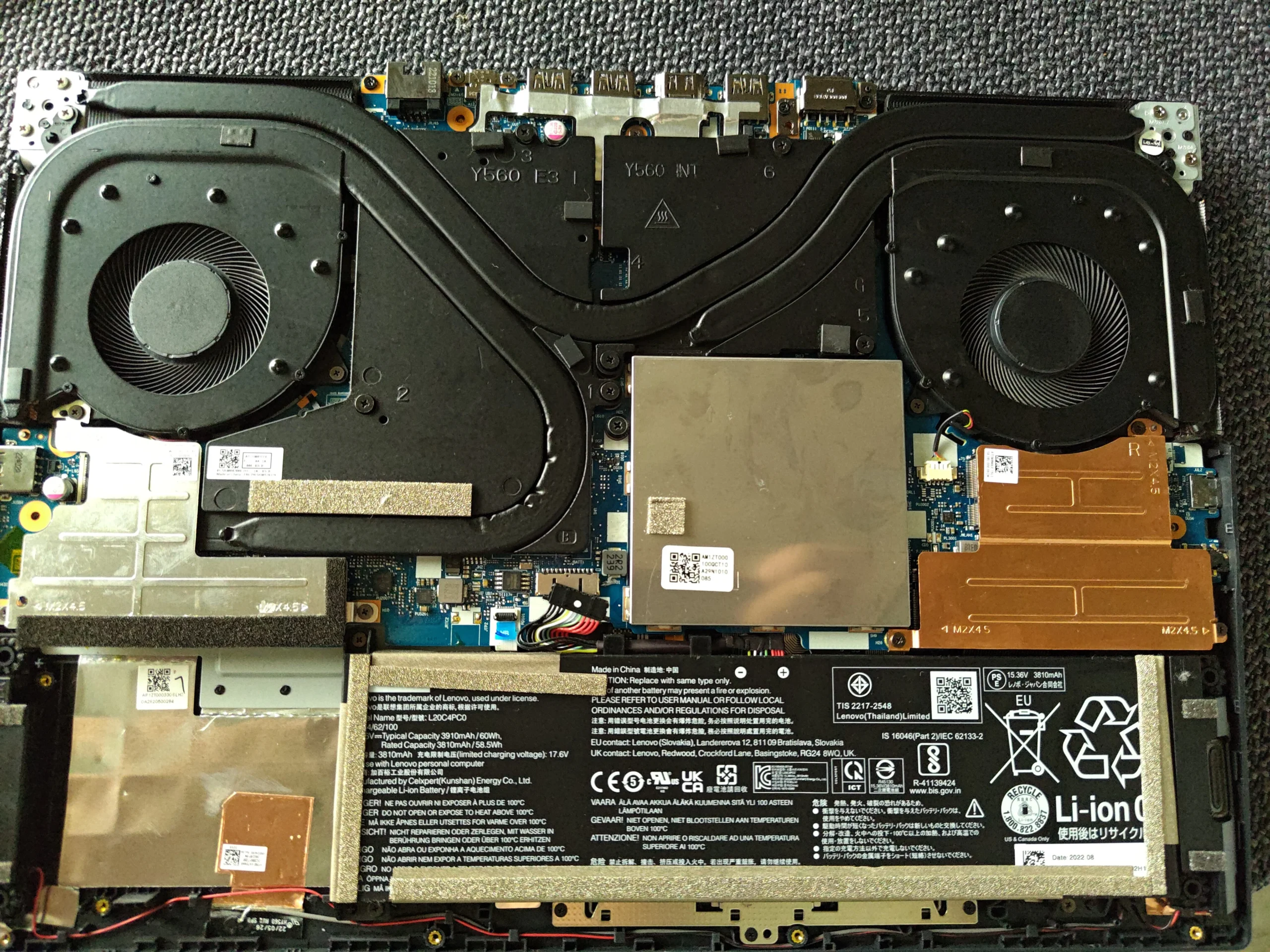
A clean intake still needs a careful fan and panel refit
After the cooling parts return, check fan leads, battery connection and any cable crossing the impellers. The long vented base should sit flat with all clips and screws in their proper places.
Once booted, compare fan behaviour and temperature during the same task and room conditions if a baseline exists. The archive documents physical access and cleaning, not a numerical gain.
The engineer’s takeaway
The key lesson is the inner face of the base intake. On this two-fan Legion, cleaning that cover belongs with checking both fans and outlets; lifting the shared cooler introduces a separate thermal-contact responsibility.
Before you open the laptop
Can you clean a Legion base intake yourself?
Power off, unplug the charger and use the service guide for the exact machine type. Make a screw map, release the base clips gently and disconnect the battery as directed before working inside.
The detached cover can be cleaned without touching the cooler. Hold fans still when removing loose dust. If lint is trapped at the inner fin edge or the copper assembly must be lifted, prepare for a careful thermal-material refit or ask a technician.
After the clean
How to check the Legion afterwards
Confirm both fans respond, air exits both intended paths and no cable causes a scrape. Check that the base sits flush and vents are unobstructed.
Temperature claims require comparable workload and room conditions. No matched results are supplied by this archive.
Questions from owners
Lenovo Legion base-intake cleaning FAQs
Answers based on this machine's vented cover, two fans and lifted cooler.
Why clean the inside of the bottom cover?
Lint can cling to the inner intake face. This case shows debris there even after the cover was removed.
Can I clean the cover without repasting?
Yes, cover and accessible fan cleaning can be separate from lifting the shared cooler.
Do both fans need attention?
Inspect both blades and outlets; the two sides can accumulate dust differently.
What if I remove the copper assembly?
The processor, graphics and smaller thermal contacts must all be restored with suitable materials and even mounting.
Is this exactly a Legion G5?
The source folder uses that name, but the photographed exact retail variant is not reliable enough to assert here.
Did cleaning lower the temperature by a measured amount?
The photos show the physical service, not a matched temperature test.
UK Legion intake enquiries
Dust returning inside the bottom cover?
If you are in the UK, tell us the machine type on your Legion label, your postcode and whether lint appears inside the intake or airflow feels weak at one outlet.
Mention any prior cooler removal. We can discuss a cover and fan clean or a deeper thermal service based on what has already been disturbed.
Read about our laptop fan and intake cleaning service, then use the form to tell us your computer model, symptoms and UK postcode.
Free to enquire · No obligation to book. We discuss the proposed work and price before you decide.
The workshop photos
Lenovo Legion base intake and fan gallery
Open the workshop photos for the inner base dust, twin fans, lifted cooler and chip contacts.