Published 25 November 2026 · Lenovo Legion gaming laptop case study
Legion fan-chamber clean
opening the fan area revealed the copper fin edge.
This second May Lenovo visit has unusually clear views of the circular fan before cleaning, the housing opened and the copper fin edge beside it. The photos make the difference between blade cleaning and clearing the air exit easy to see.
The system
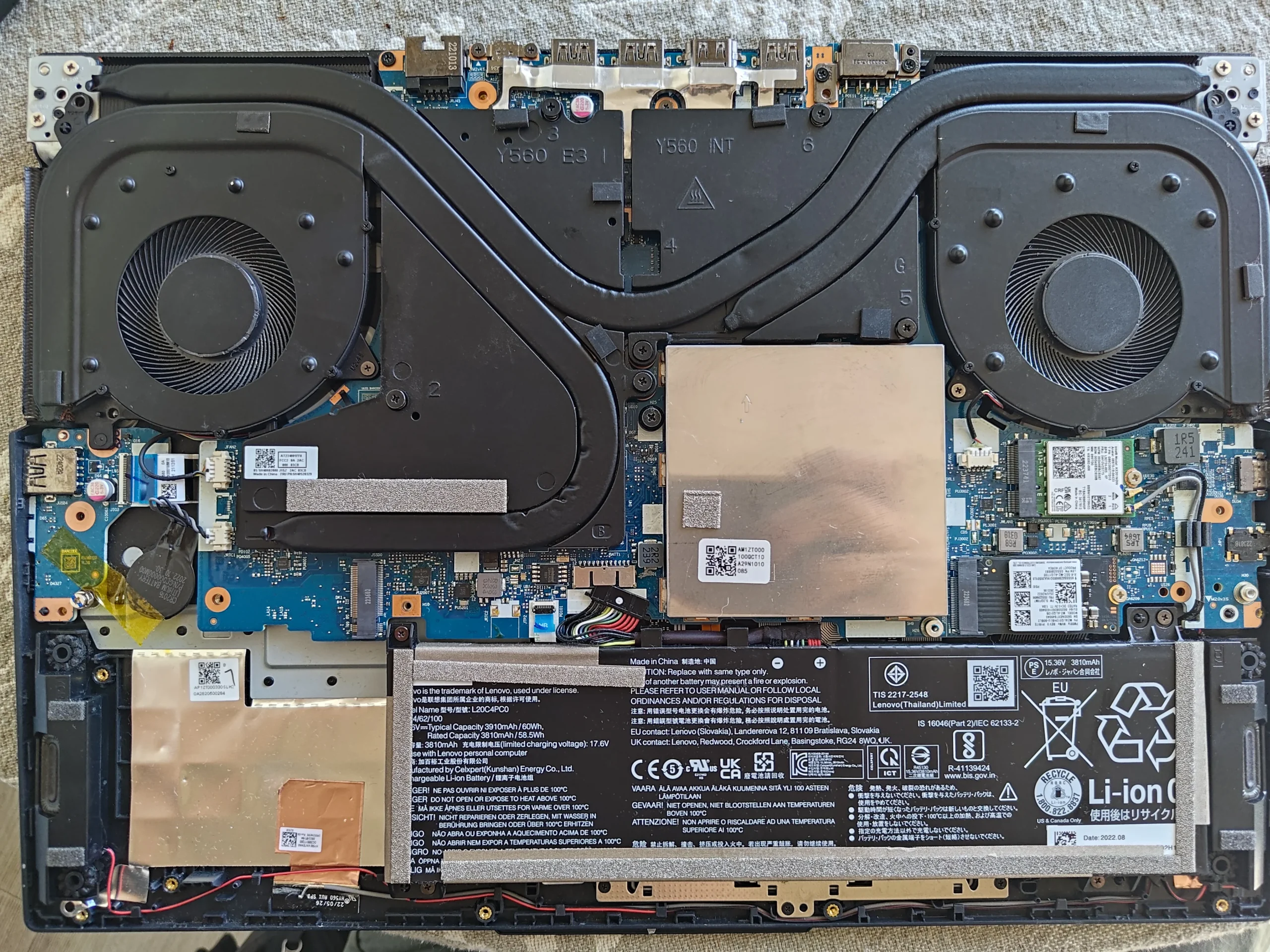
Lenovo Legion with two fans
Photo focus
Fan chamber and adjacent copper fins exposed
Thermal access
Shared cooler and chip surfaces photographed
In this Lenovo Legion, the dusty round fan is only the first thing you see. Several photos then show the fan housing opened, the rotor-side chamber and the copper fin stack that receives its airflow. Those views are valuable for an owner who has cleaned a vent but still suspects hidden dust.
The shared cooler and exposed chip contacts appear later in the archive. The folder is labelled as another laptop from the previous day's visit; its photographs are a different set. No exact machine type or matched temperature result is available, so the case stays with the visible cleaning sequence.
In this case study
01 / The starting view
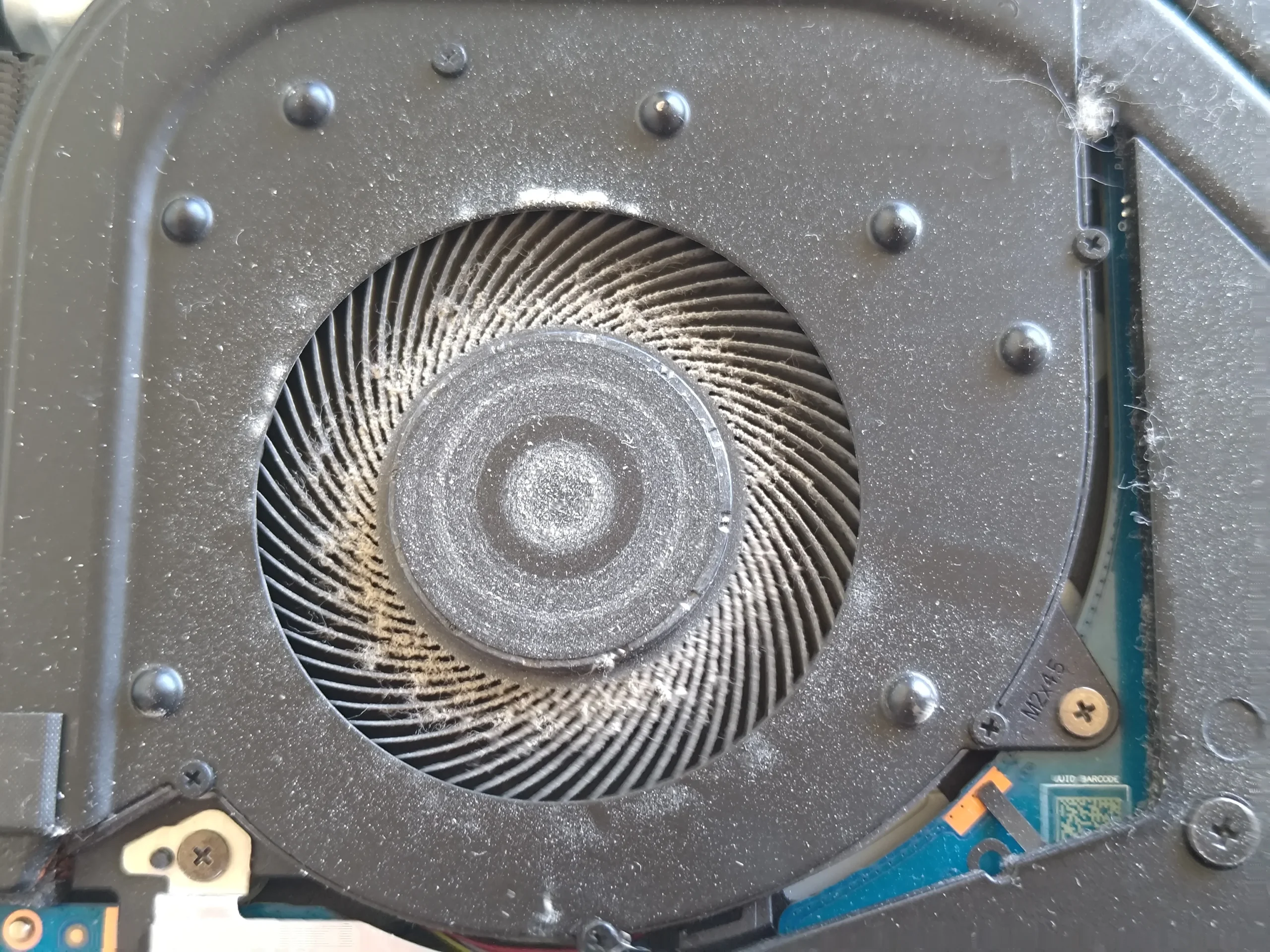
Dust coated the intake side of one blower
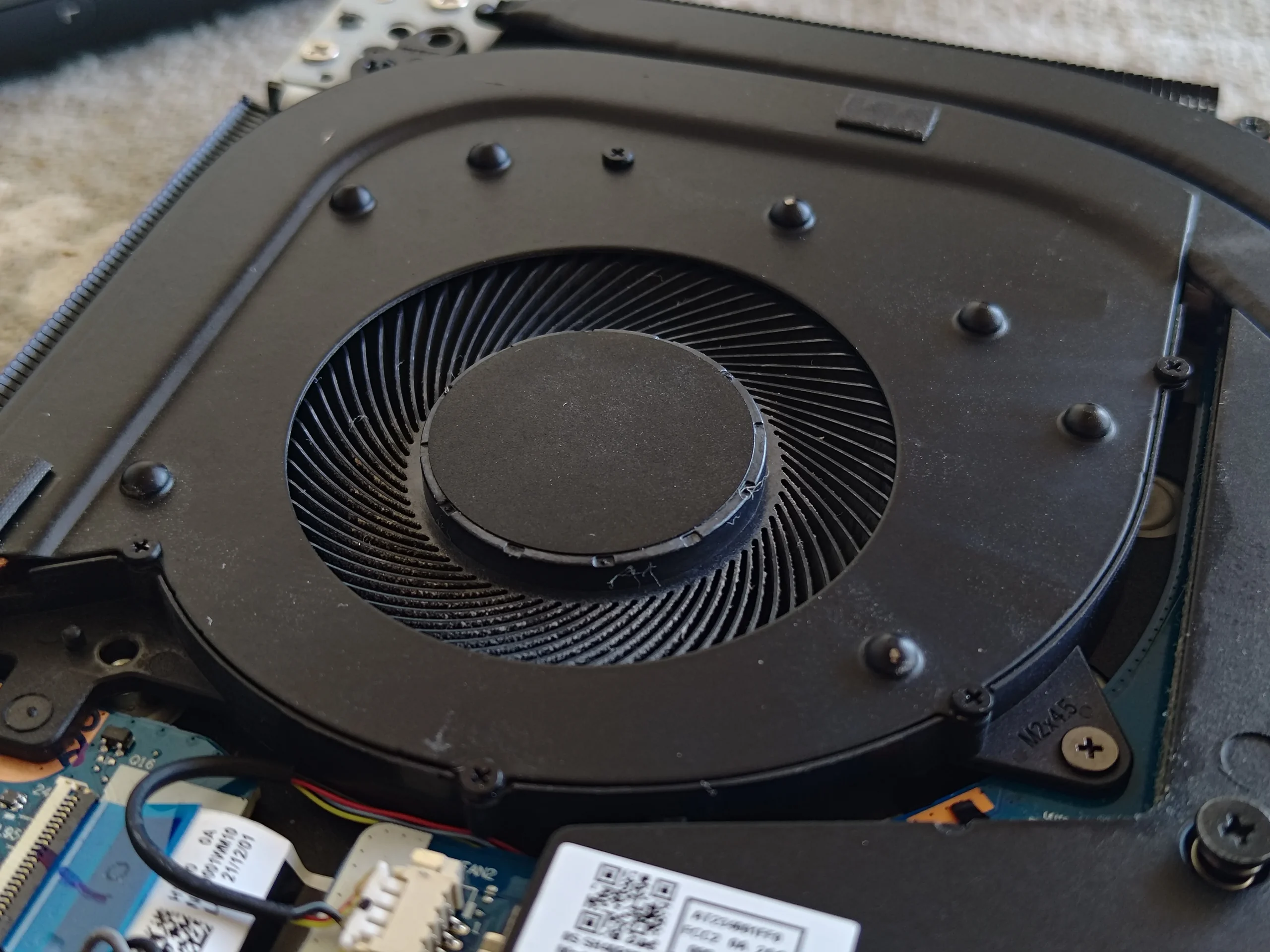
The close-up shows a pale layer around the blower's blades and centre. This is the dust most owners notice once the base is removed. It needs controlled cleaning with the rotor held still, so the bearing is not overspun.
The full chassis has a second fan. Check it as well; the two sides may have different dust loads and separate outlets.
02 / What lies beyond the blades
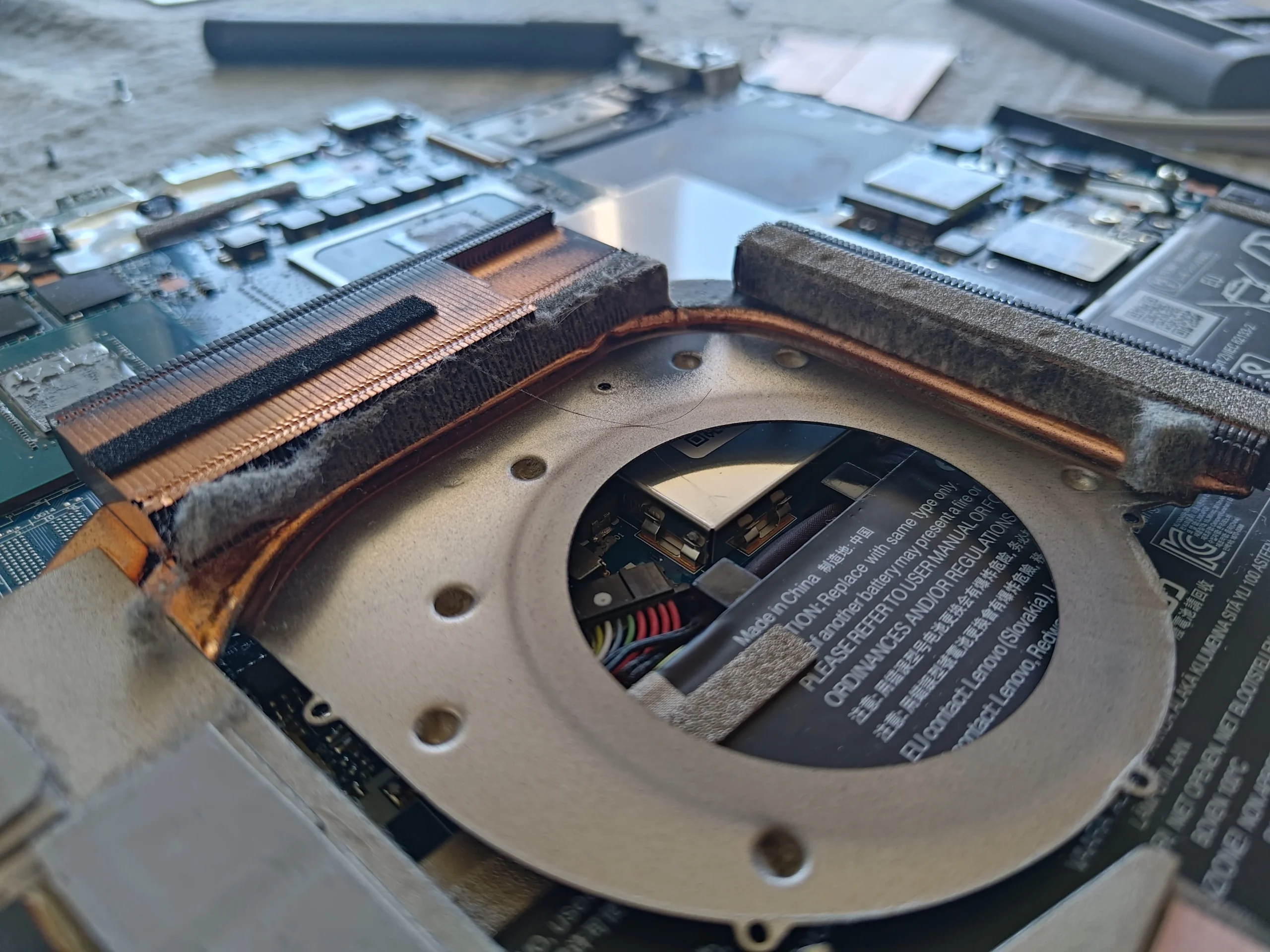
The opened housing exposed the fan's air channel
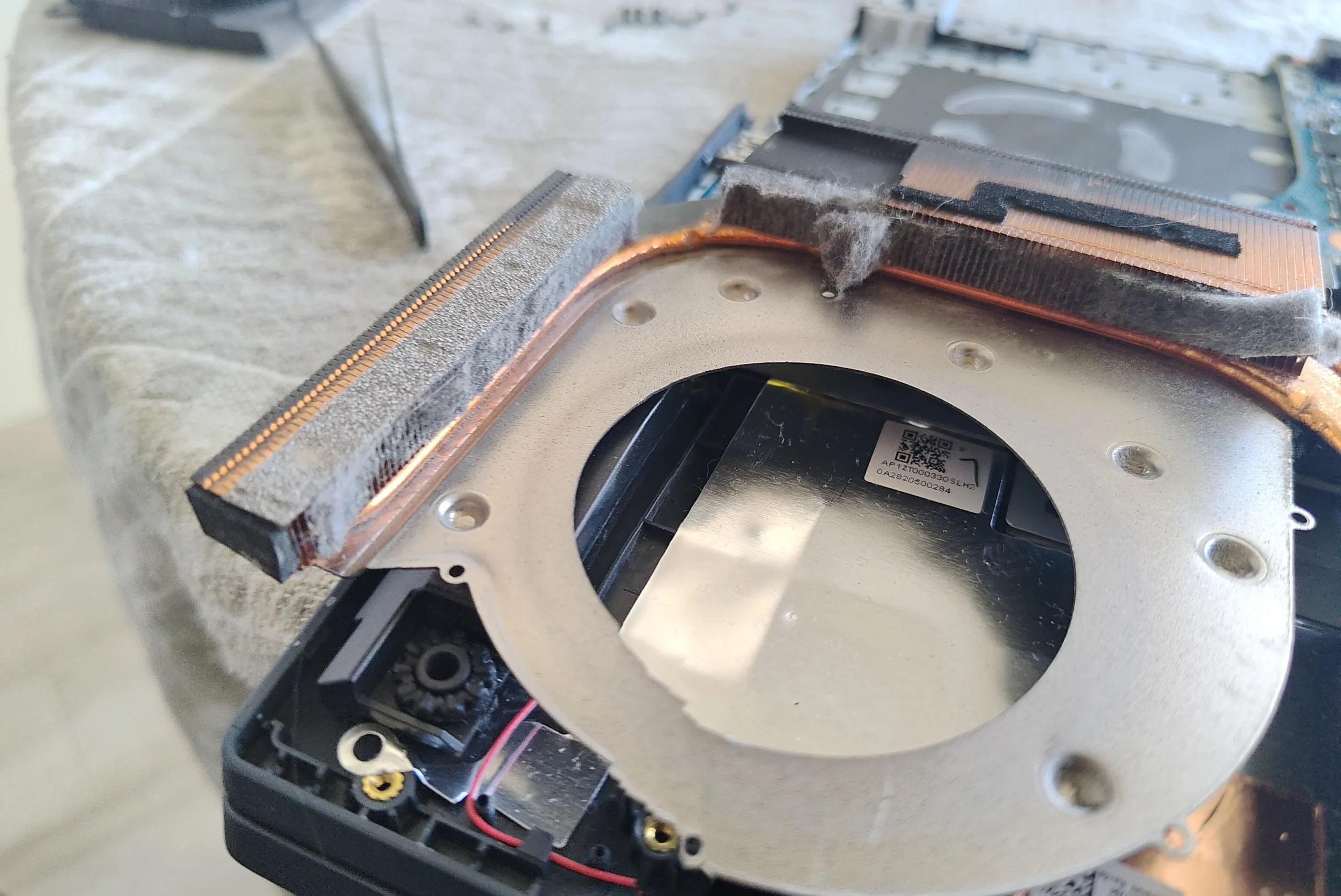
A later view shows the fan chamber apart, with its round opening and copper route visible. This gives direct access to debris that can be hidden behind the blades. It also shows why prying at the housing without a screw and cable map is risky.
Keep loose material away from the exposed board and do not bend the thin copper pipes or fin plates.
03 / The final air exit
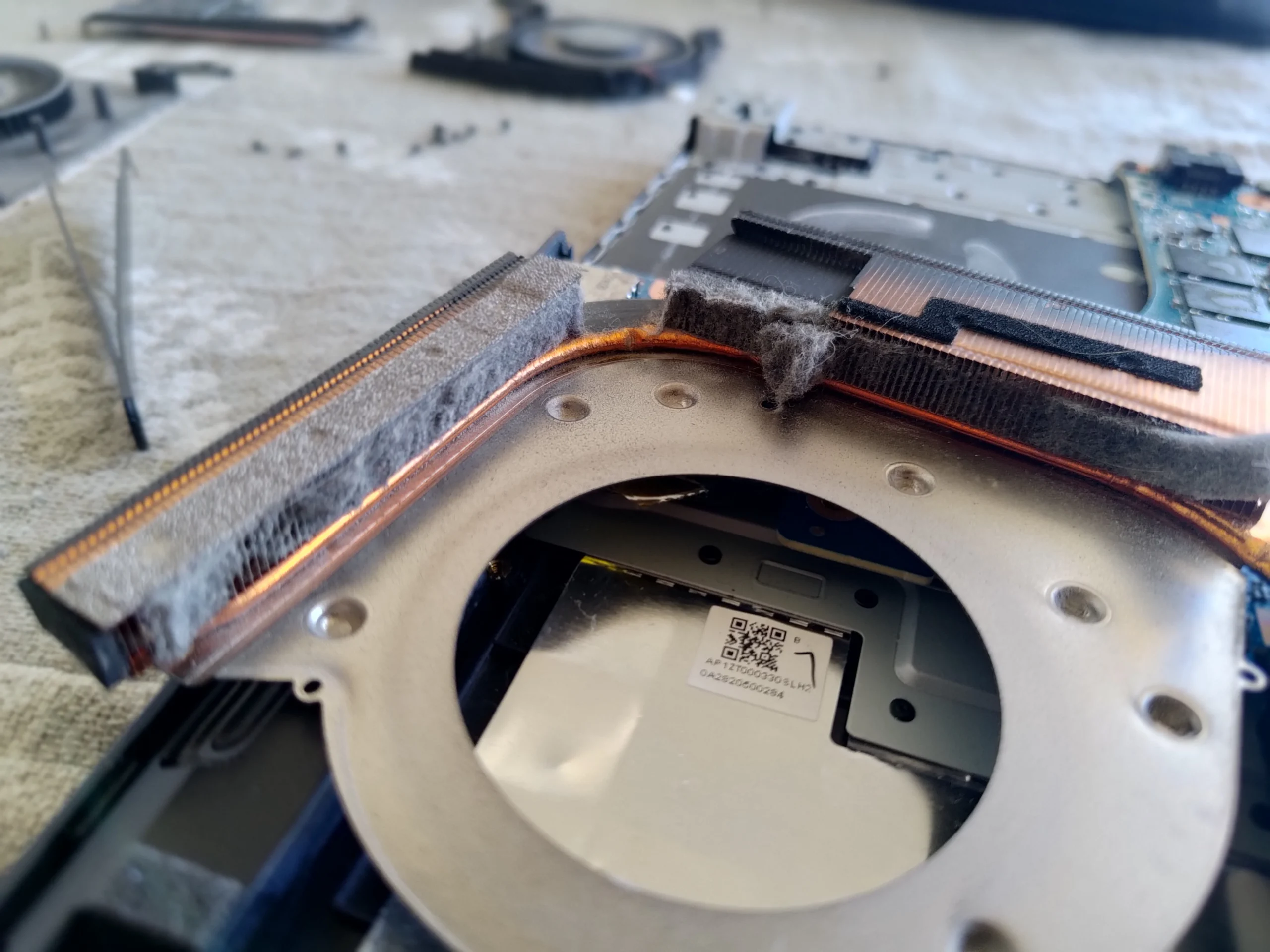
The fin stack should be inspected from inside
The close-up of the copper fin edge shows the tight metal passages that air must cross to leave the laptop. Cleaning the rotor but leaving lint against those gaps can leave the cooling route restricted.
Use direct, gentle access to lift debris outward. The photo set shows fin access but does not measure airflow before and after.
04 / A separate service step
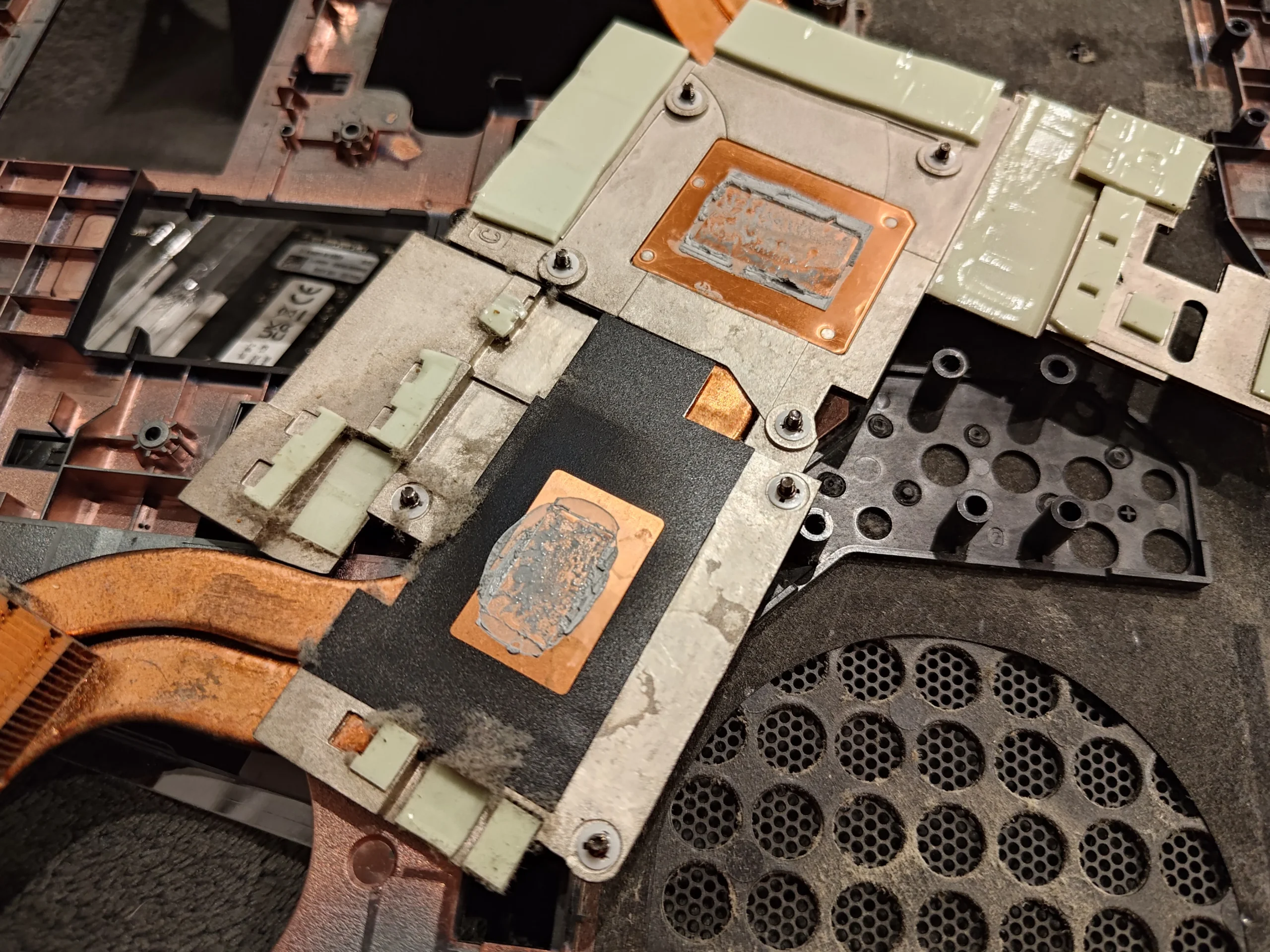
The cooler lift exposed processor and graphics surfaces
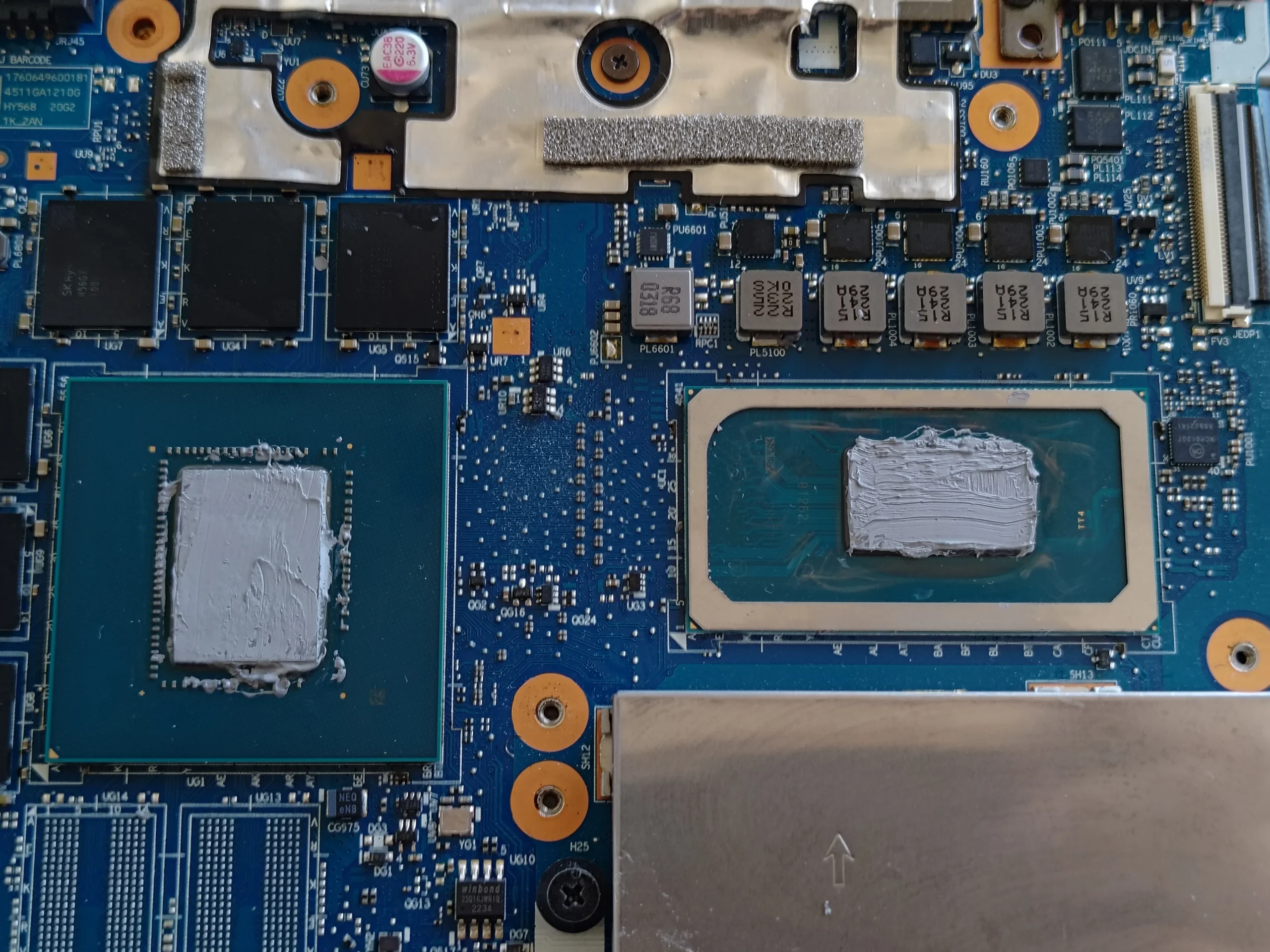
The board photo shows two main chip contacts and the removed assembly's mating plates. Once separated, the old thermal material and any smaller pads or putty need careful preparation before the cooler goes back.
The final checks are fan leads, even cooler mounting and a workload test under comparable conditions. The archive does not support a numerical temperature claim.
The engineer’s takeaway
The useful distinction in this visit is the fan chamber versus the copper fin exit. Both need to be open; if the shared cooler is lifted for access, its thermal contacts must also be restored correctly.
Before you open the laptop
Can you open a Legion fan chamber yourself?
Shut down, unplug and use the guide for your exact Lenovo machine type. Map screws and disconnect the battery as directed. Start with accessible dust while holding the rotor still.
If the chamber has to come apart, photograph the cable and housing orientation. Do not lift the heat-pipe assembly casually; that turns a fan clean into a paste and pad service.
After the clean
Checks after the Legion is reassembled
Confirm both fans can ramp, neither rubs a wire and the base closes without a bulge. Compare temperatures under the same task and room conditions if baseline values exist.
The photographs show access and physical cleaning, not a controlled cooling benchmark.
Questions from owners
Lenovo Legion fan-chamber cleaning FAQs
Answers based on the opened fan area and copper fin stack in this visit.
Why open the fan chamber?
It gives direct access to hidden dust between the blower and its fin exit. This archive shows that channel exposed.
Can I clean only the blades?
It helps, but inspect the fin face too. A clean rotor cannot overcome a blocked outlet.
Should I check the second fan?
Yes. The laptop has two separate fan paths that may collect dust differently.
Do I need new paste if the shared cooler is lifted?
Yes. Clean and renew disturbed chip interfaces and restore smaller thermal materials in their proper places.
Is this the same laptop as the previous day's folder?
The source names this as another Lenovo visit and the photos are a distinct set; the exact machine type is not verified.
Was a temperature reduction measured?
There is no matched before-and-after thermal test in the archive.
UK Legion fan-chamber enquiries
Clean blades but weak rear airflow?
If you are in the UK, tell us your Legion machine type, postcode and whether one outlet feels weaker. Describe what cleaning you have already tried.
We can discuss direct inspection of the fan chambers and copper fin faces, plus separate thermal-contact work if the cooler has been lifted.
Read about our Lenovo laptop fan cleaning service, then use the form to tell us your computer model, symptoms and UK postcode.
Free to enquire · No obligation to book. We discuss the proposed work and price before you decide.
The workshop photos
Legion fan-chamber and copper fin gallery
Open the photos of the dusty blower, opened chamber, copper fins and cooler contacts.