Published 20 November 2026 · Lenovo Legion gaming laptop case study
Legion rear-fin clean
a hidden lint strip blocked the narrow exit.
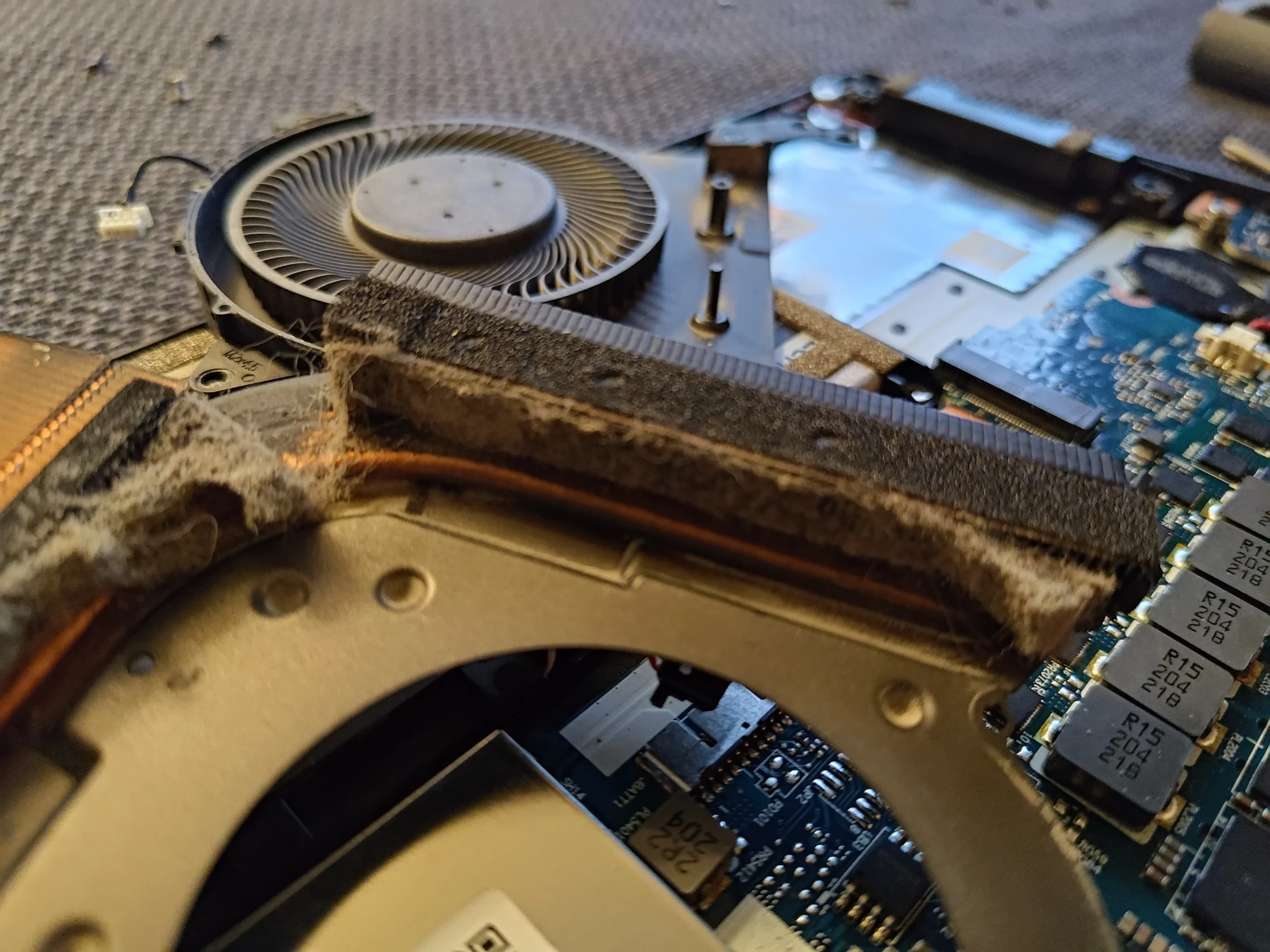
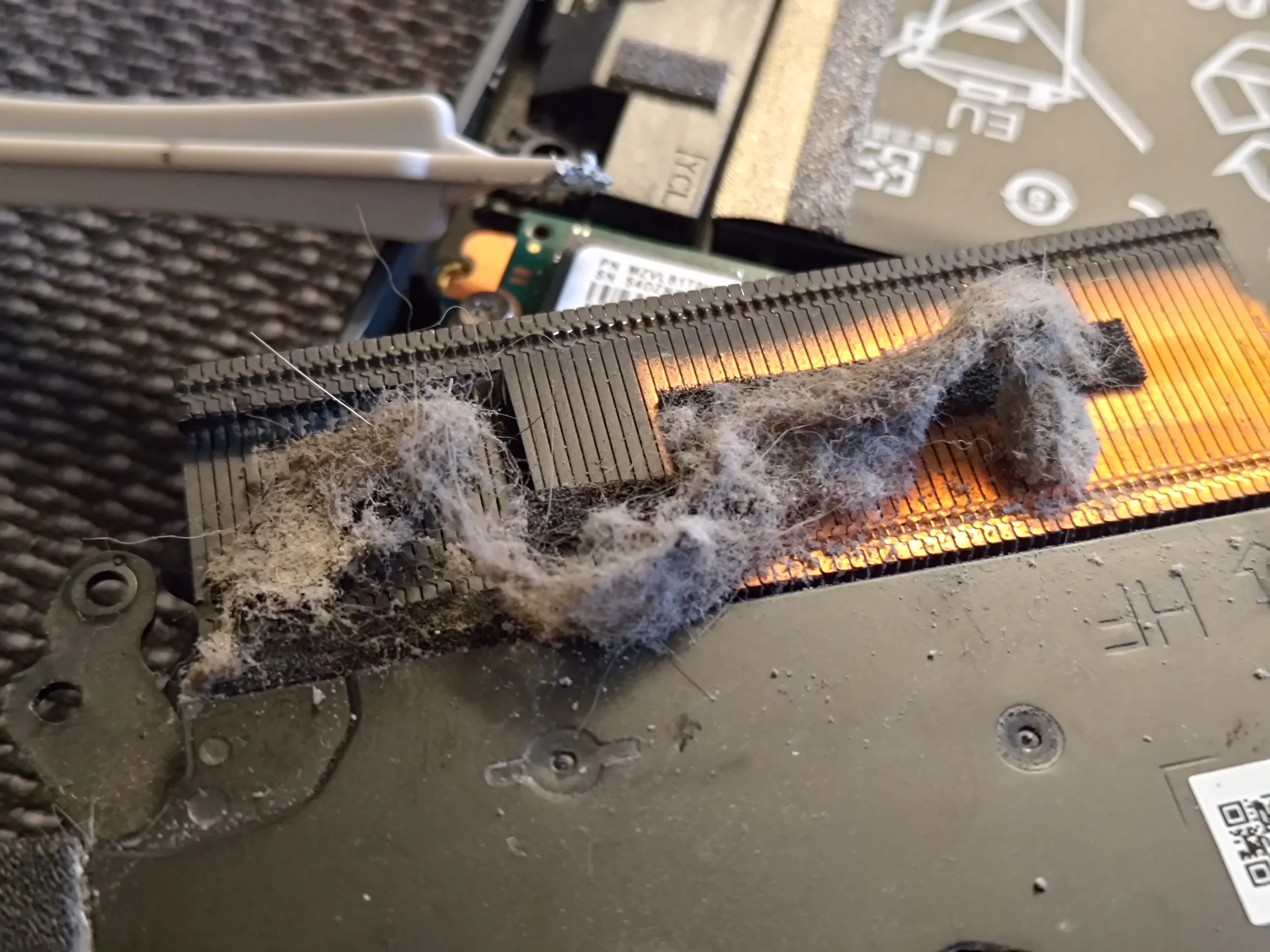
The most useful photo in this service is a dense, pale strip of lint caught beside the copper fins. Two fans were present, but the obstruction sat beyond a fan blade, where outgoing air needed to pass.
The layout
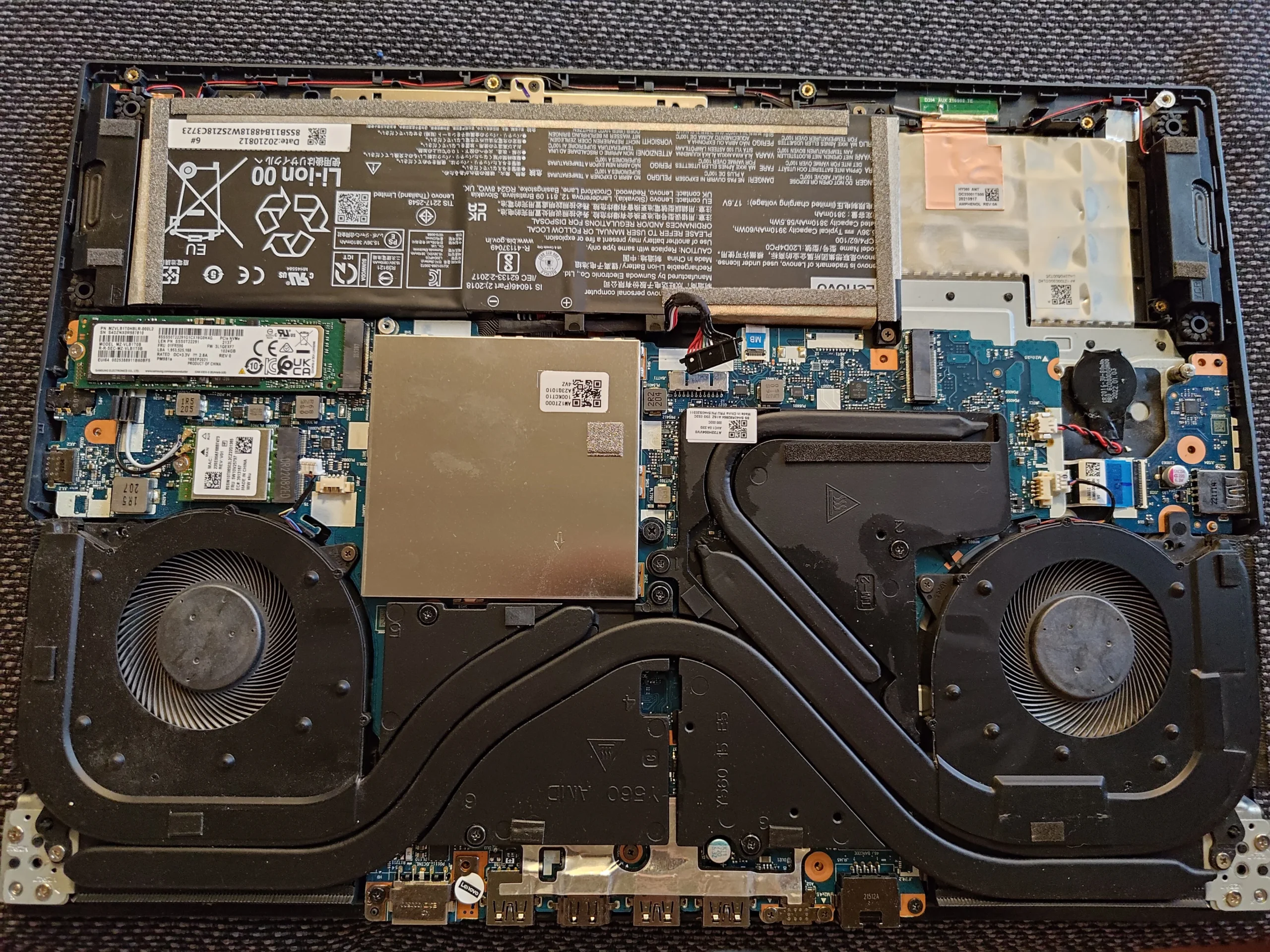
Two blowers and a shared cooler
Main finding
Fibrous mat at a rear fin outlet
Thermal work
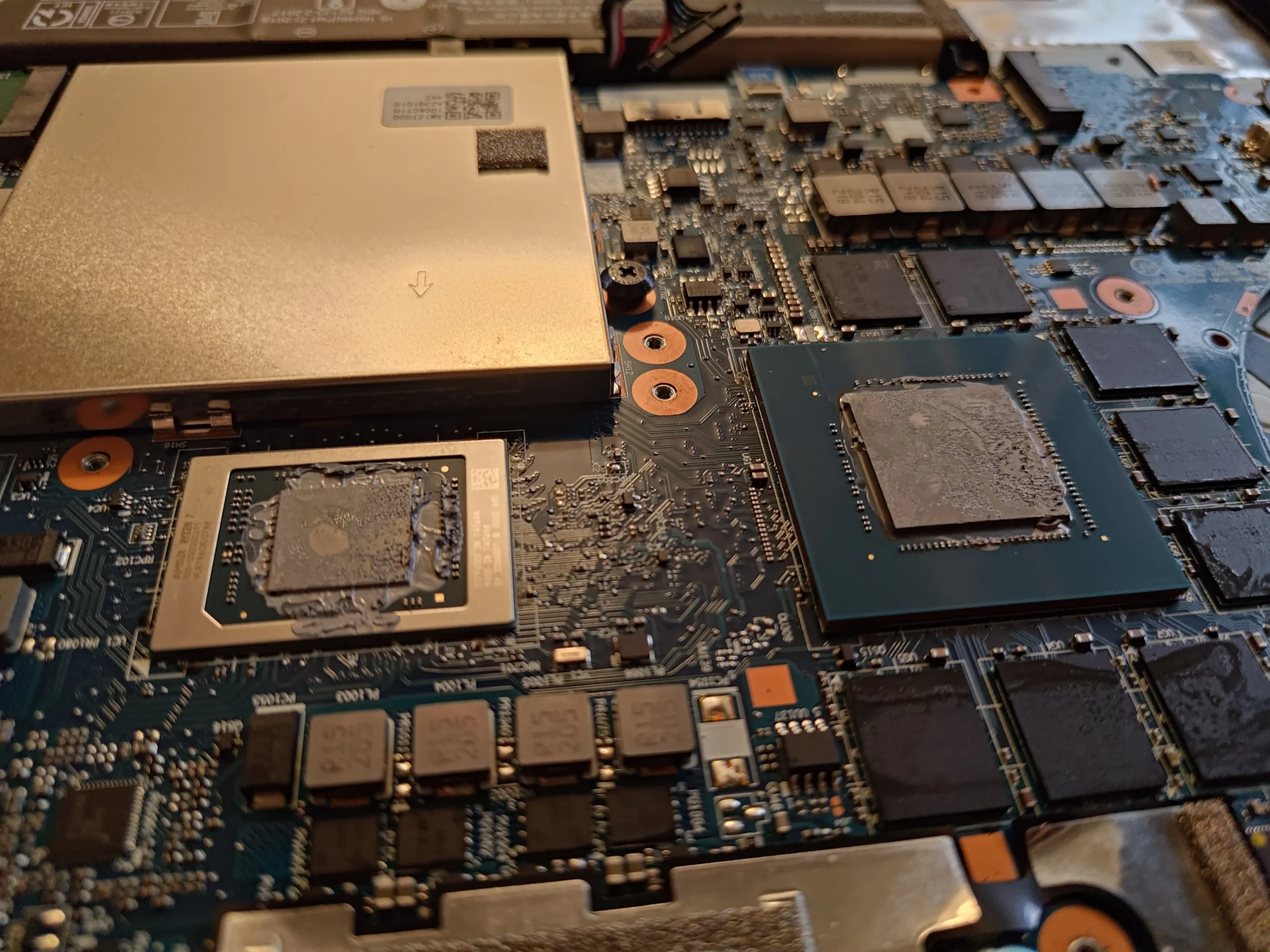
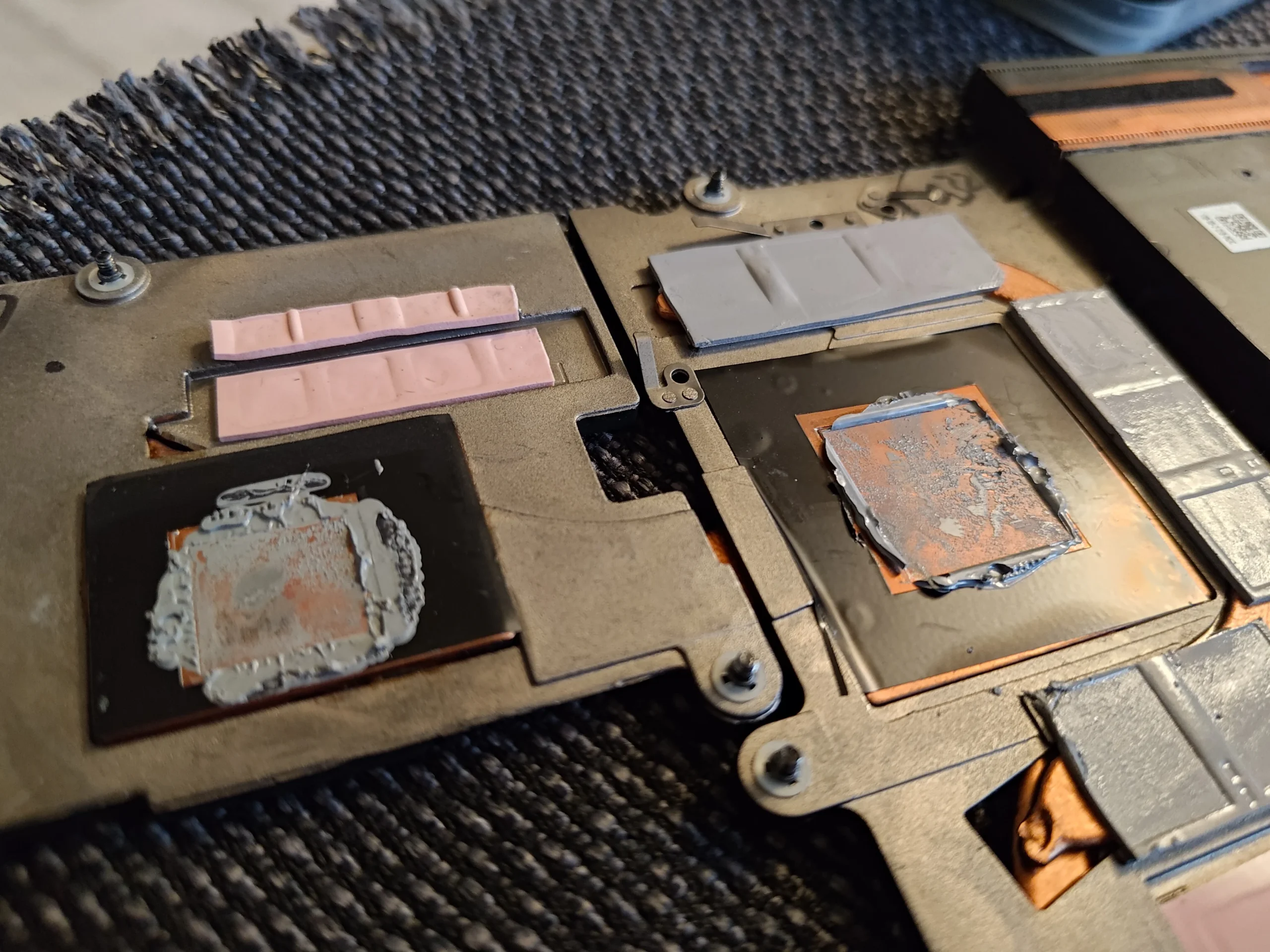
Cooler lifted with two main chip contacts visible
Fan blades attract attention because they are easy to see. In this Lenovo Legion, the more important photograph shows a compacted lint strip at the rear fin edge. Air from the blower has to pass that narrow metal stack to leave the laptop; a mat here can remain after a superficial fan clean.
The archive follows the open two-fan chassis, close views of the outlet, dust removed onto tissue, and the cooler's contact plates. It does not include matched temperature results or a reliable exact variant label. This article stays with the visible obstruction and service steps.
In this case study
01 / The hidden blockage
Fibres formed a dense band by the copper fins
The close-up shows a thick, felt-like strip packed at the rear of one fan chamber. This is the point where the air route narrows into the fin stack, so even a fan that spins can struggle to move air through it.
A second angle shows the same outlet area with loose material exposed. Direct access matters: pushing air into the outside vent may move a clump inward rather than removing it.
02 / Across the laptop
Both blowers still needed inspection
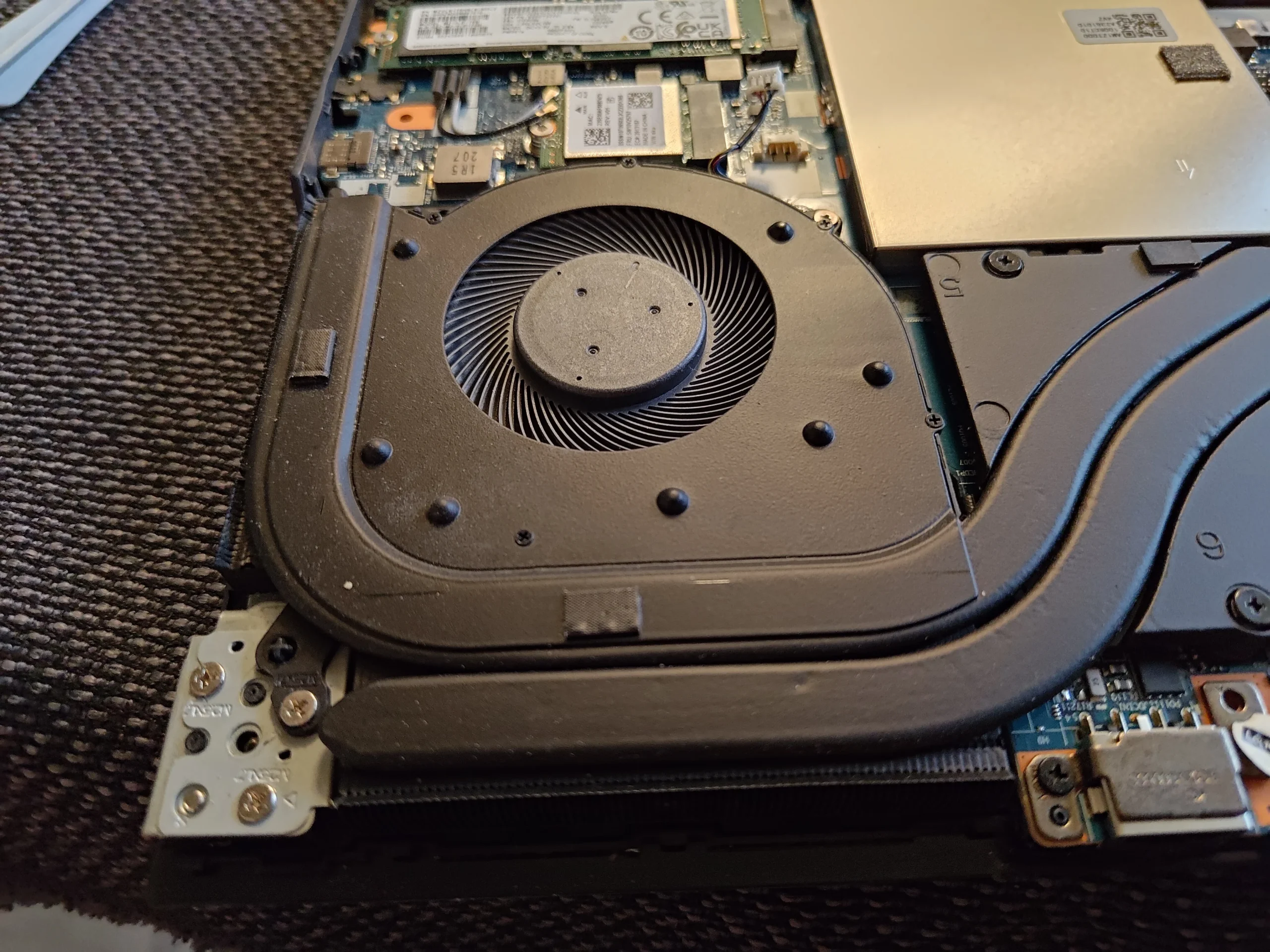
The wide internal view shows fans on both sides of the shared heat-pipe assembly. A heavy mat at one outlet does not tell us the other outlet is clear. Check both blades, housings and inner fin faces.
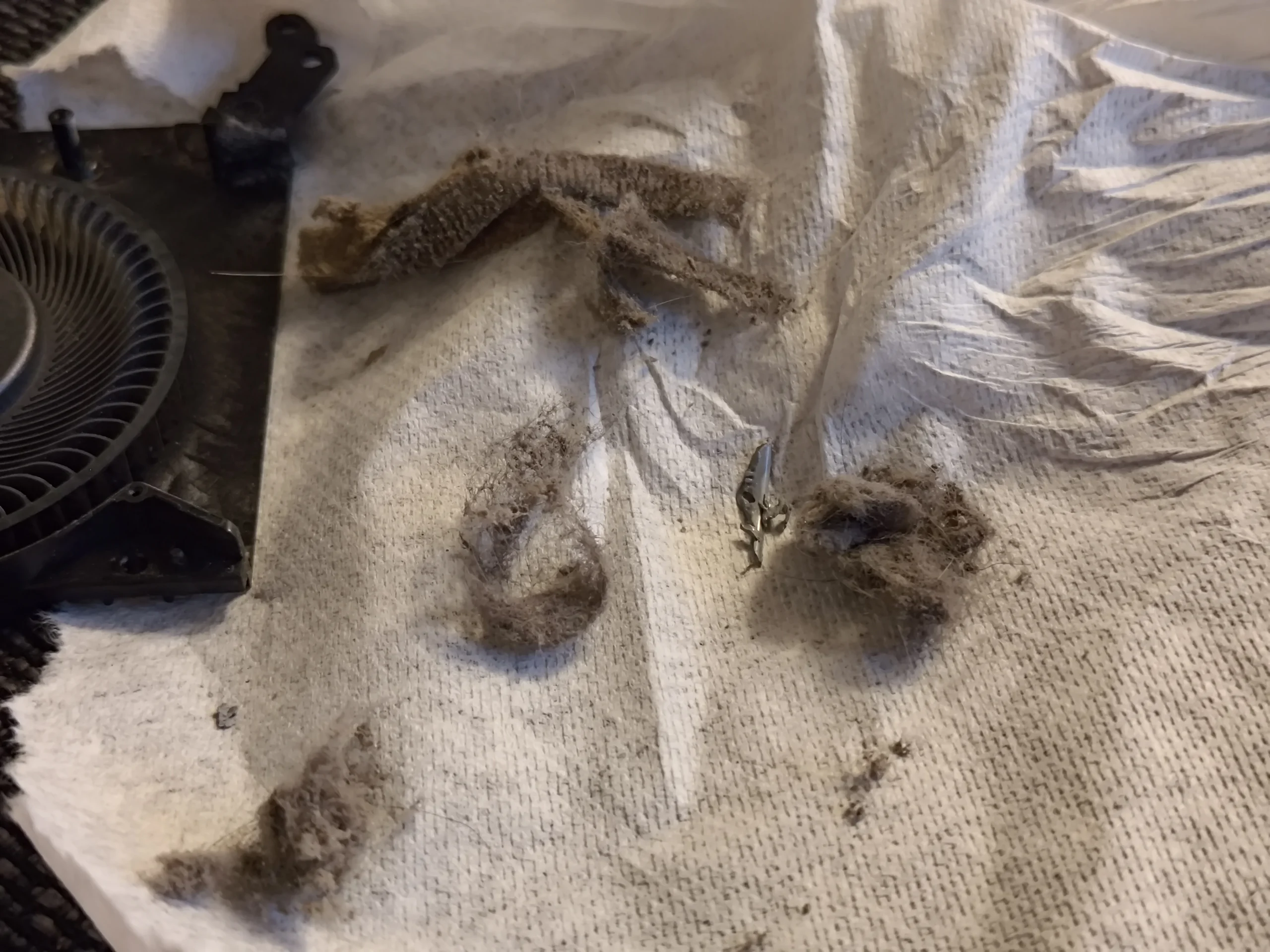
The later dust pile on tissue is a useful visual record of material removed, but it does not measure airflow. The important service result is that the obstruction was found and physically taken out.
03 / Beyond dust
The shared copper assembly was lifted from two chips
The removed cooler shows two main contact plates and smaller thermal pieces. A board photo shows the corresponding chip surfaces. Once those surfaces are separated, old compound must be cleaned and suitable new material applied before an even refit.
Do not substitute random pad thickness for the smaller contacts. Their original placement can determine whether the main plates touch the chips properly.
04 / Putting it together
The fin exit and fan leads need a final check
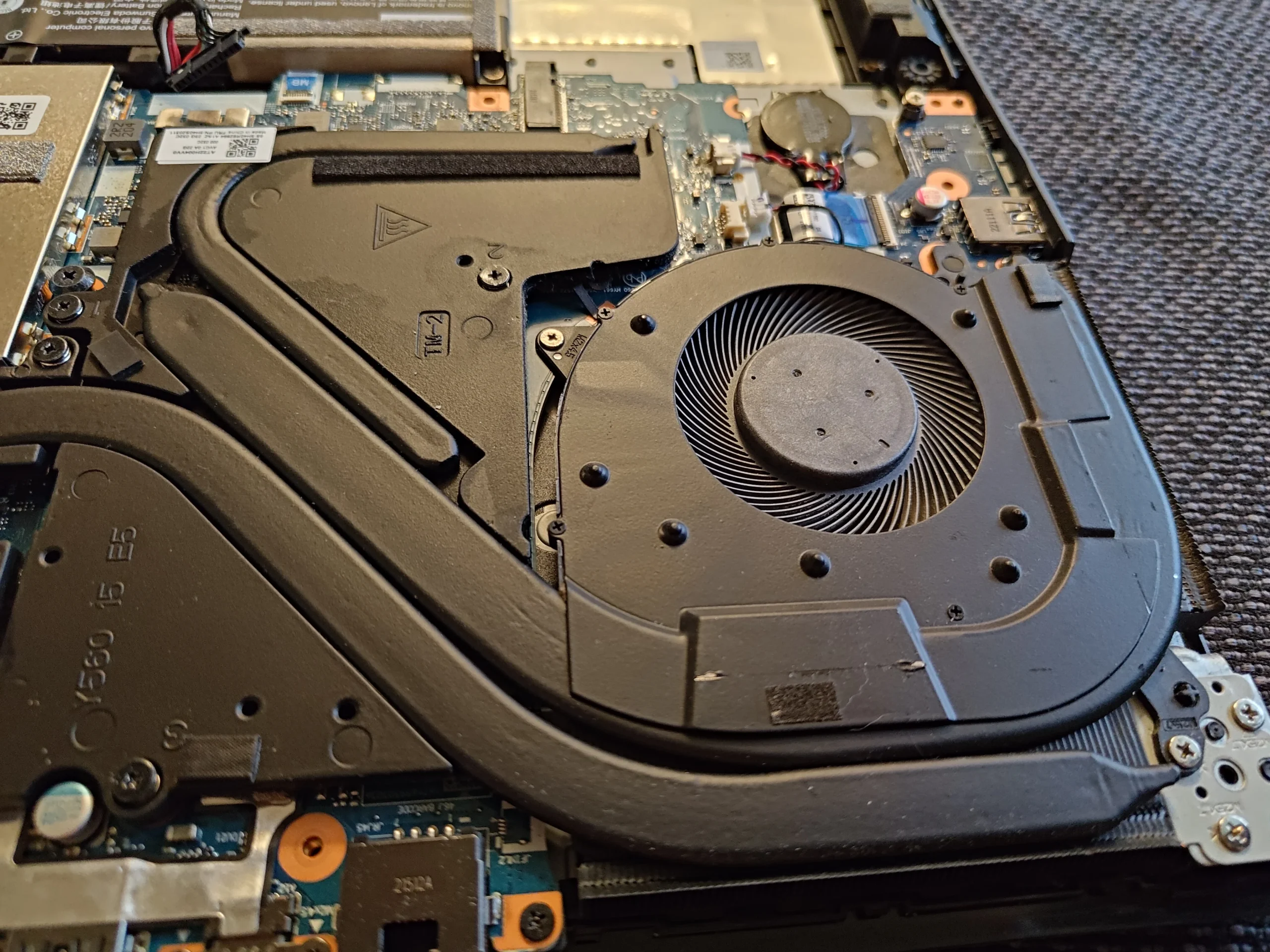
A close fan view shows the blower and copper outlet in place. Before closing the base, verify both fans are connected, no cable touches a rotor and no remaining lint bridges the fin edge.
After booting, compare temperatures under the same workload and room conditions if baseline values exist. The archive provides no paired test, so it cannot prove a numerical cooling improvement.
The engineer’s takeaway
The hidden lint strip at the rear fin edge is the lesson of this Legion case. Cleaning should follow both fan paths to their exits, and cooler removal must be followed by accurate thermal-interface restoration.
Before you open the laptop
Can you remove this kind of Legion lint yourself?
Power off, unplug the charger and follow the service guide for the exact Legion model. Map the base screws, disconnect the battery as directed and hold each fan still while removing loose dust.
If the lint is compacted at the inside face of the fins, direct access is more reliable than blowing through the external vent. Leave the cooler mounted unless you can record and replace its paste, pads or putty correctly.
After the clean
What to check after the Legion is closed
Check both fans respond when the system is warm, listen for rubbing and confirm air leaves the rear outlets. Compare CPU and GPU readings only with similar workloads and room conditions.
No matched temperature log is available here. If one chip still runs hot after the outlet is open, its fan or thermal contact may need separate diagnosis.
Questions from owners
Lenovo Legion rear-fin lint FAQs
Answers based on the fibrous mat and two-fan cooler in this visit.
Why is lint at the rear fins worse than dust on the fan hub?
The rear fins are a narrow passage for outgoing air. A compacted mat there can restrict airflow despite a spinning fan.
Could I blow the mat out from the outside?
It may be pushed inward or remain packed against the fin face. Direct internal access is usually more dependable for a dense strip.
Should both fans be checked if only one outlet is blocked?
Yes. The laptop has two separate fan routes; the other outlet may have different buildup.
Do I have to repaste after lifting the shared cooler?
Yes. Disturbed main chip contacts need cleaning and suitable fresh material, while smaller thermal pieces need correct placement.
What exact Legion model is pictured?
The archive shows a Lenovo Legion but does not establish a precise submodel for publication.
Was a temperature drop measured?
The photos show lint removal and cooler access, but no comparable before-and-after readings.
UK Legion dust enquiries
Still hot after cleaning the fan blades?
If you are in the UK, tell us your exact Legion model, postcode and whether airflow feels weaker on one side. Say if you have already tried external air or opened the base.
We can discuss checking the internal fin faces and both fans, then separately assess the cooler's thermal contact if needed.
Read about our laptop fan and heatsink cleaning service, then use the form to tell us your computer model, symptoms and UK postcode.
Free to enquire · No obligation to book. We discuss the proposed work and price before you decide.
The workshop photos
Lenovo Legion rear-fin lint gallery
Open the workshop photos for the lint strip, dual-fan layout, removed material and cooler contact plates.