Published 23 November 2026 · Lenovo Legion gaming laptop case study
Legion grille and fan clean
the rear grille deserved a separate inspection.
This Legion's underside and rear edge show how air enters and leaves a thin gaming laptop. The workshop photos expose two fans, a dusty internal grille section and the shared cooler's contacts after removal.
Cooling layout
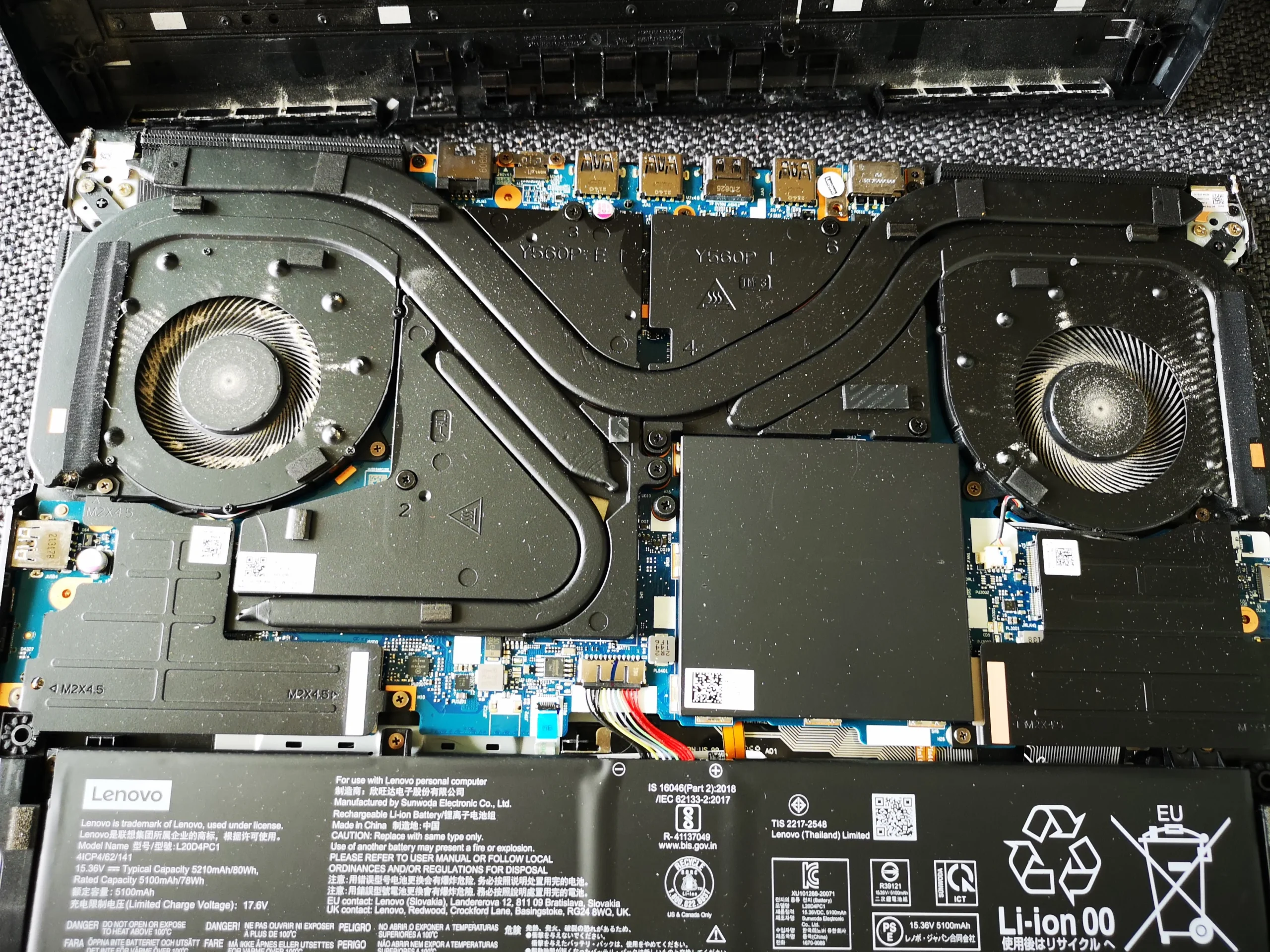
Two blower fans beside a shared cooler
Access finding
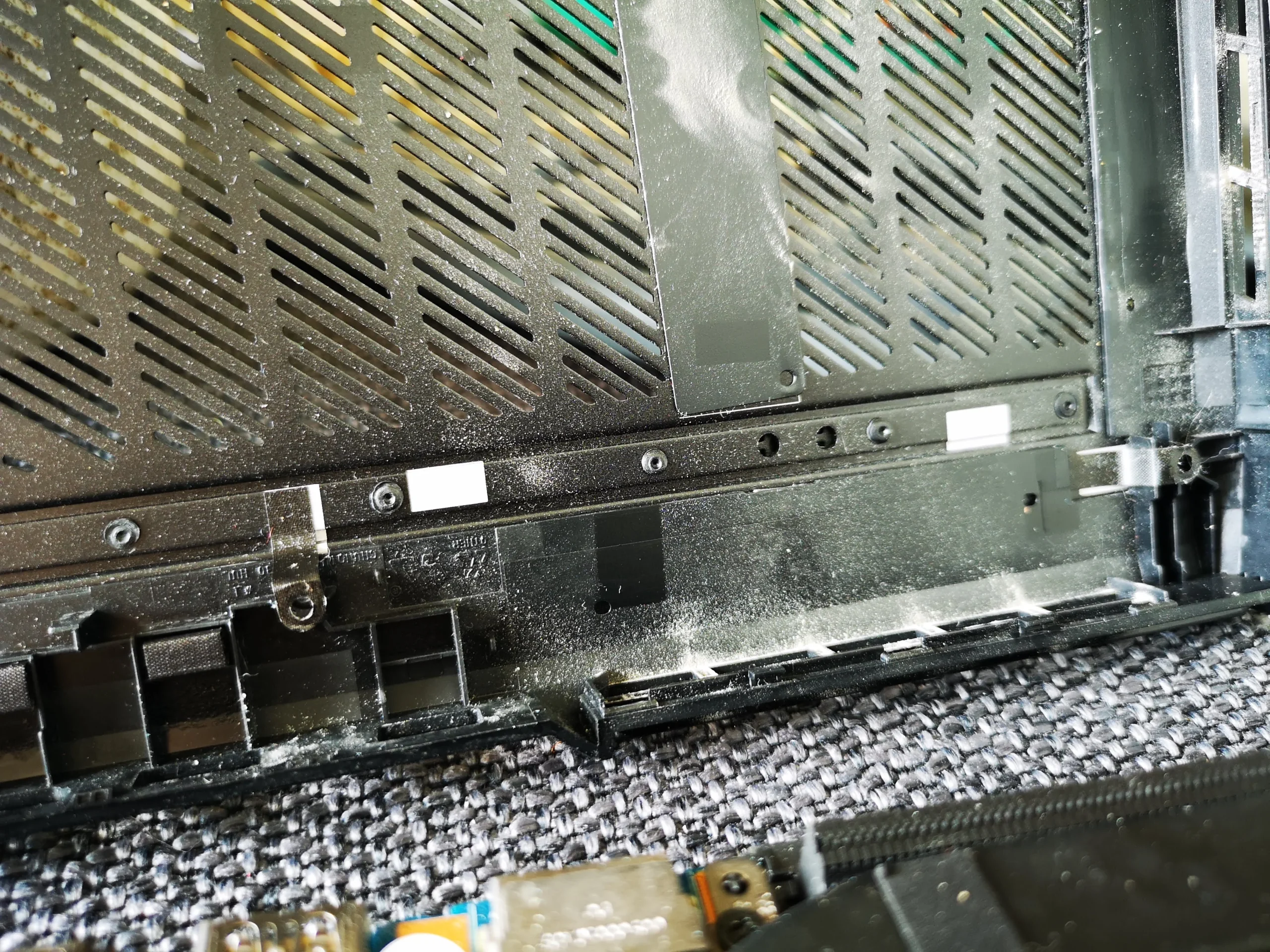
Dust visible along the inner rear grille
Thermal work
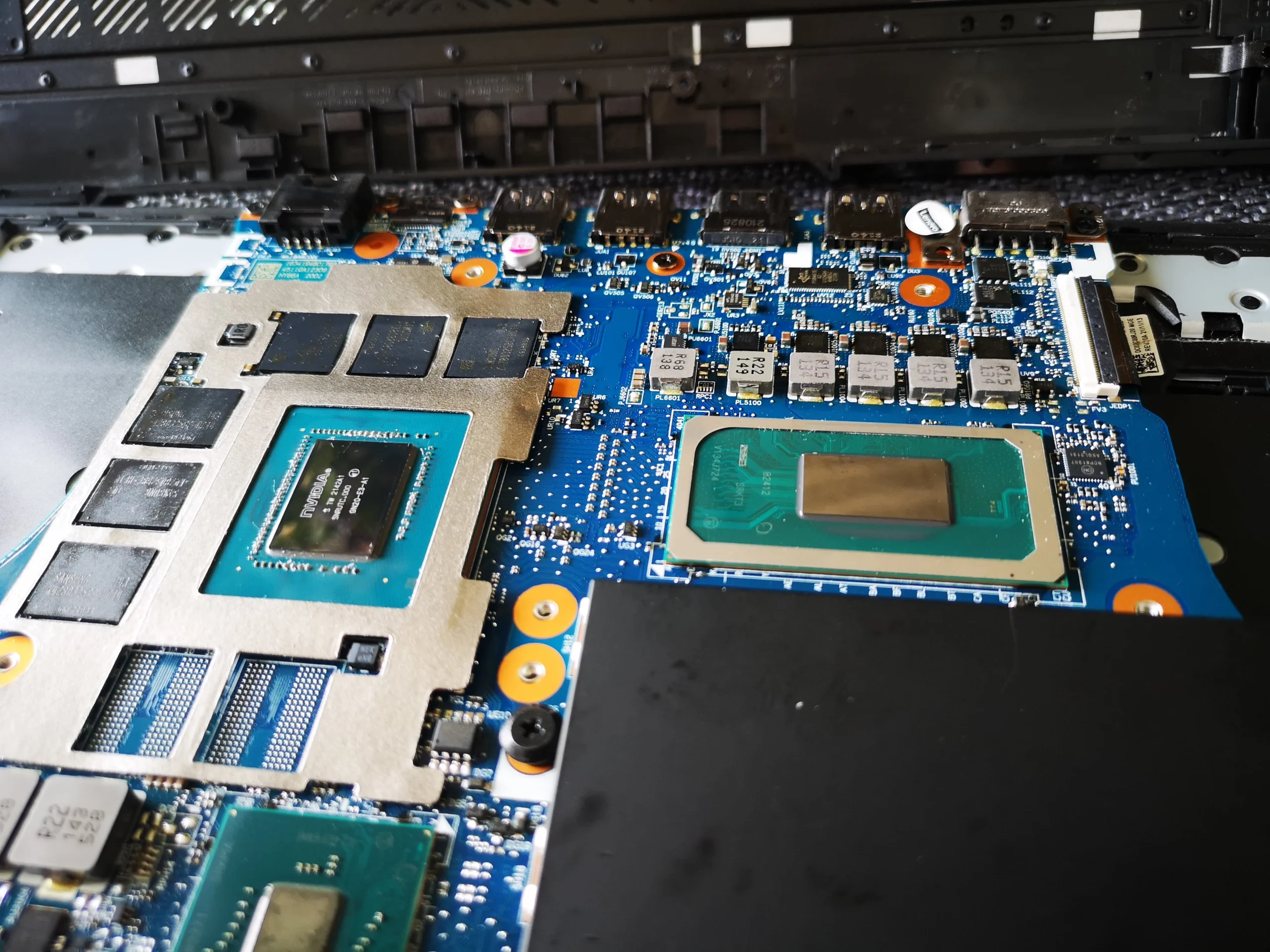
Two chip contacts exposed under the cooler
This Lenovo Legion archive has a useful view of the rear ventilation area before it disappears beneath the cover. The inner grille shows dust along its narrow channels, while a wide overview puts a blower on either side of the heat-pipe assembly. Both ends of the air route are visible.
The service also exposed two main chip contacts and the cooler underside. There is no reliable exact Legion variant or matched temperature test in the folder, so the case explains access and cleaning points rather than a model-specific result.
In this case study
01 / The overlooked channel
Dust collected along the inner grille
The close-up shows material in a long row of narrow openings near the rear of the case. An external wipe can improve appearances while dust remains on the inner face. With the cover off, inspect the channel directly and remove loose material outward.
Avoid pushing a brush or tool into a hidden fan or fin stack. The thin metal and plastic around a laptop outlet can bend or break.
02 / Across the chassis
Each fan has its own chamber and outlet
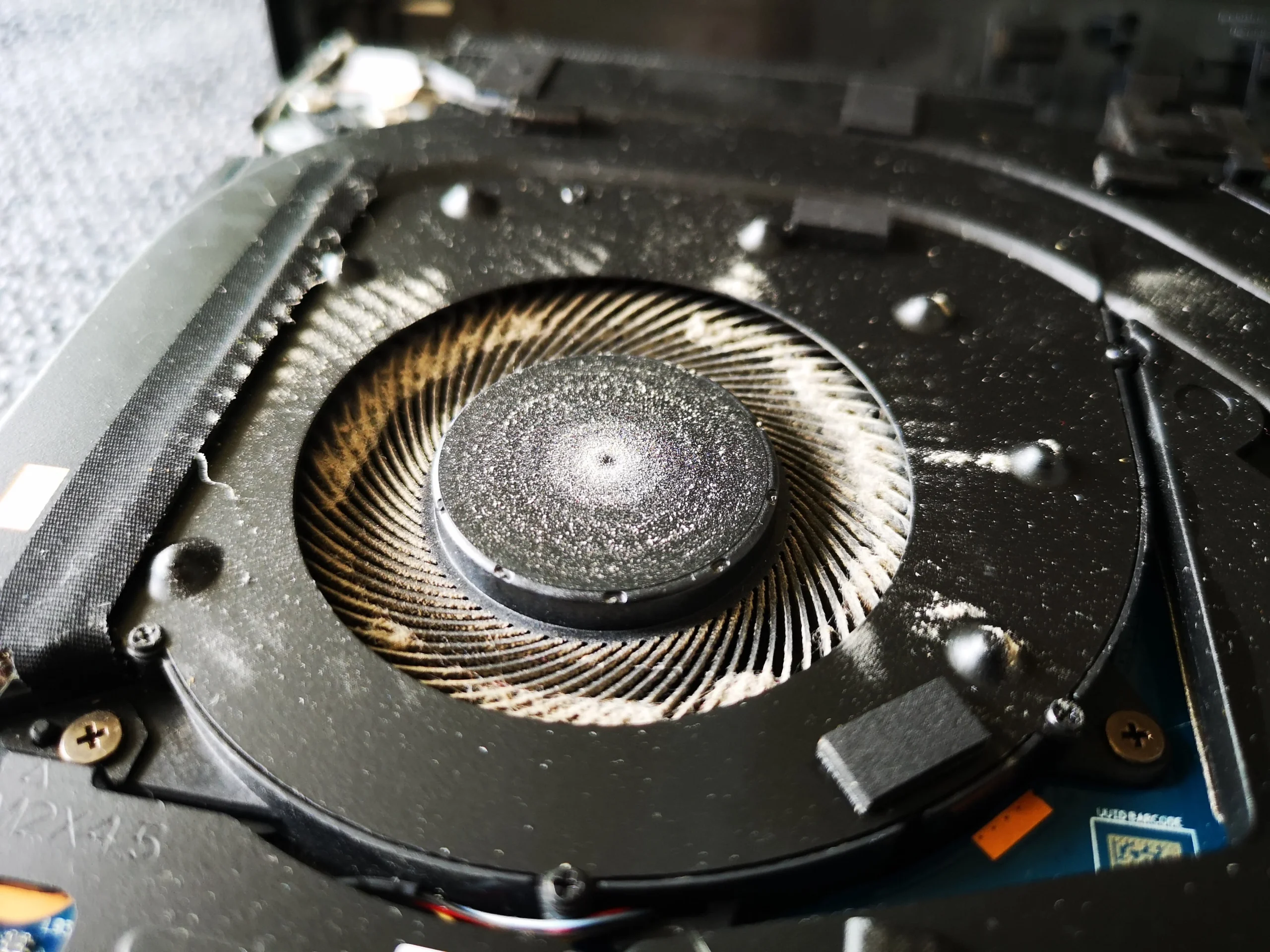
The opened chassis shows two fans connected by a shared cooler. The close fan photograph shows dust around one rotor. Each side must be checked separately, because a clear grille on one side says little about the other.
Hold a fan still during gentle brushing. Keep small power leads and the internal battery connector clear of your tools.
03 / Under the cooler
Two main chip surfaces were exposed
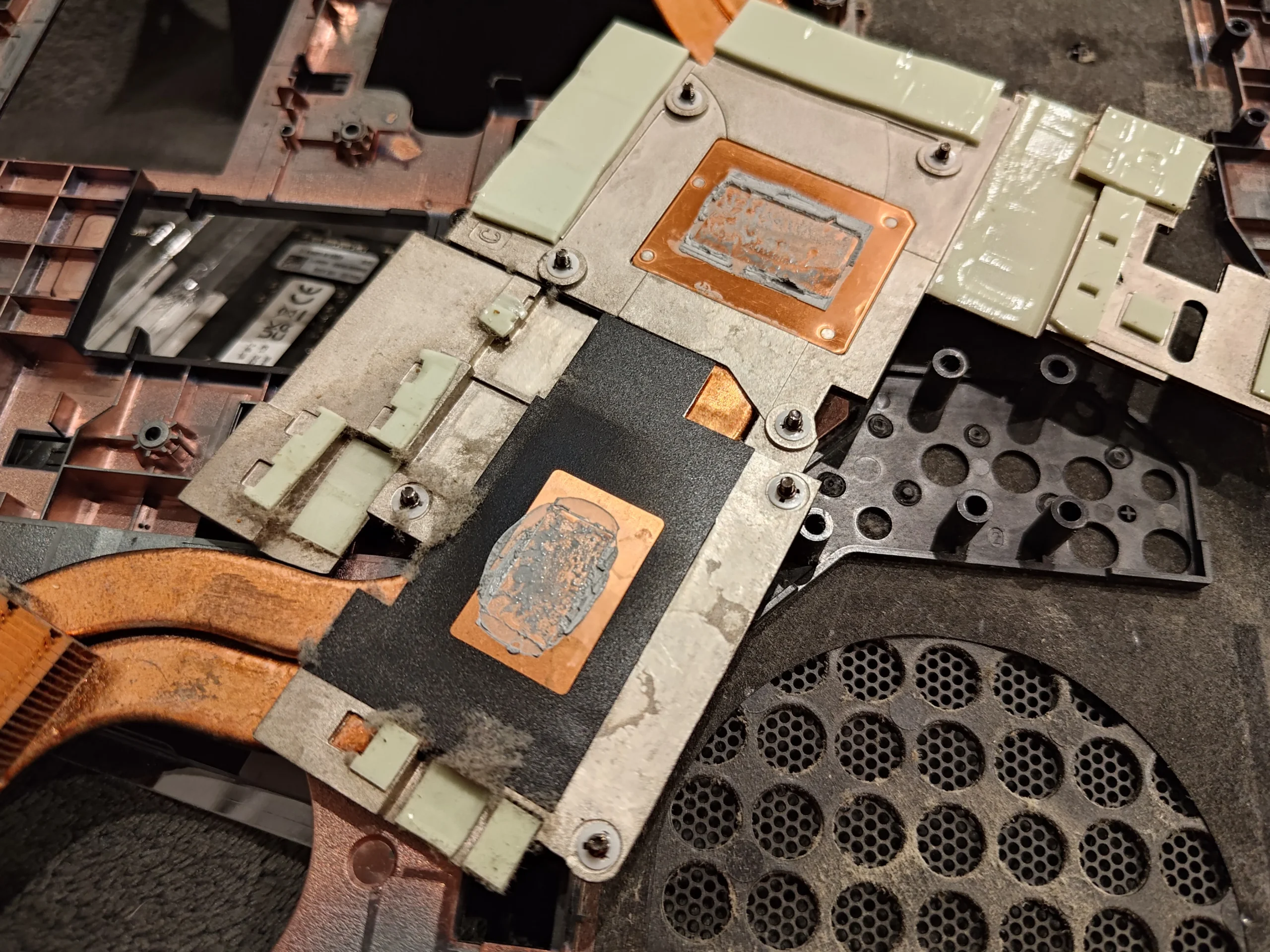
Board close-ups show old material on the processor and graphics contacts. The removed copper assembly has matching plates and other small thermal-contact pieces. Once lifted, these materials need correct cleaning and restoration.
A poor refit can produce heat even with clean fans. Record screw order, pad positions and fan wiring before lifting the shared assembly.
04 / Restoring the air route
The grille, fans and cover must work together
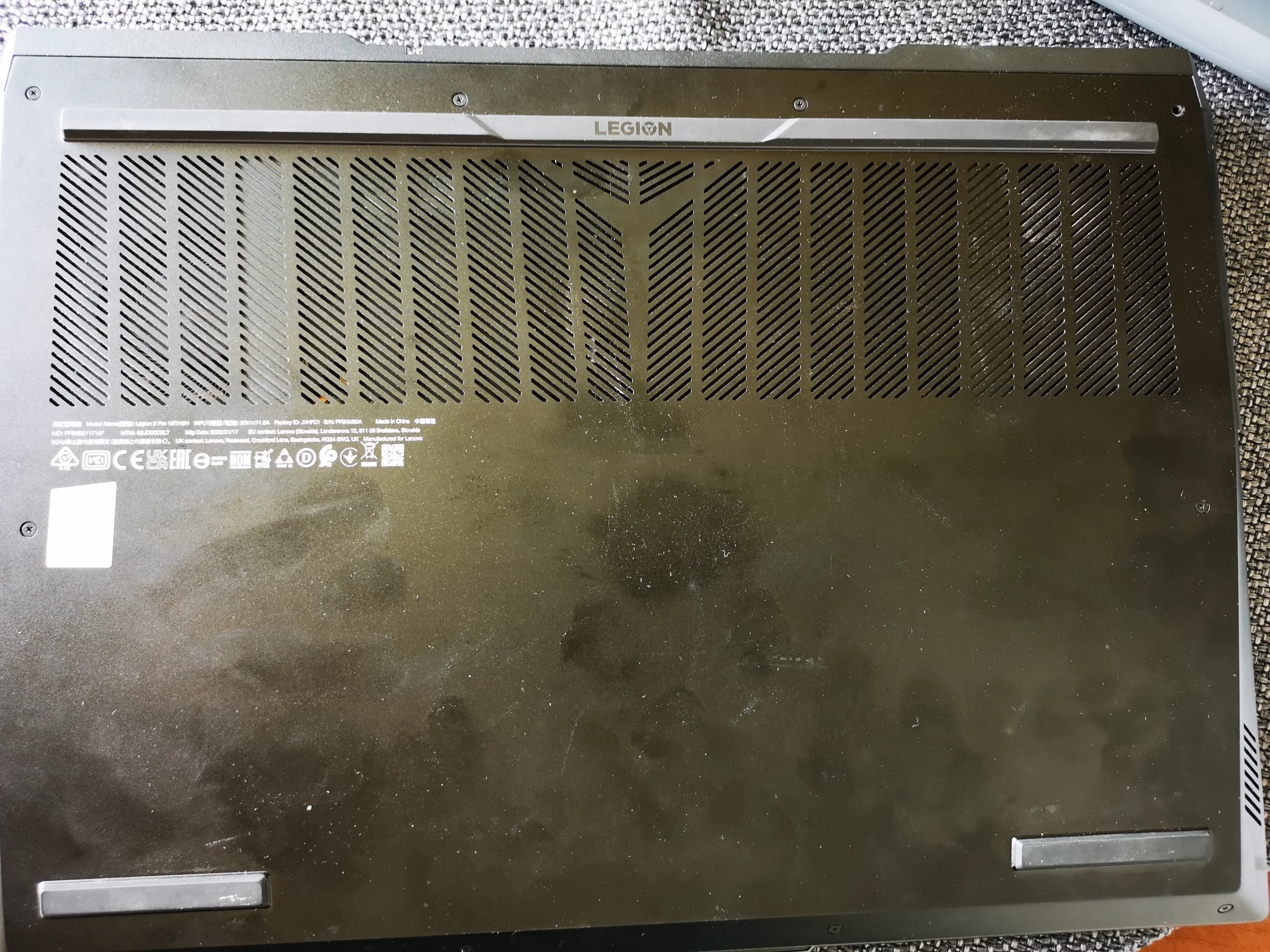
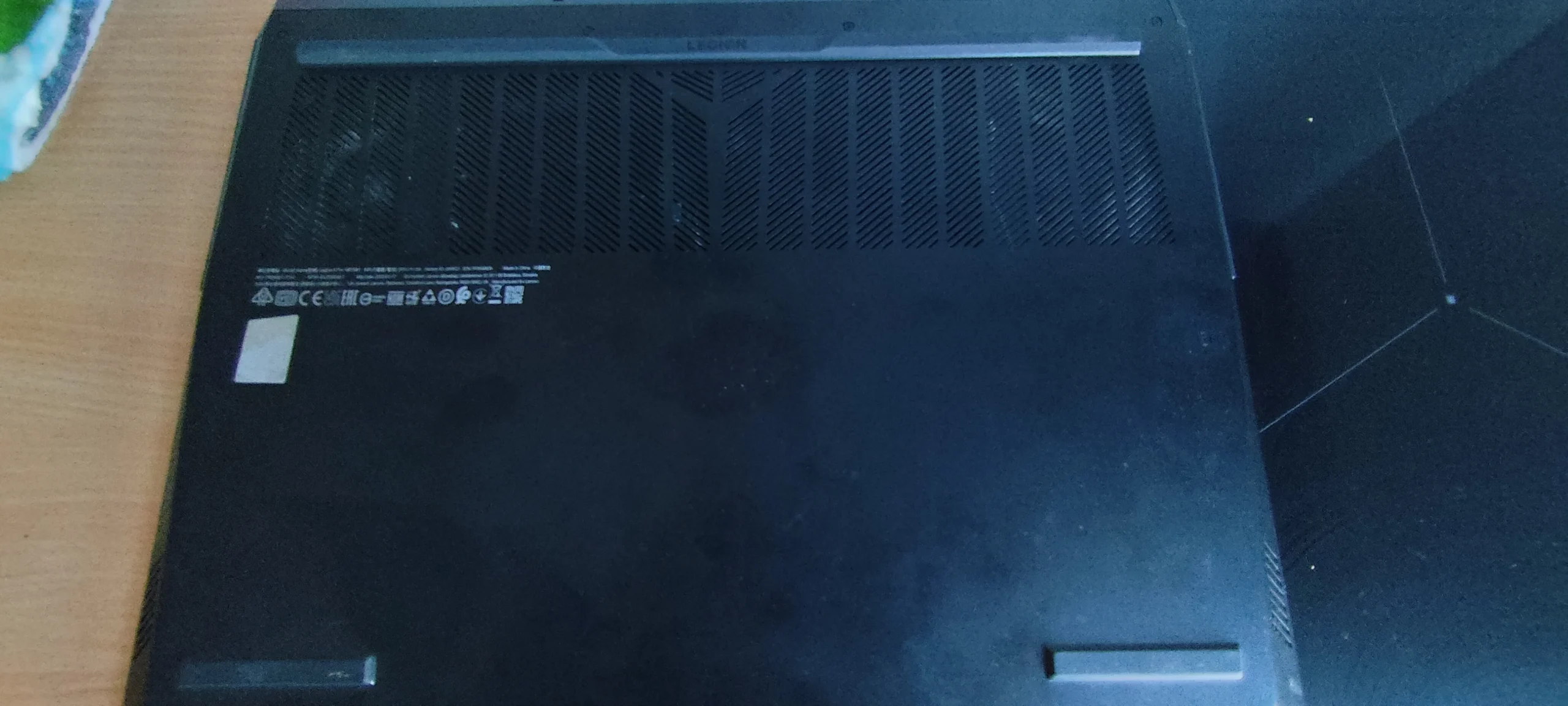
The underside photo shows the laptop's broad base. Before refitting, check its vent areas and ensure no dust clump remains at the inner grille. Route both fan leads away from the impellers and seat the cover flat.
After booting, check fan response and compare temperatures only under a repeatable task and similar room conditions. The archive does not provide that comparison.
The engineer’s takeaway
The distinctive cleaning point here is the inner rear grille. On this two-fan Legion, that channel belongs in the same inspection as both fans and fin outlets; cooler removal adds a separate contact-restoration job.
Before you open the laptop
Can you clean the Legion grille yourself?
Shut down, unplug the charger and follow the manual for the exact machine type. Map the screws and disconnect the battery as directed. Remove the base gently so a tool does not snap a vent rib or damage a ribbon cable.
Brush loose grille and fan dust outward with each rotor restrained. Leave the shared cooler mounted unless you can restore paste and any pads or putty correctly.
After the clean
Checks after closing the laptop
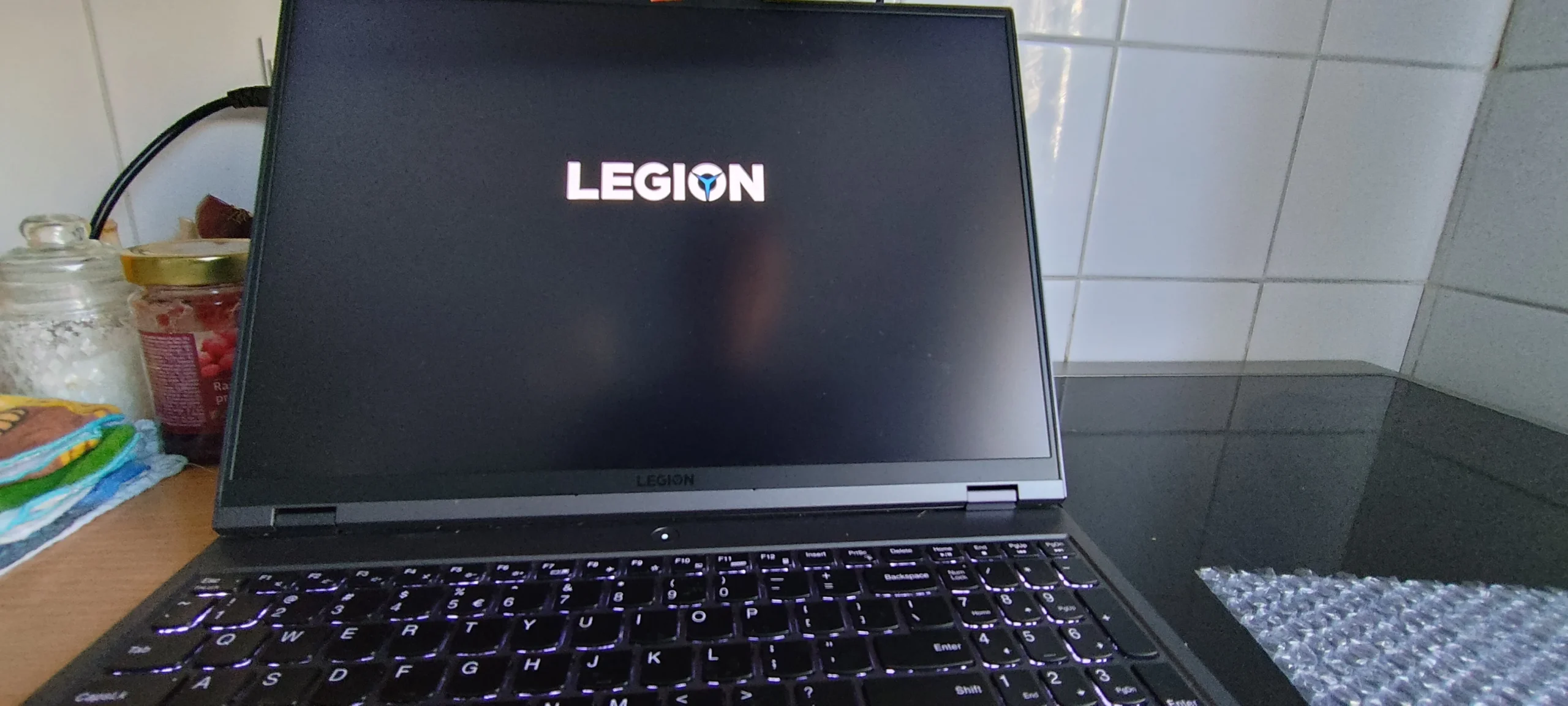
Confirm both fans respond, the rear outlets pass air and no new scrape appears. A visible boot screen proves the laptop starts, but not that it runs cooler.
Compare temperatures under the same task and room conditions only if you have earlier readings. No such paired test is documented here.
Questions from owners
Lenovo Legion rear-grille cleaning FAQs
Answers based on this visit's inner grille, two fans and lifted cooler.
Why clean the inner side of the grille?
Dust can remain behind the outer openings. This archive shows material along the internal channel.
Can I clean one fan if the other looks fine?
Inspect both. Their chambers and fin exits can collect dust differently.
Do I need to remove the cooler to clean the grille?
Not necessarily. Accessible grille and fan dust can often be addressed without disturbing chip contact.
What changes if the cooler is lifted?
The processor and graphics paste and any smaller thermal materials must be prepared and restored accurately.
What exact Legion variant is this?
The archive shows Lenovo Legion branding but not a reliable exact commercial variant.
Was a temperature reduction measured?
No matched before-and-after readings appear in this photo set.
UK Legion grille enquiries
Airflow weak near the rear vents?
If you are in the UK, tell us your exact Legion model, postcode and whether the left or right outlet feels weaker. Describe any change in fan noise or heat.
Mention whether the laptop has been opened before. We can discuss inspecting the inner grille, fans and fin exits before deciding if deeper cooler work is warranted.
Read about our laptop fan and vent cleaning service, then use the form to tell us your computer model, symptoms and UK postcode.
Free to enquire · No obligation to book. We discuss the proposed work and price before you decide.
The workshop photos
Lenovo Legion rear-grille cleaning gallery
Open the workshop images for the internal grille, twin fans, exposed chips and base cover.