Published 26 November 2026 · Lenovo Legion gaming laptop case study
Legion contact service
both chip surfaces needed careful preparation.
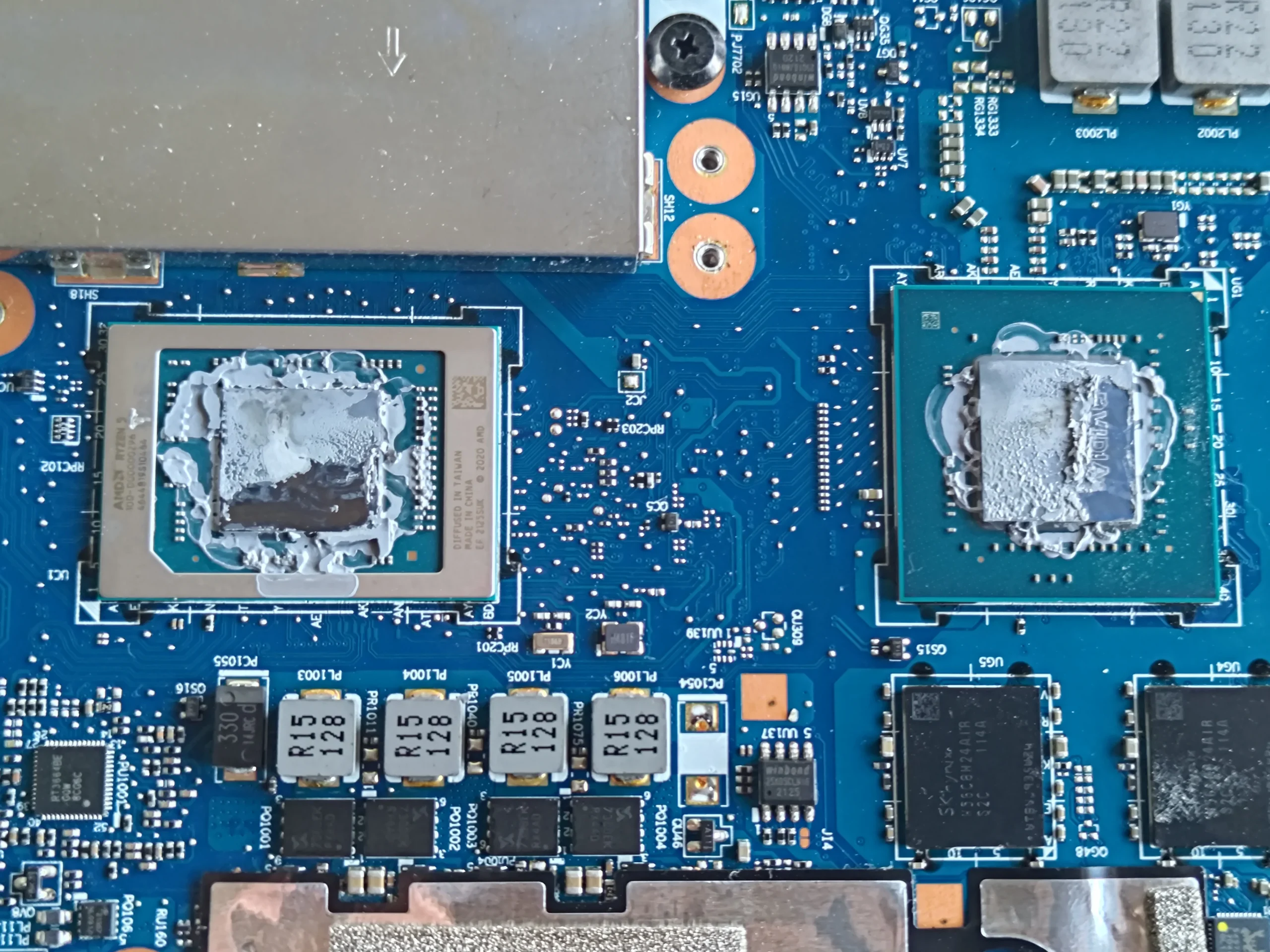
This visit's strongest photographs are of old thermal material on two exposed chips and the mating cooler plates. The fans were inspected too, but the key lesson is what a cooler lift adds to an ordinary dust clean.
Cooling layout
Two fans and a shared copper assembly
Photo focus
Old material on two chip contact surfaces
Air route
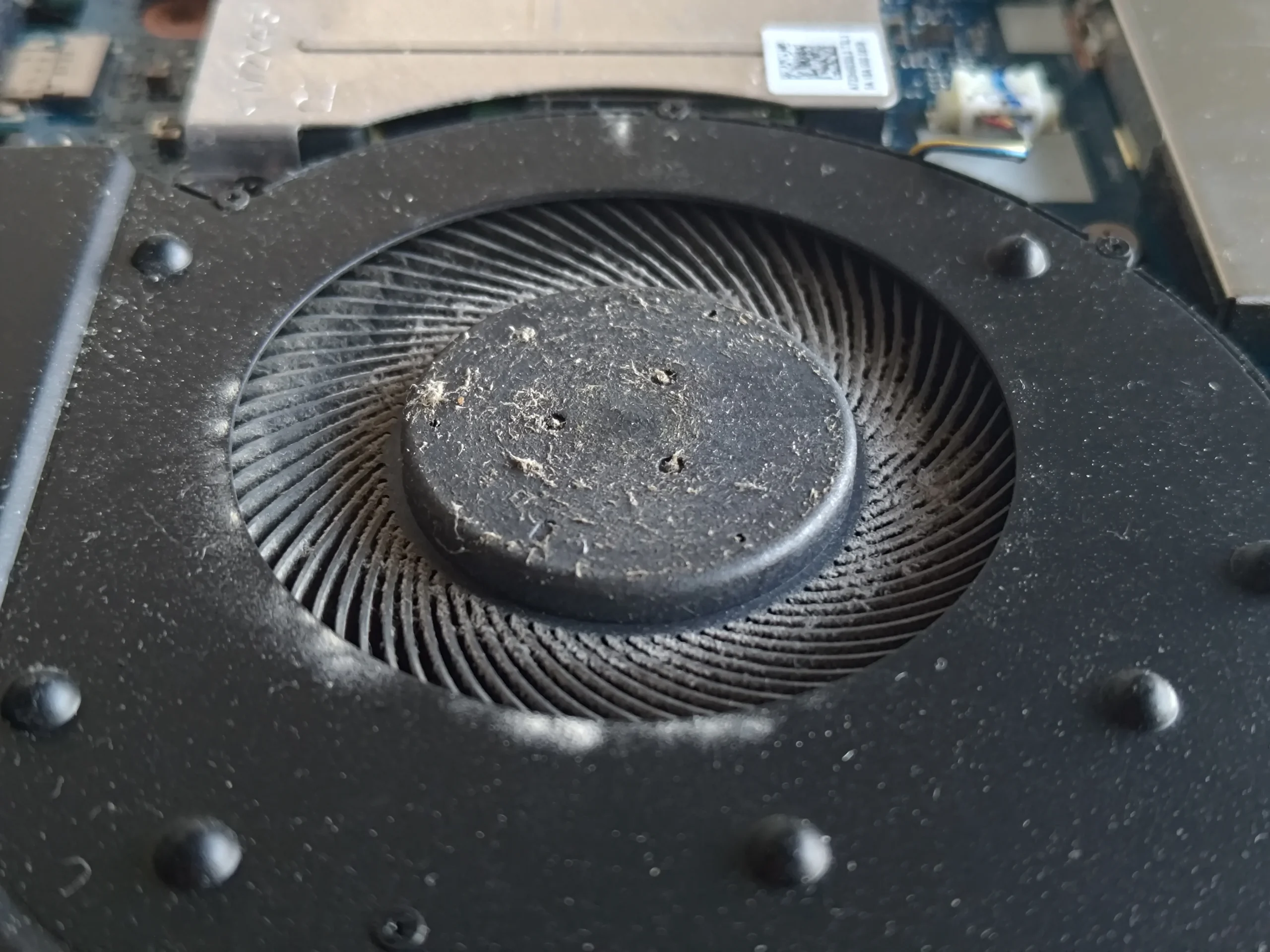
Dust visible around fan blades and base vent
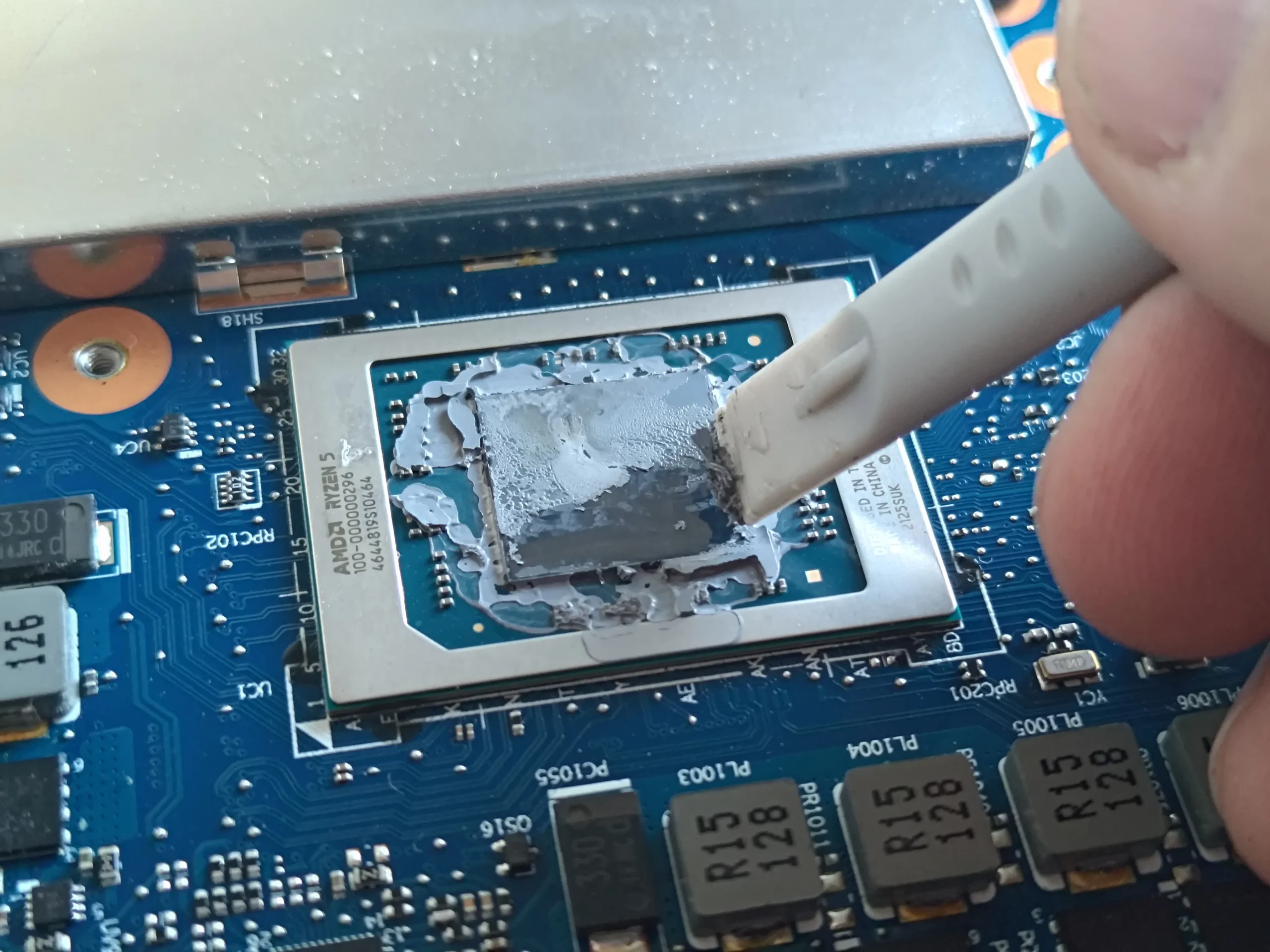
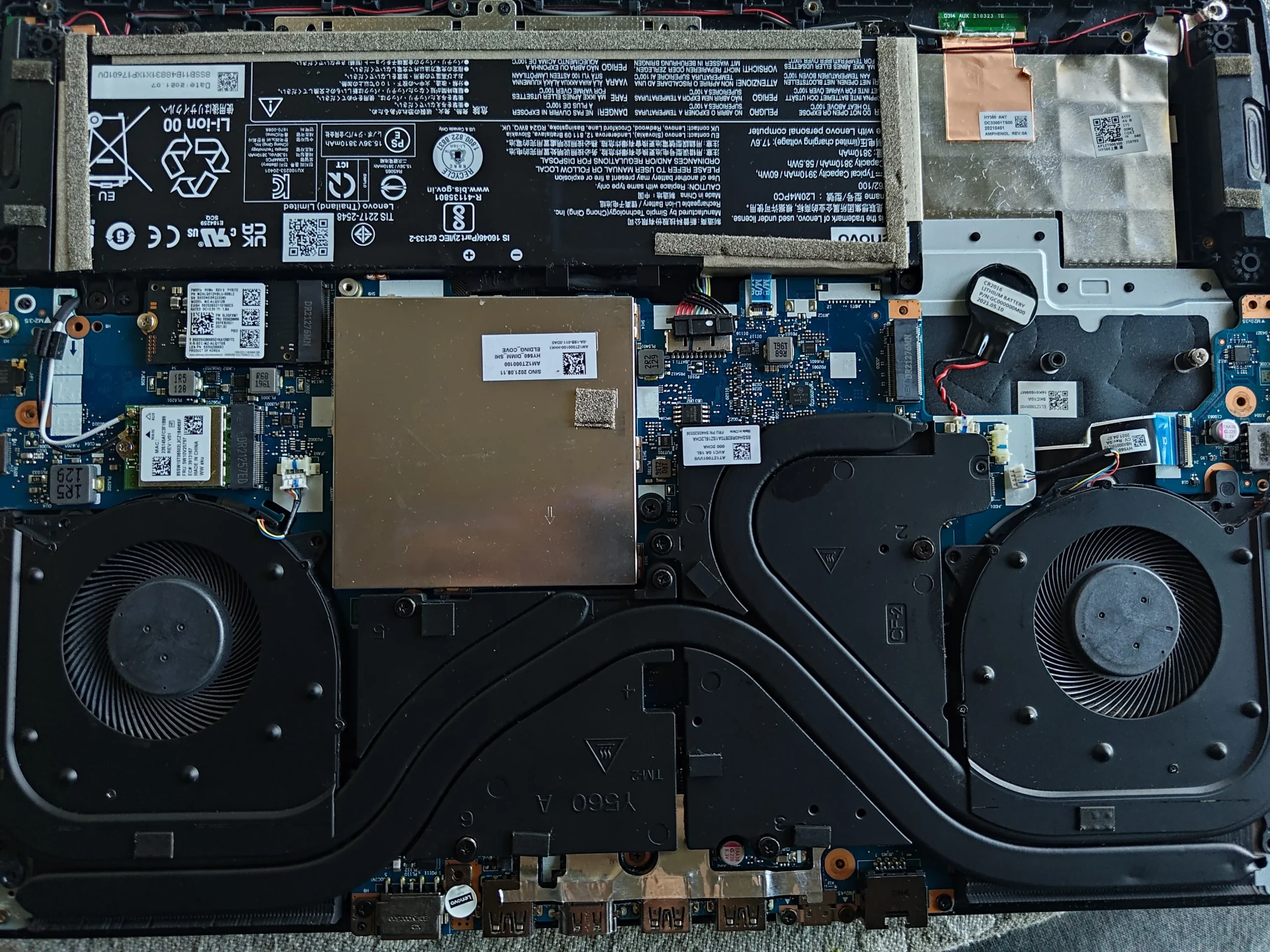
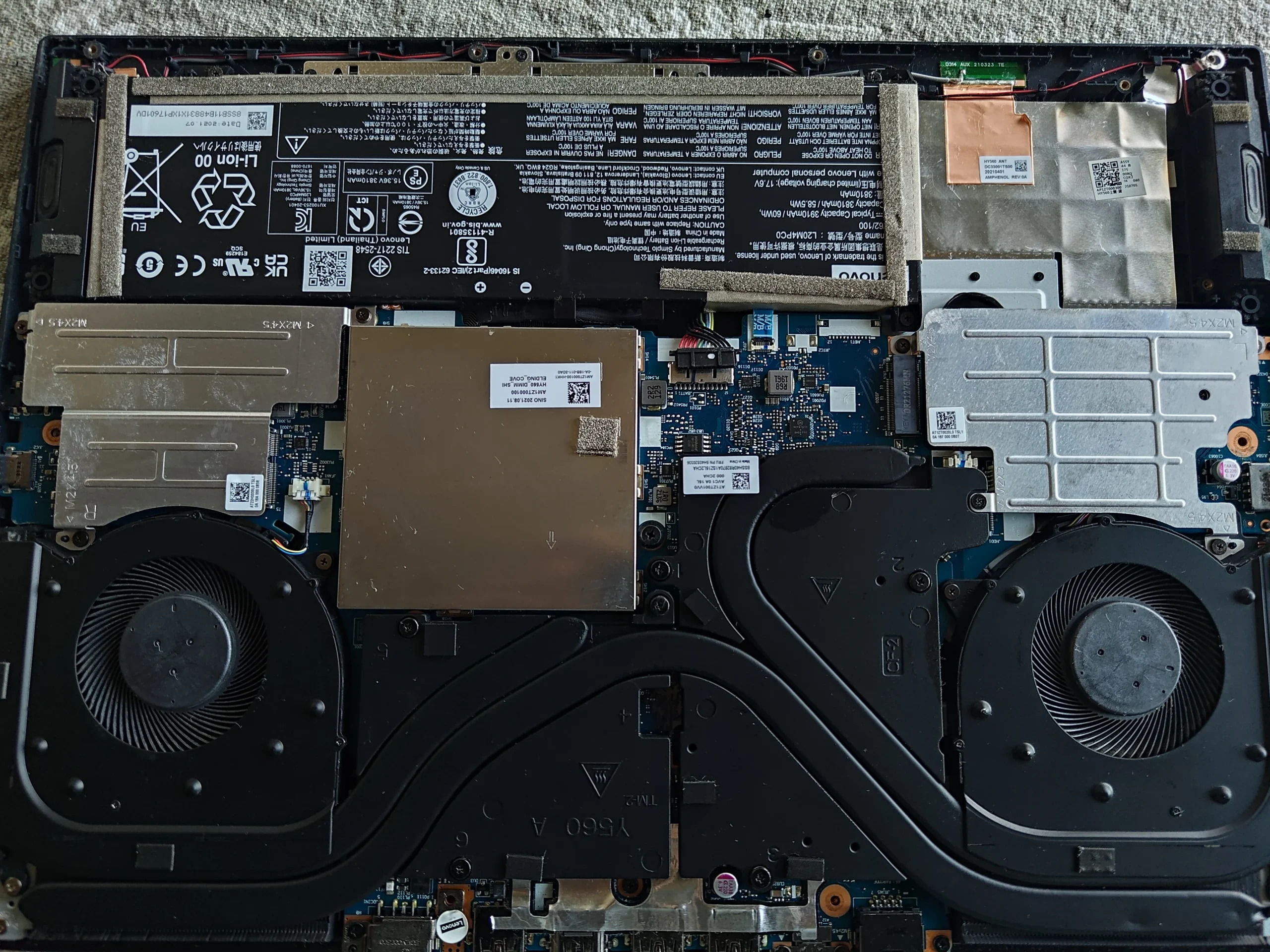
The opened Lenovo Legion shows two fans, a central heat-pipe assembly and an intake grille in the base. But this photo sequence spends most of its time beneath the cooler: old grey compound sits on both chip surfaces, and a tool works carefully across the contacts.
Those close-ups are useful because a repaste is not simply adding material on top. The old interface must be removed, the correct new material applied and the shared assembly refitted evenly. The archive has no matched thermal result or verified exact Legion variant, so this case sticks to the photographed process.
In this case study
01 / Under the cooler
Old compound covered both main contacts
The board overview shows grey material on two large chips. Their contact areas correspond to separate plates on the removed cooler. Each surface should be cleaned carefully before refitting; scraping the chip edge or brushing residue across the board risks damage.
A single clean-looking contact is not enough on a shared assembly. Both need proper preparation and even seating.
02 / The mating half
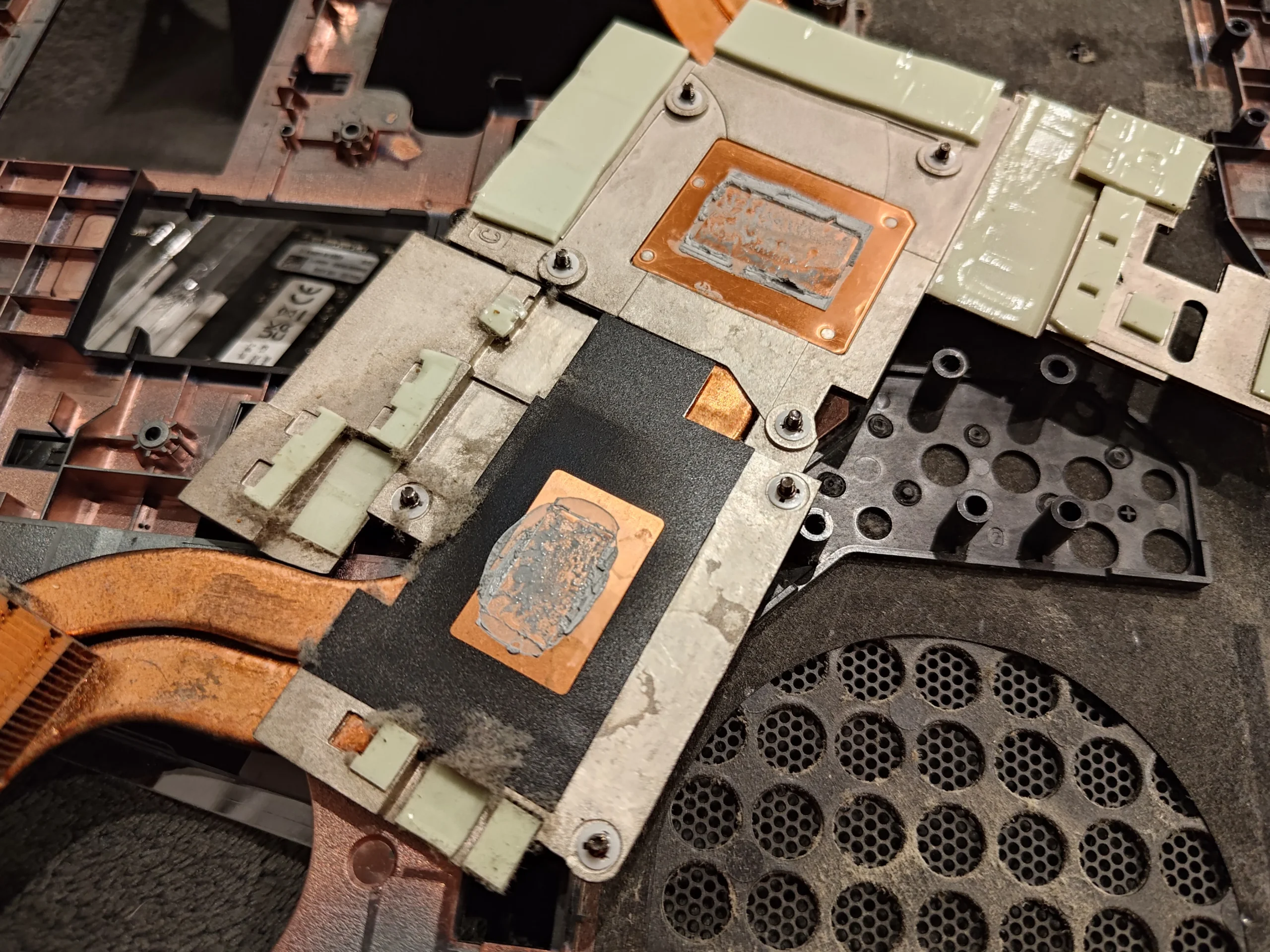
The cooler also carried old material
The lifted cooler photo shows old compound on its plates and smaller thermal pieces nearby. The original pad or putty positions and thicknesses matter, because they affect how the main plates meet the chips.
Photograph all contacts before removing anything. Replace only with suitable materials and tighten the cooler in the intended sequence.
03 / The air side
A dusty fan still needed an outlet check
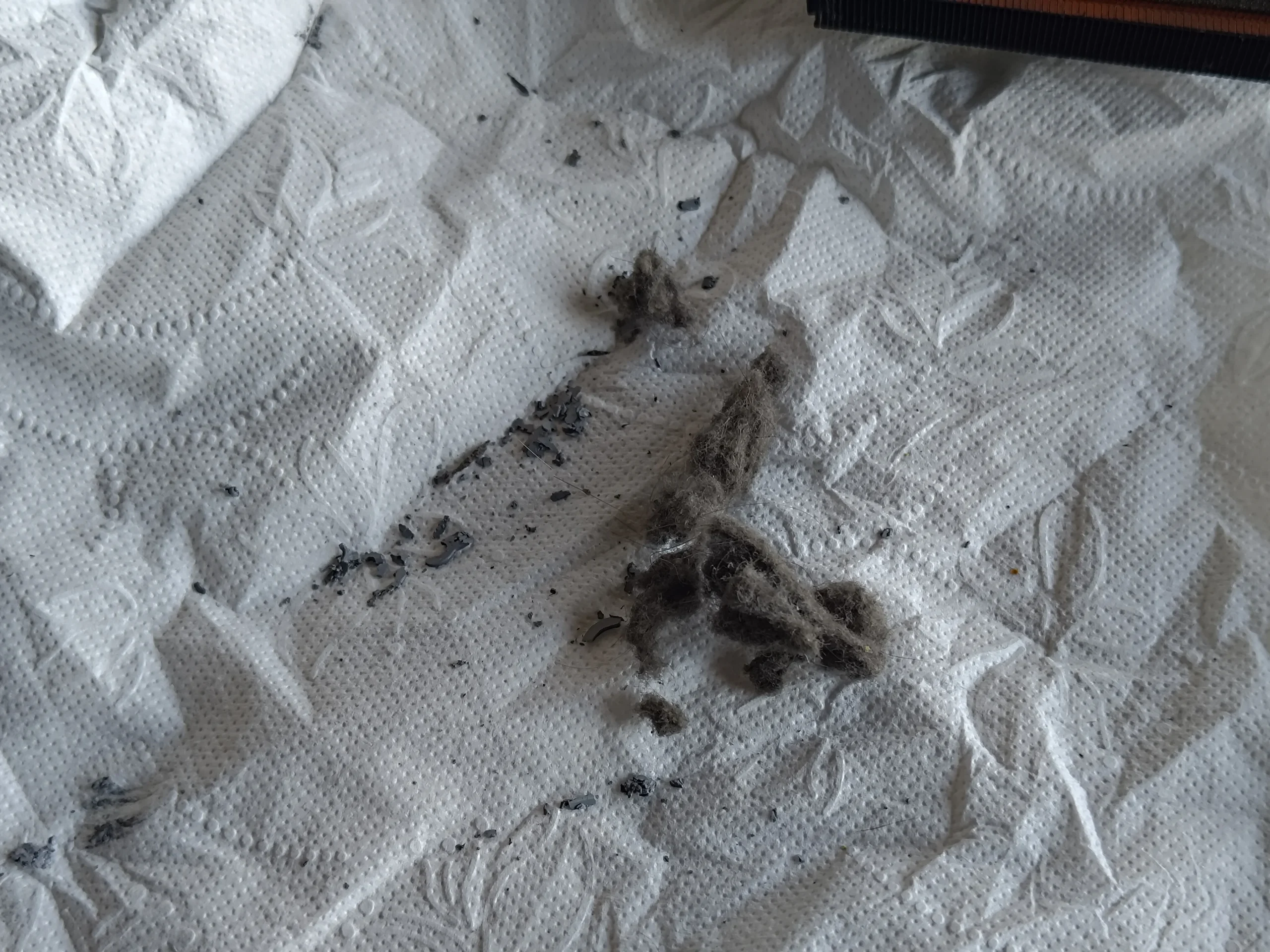
The blower close-up shows dust around the rotor. Cleaning those visible blades is useful, but the fin exit behind the fan and the second fan need separate inspection. A cleaned thermal interface cannot compensate for blocked air passages.
Hold the fan still while loosening dust and keep tools away from its bearing and lead.
04 / Before closing
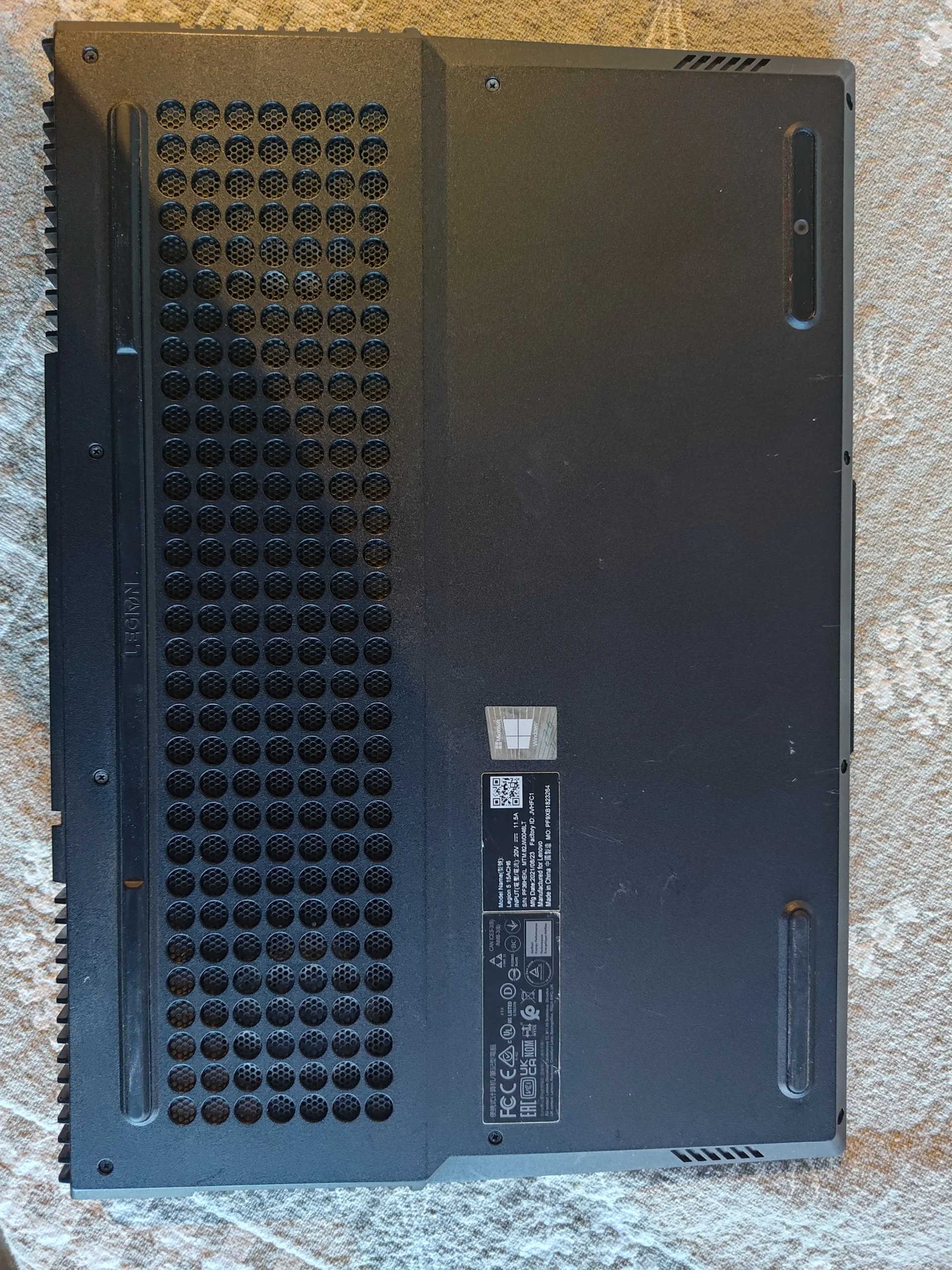
The broad underside vent supplies both blowers
The bottom cover has a long intake pattern. Check its inside and outside before refitting, and ensure no loose debris remains over either fan. Both fan connectors and the battery connection must return to their proper positions.
After booting, compare temperatures under a repeatable workload and similar room conditions if baseline data exists. No paired test is in this archive.
The engineer’s takeaway
This visit is about the two-sided thermal interface beneath a shared cooler. Fan and vent cleaning still matter, but once the assembly is lifted, both chip and plate contacts must be prepared and restored accurately.
Before you open the laptop
Can you repaste a Legion while cleaning it?
Power down, unplug the charger and use the service guide for the exact model. Disconnect the battery as directed, map screws and photograph every thermal piece before lifting the assembly.
Clean accessible fan and grille dust first. If the cooler comes off, prepare suitable paste and any pads or putty, clean both mating sides and seat the cooler evenly. Stop if you cannot identify the original contact arrangement.
After the clean
How to check the result
Confirm both fans respond and no new rubbing noise occurs. Compare CPU and graphics readings under the same load and room conditions if prior figures exist.
The photos document contact preparation and fan access, not a numerical performance gain.
Questions from owners
Lenovo Legion two-chip service FAQs
Answers grounded in the two exposed chips and removed cooler in this visit.
Why clean old compound from both sides?
Both the chip and cooler plate carry residue after separation. Fresh compound needs properly prepared mating surfaces.
Can I clean the fans without repasting?
Yes, accessible fan and grille dust can be addressed without lifting a sound cooler.
Why are there pads near the main plates?
Smaller components may need their own thermal contacts. Their correct material and thickness help the cooler seat as designed.
Does one hot chip mean both fans are dirty?
Not necessarily. Inspect its fan route and cooler contact separately before diagnosing the cause.
What exact Legion model is shown?
The photos establish the Legion family but not a precise retail variant suitable for publication.
Was the temperature gain measured?
No matched before-and-after test appears in the archive.
UK Legion repaste enquiries
Cooling still poor after a repaste?
If you are in the UK, tell us your exact Legion machine type, postcode and whether heat changed after a previous service. Say if one fan behaves differently from the other.
We can discuss checking the chip and cooler contact as well as the fan outlets, rather than assuming one part of the system is at fault.
Read about our Lenovo laptop cooling service, then use the form to tell us your computer model, symptoms and UK postcode.
Free to enquire · No obligation to book. We discuss the proposed work and price before you decide.
The workshop photos
Legion chip and fan cleaning gallery
Open the photos for the two chip surfaces, cooler plates, dusty fan and underside intake.