Published 19 October 2026 · Lenovo Legion Y530-15ICH case study
Legion Y530-15ICH cleaning
know lint from the fan seal.
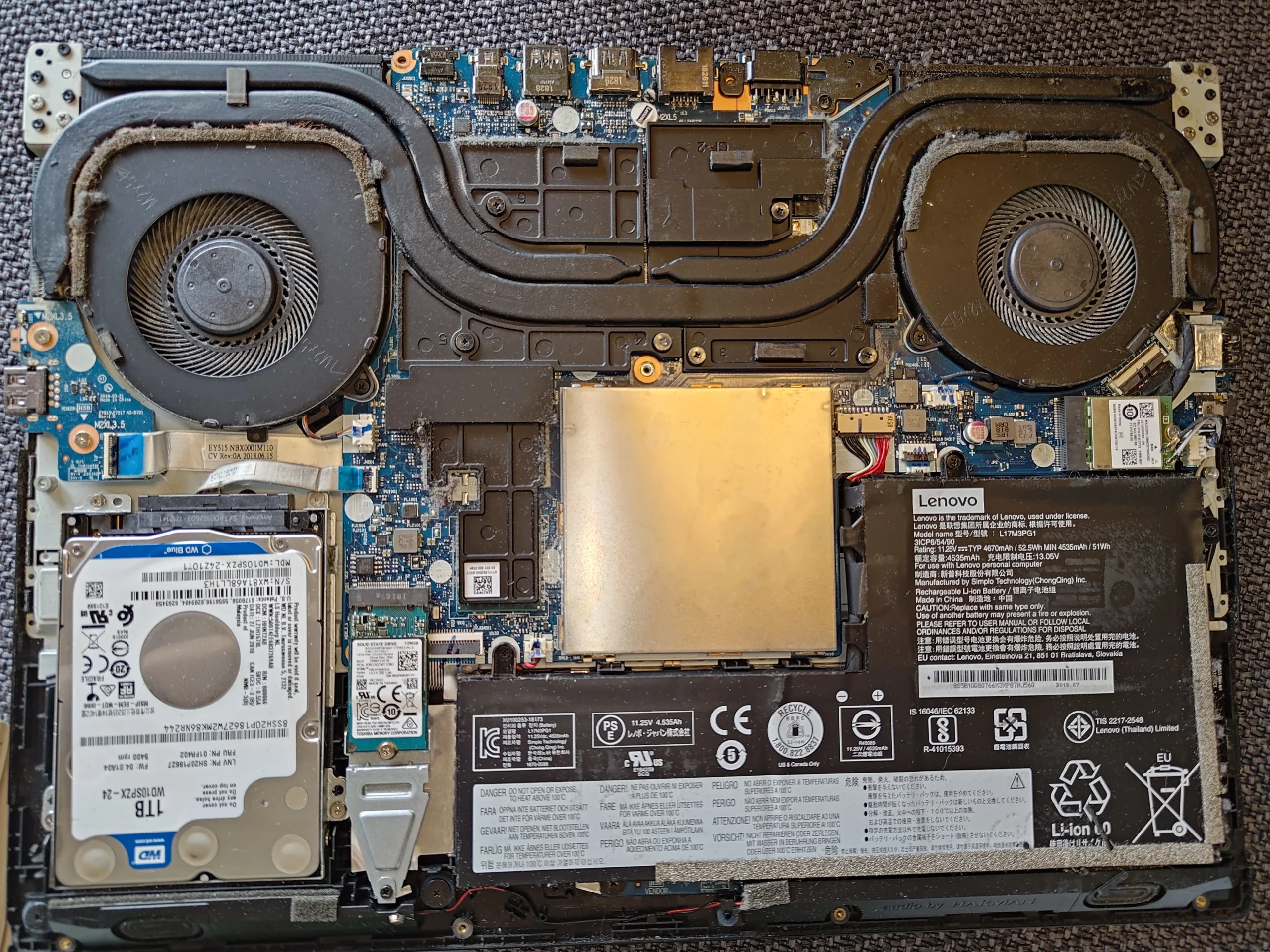
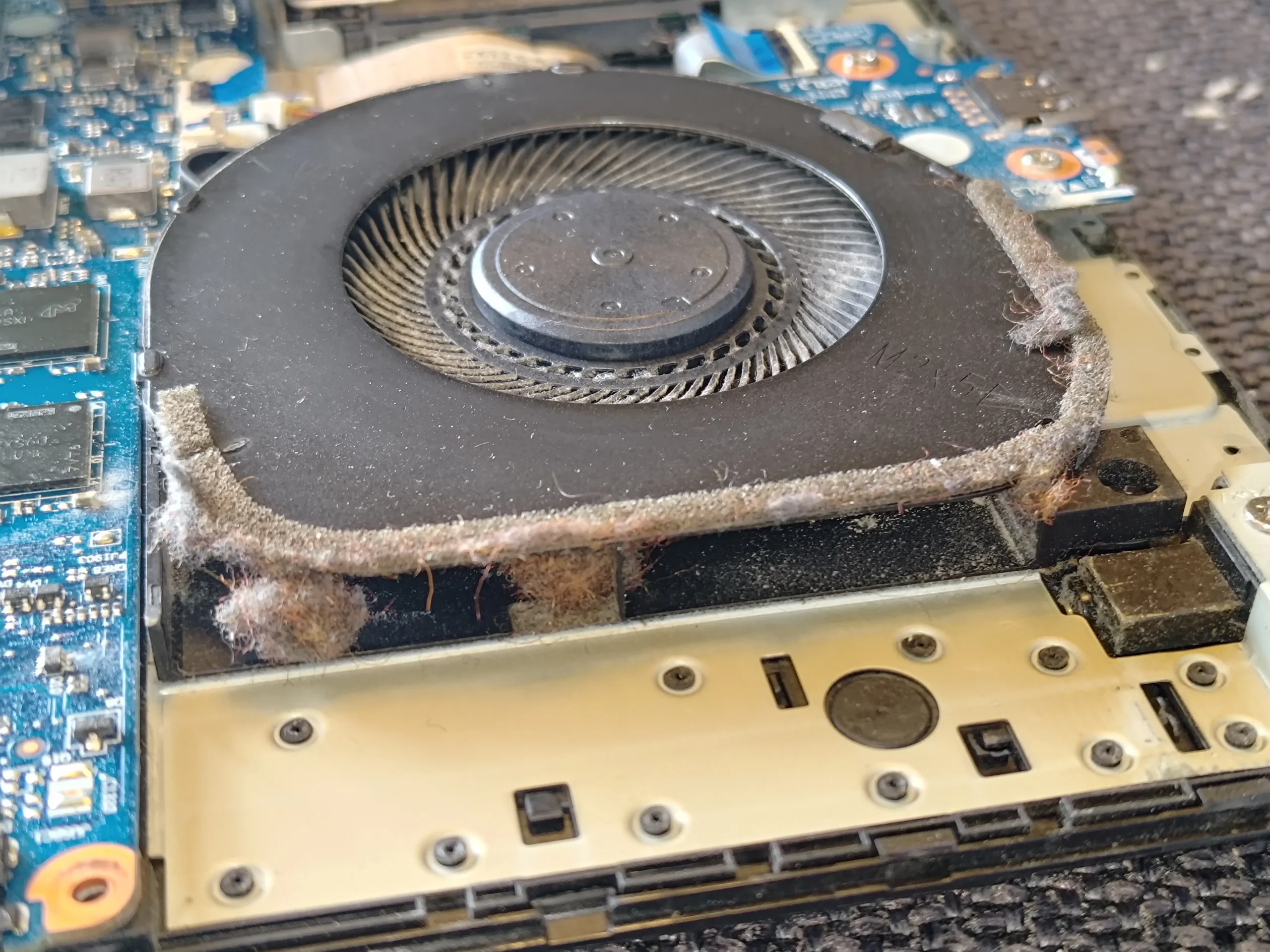
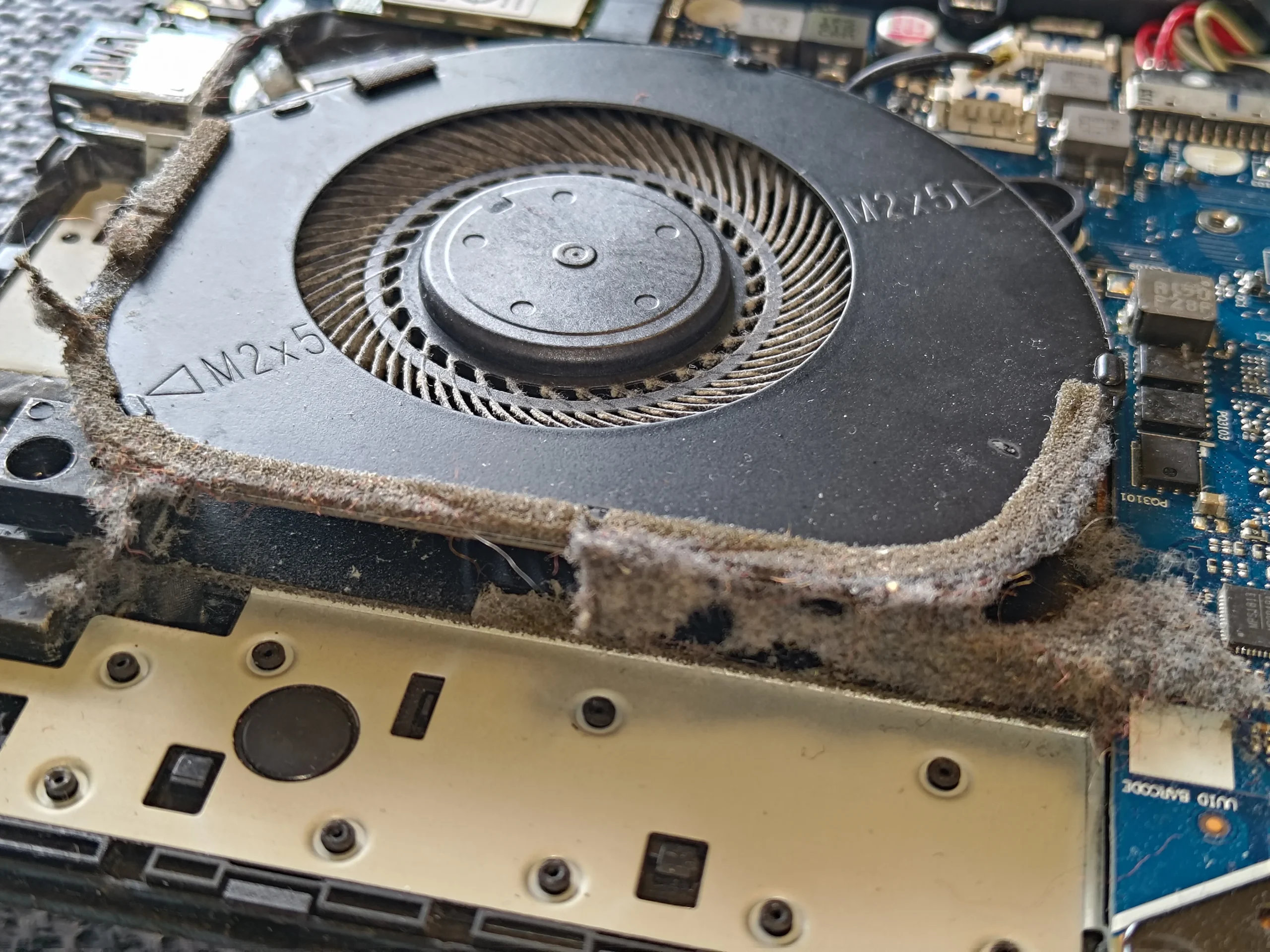
The Y530's two fans have soft material around their housings to guide air toward the exhaust. These photos also show loose, dirty fibres collected at the edges. The practical challenge is clearing the debris without pulling away a useful seal, then restoring the two chip contacts under the cooler.
The model
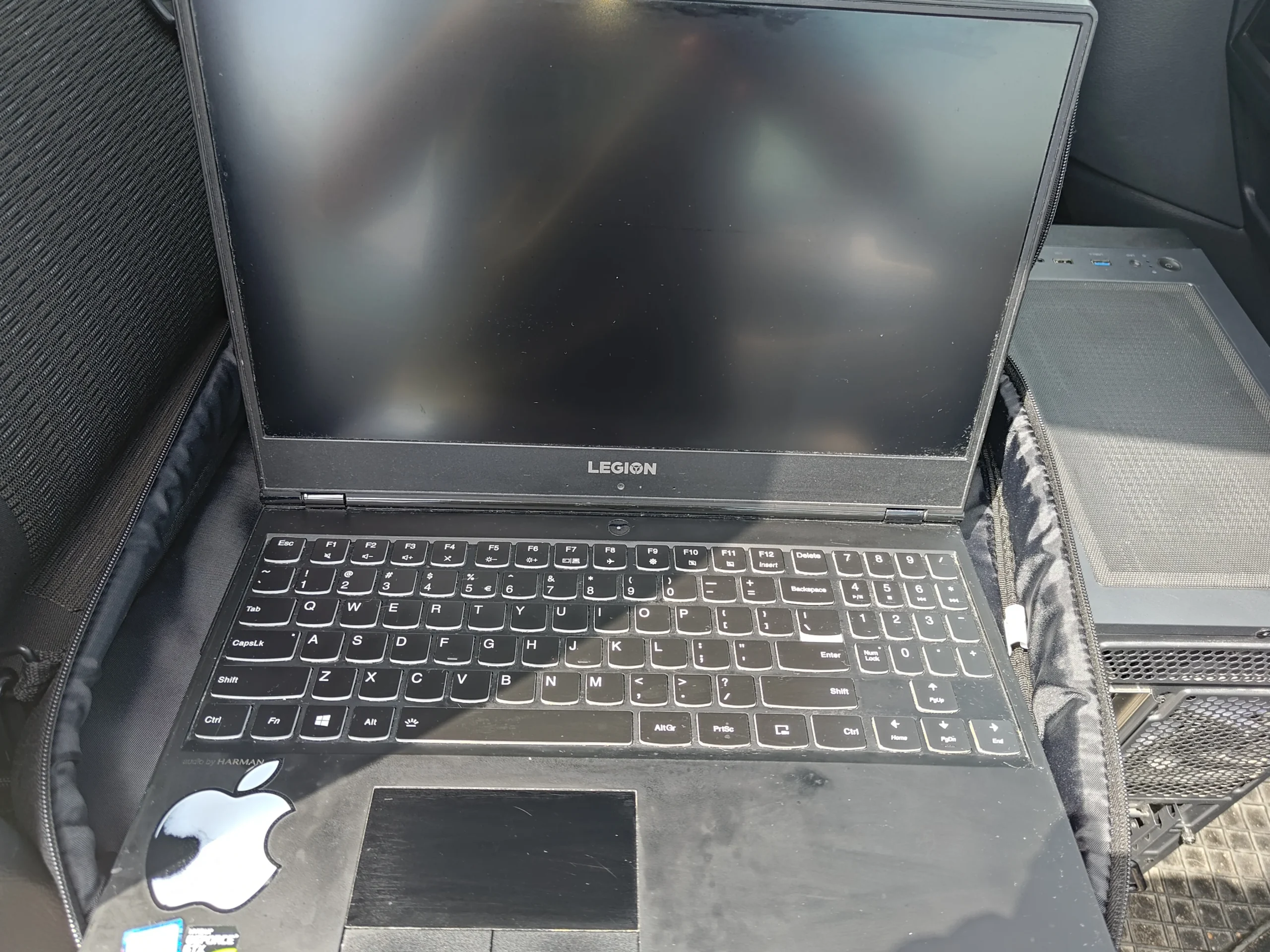
Lenovo Legion Y530-15ICH / Type 81FV
The visible issue
Loose lint around fan housings and exhaust edges
The cooler service
Two old chip contacts cleaned and fresh material visible
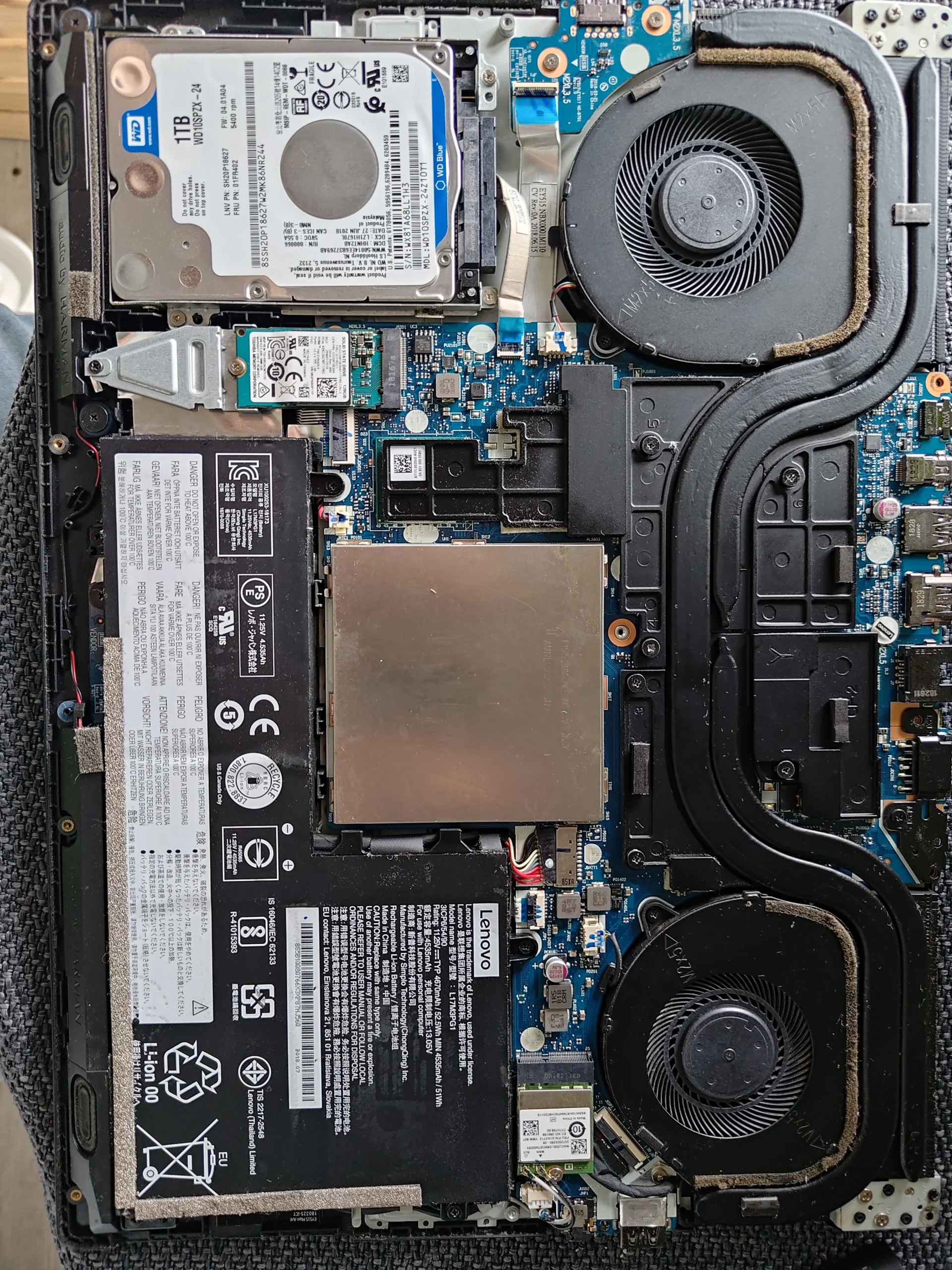
The underside label identifies this machine as a Legion Y530-15ICH, Type 81FV. That photo contains a serial number, so it is not in the public gallery. With the cover off, the Y530 shows its familiar two fans and linked heat pipes above the battery and hard-drive bay.
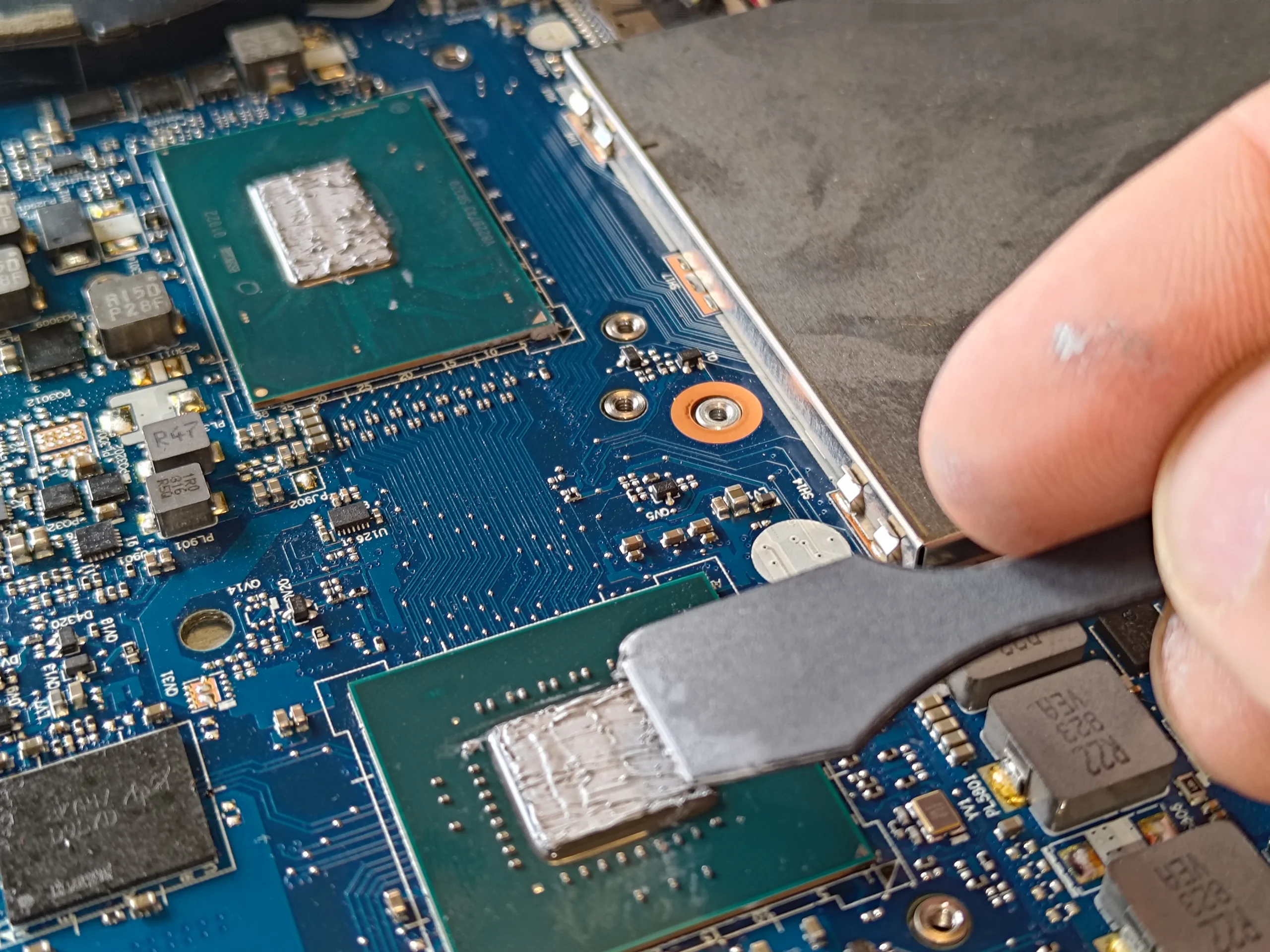
Close-ups show fuzzy material around the blower housings and loose clumps removed during service. Some soft material at a fan edge may be an intended air seal, so it should not all be ripped away as 'dust'. The set also shows old thermal compound on the two main chips, cleaned surfaces and fresh material later in the work. No paired temperature measurement is provided.
In this case study
01 / Airflow first
Inspect both blower edges before removing anything
The open Y530 has a fan at each corner. A close-up shows fibres along the outer edge of one housing and loose material at its exhaust opening; the opposite fan has a similar area to inspect.
Not every fuzzy-looking strip is a blockage. Many compact coolers use a foam or fabric seal to prevent air escaping around the fins. Lift loose dust and lint gently, but preserve intact designed seals so the cleaned fan still directs air through its intended route.
02 / What came out
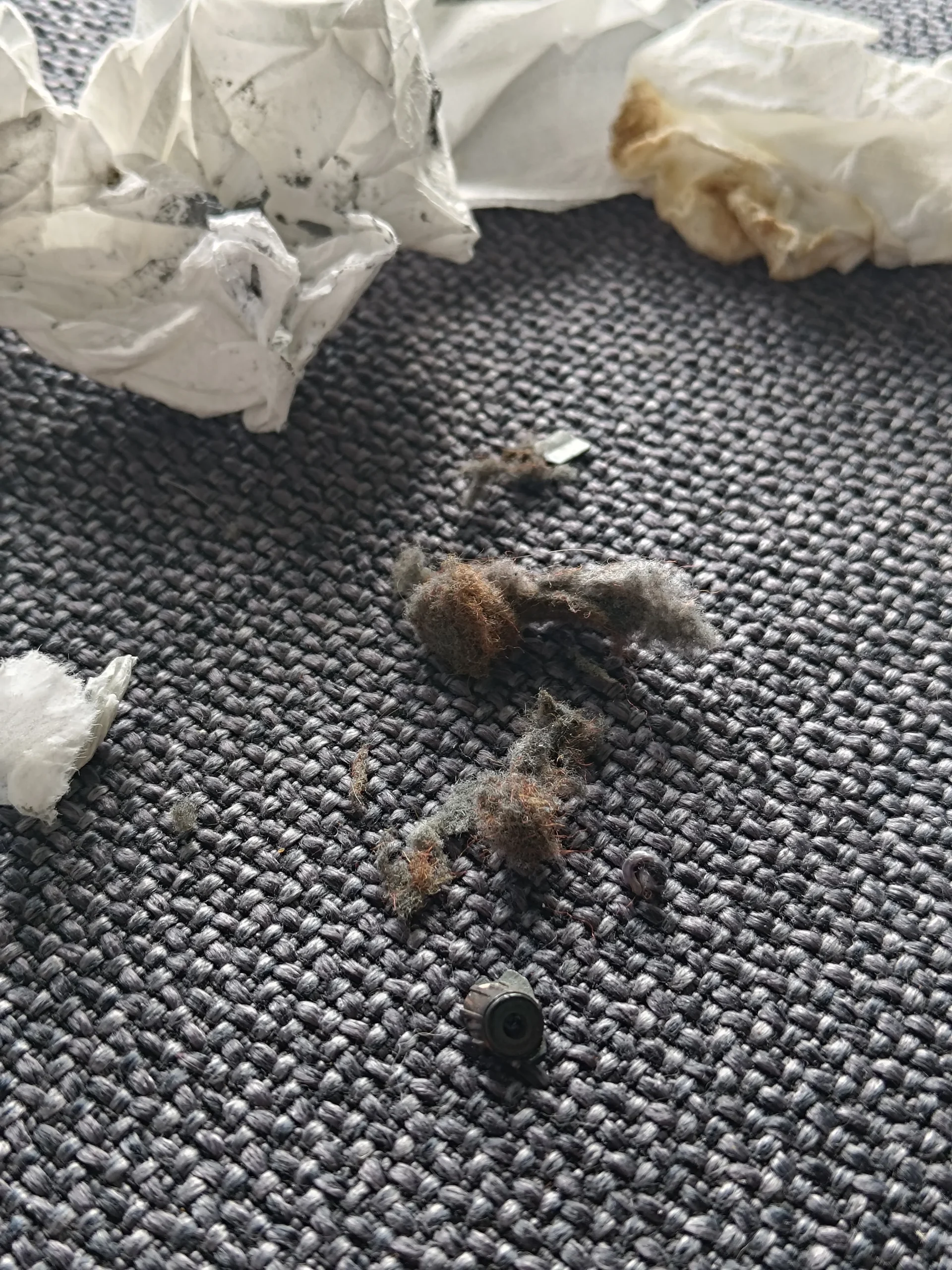
Loose clumps were collected during cleaning
The workshop photo of debris on the mat records distinct clumps removed from the machine. That helps separate movable contamination from the soft material fixed to the cooling assembly.
Clean each fan inlet and the fin outlet, then look again for loose fibres before reassembly. A clean-looking rotor is not enough if the narrow fin passage remains blocked.
03 / Under the cooler
The shared cooler covered two main chips
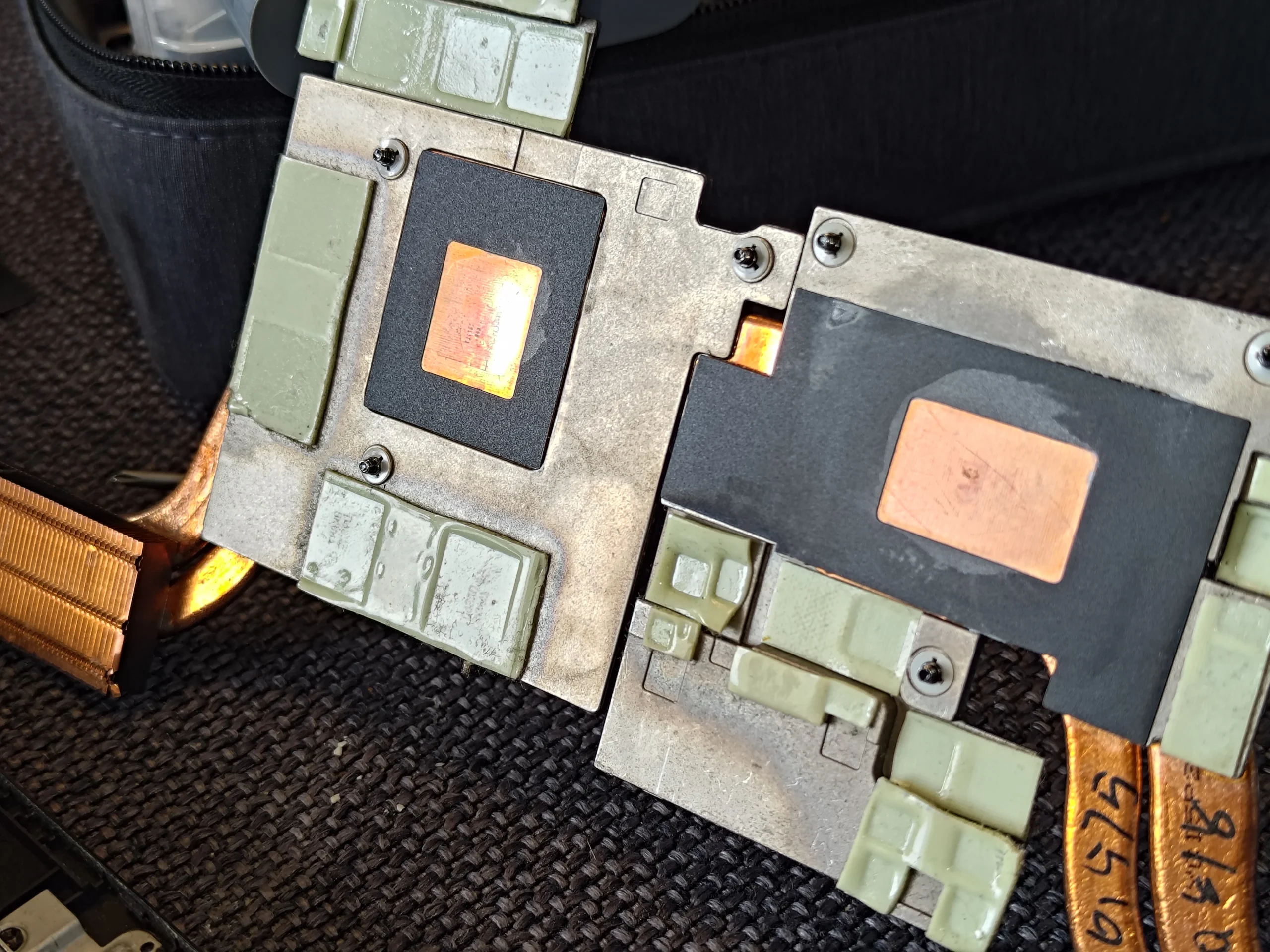
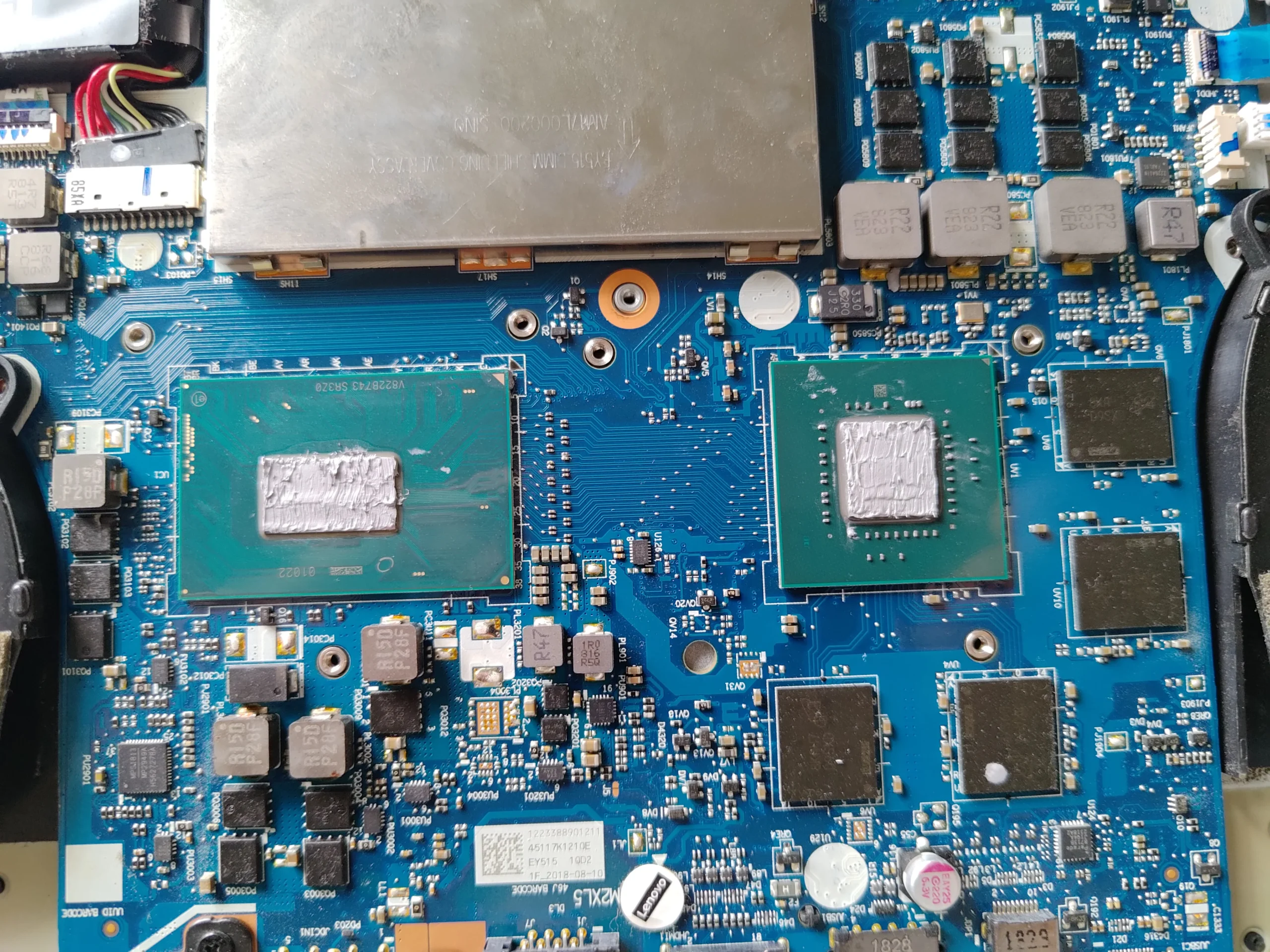
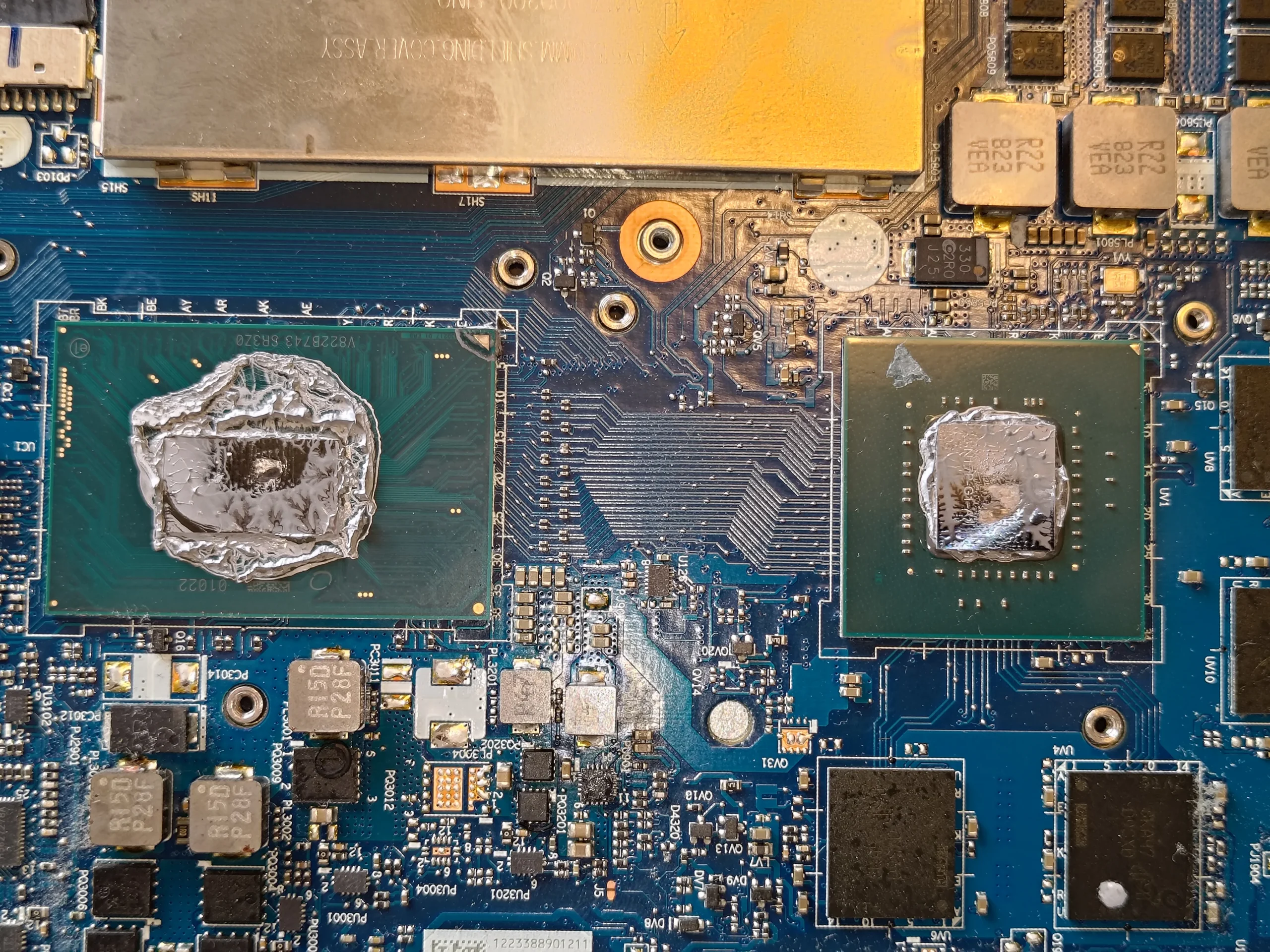
With the assembly lifted, the board photo shows old compound on the processor and graphics chip. The underside of the cooler has two matching copper plates and several smaller thermal pads.
Both main contact faces need preparation once this cooler is disturbed. The smaller pads need to remain in the right places and thicknesses; guessing with a new pad can keep a main copper plate from seating evenly.
04 / Before it closes
The later photos show cleaned chips and new material
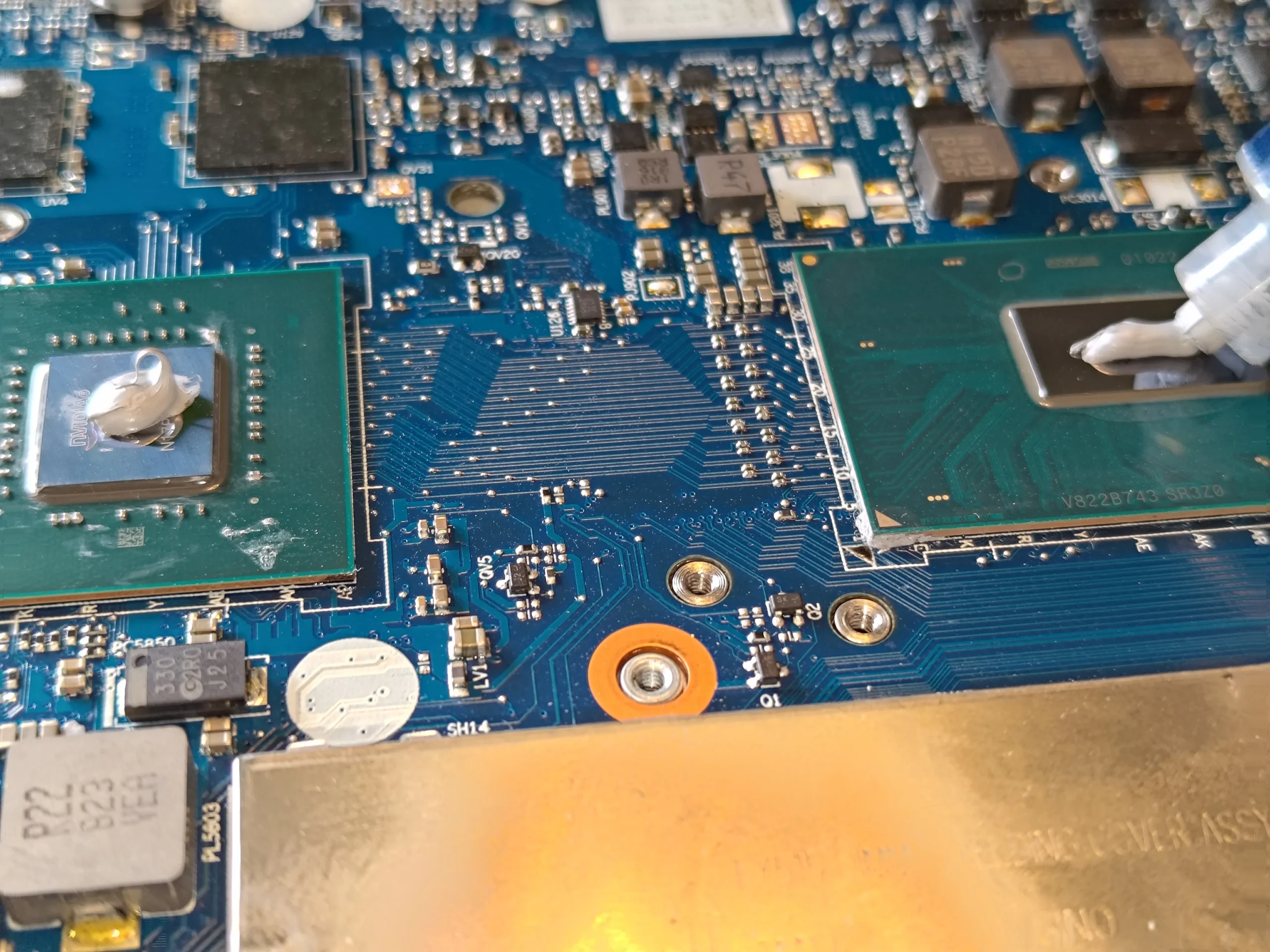
A tool is shown lifting old material from one chip; another photo directly shows fresh compound being dispensed onto a cleaned chip. A later view shows material on both main contacts before the linked heatsink is seated evenly.
The final interior overview shows the cooling assembly back over the board. It is a useful visual reassembly record, but it cannot establish a temperature drop. Both fans and chip temperatures still need checking under a repeatable workload.
The engineer’s takeaway
The Y530 clean has two traps: leaving loose lint at the fan-to-fin edge, and damaging an intended air seal while removing it. Lifting the shared cooler adds a separate two-chip thermal-contact job.
Before you open the laptop
Can you clean a Legion Y530-15ICH yourself?
Begin by confirming Y530-15ICH/81FV from your own label or system information. Switch off, disconnect the charger and follow Lenovo's battery and base-cover steps. Map screws and fan connectors before moving anything.
Inspect the fan edges carefully so loose lint is removed while intact seals stay in place. If the heatsink is lifted, prepare suitable interface materials for both main chips and any disturbed pads. Stop if you cannot tell a foam seal from a clump or cannot seat the cooler evenly.
For model documents, check the official manufacturer support page.
After the clean
How to assess the cleaned Y530
After reassembly, confirm both fans respond without rubbing and that exhaust air is not blocked by loose fibres. Check normal boot, charging and display.
These photos show cleaning and renewed-looking contact material, but no controlled thermal test. Compare CPU and GPU behaviour under the same task and similar room conditions before assigning a result.
Questions from owners
Legion Y530-15ICH cleaning FAQs
Answers based on the fan-edge fibres and two-chip cooler shown in this Y530.
Is all fuzzy material around a Y530 fan dust?
No. Some soft material can be an intentional air seal. Remove loose contamination but preserve fixed seals that guide air through the fins.
Why inspect both Y530 fans?
They sit on opposite sides of the shared cooler. Each has its own inlet and outlet, so contamination may differ between sides.
Can I blow through the outside vent and be done?
External air may move loose dust without showing where it went. The clumps photographed here were removed during internal access, which allows the fin route to be checked.
Was thermal compound renewed?
The photos show old material on two chip surfaces, removal during cleaning and later fresh material visible on the contacts. There is no paired temperature result.
Why are there pads around the copper plates?
Smaller components need contact with the cooler too. Pad placement and thickness help the main chip plates sit correctly.
Is this the same as a Legion 5 or Legion 5 Pro?
No. The label identifies this laptop as Legion Y530-15ICH, Type 81FV. Use the guide for this model rather than another Legion generation.
UK Legion Y530 cleaning enquiries
Unsure whether that fan edge is lint or a seal?
If you are in the UK and your Y530 is loud or hot, tell us when it happens and include the model from your label, a vent photo and your postcode. Keep serial numbers private.
We can discuss careful cleaning around both fans and their seals, plus the chip-contact work needed if the shared cooler must be lifted.
Read about our gaming laptop cleaning service, then use the form to tell us your computer model, symptoms and UK postcode.
Free to enquire · No obligation to book. We discuss the proposed work and price before you decide.
The workshop photos
Legion Y530-15ICH fan and cooler photo gallery
Open the photos to see the two-fan layout, fuzzy edges, collected lint, old and cleaned chip contacts and cooler plates.