Published 6 November 2026 · Lenovo Yoga 7i Pro case study
Yoga 7i Pro cooling clean
the hidden lint mat mattered more than the visible dust.
The fan blades were dusty, but the most restrictive material sat where the fan meets the exhaust. This workshop sequence follows the air path, the removed cooler and the thermal surfaces on this Lenovo laptop.
The laptop
Lenovo Yoga 7i Pro with two blower fans
Main finding
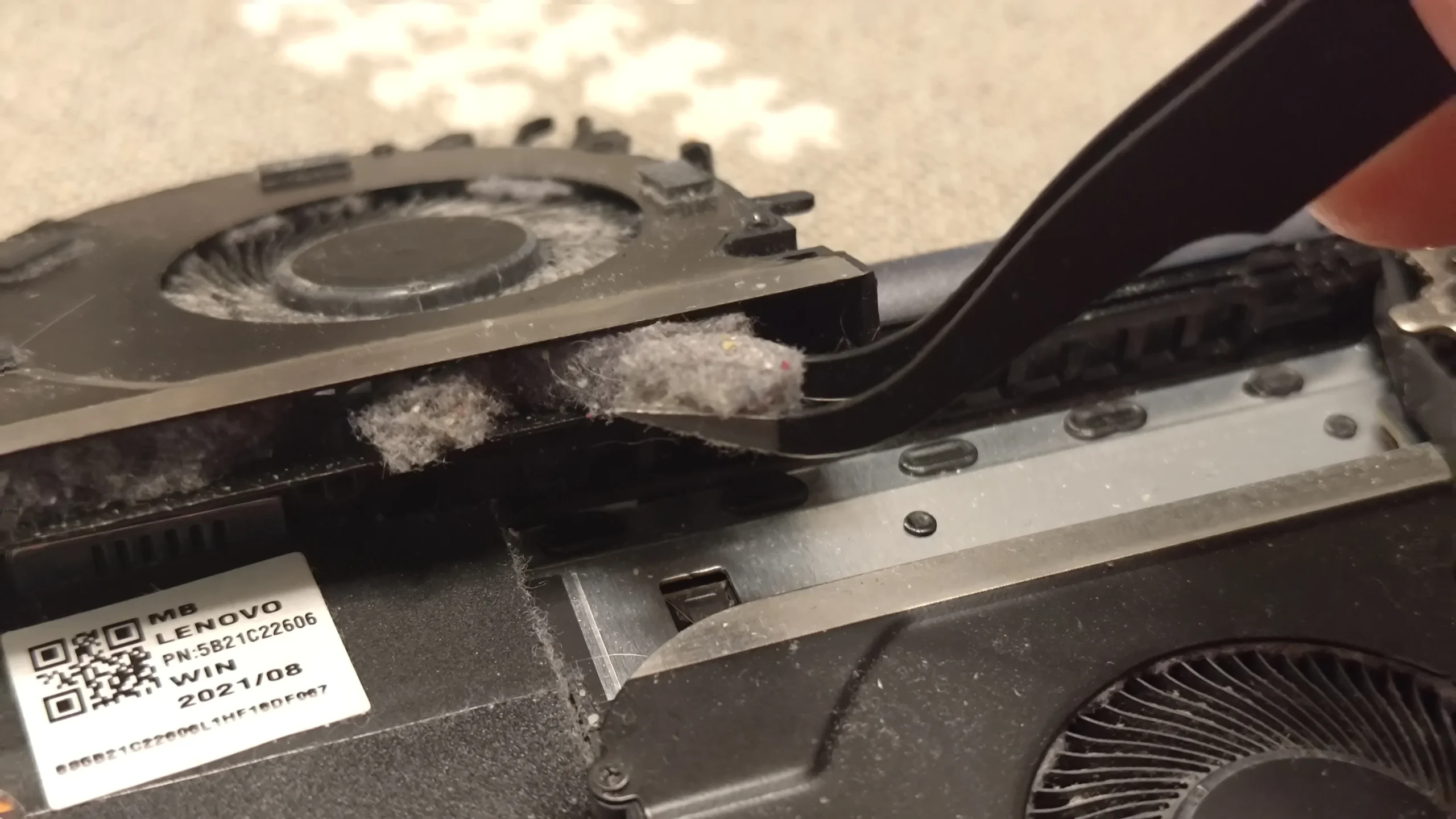
A dense lint mat beside the fan and exhaust fins
Thermal work
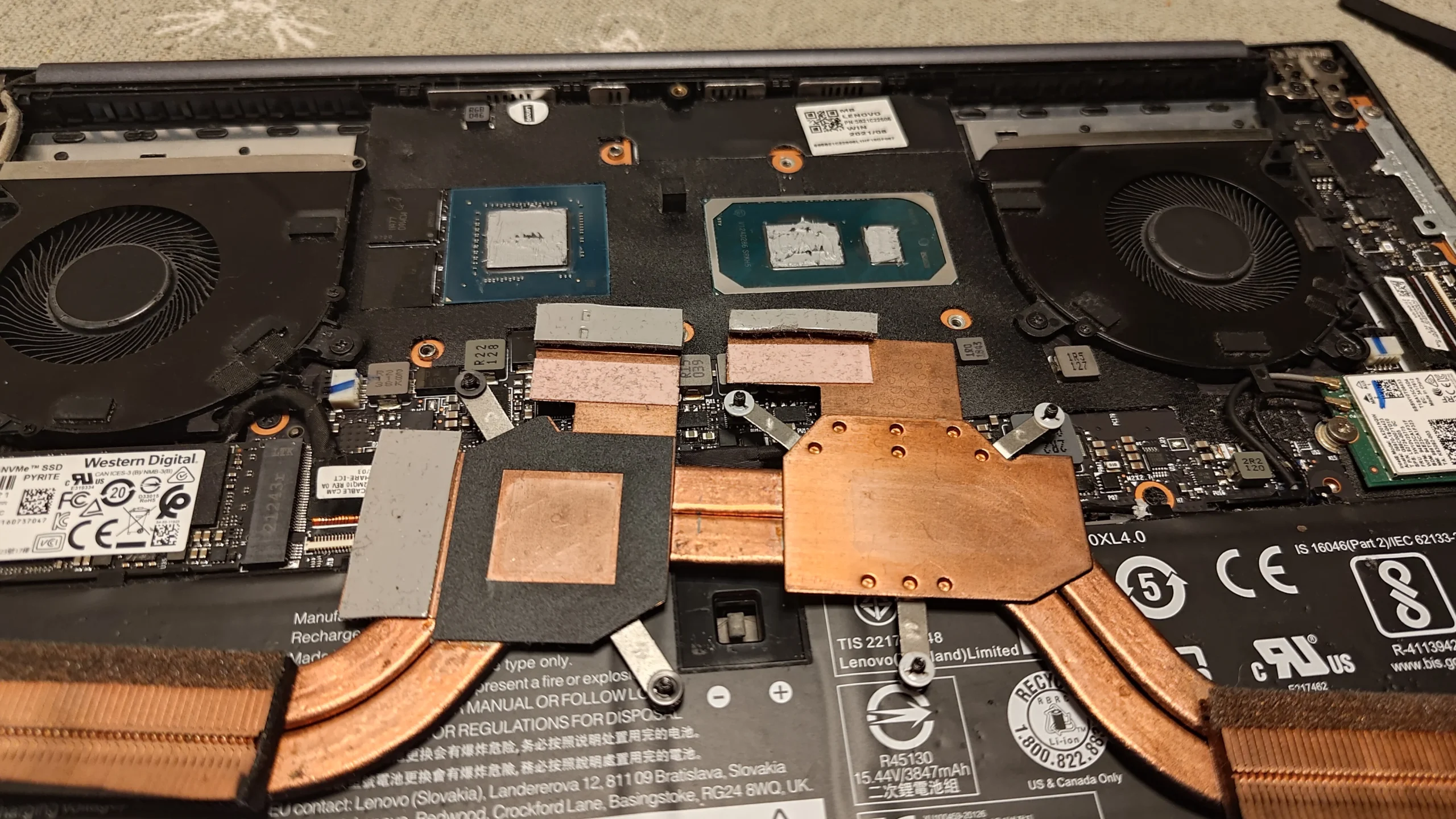
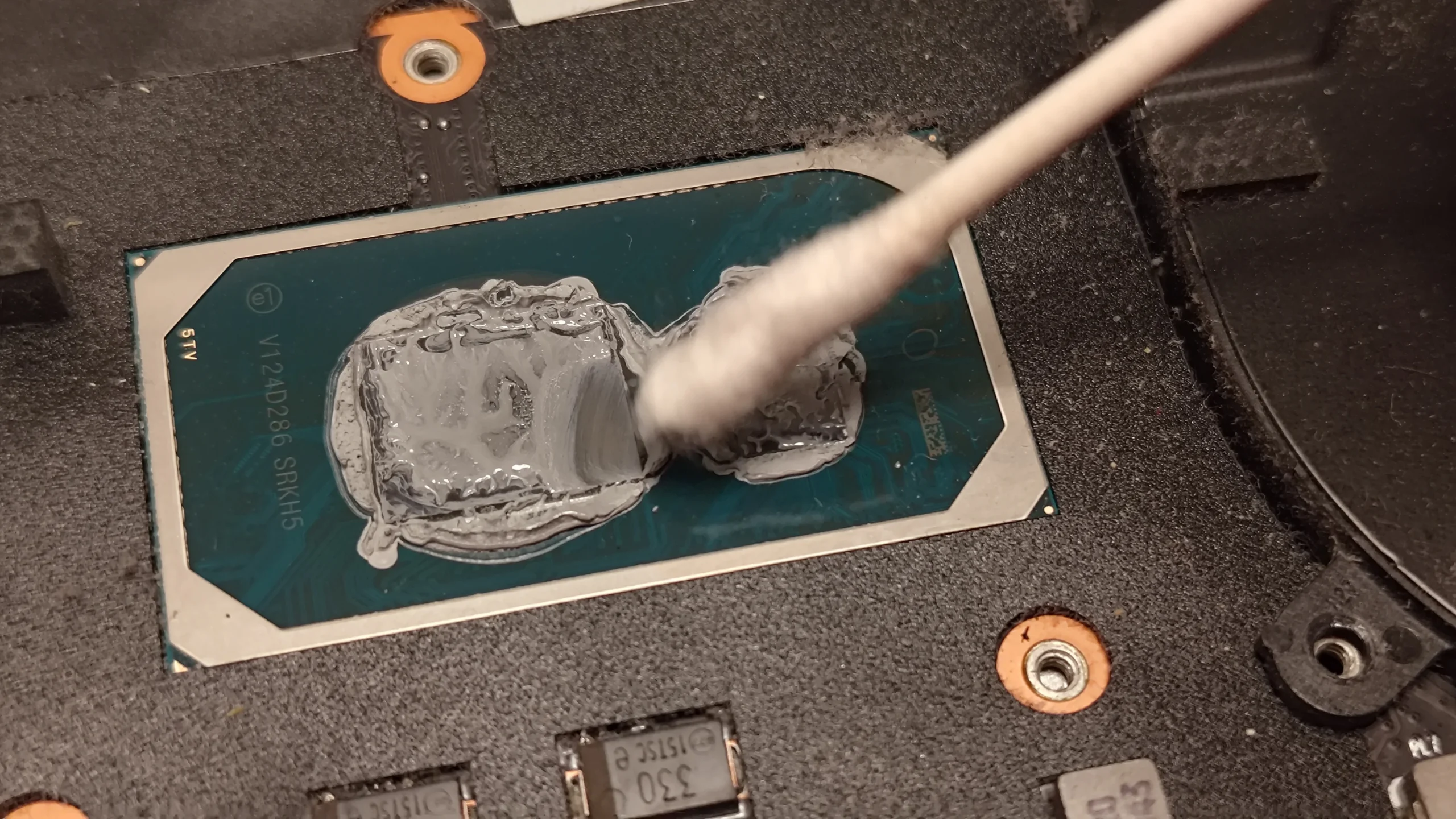
Copper cooler lifted and old compound cleaned from both chips
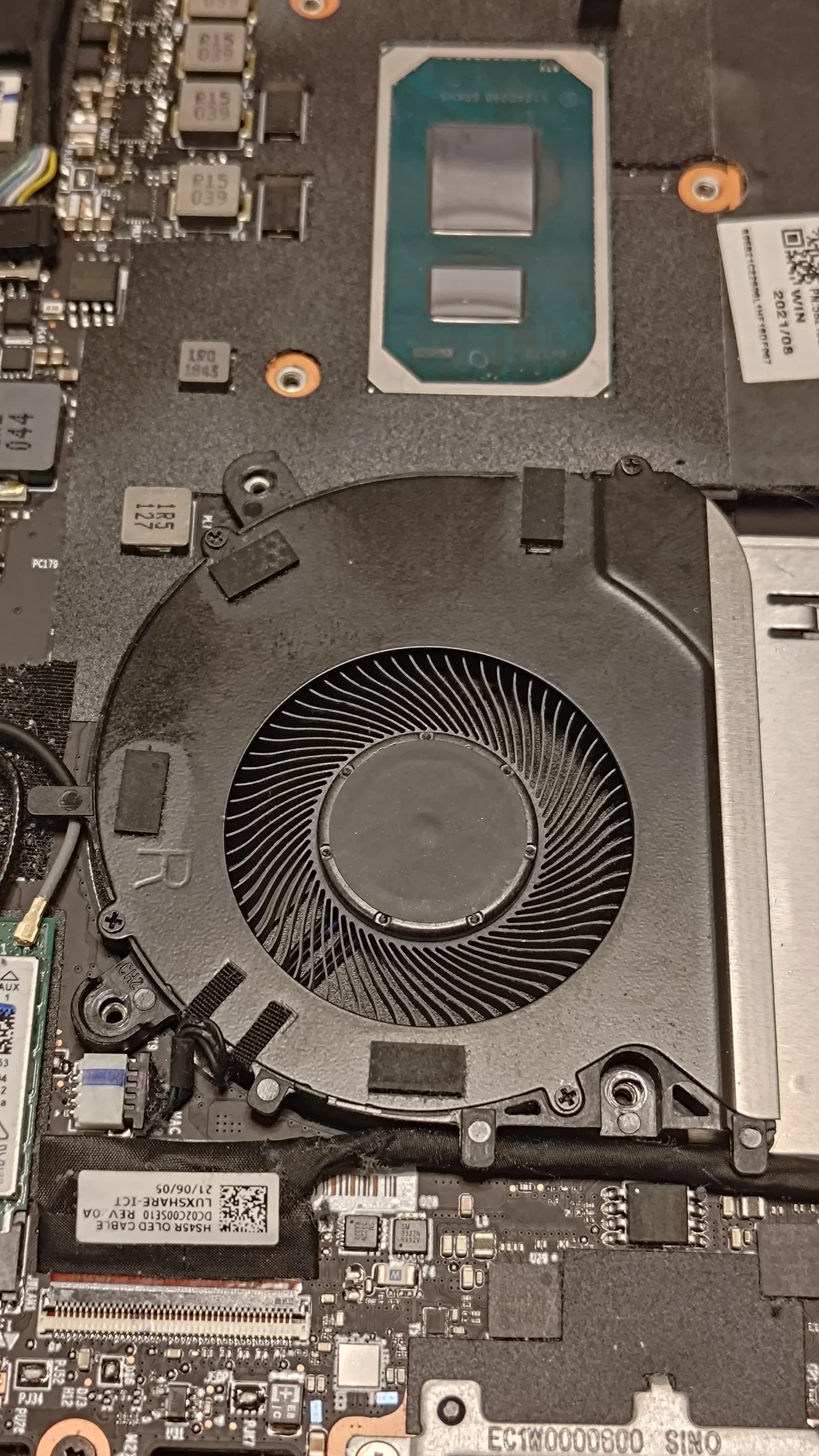
A laptop fan is only one part of the cooling path. It draws air through the case, pushes it past a fin stack and sends it out of the chassis. Here the close-up shows a pale felt-like strip packed between the fan and the exhaust route. Cleaning only the round fan blades would leave that obstruction behind.
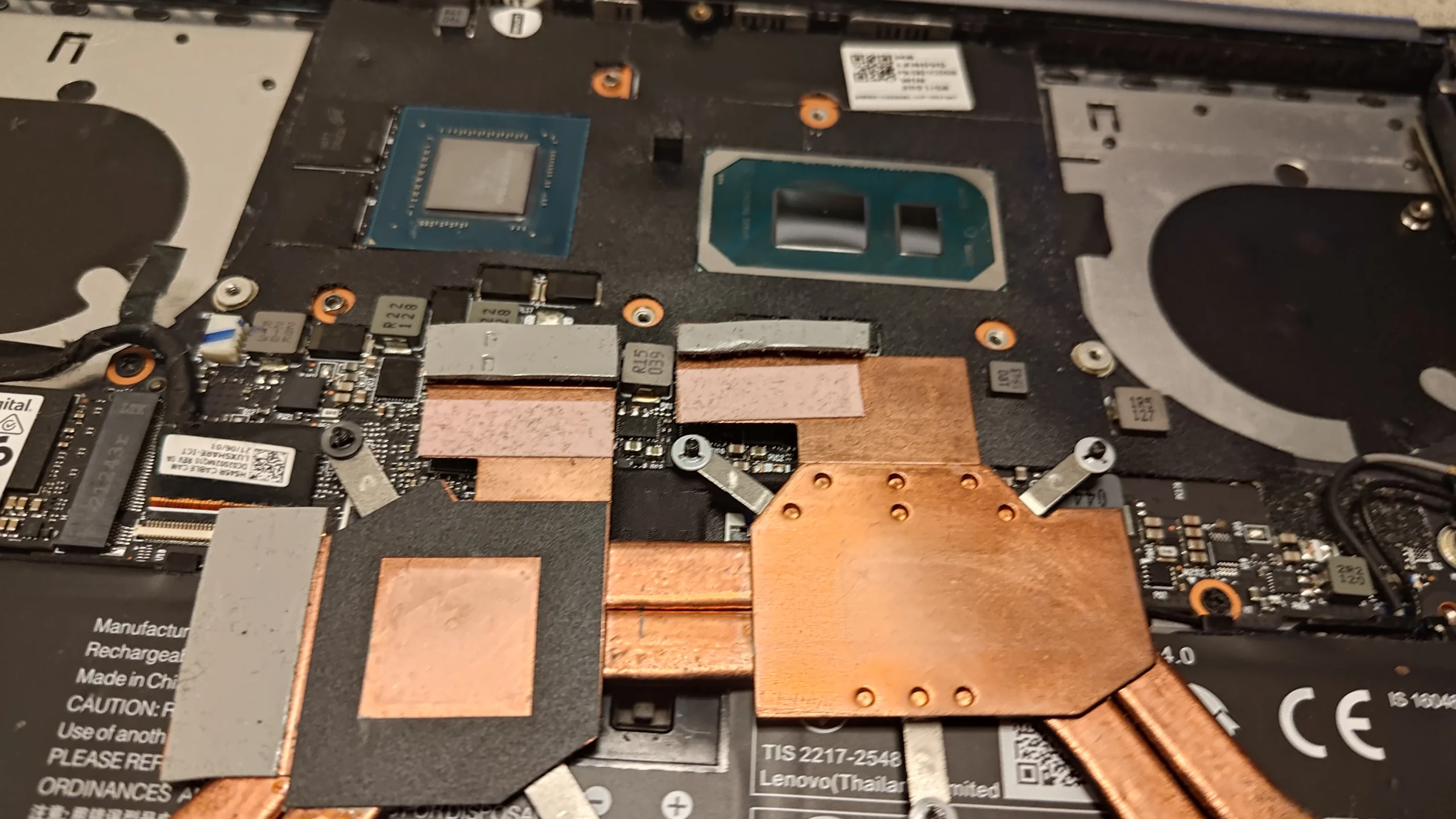
The archive also shows the two-fan layout, a removed copper heat-pipe assembly and the processor and graphics contact surfaces before and during cleaning. The photos do not contain a paired temperature test, so this case explains the physical work rather than promising a temperature drop.
In this case study
01 / The hidden restriction
Lint had formed a felt strip at the fan outlet
The close-up catches a pale, compacted band beside the blower. Air must pass through the narrow fin route at this point, so a mat here can be more significant than a light dust coating elsewhere in the chassis.
For an owner, this explains a common surprise: the outside vent may look fairly clear while debris is trapped on the inside face. Blowing air into the external grille without controlling the fan can move debris deeper or overspin the impeller.
02 / Follow the whole air route
Both blowers needed inspection, not just the dirty corner
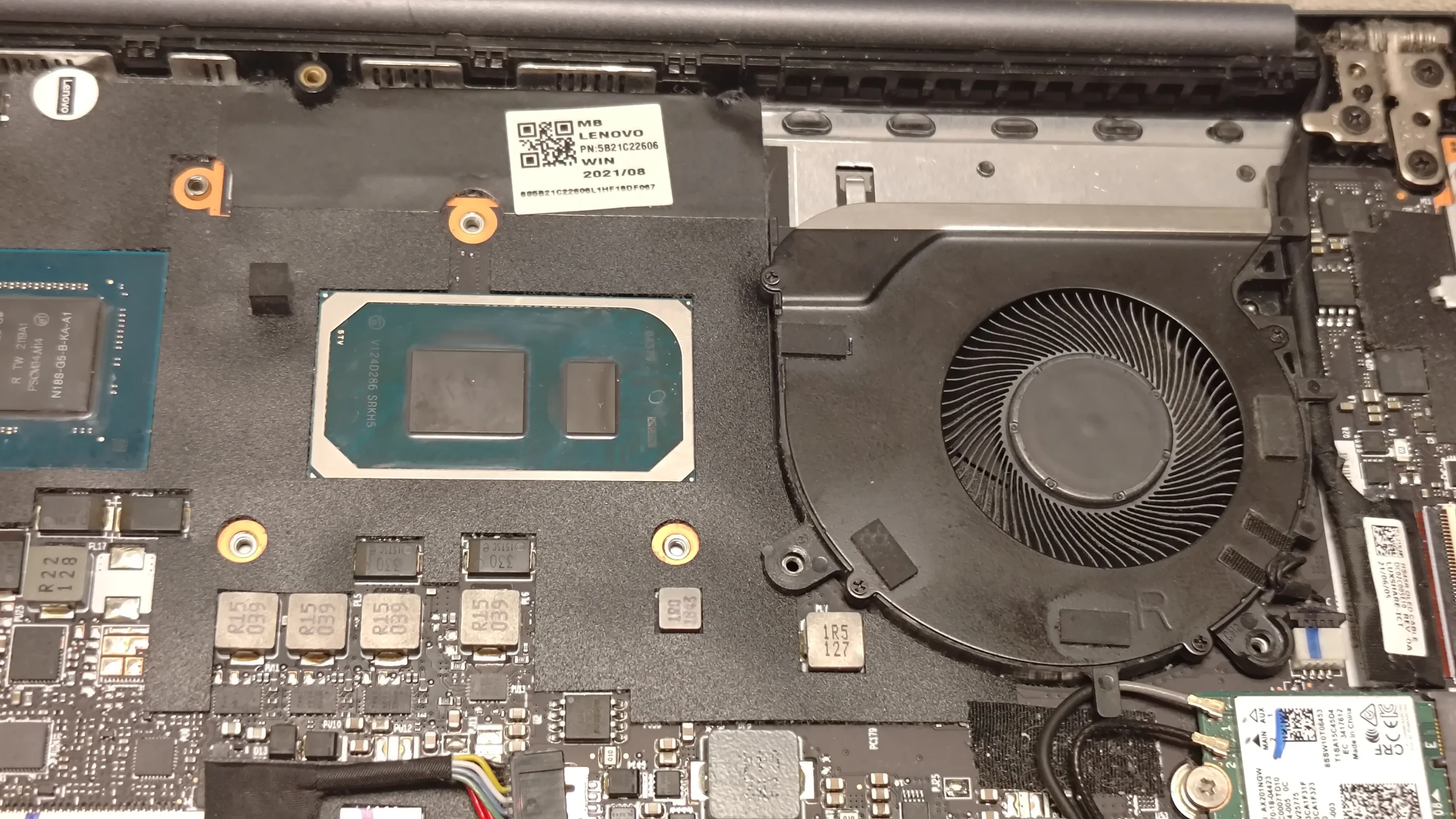
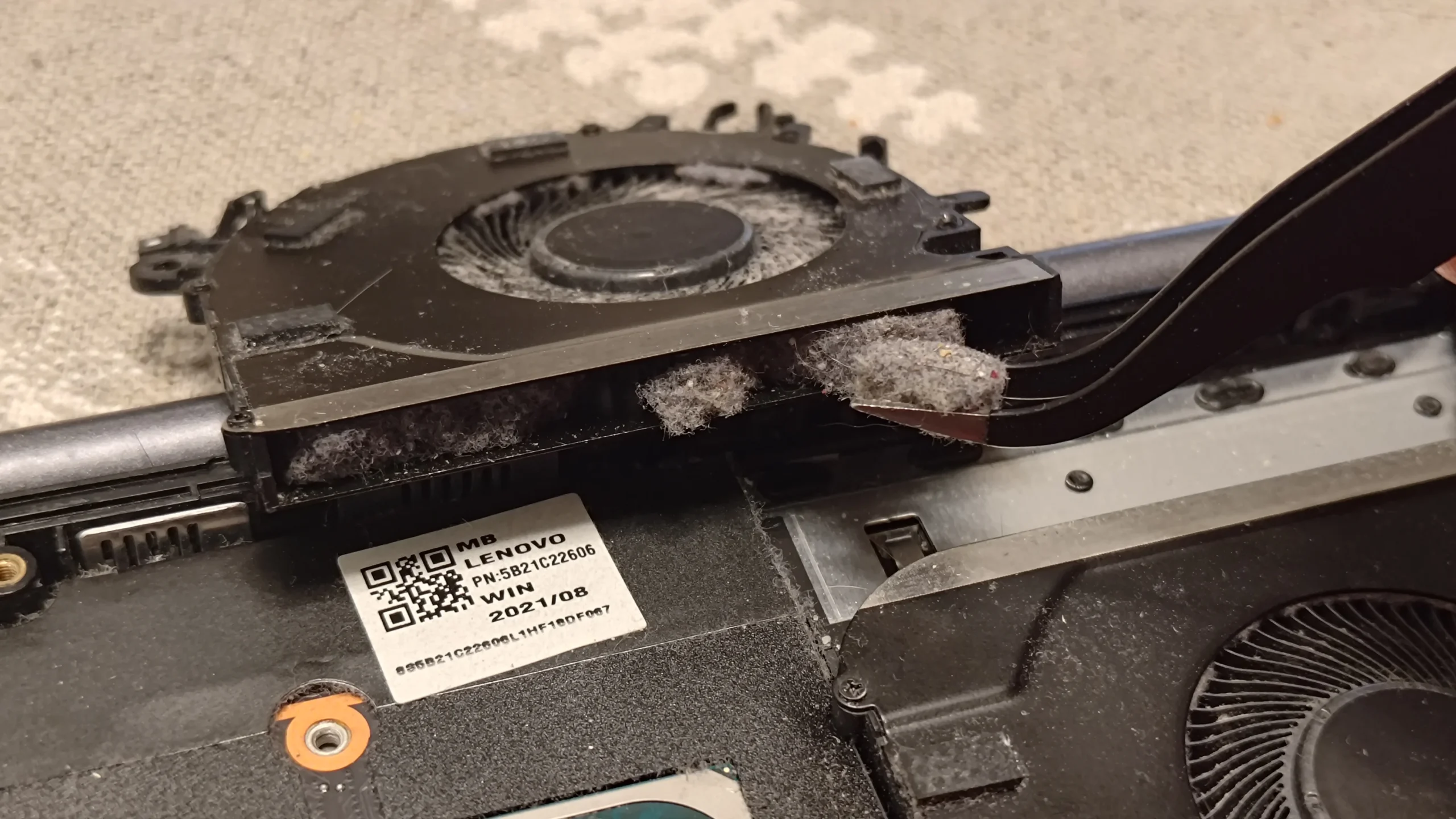
With the base removed, the two circular fans sit on opposite sides of the central chips. They serve the same copper cooling assembly, but each fan and its nearby fin area needs its own inspection. A clean-looking fan on one side does not prove that the other exhaust is open.
One photograph shows a heavily dusty fan and another shows a much cleaner fan in place. The sequence is useful for showing access and visible cleaning, although it does not establish a measured before-and-after airflow figure.
03 / The narrow exit
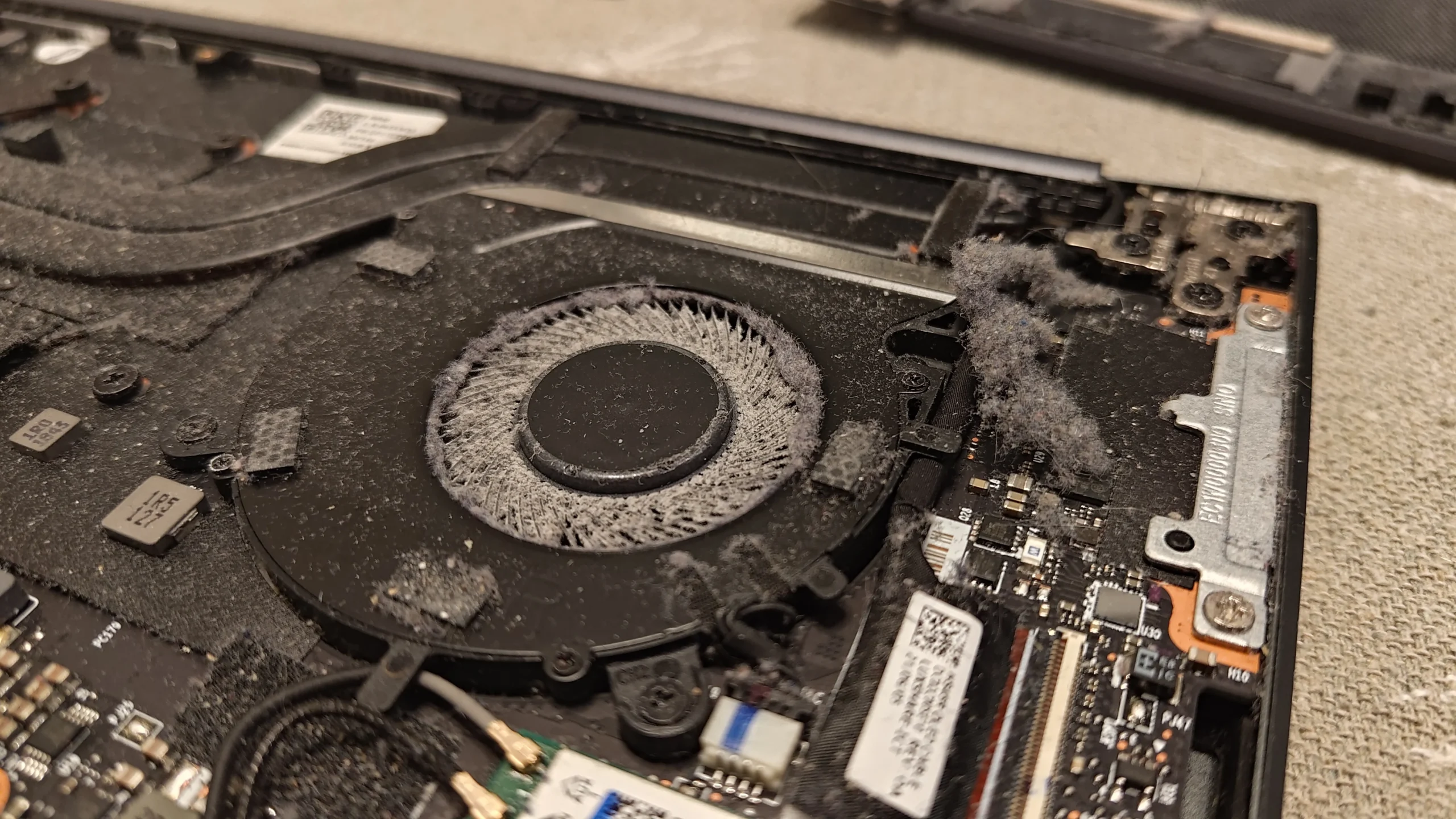
The copper fin stack is the part to uncover
The cooler has a tight row of copper fins beside the fan. Heat travels through the pipes to this fin stack; the fan has to move air through those gaps to carry the heat away. The photos show the fin edge being exposed while the cooler is lifted.
A brush can clear loose surface dust, but compacted lint at the fin face often needs direct access. Keep tools away from delicate blades and board components, and support the cooler rather than bending the copper pipes.
04 / When the cooler is lifted
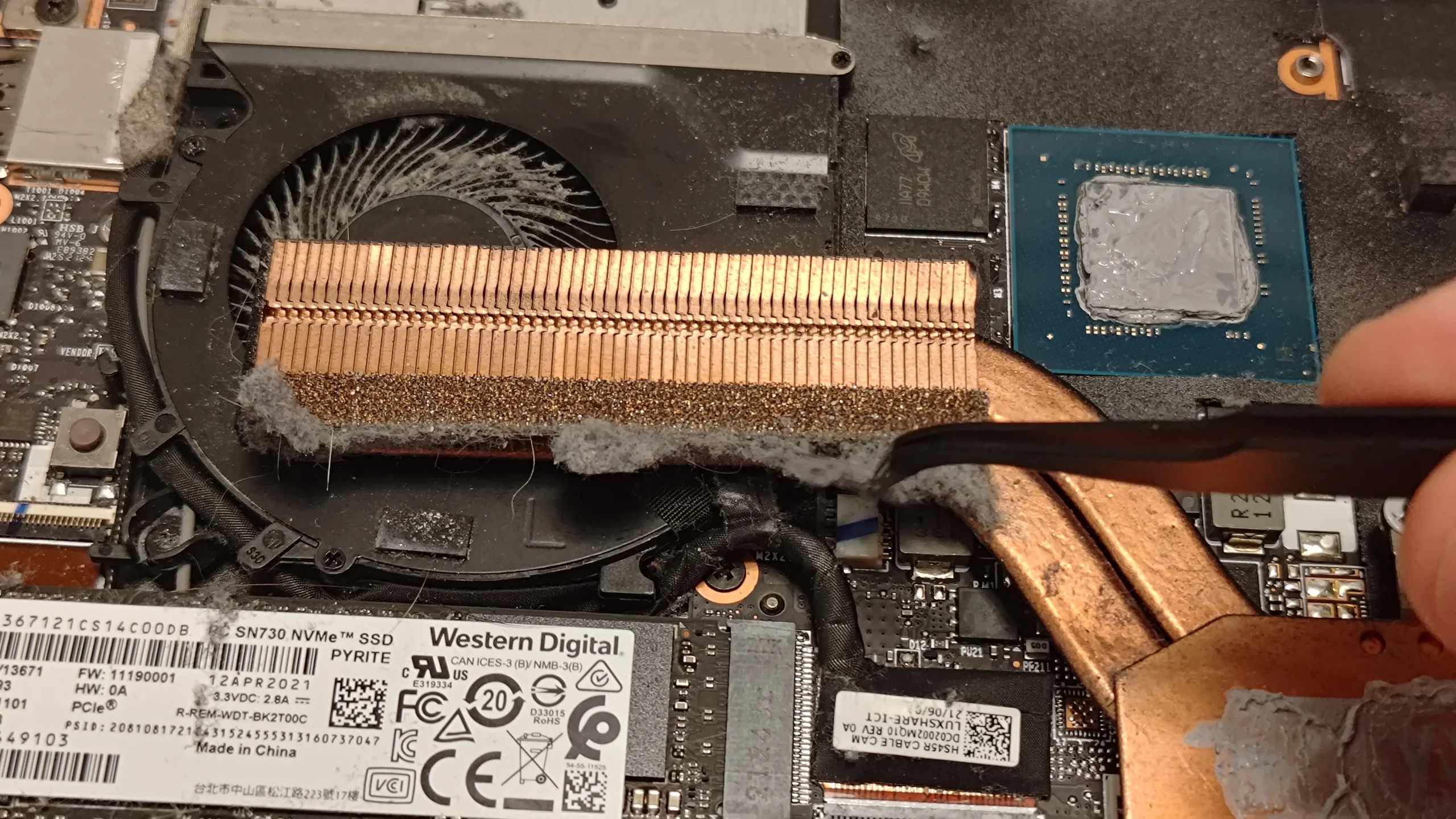
Old compound was visible on both contact areas
Lifting the copper assembly exposes two chip contact points and the mating surfaces on the cooler. The photos show old grey compound on the chips and a swab working on one surface. These surfaces must be clean and correctly prepared before the cooler is refitted.
Thermal paste fills microscopic gaps; it does not replace a properly seated cooler. If you disturb the heat-pipe assembly, note the screw order, any pads or putty around smaller components and the amount and placement of the original materials. The archive does not show a controlled temperature comparison or every final application step.
The engineer’s takeaway
The photo that matters most is the pale lint mat at the fan outlet. On this two-fan Lenovo, a useful clean follows both air paths and checks the fin faces; lifting the copper cooler adds a separate thermal-interface job.
Before you open the laptop
Can you clean a Yoga 7i Pro yourself?
Shut down, unplug the charger and use the correct tools for the base screws. Photograph the inside before touching a connector, and disconnect the internal battery before working near the fans where the model's service procedure allows it. Keep a fan from spinning while removing loose dust gently.
Stopping at accessible fan and vent cleaning is sensible if the cooler, battery connector or cable routing is unfamiliar. Removing the shared heat-pipe assembly means cleaning and renewing the disturbed thermal interface correctly; do not reuse dried paste or improvise the treatment of pads and putty.
After the clean
What to check after the clean
Boot the laptop and listen for a smooth fan ramp rather than scraping or a fan that never responds. Compare temperatures and fan behaviour under the same workload and room conditions if you have baseline readings; the archive itself contains no trustworthy paired result.
If the laptop remains unusually hot or noisy after both exits are open, a weak fan, poor cooler contact or a different fault may need diagnosis.
Questions from owners
Lenovo Yoga 7i Pro cooling FAQs
Questions suggested by the lint mat, two fans and lifted cooler in this workshop archive.
Why can a laptop still run hot after its fan blades are cleaned?
A compacted mat can sit between the fan and the exhaust fins. The blades may be cleaner while the air exit remains restricted, as this case illustrates.
Do both fans need cleaning?
Inspect both. This Lenovo has two blowers and separate outlet areas; dust can collect unevenly.
Can I blow compressed air through the outside vent?
A short external blast may leave a hidden lint mat in place or push it inward. If using air, restrain the fan and follow the model's safe service guidance; direct access is better for compacted debris.
Does opening the cooler require new thermal paste?
Yes, a disturbed paste interface needs proper cleaning and fresh material on reassembly. Preserve the original treatment of any pads or putty on surrounding components.
How often should I clean this model?
Inspect the vents and fan noise periodically. Pets, fabrics and dusty rooms change the interval; visible lint, restricted airflow or a change in heat and noise are stronger clues than a fixed date.
Did this service lower the temperature by a measured amount?
The photos document the obstruction and cooler work, but there is no comparable before-and-after temperature log in this archive.
UK Lenovo cooling enquiries
Is your Yoga fan noisy or its exhaust weak?
If you are in the UK and would rather have the laptop opened and checked, tell us the model from its label, whether one or both sides sound noisy, and when heat or slowdowns happen. Add your postcode so we can discuss the practical service options.
Mention any previous fan cleaning or cooler removal. That helps us judge whether the fin exits and thermal contact both need attention.
Read about our laptop fan and cooling service, then use the form to tell us your computer model, symptoms and UK postcode.
Free to enquire · No obligation to book. We discuss the proposed work and price before you decide.
The workshop photos
Yoga 7i Pro cooling cleaning gallery
Open the workshop photos to compare the lint mat, two-fan layout, exposed copper fins and chip contact surfaces.