Published 21 November 2026 · MSI dual-fan gaming laptop case study
MSI thermal clean
the copper contact surfaces deserved as much attention as the fans.
The opened MSI shows two fans and copper pipes across the processor and graphics areas. Its close-ups concentrate on old compound left on the chips and cooler plates, giving a useful view of what changes when a cooler is lifted.
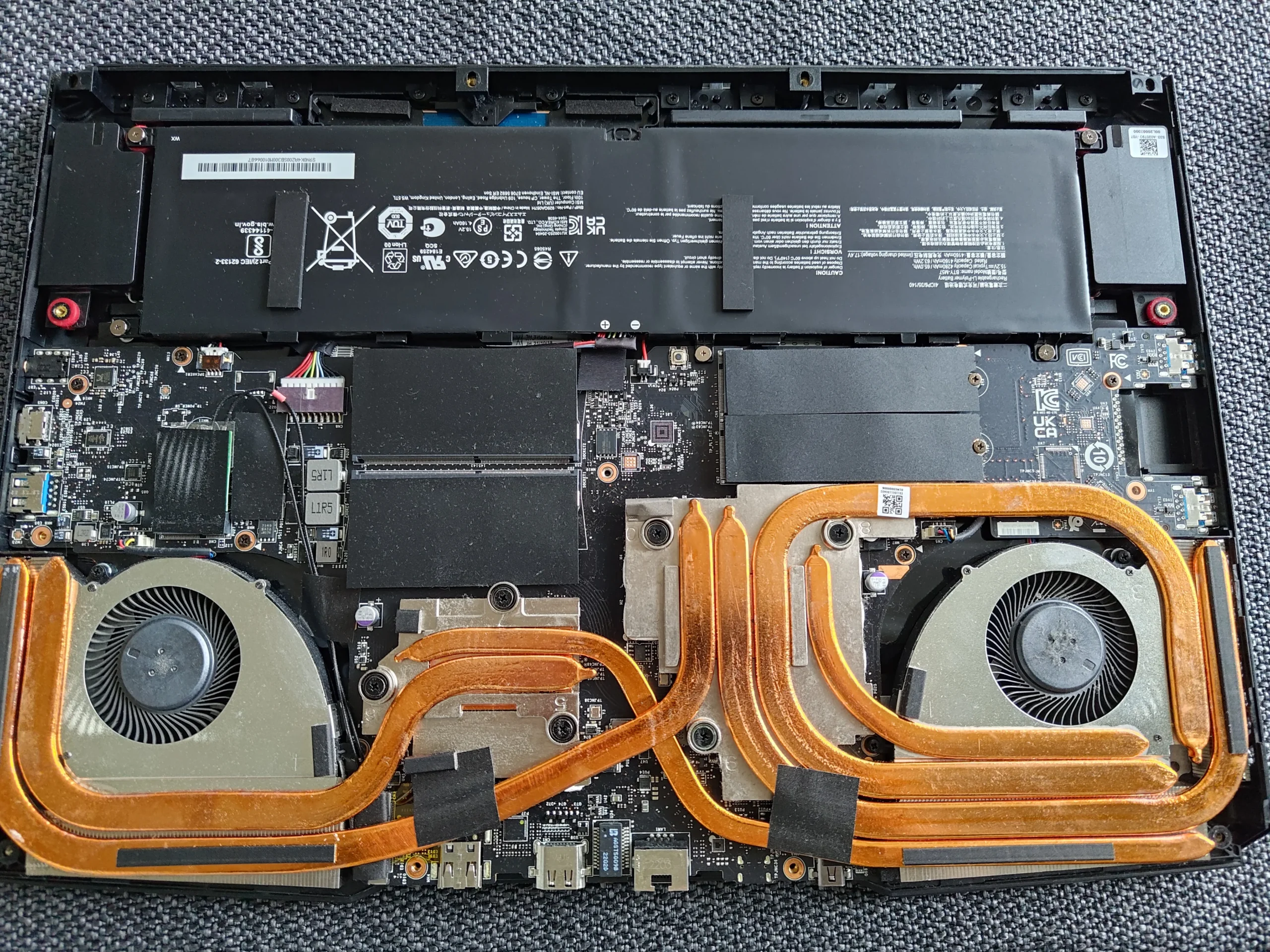
Cooling layout
Two fans connected by copper pipes
Contact finding
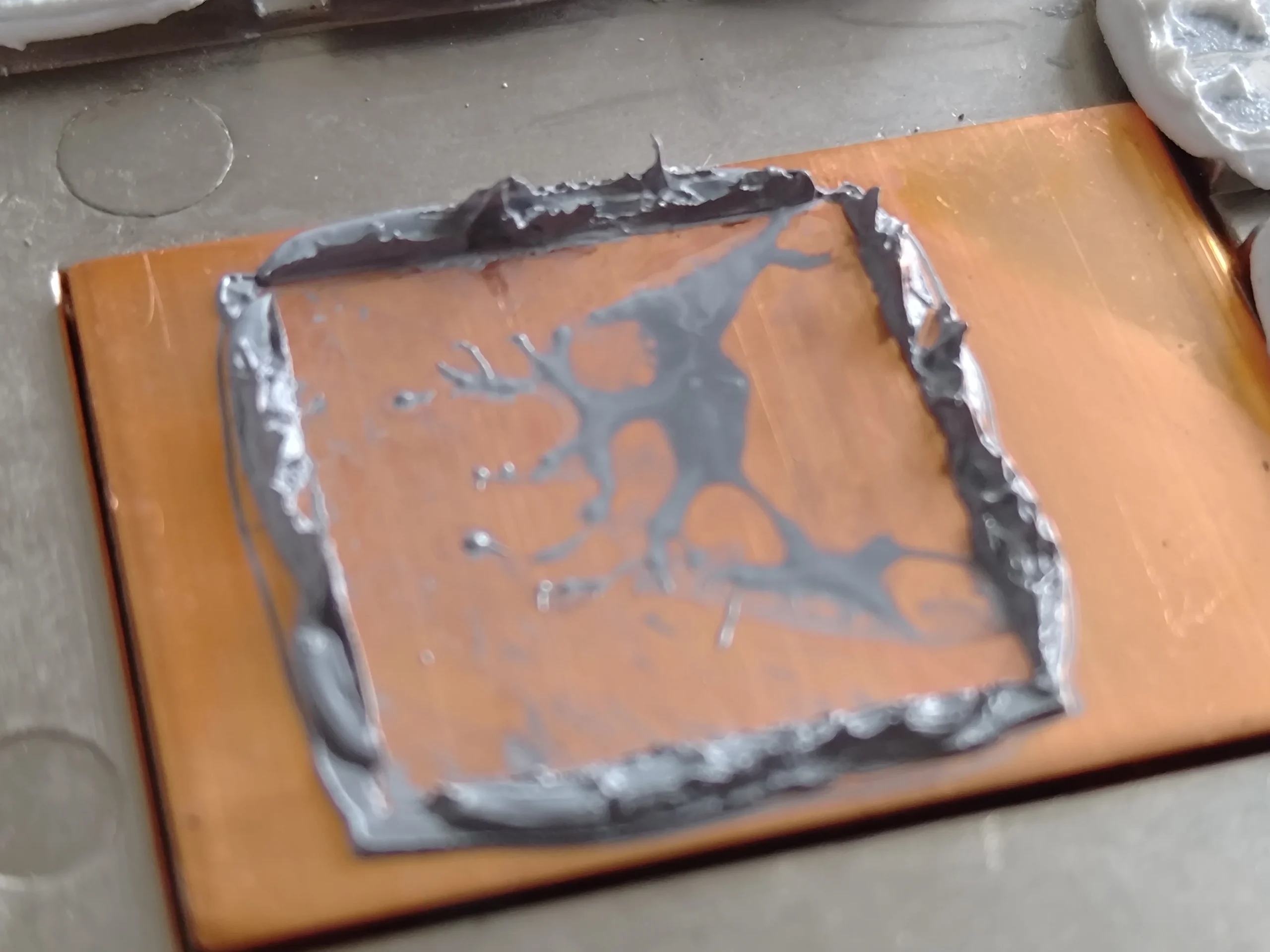
Old grey compound on chip and cooler surfaces
Archive limit
No matched temperatures or verified exact MSI model
A cooling service is not always about a spectacular dust blockage. In this MSI laptop, the most instructive photographs show the shared copper cooler away from the board, grey old material on its contact plates, and corresponding chip surfaces. The two fans still need their chambers and fin exits checked, but the thermal interface became a separate job when the cooler was removed.
The underside label and exterior do not establish a reliable commercial model in these photos. No paired performance measurements appear either. This case explains the visible layout and the work a lifted cooler requires.
In this case study
01 / The full cooling route
A blower sits at each side of the copper pipes
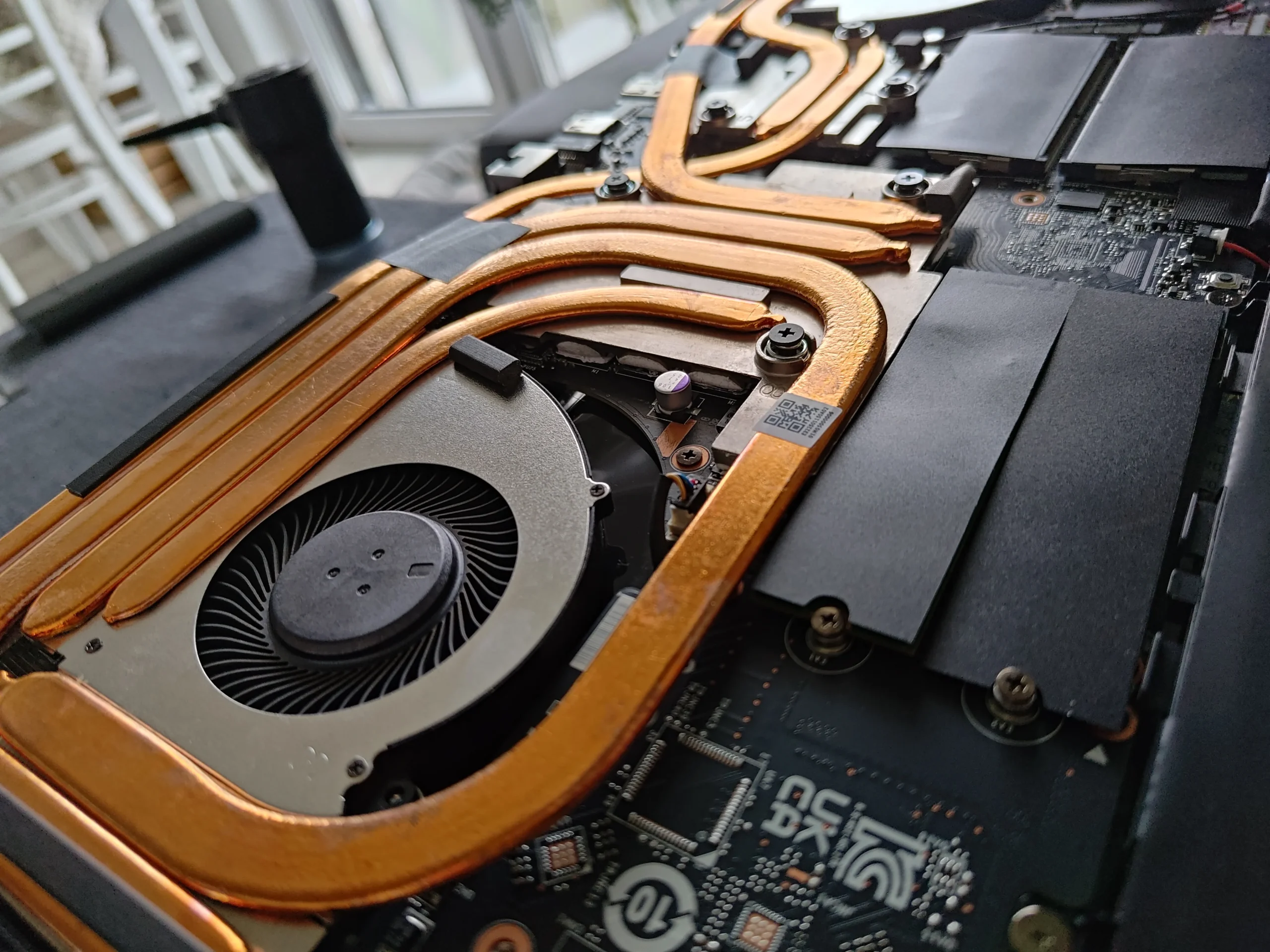
The internal overview shows two round fan housings and pipes crossing between the main chips and outlets. Each fan and fin edge needs a separate dust inspection, because the two sides can collect material differently.
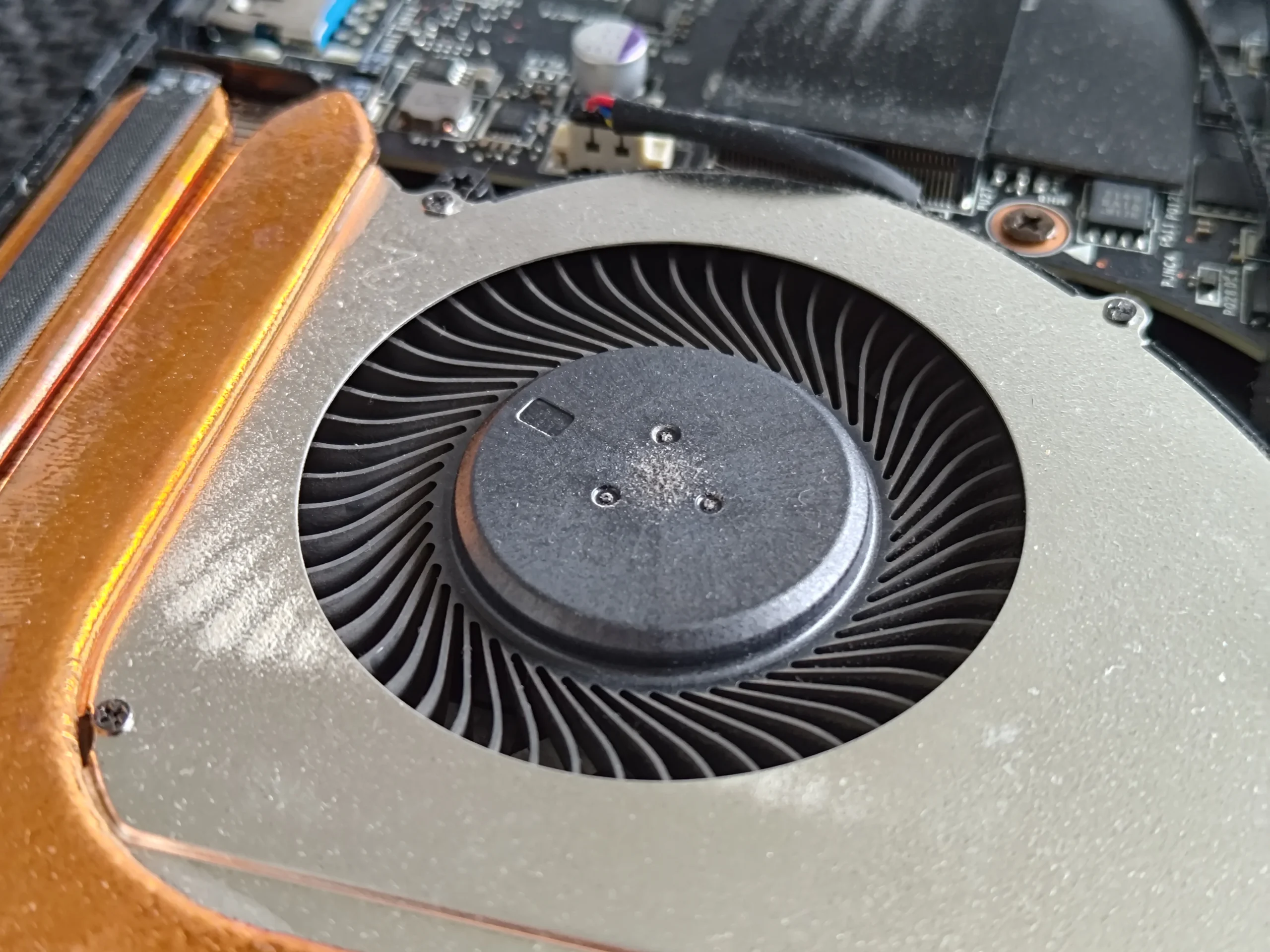
One close-up shows a fan blade and housing. Cleaning should hold the rotor still and keep tools off the bearing and nearby leads.
02 / After lifting
Old compound remained on the copper contact plates
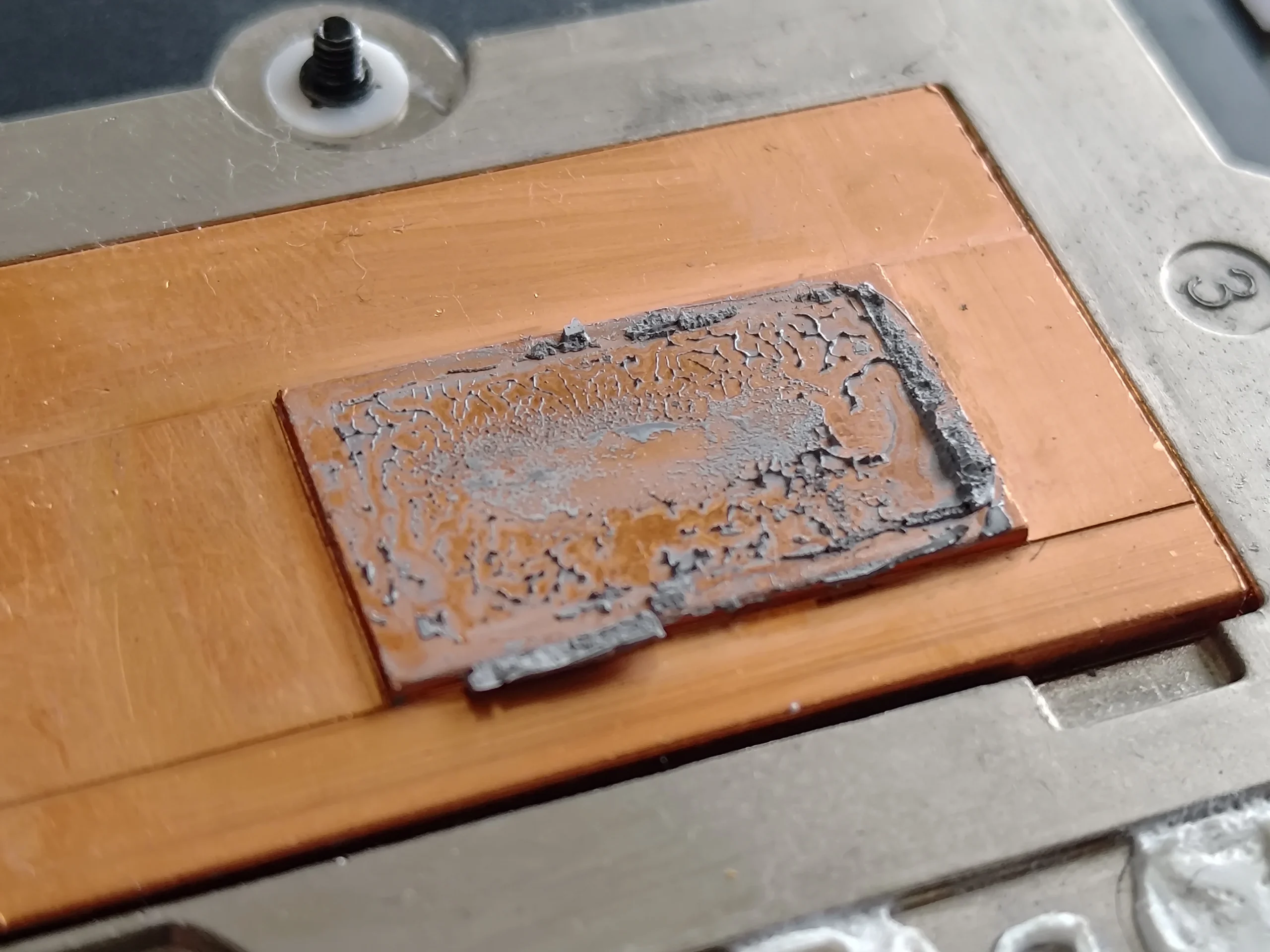
A close photo shows a grey layer on one copper plate, with another contact area visible in the assembly. Once separated, old material should not simply be pressed back onto the chips: it may no longer fill the tiny gaps evenly.
Clean both mating surfaces with an appropriate method and restore the specified paste. Note any separate thermal pads or putty around smaller parts so the main plates can seat correctly.
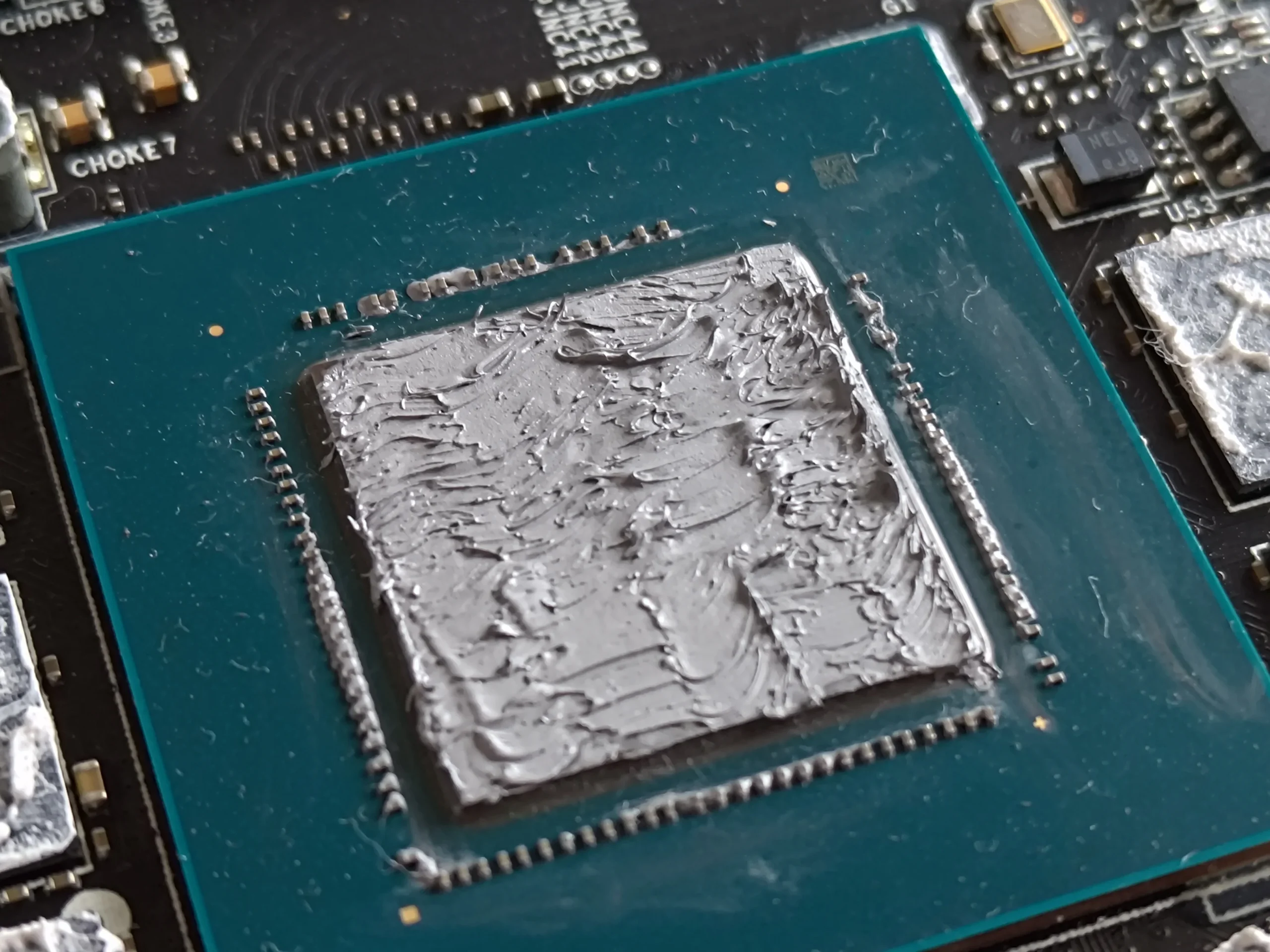
03 / The other half of the interface
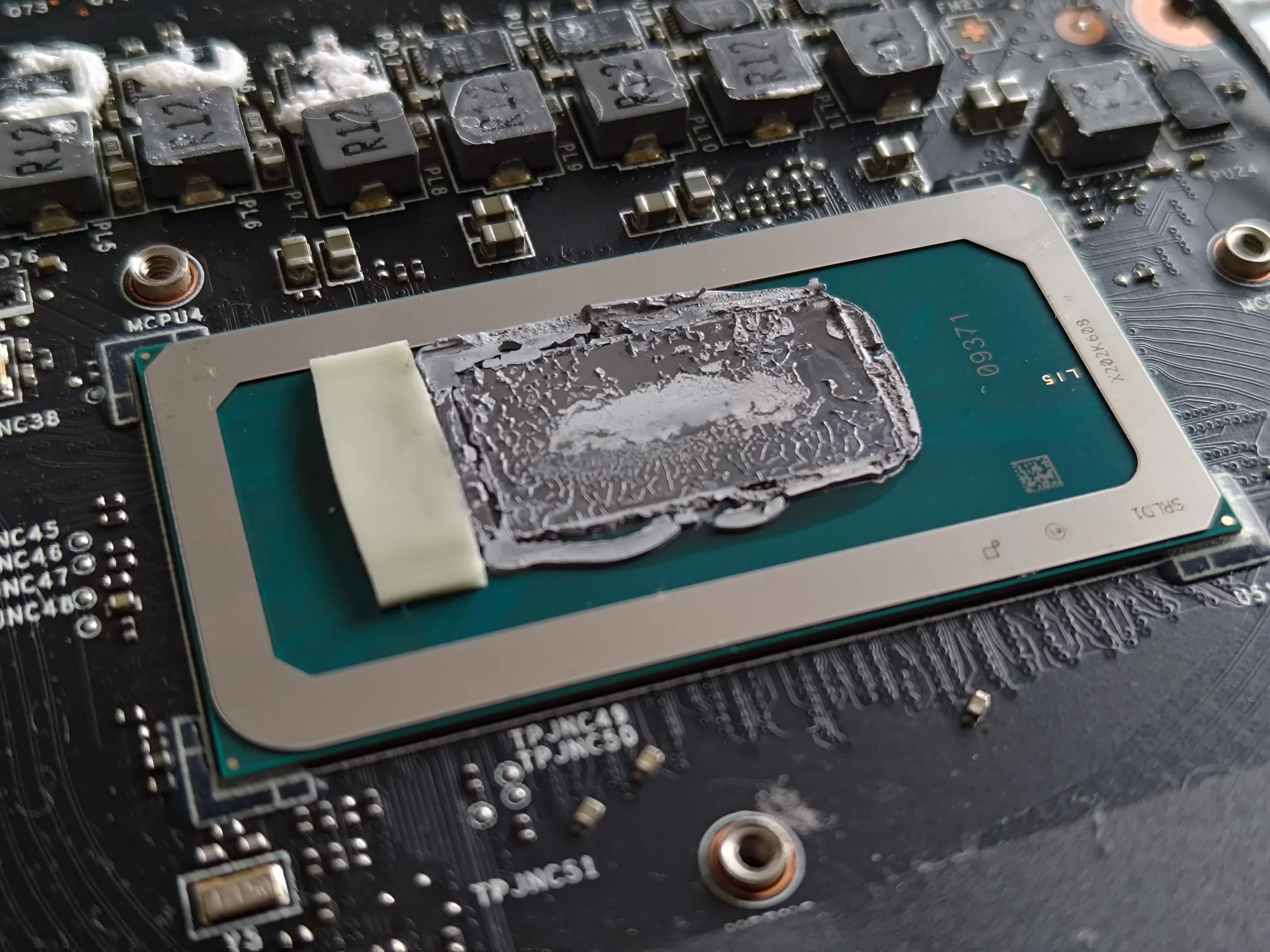
Both exposed chips carried old thermal material
The board close-ups show grey material on the main processor and graphics contacts. Each contact must be prepared before the cooler is refitted; pushing hard or scraping a bare chip edge can cause damage.
The photos show surface condition and access. They do not prove a temperature gain or show every last reassembly step, so a post-service workload check remains important.
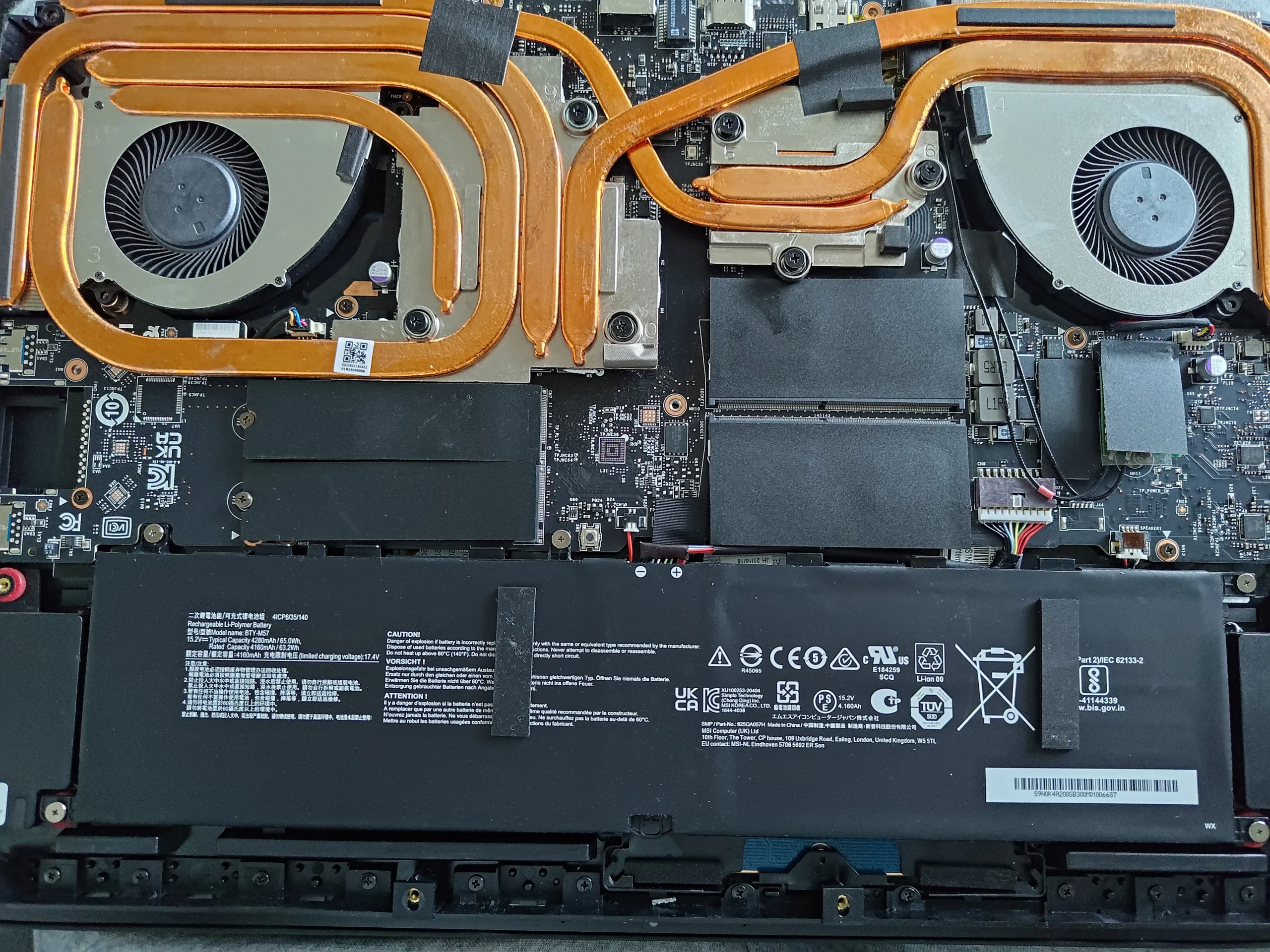
04 / Restoring the route
Fans, cooler screws and cables need a final check
The assembled interior shows both fans and the copper assembly back across the laptop. The cooler should be tightened according to its numbered pattern if marked, with fan leads returned clear of the impellers.
After booting, confirm both fans respond under demand and compare temperatures only under the same task and room conditions if earlier readings exist.
The engineer’s takeaway
This MSI service illustrates the difference between cleaning an air path and renewing a disturbed thermal interface. Both fan outlets need inspection, while the chip and cooler plates need careful cleaning and even refitting once separated.
Before you open the laptop
Can you clean a dual-fan MSI laptop yourself?
Power off, unplug the charger and find instructions for the exact model printed on your laptop. Map the base screws, disconnect the battery as directed and photograph fan cable routes.
Accessible fan and vent dust can be cleaned gently with rotors held still. Cooler removal is more involved: plan the correct paste and any pads or putty, then clean both chip and plate surfaces before reassembly.
After the clean
Checks after the MSI is closed
Confirm the laptop boots, neither fan scrapes and both can ramp under a suitable task. Compare CPU and GPU temperatures with baseline values only under similar conditions.
This archive has no matched test pair. If one chip remains hot, check its fan path and cooler contact rather than assuming the other chip tells the whole story.
Questions from owners
MSI dual-fan thermal service FAQs
Answers based on the two blowers and old contact material visible here.
Is this mainly a fan-cleaning case?
The photos document both the fans and a lifted cooler. The strongest evidence is the old compound on chip and plate contacts.
Can I reuse old paste after cooler removal?
No. Once separated, clean the mating surfaces and use suitable new compound.
Why are two chips under one cooler?
The heat-pipe assembly carries heat from separate components toward the fan outlets. Both contacts need correct seating.
Do I need to replace every thermal pad?
Only according to the model's service needs. Preserve correct placement and thickness if a pad is disturbed or damaged.
What exact MSI model is this?
The selected photographs do not provide a reliably publishable commercial model, so this case stays at the MSI dual-fan layout level.
Did the service measurably lower temperatures?
No comparable before-and-after test is in this archive.
UK MSI cooling enquiries
Worried about a previous repaste?
If you are in the UK, tell us the exact MSI model from its label, your postcode, and whether the concern is fan noise, heat or a change after an earlier cooler service.
We can discuss inspecting both air routes and the thermal contact separately so the right part of the cooling system is addressed.
Read about our gaming laptop cooling service, then use the form to tell us your computer model, symptoms and UK postcode.
Free to enquire · No obligation to book. We discuss the proposed work and price before you decide.
The workshop photos
MSI fans and copper contact gallery
Open the photos to see the two fans, copper cooler plates, old chip material and assembled system.