Published 29 October 2026 · MSI GF63 Thin 10SC case study
One fan in a thin MSI
cooling two heat sources.
This GF63 Thin 10SC does not have the pair of fans some gaming laptops use. Its single blower pulls air past one compact fin outlet while copper pipes collect heat from both the processor and graphics side. The workshop photos show dust around that fan and what becomes exposed when the cooler is lifted.
Model confirmed
MSI GF63 Thin 10SC
Cooling layout
One fan with copper pipes across two chip areas
Photo evidence
Dusty fan housing and lifted cooler contacts
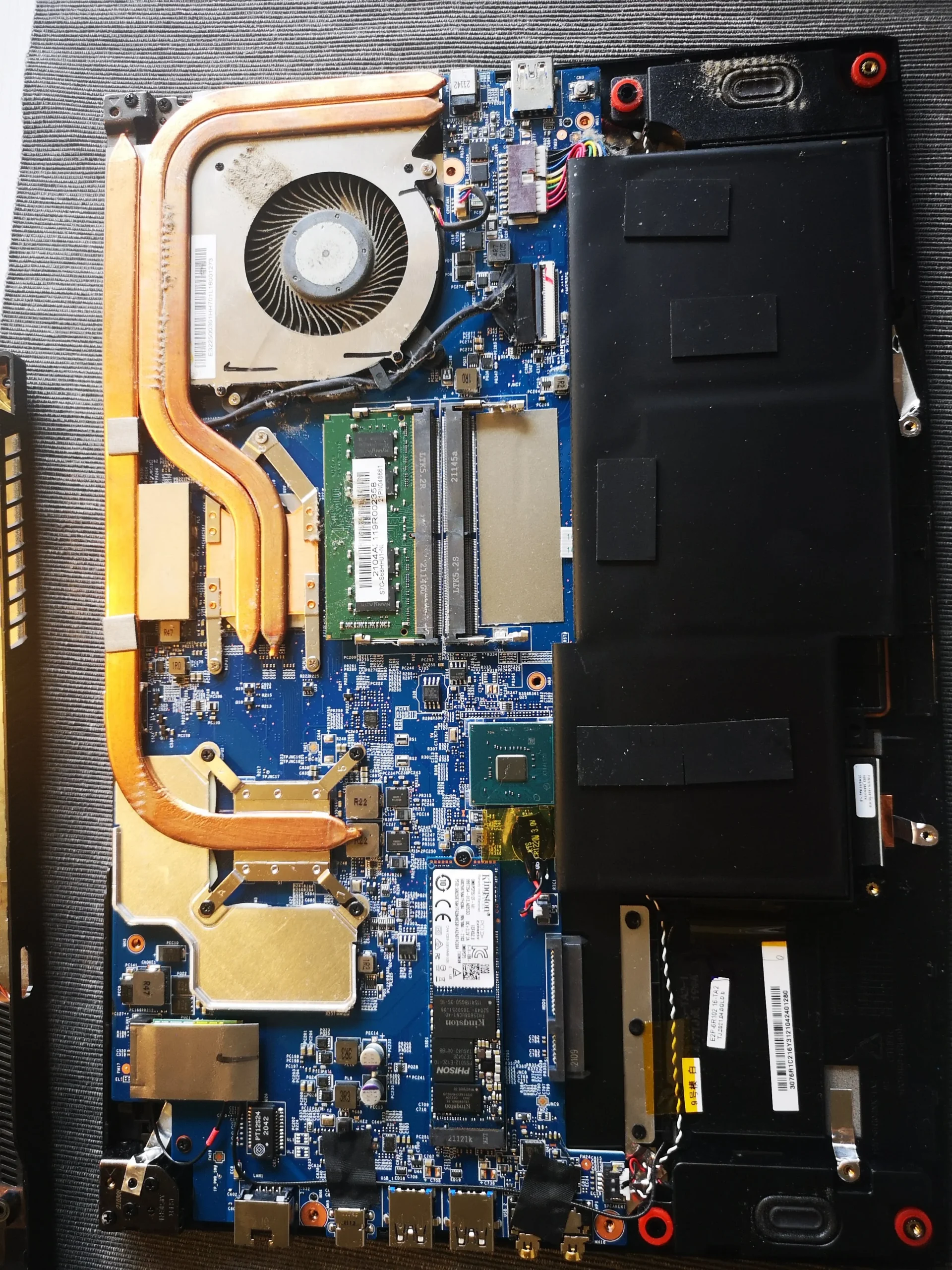
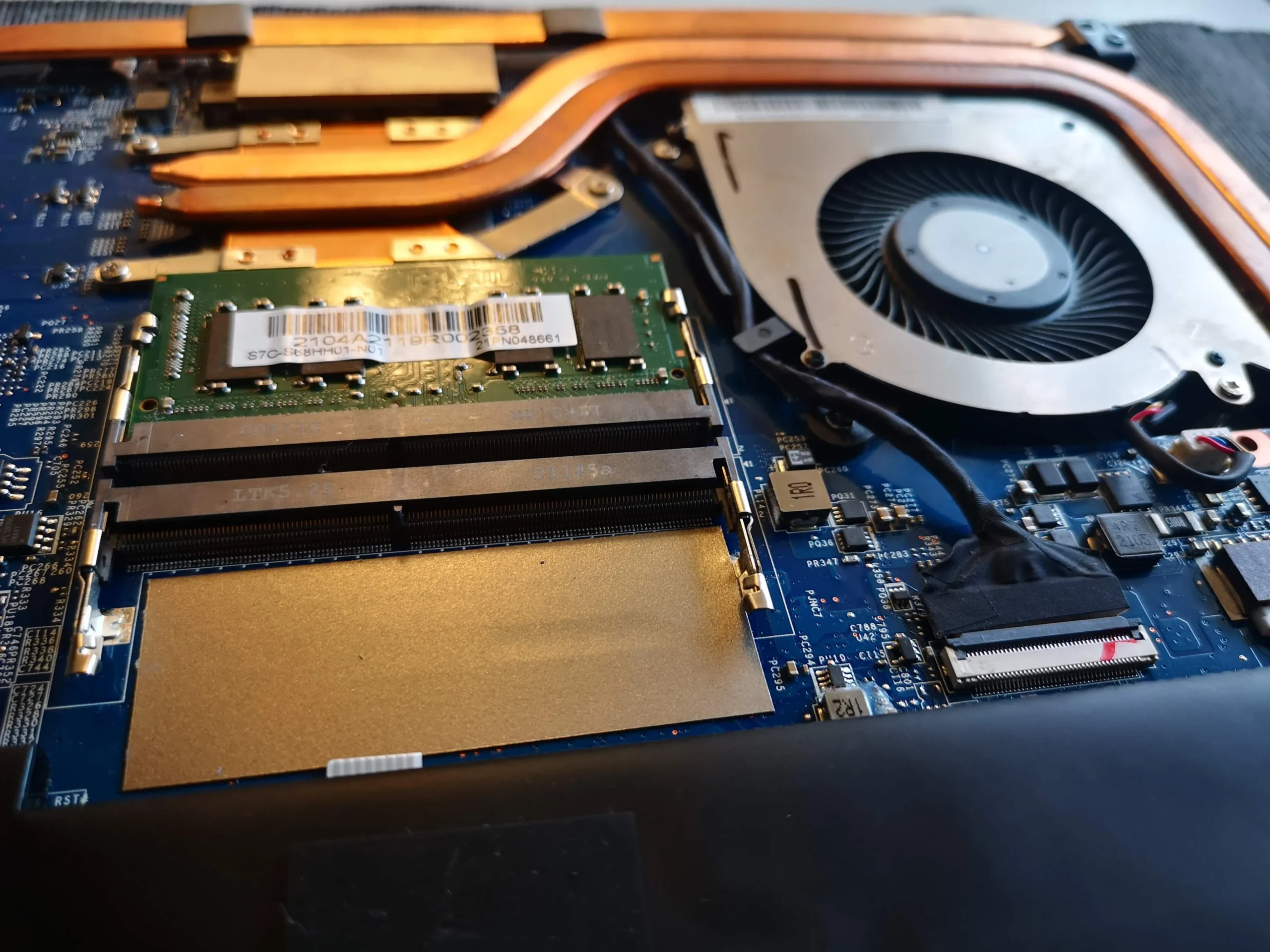
The MSI utility screen identifies this machine as a GF63 Thin 10SC. Its label also carries a serial number, so we use the model name without publishing that label image. The open-base photo shows the defining arrangement: one fan near the edge, copper pipes crossing the board and a wide battery below.
The archive contains disassembly, fan cleaning and cooler-contact photos, plus readings on the MSI utility screen. Those readings were taken at different moments and do not form a controlled before-and-after test, so there is no defensible temperature reduction figure here.
In this case study
01 / Start with the path
The entire cooler depends on one fan and its outlet
The opened GF63 has a single centrifugal blower. The copper pipes make a long route from the chip contacts toward a fin stack at the edge of the case. If that outlet is blocked, heat from more than one chip can be affected even though only one fan is visible.
For an owner, that means a spinning fan is only the first check. The blade ring, fin entrance and exterior exhaust all need to pass air. The arrangement differs from the two-fan layout on many thicker gaming laptops.
02 / Where the build-up sits
Dust was visible beside the impeller and along the housing
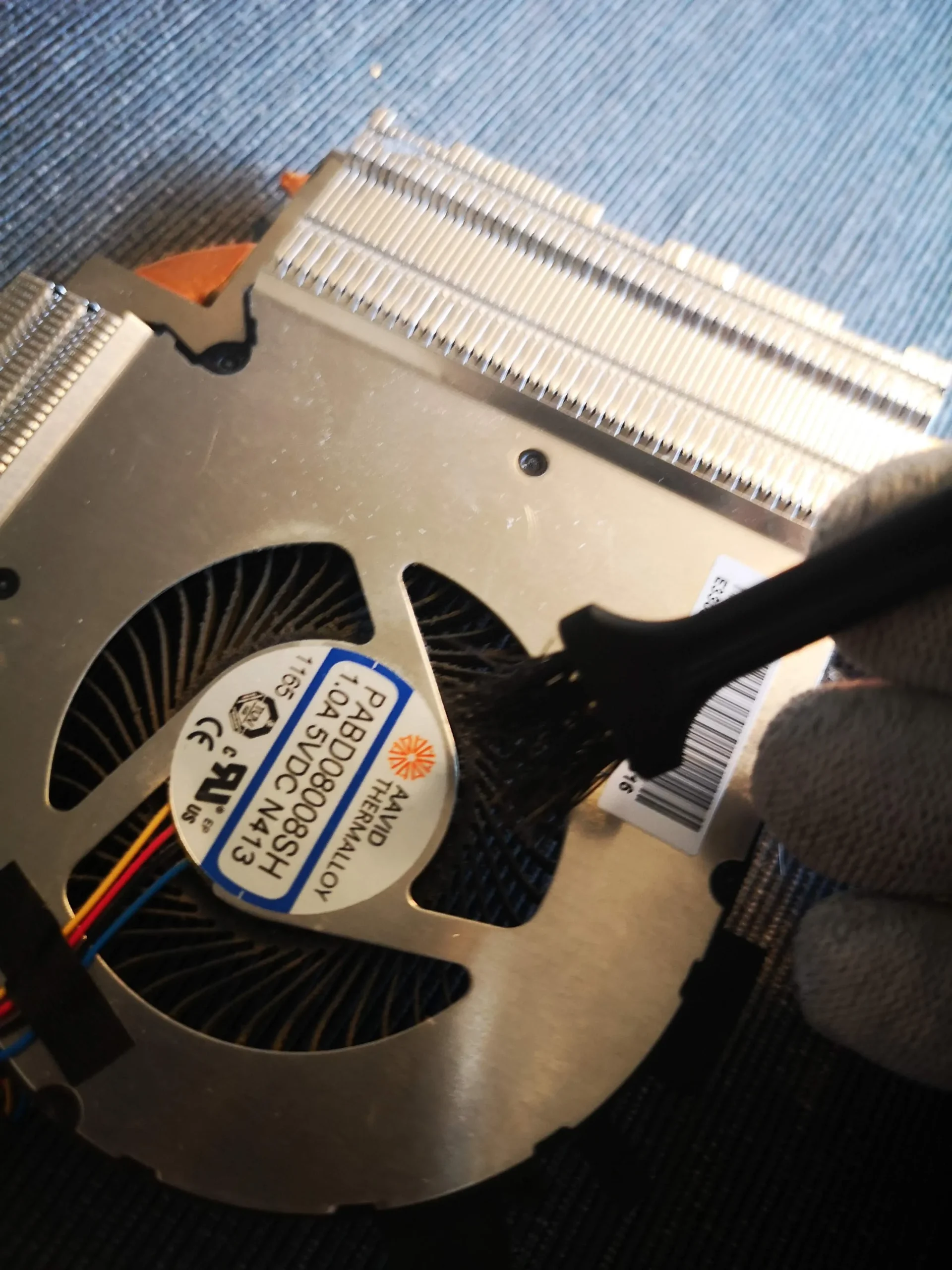
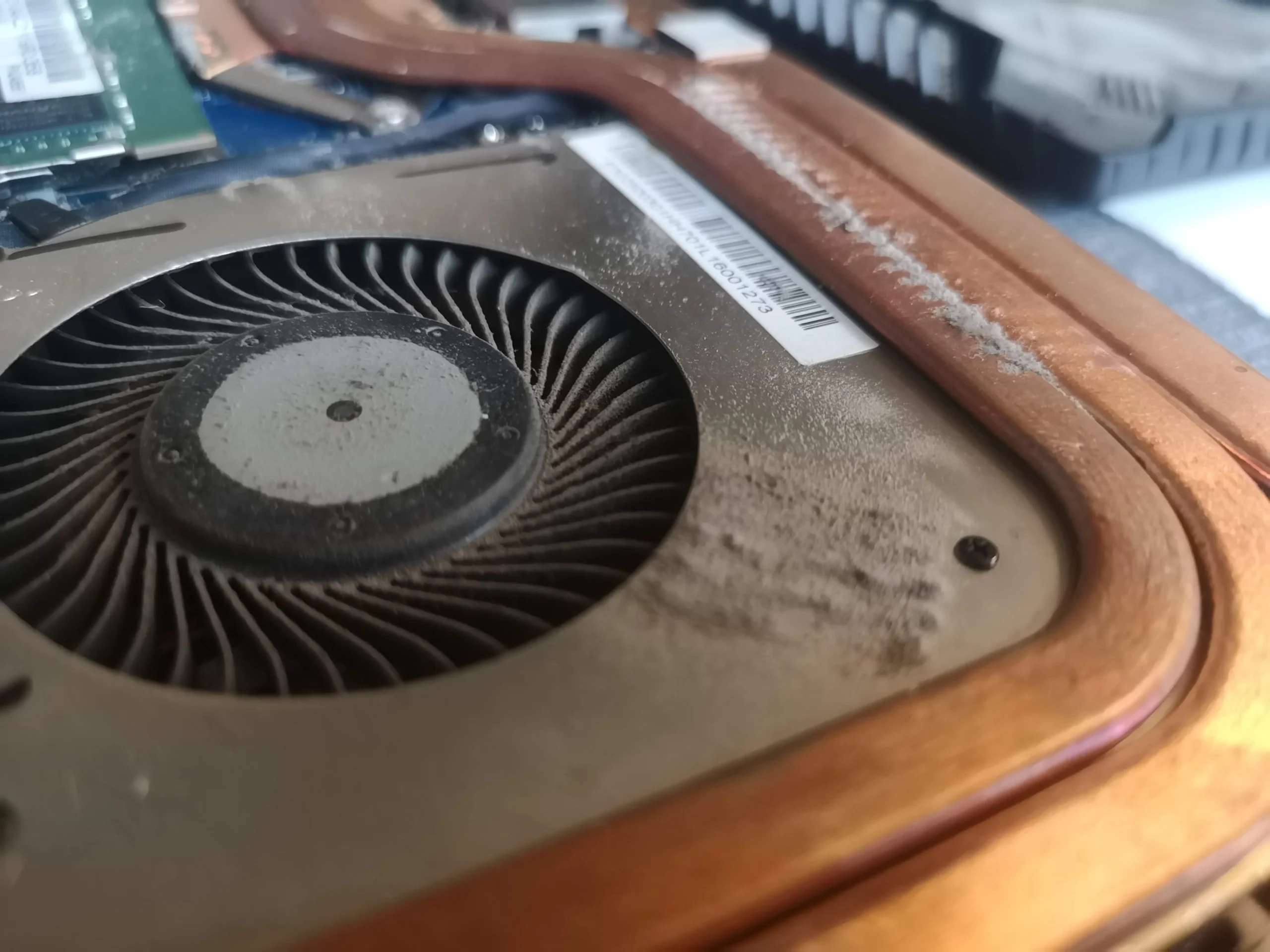
The close view shows a grey patch on the fan's metal cover and dust caught around the blade opening. Another workshop frame shows the fan being accessed for cleaning. It is easy to miss this area if only the outside grille is wiped.
The narrow fin stack sits beside the fan. Clear any loosened debris from the outlet instead of driving it farther into the case, and stop the rotor from overspinning if using controlled air. The photos show the service stages, not a measured airflow rate.
03 / Beyond the fan
Lifting the copper cooler reveals two thermal contact areas
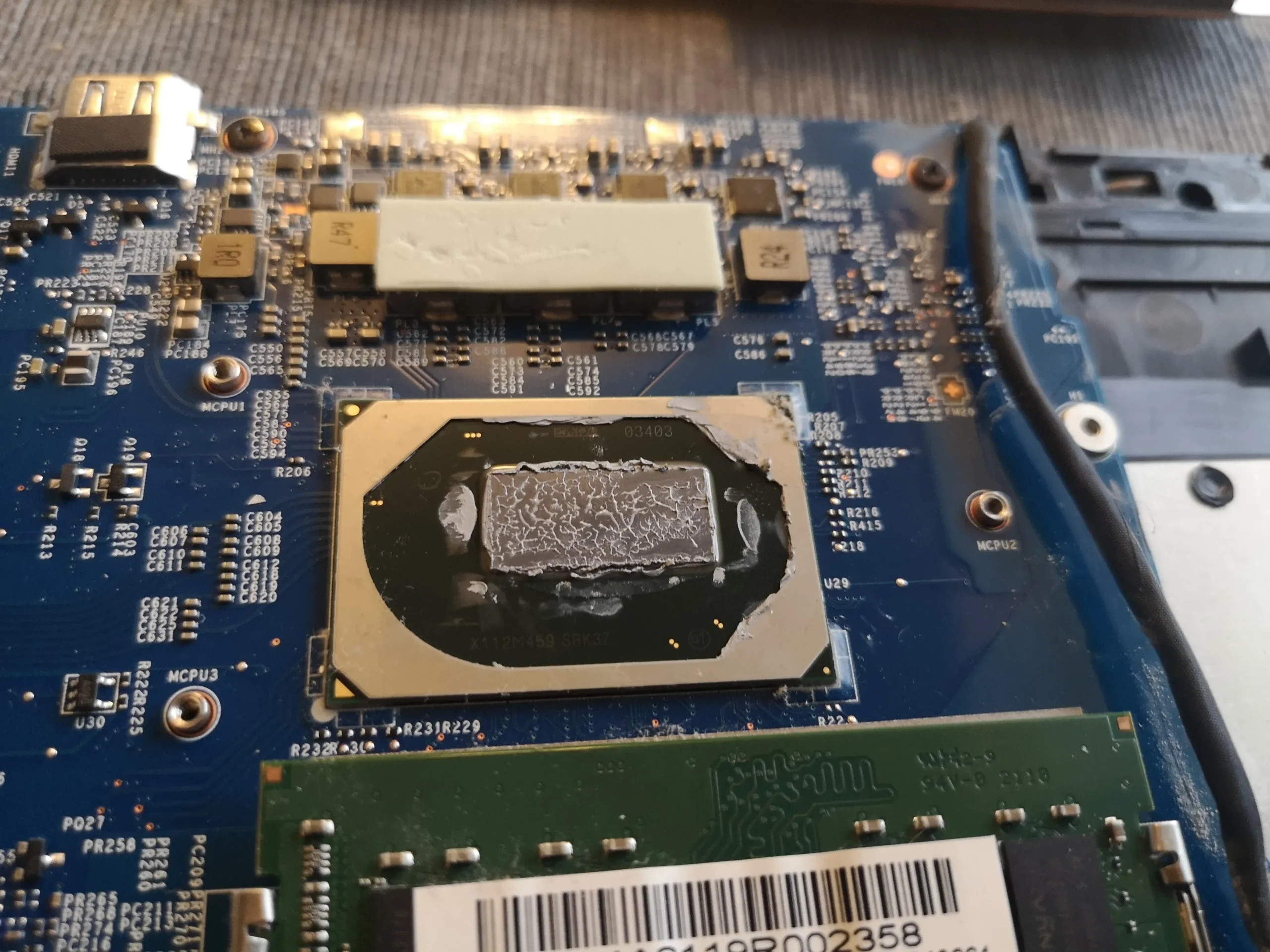
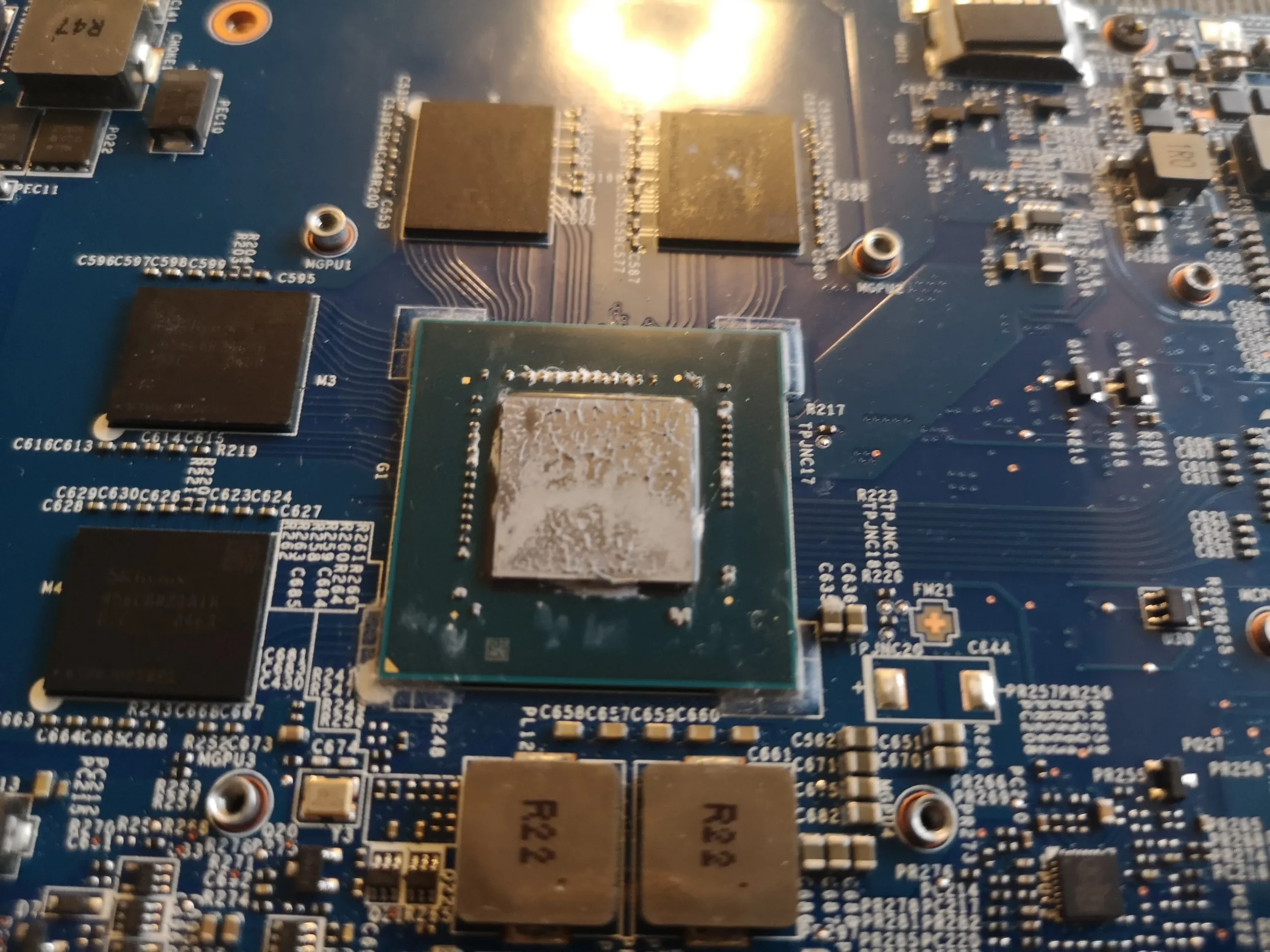
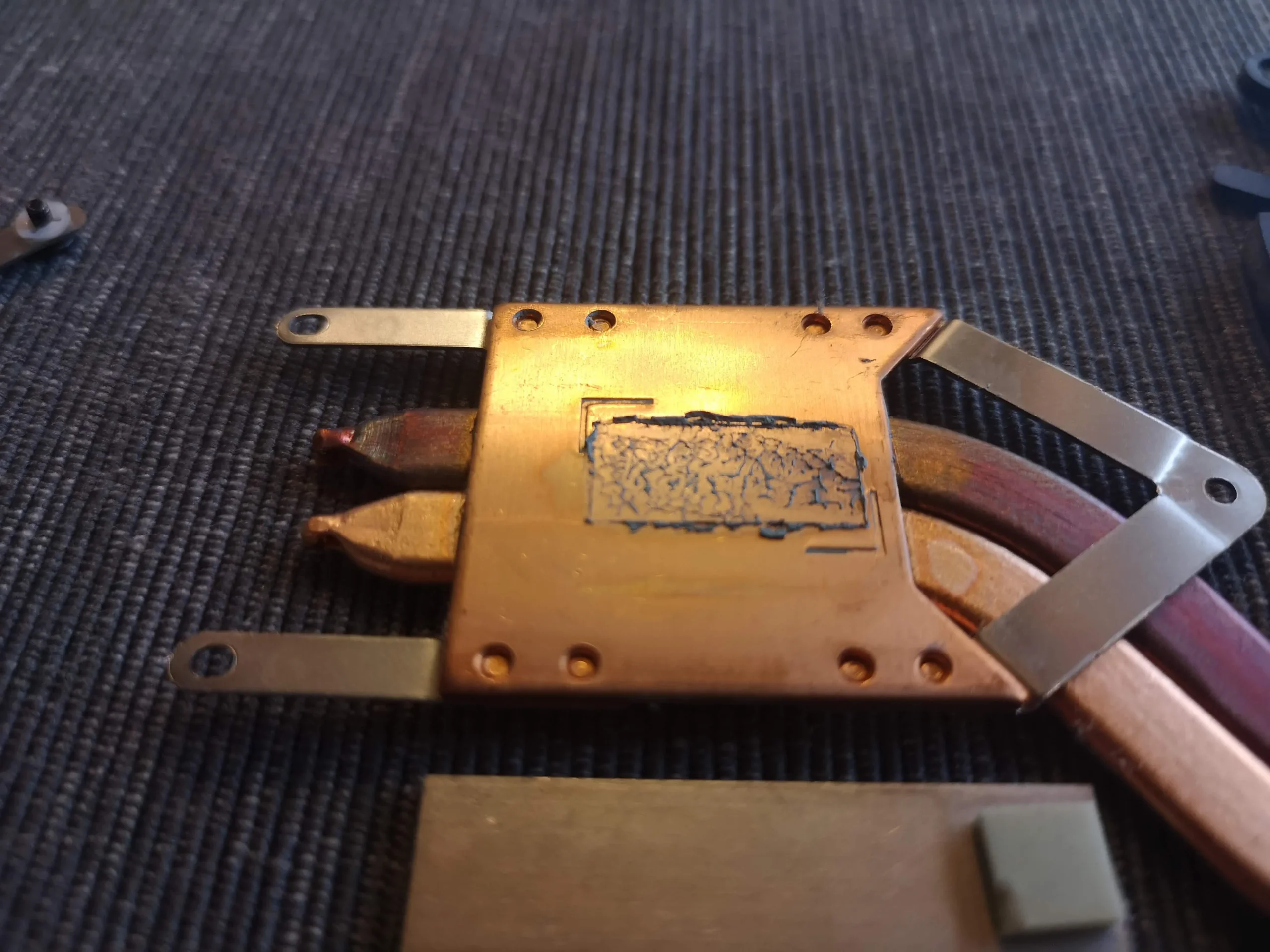
The lifted cooler photo shows old interface material on a contact plate. Board photos expose the processor and the graphics package, each of which must mate correctly with the pipe assembly when it goes back on.
Once the assembly has been lifted, the disturbed chip interface needs suitable preparation and replacement material. Photograph screw positions and any pads before cleaning. A pad for a smaller component is not interchangeable with a smear of paste on a main chip.
04 / Reading the result
An on-screen temperature is a snapshot, not a cooling verdict
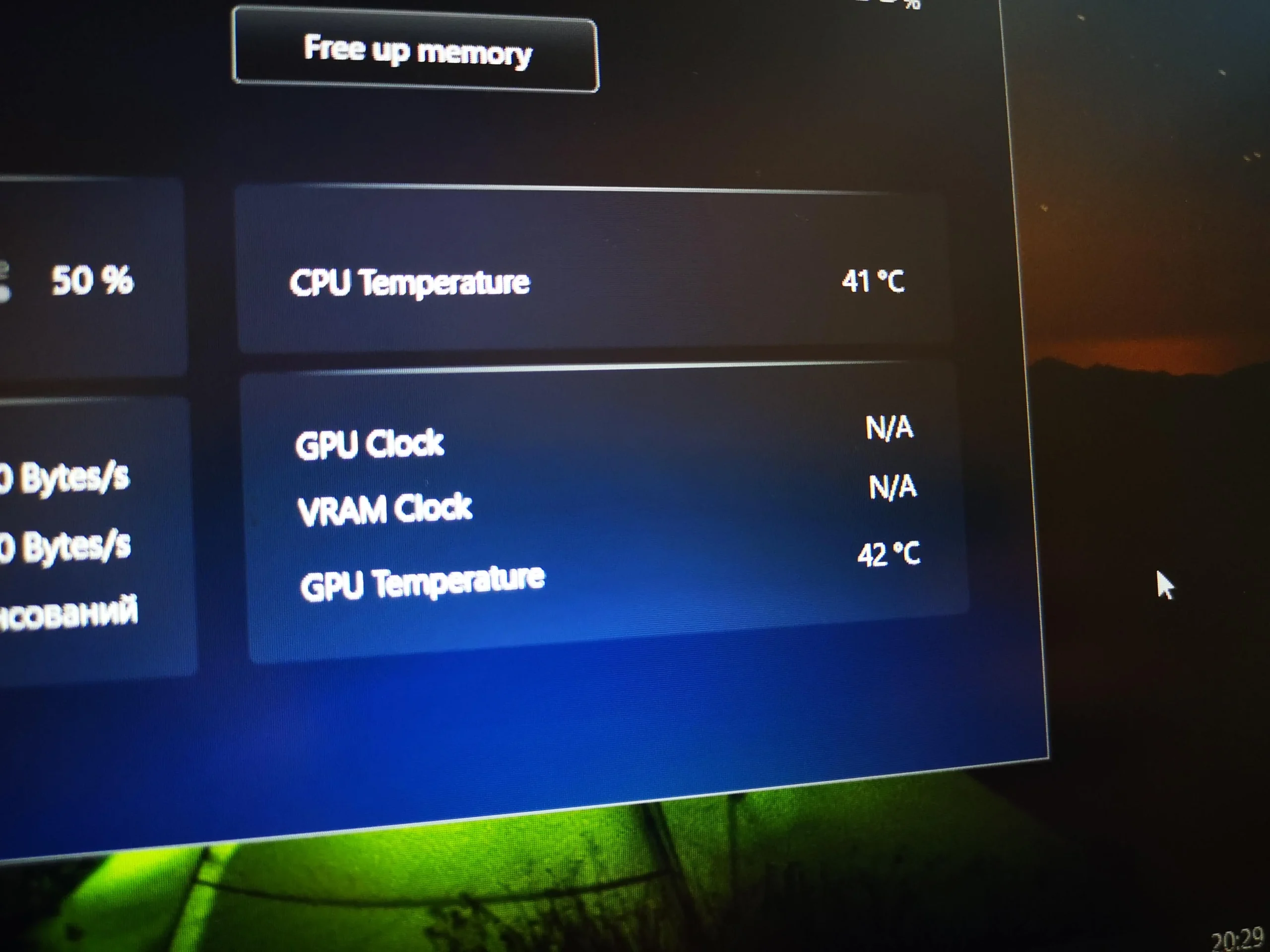
The MSI utility appears in the archive with CPU and GPU temperatures at different moments. The screen also shows changing fan and power information. A lower number in one photo cannot be attributed to the cleaning without the same workload and conditions in both views.
After service, confirm the fan spins smoothly and compare the same game or test after the machine has warmed up. Watch for unexpected throttling, shutdowns or a new fan scrape, and check that the exhaust is actually moving warm air.
The engineer’s takeaway
The GF63 Thin 10SC concentrates its cooling around one fan, so the fan opening and outlet deserve close inspection. Cooler removal adds a separate thermal-contact task; the workshop images document the work but the utility screenshots alone do not prove a numerical performance gain.
Before you open the laptop
Is the GF63 Thin 10SC a sensible DIY clean?
With the laptop off and unplugged, first check the exterior intake and exhaust for loose surface dust. If you open the case, follow MSI guidance for this exact model and battery precautions before reaching the fan connector or pipe assembly.
The fan and fin outlet can be inspected without guessing about thermal pad thickness. Lifting the cooler is a more involved step because it disturbs the processor and graphics contacts. If you cannot identify each interface and the fastening order, leave the cooler in place and ask an engineer.
For model documents, check the official manufacturer support page.
After the clean
A useful way to test the finished machine
Check that the fan runs without rubbing, the base closes flush and the machine boots normally. Then run a repeatable workload long enough to warm the heat pipes and observe both CPU and GPU readings.
A single idle screenshot can change with room temperature, power plan and background tasks. This archive does not include a matched test, so the visible cleaning and thermal work are the evidence we can describe.
Questions from owners
MSI GF63 Thin 10SC cleaning FAQs
Questions tied to this model's single-fan cooling layout and the stages visible in the photos.
Does the GF63 Thin 10SC in this case have one fan?
Yes. The open-base photos show one blower connected to a copper-pipe assembly serving two main heat sources.
Can one dusty fan affect both CPU and GPU cooling?
It can affect the shared airflow path. The pipes and contacts must also be sound, so a fan clean does not rule out a separate thermal-contact issue.
Why clean the fin outlet as well as the blades?
The fan must push air through narrow fins to release heat. Dust lodged there can restrict airflow even if the rotor spins freely.
Do these MSI screenshots prove a temperature drop?
No. They show readings at different moments without matched load, power and room conditions. They cannot establish a before-and-after result.
Should I lift the cooler to clean the fan?
Not automatically. First inspect accessible fan and outlet areas. Lifting the cooler disturbs multiple thermal interfaces and should be planned as a separate service step.
Can I send a label photo for model identification?
The model name helps, but cover the serial number and other unique identifiers before sharing an image publicly.
UK MSI cooling enquiries
Tell us what your GF63 fan is doing
If you are in the UK, tell us whether the fan is loud at idle, ramps up during games or has started to rattle. Include the GF63 Thin 10SC model if it matches your machine, the task that triggers the problem and your postcode.
We can discuss a focused fan and outlet clean, whether the copper cooler needs attention, and a repeatable check after the work. Keep the serial number out of any public message.
Read about our laptop fan cleaning service, then use the form to tell us your computer model, symptoms and UK postcode.
Free to enquire · No obligation to book. We discuss the proposed work and price before you decide.
The workshop photos
MSI GF63 Thin 10SC workshop gallery
See the single-fan layout, dust at the housing, lifted copper cooler, exposed chip contacts and an on-screen reading that requires context.