Published 3 October 2026 · MSI GP72M 7REX case study
MSI GP72M 7REX cleaning
follow the heat, not just the dust.
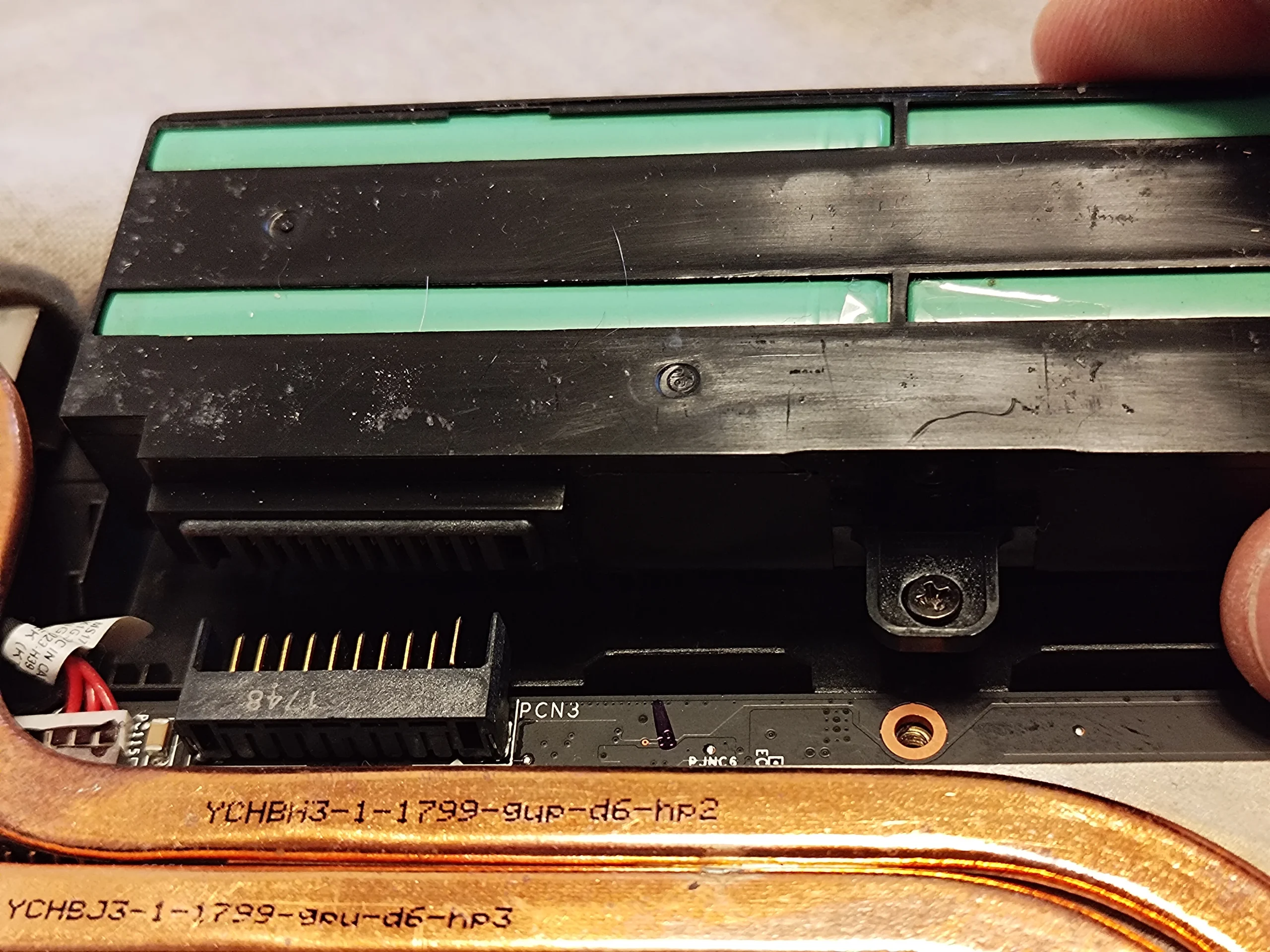
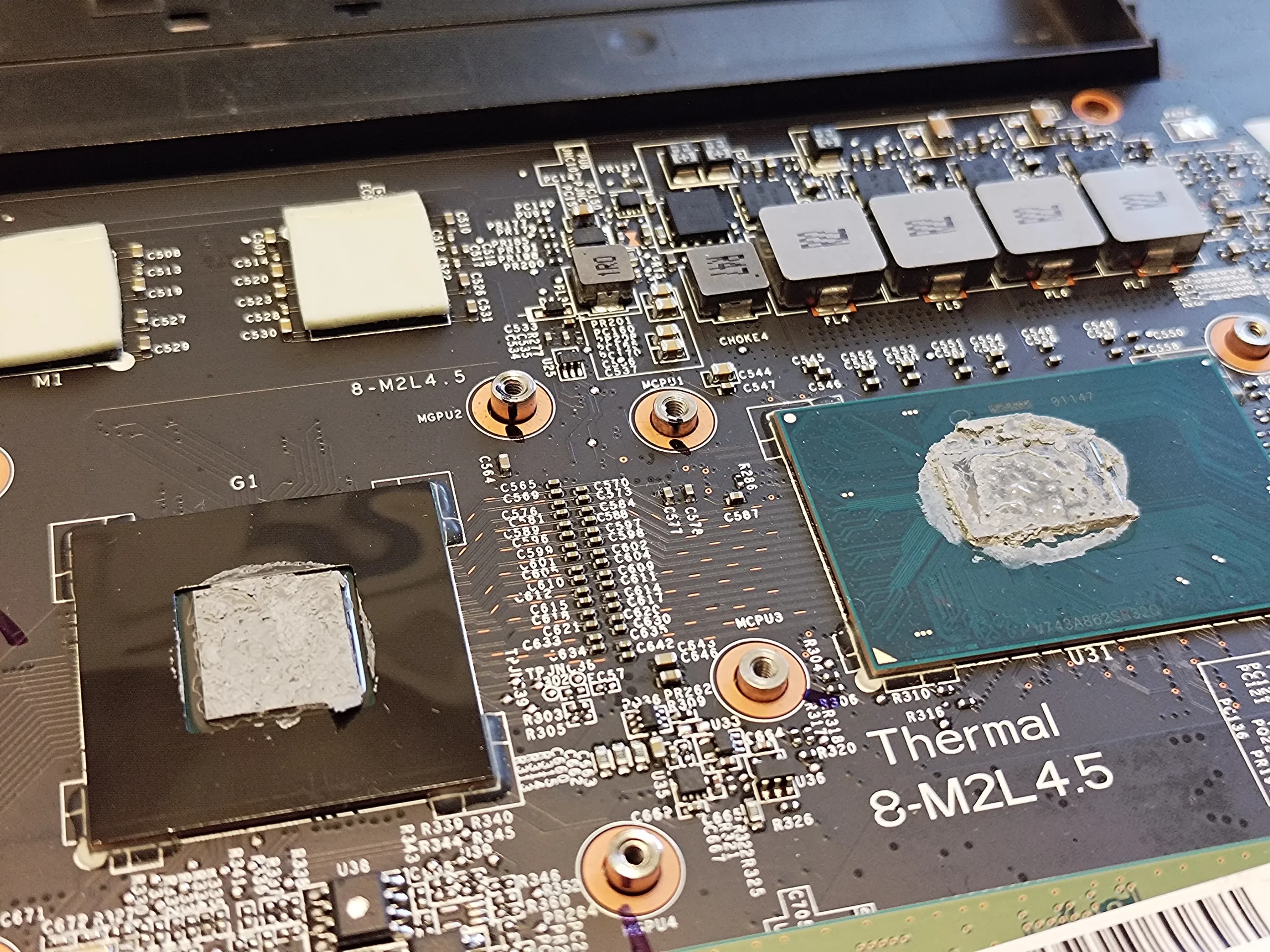
The dusty fan is the obvious part of this job. The more revealing photo is under the copper cooling assembly, where old thermal compound sits between the chips and the metal meant to carry their heat away.
The machine
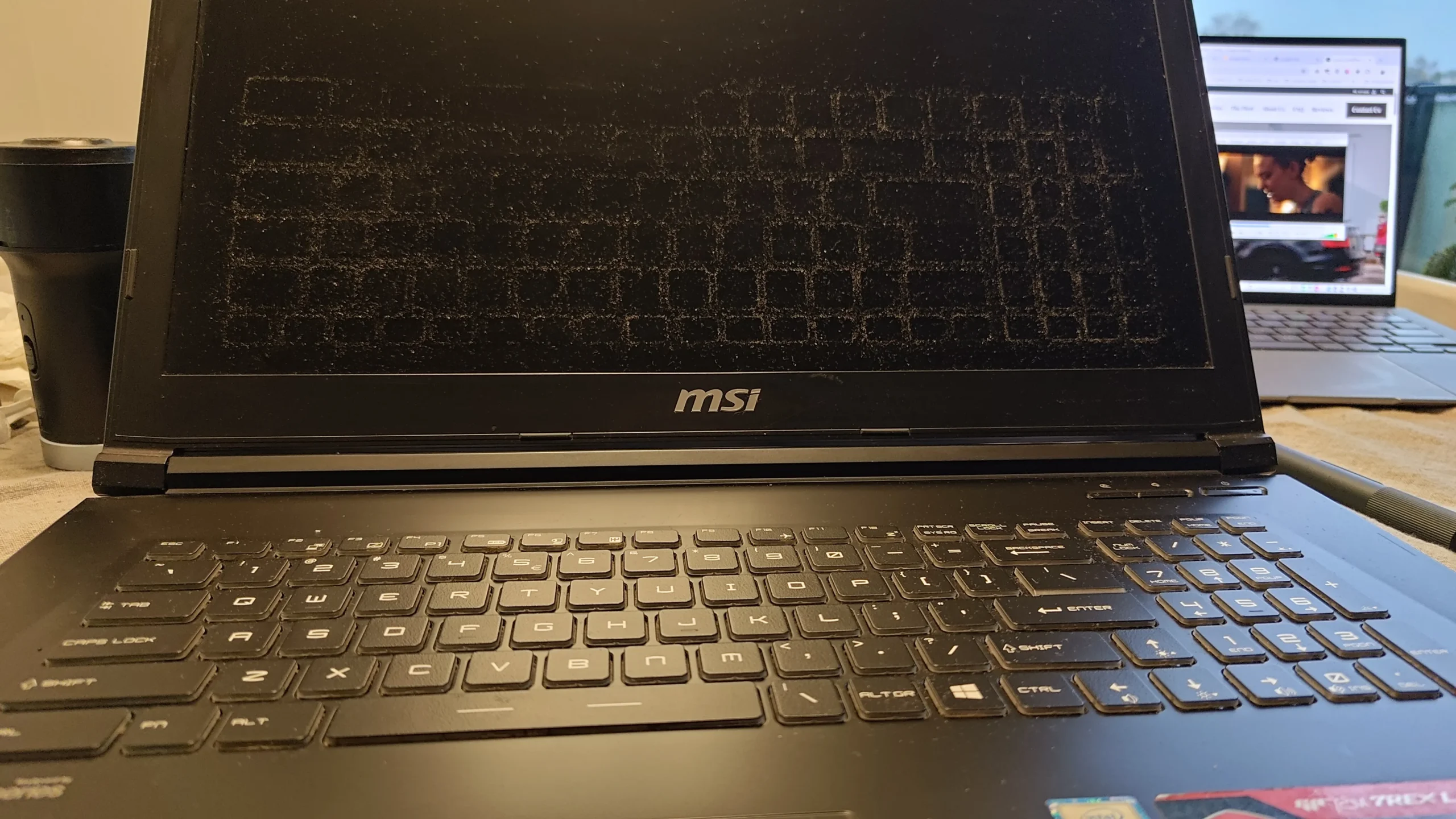
MSI GP72M 7REX Leopard Pro
Visible work
Fan cleaning & thermal contact service
What the photos prove
Dust and old compound were present
If your GP72M sounds busy or feels hotter than it used to, it is tempting to blow air through the outside vents and call it done. These photos show why that can miss part of the story. Air has to enter the case, cross the fans, pass through the heatsink fins and leave through the exhaust. Heat must first get from the CPU and GPU into the copper assembly.
The photos record access and the condition found. They do not include a before-and-after temperature test, so I will not attach a made-up temperature improvement to this repair.
In this case study
01 / Opening the case
The GP72M has more than an outside vent
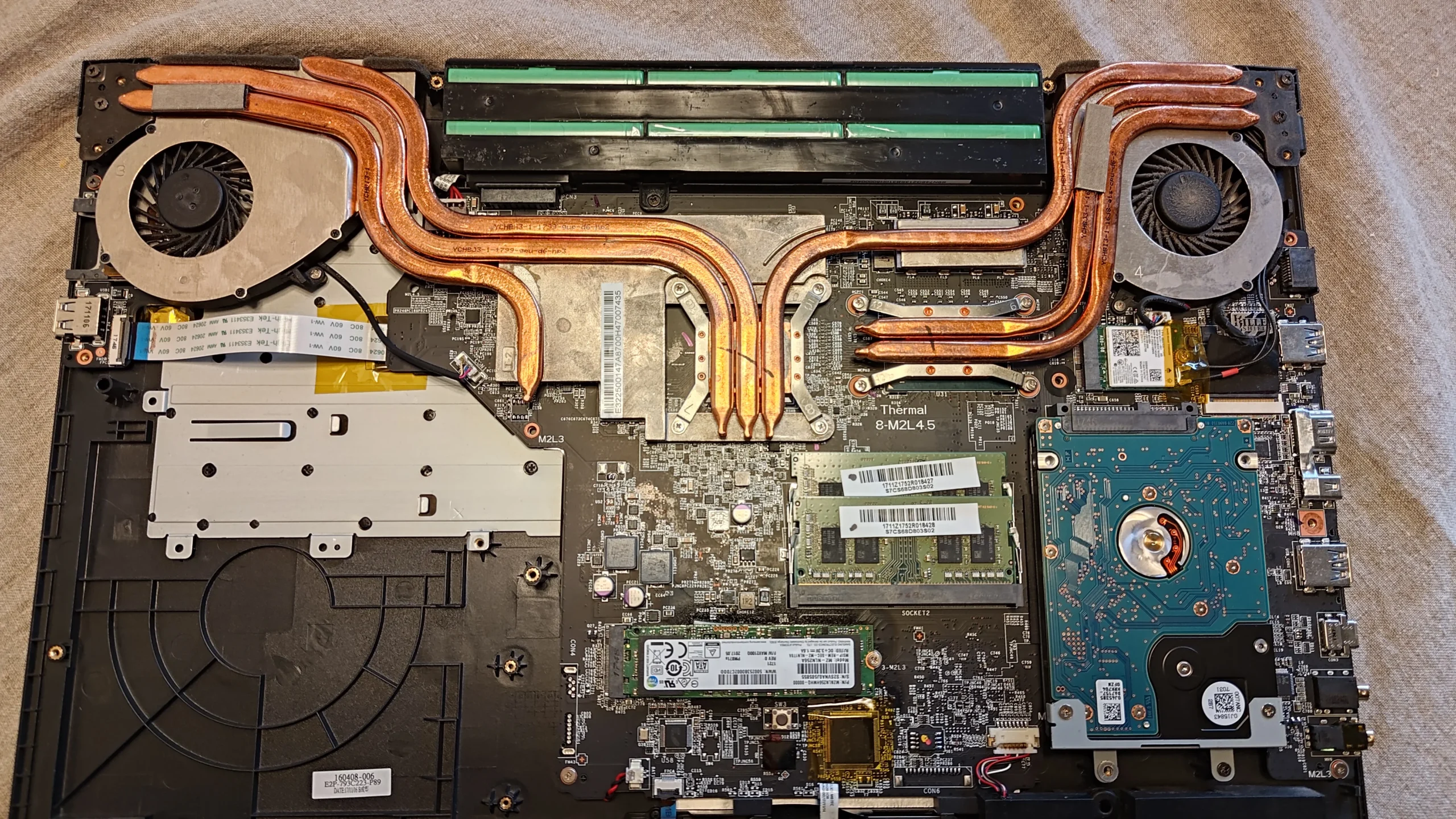
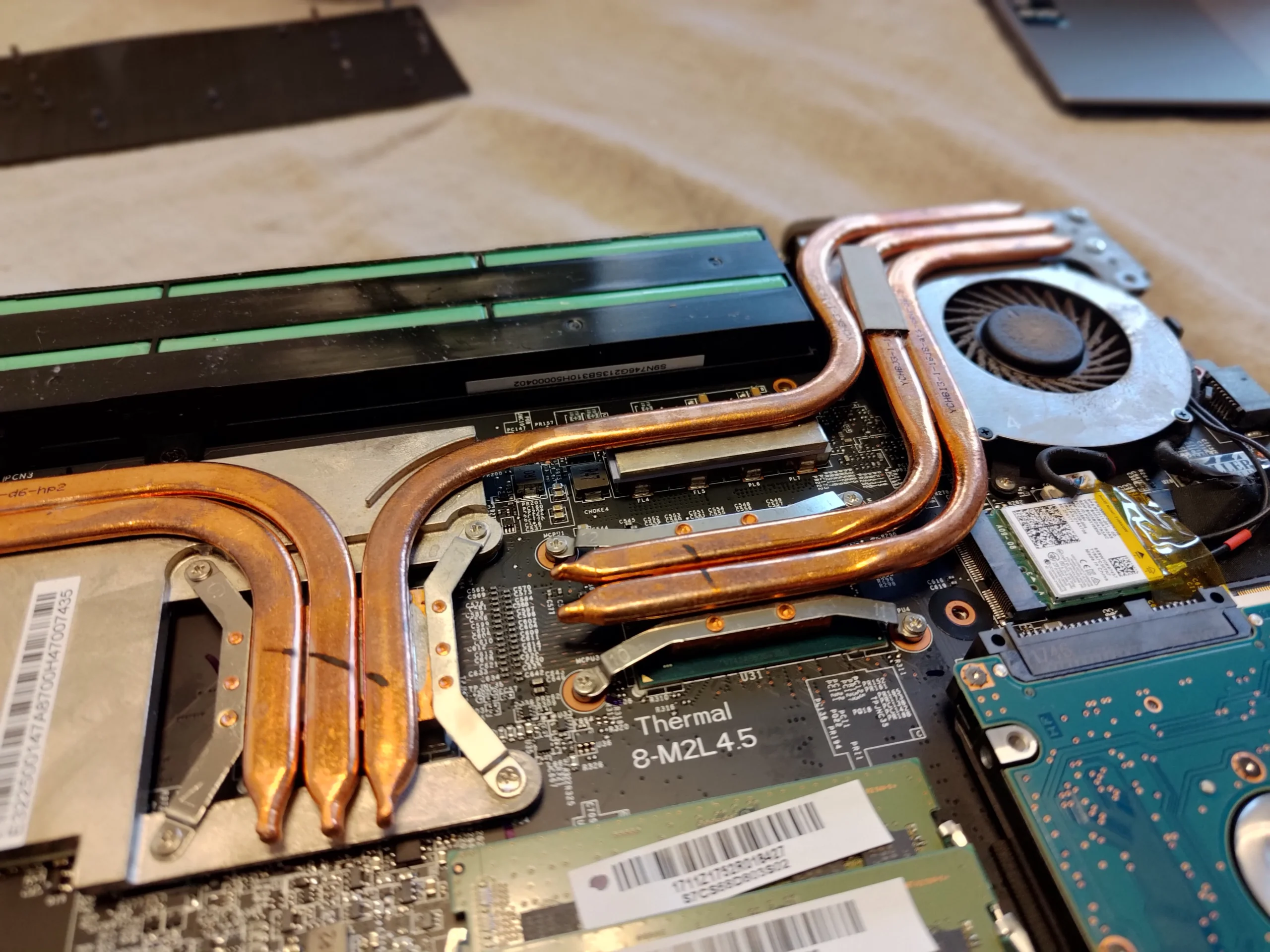
Removing the base exposes a pair of fans, copper heat pipes and the internal battery. The fan near the exhaust is only one part of the route; the heatsink fins at the outlet also need to be checked because a layer of lint there can choke airflow even when the visible fan looks acceptable.
The exact screw and connector arrangement varies across MSI models. Identify the full model on the underside before following any teardown guide.
02 / The visible dust
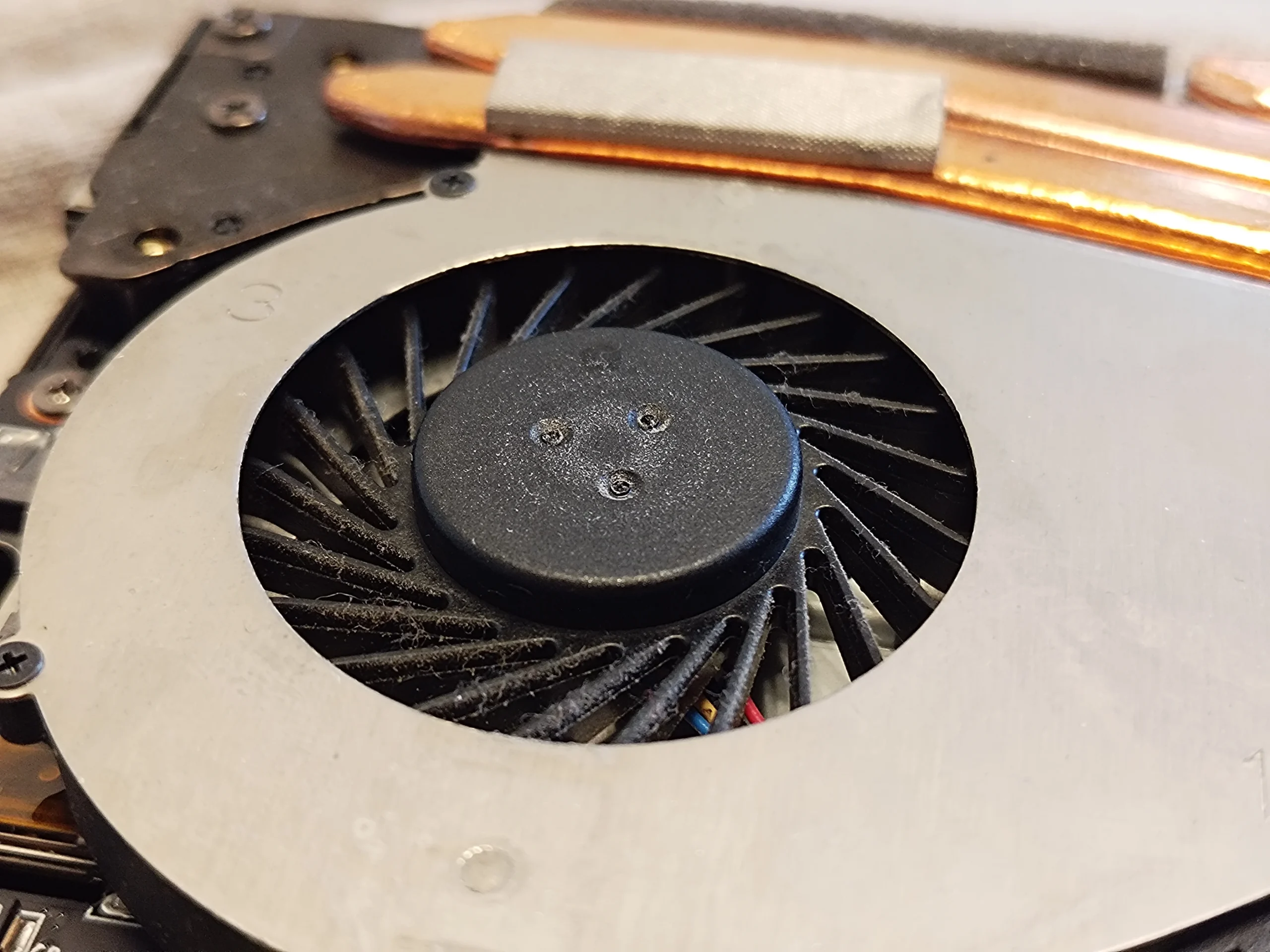
Dust on the fan blades is a useful clue
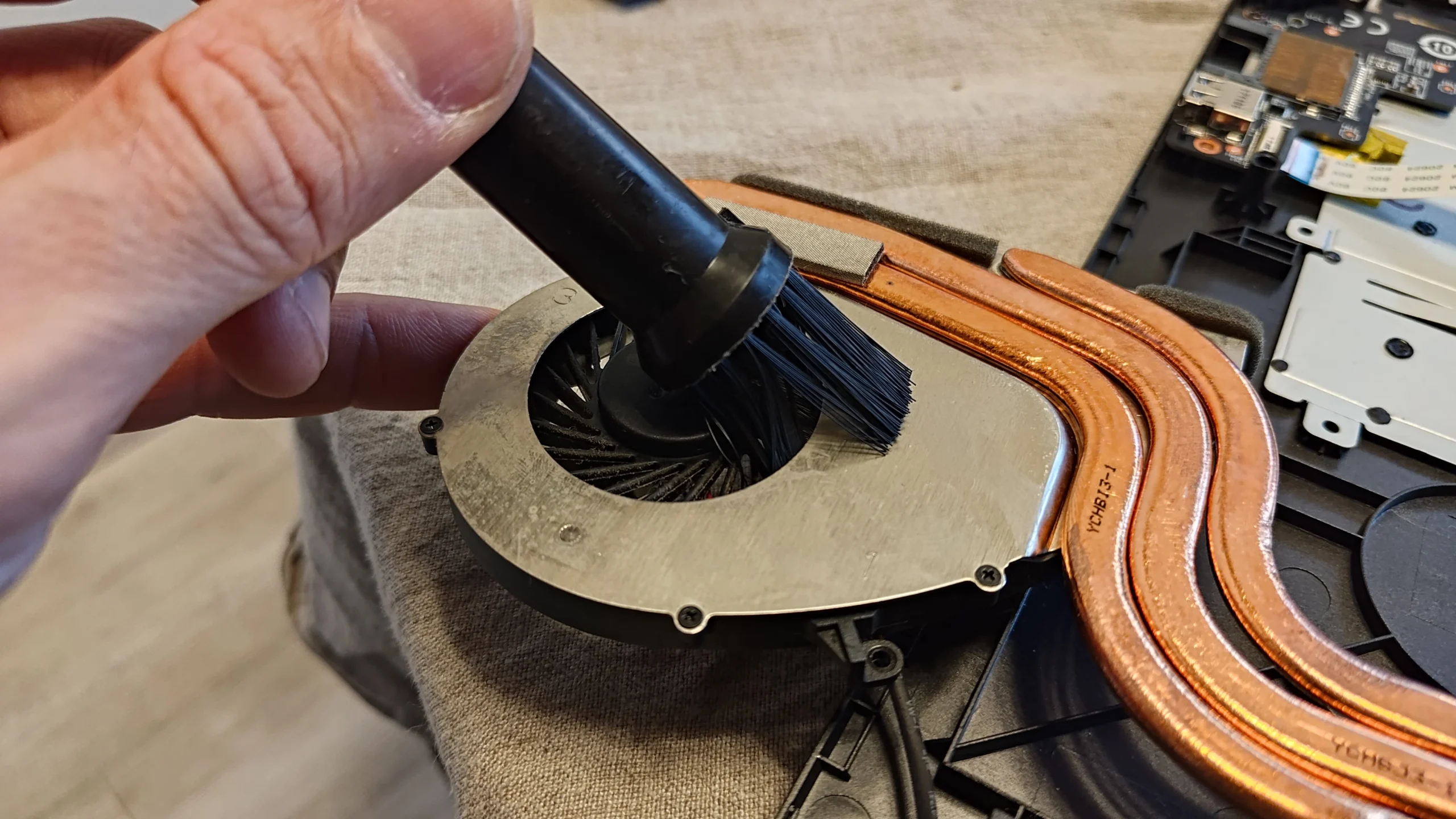
The close-up shows dust caught along the curved blade edges. That build-up changes how air moves through the fan. During cleaning, the fan is held still and debris is lifted out rather than spun deeper into the cooling path.
A quick blast of compressed air through the grille may move loose dust, but it cannot show whether debris remains on the blades or packed against the fins. That is why this job starts with inspection, then cleaning of the accessible air path.
03 / Working at the fan
Cleaning the blade surfaces
Here a small brush works around the exposed fan. The point is control: keep the fan from free-spinning, keep loosened dust away from the board, and inspect the outlet as well as the intake.
04 / Under the copper
The second issue was old thermal compound
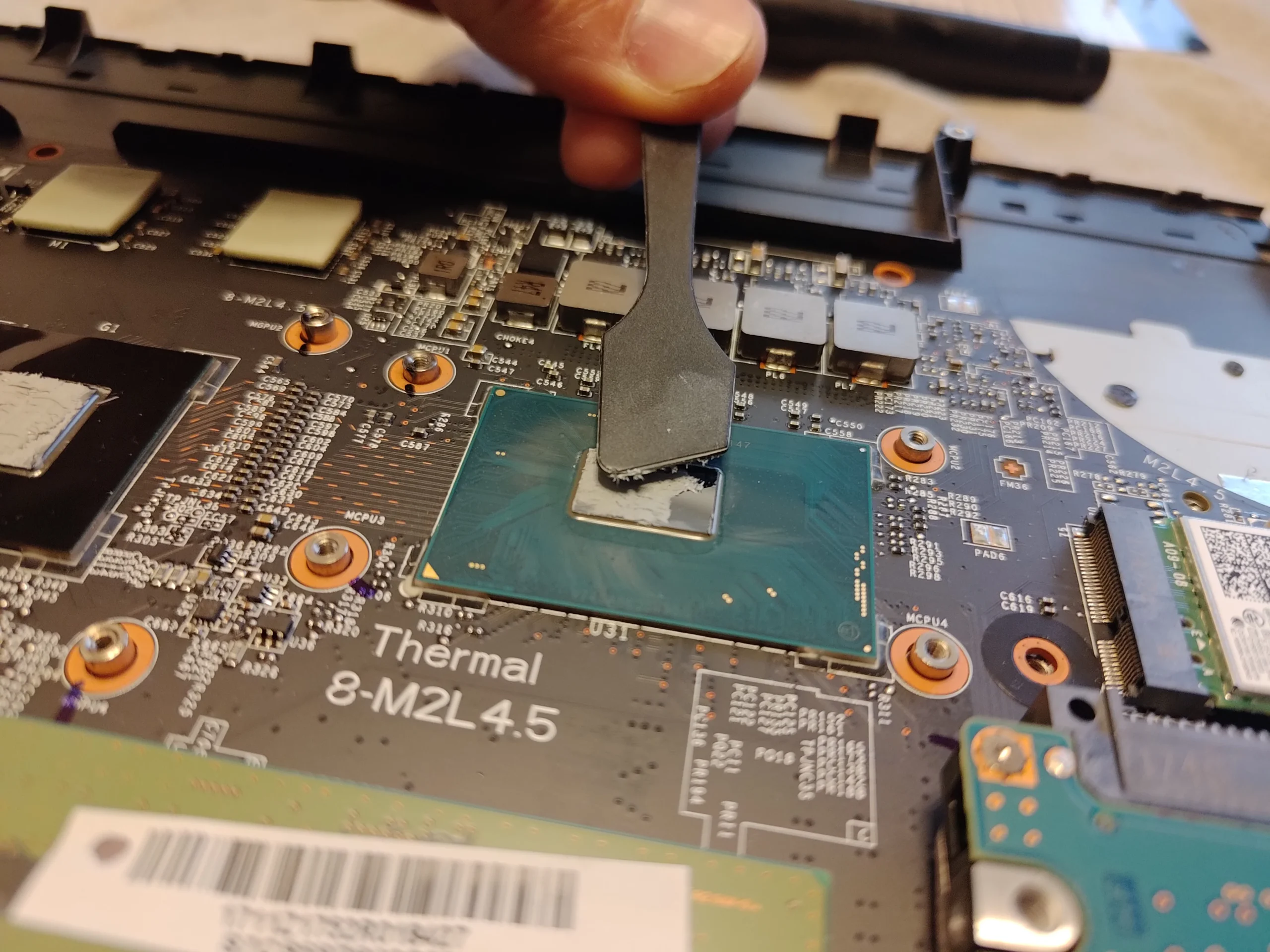
Once the heatsink is lifted, old grey compound is visible on the chip contact areas. Paste fills tiny gaps between the chips and metal plate; it cannot compensate for poor contact or a blocked exhaust. Conversely, cleaning only the fan leaves the old interface in place.
The photo shows the old material being removed so the surfaces can be prepared. Reassembly calls for the correct compound, careful handling of nearby thermal pads, even heatsink pressure and the correct screw sequence for this particular assembly.
The engineer’s takeaway
Two separate paths need attention: air must move through the fan and fins, and heat must pass from the chips into the copper assembly. This GP72M photo set shows a reason to inspect both.
05 / Before you remove the base
What a GP72M owner can safely check first
With the laptop powered off and unplugged, look for blocked external vents and make sure it sits on a firm surface. Note when the fan noise or heat occurs and compare like-for-like tasks. That information is more useful than guessing from one temperature reading.
Opening the machine brings you close to the battery connector and fragile cables. Lifting the shared heatsink also disturbs thermal material on more than one component. If you are unsure about battery isolation, pad placement or the screw order, stop at the external checks and have the internal work done professionally.
06 / After the clean
How to judge whether it helped
After reassembly, verify that both fans run, the laptop boots and charging, keyboard and Wi-Fi still work. Then compare temperatures and fan behaviour under the same task, power mode and room conditions used before service. A single idle reading cannot tell the whole story.
These photos do not contain those measurements, so the case study documents the condition and cleaning process rather than promising a particular temperature drop.
Questions from GP72M owners
MSI GP72M 7REX cleaning FAQs
Practical answers for someone considering an internal clean on this model.
Can I clean the MSI GP72M 7REX through the vents?
You can remove surface dust from the vents with the laptop off, but you cannot confirm the condition of the fan blades, outlet fins or chip-to-heatsink contact from outside. Avoid spinning the fan with strong air pressure.
Does fan cleaning also fix old thermal paste?
No. Fan cleaning improves the air path. Old compound is a separate interface between the chips and the heatsink, and it is only accessible when the cooling assembly is lifted.
Do I need to replace thermal pads during a repaste?
Not automatically. Inspect their condition and position when the heatsink is lifted. A damaged pad must be replaced with the correct specification; the wrong thickness can prevent proper contact elsewhere.
Why does my GP72M fan get loud?
Dust, a restricted heatsink, demanding software or changes to fan control can all contribute. Check the workload and vents first, then inspect the internal cooling path if the behaviour persists.
How often should I clean this MSI laptop?
There is no single interval for every home. Dust level, pets, surface, workload and fan use all matter. A rise in fan noise or sustained operating temperature is a reason to inspect rather than waiting for a fixed calendar date.
Will repasting guarantee lower temperatures?
No fixed result can be promised without comparable before-and-after measurements. Thermal compound, heatsink pressure, airflow, room temperature and the workload all affect the reading.
UK laptop cleaning enquiries
Want your GP72M cooling system checked?
If opening the case, handling the battery or lifting the shared heatsink is more than you want to take on, tell us what the fan is doing and when it happens. We can discuss the right level of cleaning for your exact machine.
Our laptop cleaning service explains the options. In the form, include “GP72M 7REX”, your symptoms and your UK postcode.
Free to enquire · No obligation to book
We discuss the work and price before you decide.
The workshop photos
MSI GP72M 7REX cleaning photo gallery
Open any photo to see the details. The gallery follows the path from the exterior, through the dusty fan, to the thermal contact surfaces.