Published 19 November 2026 · MSI GP75 Leopard case study
GP75 Leopard cooler service
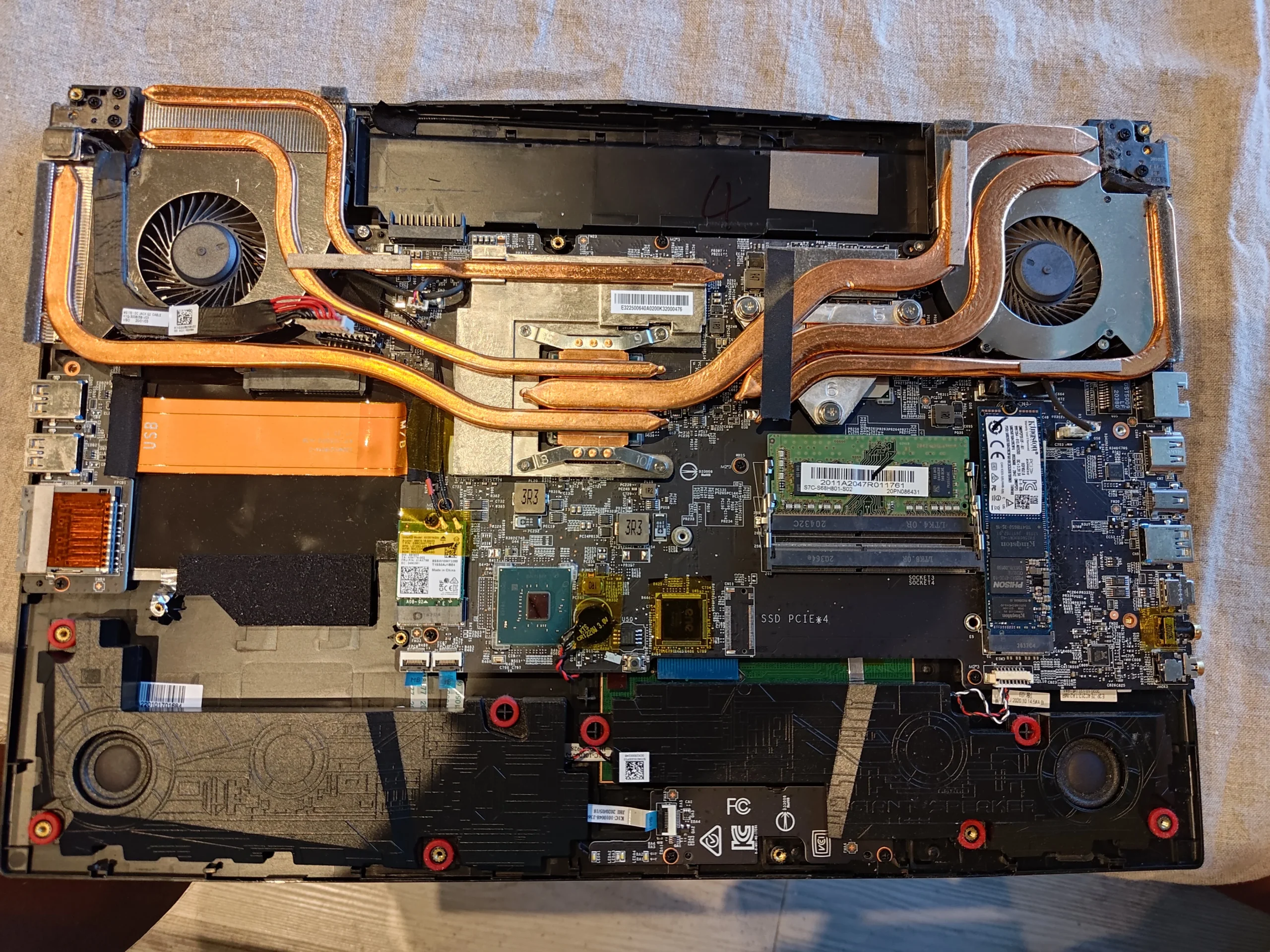
two fans feed a complex copper heat-pipe layout.
The GP75 Leopard's base hides a broad copper assembly and two fans. These workshop photos focus on what the cooler contacts looked like when lifted, and why fans, fins and thermal material should be checked as separate parts of a service.
The model
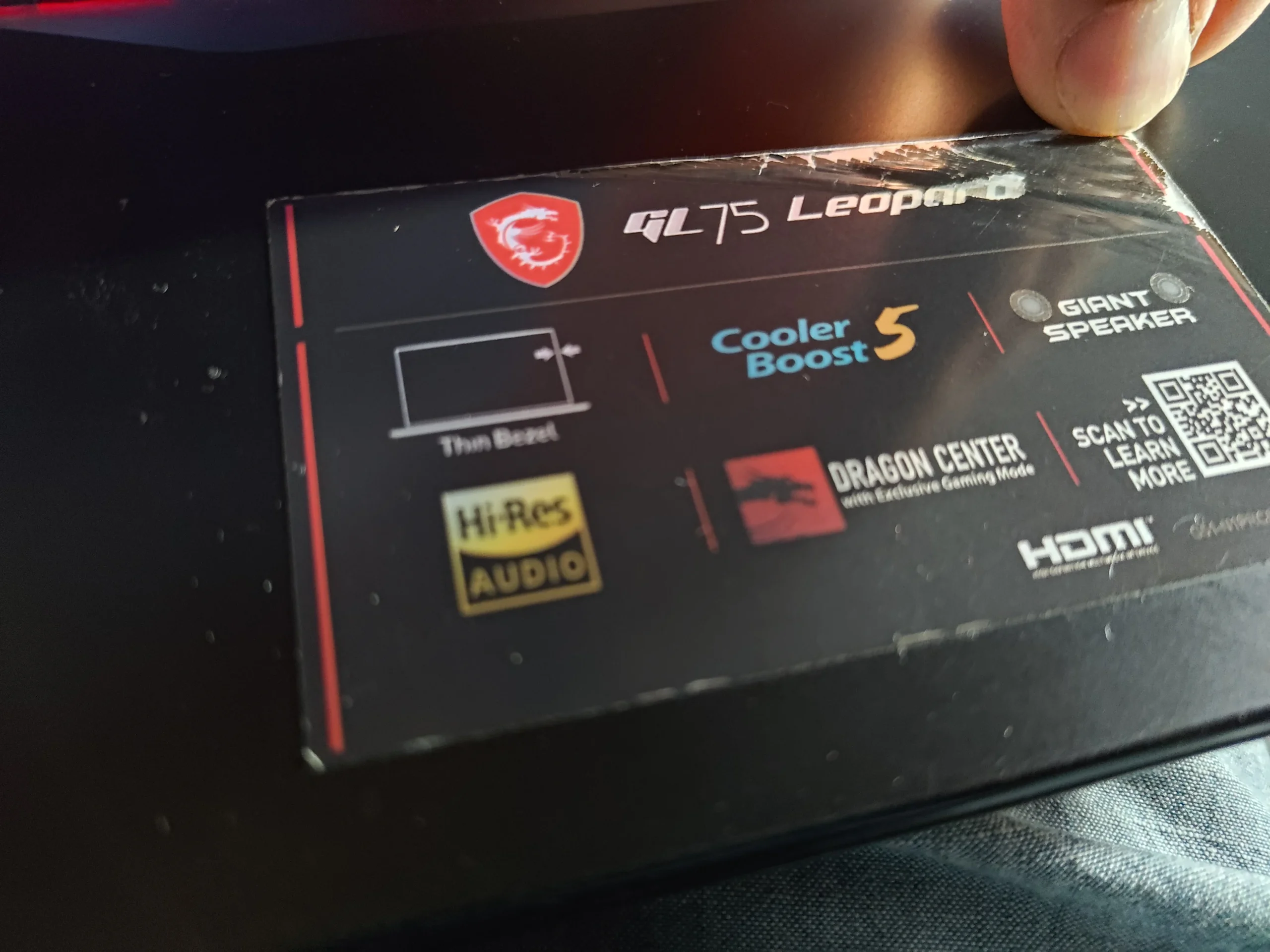
MSI GP75 Leopard, shown on its lid label
The layout
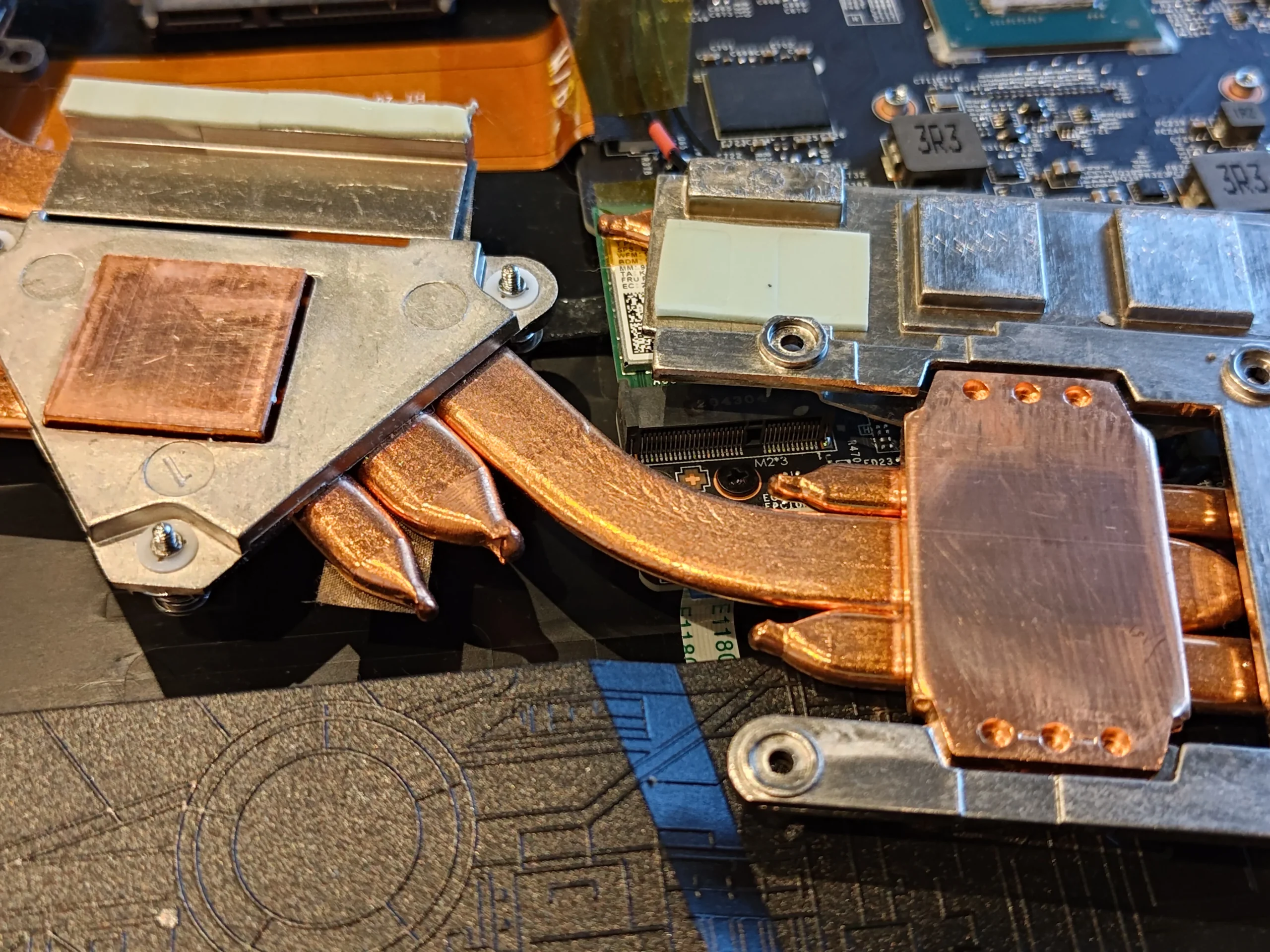
Two fans joined by several copper heat pipes
Thermal finding
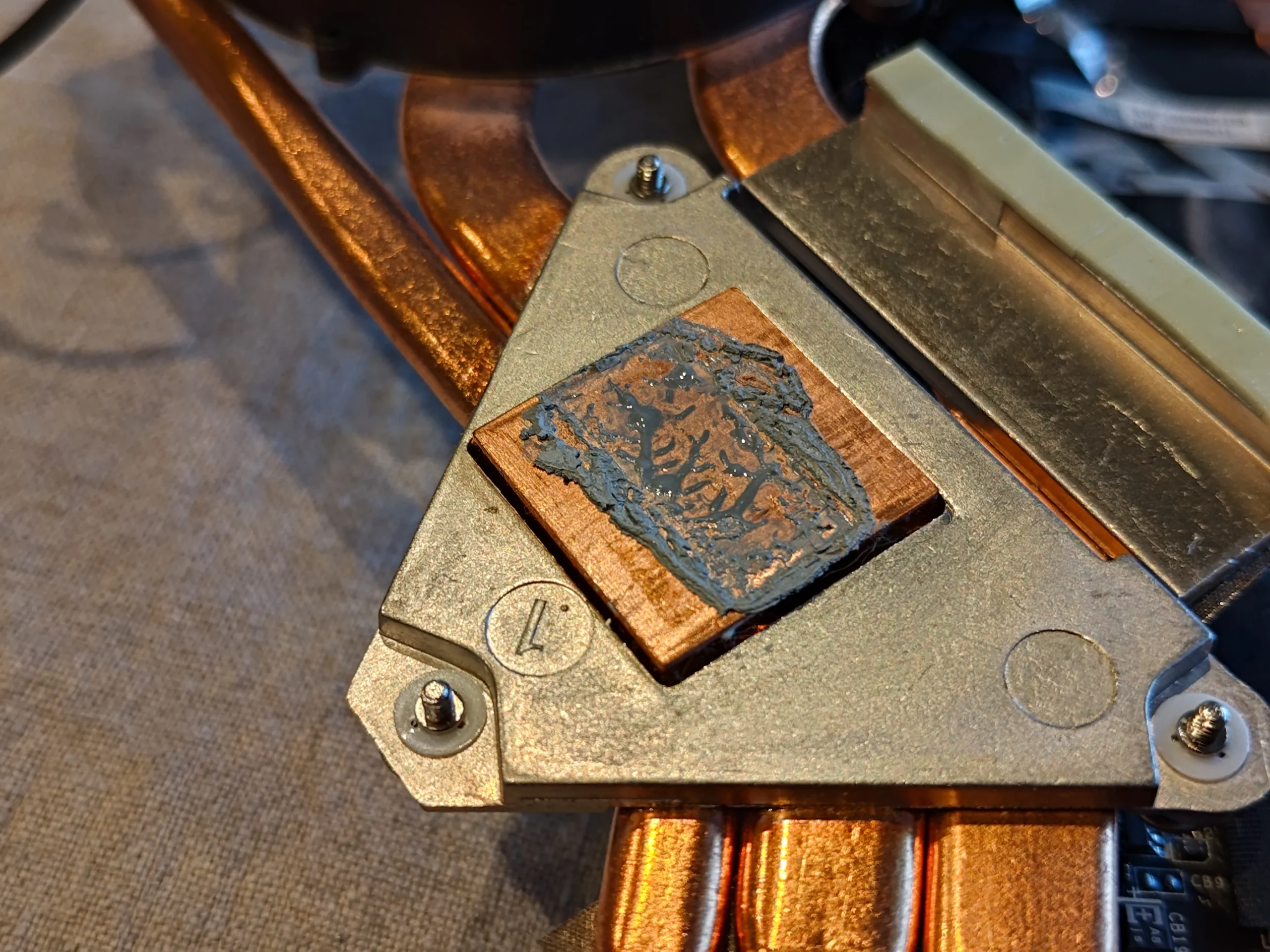
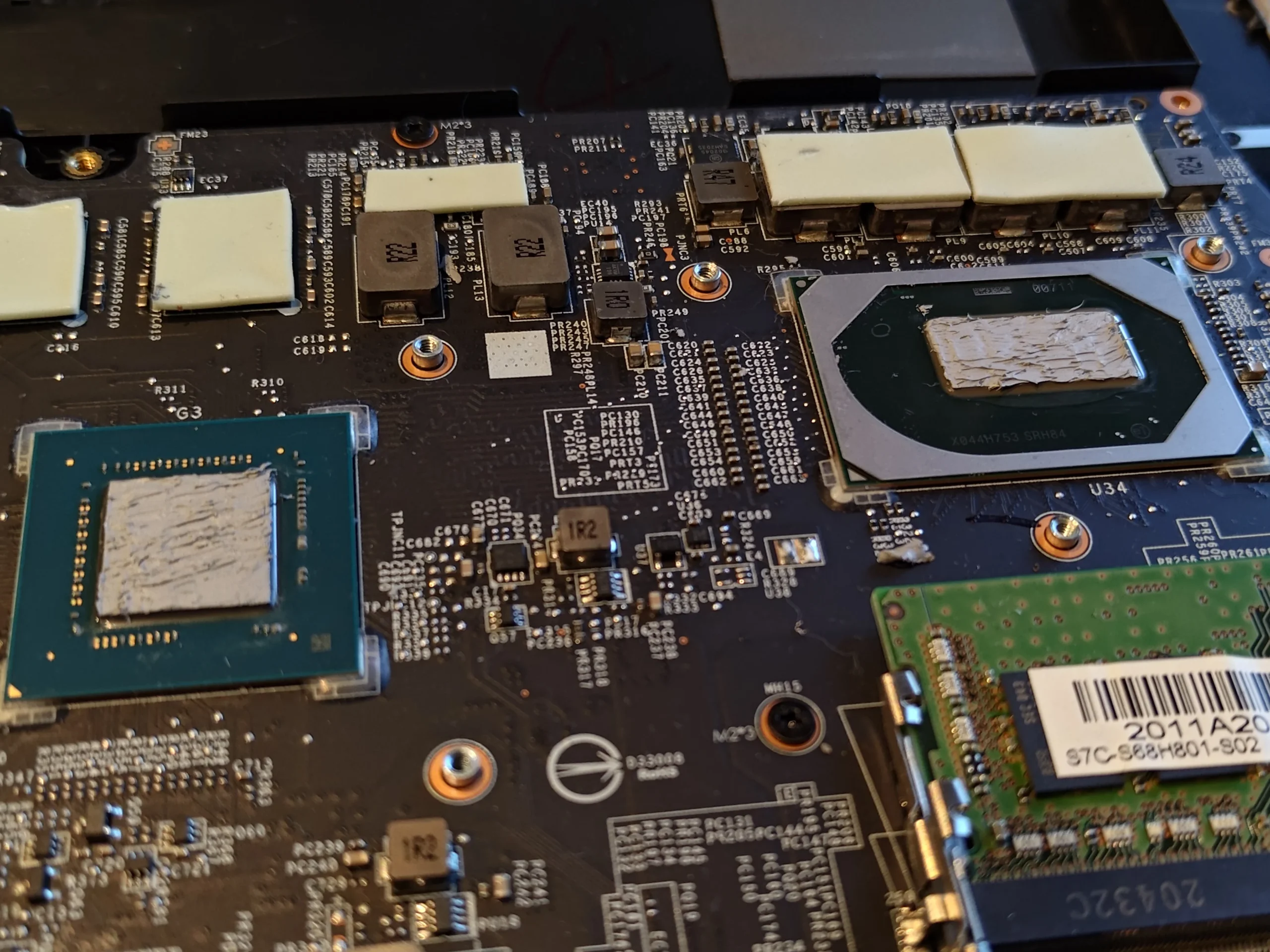
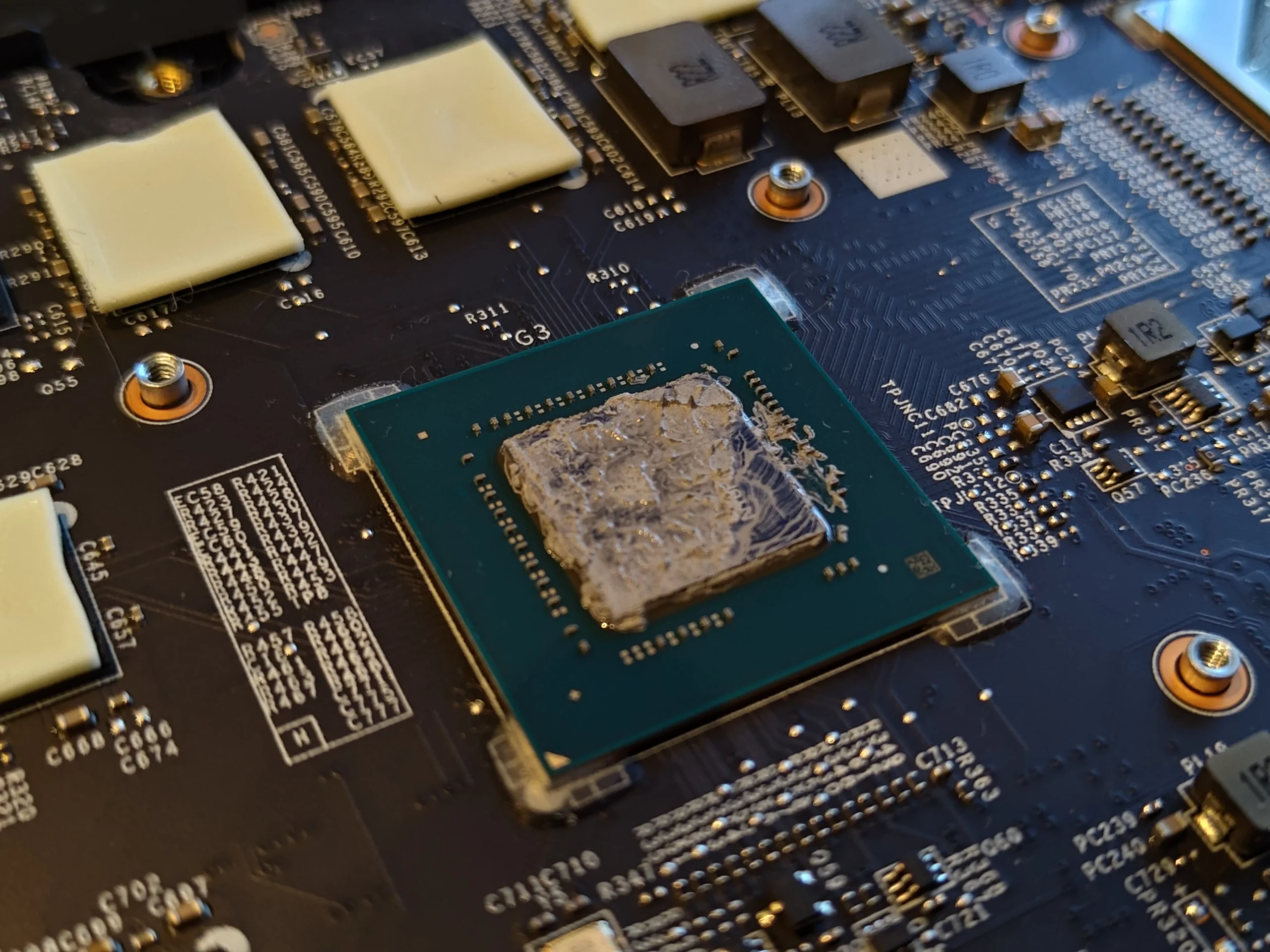
Old compound visible on both main chip contacts
This MSI GP75 Leopard archive is more about cooler service than a dramatic dust mat. With the bottom cover off, the laptop shows a fan at each end and several copper pipes around the two main heat sources. Photos of the cooler underside and chips show the old thermal compound that must be dealt with when the assembly is lifted.
A monitoring screen appears in the folder, but the photos do not make a matched before-and-after test. The useful evidence here is physical: layout, contact condition and access. No numerical cooling gain is claimed.
In this case study
01 / Inside the base
Several heat pipes cross between the two fans
The full interior view shows a fan on each side and multiple copper pipes joining the chip plates to their outlets. Dust should be checked at both fin stacks, not just at the visible fan blades.
A fan can still spin when an outlet is restricted or its thermal contact is poor. Follow the whole route from intake through fan, pipes and fins when assessing a hot gaming laptop.
02 / Under the cooler
Old material remained on the chip and cooler plates
The board and underside close-ups show uneven grey material on the main chip contacts. Once the assembly is separated, leaving old paste in place and simply pressing it back together risks gaps in the thermal interface.
Clean the mating surfaces without scraping the chip or board, then apply suitable new compound. Preserve the location and thickness of any surrounding pads or putty rather than replacing them at random.
03 / The air side of the job
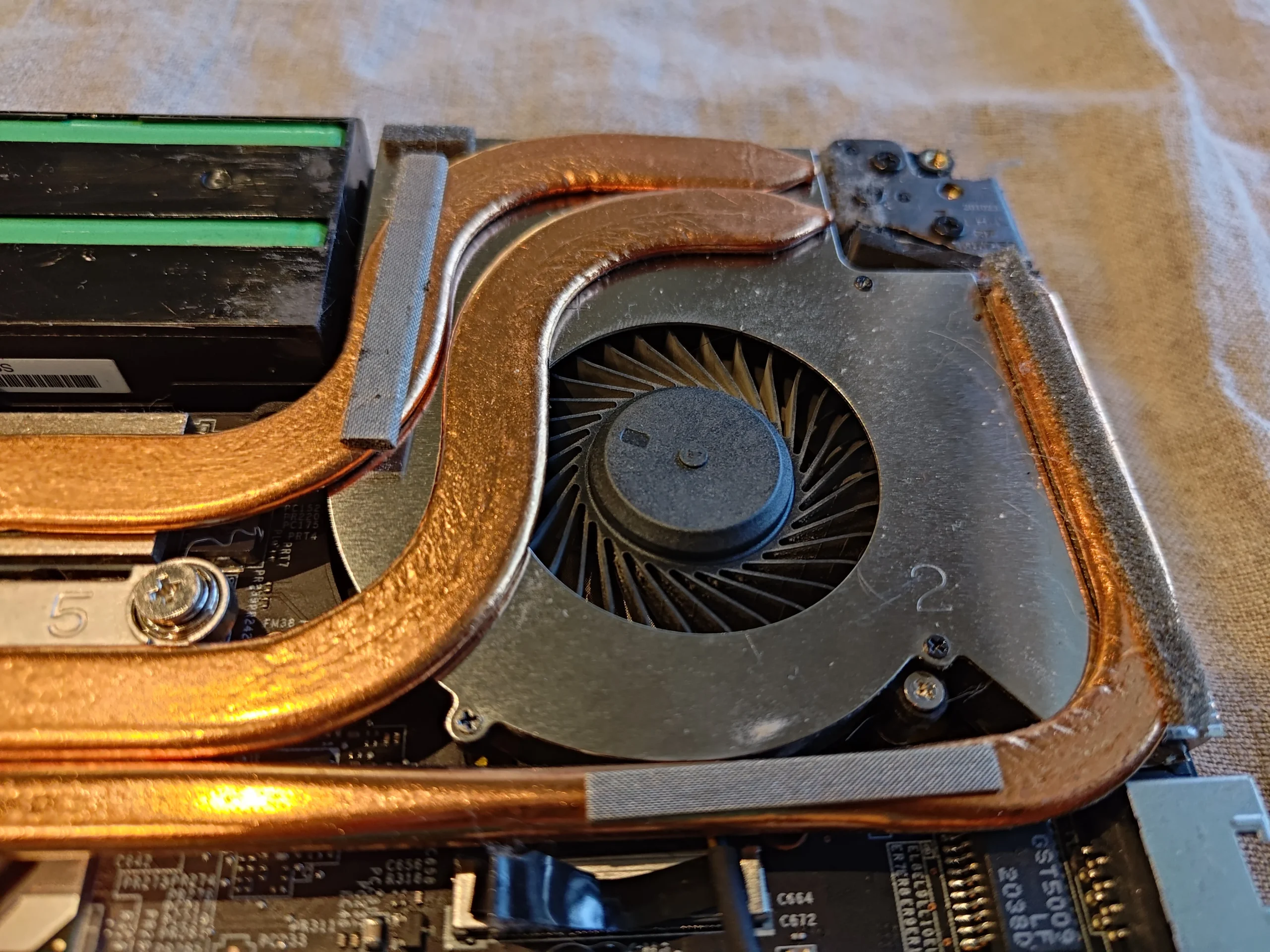
Both fan housings and fin outlets still need inspection
A close view of one fan and its copper pipe shows how the fan feeds a narrow fin exit. Even during a paste-focused service, dust at the outlet can hold back airflow. Inspect both fan chambers before the base returns.
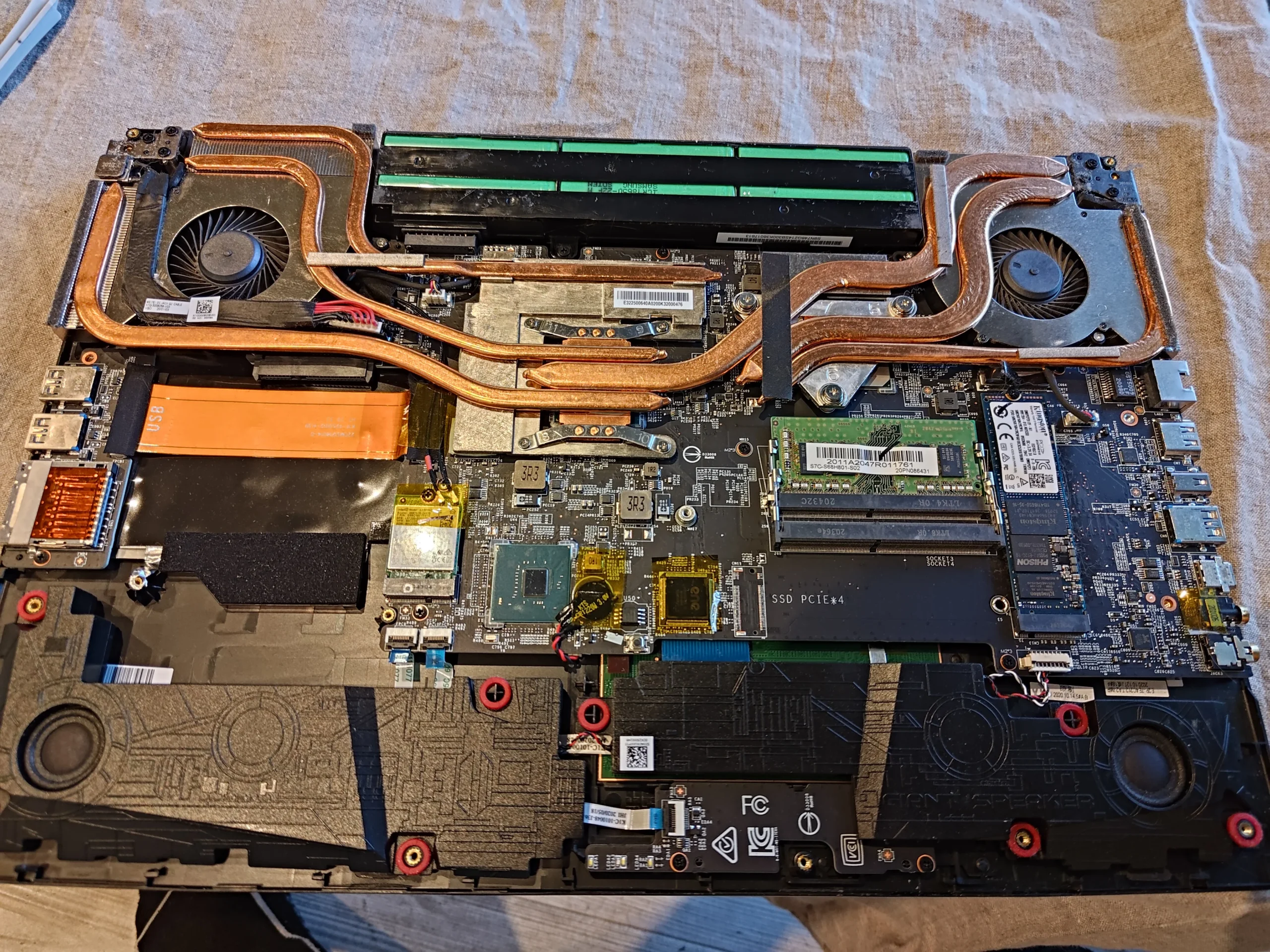
The photos show access and a later reassembled interior, but not a controlled airflow reading. Use gentle tools and hold the rotor still while cleaning.
04 / Before power-on
The shared assembly must seat evenly
The cooler's several screws and contact plates need an even fit across both main chips. Reconnect both fans, confirm no wire touches a blade and reinstall the base without trapping a cable.
A machine that boots may still have poor thermal contact. Test temperatures and fan response under a repeatable workload after the hardware is closed.
The engineer’s takeaway
This GP75 Leopard shows why fan cleaning and thermal-paste service belong to the same cooling investigation but remain distinct jobs. Its two fans need open fin exits, and its shared copper assembly needs properly restored contact with both chips.
Before you open the laptop
Can you service a GP75 Leopard yourself?
Power down, unplug the charger and follow the GP75 Leopard service instructions for your exact variant. Note screw lengths, photograph fan and battery connectors and disconnect the internal battery as directed.
Accessible fan and vent dust can be cleaned with the rotors held still. Lifting the shared cooler demands the correct paste and any pad or putty materials, plus careful cleaning and even reattachment. If you cannot identify the original contact arrangement, leave it seated.
After the clean
Checking the GP75 afterwards
Confirm both fans respond, air exits each side and no scraping or fan error occurs. Compare chip temperatures only under the same workload and similar room conditions if you have earlier readings.
The monitoring images in this archive do not provide a trustworthy matched result. If one chip remains hot, cooler seating or a separate fan problem needs diagnosis.
Questions from owners
MSI GP75 Leopard cooling FAQs
Answers based on the two-fan copper assembly and old compound in this service.
Does the GP75 Leopard have two fans?
The photographed GP75 has one at each side of its copper cooling assembly. Inspect both outlets.
Is this mainly a dust-cleaning or repaste case?
The photos particularly document old compound and cooler removal. Fan and fin inspection remains part of the cooling service.
Can I reuse paste after lifting the cooler?
No. Clean the disturbed contacts and use suitable fresh compound before an even refit.
What about thermal pads around the chips?
Keep their correct positions and thicknesses. Replacing them with unsuitable material can prevent the main plates from seating.
Why is one fan louder than the other?
Different heat loads and fan control may cause different speeds, but dust or a faulty fan is also possible. Inspect each route separately.
Did the monitoring screens prove a temperature drop?
No matched before-and-after test is documented in the archive.
UK MSI Leopard cooling enquiries
Need both GP75 cooling routes checked?
If you are in the UK, tell us your GP75 variant, postcode and whether the fan noise or heat appears in games, ordinary work or both. Mention any previous repaste.
We can discuss checking both outlet fin banks, the fans and whether the shared cooler's contact needs a careful service.
Read about our gaming laptop cooling service, then use the form to tell us your computer model, symptoms and UK postcode.
Free to enquire · No obligation to book. We discuss the proposed work and price before you decide.
The workshop photos
MSI GP75 Leopard cooler and fan gallery
Open the workshop photos of the copper layout, old chip compound, fan outlets and reassembled cooler.