Published 4 October 2026 · ROG Zephyrus GU502G case study
ROG Zephyrus GU502G cleaning
the dust blanket you cannot see from outside.
This slim gaming laptop had a dense strip of lint where the cooling air should leave the heatsink. The fan was only the start of the investigation: the outlet and the thermal contact surfaces told the fuller story.
The laptop
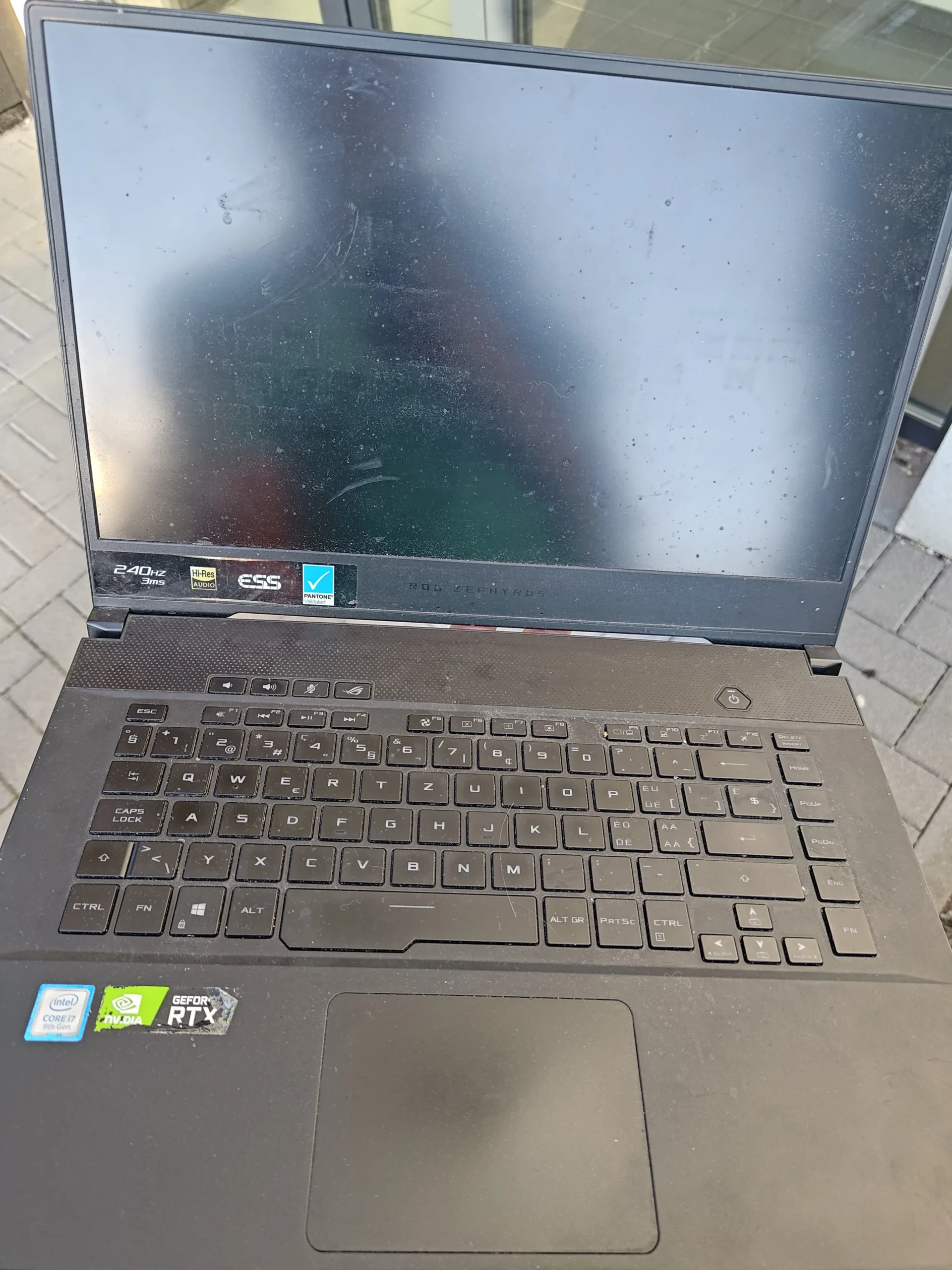
ROG Zephyrus GU502G
The stand-out finding
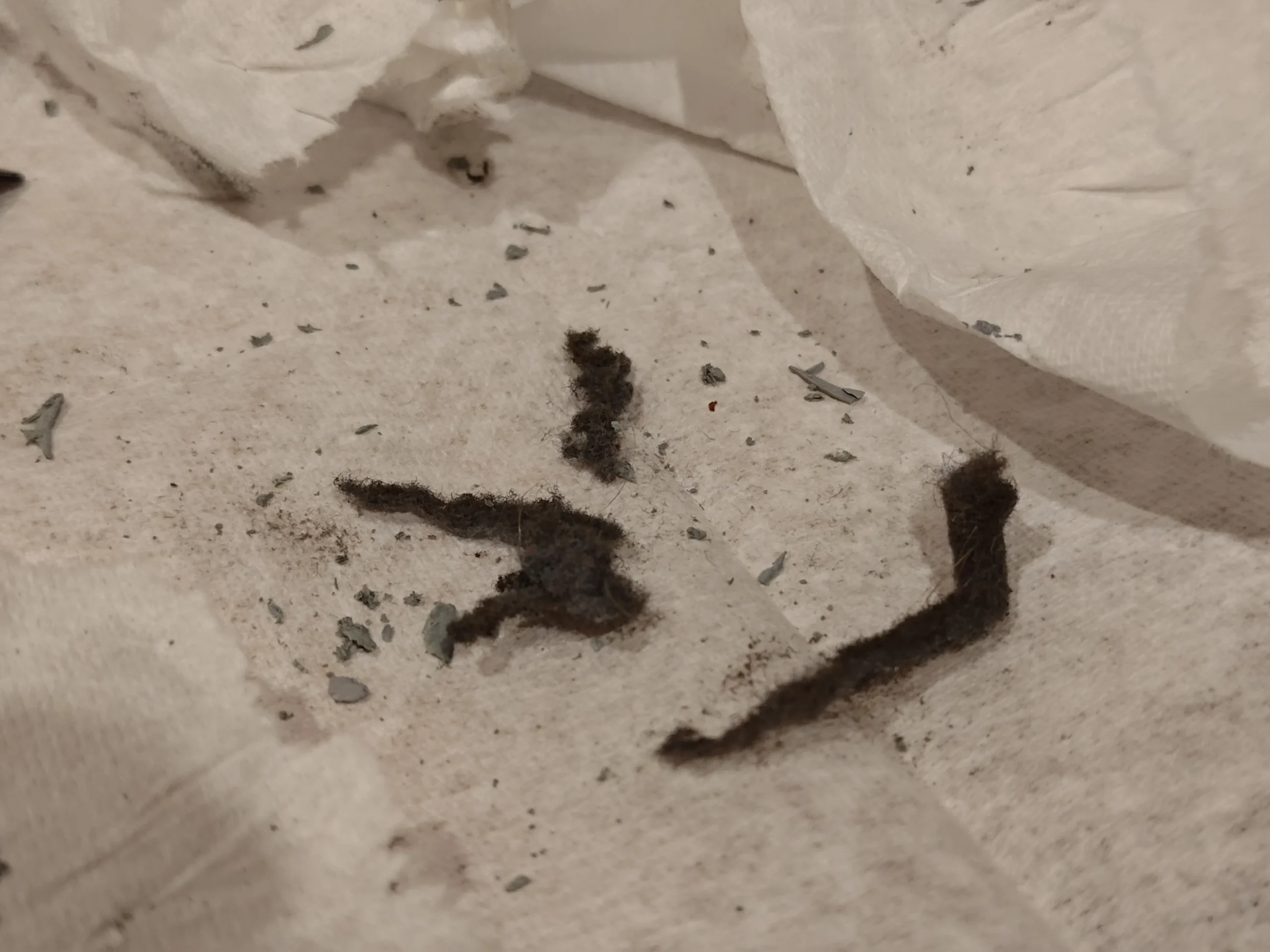
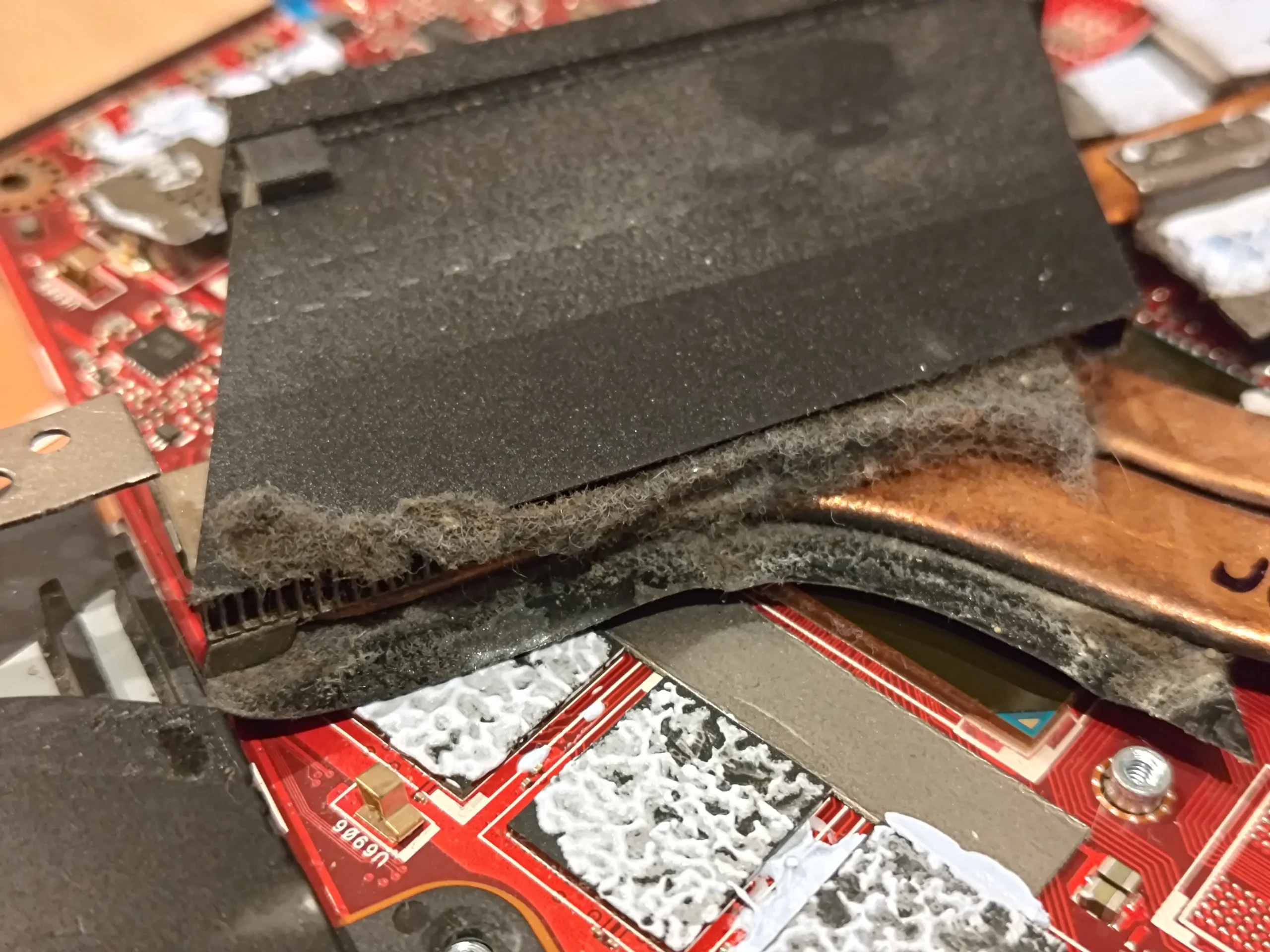
A lint mat along the heatsink outlet
The other check
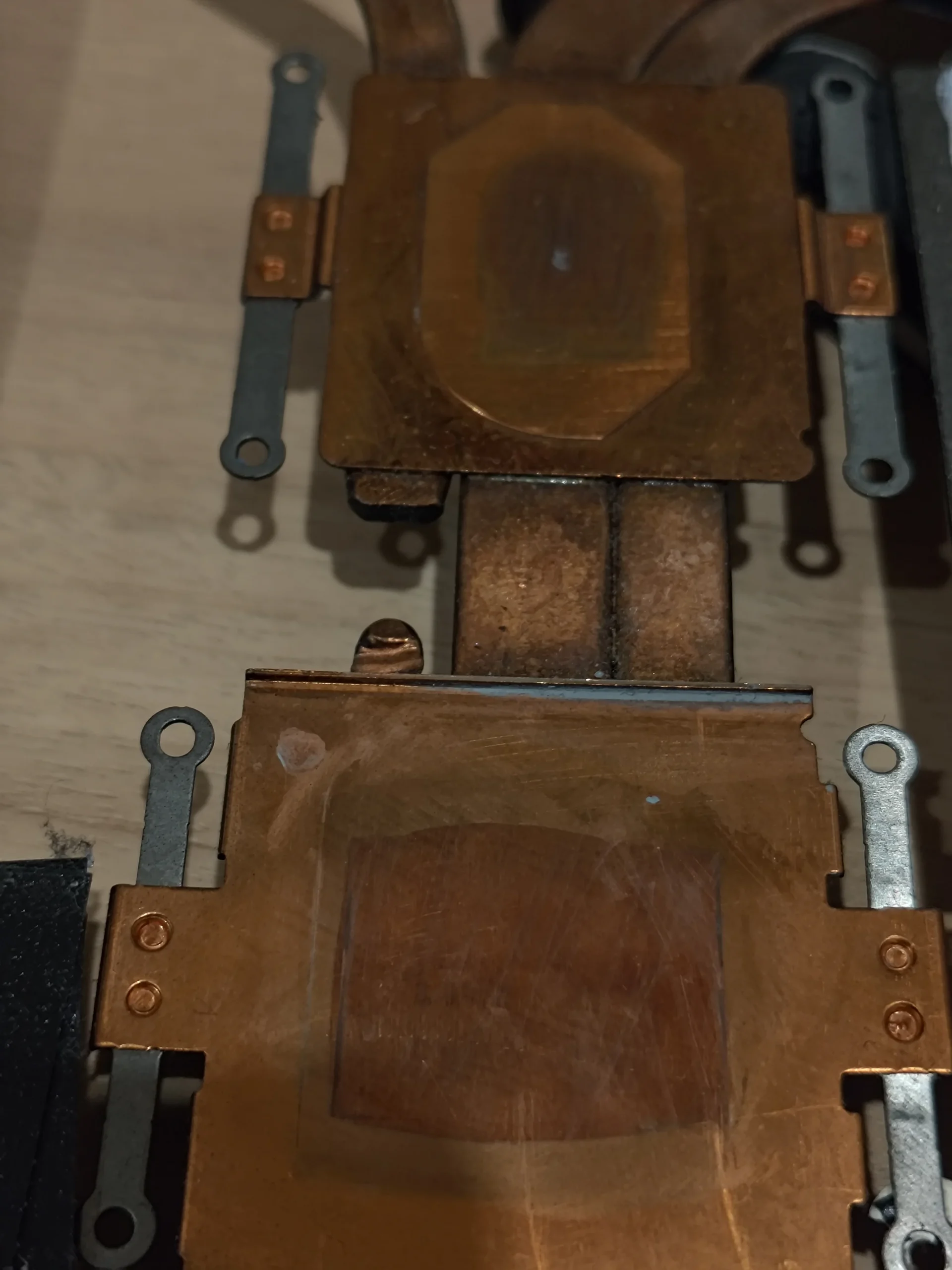
Old compound beneath the cooling assembly
On a thin Zephyrus, the cooling space is compact. Air enters through openings in the case, the fans push it through fine metal fins, and the exhaust carries it away. If lint collects at the fin edge, the outside vent may still look open while airflow inside is restricted.
These are real workshop photos of the machine and the material found. They show the cleaning path and contact surfaces; they do not provide controlled before-and-after temperature measurements, so there is no claimed temperature drop.
In this case study
01 / Opening the chassis
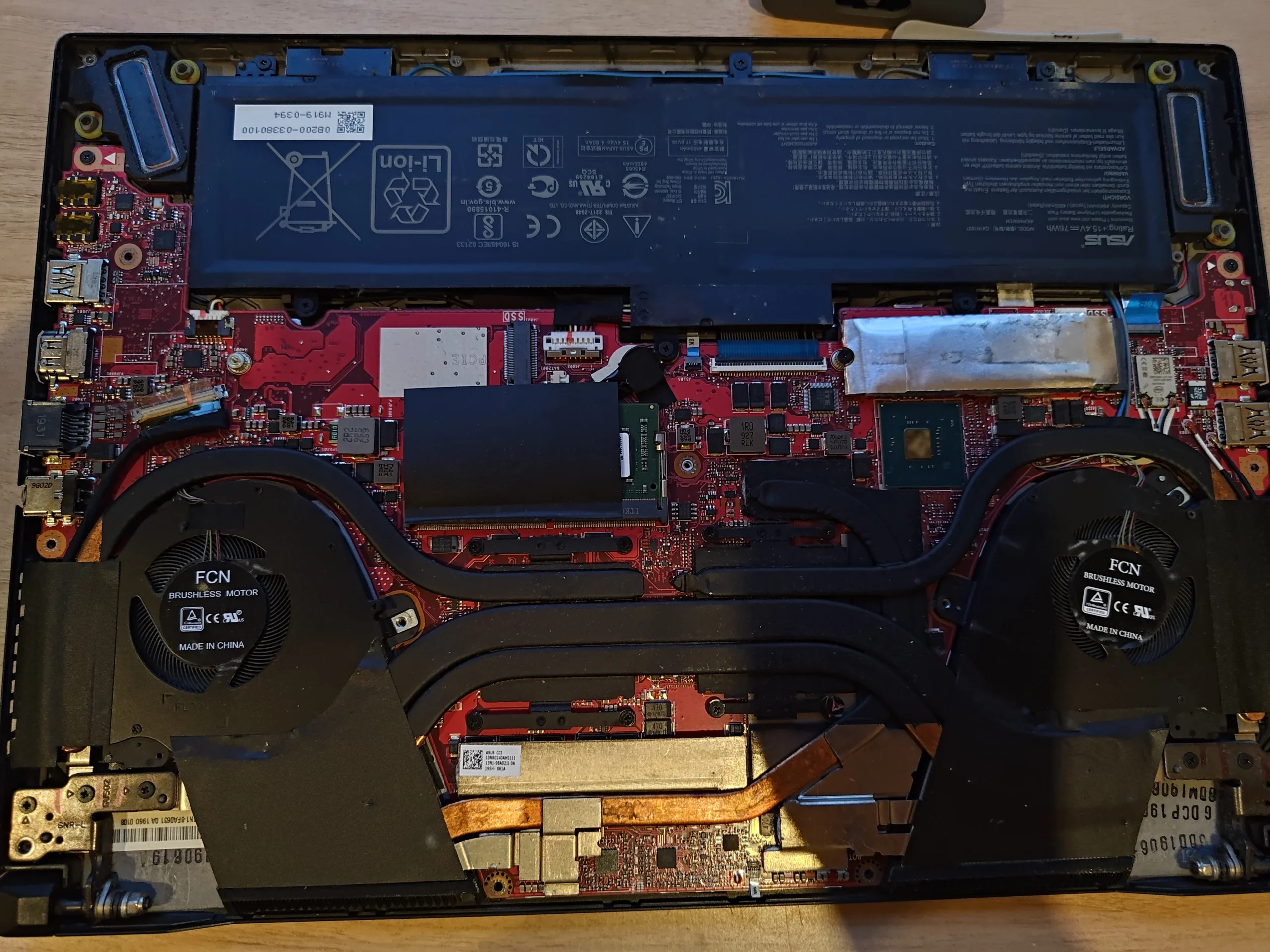
A compact, shared cooling system
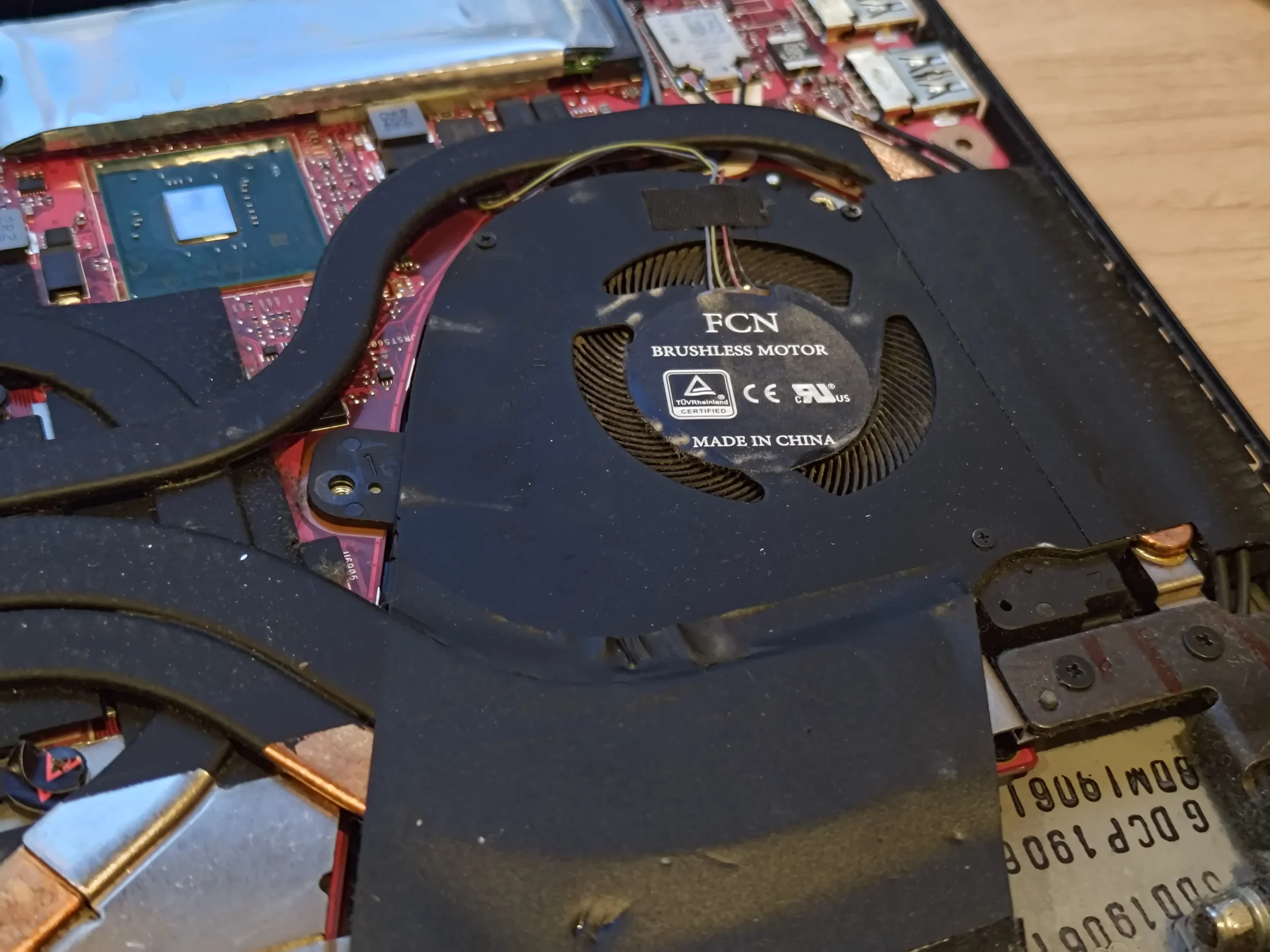
With the bottom cover removed, two fans and a connected heatpipe assembly sit around the red motherboard. Heat from the main chips travels through that assembly before the fans can carry it out of the case.
The underside label identifies this machine as a GU502G family model. That matters when using service instructions: a different Zephyrus can put screws, battery connections and exhaust parts in different places.
02 / The hidden blockage
The dust had become a felt-like strip
The close-up shows lint packed along the edge of the heatsink and surrounding duct. This is more than loose dust on a fan blade: it forms a physical barrier where air should pass through a narrow route.
Blowing through an outside grille gives no reliable view of this pocket. A proper internal clean checks the fan outlet and the fin face, then removes the collected material without pushing it into the fan or across the board.
03 / Following the airflow
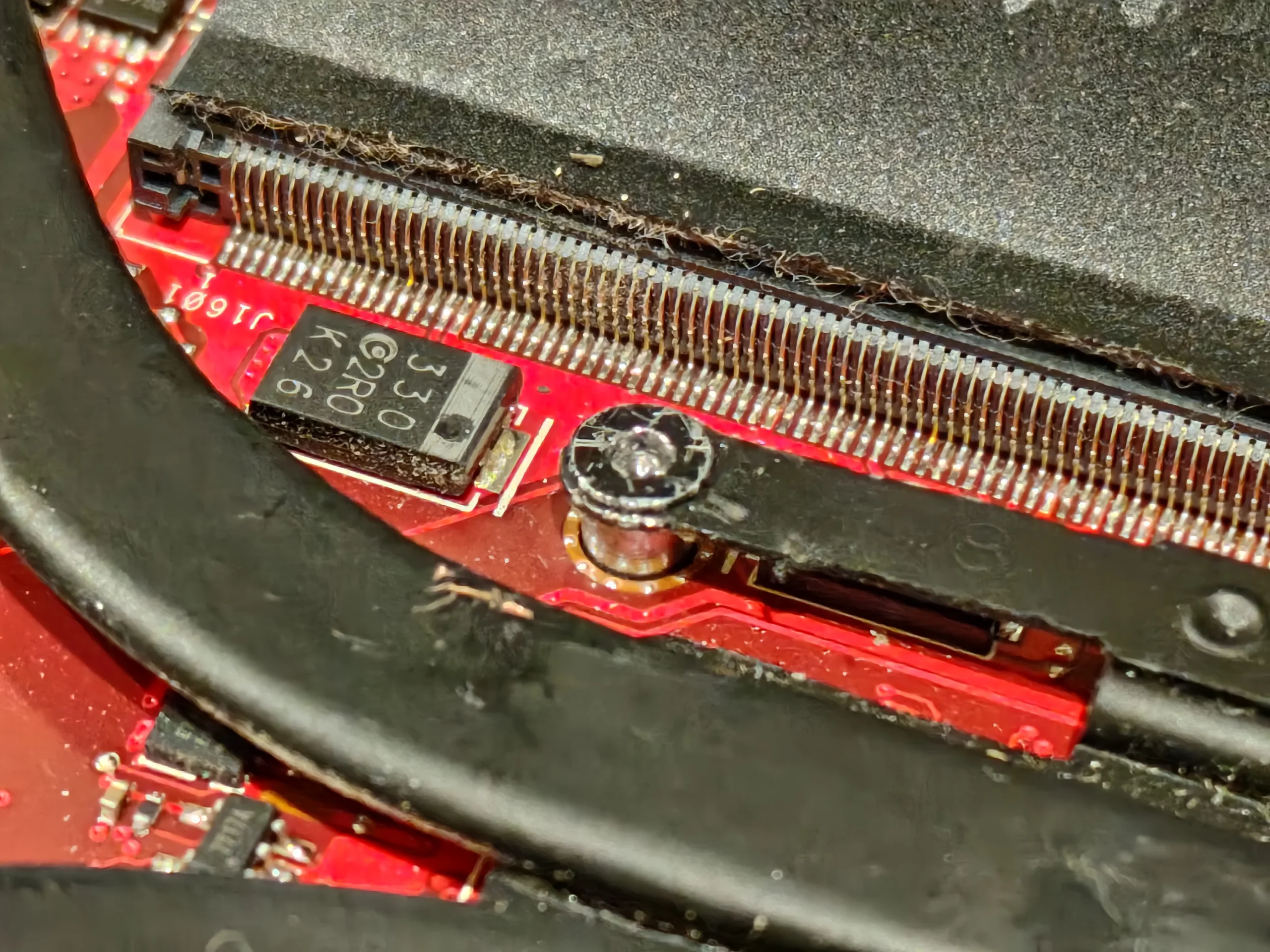
Check the fins, not just the fan
The metal fin stack has many small passages. Even when a fan spins normally, a lint strip against those passages can reduce the air actually reaching the exhaust.
The removed debris photo shows how much material was hiding inside. The important check after lifting it away is that the fin openings are clear along their full width and that no loose fibres remain near the fan.
04 / Under the cooler
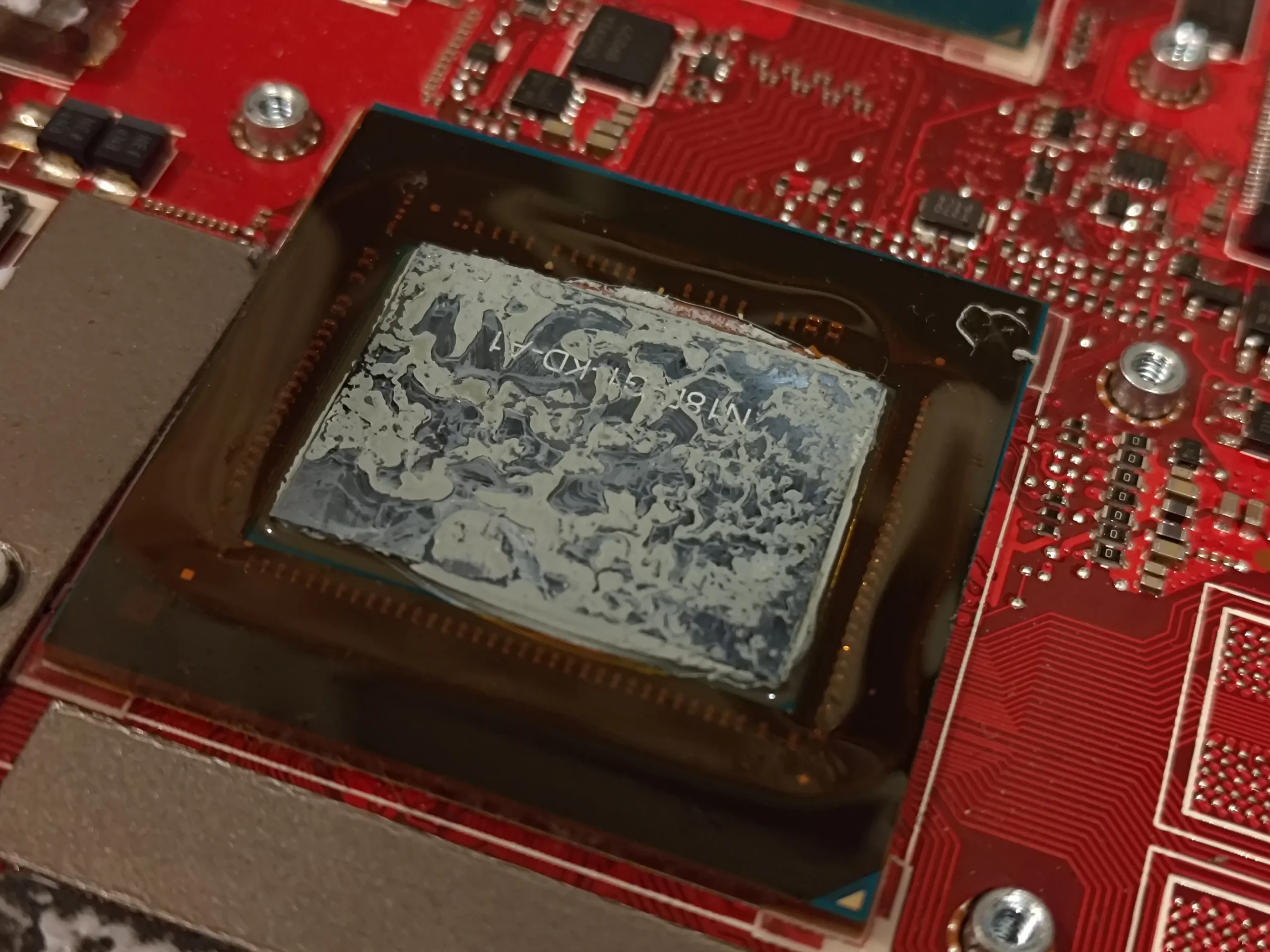
Airflow was only one half of the cooling path
Lifting the cooling assembly also exposes old grey thermal compound on the chip. This compound fills microscopic gaps so heat can pass into the copper plate. If the heatsink is removed, the old interface must be cleaned and renewed before reassembly.
The separate photo of the copper contact plates helps explain why pressure and alignment matter. Nearby thermal pads must remain in their proper places and thicknesses; substituting a random pad can lift a plate away from a chip.
The engineer’s takeaway
The distinctive problem in this GU502G was the felt-like lint at the outlet. A fan can spin and still struggle to move air through blocked fins; cleaning should follow the whole route from intake to exhaust.
Before you open the laptop
What can an owner check before opening it?
Start outside the laptop: switch it off, check that the intake and exhaust openings are not covered, and use it on a firm surface. Note whether fan noise and heat rise under the same workload compared with earlier use.
Inside this model, you are close to the battery, fan leads and a shared cooling assembly. Removing that assembly disturbs thermal material on more than one contact point. If you cannot positively identify the connector and screw sequence for your exact variant, leave the internal clean to a technician.
For model documents, check the official manufacturer support page.
After the clean
How to assess the result
After reassembly, verify both fans, charging, keyboard and wireless connection. Then compare fan behaviour, exhaust airflow and CPU/GPU temperatures using the same task, power mode and room conditions.
The photo set does not contain those readings. What it clearly documents is the obstruction at the outlet and the contact surfaces seen during service.
Questions from owners
ROG Zephyrus GU502G cleaning FAQs
Answers focused on the lint blockage and shared cooler shown in these photos.
Can lint block the heatsink even if the fan still spins?
Yes. A spinning fan does not prove air can pass through the fine heatsink fins. In this GU502G the photos show a felt-like strip along the outlet area.
Will cleaning the outside vents remove this dust mat?
An outside clean can remove surface dust, but it cannot confirm whether lint is packed against the inner fin face. Internal inspection is needed to see and remove a mat like the one pictured.
Does the GU502G have two fans?
The opened machine in this case has two visible fans connected by a shared cooling assembly. Check the exact variant label before using a guide for a different Zephyrus.
Do I need new thermal paste if the heatsink is lifted?
The old compound at the chip contact should be cleaned and renewed when the heatsink is removed. The contact plates must then be seated evenly with the proper screw sequence.
Can I replace the thermal pads with any thickness?
No. The pads support other components, and an incorrect thickness can interfere with chip contact. Record their original placement and use the correct specification if a pad needs replacement.
How much cooler will it run after cleaning?
That cannot be answered from photos alone. Compare the same workload, power settings and room conditions before and after service to judge the effect.
UK laptop cleaning enquiries
Need the hidden exhaust dust removed?
If you are in the UK and do not want to open your Zephyrus yourself, tell us that it is a GU502G and describe the fan noise, heat or performance change you have noticed. Mention any previous repaste or repair too.
We can discuss whether an internal clean and thermal-contact check is appropriate for your machine.
Read about our laptop cleaning service, then use the form to tell us your computer model, symptoms and UK postcode.
Free to enquire · No obligation to book. We discuss the proposed work and price before you decide.
The workshop photos
ROG Zephyrus GU502G cleaning photo gallery
Open the images to follow the machine from its exterior to the dual-fan layout, the lint at the outlet and the exposed contact surfaces.