Published 13 October 2026 · AMD Ryzen / ASUS TUF desktop case study
Ryzen desktop cleaning
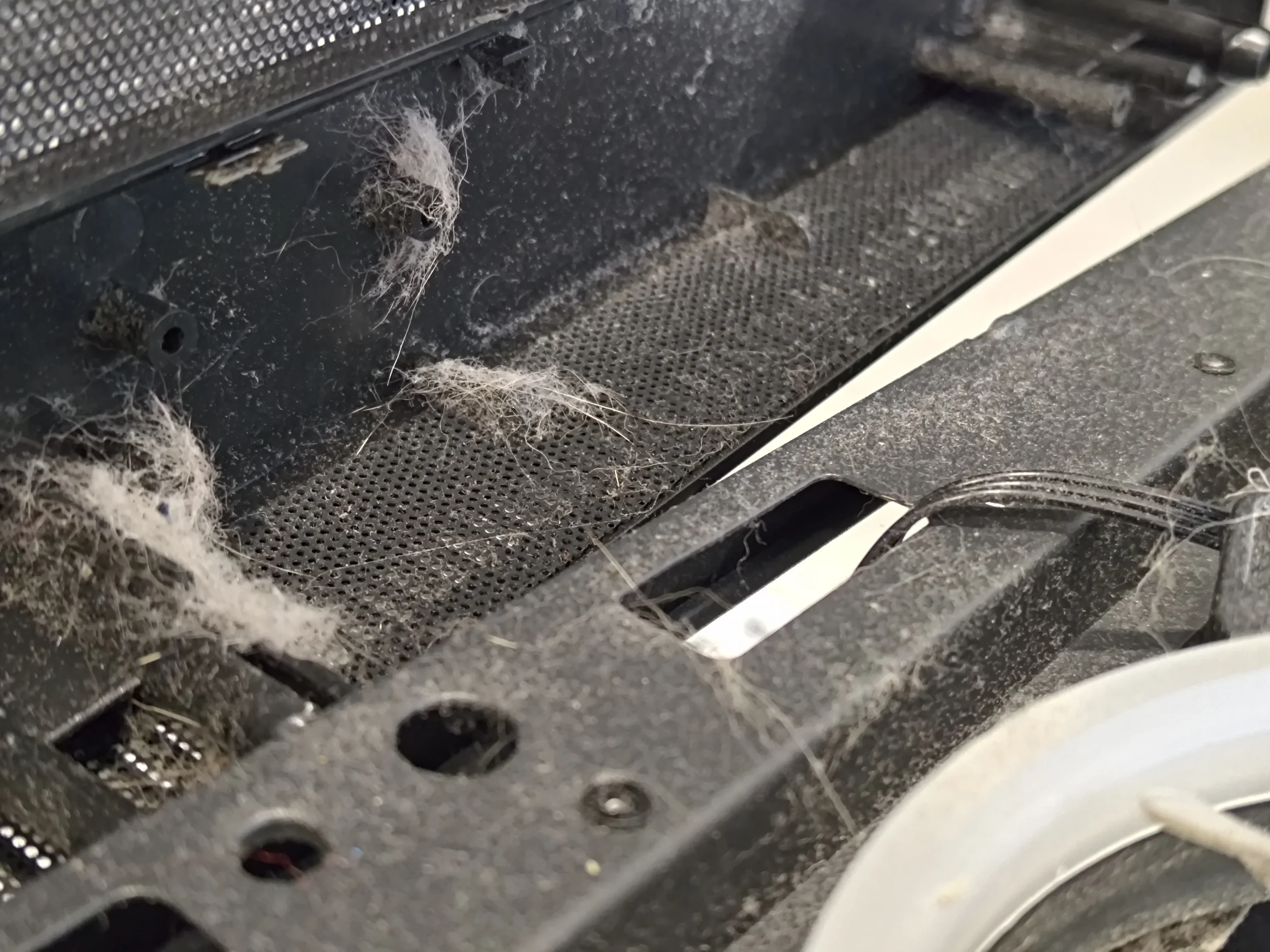
fibres had crossed the case opening.
A tangle of lint stretched across the case before the fans could do their job. The white case fans and ASUS graphics-card fans were dusty too, while lifting the CPU cooler exposed a separate thermal-contact task. This set shows why a PC clean should trace both air and heat.
The system
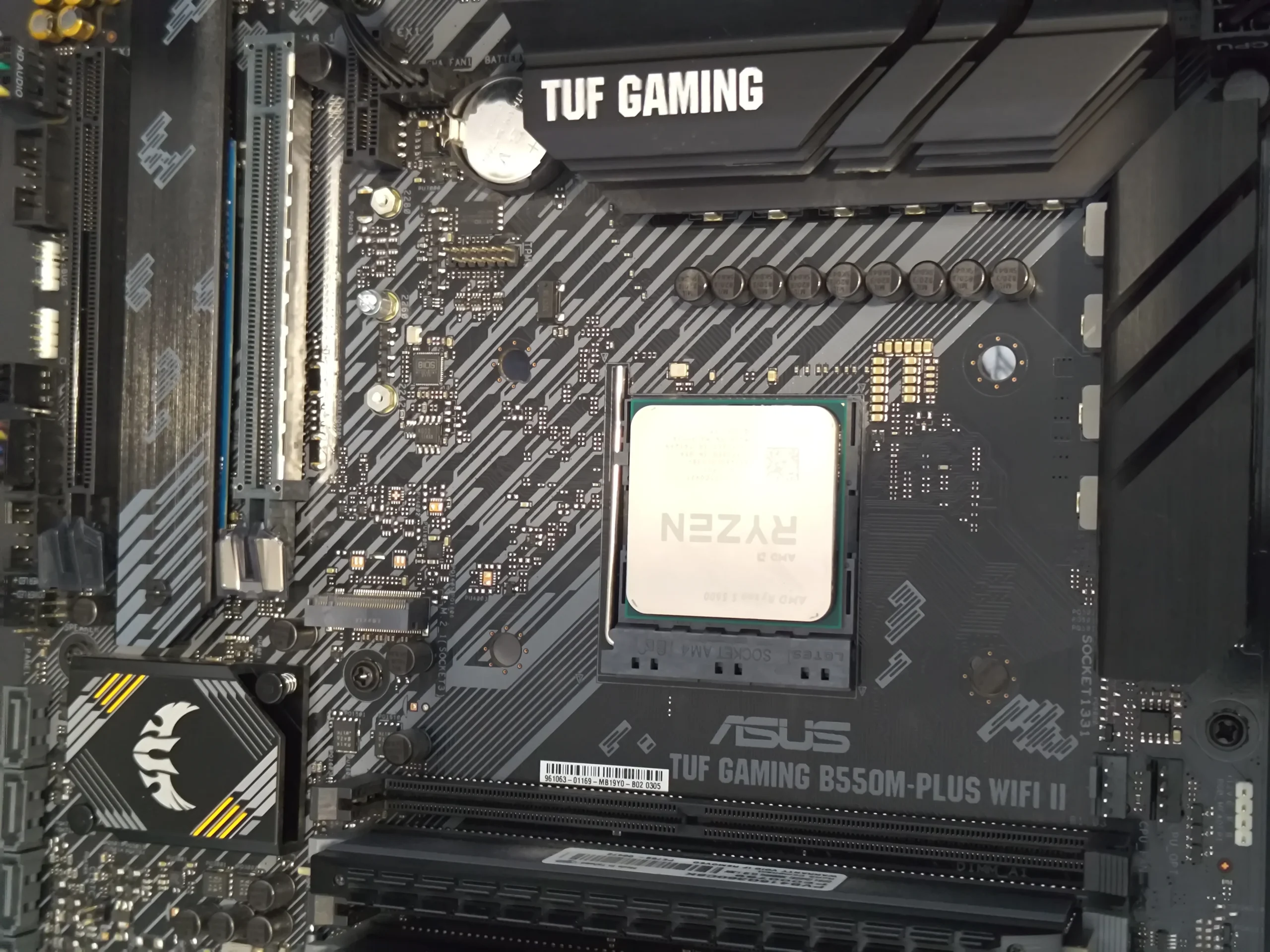
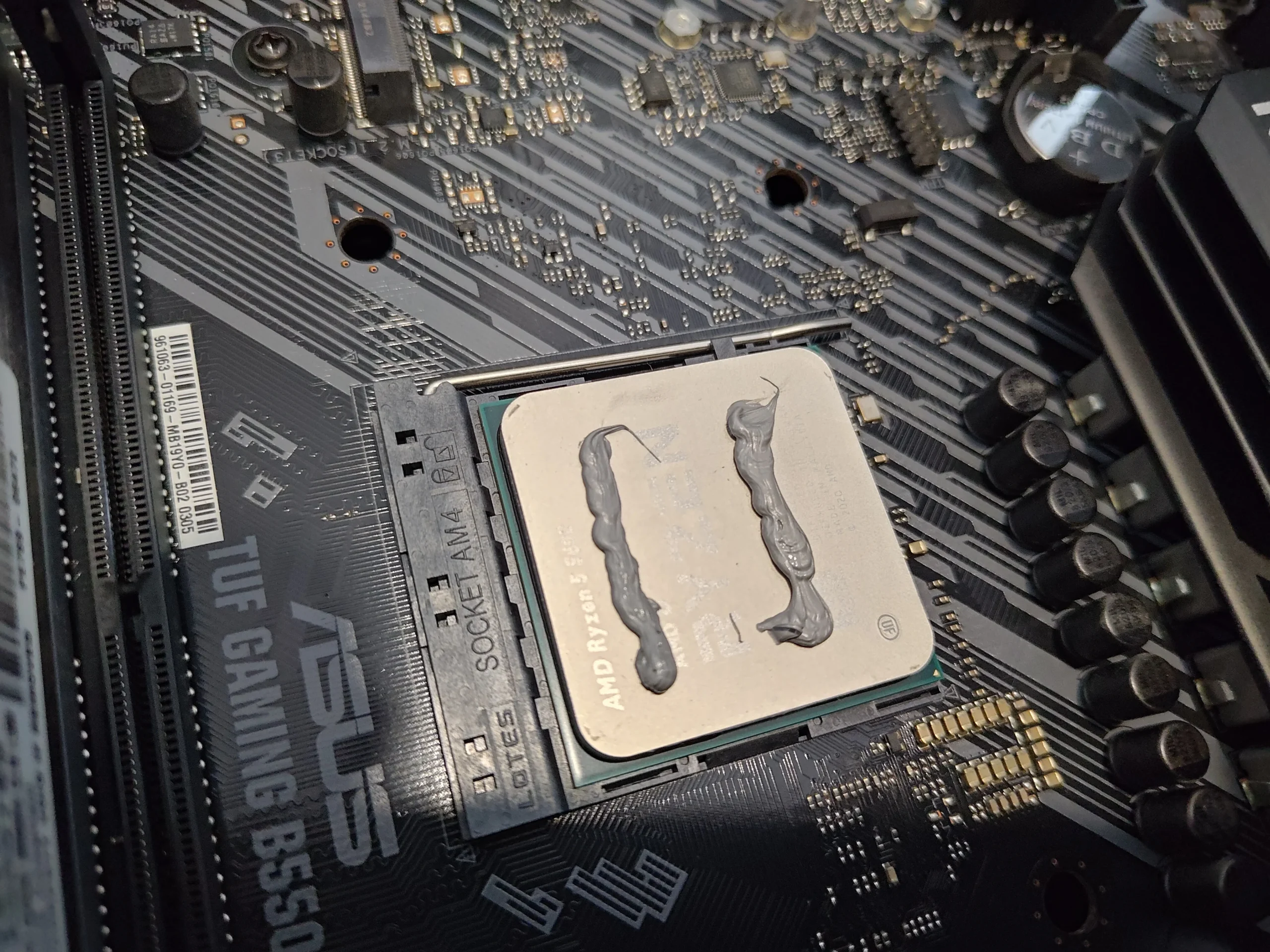
AMD Ryzen CPU on an ASUS TUF motherboard
The airflow finding
Fibrous lint at the case opening and fan blades
The separate task
Old material visible at the removed CPU cooler contact
The most striking photo is not a fan. It is a web of light-coloured fibres stretched across a case opening near the white fans. The material has accumulated along the mesh and frame, where it can reduce the air available to the components inside.
Other photos show dusty white case-fan blades, an ASUS dual-fan graphics card with dust behind a fan, and an AMD Ryzen processor after its cooler was removed. These pictures document inspection and service access. They do not show a controlled before-and-after test or fresh CPU compound application, so no measured cooling result is claimed.
In this case study
01 / The first restriction
The case opening had become a lint trap
Fibres had formed strands between the mesh, frame and nearby fan position. Loose lint is different from a thin, even dust film: it can bridge openings and later be pulled into a spinning fan or a heatsink.
Clear the opening and any removable filter with the PC unplugged. Collect the debris rather than pushing it into the cabinet, then check whether the panel and filter can be refitted without blocking the air route.
02 / The next stage
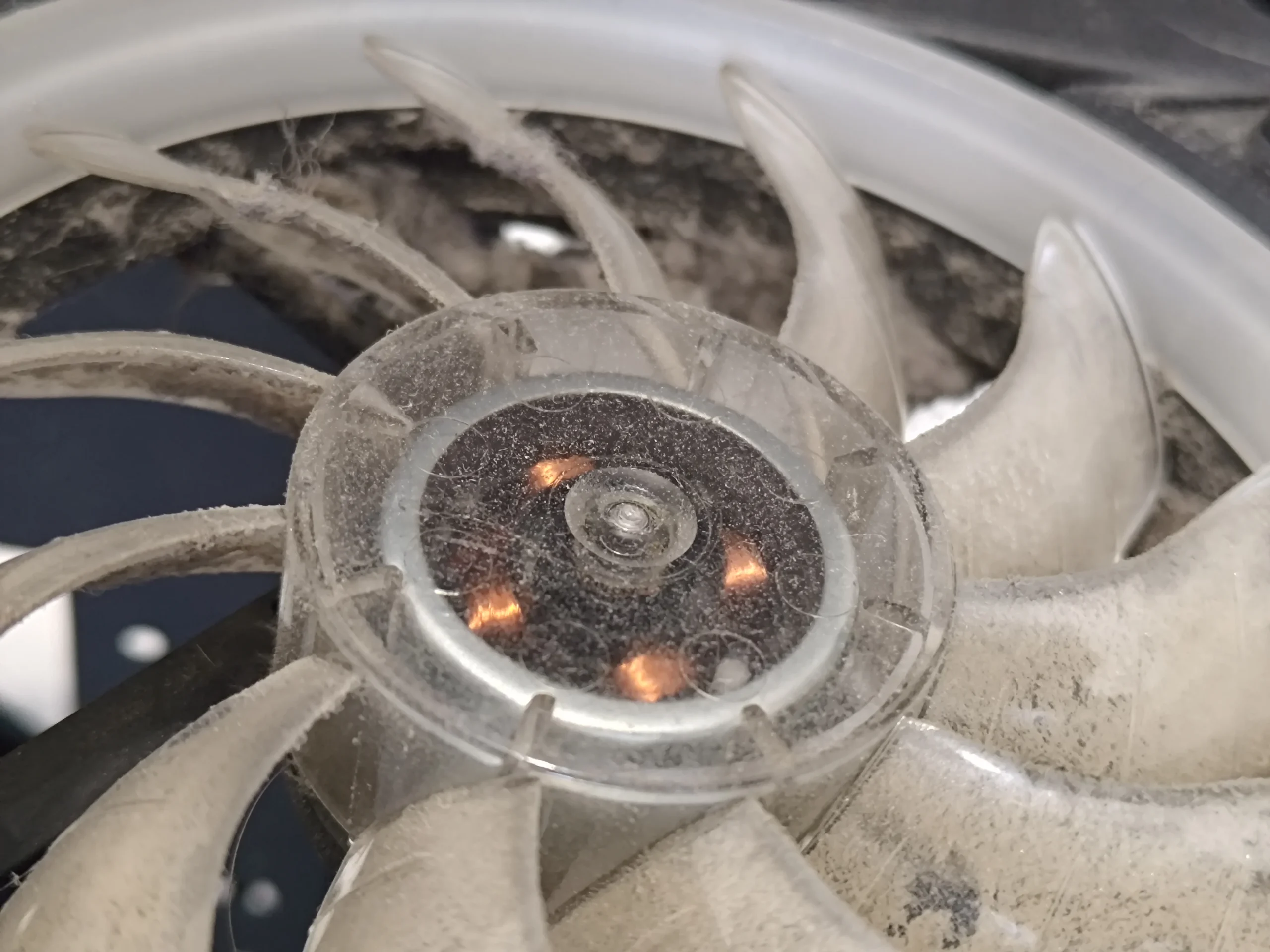
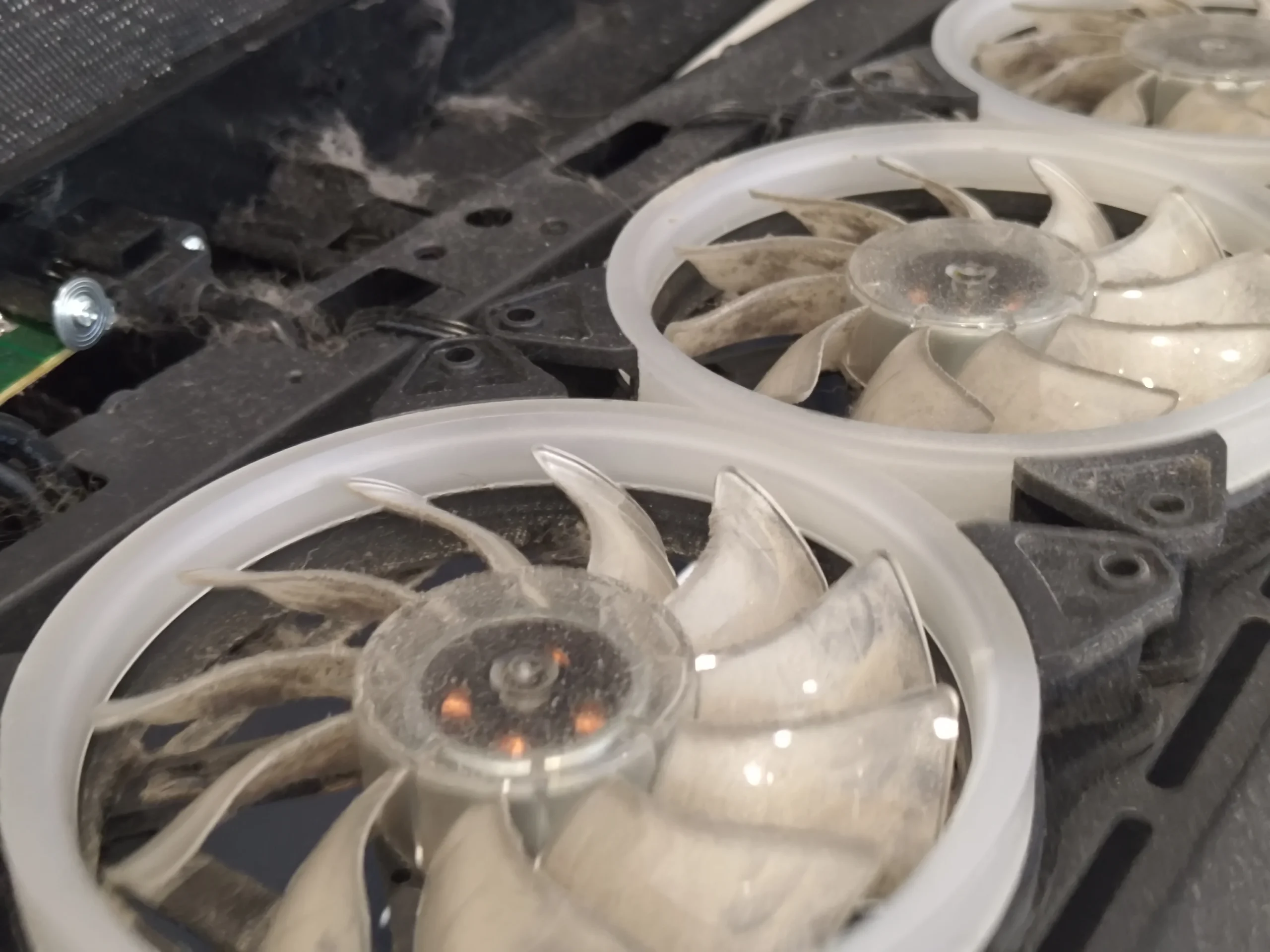
Dust followed the air onto the white fan blades
The close-up shows grey dust on a white fan's hub and blade roots, making the contamination easy to see. A wider image shows two such fans, so both need inspection even when one is more visibly dirty.
Hold the blades stationary during controlled dust removal. Check the fan frames and the space behind each rotor too; cleaning only the blade face leaves material where incoming air first lands.
03 / A separate cooler
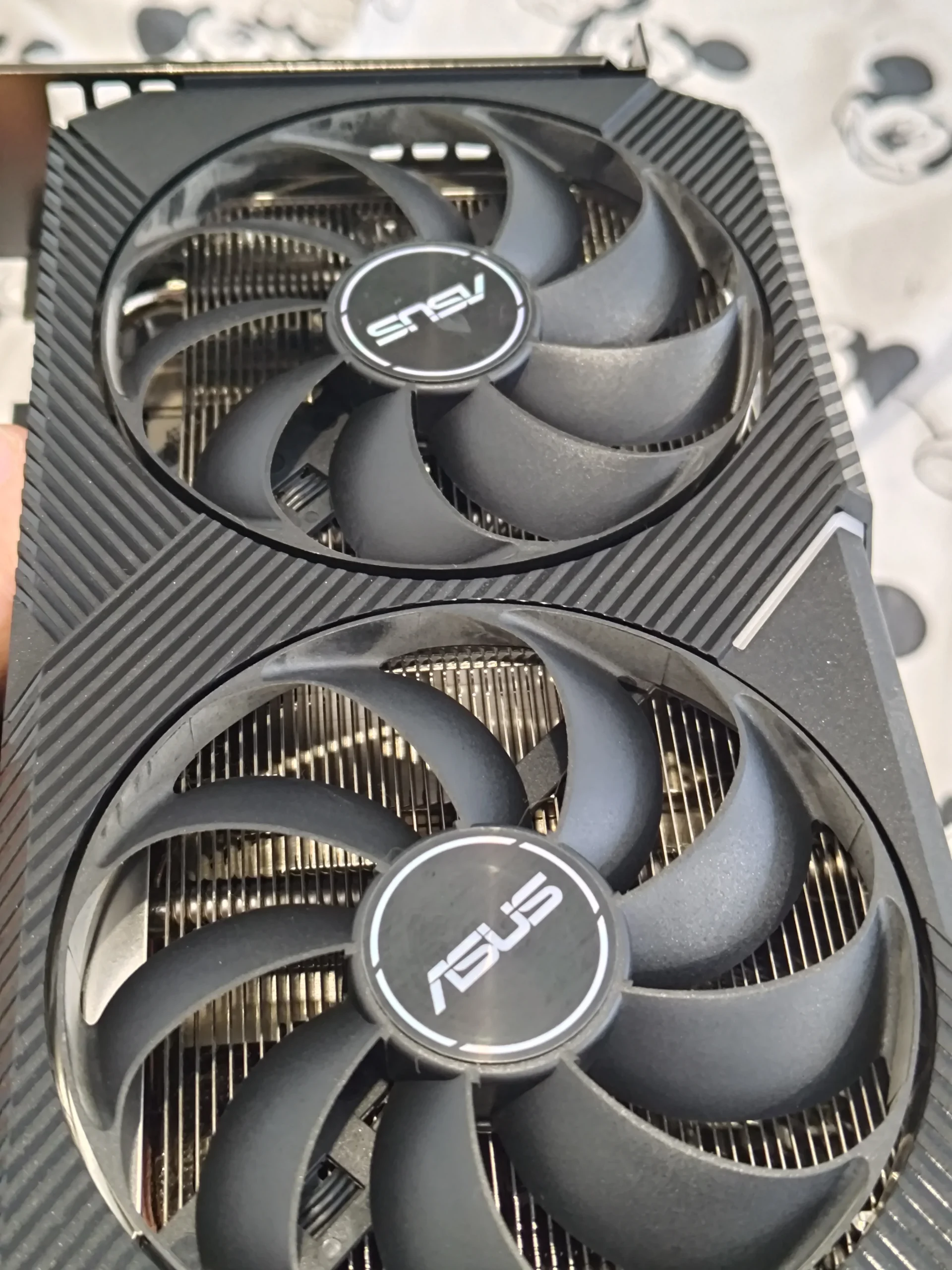
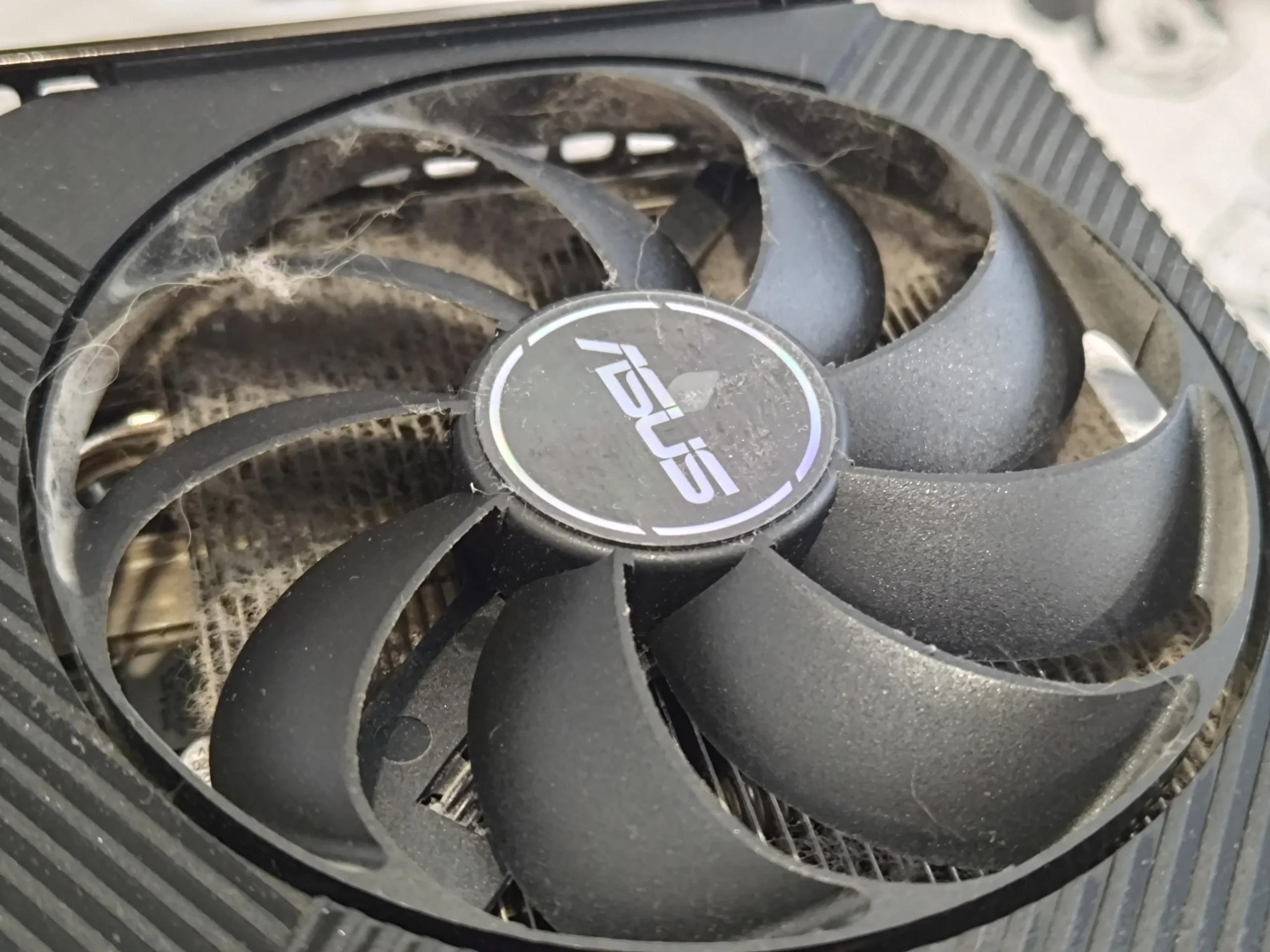
The ASUS graphics card has its own two-fan route
The graphics card was photographed outside the case. One image shows both fans and the fin stack behind them; another close-up shows dust caught around a fan and the heatsink opening.
A GPU can run hot even if the case fans are clean, so inspect its two fan inlets and the fins as a separate path. Do not force a brush into the card or dismantle its shroud without the right service method and reason.
04 / The heat transfer
Cooler removal exposed old material on the Ryzen chip
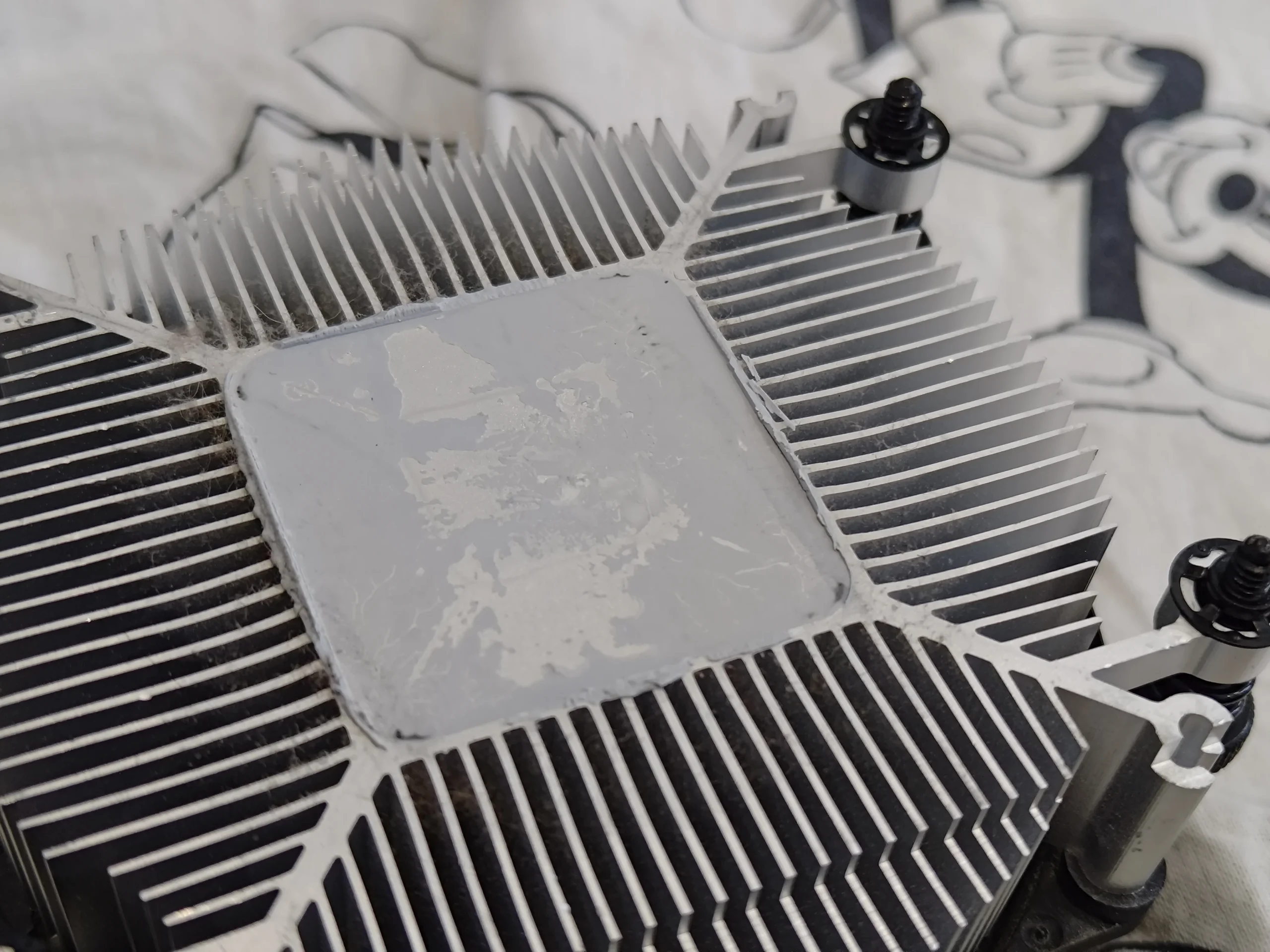
A photo of the Ryzen CPU shows two lines of old compound on the metal lid. Another shows residue on the removed cooler base. Together they show that the CPU thermal interface was disturbed during this work.
Before the cooler goes back, both surfaces need cleaning and suitable fresh compound applied, with the mount tightened evenly. The archive does not show that final application, so the article describes the visible condition and the required method without claiming a documented paste product or temperature drop.
The engineer’s takeaway
This PC had contamination at three different points: the case opening, the white case fans and the graphics-card cooler. The lifted CPU cooler adds a fourth, separate concern—restoring its chip contact correctly.
Before you open the laptop
Can you clean a fibrous desktop like this yourself?
Switch off, unplug and remove accessible case panels or filters. Work from the dusty opening inward, collecting lint so it does not fall onto electronics. Hold fan blades still and avoid touching the board with a household vacuum nozzle.
If removing the graphics card, release its power leads and PCIe latch carefully and support its weight. If lifting the CPU cooler, prepare to clean both faces and renew the thermal compound. Never open the power-supply housing.
After the clean
How to check the result
After reassembly, verify every expected case and CPU fan operates and no cable touches a blade. Some GPUs stop their fans at idle, so assess the card under a suitable graphics task.
Compare CPU and GPU temperatures, fan speed and noise during repeatable workloads in similar room conditions. These workshop photos do not contain paired measurements, so appearance alone cannot quantify improvement.
Questions from owners
Ryzen and ASUS desktop cleaning FAQs
Answers based on the fibrous case buildup and separate fan systems shown here.
Can lint webs at a case opening affect cooling?
Yes. Fibres can bridge mesh openings and reduce the area air passes through. This case shows strands across the frame as well as dust on nearby fans.
Why clean both white fans?
They are separate rotors and may collect dust differently. The wider photo shows two fans, so both blades and frames deserve inspection.
Does a clean case fan mean the ASUS GPU is clean?
No. The graphics card has its own two fans and fins. This card was photographed separately with dust behind a fan.
Was CPU paste replaced in this photo set?
The photos show the cooler removed and old material on the Ryzen chip and cooler base. They do not show the fresh application, so this case does not claim a pictured repaste result.
Should I vacuum the case interior?
Avoid placing a household vacuum nozzle against a motherboard or graphics card. Remove accessible filters and use suitable controlled tools while collecting debris.
How can I tell if the clean worked?
Test the same CPU- and GPU-heavy tasks under similar conditions, then compare temperatures and fan behaviour. There are no before-and-after readings in these photos.
UK dusty desktop enquiries
Want the lint and every fan route checked?
If your UK desktop has fibres across the intake or noisy case and GPU fans, send us a photo of the opening, the CPU and graphics-card models if known, and your postcode.
We can discuss a full case and graphics-card airflow clean and whether the CPU cooler needs separate contact service.
Read about our desktop fan and cooling service, then use the form to tell us your computer model, symptoms and UK postcode.
Free to enquire · No obligation to book. We discuss the proposed work and price before you decide.
The workshop photos
Ryzen and ASUS dusty desktop photo gallery
Open the images for the lint-covered case opening, white fans, ASUS graphics card and exposed Ryzen cooler contact.