Published 11 October 2026 · AMD Ryzen desktop with MSI Aero graphics card case study
Ryzen desktop cleaning
three fan designs, three checks.
This PC has a rear case fan, a tower-style CPU cooler and an MSI Aero graphics card with a blower fan. They all move air differently. The photos make a useful guide to checking each route without assuming one clean fan means the whole system is clear.
The system
AMD Ryzen CPU and MSI Aero graphics card
The three air routes
Case fan, CPU tower cooler and GPU blower
The CPU contact
Old compound visible when cooler is lifted
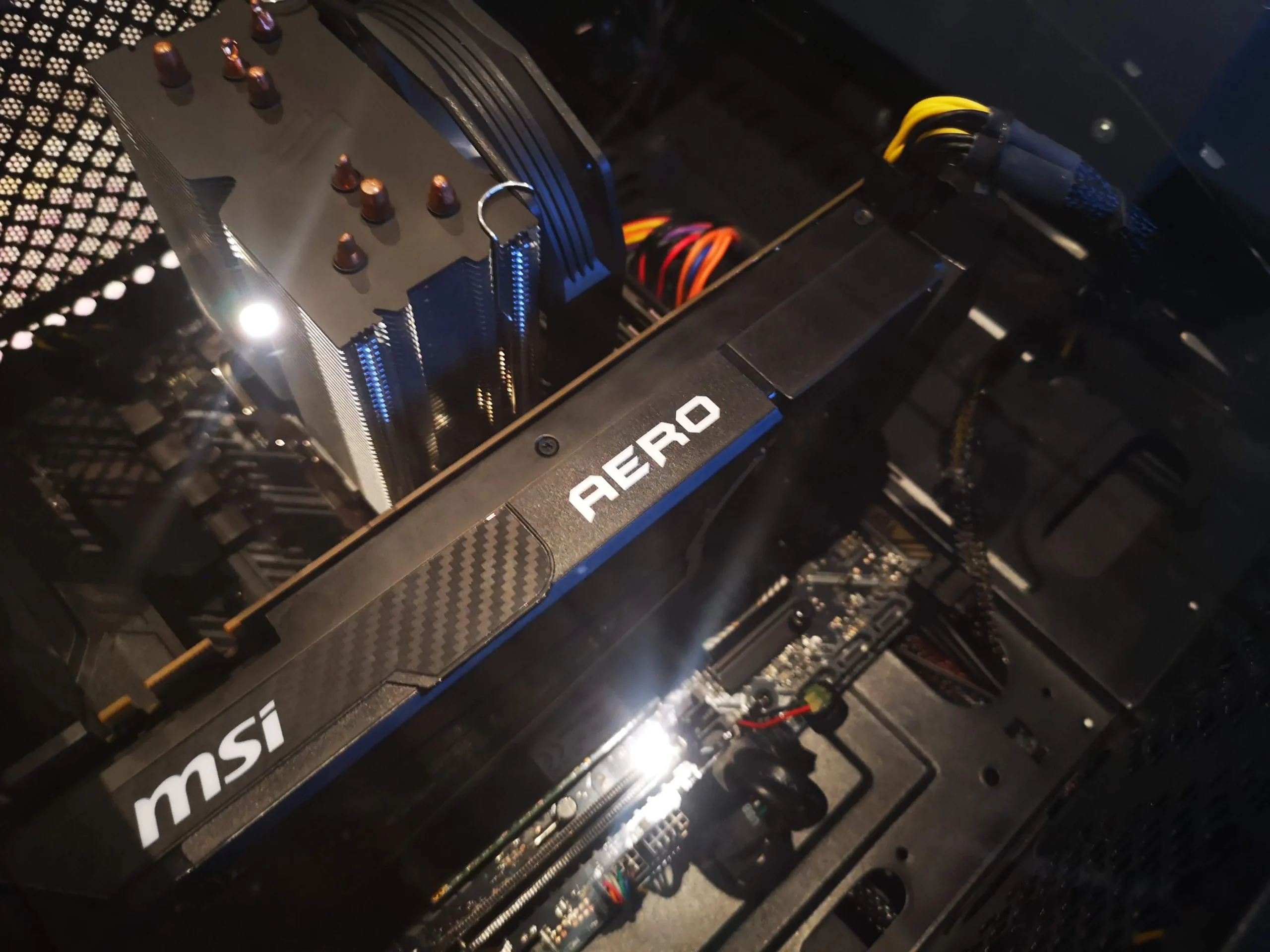
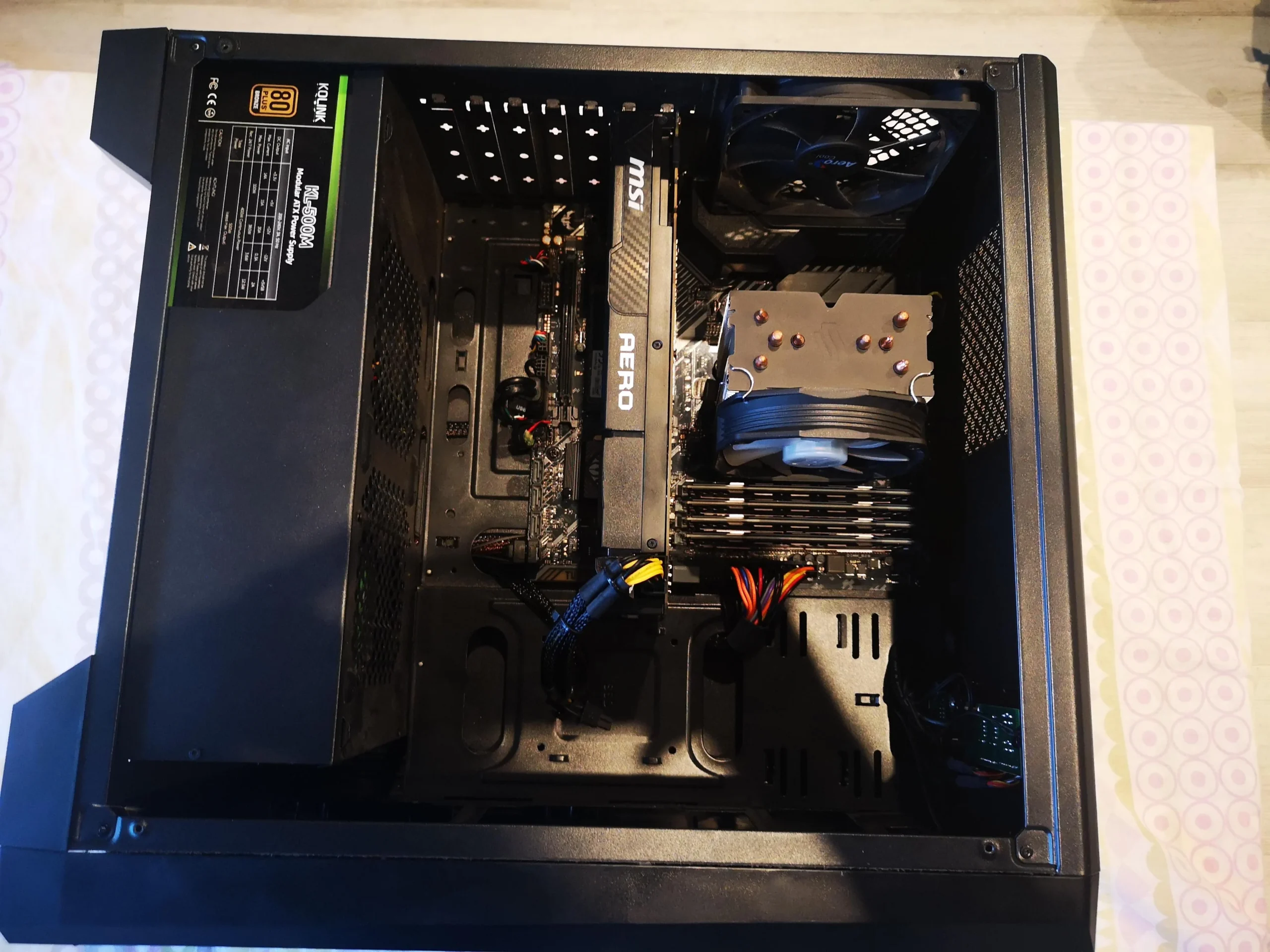
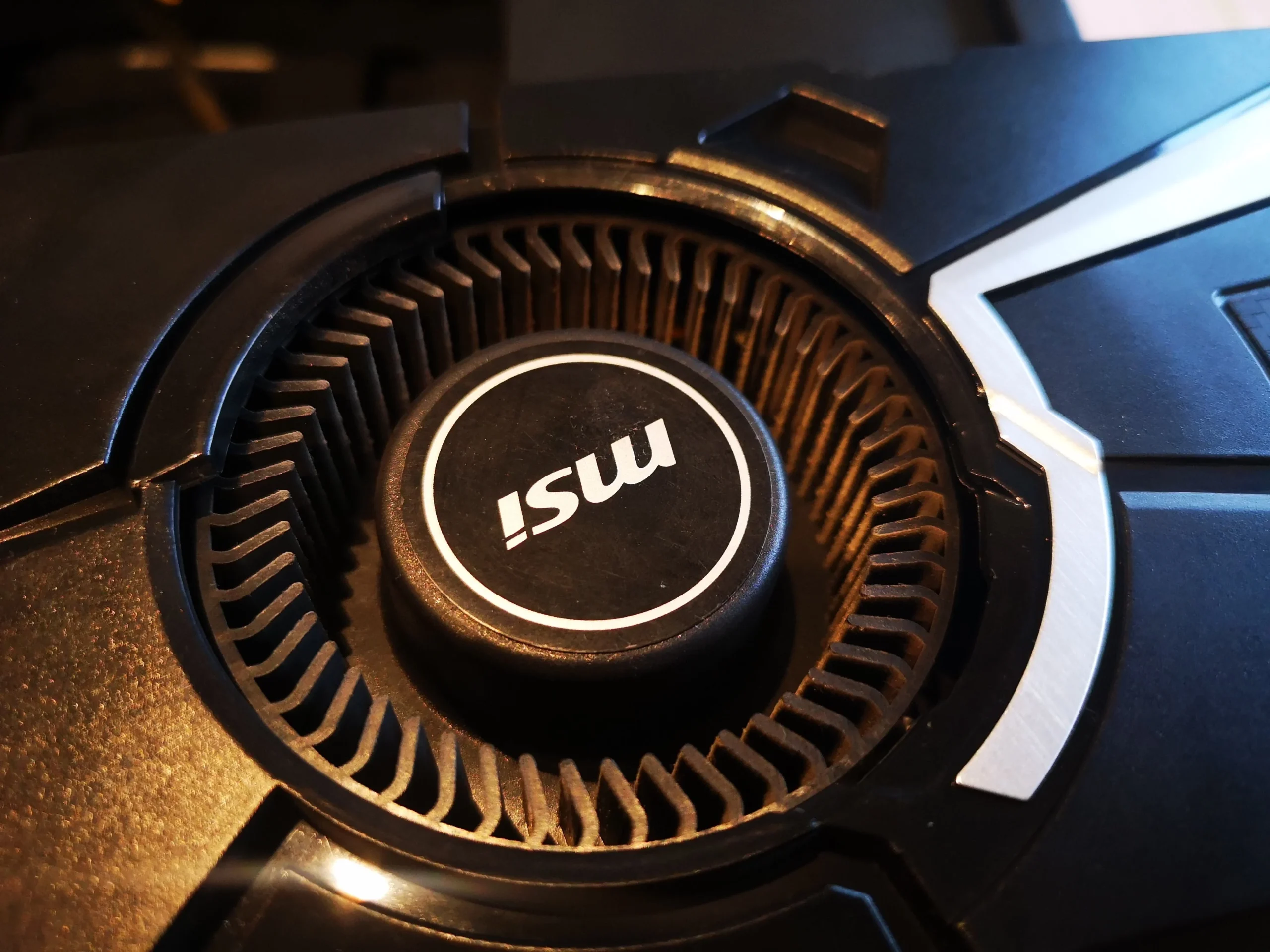
An MSI Aero card uses a circular blower opening rather than the two open fans found on many gaming graphics cards. Beside it, this desktop has a separate tower cooler on an AMD Ryzen processor and a rear exhaust fan in the case. Each part has its own role in moving heat out.
The photo set shows these components during cleaning and the CPU cooler removed, with old compound on the chip and cooler base. It does not show a benchmark or a close view of fresh paste application. The lesson here is how to inspect different fan designs and the thermal contact disturbed by cooler removal.
In this case study
01 / The enclosed route
The MSI Aero card draws air into a circular blower
The close-up shows narrow radial blades around the MSI fan hub. This design draws air through a circular opening, then pushes it through an enclosed graphics-card cooler. Dust can collect between those many narrow blades and in the channel beyond them.
Clean only accessible material with the computer off and unplugged. Hold the rotor still during controlled air cleaning, and do not assume the covered channel is clear just because the visible fan face looks better. A persistently noisy or hot GPU needs its own inspection.
02 / The cabinet around it
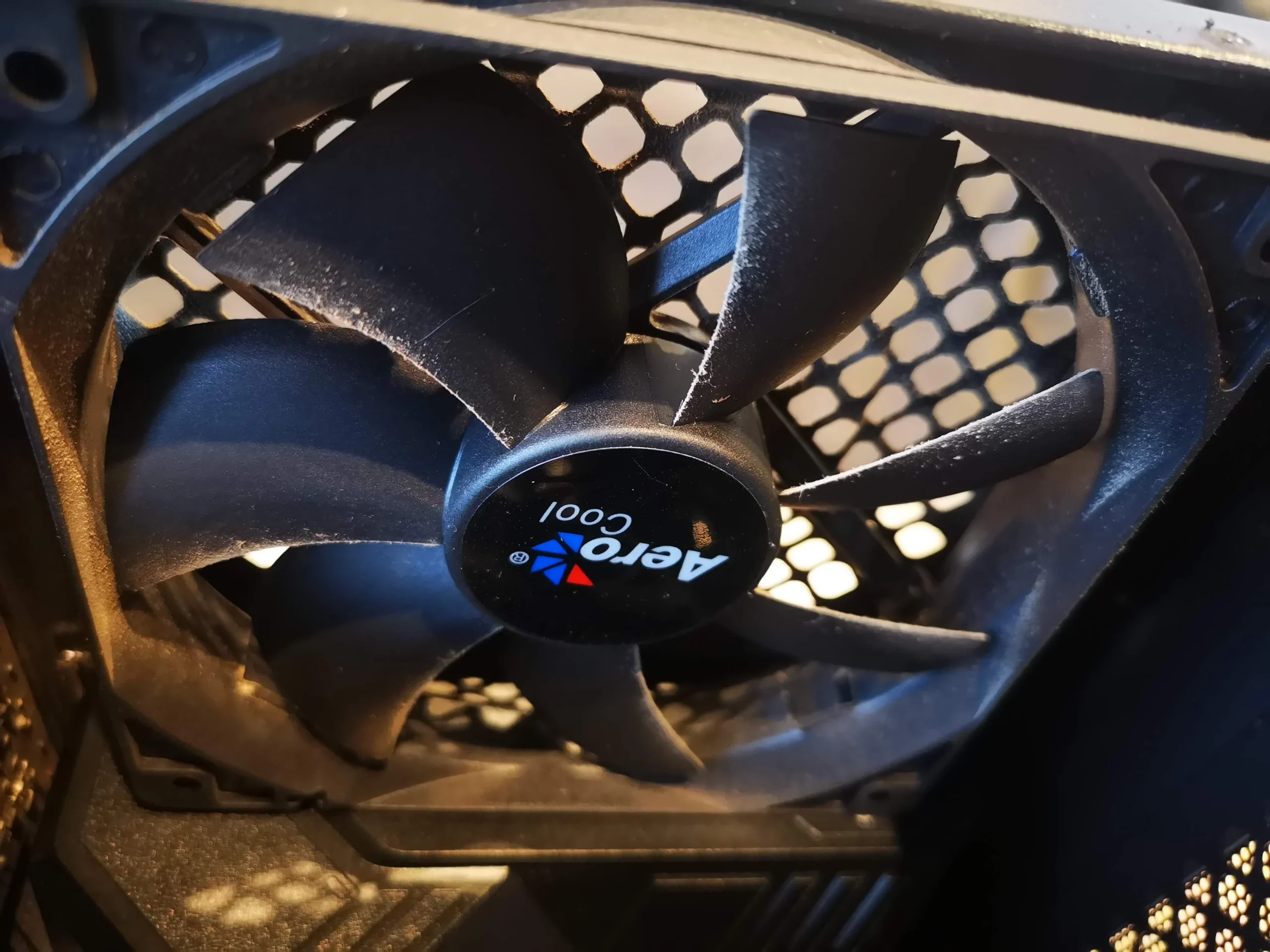
The rear fan and case opening are a separate route
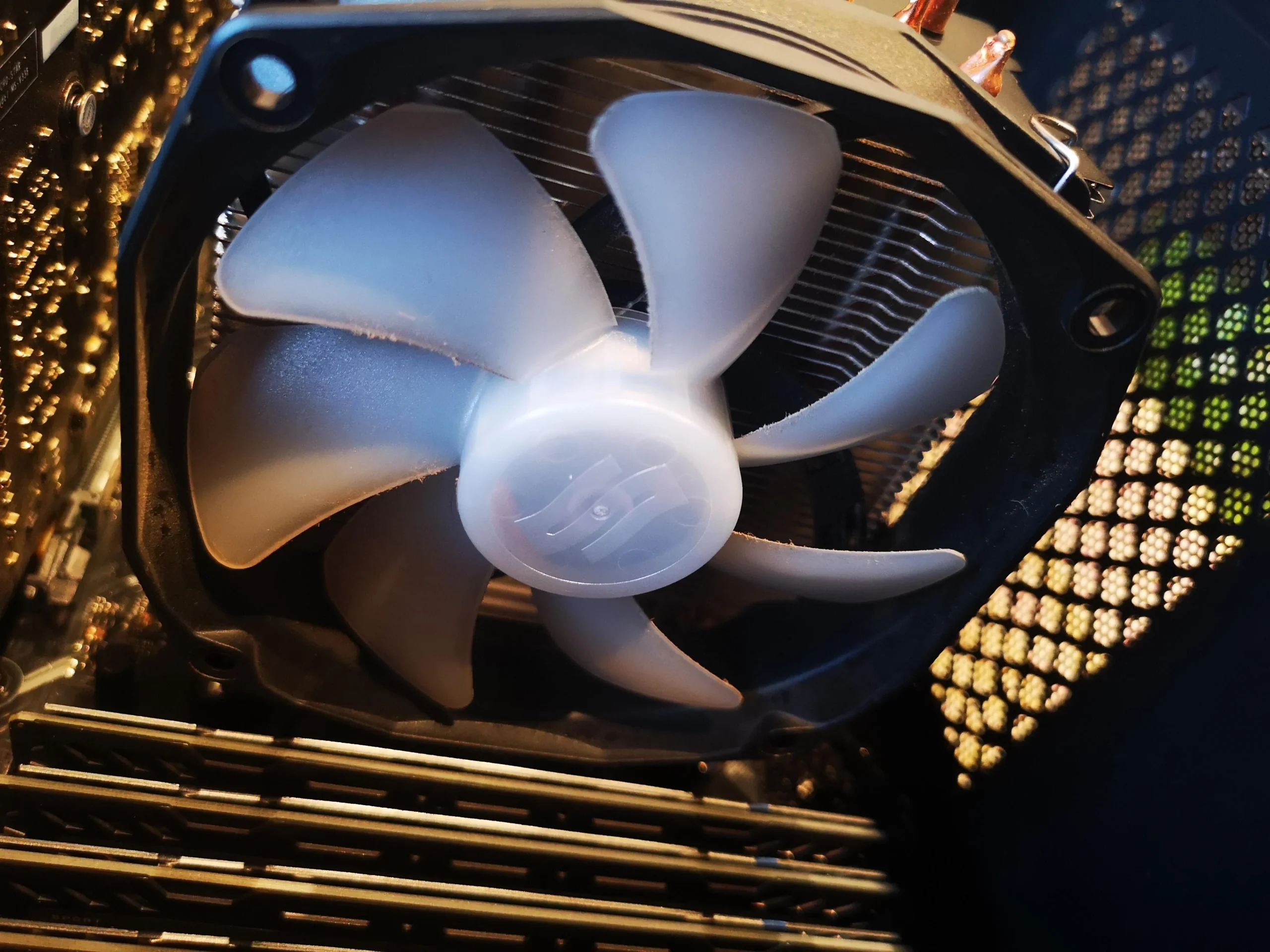
A rear case fan is visible behind a honeycomb grille. It moves warm air out of the chassis, supporting both the CPU tower and the graphics card. Its broad blades are easier to wipe than the Aero blower's narrow radial wheel, but the grille still needs to stay clear.
Check fan direction and cable clearance after cleaning. A case fan that does not start, rattles or is mounted backwards can undermine otherwise clean component coolers.
03 / The processor route
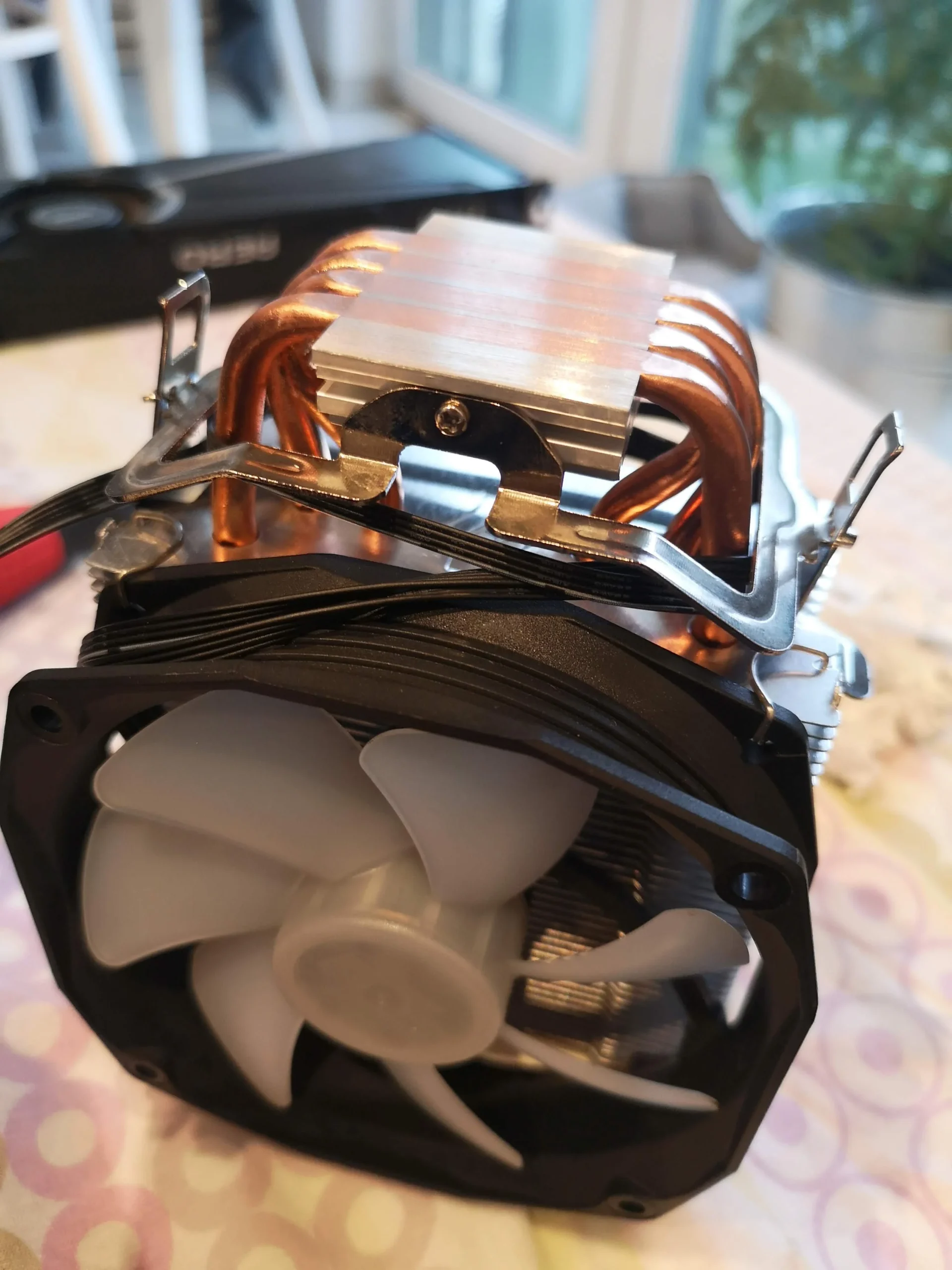
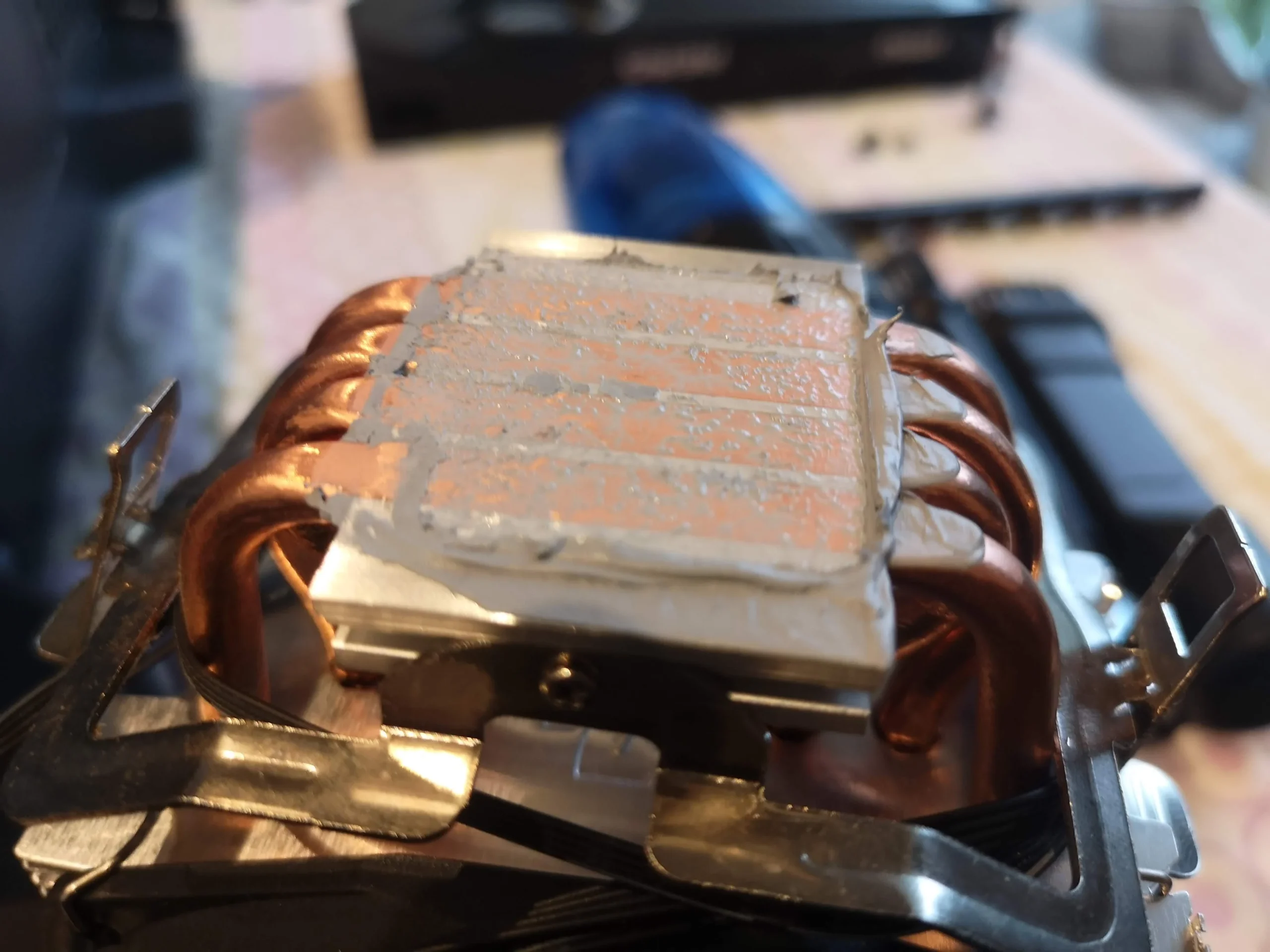
The Ryzen tower cooler has fins and a chip contact
The CPU heatsink has a large fin stack with a fan attached. Air must pass through those fins, so check them from the inlet and outlet sides. The removed cooler photo also shows old, streaked compound on the copper base where it contacted the processor.
Once this cooler has been lifted, the old compound must be prepared and replaced with a suitable fresh application before even refitting. The pictures show removal and a cleaned cooler base, but no documented performance change.
04 / What removal exposes
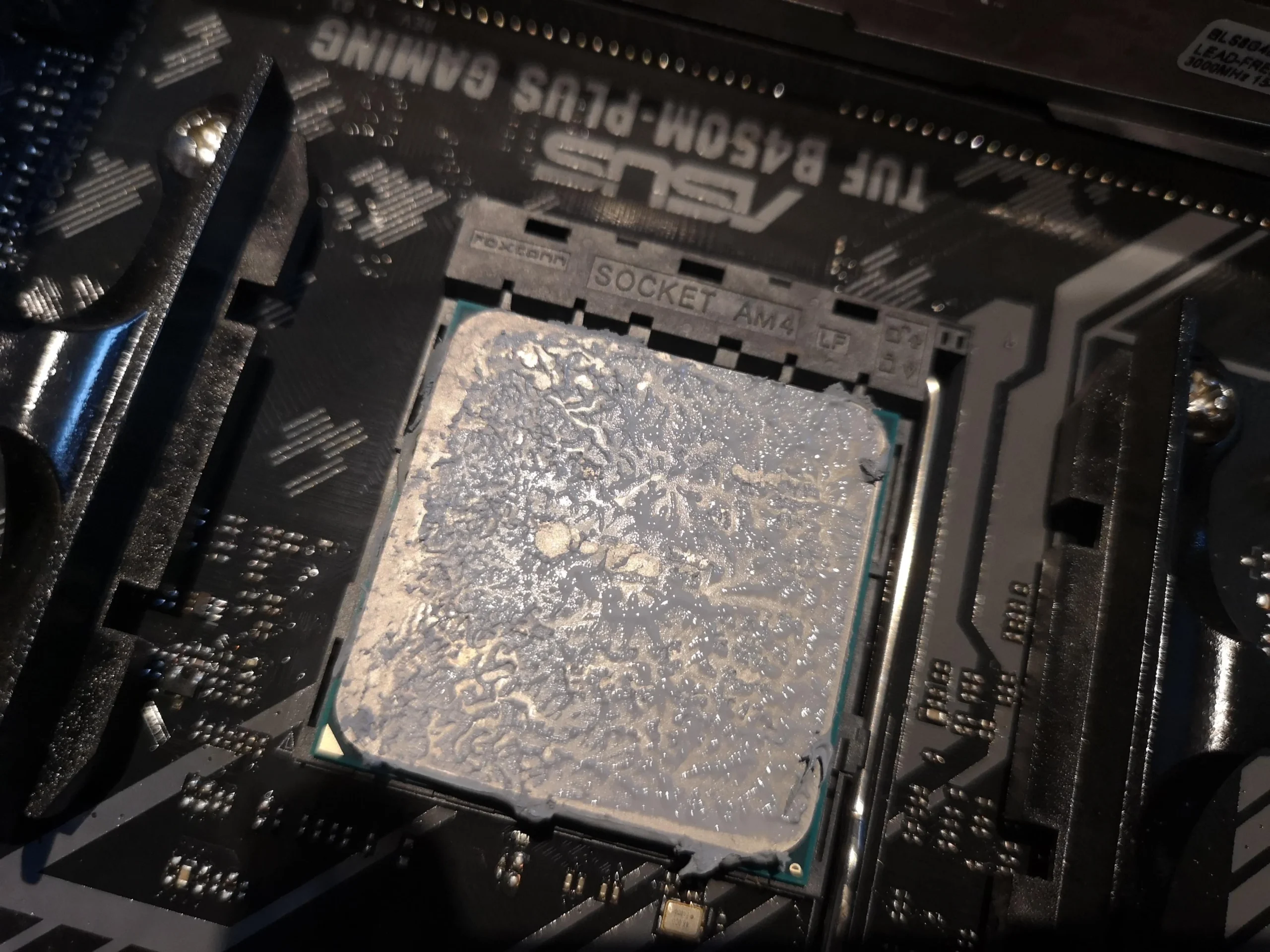
Old compound remained on the Ryzen chip
A close-up of the processor after lifting the cooler shows a broad patch of old material. This is the other half of the thermal interface; cleaning only the cooler base would leave debris between the metal surfaces.
The final case overview shows the cooler back in place beside the MSI Aero card. That is a visible reassembly check. Proper validation still means checking every fan and comparing CPU and GPU temperatures under repeatable workloads.
The engineer’s takeaway
This desktop is a good reminder that 'clean the fan' is not one instruction. The enclosed GPU blower, open rear case fan and finned CPU tower each need their own inspection, while removing the CPU cooler creates a separate thermal-contact task.
Before you open the laptop
Can you clean this Ryzen desktop at home?
Power down, switch off the PSU and unplug the mains cable. Remove accessible case filters and look for dust on the rear fan, CPU fins and GPU blower opening. Support fans so air tools do not overspeed them, and keep loose fibres from falling into the card or connectors.
Removing a tower cooler requires care with its mount and the Ryzen processor. If you lift it, clean both contact faces, apply appropriate new thermal compound and tighten the mount evenly. Do not open the power-supply unit; its internal capacitors can retain dangerous charge.
After the clean
Checking each cooling route after service
After reassembly, confirm the case fan and CPU fan turn normally. GPU fan behaviour varies by card and temperature, so check it under a workload that actually heats the card. Listen for rubbing and make sure no cable touches a blade.
There are no paired readings in this archive. For a meaningful result, compare CPU and GPU temperature, fan speed and noise under the same tasks and room conditions. A clean-looking case photo alone cannot prove a fault is resolved.
Questions from owners
MSI Aero and Ryzen desktop cleaning FAQs
Answers for the blower graphics card and separate CPU tower pictured here.
What is different about an MSI Aero blower fan?
Its narrow radial blades pull air through a circular opening and push it through a more enclosed card cooler. Inspect the fan face and the exhaust path, not just the outside of the case.
Can I use the same cleaning method on all three fans?
The safe principles are similar, but access differs. The case fan has broad exposed blades, the CPU fan sits against fins, and the GPU blower has a narrow inlet and covered internal route.
Does dust on the CPU tower mean the GPU is dusty too?
Not necessarily. The two coolers have separate routes. Inspect both; a clean rear case fan cannot prove the graphics-card blower is clear.
Why is old paste visible on the Ryzen CPU?
The CPU cooler was lifted during the work, exposing the material between its base and the chip. Both surfaces need preparation and fresh compound before the cooler is refitted.
Is this a measured overheating fix?
No. The archive has no paired temperature test. It documents access, inspection and cleaning-related work, with recommended checks after reassembly.
Should I remove the MSI Aero shroud myself?
Only if the card needs internal access and you have the correct service information. Opening the card can disturb screws, pads and warranty seals; start with safe accessible cleaning and diagnose persistent symptoms.
UK desktop cooling enquiries
Not sure which fan is making the noise?
If you are in the UK, tell us whether the noise appears during gaming, CPU-heavy work or from startup. Include the graphics-card and processor models if known, a photo of the case and your postcode.
We can discuss a full airflow clean and identify whether a case fan, CPU tower or enclosed GPU blower needs separate attention.
Read about our desktop fan and cooling service, then use the form to tell us your computer model, symptoms and UK postcode.
Free to enquire · No obligation to book. We discuss the proposed work and price before you decide.
The workshop photos
MSI Aero and Ryzen tower cleaning gallery
Open the photos to compare the GPU blower, rear case fan, Ryzen chip and CPU tower cooler base.