
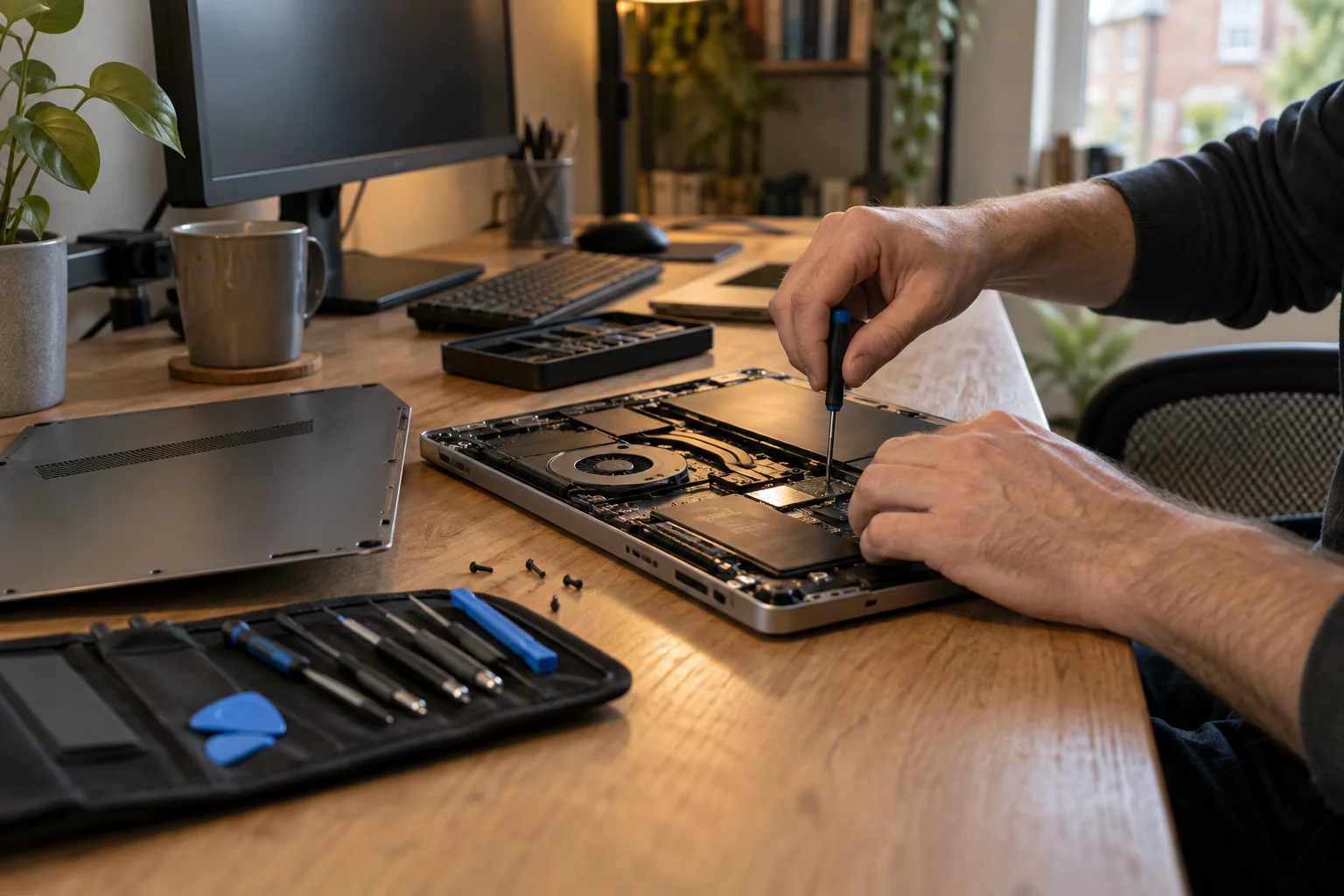
Computer repairs for home and business
Computer repair in County Durham
Laptop, desktop PC and Mac repairs for homes and businesses in County Durham. We help with damaged screens, computers that will not start, slow systems and lost files. Tell us the fault and your postcode to check repair options and the earliest suitable appointment.
- Laptop, Mac and desktop PC enquiries
- Local availability checked for your postcode
- Free enquiry, no obligation
- Price agreed before repair
Laptop, PC and Mac repairs
Laptop screens and damaged parts
We repair laptops with cracked displays, faulty keyboards, worn batteries, broken hinges and charging problems. A screen that stays black may have a different fault from a visibly cracked panel, so testing comes before choosing a replacement. Send the make and model to help identify suitable parts.
Desktop and gaming PCs
Help with desktop towers, custom builds, gaming computers and all-in-one PCs. Faults include failure to start, unexpected shutdowns, overheating, crashes and no picture on the monitor. Testing can check the power supply, memory, storage, cooling and other components before repair or replacement.
MacBook, iMac and Mac mini
Mac repairs cover display damage, charging faults, startup errors, storage problems and software issues. The exact model matters because parts and repair methods differ between generations. We can also assess upgrade options where the hardware supports them.
Liquid damage and motherboard faults
Spills, damaged sockets and power faults can need work on the board rather than replacement of an obvious external part. Switch off a computer after a spill and disconnect its charger. Inspection establishes the extent of damage and whether component repair is a practical option.
Slow computers and software problems
We help with unwanted software, system errors, email problems and computers that have become difficult to use. Diagnosis separates software issues from failing storage or insufficient memory. A compatible SSD or memory upgrade may improve performance without replacing the whole computer.
Files and data recovery
File transfers, storage replacement and data recovery need different approaches. Say if documents or photos exist only on the affected device. If a drive is failing or files have disappeared, avoid installing recovery tools onto that drive before an assessment.
Home visits, remote support and workshop repairs
A home or workplace visit is useful when the problem involves your desk setup, printer, Wi-Fi or several connected devices. Give the actual address postcode so travel, appointment availability and any callout charge can be checked.
Remote support can suit software, email and settings problems when the computer starts and has a reliable internet connection. Physical damage, failed power components and internal repairs usually need hands-on assessment. Collection or workshop arrangements depend on the location and the work.
Choosing the right appointment
Describe what happens when you use the computer and any checks you have already tried. That helps establish whether a visit, remote session or workshop assessment is the useful next step. Confirm where the equipment needs to go before travelling.
Repair costs and quotes
The cost depends on the fault, the device and any replacement parts. Before booking, confirm the assessment charge, callout or travel fee and whether collection and return are included. A diagnosis can be chargeable even if you decide against the repair.
The repair quote should explain the proposed work and its total price. Approve it before repairs proceed. If testing reveals more damage, agree the revised work and price first. Ask what warranty applies to the repair and any supplied parts.
Repair, upgrade or replace?
A single faulty component may be worth replacing on an otherwise suitable computer. Extensive damage, several worn parts or software the machine can no longer run can change that decision. Compare the complete repair cost with replacement, including moving files and setting up applications.
Urgent repairs and completion times
If you need the computer for work, study or an approaching deadline, mark the enquiry as urgent and give the date you need it. Include whether the priority is using the device again, recovering a particular file or both.
An available appointment does not always mean the repair will finish that day. Software work and straightforward faults may take less time than ordered parts, board repairs or recovery work. Ask for an estimated completion date after the fault has been assessed.
Preparing for assessment
Have the model number and a short description of the fault ready. Mention a recent spill, drop, repair or upgrade. For a laptop power problem, say whether you have its charger. Never put passwords or recovery keys in the enquiry description.
Your files during a repair
Let us know if the computer contains important files without another copy. A display or cooling repair is different from replacing storage or reinstalling an operating system. Agree what must be preserved before any work that could erase data.
If the device works normally enough to make a backup, check that the copied files open on another device. If storage is failing, repeated startup attempts can make recovery harder. Stop using the affected drive and ask about assessment instead.
After the repair
Check the tasks that originally failed and confirm which programs and files are available. Keep the invoice and repair warranty details. A replacement drive or new system installation may need application licences and account sign-ins before everything is ready to use.
County Durham areas
Use this county page for the wider area, or open the local Chilton and Ferryhill page. You can still enquire if your town does not have a separate page.
Chilton and Ferryhill
For DL17 enquiries in Chilton and Ferryhill, include the town or village as well as your postcode. The local page covers repair appointments, common faults and nearby areas including Ferryhill Station and Dean Bank.
Durham and surrounding towns
Enquiries are welcome from Durham, Chester-le-Street, Consett and Stanley, as well as surrounding villages. Include the nearest town with your postcode for an address outside a town centre. Appointment options are checked for the individual address.
South and west County Durham
You can enquire from Newton Aycliffe, Spennymoor, Bishop Auckland, Shildon, Sedgefield and Barnard Castle, including nearby rural addresses. For a visit or collection, confirm travel costs and return arrangements as part of the booking.
East County Durham
For Seaham, Peterlee and nearby communities, send your device details and postcode with the fault. A software issue may be suitable for remote help, while internal hardware work needs a suitable appointment or workshop arrangement.
Repair questions
Can you help with both home and business computers?
Yes. Enquiries can cover home laptops, family desktops, office computers and individual work devices. For business equipment, explain which tasks are affected and whether another person needs to authorise access or the repair.
Do you repair all computer brands?
We accept enquiries for major Windows laptop and PC brands, custom-built desktops and Apple Macs. Give the exact model and fault. Parts availability and the condition of the device determine which repairs are possible.
Can I arrange help outside Durham city?
Yes. This page covers enquiries across County Durham, including towns and rural addresses. Add your town or village and postcode so the available repair options and any travel costs can be checked.
Should I buy replacement parts before booking?
It is usually better to establish the fault and compatible part first. A symptom such as no charging or a black screen can have several causes. Mention any part you have already purchased before arranging assessment.
Free to enquire
Get help with your computer
Tell us what has stopped working and add your postcode. Include your deadline if the repair is urgent.