
Importance of regular laptop fan cleaning
As technology continues to advance, laptops have become an essential part of our daily lives. Whether we use them for work, entertainment, or communication, it’s important to keep them in good working condition. One of the most crucial components of a laptop is its fan, which helps to keep the system cool and prevent overheating. Over time, dust and debris can accumulate on the fan blades, reducing its efficiency and potentially causing damage to the system. In this article, we will explore the importance of cleaning your laptop fan, the signs that indicate it needs cleaning, how to clean it safely and effectively, and the benefits of regularly maintaining it. We will also discuss common mistakes to avoid when cleaning your laptop fan and when it may be necessary to seek professional help.
Why Cleaning is Important
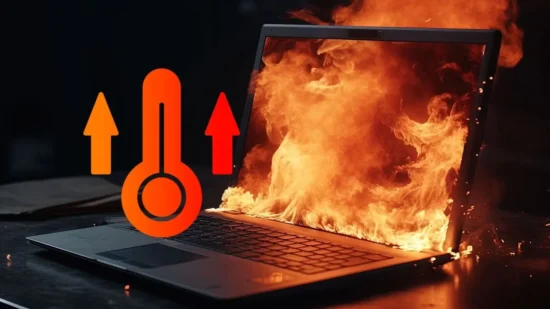
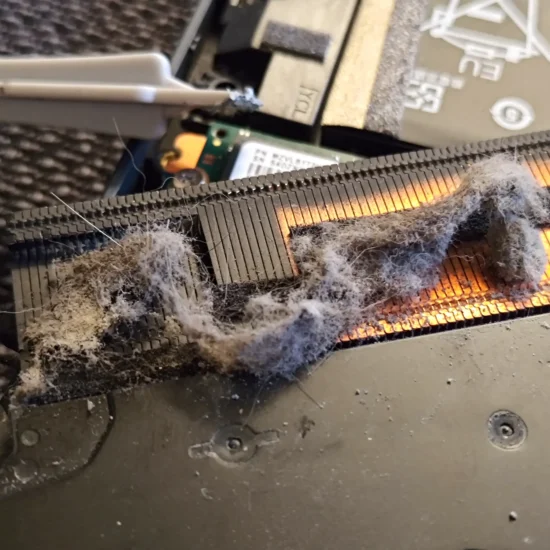
Cleaning your laptop fan is important to ensure the smooth functioning of your device. The fan is responsible for keeping your laptop cool by removing the heat generated by the processor and other components. Over time, dust and debris can accumulate on the fan blades, causing it to work harder than necessary to maintain the temperature. This can lead to overheating and damage to internal components such as the motherboard or hard drive. Regularly cleaning your laptop fan can prevent these issues and extend the lifespan of your device.
In addition to preventing damage, cleaning fan can also improve its performance. A dirty fan has to work harder to maintain a cool temperature, which can slow down the processing speed of your device. By cleaning the fan, you can ensure that it is working at optimal efficiency, allowing for faster performance and smoother multitasking.
Overall, cleaning is an important maintenance task that should not be overlooked. It not only prevents damage and extends the lifespan of your device but also improves its performance. If you notice any signs that your laptop fan needs cleaning, such as increased noise or overheating, it is important to take action and clean it as soon as possible.
The Signs That Your Laptop Needs Cleaning
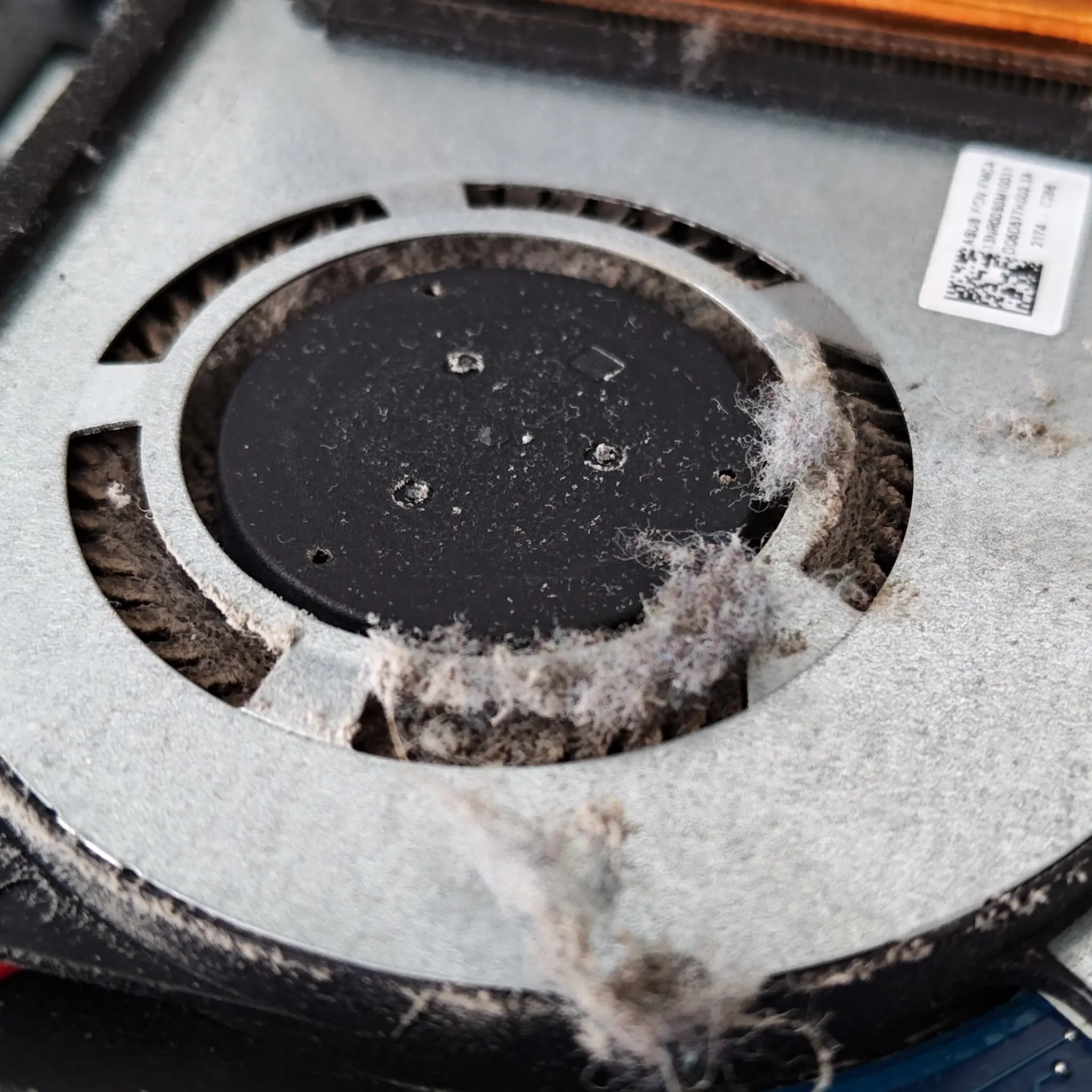
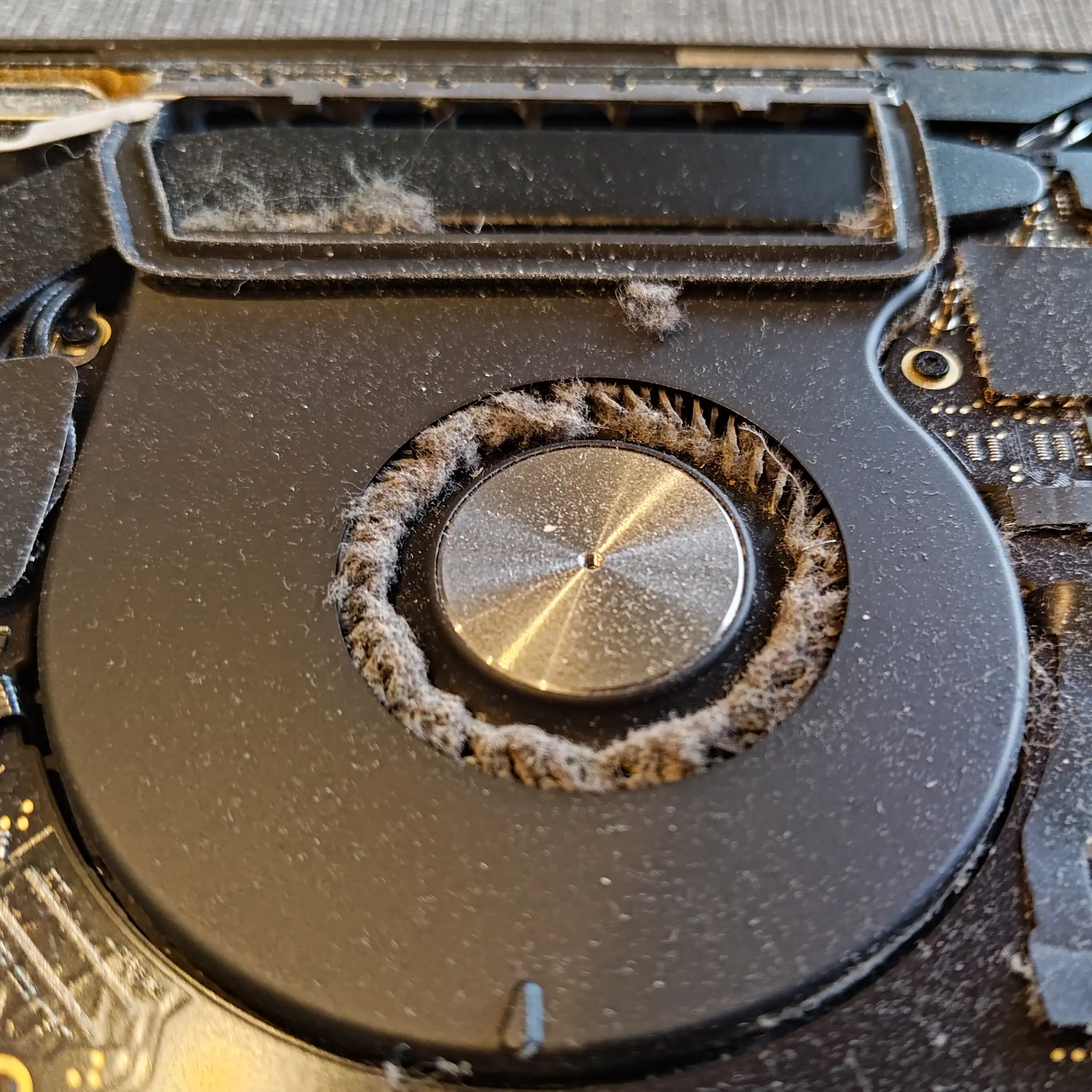
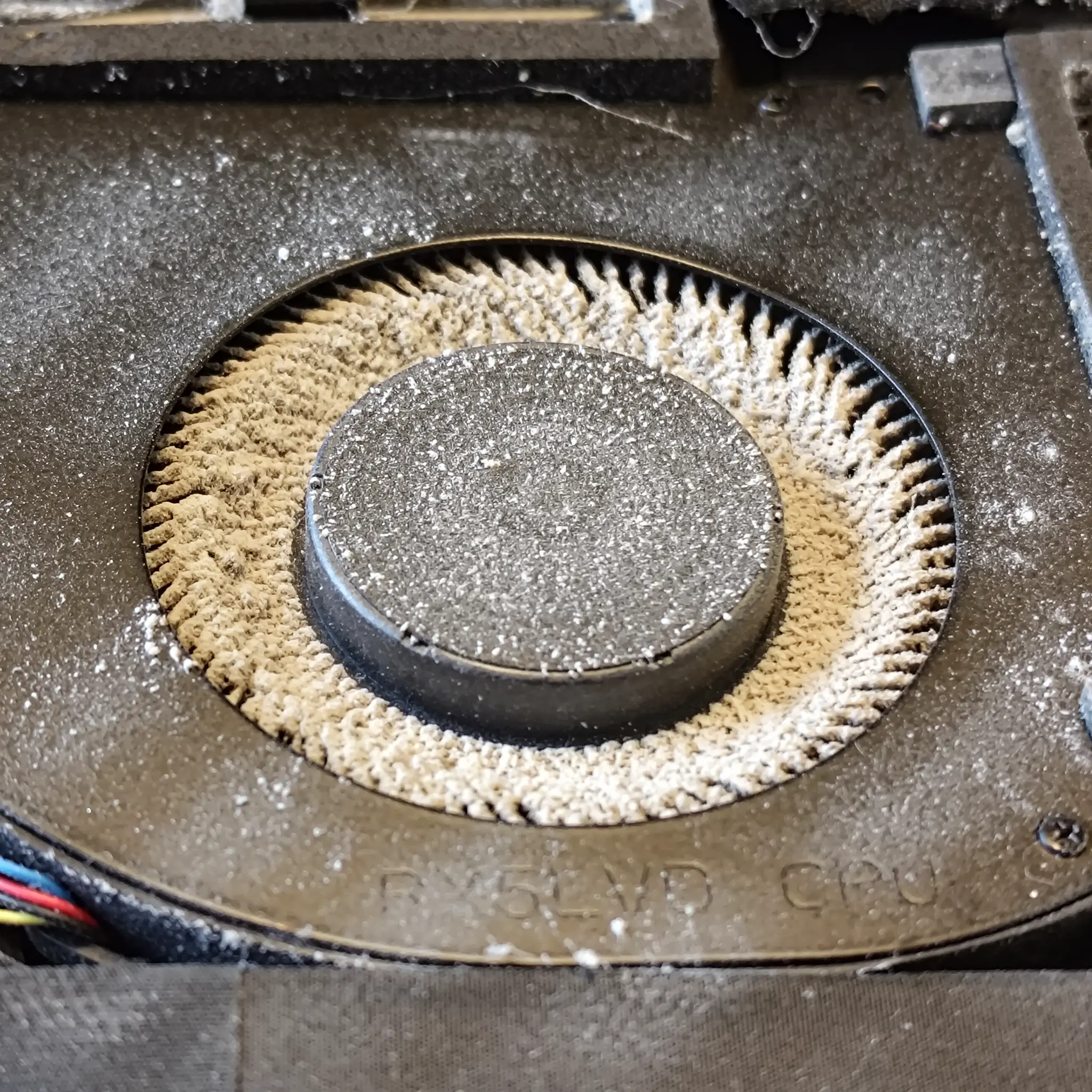
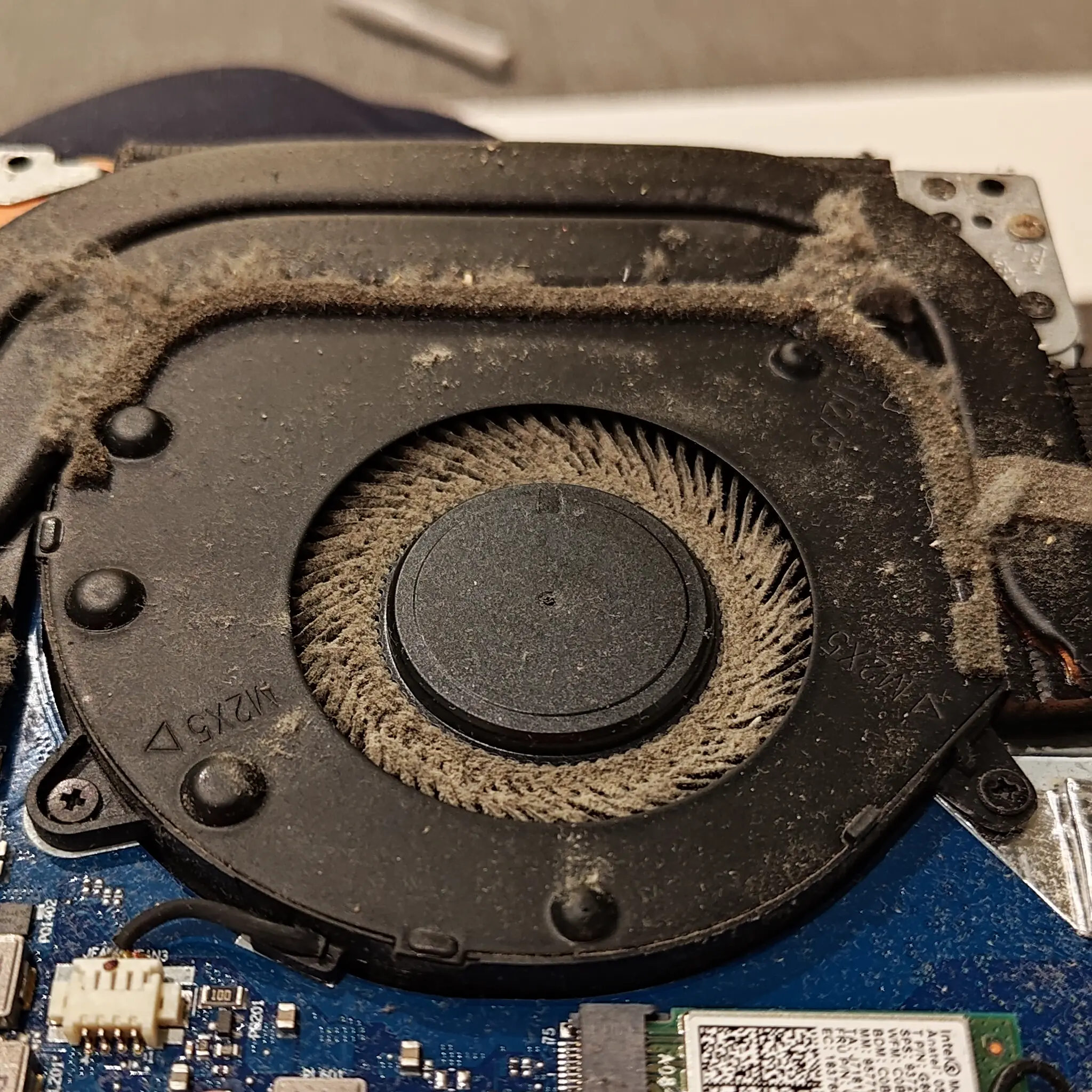
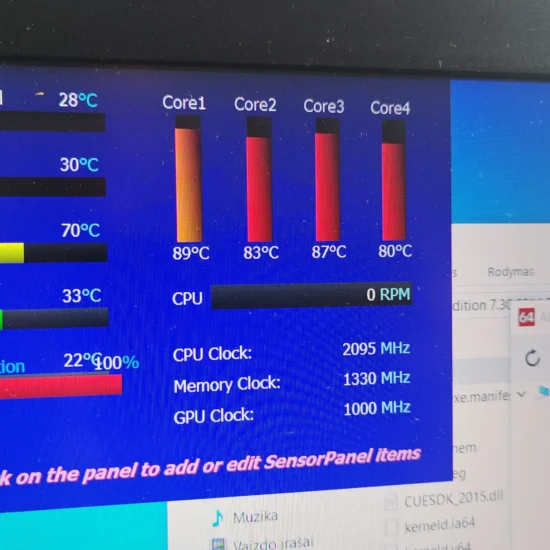
One of the most common signs that your laptop fan needs cleaning is when you hear a loud noise coming from it. The noise can be a whirring or grinding sound, which indicates that the fan is struggling to work efficiently due to the accumulation of dust and debris. Another sign is when your laptop feels unusually hot when in use. A hot laptop can be an indication that the fan is not functioning properly, which can lead to overheating and damage to internal components. Additionally, if your laptop shuts down unexpectedly or experiences frequent crashes, it may be due to an overheated system caused by a dirty fan. You may also notice that your laptop is running slower than usual, taking longer to load programs and files. This could be a result of the fan struggling to keep up with the demands of the processor due to dust buildup. Finally, if you see visible dust or debris on the exterior vents of your laptop, it’s a clear sign that the interior components are also dirty and need cleaning. Overall, it’s essential to pay attention to these signs and take action promptly by cleaning laptop fan regularly to avoid long-term damage and improve its performance.
How to Clean Your Laptop Safely and Effectively
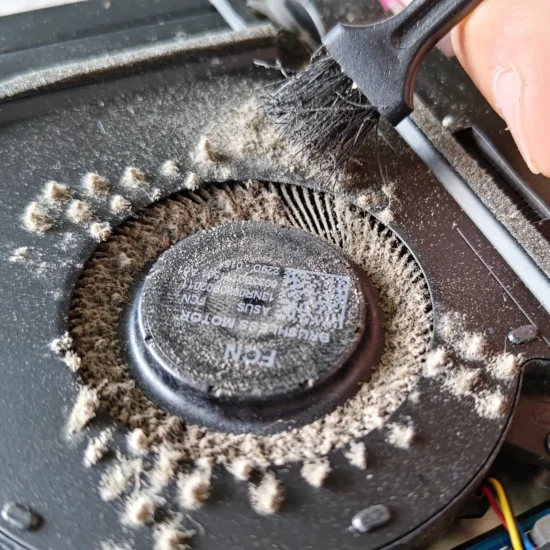
Cleaning your laptop is a simple task that can be done by anyone. However, it’s important to do it safely and effectively to avoid any damage to your laptop. Firstly, turn off your laptop and unplug it from the power source. This is crucial for your safety and to prevent any electrical damage to your device. Next, locate the fan vent, which is usually located on the side or bottom of your laptop. Use a can of compressed air to blow out any dust or debris that may have accumulated in the vent. Hold the can upright and keep it at least an inch away from the vent to prevent moisture from entering your device. Be sure to blow air in short bursts and avoid shaking the can as this can cause condensation inside the can and damage your laptop. If you don’t have access to compressed air, you can use a soft-bristled brush or a toothbrush to gently remove any dust or debris. Again, be careful not to damage any of the components inside your laptop. Once you’ve cleaned the fan vent, use a microfiber cloth to wipe down the exterior of your laptop. Avoid using harsh chemicals or abrasive materials as they can scratch or damage the surface of your device. By following these simple steps, you can safely and effectively clean your laptop dust and improve its performance.
Does Cleaning Your Laptop Really Improve Performance?
If you’re wondering whether cleaning your laptop fan really improves performance, the answer is yes. When your laptop’s fans becomes clogged with dust and debris, it can’t cool the internal components as effectively, which can cause them to overheat. This overheating can lead to a decrease in performance and even permanent damage to your laptop’s hardware. By cleaning your laptop fans regularly, you can ensure that it’s able to do its job properly and keep your laptop running smoothly.
In addition to improving performance, laptop cleaning can also extend the lifespan of your laptop. When internal components are subjected to excessive heat due to poor cooling, they may fail sooner than expected. By keeping your laptop’s fan clean and functioning properly, you can help prevent premature component failure.
It’s important to note that while laptop dust cleaning can improve performance, it’s not a magic fix for all performance issues. If your laptop is still running slowly after cleaning the fan, there may be other underlying issues that need to be addressed. However, by regularly maintaining your laptop’s cooling system, you can ensure that it’s working optimally and reduce the risk of performance issues caused by overheating.
Overall, cleaning your laptop fan is a simple and effective way to improve performance and extend the life of your device. It’s a task that should be performed regularly as part of your routine maintenance routine.
The Benefits of Regularly Cleaning
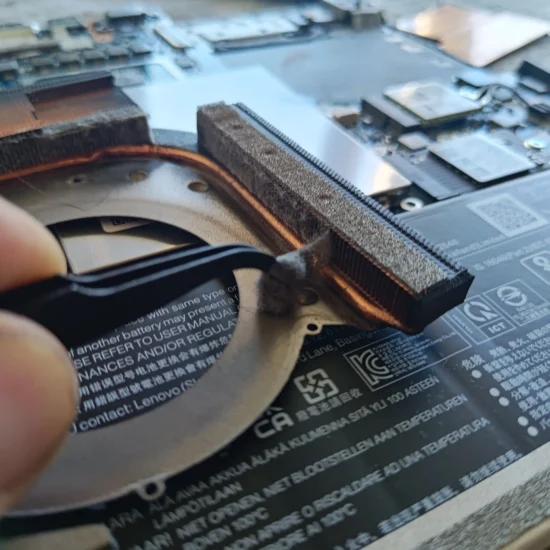
Regularly cleaning your laptop fan can provide a number of benefits. One of the main advantages is that it can improve the overall performance of your laptop. Over time, dust and debris can accumulate in the fan and block the airflow, causing your laptop to overheat and slow down. By cleaning the fan regularly, you can prevent this from happening and ensure that your laptop runs smoothly. Additionally, cleaning your laptop fan can extend the lifespan of your laptop by reducing the amount of stress on its internal components. When a laptop overheats, it puts a strain on the hardware, which can lead to premature wear and tear. By keeping the fan clean, you can reduce this stress and prolong the life of your device. Another benefit of cleaning your laptop fan is that it can help to reduce noise levels. A dirty fan can become louder as it works harder to cool down the system. By cleaning the fan regularly, you can keep it running smoothly and quietly. Finally, regularly cleaning your laptop fan can also improve your own health by reducing the amount of dust and allergens in the air. When a fan is clogged with dust, it can blow these particles into the air, which can be harmful to people with allergies or respiratory problems. Overall, there are many benefits to regularly cleaning your laptop fan, including improved performance, increased lifespan, reduced noise levels, and better air quality.
Common Mistakes to Avoid When Cleaning Your Laptop Fan
Cleaning your laptop fan is an important maintenance task to ensure optimal performance and longevity of your device. However, there are common mistakes that people make when attempting to clean their laptop fans. Firstly, using compressed air cans at close range can cause damage to the fan blades and even dislodge them. It’s best to use compressed air cans from a safe distance or invest in a laptop vacuum cleaner specifically designed for cleaning laptop fans. Secondly, not disconnecting the power source before cleaning can lead to electrical shock or short-circuiting of the motherboard. Always turn off your laptop and remove the battery before beginning the cleaning process. Thirdly, using harsh chemicals or water can damage the internal components of your laptop. Instead, use a soft-bristled brush or microfiber cloth to gently remove dust and debris. Fourthly, not taking proper precautions when opening up the laptop can lead to accidental damage to other parts of the device. It’s essential to follow manufacturer instructions carefully and use anti-static tools to avoid static electricity build-up. Lastly, not reassembling the laptop correctly can result in loose screws or misaligned components which can affect performance or cause further damage. It’s crucial to take your time and carefully reassemble all parts correctly. By avoiding these common mistakes, you can effectively clean your laptop fan without causing any damage to your device.
When to Seek Professional Help
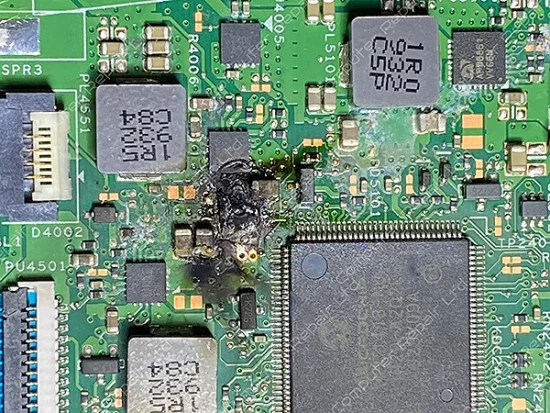
While cleaning your laptop is an important maintenance task, there may be times when seeking professional help is necessary. If you have attempted to clean laptop fan yourself and notice that it is still making unusual noises or not running efficiently, it may be time to seek professional help. Attempting to fix the issue yourself could potentially cause further damage to your laptop, leading to costly repairs.
Another reason to seek professional help is if you are unsure of how to safely clean your laptop. Cleaning a laptop dust requires a delicate touch, as any damage to the fan blades or internal components could render your laptop unusable. Professional technicians have the experience and expertise needed to safely and effectively clean your laptop fan without causing any damage.
Additionally, if you notice any physical damage to your laptop, such as broken blades or excessive dust build-up that cannot be removed with basic cleaning methods, seeking professional help is recommended. In some cases, the fan may need to be replaced entirely.
Overall, while cleaning laptop is an important maintenance task, there may be instances where seeking professional help is necessary for safe and effective cleaning or repair. It’s always better to err on the side of caution when it comes to caring for your laptop, as attempting to fix issues yourself could potentially lead to more harm than good.
Maintaining your laptop’s cleanlyness is crucial to keep it running efficiently and smoothly. Neglecting its cleaning can lead to various issues like overheating, slow performance, and even permanent damage. Knowing the signs of a dirty fans, how to clean it safely and effectively, and the benefits of regular maintenance can help you avoid these problems. While cleaning your laptop can improve its performance, it is not a magic solution for all problems. It is important to understand when seeking professional help for your laptop cleaning is necessary. Regularly cleaning your laptop is an easy and inexpensive way to extend the life of your device and keep it running at its best. So, take care of your laptop’s, and it will take care of you in return. As technology continues to advance, it will be interesting to see what new methods or techniques are developed for maintaining laptop dust.