Laptop Cleaning Service in London

Internal cleaning and thermal paste replacement. Done properly

If your laptop is running hot, loud, or slowing down, the cause is usually inside. Dust blocks airflow and old thermal paste stops heat from transferring properly.

We open the laptop, clean the cooling system, and replace the thermal paste as standard. This is how overheating is actually fixed, not masked.

Same day cleaning is available in most cases. Some models can be cleaned at your home or office in London. All makes are accepted, including gaming laptops.

Photos and videos are provided after cleaning. Your data stays untouched.

Request Laptop Fan Cleaning
To find specific repair partsTo find specific repair parts and prices
Why we need phoneFor quote confirmation
Why we need phoneTo send a text with the confirmation
Why we need postcodeFor best engineer assignment
Why we need postcodeTo select engineers nearby
If you want computer repair engineer to come to your homeIf you prefer a call-out service, tick this
By clicking 'Request', you agree to our Terms of Service and acknowledge that you have read our Privacy Policy.
Fan Cleaning Services For Laptops In London

What proper laptop cleaning means

Proper laptop cleaning is not blowing air through vents. That only moves dust around and often pushes it deeper into the cooling system.

Real cleaning means opening the laptop and accessing the cooling path directly. Fans are cleared, heatsinks are cleaned, and old thermal paste is removed and replaced. This restores airflow and allows heat to transfer away from the CPU and GPU as it should.

We follow this process on every cleaning job. It takes more time, but it avoids repeat overheating and fan noise returning a few weeks later.

If a laptop cannot be cleaned properly without full access, we do not cut corners. We explain this before starting.

What is included in our laptop cleaning service

Complete laptop cleaning, including thermal paste replacement

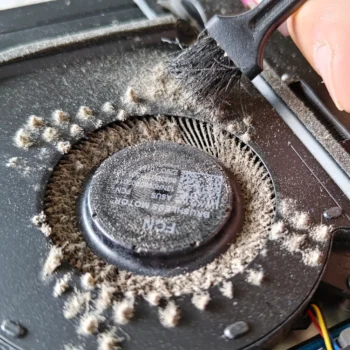
The laptop is opened fully so the cooling system can be accessed directly. Dust is removed from fans and heatsinks, not just from visible areas or vents.

Thermal paste replacement is always included. Old paste is removed and fresh paste is applied correctly. This is not an add on. Without replacing thermal paste, cleaning alone does not restore proper cooling for long.

After reassembly, fan behaviour and temperatures are checked to confirm airflow has been restored. Typical reductions are seen immediately after cleaning. Photo or video proof of the cleaning and repasting is provided so you can see exactly what was done.

Laptop Thermal Paste Replacement Service London

Check availability for your laptop model

Fill in the form with your laptop make and model and your London area. We will review it and come back to you with the available cleaning options.

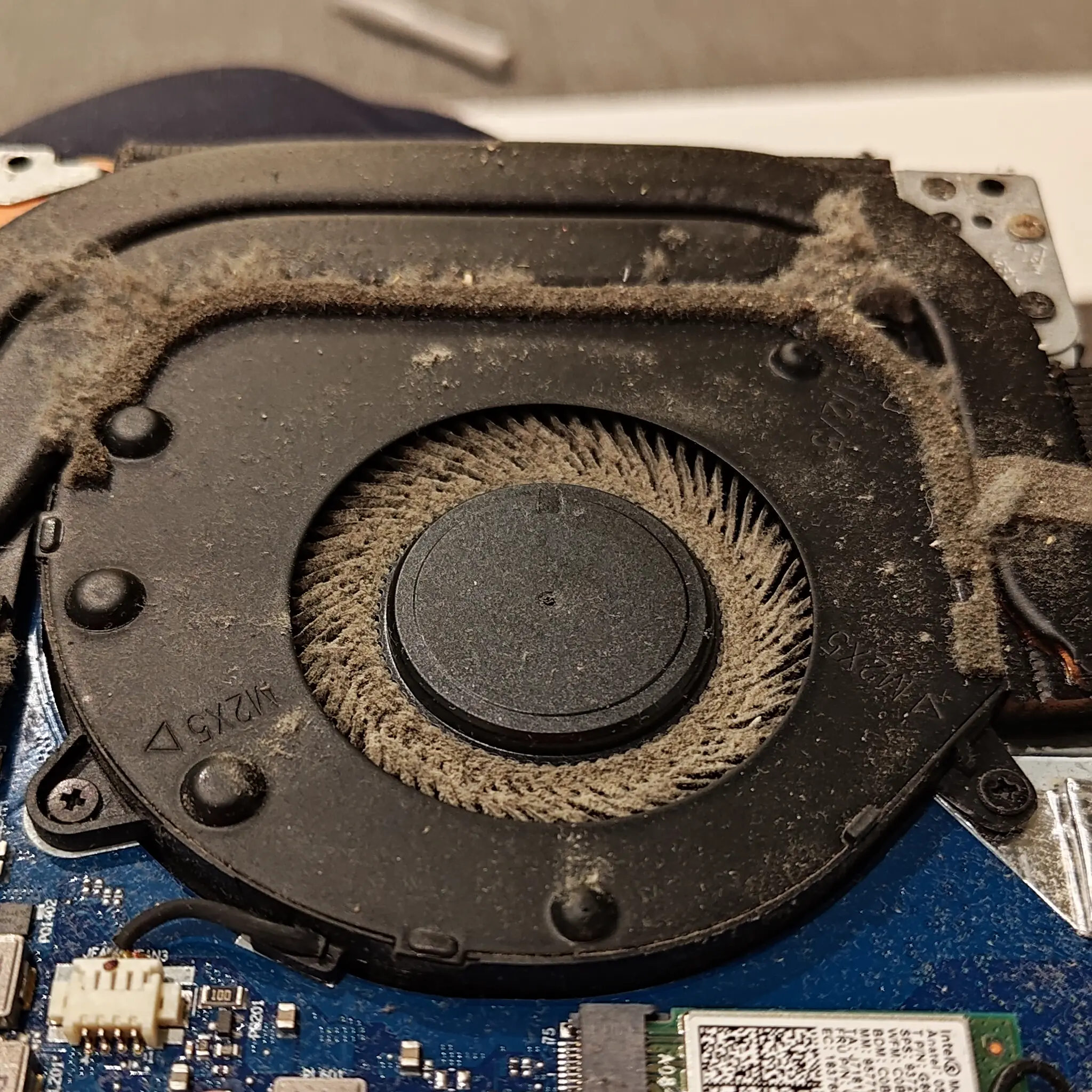
Laptop Overheating Symptoms Caused By Restricted Airflow Rather Than Software Issues

Same or next day laptop cleaning

Fast turnaround, explained clearly

Once you submit the form, we review your laptop model and location and come back to you with the available options. After you bring in your laptop, we aim to complete the cleaning the same day or the next working day.

Some models require more time due to internal design or condition found during opening. If that applies, we explain it before starting any work.

If same day cleaning is not possible, we confirm the next available completion time so you can decide how to proceed.

On site laptop cleaning at your home or office

Available in some London areas and for suitable models

In London areas where our engineers are available, we can clean your laptop at your home or office. This depends on the laptop model and whether the cooling system can be accessed safely without full workshop equipment.

Some laptops, especially thin models and high performance gaming laptops, require bench tools and controlled conditions. If on site cleaning is not suitable, we explain this and offer the best alternative.

When on site cleaning is possible, the same process is followed. Internal cleaning, thermal paste replacement, and careful reassembly.

Laptop Repair Near Me Local Laptop Repairs London

Check if on site cleaning is available in your area

Fill in the form with your laptop make, model, and postcode. We will confirm if on site cleaning is possible and what options are available.

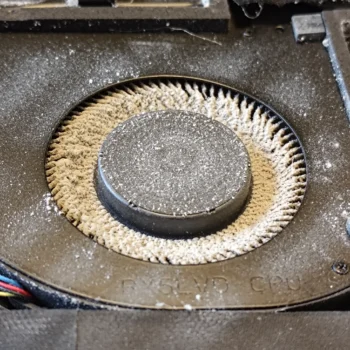
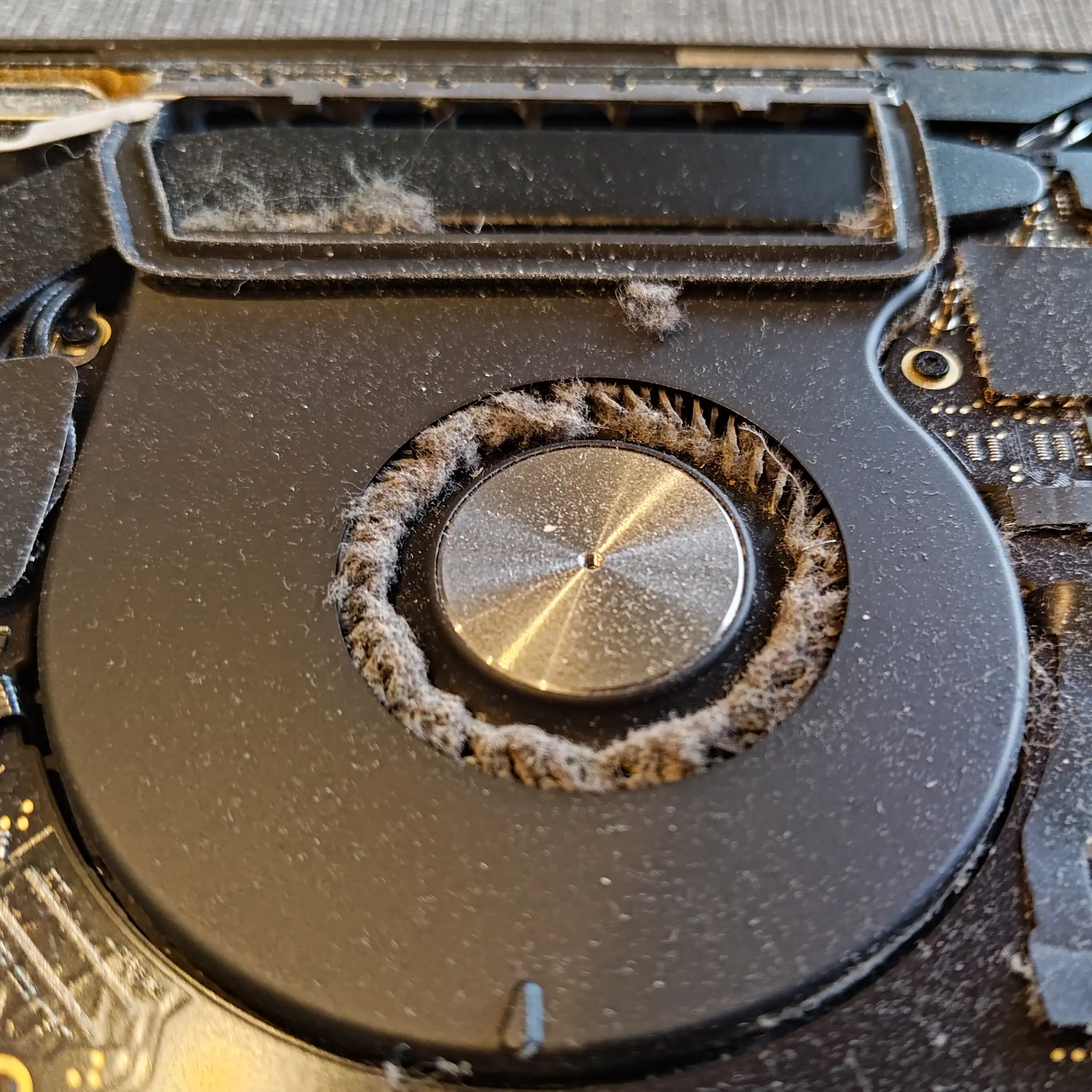
Laptop Fan Clogged With Hair Fibres And Fine Dust Forcing The Cooling System To Work Harder

Gaming laptop cleaning specialists

Proper cleaning for high performance laptops

Gaming laptops run hotter than standard laptops. Multiple fans, dense heatsinks, and sustained load mean dust buildup and worn thermal paste cause problems faster.

We clean gaming laptops every day. This includes full internal access, deep fan and heatsink cleaning, and proper thermal paste replacement on the CPU and GPU. Surface cleaning is not enough for these machines.

If your gaming laptop is getting loud, throttling performance, or shutting down under load, proper internal cleaning is usually the first and most effective step.

All laptop makes and models accepted

Including MacBooks and thin laptops

We clean all laptop makes and models, from well known brands to unbranded or lesser known devices. Cooling systems follow the same principles, but build quality and internal layout can vary.

MacBooks and thin laptops require more careful handling due to compact cooling systems and tight internal tolerances. These models cannot be rushed and often need full disassembly to clean properly.

If a laptop design limits safe access, we explain this before starting and advise on the best way to proceed.

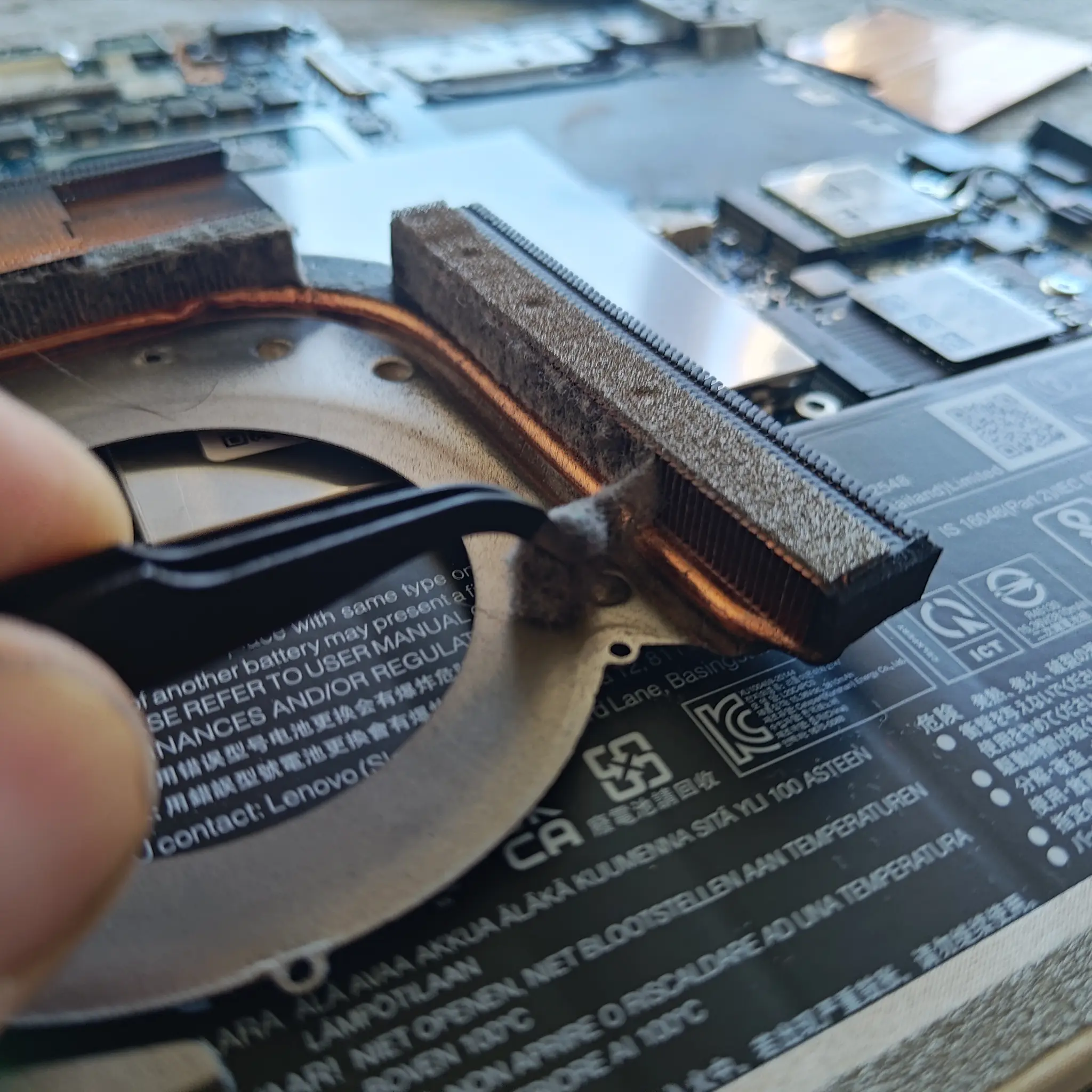
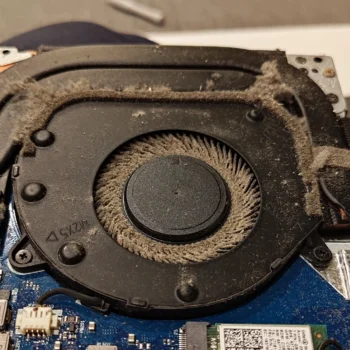
Felt Like Dust Buildup Blocking A Computer Heatsink And Preventing Proper Airflow Through The Fins

Photo and video proof of cleaning and repasting

Clear evidence of the work done

For every cleaning, we provide photo or video proof of the internal work. This includes the state of the cooling system before cleaning and the condition after dust removal and thermal paste replacement.

This is done so you can see exactly what was cleaned and repasted, not just be told it was done. It also helps confirm that the issue was addressed properly, especially on gaming and high load laptops.

Laptop Keyboard Replacement Prices Keyboard Repair Cost London

Laptop cleaning price and what affects it

Clear pricing before any work starts

The price of laptop cleaning depends on the laptop model and the cleaning method required. Standard internal cleaning starts from £80 when the laptop is brought to us.

Not all laptops are built the same. Some models allow easy access to the cooling system, while others require full and careful disassembly. This affects the time involved and, in turn, the price.

Before any work is done, we check the model and explain the exact cleaning price. You will know the cost in advance. There are no surprises and no work starts without your approval.

Ready to book laptop cleaning?

No pressure. Just clear options

If your laptop is running hot, loud, or unstable, the next step is simple. Fill in the form with your laptop model and location and we will come back to you with the available cleaning options.

You will know what can be done, how long it will take, and the exact price before any work starts. No surprises, no obligation.

Laptop cleaning questions and answers

Clear answers to common concerns before booking

This section covers the questions we are asked most often about laptop cleaning. It explains when cleaning is needed, what it involves, how it affects performance, and what to expect before and after the service. The answers are based on real cleaning work we do every day, not generic advice.

In most cases, proper laptop cleaning fixes the cause of overheating, not just the noise. Fan noise is usually a symptom. The real problem is restricted airflow and poor heat transfer inside the laptop.

When dust builds up in fans and heatsinks, heat cannot escape efficiently. On top of that, old thermal paste dries out and stops transferring heat from the CPU or GPU to the heatsink properly. The system then runs hotter, fans spin harder, and performance drops.

A full internal clean combined with thermal paste replacement restores airflow and heat transfer. This lowers operating temperatures, reduces fan noise, and helps the laptop run more consistently under load. If overheating is caused by dust and degraded paste, cleaning addresses the root issue.

Cleaning will not fix overheating caused by faulty hardware or design limits, but in our day to day work, internal dust and old paste are by far the most common reasons laptops overheat.

For most laptops, professional internal cleaning is recommended every 12 to 18 months. This depends on how the laptop is used and the environment it runs in.

Gaming laptops, workstations, and laptops used for heavy tasks generate more heat and pull in more air. These often benefit from more frequent cleaning, sometimes once a year. Homes with pets, carpets, or higher dust levels can also shorten cleaning intervals.

If a laptop becomes louder, hotter, or starts throttling earlier than expected, that is usually a sign cleaning is due sooner. Regular cleaning helps avoid sudden overheating issues.

In most cases, laptop cleaning is completed the same day or the next working day after you bring the laptop in. The exact time depends on the laptop model and how the cooling system is built.

Some laptops allow quick access to the cooling system. Others require full disassembly, which takes more time and care. Condition also matters. Heavy dust buildup, seized screws, or previous poor repairs can slow the process.

We check the model first and set expectations before starting. If a laptop needs more time than usual, you will know in advance. We do not rush cleaning, as rushing leads to missed dust and improper reassembly.

Our aim is always a clean result that lasts, not just a fast turnaround.

Yes. Thermal paste replacement is essential if the goal is proper cooling, not just short term improvement. Cleaning dust alone helps airflow, but it does not fix poor heat transfer between the processor and the heatsink.

Over time, thermal paste dries out, cracks, or pumps out from between the surfaces. When that happens, heat stays trapped in the CPU or GPU even if the fans are clean. This is why some laptops stay hot or throttle even after basic cleaning.

When we clean a laptop, old paste is removed and fresh paste is applied correctly. This restores proper contact and allows heat to move into the cooling system as designed. Without this step, overheating often returns.

In our experience, laptops cleaned without replacing thermal paste rarely stay cool for long. That is why we include it as standard in every proper cleaning job.

Yes. In fact, cleaning a laptop before serious problems appear is usually the best time to do it. Waiting until a laptop starts shutting down or throttling often means it has been running too hot for too long.

Dust buildup and thermal paste degradation happen gradually. A laptop can appear to work normally while still operating at higher than ideal temperatures. Over time, this increases wear on internal components.

Professional internal cleaning is preventative maintenance. It helps keep temperatures stable, fans quieter, and reduces long term stress on the system. When done properly, it does not harm a working laptop and often extends its usable life.

Yes you can! But it requires special knowledge and tools. Every laptop model cleaning is different. Event from the same maker! Be sure that you will check how to clean your exact laptop model before starting.

While it’s possible to clean your laptop fan yourself, we recommend professional cleaning to avoid potential damage. Our experts have the right tools and expertise to do the job safely and effectively.

Common signs include excessive heat, loud fan noise, frequent shutdowns, or sluggish performance. If you notice any of these, it’s time for a cleaning.

Yes, we offer on-site fan cleaning services throughout London for your convenience. We can come to your home or office to perform the service.

Please fill out our request cleaning form for engineer’s availability.

After the cleaning, we perform a thorough check to ensure everything is functioning correctly. If you find something not working that was fine before the service, rest assured, we will fix it. Our commitment is to maintain the integrity of your laptop and ensure your complete satisfaction with our service.

Yes, in many cases it can. When a laptop runs too hot, the system reduces performance to protect the CPU and GPU. This is known as thermal throttling. It often shows up as sudden slowdowns, frame drops in games, or poor performance under load.

By cleaning the cooling system and replacing thermal paste, heat can escape properly again. When temperatures stay within normal limits, the laptop can maintain its intended performance for longer periods.

Cleaning will not magically upgrade hardware, but it can restore lost performance caused by heat. For gaming laptops and work machines used for rendering, design, or heavy multitasking, the difference after proper cleaning is often noticeable.

It depends on the laptop and the warranty terms. Some manufacturers allow internal maintenance, while others restrict opening the device to authorised service centres only.

We open laptops carefully and follow proper procedures, but if a device is still under manufacturer warranty, internal cleaning may affect it. This is especially common with sealed or newer models.

If warranty status is a concern, let us know before booking. We can advise whether cleaning is likely to affect it and help you decide the safest option.

No. Laptop cleaning does not require access to your files or operating system. We do not wipe drives, reinstall software, or browse data as part of this service.

When needed, storage drives are disconnected purely for safety while working on the cooling system. They are reconnected exactly as they were. No data is modified during the process.

If any additional testing beyond basic temperature checks is needed, we discuss this in advance. Your data remains untouched throughout the cleaning.

In many cases, yes. Older laptops often benefit the most from proper internal cleaning because they have had more time for dust to build up and thermal paste to degrade.

Age alone does not decide whether cleaning is worth it. What matters is how the laptop is used and how hot it runs. An older laptop that is still used daily for work, browsing, or media can run noticeably quieter and more stable after cleaning.

Cleaning will not turn an old laptop into a new one, but it can improve reliability and comfort of use. It is also far cheaper than replacing a laptop that still meets your needs but is struggling with heat.

Yes. Gaming laptops run under higher and more sustained load than standard laptops. They generate more heat and move more air through their cooling systems, which pulls in dust faster.

Because of this, fans and heatsinks in gaming laptops clog more quickly, and thermal paste degrades sooner due to higher temperatures. When cooling efficiency drops, performance throttling and loud fans usually follow.

For gaming laptops, regular internal cleaning and thermal paste replacement is an important part of keeping performance stable and avoiding long term heat damage.

In many cases, yes. Random shutdowns are often caused by the laptop reaching unsafe temperatures. When this happens, the system powers off to protect internal components.

If overheating is caused by dust buildup and worn thermal paste, proper internal cleaning can resolve the issue. Restoring airflow and heat transfer allows the laptop to stay within safe operating temperatures under load.

However, not all shutdowns are caused by heat. Faulty batteries, power issues, or hardware faults can also be responsible. If we see signs that cleaning alone will not fix the problem, we explain this before proceeding.

No. Compressed air can remove loose surface dust, but it does not clean the cooling system properly. In many cases, it pushes dust deeper into the heatsink or compacts it against the fins.

Most overheating problems are caused by dust trapped inside the heatsink and dried thermal paste on the CPU or GPU. These areas cannot be cleaned without opening the laptop.

Compressed air may make a laptop slightly quieter for a short time, but it does not restore proper cooling. For lasting results, full internal access and thermal paste replacement are required.

Yes, but these require extra care. Some high performance laptops use liquid metal or non standard cooling solutions instead of regular thermal paste. These materials behave very differently and must be handled correctly.

We identify the cooling setup before doing any work. Liquid metal needs controlled removal, proper masking, and correct reapplication to avoid damage. It is not treated the same way as standard thermal paste.

If a laptop uses a special cooling setup, we explain what is involved and confirm the approach before starting. If cleaning or repasting carries additional risk, this is discussed in advance so you can make an informed decision.

If we find damaged or worn parts during cleaning, we stop and inform you before doing anything further. This can include failing fans, cracked heatsinks, swollen batteries, or damaged connectors.

We explain what was found, how it affects cooling or safety, and what options are available. No additional work is carried out without your approval.

In some cases, cleaning can still continue as planned. In others, replacing a part may be recommended to avoid repeat issues. You are always given clear information before any decision is made.

When on site cleaning is suitable, it can be just as effective. The same internal cleaning process is followed, including dust removal and thermal paste replacement.

However, not all laptops are suitable for on site work. Thin laptops, complex gaming machines, or models with difficult access often require bench tools and controlled conditions. In those cases, workshop cleaning is the safer and more reliable option.

We check the laptop model first and only offer on site cleaning when it can be done properly. If workshop cleaning is needed, we explain why before booking.


Laptop fan cleaning guides

Detailed explanations for those who want to understand the process

This section brings together in depth guides about laptop fan and cooling system cleaning. The guides explain how dust builds up, why fans get loud, how thermal paste affects temperatures, and why proper internal cleaning matters.

They are written from real cleaning experience and focus on practical understanding rather than theory. If you want to know what is happening inside your laptop, or why certain cleaning methods work and others do not, these guides cover it in detail.