Cracked or faulty screen
Cracks, lines, flickering or a very dim display. The screen type and exact model help identify the right replacement.
Laptop screen repair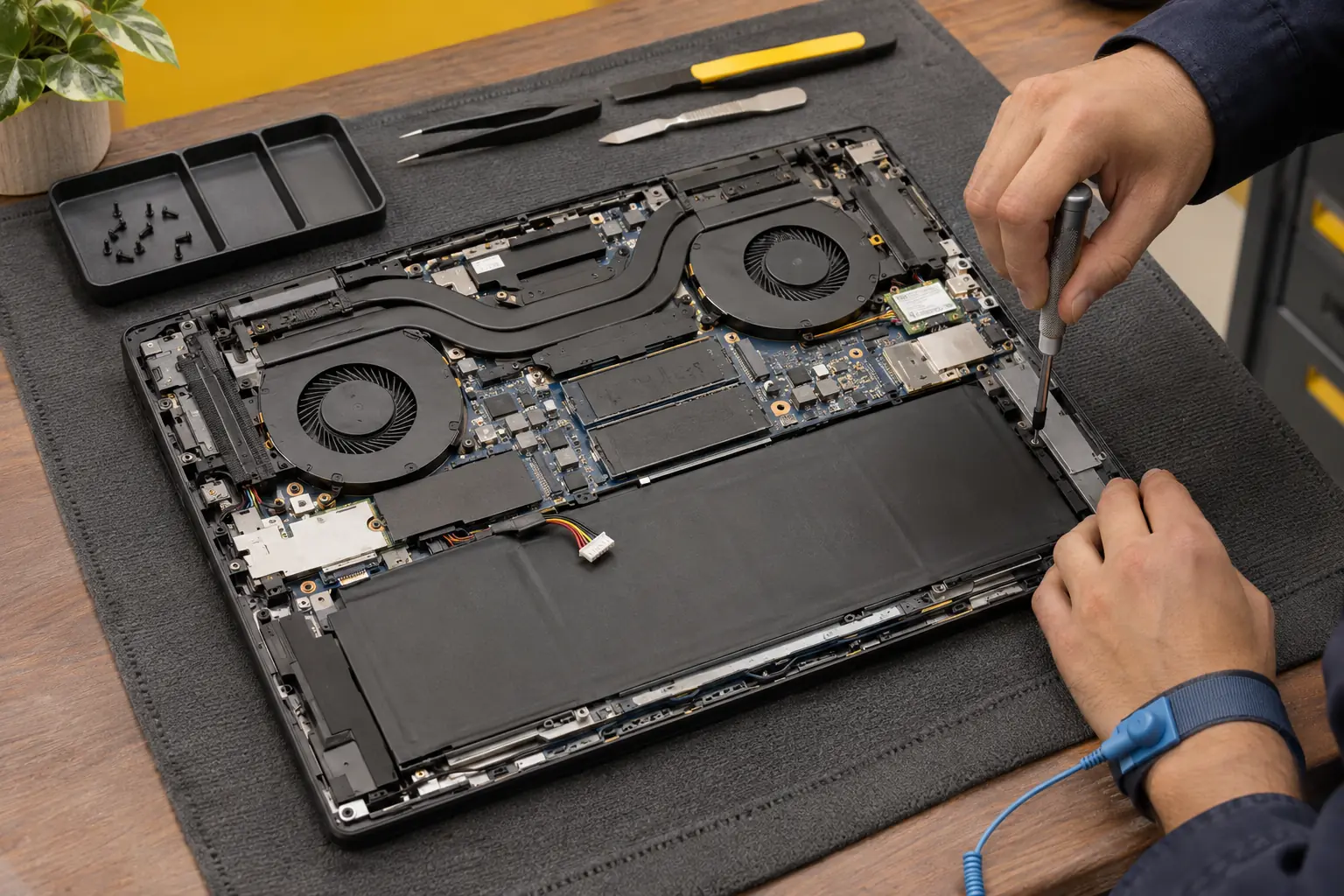
Laptop repairs for home and work
Broken screen, charging trouble or a laptop that will not start? Tell us the model, the symptoms and your postcode. We will check suitable repair help and explain the next step.
Start with the symptoms
You do not need to identify the failed part. These common problems help you find the right information before you enquire.
Cracks, lines, flickering or a very dim display. The screen type and exact model help identify the right replacement.
Laptop screen repairNo lights, a loose charging socket or a laptop that only works at a certain cable angle. The charger, socket and power circuit may need separate checks.
Charging socket repairsShort battery life, unexpected shutdowns or a laptop that only works while plugged in. Ask about a compatible battery and any related charging fault.
Battery replacementLong startup times and unresponsive apps can have several causes. Storage health, software and upgrade options should be checked before replacing parts.
Storage and SSD upgradesConstant fan noise, poor airflow or shutdowns during demanding work. Cooling may need cleaning, a fan replacement or further fault diagnosis.
Laptop cooling serviceLiquid damage, repeated power failures or faults beyond a replaceable socket need careful assessment. Describe what happened and whether it has been powered on since.
Motherboard repair optionsOther problems? Explore keyboard replacement, fan replacement, malware removal, data recovery or BIOS lock enquiries. For a spill, see liquid damage repair.
The model makes a difference
Enquire about makes including Dell, HP, Lenovo, ASUS, Acer and MSI. Repair suitability depends on the model, fault and available parts.
Tell us which everyday tasks have stopped working, such as signing in, joining meetings or opening files. For a work-managed laptop, check with your IT team before arranging third-party repair.
Mention whether the problem appears while gaming, charging or under other heavy use. Cooling layout, graphics hardware and the power adapter can all affect the assessment.
Touchscreens, hinges, built-in memory and battery access vary by model. An upgrade available on one laptop may not be possible on another. For an Apple laptop, use our MacBook repair page.
Know what to expect
The useful answer is a quote for your laptop and its fault. A screen replacement, software problem and damaged motherboard need different parts, testing and time.
Before you enquire
Do not include passwords or recovery keys in the enquiry form.
A clear next step
Start with what you can see. The assessment should explain the cause and your options before repair work goes ahead.
Send your model, symptoms and postcode using the form. Mention any deadline and files you need to keep.
Suitable repair help is checked for your area. Confirm the service arrangement, any assessment fee and the expected next update.
Review the findings, price, parts and likely timing. Agree any extra work before it proceeds and ask what will be tested afterwards.
Free enquiry. No obligation to book.
Choose a suitable arrangement
The fault determines the most practical option. Availability and arrangements are discussed for your postcode.
Useful when the problem involves your setup, printer or connection. Some laptop work may be suitable on site; confirm this before booking a visit.
Screen assemblies, liquid damage and board-level work may need specialist equipment and testing. Confirm any handover, collection or return arrangement first.
An option for some software problems if the laptop starts and has a reliable internet connection. It cannot replace a broken screen, battery or charging socket.
After a spill, switch off and unplug the laptop if safe, and avoid repeated attempts to start it. If the case is bulging, stop using and charging it. Mention either issue when you enquire so the handling arrangements can be discussed.
From the repair journal
These published examples cover different parts of laptop maintenance and repair. They illustrate individual jobs, not a promised result for another device.
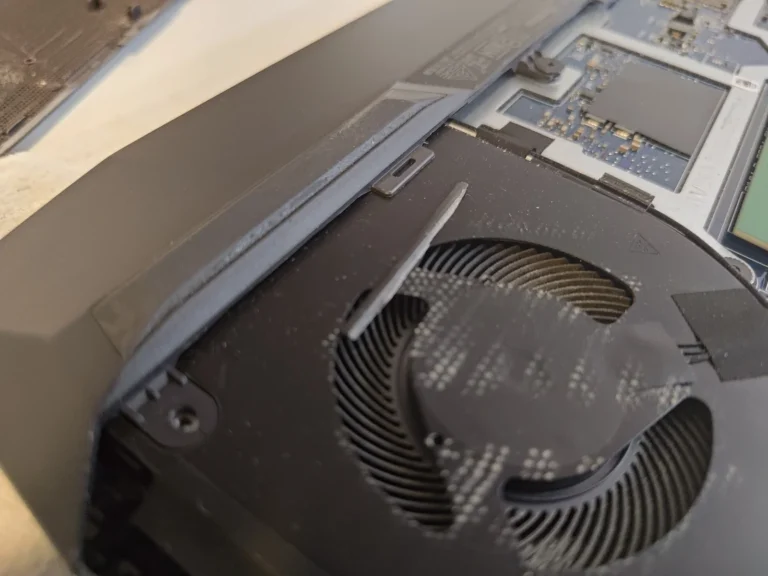
Cooling
A closer look at cleaning and repasting a gaming laptop, including the areas hidden beneath the cooling assembly.
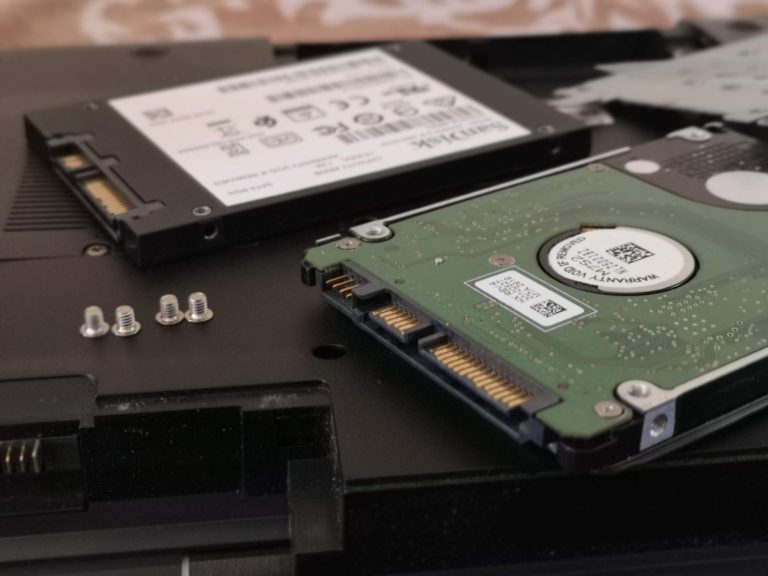
Storage repair
A Sony laptop repair involving replacement of its faulty hard drive with an SSD.
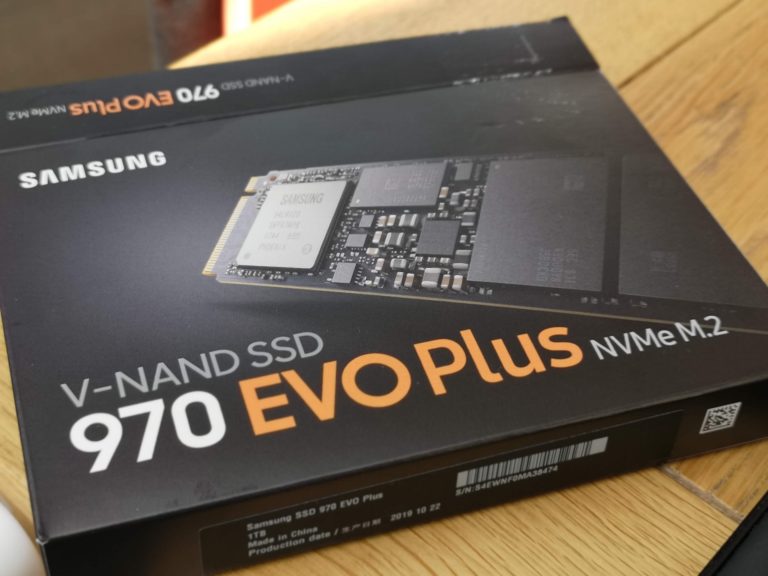
Upgrade
A published storage upgrade example for a gaming laptop. Compatibility still needs checking against your exact model.
Local help, checked first
Enquire from London or elsewhere in the UK. Your postcode helps us check whether a suitable engineer can help.
A coverage page is a starting point, not a confirmed appointment. Local availability, the fault and the parts needed determine the service options. We will discuss those before a booking is arranged.
Check repair availabilityBefore you book
Practical answers before you arrange an assessment.
Possibly. No power can involve the charger, battery, socket or internal circuitry. Tell us whether any lights appear, whether the fan runs and whether anything happened immediately before the failure. An assessment is needed to identify the cause.
Timing depends on diagnosis, parts availability and the testing required. Share your deadline when enquiring, then confirm an estimate with the engineer. Sending an enquiry does not confirm a same-day repair.
A repair does not always require erasing files, but their preservation cannot be guaranteed. Back up accessible files if it is safe to do so and explain what must be kept. Do not agree to a reset or reinstall until the data implications are clear.
Compare the quote with the laptop’s age, condition and replacement cost. Touchscreens and complete display assemblies can cost differently from standard panels. The exact model is needed to identify the correct part.
You can enquire about an assessment, but recovery is not guaranteed. Tell us the type of liquid, when it happened and whether the laptop has been powered since. Avoid further charging or startup attempts.
Confirm the service arrangement and address first. This form checks suitable repair help; it does not reserve a walk-in slot or confirm that a particular workshop can accept your laptop.
Add the model and your postcode. We will help you find the next step.